2022 LEXUS RC300 lock
[x] Cancel search: lockPage 316 of 400

3147-2. Steps to take in an emergency
RC350/RC300 Owner's Manual
Remove the cover inside the trunk and
pull the lever.
If you lose your keys
New genuine mechanical keys can
be made by your Lexus dealer using
another mechanical key and the
key number stamped on your key
number plate.
Keep the plate in a safe place such
as your wallet, not in the vehicle.
NOTICE
■When an electronic key is lost
If the electronic key remains lost, the risk
of vehicle theft increases significantly.
Visit your Lexus deal er immediately with
all remaining electronic keys and the
card key that were provided with your
vehicle.
If the fuel filler door cannot
be opened
If the fuel filler door cannot be
opened by pressing the center of
the rear edge of the fuel filler door
with the doors unlocked, the follow-
ing procedure can be used to open
the fuel filler door.
Opening the fuel filler door
Page 317 of 400

3157-2. Steps to take in an emergency
RC350/RC300 Owner's Manual
7
When trouble arises
■When the electronic key does not work
properly
●Make sure that the smart access system
with push-button start has not been deac-
tivated in the customization setting. If it is
off, turn the function on.
●Check if battery-saving mode is set. If it is
set, cancel the function. ( P.94)
■Unlocking the door
Use the mechanical key ( P.82) in
order to perform the following opera-
tions: 1
Insert the mechanical key while
pulling on the driver’s door handle.
2 Unlocking the door.
3 Remove the key, return the handle,
and then pull the handle again.
■Locking the door
1 Move the inside lock button to the
lock position.
2 Close the door.
■Opening the trunk
Turn the mechanical key clockwise to
open. ( P.57)
If the electronic key does not
operate properly
If communication between the
electronic key and vehicle is inter-
rupted ( P.94) or the electronic
key cannot be used because the
battery is depleted, the smart
access system with push-button
start and wireless remote control
cannot be used. In such cases, the
doors and trunk can be opened and
the engine can be started by follow-
ing the procedure below.
NOTICE
■In case of a smart access system with
push-button start malfunction or
other key-related problems
Take your vehicle with all the electronic
keys provided with your vehicle, includ-
ing the card key, to your Lexus dealer.
Locking and unlocking the doors
and opening the trunk
Page 318 of 400

3167-2. Steps to take in an emergency
RC350/RC300 Owner's Manual
■Key linked functions
1 Locks both side door
2 Closes the windows and moon roof (if
equipped) (turn and hold)
*
3Unlocks the door
Turning the key rearward unlocks the
driver’s door. Turning the key again unlocks
the other door.
4 Opens the windows and moon roof (if
equipped) (turn and hold)
*
*
: These settings must be customized at
your Lexus dealer.
1 Ensure that the shift lever is in P and
depress the brake pedal.
2 Touch the Lexus emblem side of the
electronic key to the engine switch.
When the electronic key is detected, a
buzzer sounds and the engine switch will
turn to IGNITION ON mode.
When the smart access system with
push-button start is deactivated in
customization setting, the engine switch
will turn to ACCESSORY mode.
3 Firmly depress the brake pedal and
check that is shown on the
multi-information display.
4 Press the engine switch.
In the event that the engine still cannot
be started, contact your Lexus dealer.
■Stopping the engine
Shift the shift lever to P and press the engine
switch as you normally do when stopping
the engine.
■Electronic key battery
As the above procedure is a temporary
measure, it is recommended that the elec-
tronic key battery be replaced immediately
when the battery is depleted. ( P.275)
■Alarm (For Canada)
Using the mechanical key to lock the doors
will not set the alarm system.
If a door is unlocked using the mechanical
WARNING
■When using the mechanical key and
operating the power windows or
moon roof
Operate the power window or moon
roof after checking to make sure that
there is no possibilit y of any passenger
having any of their bo dy parts caught in
the window or moon roof.
Also, do not allow ch ildren to operate the
mechanical key. It is possible for children
and other passengers to get caught in
the power window or moon roof.
Starting the engine
Page 319 of 400
3177-2. Steps to take in an emergency
RC350/RC300 Owner's Manual
7
When trouble arises
key when the alarm system is set, the alarm
may be triggered.
■Changing engine switch modes
Release the brake pedal and press the
engine switch in step 3 above.
The engine does not start and modes will be
changed each time the switch is pressed.
( P.127)
If you have a set of jumper (or booster)
cables and a second vehicle with a
12-volt battery, you can jump start your
vehicle by following the steps below.
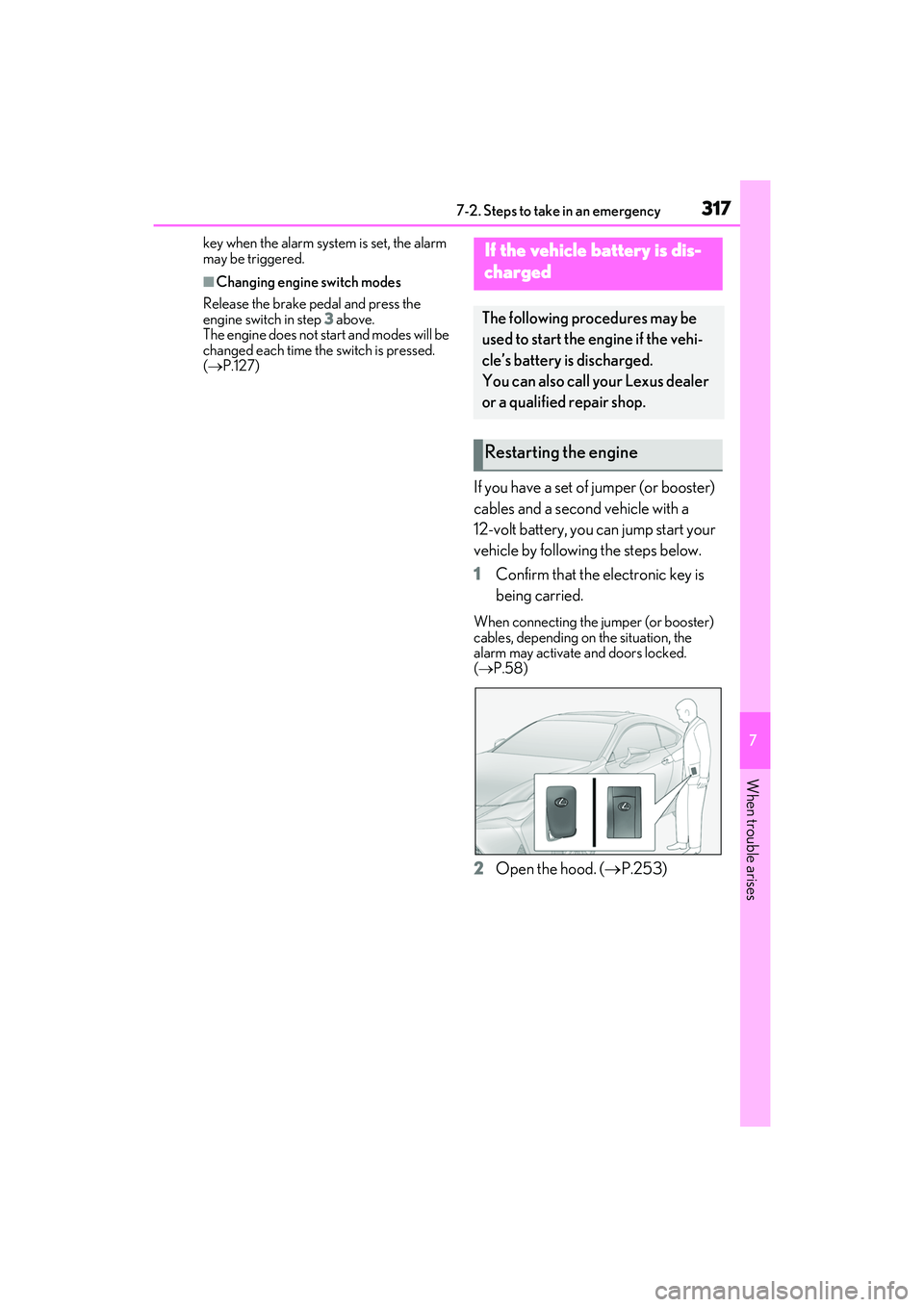
1 Confirm that the electronic key is
being carried.
When connecting the jumper (or booster)
cables, depending on the situation, the
alarm may activate and doors locked.
(P.58)
2 Open the hood. ( P.253)
If the vehicle battery is dis-
charged
The following procedures may be
used to start the engine if the vehi-
cle’s battery is discharged.
You can also call your Lexus dealer
or a qualified repair shop.
Restarting the engine
Page 321 of 400

3197-2. Steps to take in an emergency
RC350/RC300 Owner's Manual
7
When trouble arises
5Open and close any of the door of
your vehicle with the engine switch
off.
6 Maintain the engine speed of the
second vehicle and start the engine
of your vehicle by turning the
engine switch to IGNITION ON
mode.
7 Once the vehicle’s engine has
started, remove the jumper cables
in the exact reverse order from
which they were connected.
Once the engine starts, have the vehi-
cle inspected at your Lexus dealer as
soon as possible.
■Starting the engine when the battery is
discharged
The engine cannot be started by push-start-
ing.
■To prevent battery discharge
●Turn off the headlights and the audio sys-
tem while the engine is off.
●Turn off any unnecessary electrical com-
ponents when the vehicle is running at a
low speed for an extended period, such
as in heavy traffic.
■Charging the battery
The electricity stored in the battery will dis-
charge gradually even when the vehicle is
not in use, due to natural discharge and the
draining effects of certain electrical appli-
ances. If the vehicle is left for a long time,
the battery may discharge, and the engine
may be unable to start. (The battery
recharges automatically during driving.)
■When recharging or replacing the bat-
tery
●In some cases, it may not be possible to
unlock the doors using the smart access
system with push-button start when the
battery is discharged. Use the wireless
remote control or the mechanical key to
lock or unlock the doors.
●The engine may not start on the first
attempt after the battery has recharged
but will start normally after the second
attempt. This is not a malfunction.
●The engine switch mode is memorized by
the vehicle. When the battery is recon-
nected, the system will return to the
mode it was in before the battery was dis-
charged. Before disconnecting the bat-
tery, turn the engine switch off.
If you are unsure wh at mode the engine
switch was in before the battery dis-
charged, be especially careful when
reconnecting the battery.
WARNING
■Avoiding battery fires or explosions
Observe the following precautions to
prevent accidentally igniting the flamma-
ble gas that may be emitted from the bat-
tery:
●Make sure each jumper cable is con-
nected to the correct terminal and that
it is not unintentionally in contact with
any other than the intended terminal.
●Do not allow the other end of the
jumper cable connected to the “+” ter-
minal to come into contact with any
other parts or meta l surfaces in the
area, such as brackets or unpainted
metal.
●Do not allow the + and - clamps of the
jumper cables to come into contact
with each other.
●Do not smoke, use matches, cigarette
lighters or allow open flame near the
battery.
■Battery precautions
The battery contains poisonous and cor-
rosive acidic electrol yte, while related
parts contain lead and lead compounds.
Observe the following precautions when
handling the battery:
Page 353 of 400

3518-2. Customization
RC350/RC300 Owner's Manual
8
Vehicle specifications
*1: For details about each function: P.76
*2: The default setting varies according to country.
*3:Except F SPORT models
*4: Some status screens cannot be registered (i ndicated on the multi-information display)
*5: F SPORT models
*6: On multi-information display
■Door lock (P.86, 89, 315)
■Smart access system with push-button start and wireless remote control
( P.86, 89)
Eco Driving Indicator LightOnOff—O—
Clock*612-hour display24-hour display—O—
Function*1Default settingCustomized settingABC
FunctionDefault settingCustomized setting
Unlocking using a mechani-
cal key
Driver’s door
unlocked in one
step, both side doors unlocked in two steps
Both side doors
unlocked in one step——O
Automatic door lock
Shifting the shift
lever to position other than P
Off
O—OVehicle speed is
approximately 12
mph (20 km/h) or higher
Automatic door unlockShifting the shift lever to POff
O—ODriver’s door is opened
Locking/unlocking of the
trunk when both side doors
are locked/unlocked
OnOff——O
ABC
FunctionDefault settingCustomized setting
Operation buzzer volume5OffO—O1 to 7
ABC
Page 354 of 400

3528-2. Customization
RC350/RC300 Owner's Manual
■Smart access system with push-button start (P.86, 89, 93)
■Wireless remote control ( P.82, 86, 89)
Operation signal (Emer-
gency flashers)OnOffO—O
Time elapsed before auto-
matic door lock function is
activated if door is not
opened after being unlocked
60 seconds
Off
O—O30 seconds
120 seconds
Open door warning buzzerOnOff——O
Welcome light illumination
controlOnOffO—O
FunctionDefault settingCustomized settingABC
FunctionDefault settingCustomized setting
Smart access system with
push-button startOnOff——O
Smart door unlockingDriver’s doorBoth side doorsO—O
Number of consecutive door
lock operations2 timesAs many as desired——O
ABC
FunctionDefault settingCustomized setting
Wireless remote controlOnOff——O
Unlocking operation
Driver’s door
unlocked in one
step, both side doors unlocked in two steps
Both side doors
unlocked in one stepO—O
Trunk unlocking operationPress and hold (short)
One short press
——O
Push twice
Press and hold (long)
Off
Alarm (panic mode)OnOff——O
ABC
Page 355 of 400

3538-2. Customization
RC350/RC300 Owner's Manual
8
Vehicle specifications
■Driving position memory* ( P.100)
*:If equipped
■Power easy access system ( P.100)
*:If equipped
■Power windows ( P.110)
■Moon roof*( P.112)
*:If equipped
FunctionDefault settingCustomized setting
Selecting the door linking
driving position memory with
door unlock operation
Driver’s doorBoth side doors——O
ABC
FunctionDefault settingCustomized setting
Driver’s seat movement when
exiting the vehicleFullOffO—OPartial
Steering wheel movement*OnOff——O
ABC
FunctionDefault settingCustomized setting
Mechanical key linked opera-
tionOffOn——O
Wireless remote control
linked operationOffOn (Open only)——O
Wireless remote control
linked operation signal
(buzzer)
OnOff——O
ABC
FunctionDefault settingCustomized setting
Mechanical key linked opera-
tionOffOn——O
Wireless remote control
linked operationOffOn (Open only)——O
Wireless remote control
linked operation signal
(buzzer)
OnOff——O
ABC