2022 LEXUS ES350 key battery
[x] Cancel search: key batteryPage 107 of 468

1053-2. Opening, closing and locking the doors and trunk
3
Before driving
the trunk lid.
●If the spare electronic key is put in the
trunk with all the doors locked, the key
confinement prevention function is acti-
vated so the trunk can be opened. In
order to prevent theft, take all electronic
keys with you when leaving the vehicle.
●If the electronic key is put in the trunk
with all the doors locked, the key may not
be detected depending on the location of
the key and the surrounding radio wave
conditions. In this case, the key confine-
ment prevention function cannot be acti-
vated, causing the doors to lock when the
trunk is closed. Make sure to check
where the key is before closing the trunk.
●The key confinement prevention function
cannot be activated if any one of the
doors is unlocked. In this case, open the
trunk using the trunk opener.
■Overload protection function (vehicles
with power trunk lid)
The trunk lid will not operate when exces-
sive load is present on the top of the trunk
lid.
■Fall-down protection function (vehicles
with power trunk lid)
While the trunk lid is opening automatically,
applying excessive force to it will stop the
opening operation to prevent the trunk lid
from rapidly falling down.
■Jam protection function (vehicles with
power trunk lid)
While the trunk lid is closing automatically,
the trunk lid will stop closing and open if
something gets caught.
■Internal trunk release lever
The trunk lid can be opened by pulling the
glow-in-the-dark lever located on the inside
of the trunk to the side. The lever will con-
tinue to glow for some time after the trunk
lid is closed.
■Using the mechanical key
The trunk can be also opened using the
mechanical key. ( P.376) If the trunk is
unlocked using the mechanical key, the
power trunk lid and trunk easy closer will
not be operational. To return them to an
operational state, fully close the trunk lid by
hand.
■If the smart access system with push-
button start or the wireless remote con-
trol does not operate properly
Use the mechanical key to unlock the trunk.
( P.376)
Replace the key battery with a new one if it
is depleted. ( P.333)
■Hands Free Power Trunk Lid operating
conditions (vehicles with power trunk
lid)
●When the Hands Free Power Trunk Lid
(kick sensor) operation setting is turned
on and the engine sw itch is turned off
●When an electronic key is carried within
the operation range
■Situations in which the Hands Free
Power Trunk Lid may not operate prop-
erly (vehicles with power trunk lid)
In the following situations, the Hands Free
Power Trunk Lid may not operate properly:
●When a foot remains under the rear
bumper
●If the rear bumper is strongly hit with a
foot or is touched for a while
If the rear bumper has been touched for a
while, wait for a short time before
attempting to operate the Hands Free
Power Trunk Lid again.
●When operated while a person is too
close to the rear bumper
●When an external radio wave source
interferes with the communication
Page 111 of 468

1093-2. Opening, closing and locking the doors and trunk
3
Before driving
■Battery-saving function
The battery-saving function will be acti-
vated in order to prevent the electronic key
battery and the battery from being dis-
charged while the vehicle is not in operation
for a long time.
●In the following situations, the smart
access system with push-button start may
take some time to unlock the doors.
• The electronic key has been left within
approximately 6 ft. (2 m) of the outside of
the vehicle for 10 minutes or longer.
• The smart access system with push-but-
ton start has not been used for 5 days or
longer.
●If the smart access system with push-but-
ton start has not been used for 14 days or
longer, the doors cannot be unlocked at
any doors except the driver’s door. In this
case, take hold of the driver’s door han-
dle, or use the wireless remote control or
mechanical key, to unlock the doors.
■Turning an electronic key to battery-
saving mode
●When battery-saving mode is set, battery
depletion is minimized by stopping the
electronic key from receiving radio
waves.
Press twice while pressing and
holding . Confirm that the elec-
tronic key indicator flashes 4 times.
While the battery-saving mode is set, the
smart access system with push-button
start cannot be used. To cancel the func-
tion, press any of the electronic key but-
tons.
●Electronic keys that will not be used for
long periods of time can be set to the bat-
tery-saving mode in advance.
■Conditions affecting operation
The smart access system with push-button
start uses weak radio waves. In the follow-
ing situations, the communication between
the electronic key and the vehicle may be
affected, preventing the smart access sys-
tem with push-button start, wireless remote
control and engine immobilizer system
from operating properly.
(Ways of coping: P.376)
●When the electronic key battery is
depleted
●Near a TV tower, electric power plant,
gas station, radio station, large display,
airport or other facility that generates
strong radio waves or electrical noise
●When the electronic key is in contact
with, or is covered by the following metal-
lic objects
• Cards to which aluminum foil is attached
• Cigarette boxes that have aluminum foil inside
• Metallic wallets or bags
•Coins
• Hand warmers made of metal
• Media such as CDs and DVDs
●When other wireless keys (that emit
radio waves) are being used nearby
●When carrying the electronic key
together with the following devices that
emit radio waves
• Portable radio, cellular phone, cordless phone or other wireless communication
device
• Another electronic key or a wireless key that emits radio waves
• Personal computers or personal digital assistants (PDAs)
• Digital audio players
• Portable game systems
●If window tint with a metallic content or
metallic objects are attached to the rear
window
●When the electronic key is placed near a
battery charger or electronic devices
●When the vehicle is parked in a pay park-
ing spot where radio waves are emitted.
■Notes for the entry function
●Even when the electronic key is within the
Page 112 of 468

1103-2. Opening, closing and locking the doors and trunk
effective range (detection areas), the sys-
tem may not operate properly in the fol-
lowing cases:
• The electronic key is too close to the win- dow or outside door handle, near the
ground, or in a high place when the doors
are locked or unlocked.
• The electronic key is near the ground or in a high place, or too close to the center
of the rear bumper when the trunk is
opened.
• The electronic key is on the instrument
panel, rear package tray or floor, or in the
door pockets or glove box when the
engine is started or engine switch modes
are changed.
●Do not leave the electronic key on top of
the instrument panel or near the door
pockets when exiting the vehicle.
Depending on the radio wave reception
conditions, it may be detected by the
antenna outside the cabin and the doors
will become lockable from the outside,
possibly trapping the electronic key
inside the vehicle.
●As long as the electronic key is within the
effective range, the doors may be locked
or unlocked by anyone. However, only
the doors detecting the electronic key
can be used to unlock the vehicle.
●Even if the electronic key is not inside the
vehicle, it may be possible to start the
engine if the electronic key is near the
window.
●The doors may unlock or lock if a large
amount of water splashes on the door
handle, such as in the rain or in a car
wash, when the electronic key is within
the effective range. (The doors will auto-
matically be locked after approximately
60 seconds if the doors are not opened
and closed.)
●If the wireless remote control is used to
lock the doors when the electronic key is
near the vehicle, there is a possibility that
the door may not be unlocked by the
entry function. (Use the wireless remote
control to unlock the doors.)
●Touching the door lock sensor while
wearing gloves may delay or prevent
lock operation. Remove the gloves and
touch the lock sensor again.
●When the lock operation is performed
using the lock sensor, recognition signals
will be shown up to two consecutive
times. After this, no recognition signals
will be given.
●Unlocking the vehicle may take more
time if another electronic key is within the
effective range.
●If the door handle becomes wet while the
electronic key is within the effective
range, the door may lock and unlock
repeatedly. In this case, follow the follow-
ing correction procedures to wash the
vehicle:
• Place the electronic key in a location 6 ft. (2 m) or more away from the vehicle.
(Take care to ensure that the key is not
stolen.)
• Set the electronic key to battery-saving
mode to disable the smart access system
with push-button start. ( P.109)
●If the electronic key is inside the vehicle
and a door handle becomes wet during a
car wash, a message may be shown on
the multi-information display and a
buzzer will sound outside the vehicle. To
turn off the alarm, lock all the doors.
●The lock sensor may not work properly if
it comes into contact with ice, snow, mud,
etc.
Clean the lock sensor and attempt to
operate it again.
●A sudden approach to the effective
range or door handle may prevent the
doors from being unlocked. In this case,
return the door handle to the original
position and check that the doors unlock
before pulling the door handle again.
■When the vehicle is not driven for
extended periods
●To prevent theft of the vehicle, do not
leave the electronic key within 6 ft. (2 m)
of the vehicle.
●The smart access system with push-but-
ton start can be deactivated in advance.
●Battery-saving mode can reduce the
power consumption of electronic keys.
( P.109)
Page 147 of 468

1454-2. Driving procedures
4
Driving
■If the battery is discharged
The engine cannot be started using the
smart access system with push-button start.
Refer to P.379 to restart the engine.
■Electronic key battery depletion
P.92
■Conditions affecting operation
P.109
■Notes for the entry function
P.109
■Steering lock function
●After turning the engine switch off and
opening and closing the doors, the steer-
ing wheel will be locked due to the steer-
ing lock function. Operating the engine
switch again automatically cancels the
steering lock.
●When the steering lock cannot be
released, “Push Engine Switch while
Turning Steering Wheel in Either Direc-
tion” will be displayed on the multi-infor-
mation display.
Check that the shift lever is set in P. Press
the engine switch shortly and firmly while
turning the steering wh eel left and right.
●To prevent the steering lock motor from
overheating, operation of the motor may
be suspended if the engine is turned on
and off repeatedly in a short period of
time. In this case, refrain from operating
the engine switch. After about 10 sec-
onds, the steering lock motor will resume
functioning.
■If there is a malfunction in the smart
access system with push-button start
If “Access System with Elec. Key Malfunc-
tion See Owner’s Manual” is displayed on
the multi-information display, the system
may be malfunctioning. Have the vehicle inspected by your Lexus dealer immedi-
ately.
■Electronic key battery
P.333
■Operation of the engine switch
●If the switch is not pressed shortly and
firmly, the engine switch mode may not
change or the engine may not start.
●If attempting to restart the engine imme-
diately after turning the engine switch off,
the engine may not start in some cases.
After turning the engine switch off, please
wait a few seconds before restarting the
engine.
■Customization
If the smart access system with push-button
start has been deactivated in a customized
setting, refer to P.408.
WARNING
■When starting the engine
Always start the engine while sitting in
the driver’s seat. Do not depress the
accelerator pedal while starting the
engine under any circumstances.
Doing so may cause an accident result-
ing in death or serious injury.
■Caution while driving
If engine failure occurs while the vehicle
is moving, do not lock or open the doors
until the vehicle reaches a safe and com-
plete stop. Activation of the steering lock
in this circumstance may lead to an acci-
dent, resulting in death or serious injury.
NOTICE
■When starting the engine
●Do not race a cold engine.
●If the engine becomes difficult to start
or stalls frequently, have your vehicle
checked by your Lexus dealer imme-
diately.
Page 161 of 468
1594-3. Operating the lights and wipers
4
Driving
■Automatic light off system
●When the headlights come on: The head-
lights and tail lights turn off 30 seconds
after the driver’s door is opened and
closed if the engine switch is turned to
ACCESSORY mode or turned off. (The
lights turn off immediately if on
the key is pressed after all the doors are
locked.)
●When only the tail lights come on: The tail
lights turn off automatically if the engine
switch is turned to ACCESSORY mode
or turned off and the driver’s door is
opened.
For the U.S.A.: To turn the lights on again,
turn the engine switch to IGNITION ON
mode, or turn the ligh t switch off once and
then back to or .
For Canada: To turn the lights on again, turn
the engine switch to IGNITION ON mode,
or turn the light switch to position once
and then back to or .
■Light reminder buzzer
A buzzer sounds when the engine switch is
turned off or turned to ACCESSORY
mode and the driver’s door is opened while
the lights are turned on.
■Automatic headlight leveling system (if
equipped)
The level of the headlights is automatically
adjusted according to the number of pas-
sengers and the loading condition of the
vehicle to ensure that the headlights do not
interfere with other road users.
■Windshield wiper linked headlight illu-
mination
When driving during daytime with the
headlight switch turned to , if the wind-
shield wipers are used, the headlights will
turn on automatically after several seconds
to help enhance the visibility of your vehicle.
■Battery-saving function
In order to prevent the battery of the vehi-
cle from discharging, if the headlights
and/or tail lights are on when the engine
switch is turned off the battery saving func-
tion will operate and automatically turn off
all the lights after approximately 20 min-
utes.
When the engine switch is turned to IGNI-
TION ON mode, the battery-saving func-
tion will be disabled.
When any of the following are performed,
the battery-saving function is canceled
once and then reactivat ed. All the lights will
turn off automatically 20 minutes after the
battery-saving function has been reacti-
vated:
●When the headlight switch is operated
●When a door is opened or closed
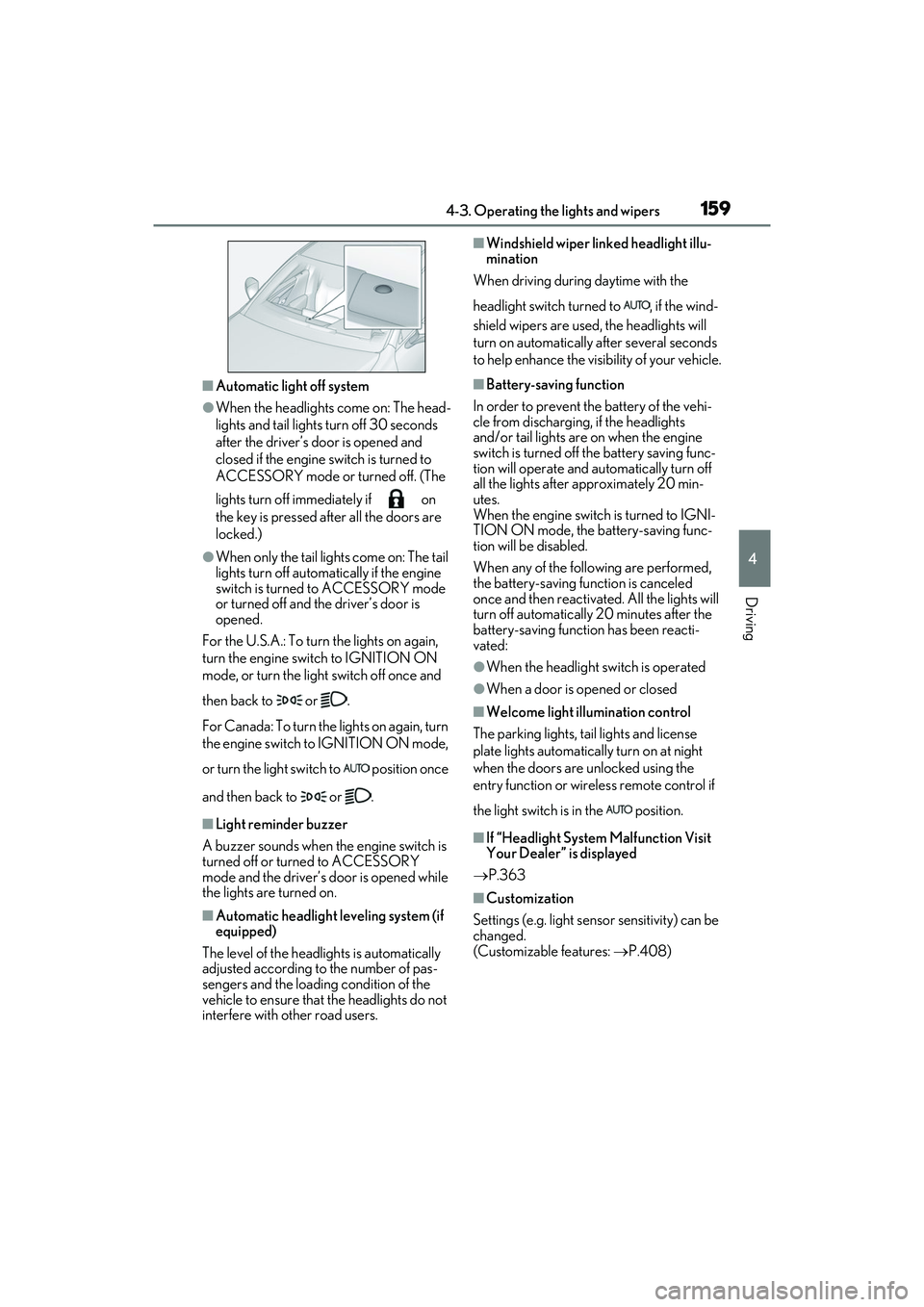
■Welcome light illumination control
The parking lights, tail lights and license
plate lights automatically turn on at night
when the doors are unlocked using the
entry function or wireless remote control if
the light switch is in the position.
■If “Headlight System Malfunction Visit
Your Dealer” is displayed
P.363
■Customization
Settings (e.g. light sensor sensitivity) can be
changed.
(Customizable features: P.408)
Page 276 of 468
2745-4. Using the interior lights
■Turning the door position on
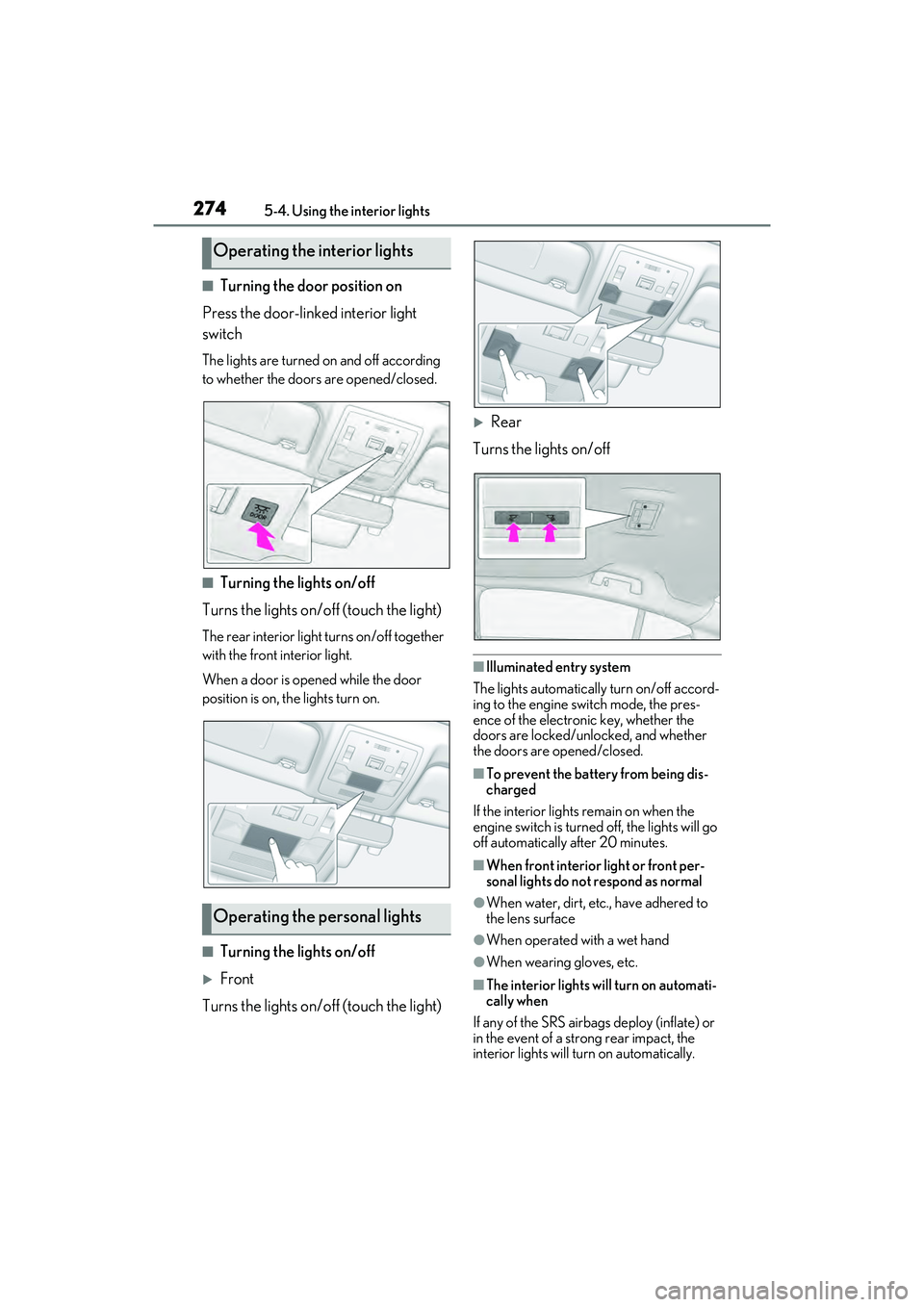
Press the door-linked interior light
switch
The lights are turned on and off according
to whether the doors are opened/closed.
■Turning the lights on/off
Turns the lights on/off (touch the light)
The rear interior light turns on/off together
with the front interior light.
When a door is opened while the door
position is on, the lights turn on.
■Turning the lights on/off
Front
Turns the lights on/off (touch the light)
Rear
Turns the lights on/off
■Illuminated entry system
The lights automatically turn on/off accord-
ing to the engine switch mode, the pres-
ence of the electronic key, whether the
doors are locked/unlocked, and whether
the doors are opened/closed.
■To prevent the battery from being dis-
charged
If the interior lights remain on when the
engine switch is turned off, the lights will go
off automatically after 20 minutes.
■When front interior light or front per-
sonal lights do not respond as normal
●When water, dirt, etc., have adhered to
the lens surface
●When operated with a wet hand
●When wearing gloves, etc.
■The interior lights will turn on automati-
cally when
If any of the SRS airbags deploy (inflate) or
in the event of a strong rear impact, the
interior lights will turn on automatically.
Operating the interior lights
Operating the personal lights
Page 288 of 468
2865-6. Using the other interior features
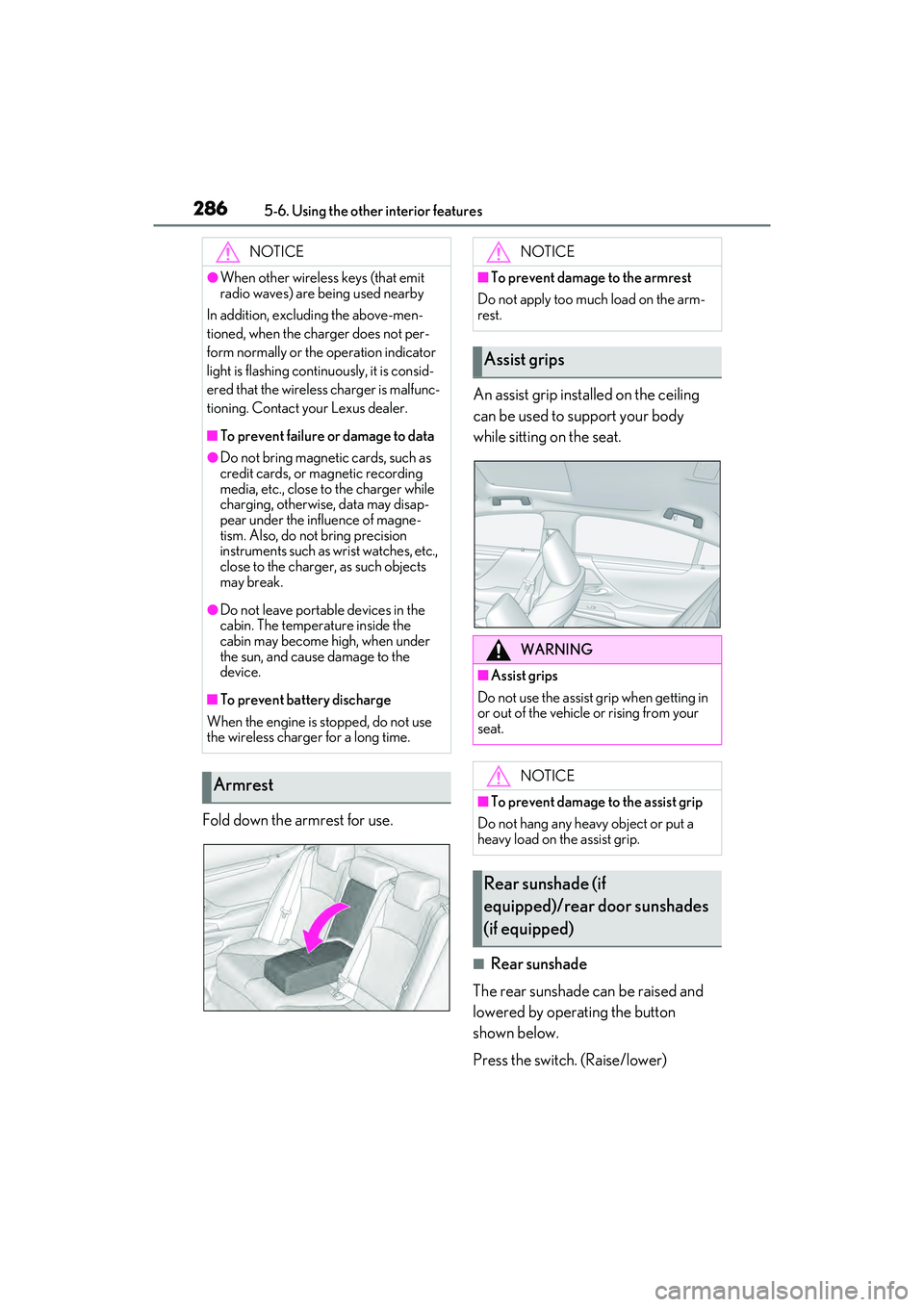
Fold down the armrest for use.An assist grip installed on the ceiling
can be used to support your body
while sitting on the seat.
■Rear sunshade
The rear sunshade can be raised and
lowered by operating the button
shown below.
Press the switch. (Raise/lower)
NOTICE
●When other wireless keys (that emit
radio waves) are being used nearby
In addition, excluding the above-men-
tioned, when the charger does not per-
form normally or the operation indicator
light is flashing continuously, it is consid-
ered that the wireless charger is malfunc-
tioning. Contact your Lexus dealer.
■To prevent failure or damage to data
●Do not bring magnetic cards, such as
credit cards, or magnetic recording
media, etc., close to the charger while
charging, otherwise, data may disap-
pear under the influence of magne-
tism. Also, do not bring precision
instruments such as wrist watches, etc.,
close to the charger, as such objects
may break.
●Do not leave portable devices in the
cabin. The temperature inside the
cabin may become high, when under
the sun, and cause damage to the
device.
■To prevent battery discharge
When the engine is stopped, do not use
the wireless charger for a long time.
Armrest
NOTICE
■To prevent damage to the armrest
Do not apply too much load on the arm-
rest.
Assist grips
WARNING
■Assist grips
Do not use the assist grip when getting in
or out of the vehicle or rising from your
seat.
NOTICE
■To prevent damage to the assist grip
Do not hang any heavy object or put a
heavy load on the assist grip.
Rear sunshade (if
equipped)/rear door sunshades
(if equipped)
Page 299 of 468

297
6
6
Maintenance and care
Maintenance and care
6-1. Maintenance and careCleaning and protecting the vehi-cle exterior ................................ 298
Cleaning and protecting the vehi- cle interior .................................. 301
6-2. Maintenance Maintenance requirements .. 303
General maintenance ............. 304
Emission inspection and mainte- nance (I/M) programs ......... 307
6-3. Do-it-yourself maintenance Do-it-yourself service precautions ............................... 308
Hood................................................ 310
Positioning a floor jack ............. 310
Engine compartment................ 312
Tires ................................................ 320
Tire inflation pressure .............. 328
Wheels........................................... 330
Air conditioning filter................ 331
Electronic key battery ............. 333
Checking and replacing fuses ........................................................ 335
Headlight aim.............................. 337
Light bulbs .................................... 338