2022 KIA SPORTAGE change time
[x] Cancel search: change timePage 311 of 630
Driving your vehicle
26
5
For safe all wheel drive opera-
tion
✽ ✽
NOTICE- All wheel drive
The road conditions that demand all
wheel drive mean all functions of
your vehicle are exposed to extreme
stress than under normal road con-
ditions. Slow down and be ready for
changes in the composition and trac-
tion of the surface under your tires.
If you have any doubt about the
safety of the conditions you are fac-
ing, stop and consider the best way
to proceed. Do not exceed the ability
of yourself or your vehicle to operate
safely.
Do not try to drive in deep standing
water or mud since such conditions
can stall your engine and clog your
exhaust pipes. Do not drive down
steep hills since it requires extreme
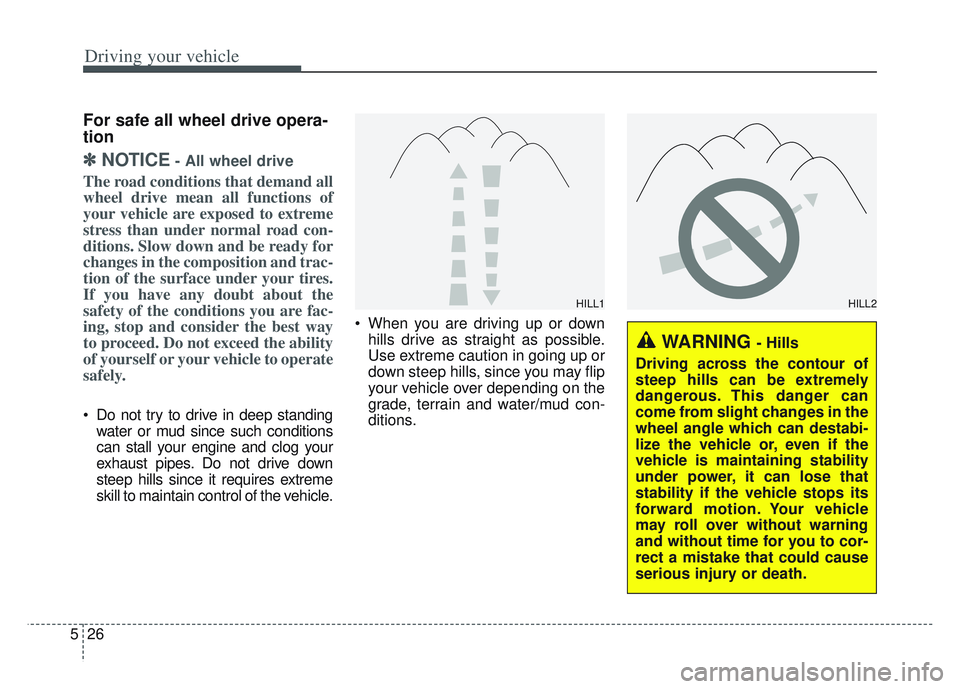
skill to maintain control of the vehicle. When you are driving up or down
hills drive as straight as possible.
Use extreme caution in going up or
down steep hills, since you may flip
your vehicle over depending on the
grade, terrain and water/mud con-
ditions.
WARNING - Hills
Driving across the contour of
steep hills can be extremely
dangerous. This danger can
come from slight changes in the
wheel angle which can destabi-
lize the vehicle or, even if the
vehicle is maintaining stability
under power, it can lose that
stability if the vehicle stops its
forward motion. Your vehicle
may roll over without warning
and without time for you to cor-
rect a mistake that could cause
serious injury or death.
HILL1HILL2
Page 313 of 630
Driving your vehicle
28
5
If you need to drive in the water,
stop your vehicle, set your transfer
to the AWD LOCK mode and drive
at less than 5 mph (8 km/h).✽ ✽ NOTICE
• Do not drive in water if the level is
higher than the bottom of the vehi-
cle.
• Check your brake condition once you are out of mud or water. Press
the brake pedal several times as
you move slowly until you feel nor-
mal braking forces return.
• Shorten your scheduled mainte- nance interval if you drive in off-
road conditions such as sand, mud
or water (see “Maintenance under
severe usage conditions” in section
8). Always wash your vehicle thor-
oughly after off-road use, especially
cleaning the bottom of the vehicle.
• Since the driving torque is always applied to the 4 wheels the per-
formance of the AWD vehicle is
greatly affected by the condition of
the tires. Be sure to equip the vehi-
cle with four tires of the same size
and type.
• A full time all wheel drive vehicle cannot be towed by an ordinary
tow truck. Make sure that the
vehicle is placed on a flat bed
truck for moving.
WARNING - Driving
through water
Drive slowly. If you are driving
too fast in water, the water can
get into the engine compart-
ment and wet the ignition sys-
tem, causing your vehicle to
suddenly stop. If this happens
and your vehicle is in a tilted
position, your vehicle may roll
over.
WARNING - AWD driving
Avoid high cornering speed.
Do not make quick steering wheel movements, such as
sharp lane changes or fast,
sharp turns.
The risk of rollover is greatly increased if you lose control
of your vehicle at high speed.
Loss of control often occurs if two or more wheels drop off
the roadway and the driver
over-steers to re-enter the
roadway. In the event your
vehicle leaves the roadway, do
not steer sharply. Instead,
slow down before pulling
back into the travel lanes.
Page 327 of 630
Driving your vehicle
42
5
4. If you press the accelerator pedal
with the shift lever in D (Drive) or
manual mode, the Auto Hold will
be released automatically and the
vehicle will start to move. The indi-
cator changes from green to white
indicating the Auto Hold is in
standby and the EPB is released.
When driving off from Auto Hold by
depressing the accelerator pedal,
always check the surrounding area
near your vehicle.
Slowly depress the accelerator pedal
for a smooth launch.Cancel
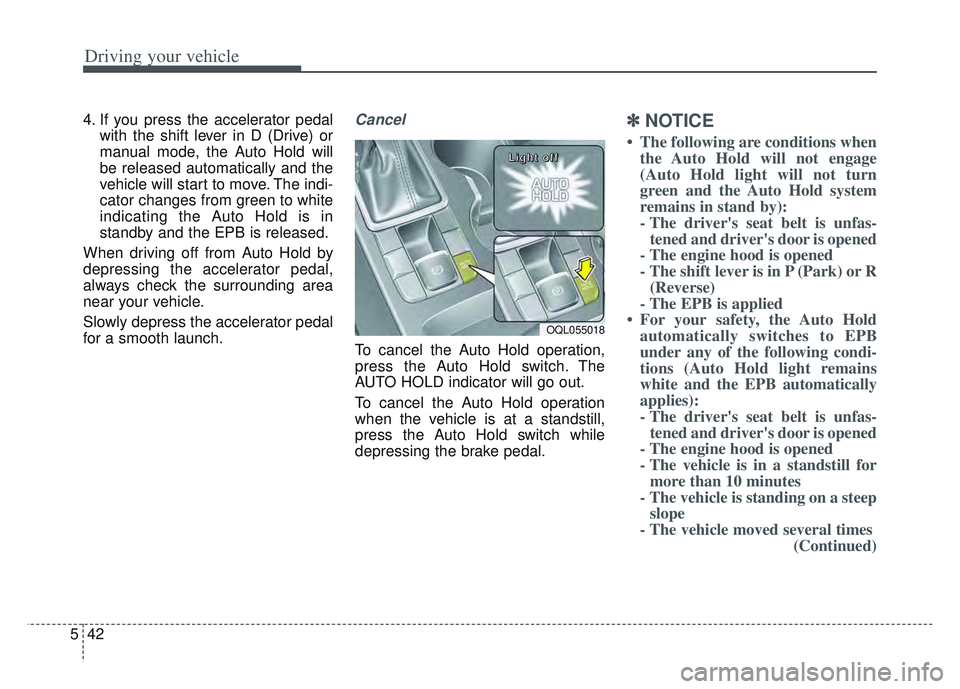
To cancel the Auto Hold operation,
press the Auto Hold switch. The
AUTO HOLD indicator will go out.
To cancel the Auto Hold operation
when the vehicle is at a standstill,
press the Auto Hold switch while
depressing the brake pedal.
✽ ✽ NOTICE
• The following are conditions when
the Auto Hold will not engage
(Auto Hold light will not turn
green and the Auto Hold system
remains in stand by):
- The driver's seat belt is unfas-tened and driver's door is opened
- The engine hood is opened
- The shift lever is in P (Park) or R (Reverse)
- The EPB is applied
• For your safety, the Auto Hold automatically switches to EPB
under any of the following condi-
tions (Auto Hold light remains
white and the EPB automatically
applies):
- The driver's seat belt is unfas-tened and driver's door is opened
- The engine hood is opened
- The vehicle is in a standstill for more than 10 minutes
- The vehicle is standing on a steep slope
- The vehicle moved several times (Continued)
OQL055018
L L
L L
i i
i i
g g
g g
h h
h h
t t
t t
o o
o o
f f
f f
f f
f f
Page 338 of 630
553
Driving your vehicle
Good braking practices
Wet brakes can be dangerous! The
brakes may get wet if the vehicle is
driven through standing water or if it
is washed. Your vehicle will not stop
as quickly if the brakes are wet. Wet
brakes may cause the vehicle to pull
to one side.To dry the brakes, apply the brakes
lightly until the braking action returns
to normal, taking care to keep the
vehicle under control at all times. If
the braking action does not return to
normal, stop as soon as it is safe to
do so and we recommend that you
call an authorized Kia dealer for
assistance.
DO NOT drive with your foot resting
on the brake pedal. Even light, but
constant pedal pressure can result in
the brakes overheating, brake wear,
and possibly even brake failure.
If a tire goes flat while you are driv-
ing, apply the brakes gently and
keep the vehicle pointed straight
ahead while you slow down. When
you are moving slowly enough for it
to be safe to do so, pull off the road
and stop in a safe location.
Keep your foot firmly on the brake
pedal when the vehicle is stopped to
prevent the vehicle from rolling for-
ward.
Vehicle stability management
(VSM)
This system provides further
enhancements to vehicle stability
and steering responses when a vehi-
cle is driving on a slippery road or a
vehicle detects changes in coeffi-
cient of friction between right wheels
and left wheels when braking.
WARNING
Whenever leaving the vehicle or
parking, always come to a com-
plete stop and continue to
depress the brake pedal. Move
the shift lever into the P (Park)
position, then apply the parking
brake, and place the Engine
Start/Stop button in the OFF
position.
Vehicles with the parking brake
not fully engaged are at risk for
moving inadvertently and caus-
ing injury to yourself or others.WARNING- Tire/
Wheel size
When replacing tires and wheels,
make sure they are the same size
as the original tires and wheels
installed. Driving with varying
tire or wheel sizes may diminish
any supplemental safety benefits
of the VSM system.
Page 343 of 630
Driving your vehicle
58
5
When Active ECO is activated:
The acceleration may slightly be
reduced even though you depress
the accelerator fully.
The air conditioner performance may be limited
The shift pattern of the automatic transmission may change.
The engine noise may get louder.
The above situations are normal
conditions when the Active Eco
System is activated to improve fuel
efficiency. Limitation of Active ECO opera-
tion:
If the following conditions occur while
Active ECO is operating, the system
operation is limited even though
there is no change in the ECO indi-
cator.
When the coolant temperature is
low:
The system will be limited until
engine performance becomes nor-
mal.
When driving up a hill: The system will be limited to gain
power when driving uphill because
the engine torque is restricted.
When using manual mode: The system will be limited accord-
ing to the shift location.
When the accelerator pedal is deeply depressed for a few sec-
onds:
The system will be limited, judging
that the driver wants to speed up.SPORT mode
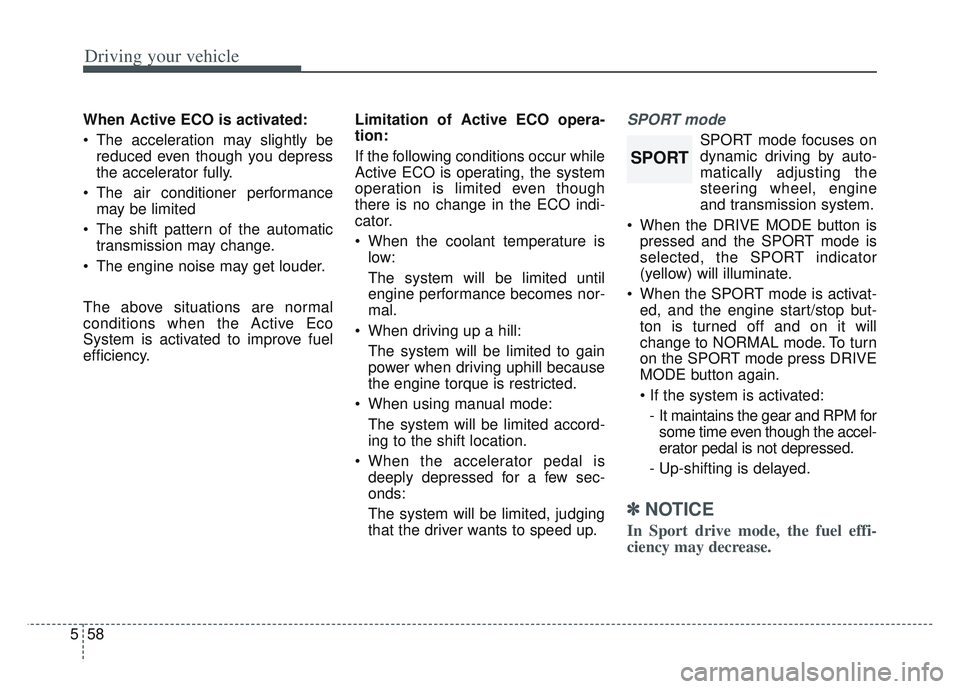
SPORT mode focuses on
dynamic driving by auto-
matically adjusting the
steering wheel, engine
and transmission system.
When the DRIVE MODE button is pressed and the SPORT mode is
selected, the SPORT indicator
(yellow) will illuminate.
When the SPORT mode is activat- ed, and the engine start/stop but-
ton is turned off and on it will
change to NORMAL mode. To turn
on the SPORT mode press DRIVE
MODE button again.
- It maintains the gear and RPM for some time even though the accel-
erator pedal is not depressed.
- Up-shifting is delayed.
✽ ✽
NOTICE
In Sport drive mode, the fuel effi-
ciency may decrease.
SPORT
Page 345 of 630
Driving your vehicle
60
5
The warning light illumi-
nates on the LCD display,
when you cancel FCA. The
driver can monitor the
FCA ON/OFF status on the LCD dis-
play. Also, the warning light illumi-
nates when the ESC (Electronic
Stability Control) is turned off. When
the warning light remains ON with
FCA activated, have the system
checked by an authorized Kia dealer.
Setting the initial warning activa-
tion time
The driver can select the initial warn-
ing activation time on the LCD dis-
play. Go to the 'User Settings
Driver Assistance Forward
Collision Warning
Early/Normal/Late'.
The options for the initial Forward
Collision Warning includes the fol-
lowing: • Early - When this condition is select-
ed, the initial Forward
Collision Warning is activat-
ed earlier than normal. This
setting maximizes the
amount of distance between
the vehicle or pedestrian
ahead before the initial warn-
ing occurs. If the ‘Early’ con-
dition feels too sensitive,
change it into ‘Normal’. When
the vehicle ahead suddenly
stops, the warning may
seem to activate later even if
the ‘Early’ condition was
selected.
selected, the initial Forward
Collision Warning is acti-
vated normally. This setting
allows for a nominal
amount of distance
between the vehicle or
pedestrian ahead before
the initial warning occurs.
When this condition is
selected, the initial Forward
Collision Warning is activat-
ed later than normal. This
setting reduces the amount
of distance between the
vehicle or pedestrians ahead
before the initial warning
occurs. Select this condition
only when traffic is light, and
you are driving slowly.
Page 360 of 630
575
Driving your vehicle
The warning light illumi-
nates on the LCD display,
when you cancel FCA. The
driver can monitor the
FCA ON/OFF status on the LCD dis-
play. Also, the warning light illumi-
nates when the ESC (Electronic
Stability Control) is turned off. When
the warning light remains ON with
FCA activated, have the system
checked by an authorized Kia dealer.
warning activation time on the LCD
display. Go to the 'User Settings
Driver Assistance Forward
Collision Warning
Early/Normal/Late'.
The options for the initial Forward Collision Warning includes the fol-
lowing: Early - When this condition is select-
ed, the initial Forward
Collision Warning is activat-
ed earlier than normal. This
setting maximizes the
amount of distance between
the vehicle or pedestrian
ahead before the initial warn-
ing occurs. If the ‘Early’ con-
dition feels too sensitive,
change it into ‘Normal’. When
the vehicle ahead suddenly
stops, the warning may
seem to activate later even if
the ‘Early’ condition was
selected.
selected, the initial Forward
Collision Warning is acti-
vated normally. This setting
allows for a nominal
amount of distance
between the vehicle or
pedestrian ahead before
the initial warning occurs.
When this condition is
selected, the initial Forward
Collision Warning is activat-
ed later than normal. This
setting reduces the amount
of distance between the
vehicle or pedestrians ahead
before the initial warning
occurs. Select this condition
only when traffic is light, and
you are driving slowly.
Page 390 of 630
5105
Driving your vehicle
The vehicle drives on a curved road.
The vehicle drives through a tollgate.
The road pavement (or the periph-eral ground) abnormally contains
metallic components (i.e. possibly
due to subway construction).
There is a fixed object near the vehicle, such as a guardrail.
While going down or up a steep road where the height of the lane is
different.
Driving on a narrow road where trees or grass or overgrown.
Driving in rural areas where the sensor does not detect another
vehicle or structure for an extended
period of time.
Driving on a wet road.
Driving on a road where the guardrail or wall is in double struc-
ture.
A big vehicle is near such as a bus or truck.
When the other vehicle approach- es very close.
When the other vehicle passes at a very fast speed. While changing lanes.
If the vehicle has started at the
same time as the vehicle next to
you and has accelerated.
When the vehicle in the next lane moves two lanes away from you
OR when the vehicle two lanes
away moves to the next lane from
you.
A motorcycle or bicycle is near.
A flat trailer is near.
If there are small objects in the detecting area such as a shopping
cart or a baby stroller.
If there is a low height vehicle such as a sports car.
The brake pedal is depressed.
ESC (Electronic Stability Control) is activated.
ESC (Electronic Stability Control) malfunctions.
The tire pressure is low or a tire is damaged.
The brake is reworked. The vehicle abruptly changes driv-
ing direction.
The vehicle makes sharp lane changes.
The vehicle sharply stops.
Temperature is extremely low around the vehicle.
The vehicle severely vibrates while driving over a bumpy road,
uneven/bumpy road, or concrete
patch.
The vehicle drives on a slippery surface due to snow, water puddle,
or ice.