Page 22 of 316
10
Configuring the navigation settings (Type1) 9-56
Configuring the navigation settings (Type2) 9-61
Configuring the UVO settings (Type1) 9-68
Configuring the UVO settings (Type2) 9-70
Configuring the user profile settings (Type1) 9-72
Configuring the user profile settings (Type2) 9-73
Configuring the general system settings (Type1) 9-74
Configuring the general system settings (Type2) 9-79
Configuring the screen theme/layout settings (Type2) 9-85
Configuring the display settings (Type1) 9-86
Configuring the display settings (Type2) 9-90
Configuring the media settings (Type1) 9-95
How to Update the Map and Software for your
Infotainment System 9-96
10 Appendix
Solutions 10-2
System status indicator icons 10-9
FAQ 10-11
Product specifications 10-13
Important information 10-17
Index 10-19
Trademarks 10-23
Open Source Information 10-24
Page 34 of 316
1-12
a a Current time. Depending on the vehicle model or specifications, time and date display
may vary. Press to access the time and date settings screen.
> See "Date/Time."
b b System status icons. Status icons are not included in the screenshots in this guide,
because their appearance may differ depending on the system status or mode.
> See "System status indicator icons."
c c Displays active widgets. When a widget is pressed, the corresponding function runs in full
screen.
> See "Editing the widgets on the Home screen (Type1)."
d d Displays the specified user profile image. When the image is pressed, the user profile
setting screen appears (if equipped).
> See "Configuring the user profile settings (Type1) (if
equipped)."
e e The list of menu items appears.
\225 Edit Home Widgets: Used to edit the types and positions of widgets on the Home
screen.
\225Edit Home Icons: Used to edit the types of icons on the Home screen.
\225User's Manual on Web (QR Code): Displays the QR code that provides access to the
online user manual for the system.
0000
A
The screen may differ depending on the vehicle model and specifications.
Home screen (Type2)
The Home screen layout is as follows:
0000
A
To return to the Home screen from other screens, press
.
\037
\036
\035
\034
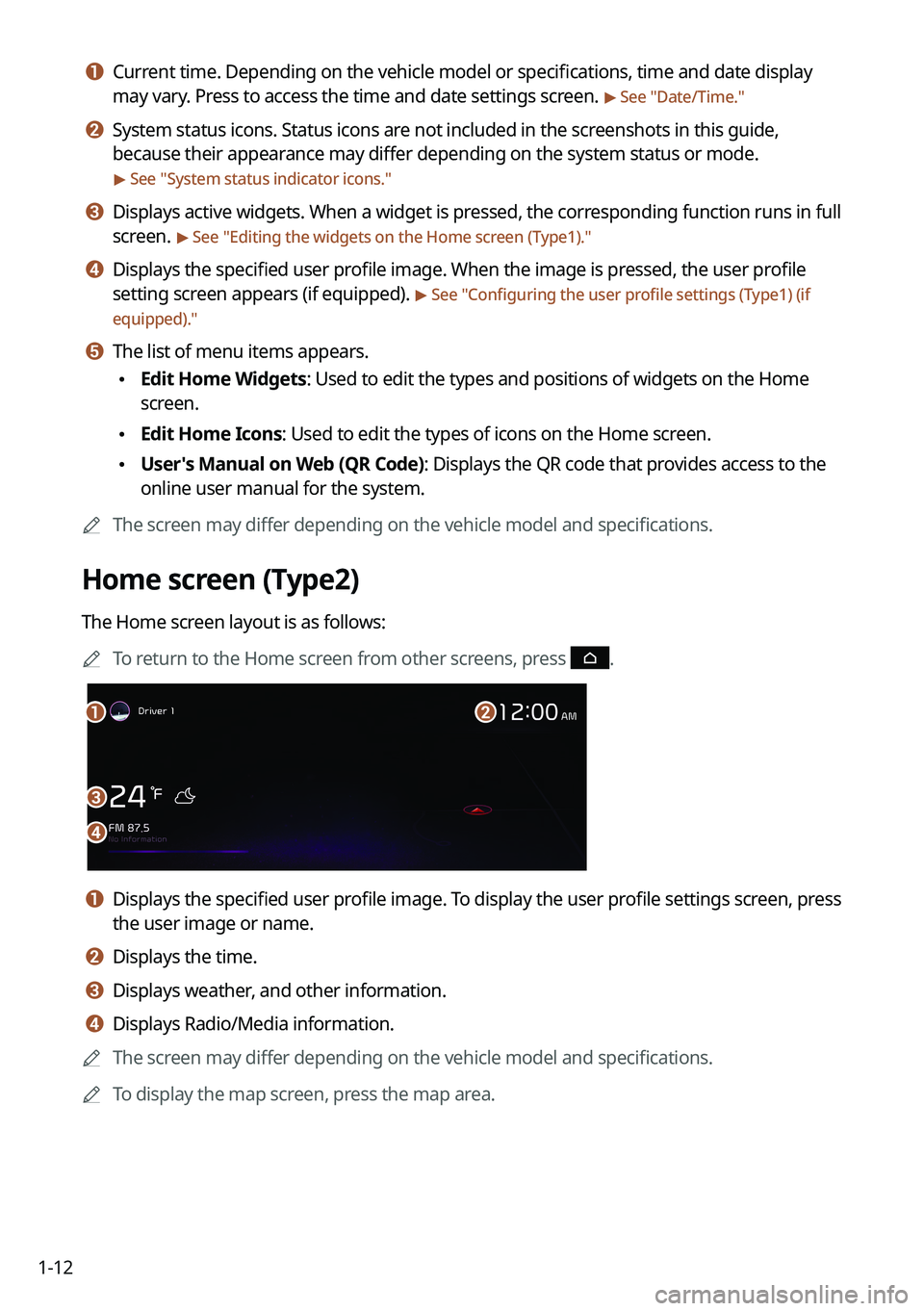
a a Displays the specified user profile image. To display the user profile settings screen, press
the user image or name.
b b Displays the time.
c c Displays weather, and other information.
d d Displays Radio/Media information.
0000
A
The screen may differ depending on the vehicle model and specifications.
0000
A
To display the map screen, press the map area.
Page 289 of 316
Appendix
Solutions
System status indicator icons FAQ
Product specifications
Important information Index
Trademarks
Open Source Information
10
Page 297 of 316
10-9
System status indicator icons
You can see the system status by checking the status indicator icons at the top right of the
system screen.
Different status indicator icons appear when each function is performed. The meanings of
the icons are as follows:
Mute/memo recording
Navigation sound muted
Radio/Media sound muted
All sound outputs muted
Recording a voice memo
Bluetooth/call
Connecting a phone via Bluetooth
Connecting an audio device via Bluetooth
Connecting a phone and an audio device via Bluetooth
Making a call via a Bluetooth phone
Bluetooth phone's microphone off
Downloading the contact and list of recent calls from the connected Bluetooth
phone
Page 309 of 316

10-21
P
Parking assist guide lines 2-9
Phone 6-6
Phone projectionAndroid Auto 2-5
Apple CarPlay 2-7
Previous Destinations 5-13
Product specifications Bluetooth 10-15
Common specifications 10-15
LTE RF 10-16
Media player 10-13
Radio 10-15
Proximity Warning 2-10
R
Radio Changing the channel 3-6, 3-7
Changing the radio mode 3-5
Deleting a channel 3-9
Registering a channel 3-8
Scanning channels 3-7
Rear view display 2-9
Recent calls list 6-6
S
Save searched place 5-23
Saving frequently visited places 5-25
Saving the current position 5-24 Settings
Advanced settings 9-38
Bluetooth settings 9-36
Date and time 9-76, 9-81
Device connection 9-33, 9-35
Keyboard 9-78, 9-82
Screen saver settings 9-92, 9-93
System display settings 9-86, 9-90
System language 9-77, 9-82
User profile settings 9-72, 9-73
UVO settings 9-68, 9-70
Vehicle settings 9-3, 9-15
Voice recognition settings 9-54, 9-55
SiriusXM™ 3-12 Changing to SiriusXM mode 3-12, 3-13
Featured Favorites channels 3-18
Searching for channels 3-15
Seeing the program schedule 3-17
Selecting channels 3-16
Smart Updater Plus 9-96
Software update 9-96
Sound Mood Lamp 2-20
Sounds of Nature 2-21
Split screen 1-15
Steering wheel remote control 1-4
Surround view monitor Door opening/mirror folding alert 2-12
Rear view video 2-13
Screen settings 2-13
Screen view 2-12
System Info 9-75
System status indicator icons
10-9
System update 9-96