Page 295 of 528
561
Driving your vehicle
To warn the driver that the vehicleis departing from the projected
lane in front, the green ( ) indi-
cator light will blink on the cluster,
the lane line will blink on the clus-
ter depending on which direction
the vehicle is veering, and an audi-
ble warning will sound.
Lane Keeping Assist will operate when your vehicle speed is
between approximately 40~120
mph (60~200 km/h).Lane Keeping Assist
To warn the driver that the vehicleis departing from the projected
lane in front, the green ( ) indi-
cator light will blink on the cluster,
and the steering wheel will make
adjustments to keep vehicle inside
the lane.
Lane Keeping Assist will operate when your vehicle speed is
between approximately 40~120
mph (60~200 km/h).
Hands-off warning
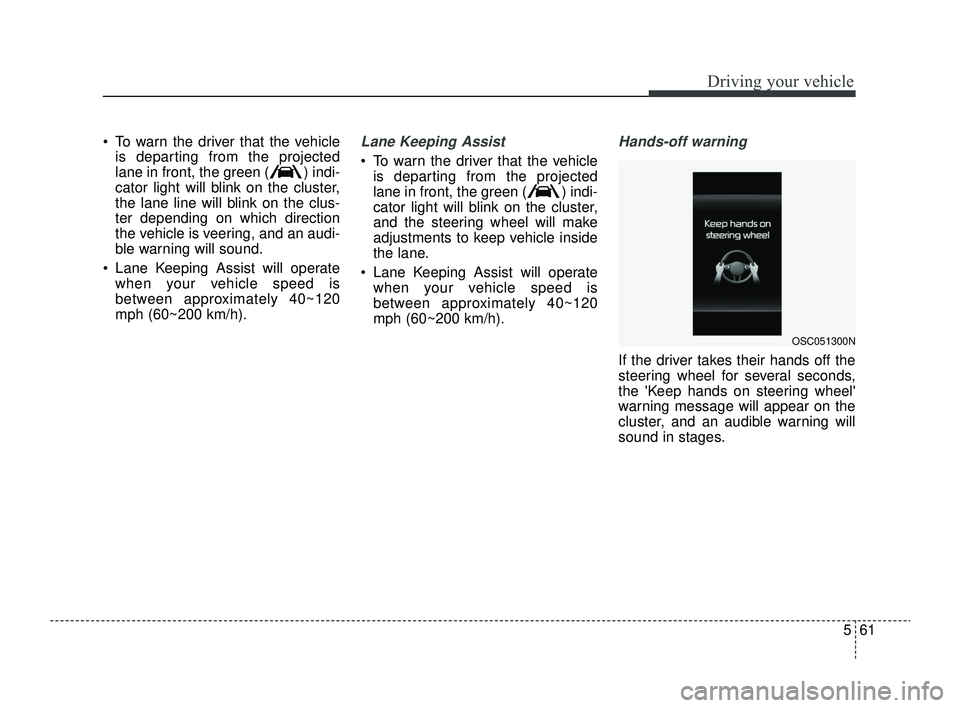
If the driver takes their hands off the
steering wheel for several seconds,
the 'Keep hands on steering wheel'
warning message will appear on the
cluster, and an audible warning will
sound in stages.
OSC051300N
SC PE USA 5.QXP 9/9/2021 6:19 PM Page 61
Page 296 of 528
Driving your vehicle
62
5
✽ ✽
NOTICE
• For more details on setting the
functions, refer to "LCD Display
Mode" in chapter 4.
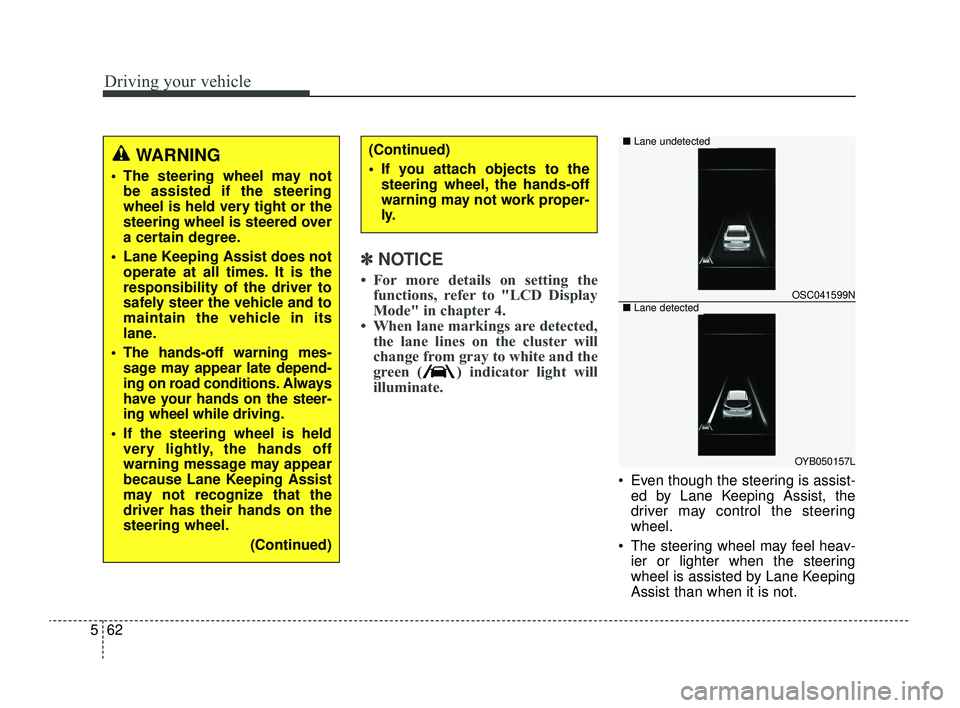
• When lane markings are detected, the lane lines on the cluster will
change from gray to white and the
green ( ) indicator light will
illuminate.
Even though the steering is assist-
ed by Lane Keeping Assist, the
driver may control the steering
wheel.
The steering wheel may feel heav- ier or lighter when the steering
wheel is assisted by Lane Keeping
Assist than when it is not.
WARNING
The steering wheel may notbe assisted if the steering
wheel is held very tight or the
steering wheel is steered over
a certain degree.
Lane Keeping Assist does not operate at all times. It is the
responsibility of the driver to
safely steer the vehicle and to
maintain the vehicle in its
lane.
The hands-off warning mes- sage may appear late depend-
ing on road conditions. Always
have your hands on the steer-
ing wheel while driving.
If the steering wheel is held very lightly, the hands off
warning message may appear
because Lane Keeping Assist
may not recognize that the
driver has their hands on the
steering wheel.
(Continued)
(Continued)
If you attach objects to thesteering wheel, the hands-off
warning may not work proper-
ly.
OSC041599N
OYB050157L
■ Lane undetected
■Lane detected
SC PE USA 5.QXP 9/9/2021 6:19 PM Page 62
Page 298 of 528
Driving your vehicle
64
5
WARNING
Take the following precautions
when using Lane Keeping
Assist:
The driver should hold the
responsibility to safely drive
and control the vehicle. Do not
solely rely on Lane Keeping
Assist or drive dangerously.
The operation of Lane Keeping Assist can be can-
celled or not work properly
depending on road conditions
and surroundings. Always be
cautious while driving.
Refer to "Limitations of Lane Keeping Assist" in chapter 5,
if the lane is not detected
properly.
When you are towing a trailer or another vehicle, we recom-
mend that Lane Keeping
Assist is turned off due to
safety reasons.
(Continued)
(Continued)
If the vehicle is driven at highspeed, the steering wheel will
not be controlled. The driver
must always follow the speed
limit when using Lane Keeping
Assist.
If any other function's warn- ing message is displayed or
audible warning is generated,
Lane Keeping Assist warning
message may not be dis-
played and audible warning
may not be generated.
You may not hear the warning sound of Lane Keeping Assist
if the surrounding is noisy.
If you attach objects to the steering wheel, steering may
not be assisted properly.
Lane Keeping Assist may not operate for 15 seconds after
the vehicle is started, or the
front view camera is initial-
ized.
Lane Keeping Assist will not operate when:
(Continued)(Continued)- The turn signal or hazardwarning flasher is turned on
- The vehicle is not driven in the center of the lane when
Lane Keeping Assist is
turned on or right after
changing a lane
- ESC (Electronic Stability Control) or VSM (Vehicle
Stability Management) is
activated
- The vehicle is driven on a sharp curve
- Vehicle speed is below 35 mph (55 km/h) or above 130
mph (210 km/h)
- The vehicle makes sharp lane changes
- The vehicle is suddenly stopped
SC PE USA 5.QXP 9/9/2021 6:19 PM Page 64
Page 318 of 528
Driving your vehicle
84
5
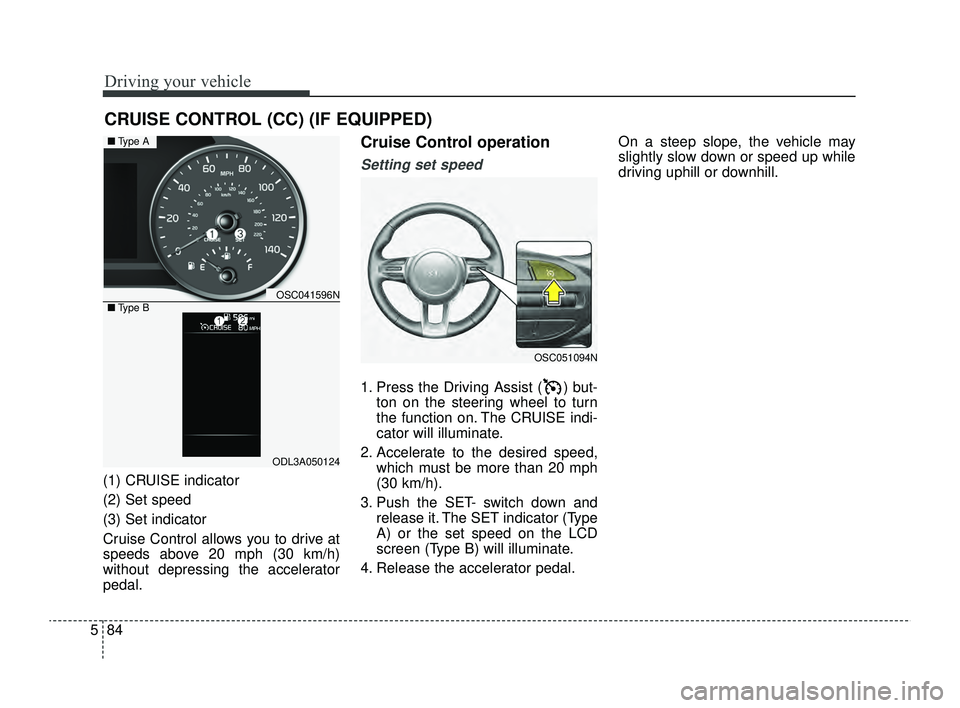
(1) CRUISE indicator
(2) Set speed
(3) Set indicator
Cruise Control allows you to drive at
speeds above 20 mph (30 km/h)
without depressing the accelerator
pedal.
Cruise Control operation
Setting set speed
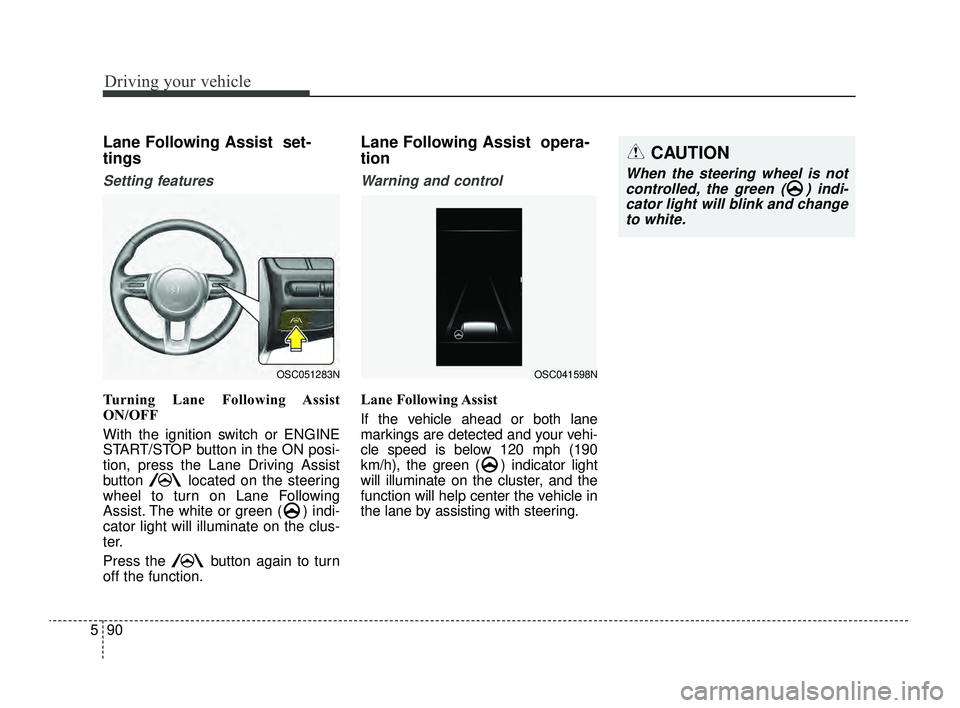
1. Press the Driving Assist ( ) but-
ton on the steering wheel to turn
the function on. The CRUISE indi-
cator will illuminate.
2. Accelerate to the desired speed, which must be more than 20 mph
(30 km/h).
3. Push the SET- switch down and release it. The SET indicator (Type
A) or the set speed on the LCD
screen (Type B) will illuminate.
4. Release the accelerator pedal. On a steep slope, the vehicle may
slightly slow down or speed up while
driving uphill or downhill.
CRUISE CONTROL (CC) (IF EQUIPPED)
OSC051094N
OSC041596N
ODL3A050124
■
Type A
■ Type B
SC PE USA 5.QXP 9/9/2021 6:21 PM Page 84
Page 324 of 528
Driving your vehicle
90
5
CAUTION
When the steering wheel is not
controlled, the green ( ) indi-cator light will blink and changeto white.
Lane Following Assist set-
tings
Setting features
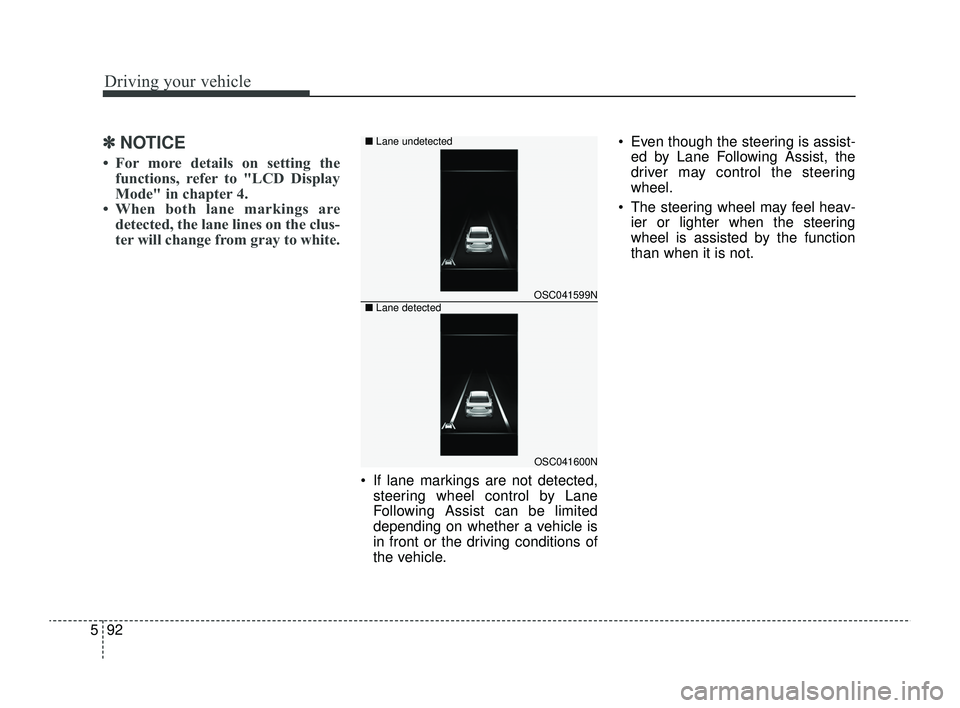
Turning Lane Following Assist
ON/OFF
With the ignition switch or ENGINE
START/STOP button in the ON posi-
tion, press the Lane Driving Assist
button located on the steering
wheel to turn on Lane Following
Assist. The white or green ( ) indi-
cator light will illuminate on the clus-
ter.
Press the button again to turn
off the function.
Lane Following Assist opera-
tion
Warning and control
Lane Following Assist
If the vehicle ahead or both lane
markings are detected and your vehi-
cle speed is below 120 mph (190
km/h), the green ( ) indicator light
will illuminate on the cluster, and the
function will help center the vehicle in
the lane by assisting with steering.
OSC051283NOSC041598N
SC PE USA 5.QXP 9/9/2021 6:21 PM Page 90
Page 325 of 528
591
Driving your vehicle
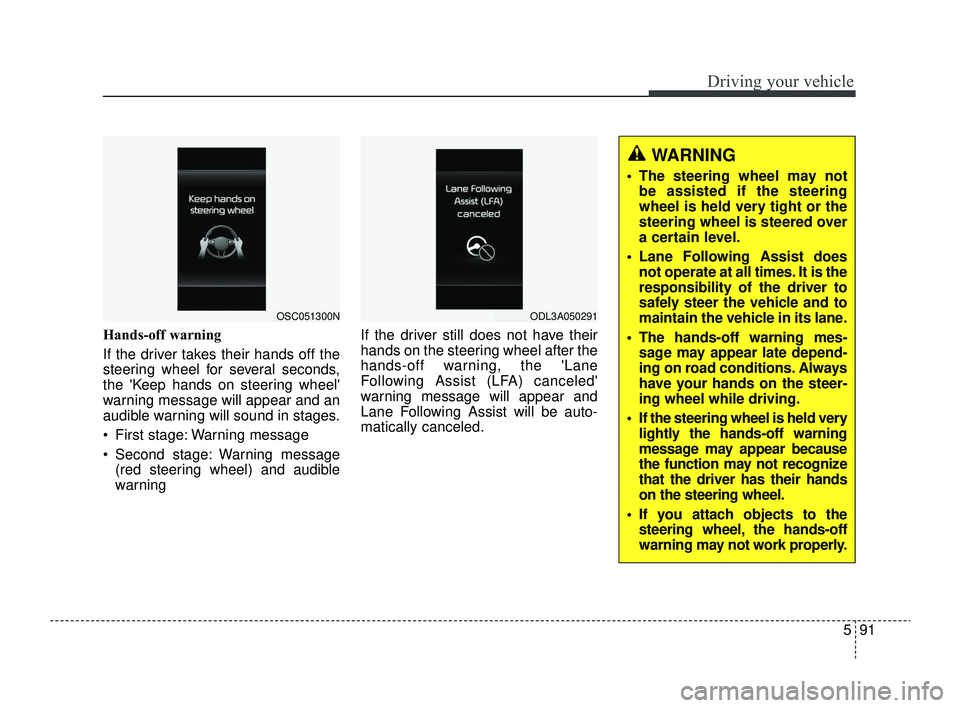
Hands-off warning
If the driver takes their hands off the
steering wheel for several seconds,
the 'Keep hands on steering wheel'
warning message will appear and an
audible warning will sound in stages.
First stage: Warning message
Second stage: Warning message(red steering wheel) and audible
warning If the driver still does not have their
hands on the steering wheel after the
hands-off warning, the 'Lane
Following Assist (LFA) canceled'
warning message will appear and
Lane Following Assist will be auto-
matically canceled.
OSC051300NODL3A050291
WARNING
The steering wheel may not
be assisted if the steering
wheel is held very tight or the
steering wheel is steered over
a certain level.
Lane Following Assist does not operate at all times. It is the
responsibility of the driver to
safely steer the vehicle and to
maintain the vehicle in its lane.
The hands-off warning mes- sage may appear late depend-
ing on road conditions. Always
have your hands on the steer-
ing wheel while driving.
If the steering wheel is held very lightly the hands-off warning
message may appear because
the function may not recognize
that the driver has their hands
on the steering wheel.
If you attach objects to the steering wheel, the hands-off
warning may not work properly.
SC PE USA 5.QXP 9/9/2021 6:21 PM Page 91
Page 326 of 528
Driving your vehicle
92
5
✽ ✽
NOTICE
• For more details on setting the
functions, refer to "LCD Display
Mode" in chapter 4.
• When both lane markings are detected, the lane lines on the clus-
ter will change from gray to white.
If lane markings are not detected,
steering wheel control by Lane
Following Assist can be limited
depending on whether a vehicle is
in front or the driving conditions of
the vehicle. Even though the steering is assist-
ed by Lane Following Assist, the
driver may control the steering
wheel.
The steering wheel may feel heav- ier or lighter when the steering
wheel is assisted by the function
than when it is not.
OSC041599N
OSC041600N
■
Lane undetected
■ Lane detected
SC PE USA 5.QXP 9/9/2021 6:21 PM Page 92
Page 337 of 528
5103
Driving your vehicle
Your vehicle's fuel economy depends
mainly on your style of driving, where
you drive and when you drive.
Each of these factors affects how
many miles (kilometers) you can get
from a gallon (liter) of fuel. To operate
your vehicle as economically as pos-
sible, use the following driving sug-
gestions to help save money in both
fuel and repairs:
Drive smoothly. Accelerate at amoderate rate. Don't make "jack-
rabbit" starts or full-throttle shifts
and maintain a steady cruising
speed. Don't race between stop-
lights. Try to adjust your speed to
the traffic so you don't have to
change speeds unnecessarily.
Avoid heavy traffic whenever pos-
sible. Always maintain a safe dis-
tance from other vehicles so you
can avoid unnecessary braking.
This also reduces brake wear.
Drive at a moderate speed. The faster you drive, the more fuel your
vehicle uses. Driving at a moderate
speed, especially on the highway,
is one of the most effective ways to
reduce fuel consumption. Don't "ride" the brake pedal. This
can increase fuel consumption and
also increase wear on these com-
ponents. In addition, driving with
your foot resting on the brake pedal
may cause the brakes to overheat,
which reduces their effectiveness
and may lead to more serious con-
sequences.
Take care of your tires. Keep them inflated to the recommended pres-
sure. Incorrect inflation, either too
much or too little, results in unnec-
essary tire wear. Check the tire
pressures at least once a month.
Be sure that the wheels are aligned correctly. Improper align-
ment can result from hitting curbs
or driving too fast over irregular
surfaces. Poor alignment causes
faster tire wear and may also result
in other problems as well as
greater fuel consumption. Keep your vehicle in good condi-
tion. For better fuel economy and
reduced maintenance costs, main-
tain your vehicle in accordance
with the maintenance schedule in
section 7. If you drive your vehicle
in severe conditions, more frequent
maintenance is required (see sec-
tion 7 for details).
Keep your vehicle clean. For maxi- mum service, your vehicle should
be kept clean and free of corrosive
materials. It is especially important
that mud, dirt, ice, etc. not be
allowed to accumulate on the
underside of the vehicle. This extra
weight can result in increased fuel
consumption and also contribute to
corrosion.
Travel lightly. Don't carry unneces- sary weight in your vehicle. Weight
reduces fuel economy.
Don't let the engine idle longer than necessary. If you are waiting
(and not in traffic), turn off your
engine and restart only when
you're ready to go.
ECONOMICAL OPERATION
SC PE USA 5.QXP 9/9/2021 6:22 PM Page 103