Page 143 of 684
45
Features of your vehicle
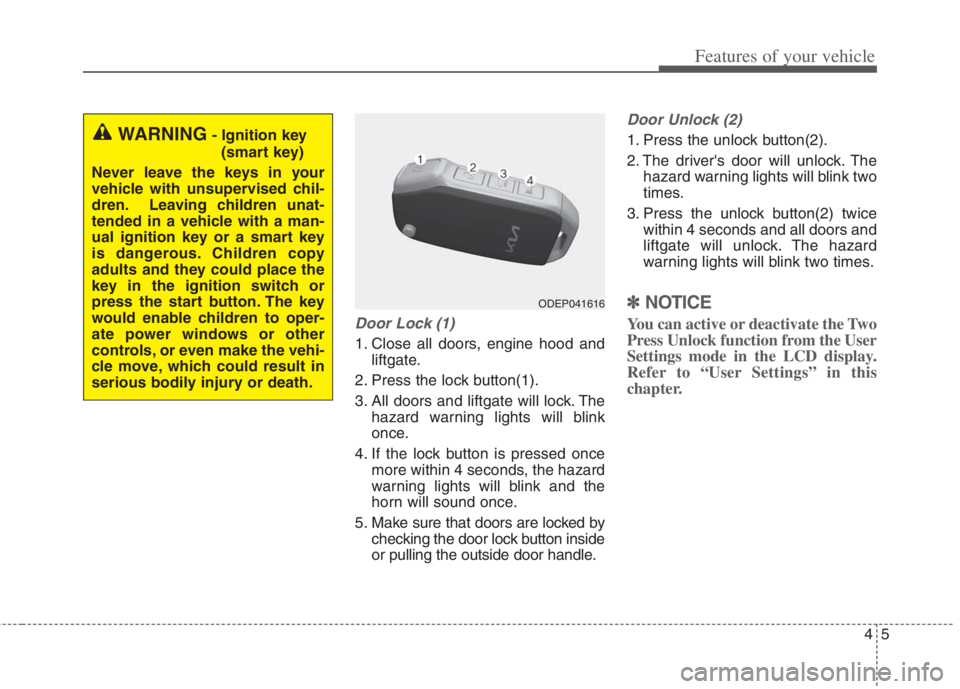
Door Lock (1)
1. Close all doors, engine hood and
liftgate.
2. Press the lock button(1).
3. All doors and liftgate will lock. The
hazard warning lights will blink
once.
4. If the lock button is pressed once
more within 4 seconds, the hazard
warning lights will blink and the
horn will sound once.
5. Make sure that doors are locked by
checking the door lock button inside
or pulling the outside door handle.
Door Unlock (2)
1. Press the unlock button(2).
2. The driver's door will unlock. The
hazard warning lights will blink two
times.
3. Press the unlock button(2) twice
within 4 seconds and all doors and
liftgate will unlock. The hazard
warning lights will blink two times.
✽ ✽
NOTICE
You can active or deactivate the Two
Press Unlock function from the User
Settings mode in the LCD display.
Refer to “User Settings” in this
chapter.
WARNING- Ignition key
(smart key)
Never leave the keys in your
vehicle with unsupervised chil-
dren. Leaving children unat-
tended in a vehicle with a man-
ual ignition key or a smart key
is dangerous. Children copy
adults and they could place the
key in the ignition switch or
press the start button. The key
would enable children to oper-
ate power windows or other
controls, or even make the vehi-
cle move, which could result in
serious bodily injury or death.
ODEP041616
Page 151 of 684
413
Features of your vehicle
✽ ✽
NOTICE
You can active or deactivate the Two
Press Unlock function from the User
Settings mode in the LCD display.
Refer to “User Settings” in this
chapter.
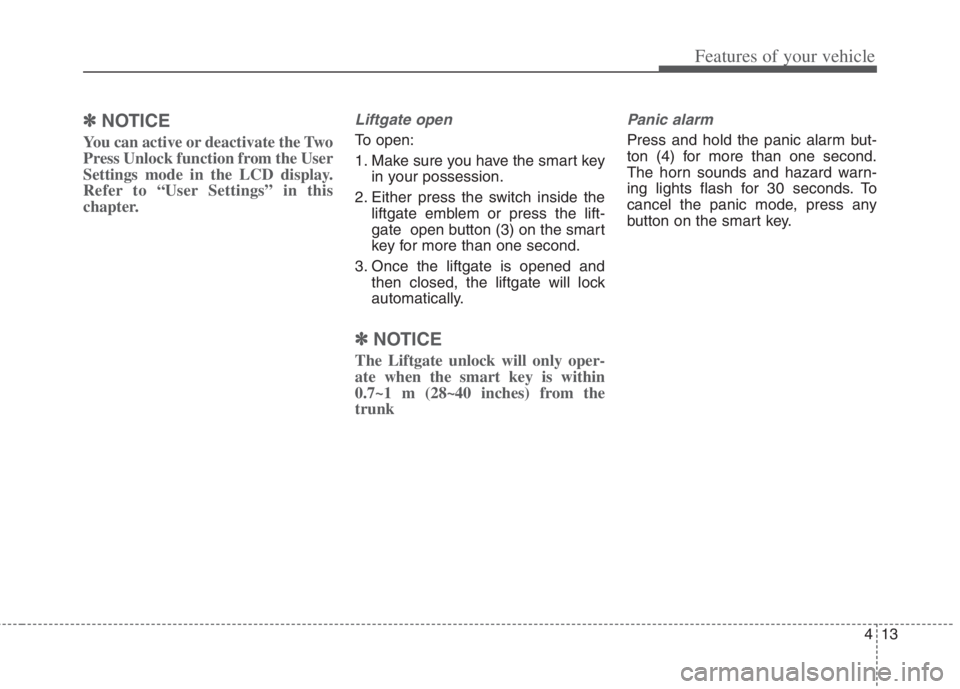
Liftgate open
To open:
1. Make sure you have the smart key
in your possession.
2. Either press the switch inside the
liftgate emblem or press the lift-
gate open button (3) on the smart
key for more than one second.
3. Once the liftgate is opened and
then closed, the liftgate will lock
automatically.
✽ ✽
NOTICE
The Liftgate unlock will only oper-
ate when the smart key is within
0.7~1 m (28~40 inches) from the
trunk
Panic alarm
Press and hold the panic alarm but-
ton (4) for more than one second.
The horn sounds and hazard warn-
ing lights flash for 30 seconds. To
cancel the panic mode, press any
button on the smart key.
Page 163 of 684
425
Features of your vehicle
When pressing the door unlock
button (2), all vehicle doors will
unlock.
If the key is in the ignition switch or
the smart key in the vehicle and
any front door is opened, the doors
will not lock even though the door
lock button (1) is pressed.Impact sensing door unlock
system
In the event of air bag deployment
resulting from a vehicle impact, all
doors will automatically unlock.
Speed sensing door lock system
All doors will automatically lock after
the vehicle speed exceeds 15 km/h
(10 mph).
✽ ✽
NOTICE
You can select some auto door
lock/unlock features from the User
Settings mode in the LCD display. For
more information, refer to “User
Settings” in this chapter.
WARNING - Unattended
children/animals
Never leave children or animals
unattended in your vehicle. An
enclosed vehicle can become
extremely hot, causing death or
severe injury to unattended
children or animals who cannot
escape the vehicle.
WARNING - Doors
The doors should always be
fully closed and locked while
the vehicle is in motion to pre-
vent accidental opening of the
door.
Be careful when opening doors
and watch for vehicles, motor-
cycles, bicycles or pedestrians
approaching the vehicle in the
path of the door. Opening a
door when something is
approaching can cause injury.
Page 165 of 684
427
Features of your vehicle
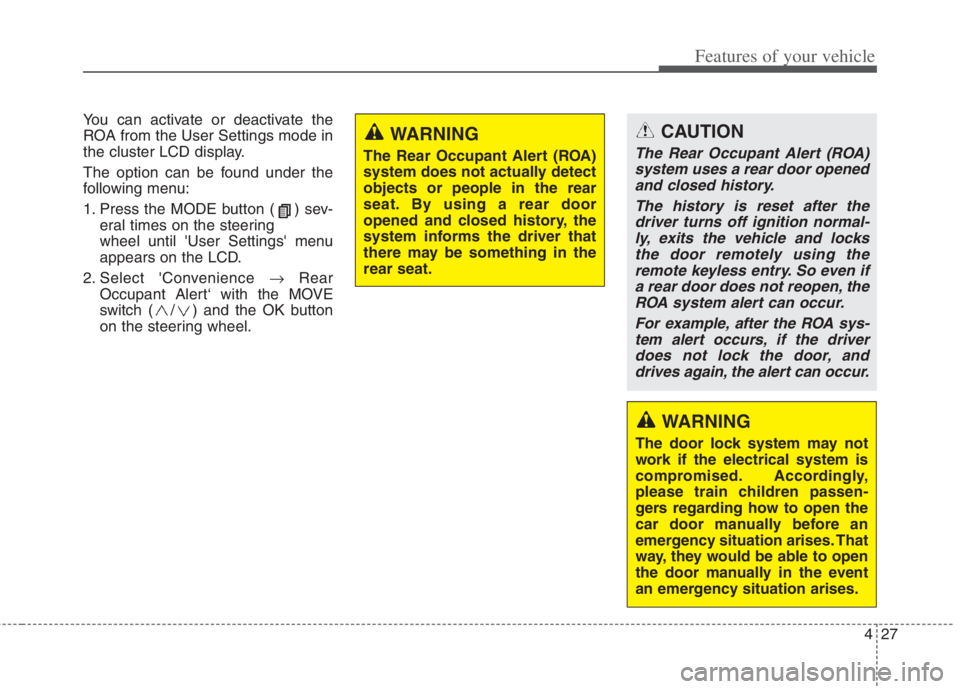
You can activate or deactivate the
ROA from the User Settings mode in
the cluster LCD display.
The option can be found under the
following menu:
1. Press the MODE button ( ) sev-
eral times on the steering
wheel until 'User Settings' menu
appears on the LCD.
2. Select 'Convenience Rear
Occupant Alert‘ with the MOVE
switch ( / ) and the OK button
on the steering wheel.
WARNING
The Rear Occupant Alert (ROA)
system does not actually detect
objects or people in the rear
seat. By using a rear door
opened and closed history, the
system informs the driver that
there may be something in the
rear seat.
WARNING
The door lock system may not
work if the electrical system is
compromised. Accordingly,
please train children passen-
gers regarding how to open the
car door manually before an
emergency situation arises. That
way, they would be able to open
the door manually in the event
an emergency situation arises.
CAUTION
The Rear Occupant Alert (ROA)
system uses a rear door opened
and closed history.
The history is reset after the
driver turns off ignition normal-
ly, exits the vehicle and locks
the door remotely using the
remote keyless entry. So even if
a rear door does not reopen, the
ROA system alert can occur.
For example, after the ROA sys-
tem alert occurs, if the driver
does not lock the door, and
drives again, the alert can occur.
Page 175 of 684

437
Features of your vehicle
Hood open warning
The warning message will appear on
the LCD display when hood is open.
The warning chime will operate when
the vehicle is being driven at or
above 3 km/h (2 mph) with the hood
open.
Closing the hood
1. Before closing the hood, check the
following:
partment must be correctly
installed.
bustible material must be
removed from the engine com-
partment.
2. Lower the hood halfway and push
down to securely lock in place.
hood is secure.
slight force, open the hood again
and close it more firmly.WARNING - Fire risk
Do not leave gloves, rags or any
other combustible material in the
engine compartment. Doing so
may cause a heat-induced fire.
WARNING - Unsecured
engine hood
Always double check to be sure
that the hood is firmly latched
before driving away. If it is not
latched, the hood could fly open
while the vehicle is being driv-
en, causing a total loss of visi-
bility, which might result in an
accident.
CAUTION - Hood obstruc-
tion
Before closing the hood, ensure
that all obstructions are
removed from the hood open-
ing. Closing the hood with an
obstruction present in the hood
opening may result in property
damage.
ODEP041626
Page 178 of 684
Features of your vehicle
40 4
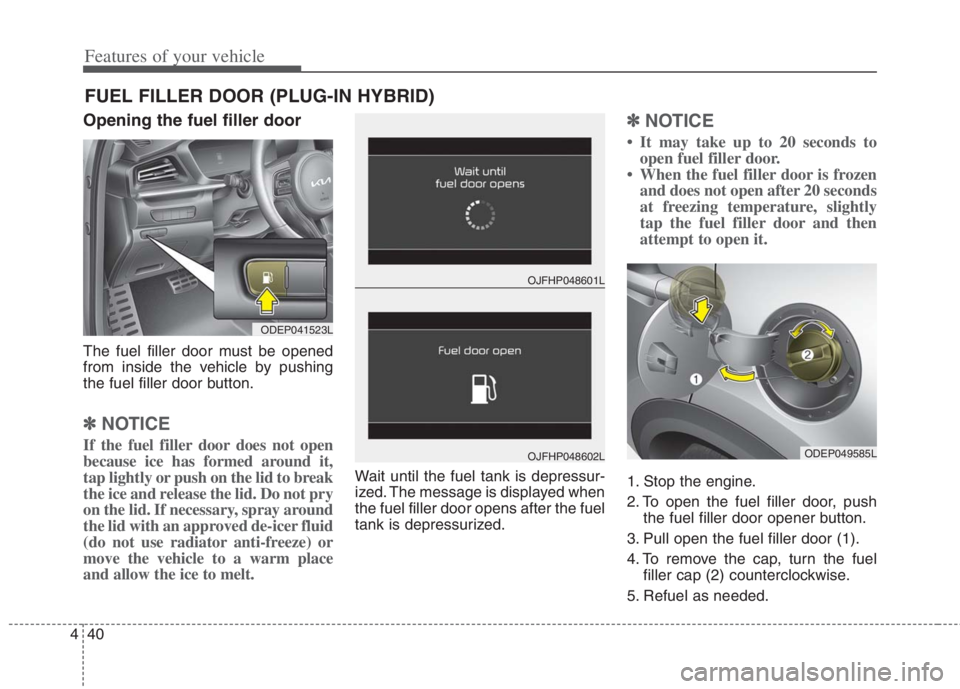
Opening the fuel filler door
The fuel filler door must be opened
from inside the vehicle by pushing
the fuel filler door button.
✽ ✽
NOTICE
If the fuel filler door does not open
because ice has formed around it,
tap lightly or push on the lid to break
the ice and release the lid. Do not pry
on the lid. If necessary, spray around
the lid with an approved de-icer fluid
(do not use radiator anti-freeze) or
move the vehicle to a warm place
and allow the ice to melt.
Wait until the fuel tank is depressur-
ized. The message is displayed when
the fuel filler door opens after the fuel
tank is depressurized.
✽ ✽
NOTICE
• It may take up to 20 seconds to
open fuel filler door.
• When the fuel filler door is frozen
and does not open after 20 seconds
at freezing temperature, slightly
tap the fuel filler door and then
attempt to open it.
1. Stop the engine.
2. To open the fuel filler door, push
the fuel filler door opener button.
3. Pull open the fuel filler door (1).
4. To remove the cap, turn the fuel
filler cap (2) counterclockwise.
5. Refuel as needed.
FUEL FILLER DOOR (PLUG-IN HYBRID)
ODEP041523L
OJFHP048601L
OJFHP048602LODEP049585L
Page 186 of 684
Features of your vehicle
48 4
Sunroof resetting procedure:
1. It is recommended to perform the
reset procedure with the vehicle
engine running. Start the vehicle in
P (Park).
2. Make sure the sunroof glass is in
the fully closed position. If the sun-
roof glass is open, push the switch
forward until the sunroof glass is
fully closed.
3. Release the switch when the sun-
roof glass is fully closed.
4. Push the switch forward until the
sunroof glass moves slightly. Then
release the switch.
5. Once again push and hold the
sunroof switch forward until the
sunroof glass slides open and
close. Do not release the switch
until the operation is completed. If
you release the switch during
operation, start the procedure
again from step 2.
✽ ✽
NOTICE
If the sunroof does reset when the
vehicle battery is disconnected or dis-
charged, or the sunroof fuse is blown,
the sunroof may not operate normally.
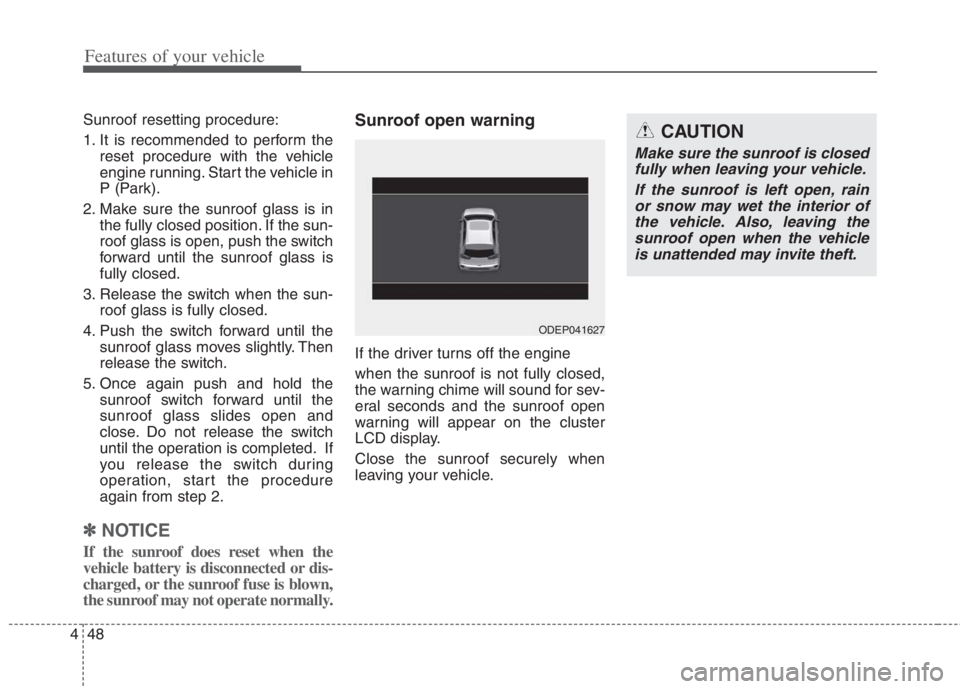
Sunroof open warning
If the driver turns off the engine
when the sunroof is not fully closed,
the warning chime will sound for sev-
eral seconds and the sunroof open
warning will appear on the cluster
LCD display.
Close the sunroof securely when
leaving your vehicle.
ODEP041627
CAUTION
Make sure the sunroof is closed
fully when leaving your vehicle.
If the sunroof is left open, rain
or snow may wet the interior of
the vehicle. Also, leaving the
sunroof open when the vehicle
is unattended may invite theft.
Page 206 of 684
Features of your vehicle
68 4
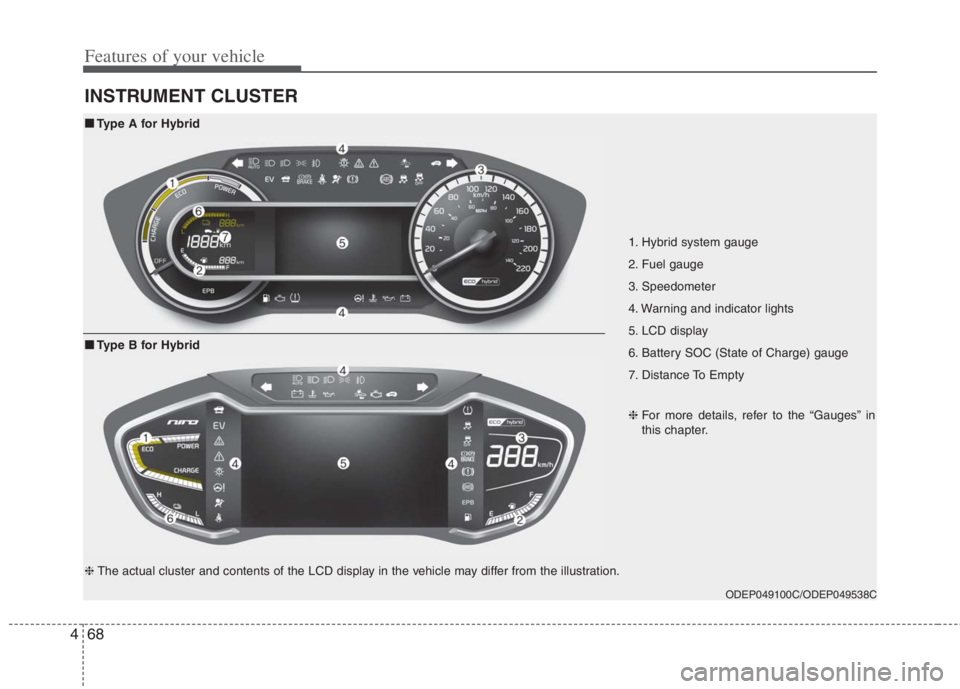
INSTRUMENT CLUSTER
1. Hybrid system gauge
2. Fuel gauge
3. Speedometer
4. Warning and indicator lights
5. LCD display
6. Battery SOC (State of Charge) gauge
7. Distance To Empty
ODEP049100C/ODEP049538C
■ ■
Type A for Hybrid
❈For more details, refer to the “Gauges” in
this chapter.
■ ■
Type B for Hybrid
❈The actual cluster and contents of the LCD display in the vehicle may differ from the illustration.