2022 HYUNDAI VELOSTER N manual shift lever
[x] Cancel search: manual shift leverPage 16 of 446

INSTRUMENT PANEL OVERVIEW
The actual shape may differ from the illustration.
1-5
Your vehicle at a glance
11. Instrument cluster ..............................3-31
2. Horn ....................................................3-16
3. Driver’s front air bag ..........................2-40
4. Engine Start/Stop button ......................5-6
5. Light control/Turn signals ....................3-68
6. Wiper/Washer ....................................3-79
7. Display audio system ..........................4-4
8. Hazard warning flasher switch..............6-2
9. Manual climate control system/ ........3-83
Automatic climate control system ......3-91
10. Passenger’s front air bag ..................2-40
11. Glove box ........................................3-105
12. Power outlet ....................................3-108
13. AUX, USB and iPod
®port ..................4-2
14. USB charger ..................................3-109
15. Manual transmission shift lever ........5-12
16. ESC OFF button ..............................5-40
17. Cup holder ......................................3-107
18. Steering wheel audio controls/ ..........4-3
Bluetooth
®wireless technology
hands-free controls ............................4-4
19. Driving Assist button ......................5-103
20. DRIVE MODE button ........................5-49
21. N button ............................................5-51
OBU018004N
Page 114 of 446
3-36
Convenient features of your vehicle
Range
• The range is the estimated dis-
tance the vehicle can be driven
with the remaining fuel.
• If the estimated distance is below
1 mi. (1 km), the trip computer will
display "----" as range.
Information
• If the vehicle is not on level ground
or the battery power has been inter-
rupted, the range function may not
operate correctly.
• The range may differ from the actu-
al driving distance as it is only an
estimate of the available driving
range for the vehicle and driving
conditions.
• The trip computer may not register
additional fuel if less than 1.6 gallon
(6 liters) of fuel are added to the
vehicle.
• The range may vary significantly
based on driving conditions, driving
habits, and condition of the vehicle.
Transmission shift indicator
Manual transmission shift
indicator
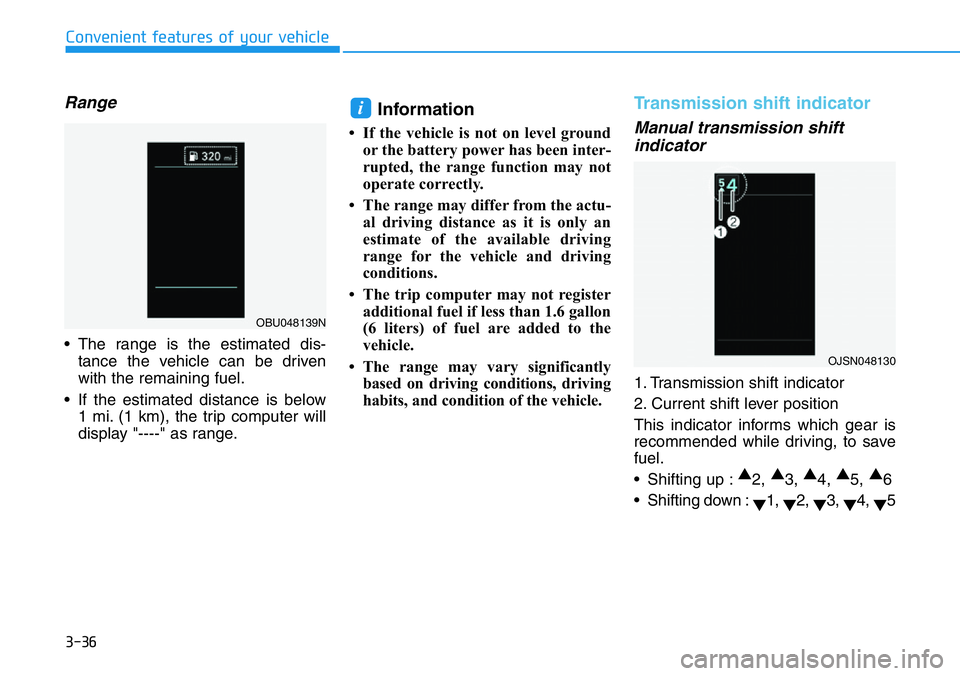
1. Transmission shift indicator
2. Current shift lever position
This indicator informs which gear is
recommended while driving, to save
fuel.
• Shifting up :▲
2, ▲
3, ▲
4, ▲
5, ▲
6
• Shifting down :
▼1,
▼2,
▼3,
▼4,
▼5
i
OJSN048130
OBU048139N
Page 202 of 446
5-8
Driving your vehicle
Button Position Action Notice
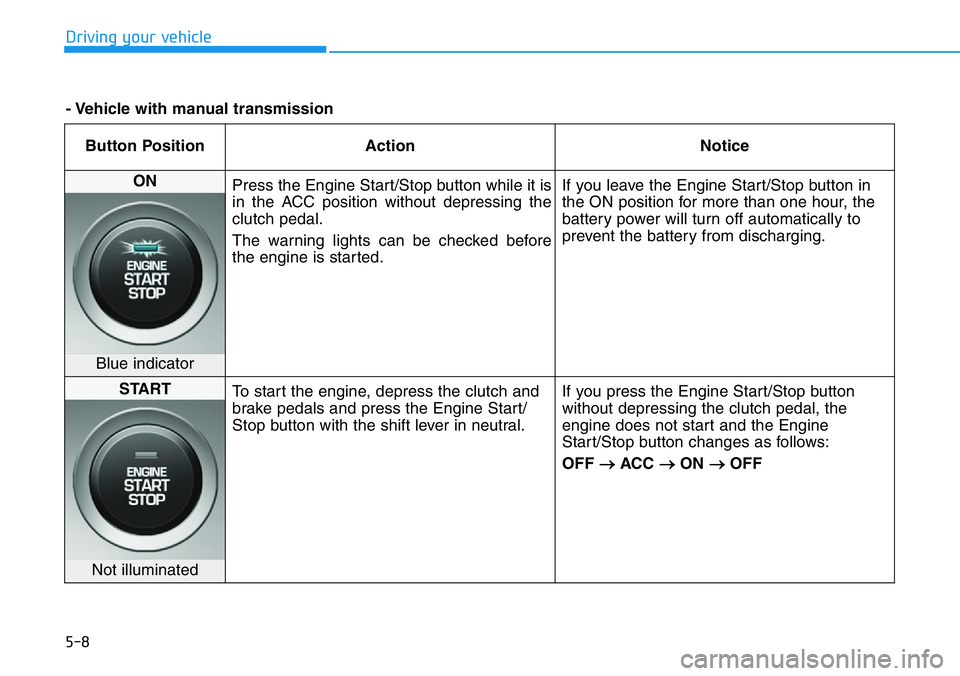
ON
Press the Engine Start/Stop button while it is
in the ACC position without depressing the
clutch pedal.
The warning lights can be checked before
the engine is started.If you leave the Engine Start/Stop button in
the ON position for more than one hour, the
battery power will turn off automatically to
prevent the battery from discharging.
Blue indicator
START
To start the engine, depress the clutch and
brake pedals and press the Engine Start/
Stop button with the shift lever in neutral.If you press the Engine Start/Stop button
without depressing the clutch pedal, the
engine does not start and the Engine
Start/Stop button changes as follows:
OFF
→ACC →ON →OFF
Not illuminated
- Vehicle with manual transmission
Page 203 of 446
5-9
Driving your vehicle
5
Starting the engine Information
• The engine will start by pressing the
Engine Start/Stop button, only when
the smart key is in the vehicle.
• Even if the smart key is in the vehi-
cle, if it is far away from the driver,
the engine may not start.
• When the Engine Start/Stop button
is in the ACC or ON position, if any
door is open, the system checks for
the smart key. If the smart key is not
in the vehicle, the " " indicator
will blink and the warning "Key not
in vehicle" will come on and if all
doors are closed, the chime will also
sound for about 5 seconds. Keep the
smart key in the vehicle when using
the ACC position or if the vehicle
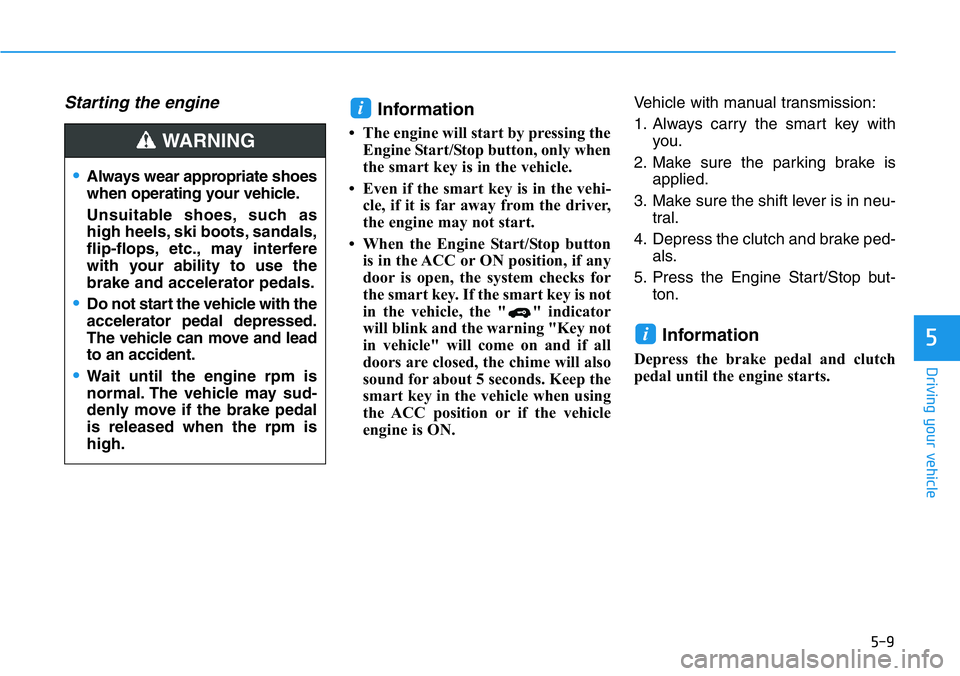
engine is ON.Vehicle with manual transmission:
1. Always carry the smart key with
you.
2. Make sure the parking brake is
applied.
3. Make sure the shift lever is in neu-
tral.
4. Depress the clutch and brake ped-
als.
5. Press the Engine Start/Stop but-
ton.
Information
Depress the brake pedal and clutch
pedal until the engine starts.
i
i
•Always wear appropriate shoes
when operating your vehicle.
Unsuitable shoes, such as
high heels, ski boots, sandals,
flip-flops, etc., may interfere
with your ability to use the
brake and accelerator pedals.
•Do not start the vehicle with the
accelerator pedal depressed.
The vehicle can move and lead
to an accident.
•Wait until the engine rpm is
normal. The vehicle may sud-
denly move if the brake pedal
is released when the rpm is
high.
WARNING
Page 206 of 446
5-12
Driving your vehicle
Manual Transmission
Operation
The manual transmission has 6 for-
ward gears. The transmission is fully
synchronized in all forward gears so
shifting to either a higher or a lower
gear is easily accomplished.To shift to R (Reverse), make sure
the vehicle has completely stopped,
and then move the shift lever to neu-
tral before moving into R (Reverse).
When you've come to a complete
stop and it's hard to shift into 1
stgear
or R (Reverse):
1. Put the shift lever in neutral and
release the clutch pedal.
2. Depress the clutch pedal, and
then shift into 1 (First) or R
(Reverse) gear.
Information
During cold weather, shifting may be
difficult until the transmission lubri-
cant has warmed up.
i
MANUAL TRANSMISSION
Before leaving the driver's seat,
always make sure the shift lever
is in 1
stgear when the vehicle is
parked on a uphill and in R
(Reverse) on a downhill, set the
parking brake, and place the
ignition switch in the LOCK/OFF
position. Unexpected vehicle
movement may occur if these
precautions are not followed.
WARNING
OBU058120
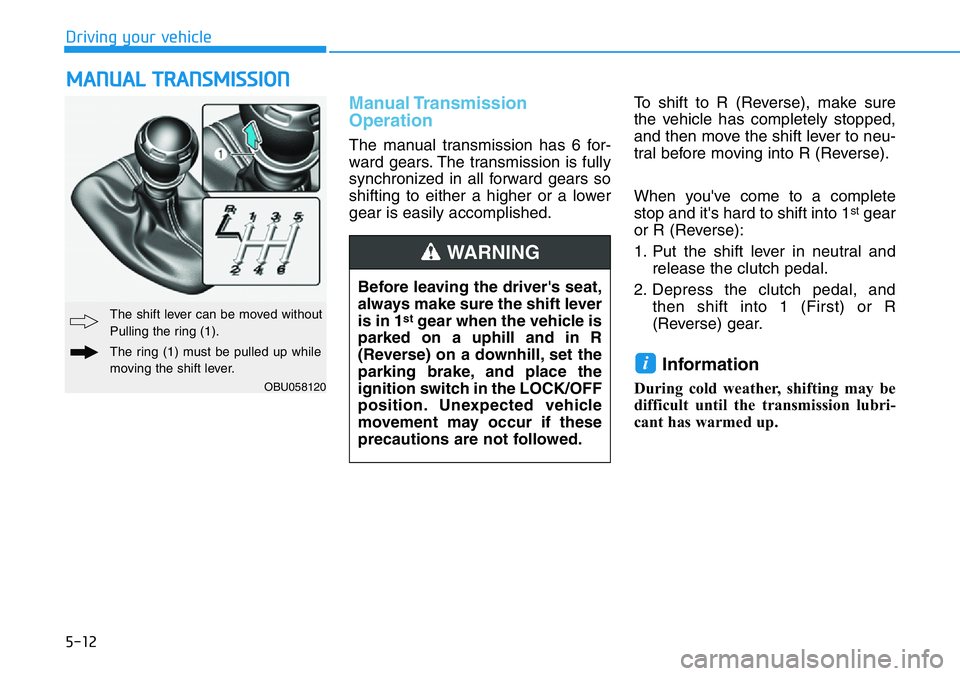
The shift lever can be moved without
Pulling the ring (1).
The ring (1) must be pulled up while
moving the shift lever.
Page 214 of 446
5-20
Driving your vehicle
• The Dual Clutch Transmission gives
the driving feel of a manual trans-
mission, yet provides the ease of a
fully automatic transmission. Unlike
a traditional automatic transmis-
sion, the gear shifting can be felt
(and heard) on the dual clutch
transmission.
- Think of it as an automatically
shifting manual transmission.
- Shift into Drive range and get fully
automatic shifting, similar to a
conventional automatic transmis-
sion.
• Dual clutch transmission adopts
wet-type dual clutch, which is dif-
ferent from torque converter of
automatic transmission, and
shows better acceleration perform-
ance during driving. But, initial
launch might be little bit slower
than Automatic Transmission.
• The wet-type clutch transfers
torque and provides a direct driving
feeling which may feel different
from a conventional automatic
transmission with a torque convert-
er. This may be more noticeable
when starting from a stop or low
vehicle speed.• When rapidly accelerating at low
vehicle speed, engine could rev at
high rpm depending on vehicle
drive condition.
• For smooth launch uphill, press
down the accelerator pedal
smoothly depending on the current
conditions.
• If you release your foot from the
accelerator pedal at low vehicle
speed, you may feel strong engine
brake, which is similar to manual
transmission.
• When driving downhill, you may
use Sports Mode to downshift to a
lower gear in order to control your
speed without using the brake
pedal excessively.
• When you turn the engine on and
off, you may hear clicking sounds
as the system goes through a self
test. This is a normal sound for the
Dual Clutch Transmission.
• Always come to a complete stop
before shifting into D (Drive) or R
(Reverse).
• Do not put the shift lever in N
(Neutral) while driving.
•When using Manual Shift Mode,
use caution when shifting from
a higher gear to a lower gear on
slippery roads. This could
cause the tires to slip and may
result in an accident.
•To avoid damage to your
transmission, do not try to
accelerate with the shift lever
in R (Reverse) or any forward
gear position with the brake
engaged.
•When stopped on a slope, do
not hold the vehicle with accel-
erator pedal. Engage the serv-
ice brake or the parking brake.
Page 219 of 446
5-25
Driving your vehicle
5
Always make sure the vehicle is
stationary, at a complete stop,
before selecting D (Drive).
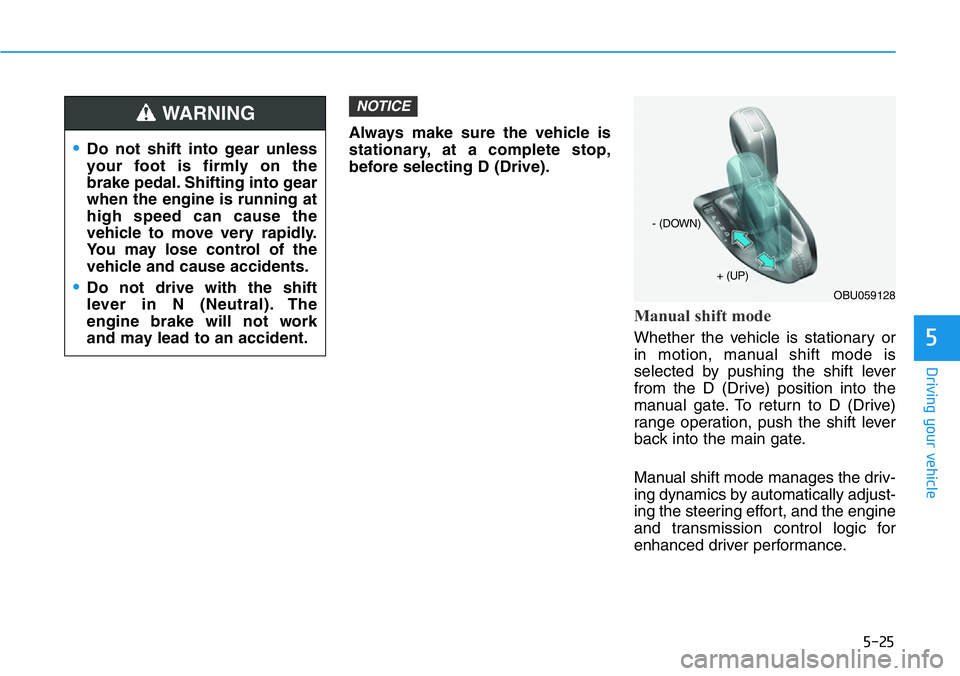
Manual shift mode
Whether the vehicle is stationary or
in motion, manual shift mode is
selected by pushing the shift lever
from the D (Drive) position into the
manual gate. To return to D (Drive)
range operation, push the shift lever
back into the main gate.
Manual shift mode manages the driv-
ing dynamics by automatically adjust-
ing the steering effort, and the engine
and transmission control logic for
enhanced driver performance.
NOTICE
•Do not shift into gear unless
your foot is firmly on the
brake pedal. Shifting into gear
when the engine is running at
high speed can cause the
vehicle to move very rapidly.
You may lose control of the
vehicle and cause accidents.
•Do not drive with the shift
lever in N (Neutral). The
engine brake will not work
and may lead to an accident.
WARNING
OBU059128
+ (UP)
- (DOWN)
Page 220 of 446
5-26
Driving your vehicle
In manual shift mode, moving the
shift lever backwards and forwards
will allow you to select the desired
range of gears for the current driving
conditions.
M : Drive mode is shifted to manual
shift mode when shifting lever is
operated at M stage.
Up (+) :Pull the lever backwards
once to shift down one gear.
Down (-) :Push the lever forward
once to shift up one gear.
Information
• If the driver presses the lever to
+(Up) or – (Down) position, the
transmission may not make the
requested gear change if the next
gear is outside of the allowable
engine rpm range. The driver must
execute upshifts in accordance with
road conditions, taking care to keep
the engine rpms below the red zone.
• In manual shift mode, only the 8
forward gears can be selected. To
reverse or park the vehicle, move
the shift lever to the R (Reverse) or
P (Park) position as required, and
only when the vehicle is stopped and
not moving.
• In manual shift mode, downshifts
are made automatically when the
vehicle slows down. When the vehi-
cle stops, 1st gear is automatically
selected.
• To maintain the required levels of
vehicle performance and safety, the
system may not execute certain
gearshifts when the shift lever is
operated.
• In manual shift mode, the fuel effi-
ciency may decrease.While stopping the vehicle by
applying parking brake in D gear,
even if you release the parking
brake, the vehicle may not move.
In this case, you can drive the
vehicle by applying the foot brake
and release, applying the acceler-
ator or shifting the lever (D
→N →
D).
NOTICEi