2022 HYUNDAI TUCSON rating
[x] Cancel search: ratingPage 316 of 638
06
6-31
ONX4060009
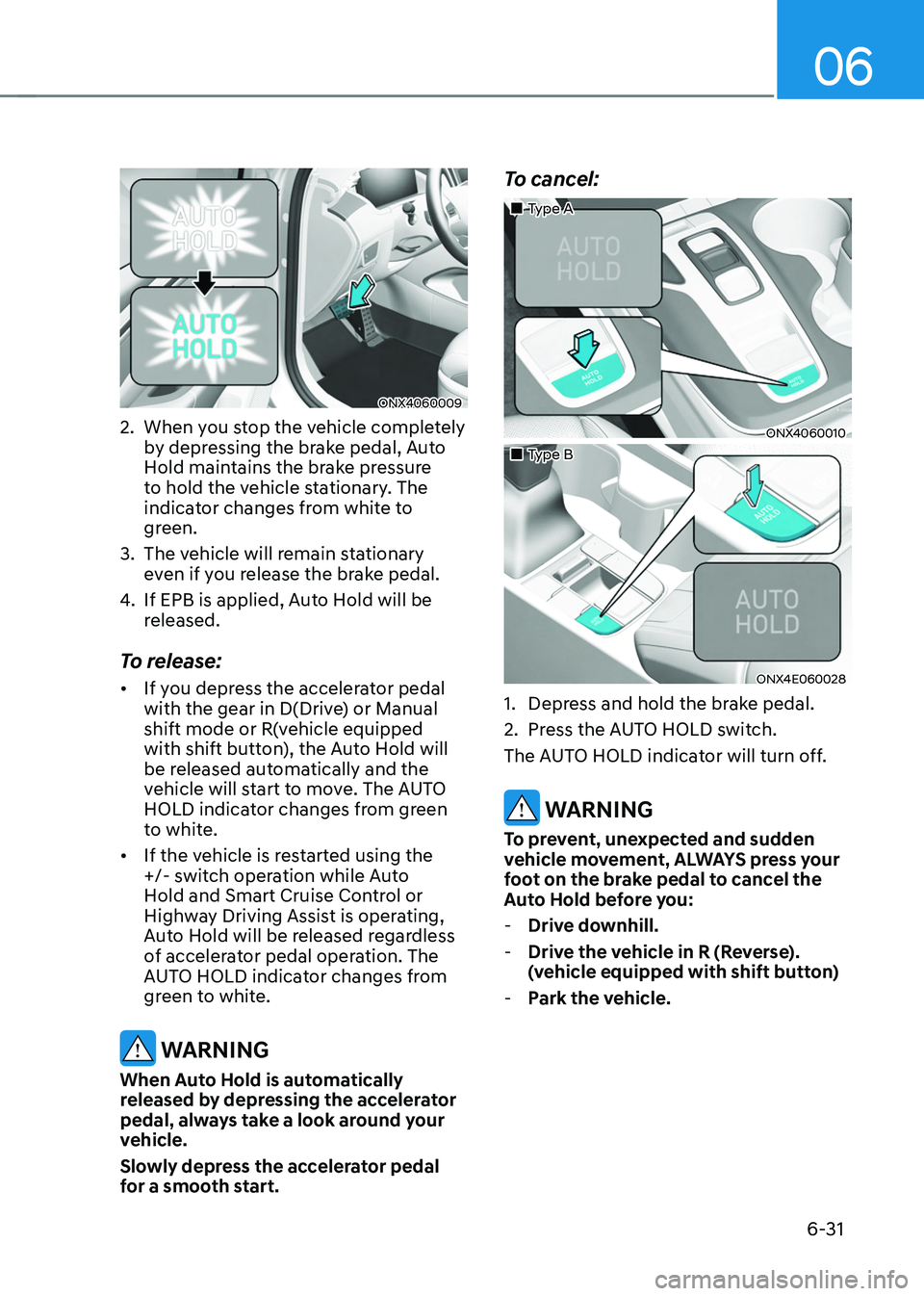
2. When you stop the vehicle completely
by depressing the brake pedal, Auto
Hold maintains the brake pressure
to hold the vehicle stationary. The
indicator changes from white to
green.
3. The vehicle will remain stationary
even if you release the brake pedal.
4. If EPB is applied, Auto Hold will be
released.
To release:
• If you depress the accelerator pedal
with the gear in D(Drive) or Manual
shift mode or R(vehicle equipped
with shift button), the Auto Hold will
be released automatically and the
vehicle will start to move. The AUTO
HOLD indicator changes from green
to white.
• If the vehicle is restarted using the
+/- switch operation while Auto
Hold and Smart Cruise Control or
Highway Driving Assist is operating,
Auto Hold will be released regardless
of accelerator pedal operation. The
AUTO HOLD indicator changes from
green to white.
WARNING
When Auto Hold is automatically
released by depressing the accelerator
pedal, always take a look around your
vehicle.
Slowly depress the accelerator pedal
for a smooth start.
To cancel:
„„Type A
ONX4060010
„„Type B
ONX4E060028
1. Depress and hold the brake pedal.
2. Press the AUTO HOLD switch.
The AUTO HOLD indicator will turn off.
WARNING
To prevent, unexpected and sudden
vehicle movement, ALWAYS press your
foot on the brake pedal to cancel the
Auto Hold before you:
- Drive downhill.
-Drive the vehicle in R (Reverse).
(vehicle equipped with shift button)
-Park the vehicle.
Page 317 of 638
Driving your vehicle
6-32
Information
• The Auto Hold does not operate when:
-The driver's door is opened
-The engine hood is opened
-The liftgate is opened (vehicle
equipped with shift button)
-The gear is in P (Park)
-EPB is applied
• For your safety, the Auto Hold
automatically switches to EPB when:
-The driver's door is opened
-The engine hood is opened
-The vehicle is in a standstill for more
than 10 minutes
-The vehicle is standing on a steep
slope
-The vehicle moved several times
-The liftgate is opened
In these cases, the Parking Brake
warning light comes on, the AUTO
HOLD indicator changes from green
to white, and a warning sound and a
message will appear to inform you that
EPB has been automatically engaged.
Before driving off again, depress the
brake pedal, check the surrounding
area near your vehicle and release the
parking brake manually with the EPB
switch.
• While operating Auto Hold, you may
hear mechanical noise. However, it is
normal operating noise.
NOTICE
If the AUTO HOLD indicator changes
to yellow, Auto Hold is not working
properly. We recommend that you
contact an authorized HYUNDAI dealer.
WARNING
• Depress the accelerator pedal slowly
when you start the vehicle.
• For your safety, cancel Auto Hold
when you drive downhill, back up the
vehicle or park the vehicle.
NOTICE
If there is a malfunction with the
driver's door or engine hood open
detection system, Auto Hold may not
work properly.
We recommend that you contact an
authorized HYUNDAI dealer.
Page 321 of 638
Driving your vehicle
6-36
ESC operation
ESC ON condition
When the Engine Start/Stop button is
in the ON position, ESC and the ESC
OFF indicator lights illuminate for
approximately three seconds. After both
lights go off, ESC is enabled.
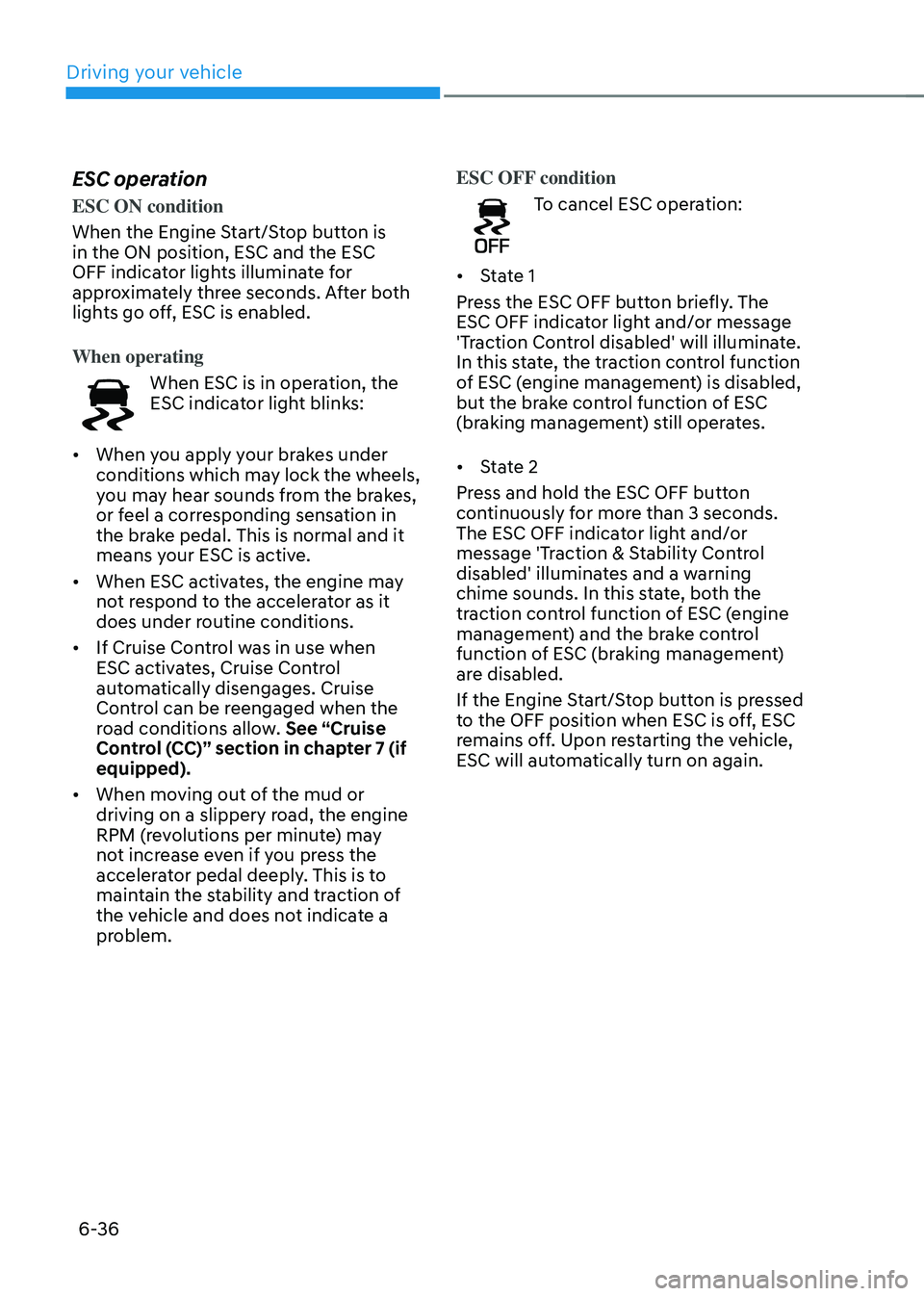
When operating
When ESC is in operation, the
ESC indicator light blinks:
• When you apply your brakes under
conditions which may lock the wheels,
you may hear sounds from the brakes,
or feel a corresponding sensation in
the brake pedal. This is normal and it
means your ESC is active.
• When ESC activates, the engine may
not respond to the accelerator as it
does under routine conditions.
• If Cruise Control was in use when
ESC activates, Cruise Control
automatically disengages. Cruise
Control can be reengaged when the
road conditions allow. See “Cruise
Control (CC)” section in chapter 7 (if
equipped).
• When moving out of the mud or
driving on a slippery road, the engine
RPM (revolutions per minute) may
not increase even if you press the
accelerator pedal deeply. This is to
maintain the stability and traction of
the vehicle and does not indicate a
problem. ESC OFF condition
To cancel ESC operation:
• State 1
Press the ESC OFF button briefly. The
ESC OFF indicator light and/or message
'Traction Control disabled' will illuminate.
In this state, the traction control function
of ESC (engine management) is disabled,
but the brake control function of ESC
(braking management) still operates.
• State 2
Press and hold the ESC OFF button
continuously for more than 3 seconds.
The ESC OFF indicator light and/or
message 'Traction & Stability Control
disabled' illuminates and a warning
chime sounds. In this state, both the
traction control function of ESC (engine
management) and the brake control
function of ESC (braking management)
are disabled.
If the Engine Start/Stop button is pressed
to the OFF position when ESC is off, ESC
remains off. Upon restarting the vehicle,
ESC will automatically turn on again.
Page 322 of 638
06
6-37
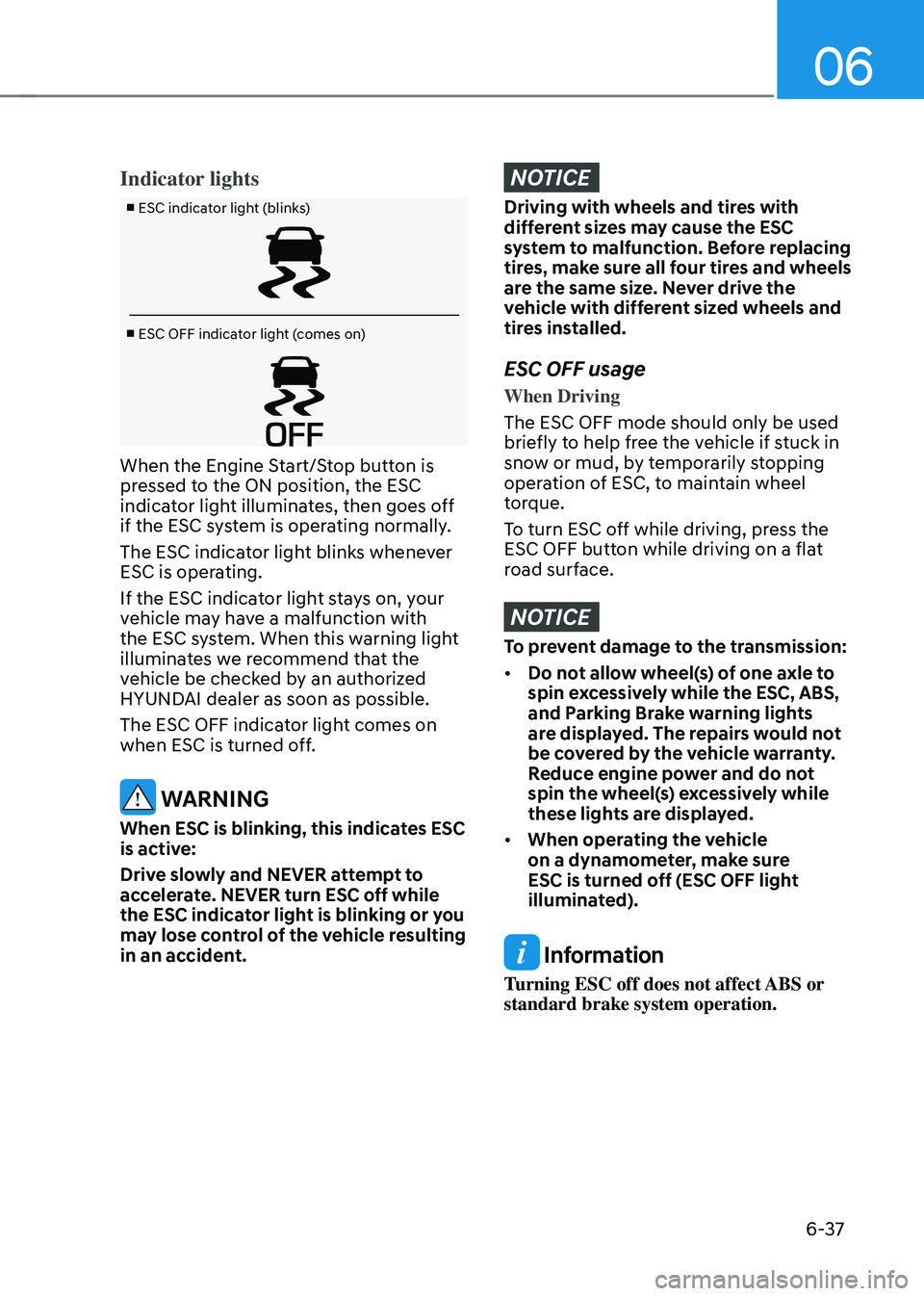
Indicator lights
■ ESC indicator light (blinks)
■ ESC OFF indicator light (comes on)
When the Engine Start/Stop button is
pressed to the ON position, the ESC
indicator light illuminates, then goes off
if the ESC system is operating normally.
The ESC indicator light blinks whenever
ESC is operating.
If the ESC indicator light stays on, your
vehicle may have a malfunction with
the ESC system. When this warning light
illuminates we recommend that the
vehicle be checked by an authorized
HYUNDAI dealer as soon as possible.
The ESC OFF indicator light comes on
when ESC is turned off.
WARNING
When ESC is blinking, this indicates ESC
is active:
Drive slowly and NEVER attempt to
accelerate. NEVER turn ESC off while
the ESC indicator light is blinking or you
may lose control of the vehicle resulting
in an accident.
NOTICE
Driving with wheels and tires with
different sizes may cause the ESC
system to malfunction. Before replacing
tires, make sure all four tires and wheels
are the same size. Never drive the
vehicle with different sized wheels and
tires installed.
ESC OFF usage
When Driving
The ESC OFF mode should only be used
briefly to help free the vehicle if stuck in
snow or mud, by temporarily stopping
operation of ESC, to maintain wheel
torque.
To turn ESC off while driving, press the
ESC OFF button while driving on a flat
road surface.
NOTICE
To prevent damage to the transmission:
• Do not allow wheel(s) of one axle to
spin excessively while the ESC, ABS,
and Parking Brake warning lights
are displayed. The repairs would not
be covered by the vehicle warranty.
Reduce engine power and do not
spin the wheel(s) excessively while
these lights are displayed.
• When operating the vehicle
on a dynamometer, make sure
ESC is turned off (ESC OFF light
illuminated).
Information
Turning ESC off does not affect ABS or
standard brake system operation.
Page 323 of 638
Driving your vehicle
6-38
Vehicle Stability Management
(VSM)
Vehicle Stability Management is a
function of the Electronic Stability
Control (ESC) system. It helps the vehicle
stay stable when accelerating or braking
suddenly on wet, slippery and rough
roads where traction over the four tires
can suddenly become uneven.
WARNING
Take the following precautions when
using Vehicle Stability Management:
• ALWAYS check the speed and the
distance to the vehicle ahead. VSM
is not a substitute for safe driving
practices.
• Never drive too fast for the road
conditions. VSM will not prevent
accidents. Excessive speed in bad
weather, on slippery and uneven
roads can result in severe accidents.
VSM operation
When operating
When you apply your brakes under
conditions which may activate ESC, you
may hear sounds from the brakes, or feel
a corresponding sensation in the brake
pedal. This is normal and it means your
VSM is active.
Information
VSM does not operate when:
• Driving on a banked road such as
gradient or incline.
• Driving in reverse.
• The ESC OFF indicator light is on.
• The EPS (Electric power steering)
warning light (
) is on or blinks.
Page 329 of 638
Driving your vehicle6-44
IDLE STOP AND GO (ISG) SYSTEM
Idle Stop and Go helps reduce fuel
consumption by automatically shutting
down the engine, when the vehicle is
at a standstill (i.e. red stop light, stop
sign, and traffic jam) subject to certain
prerequisite conditions being satisfied as
listed below.
The engine is automatically started upon
satisfying the starting conditions.
ISG system is always active, when the
engine is running.
Information
When the engine is automatically started
by ISG system, warning lights (i.e. ABS,
ESC, ESC OFF, EPS, and parking brake
warning light) may illuminate for a few
seconds due to low battery voltage.
However, it does not indicate a
malfunction with ISG system.
ISG system operation
Prerequisite for activation
ISG system operates in the following
situations.
• The driver's seatbelt is fastened
• The driver's door and hood are closed
• The brake vacuum pressure is
adequate
• The battery sensor is activated and
the battery is sufficiently charged
• Outside temperature is not too low or
too high
• The vehicle is driven over a constant
speed and stops
• The climate control system satisfies
the conditions
• The vehicle is sufficiently warmed up
• ISG related parts are working properly
• The incline is gradual
• The steering wheel is turned less than
180 degrees and then the vehicle
stops
Information
If the ISG light (white) is turned on on the
instrument cluster and does not meet the
ISG system operating conditions, the ISG
system is not activated.
When the ISG light (yellow) is on while the
ISG system meets operating conditions, we
recommend that the system be inspected
by an authorized HYUNDAI dealer.
Page 335 of 638
Driving your vehicle
6-50
SPORT mode
SPORT mode provides sporty but firm riding.
In SPORT mode, the fuel
efficiency may decrease.
• When SPORT mode is selected, the
SPORT indicator will illuminate on the
instrument cluster.
• Whenever the engine is restarted,
the drive mode will revert back to
NORMAL mode. If SPORT mode is
desired, re-select SPORT mode.
• When SPORT mode is activated:
-The engine RPM will tend to remain
raised over a certain length of time
even after releasing the accelerator
-Upshifts are delayed when
accelerating
SMART mode
SMART mode selects the proper driving mode among ECO,
NORMAL and SPORT by judging
the driver's driving habits (i.e.
mild or dynamic) from the
brake pedal depression or the
steering wheel operation.
• Press the DRIVE MODE button to
activate SMART mode. When SMART
mode is activated, the indicator
illuminates on the instrument cluster.
• The vehicle starts in SMART mode,
when the engine was turned OFF in
SMART mode.
• SMART mode automatically controls
gear shifting patterns, engine torque,
in accordance with the driver's driving
habits.
Information
• When your vehicle drive mode
is selected to SMART mode, the
driving mode varies according to
your acceleration pedal input. When
your vehicle is in SMART mode and
your driving style is such that your
acceleration pedal input is gradual,
the drive mode will maximize fuel
efficiency. Note, however, the actual
fuel efficiency may vary according
to certain driving conditions (uphill/
downhill grade) and vehicle speed.
• When your vehicle is in SMART
mode and your driving style is more
aggressive such that your acceleration
pedal input is more abrupt, the drive
mode will change to reflect a more
SPORT driving characteristic. Note
that while you are driving this way, fuel
economy may be adversely affected.
Page 336 of 638
06
6-51
Various driving situations, which you may
encounter in SMART mode
• The driving mode automatically
changes to ECO mode after a certain
period of time, when you gently
depress the accelerator pedal (Your
driving is categorized to be mild.).
• The driving mode automatically
changes from SMART ECO mode
to SMART COMFORT mode after a
certain period of time, when you
sharply or repetitively depress the
accelerator pedal.
• The driving mode automatically
changes to SMART COMFORT mode
with the same driving patterns, when
the vehicle starts to drive on an
upward slope of a certain angle. The
driving mode automatically returns to
SMART ECO mode, when the vehicle
enters a leveled road.
• The driving mode automatically
changes to SMART SPORT, when
you abruptly accelerate the vehicle
or repetitively operate the steering
wheel (Your driving is categorized
to be sporty.). In this mode, your
vehicle drives in a lower gear for
abrupt accelerating/decelerating
and increases the engine brake
performance.
• You may still sense the engine brake
performance, even when you release
the accelerator pedal in SMART
SPORT mode. It is because your
vehicle remains to be in a lower gear
over a certain period of time for next
acceleration. Thus, it is a normal
driving situation, not indicating any
malfunction. •
The driving mode automatically
changes to SMART SPORT mode
only in harsh driving situations. In
most of the normal driving situations,
the driving mode sets to be either
in SMART ECO mode or in SMART
COMFORT mode.
Limitation of SMART mode
The SMART mode may be limited in
following situations. (The OFF indicator
illuminates in those situations.)
• The driver manually moves the shift
lever : It deactivates SMART mode.
The vehicle drives, as the driver
manually moves the shift lever.
• Cruise Control is activated : Cruise
Control may deactivate the SMART
mode. When a higher system is set
by Cruise Control, it starts to control
vehicle speed and deactivates
SMART mode. (SMART mode is not
deactivated just by activing Cruise
Control.)
• The transmission oil temperature is either
extremely low or extremely high : The
SMART mode can be active in most of
the normal driving situations. However,
an extremely high/ low transmission oil
temperature may temporarily deactivate
the SMART mode, because the
transmission condition is out of normal
operation condition.