Page 457 of 638
Driver assistance system7-94
NAVIGATION-BASED SMART CRUISE CONTROL (NSCC)
(IF EQUIPPED)
Navigation-based Smart Cruise Control
will help drive at a safe speed according
to the road conditions when driving on
highways (or motorways) by using road
information from the navigation system
while Smart Cruise Control is operating.
Information
• Navigation-based Smart Cruise Control
is available only on controlled access
road of certain highways.
ÃControlled access road indicates
roads with limited entrances and
exits that allow uninterrupted high
speed traffic flow. Only passenger
cars and motorcycles are allowed on
controlled access roads.
• Additional highways may be expanded
by future navigation updates.
Information
Navigation-based Smart Cruise Control
operates on main roads of highways (or
motorways), and does not operate on
interchanges or junctions.
Highway Curve Zone Auto Slowdown
If vehicle speed is high, Highway Curve
Zone Auto Slowdown function will
temporarily decelerate your vehicle
or limit acceleration to help you drive
safely on a curve based on the curve
information from the navigation.
Highway Set Speed Auto Change
Highway Set Speed Auto Change
function automatically changes Smart
Cruise Control set speed based on
the speed limit information from the
navigation.
Navigation-based Smart Cruise
Control Settings
Setting features
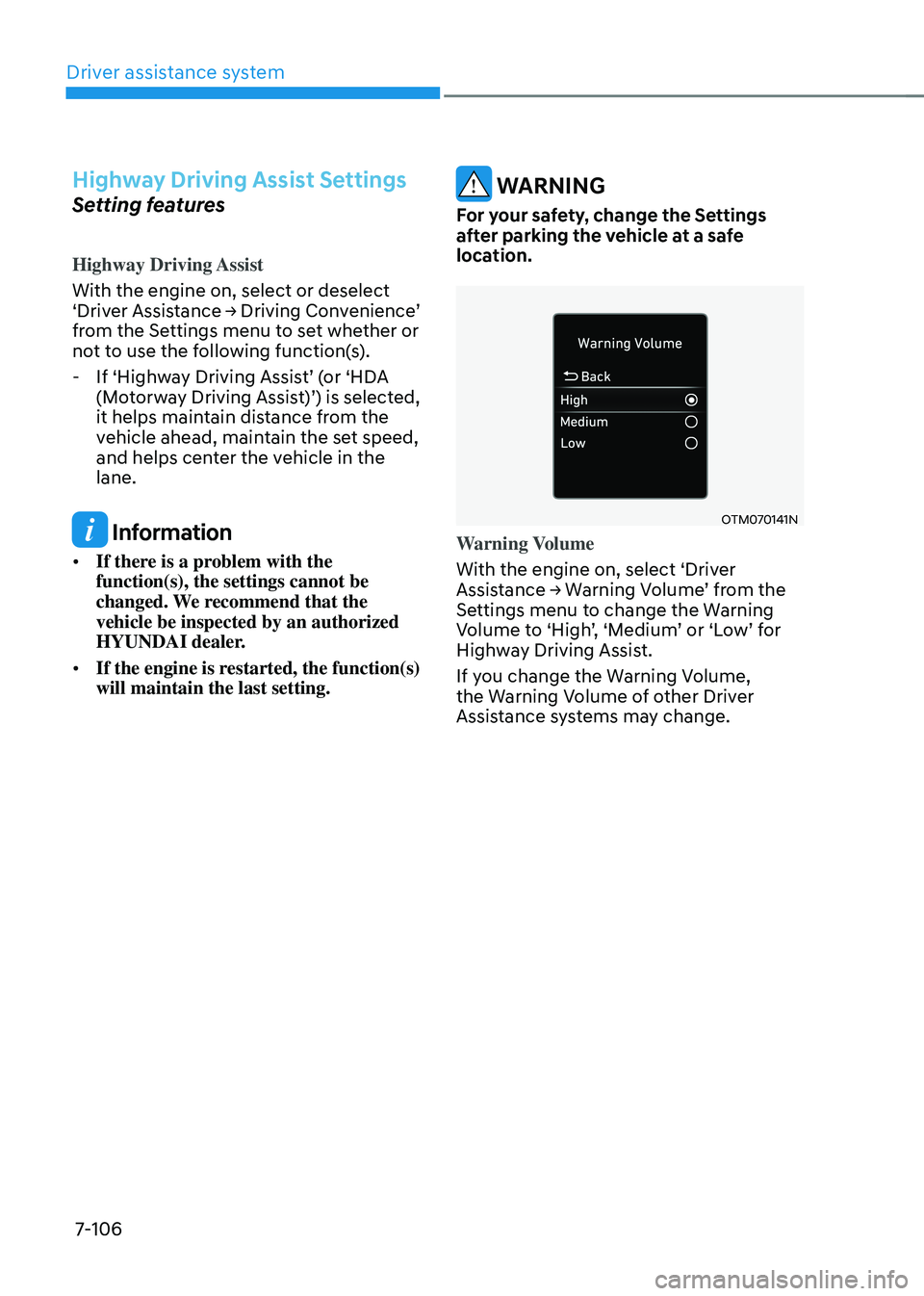
OTM070192N
With the engine on, select ‘Driver Assistance → Driving Convenience → Auto Highway Speed Control (or Auto motorway speed control)’ from the Settings menu to turn on Navigation-
based Smart Cruise Control and deselect
to turn off the function.
Highway Curve Zone Auto Slowdown
With the engine on, select ‘Driver
Assistance → Driving Convenience → Highway Auto Curve Slowdown (or Curve slowdown (motorway))’ from the Settings menu to turn on Highway Curve Zone
Auto Slowdown and deselect to turn off
the function.
Information
When there is a problem with Navigation-
based Smart Cruise Control, the function
cannot be set from the Settings menu.
Page 465 of 638
Driver assistance system
7-102
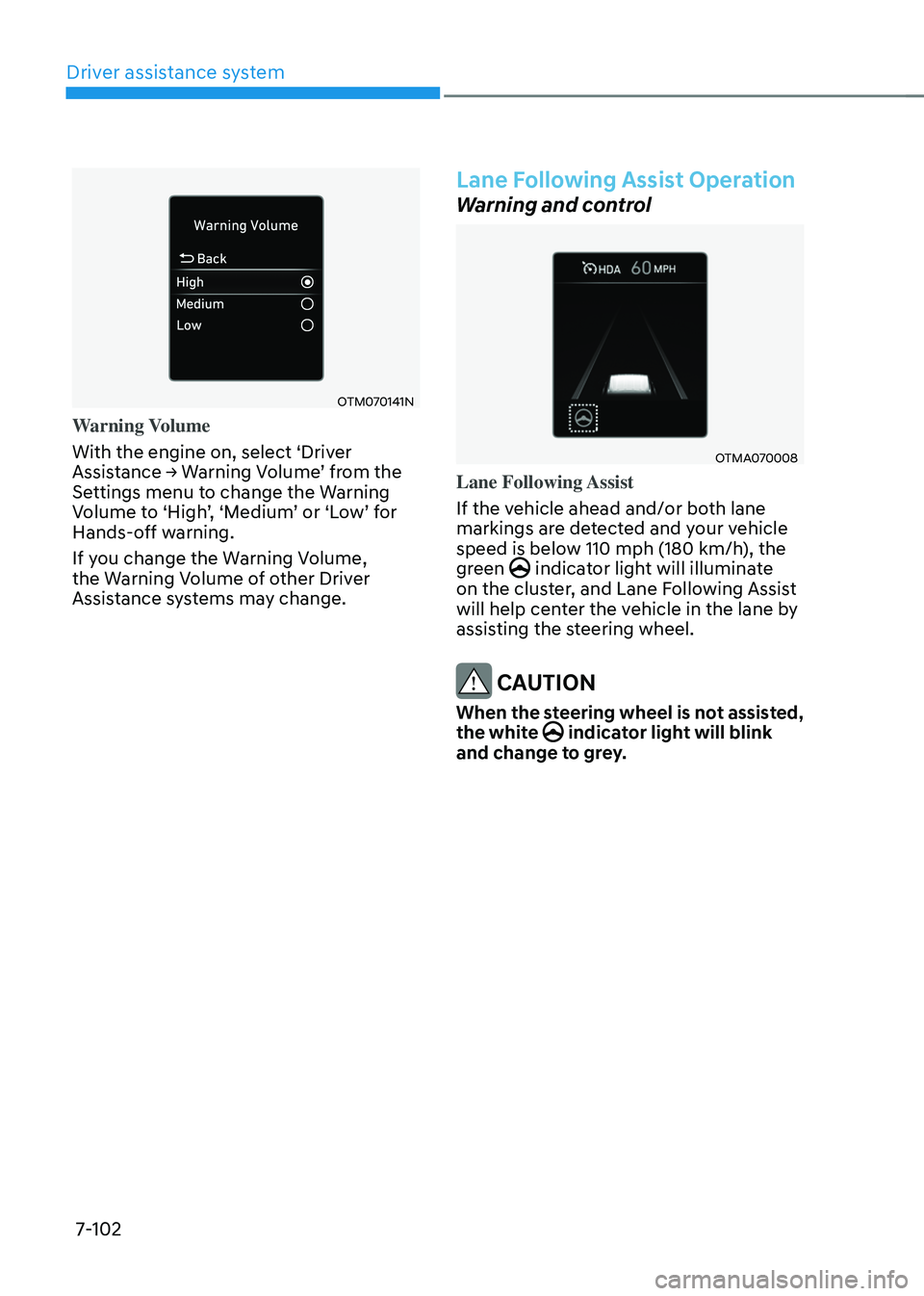
OTM070141N
Warning Volume
With the engine on, select ‘Driver
Assistance → Warning Volume’ from the Settings menu to change the Warning Volume to ‘High’, ‘Medium’ or ‘Low’ for Hands-off warning.
If you change the Warning Volume,
the Warning Volume of other Driver
Assistance systems may change.
Lane Following Assist Operation
Warning and control
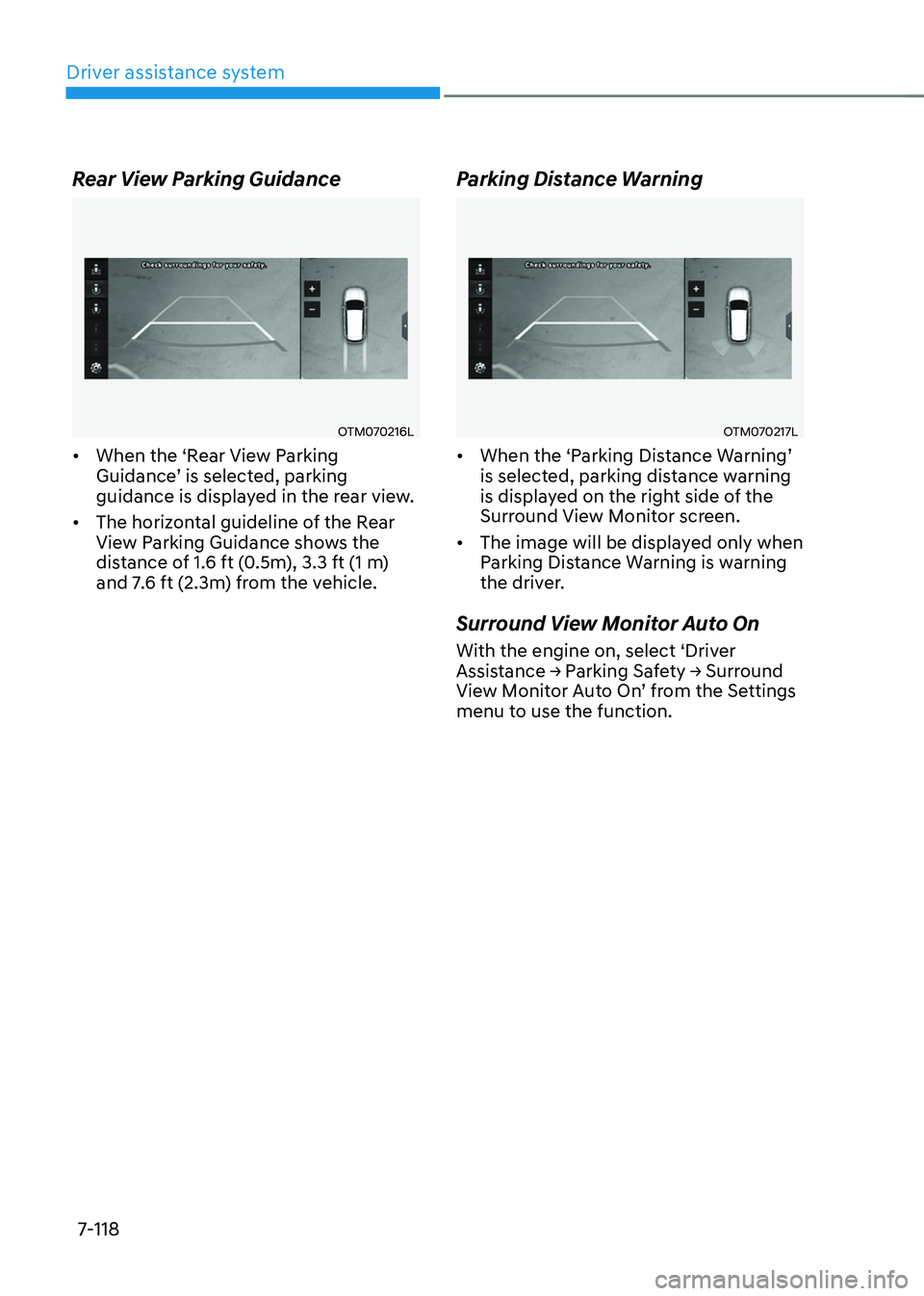
OTMA070008
Lane Following Assist
If the vehicle ahead and/or both lane
markings are detected and your vehicle
speed is below 110 mph (180 km/h), the
green
indicator light will illuminate on the cluster, and Lane Following Assist
will help center the vehicle in the lane by
assisting the steering wheel.
CAUTION
When the steering wheel is not assisted,
the white indicator light will blink and change to grey.
Page 469 of 638
Driver assistance system
7-106
Highway Driving Assist Settings
Setting features
Highway Driving Assist
With the engine on, select or deselect
‘Driver Assistance → Driving Convenience’ from the Settings menu to set whether or
not to use the following function(s).
-If ‘Highway Driving Assist’ (or ‘HDA (Motorway Driving Assist)’) is selected, it helps maintain distance from the
vehicle ahead, maintain the set speed,
and helps center the vehicle in the
lane.
Information
• If there is a problem with the
function(s), the settings cannot be
changed. We recommend that the
vehicle be inspected by an authorized
HYUNDAI dealer.
• If the engine is restarted, the function(s)
will maintain the last setting.
WARNING
For your safety, change the Settings
after parking the vehicle at a safe
location.
OTM070141N
Warning Volume
With the engine on, select ‘Driver
Assistance → Warning Volume’ from the Settings menu to change the Warning Volume to ‘High’, ‘Medium’ or ‘Low’ for Highway Driving Assist.
If you change the Warning Volume,
the Warning Volume of other Driver
Assistance systems may change.
Page 476 of 638
07
7-113
Rear View Monitor Settings
Camera settings
OTM070210L
You can change Rear View Monitor ‘Display Contents’ or ‘Display Settings’ by touching the setup icon () on
the screen while Rear View Monitor is
operating, or selecting ‘Driver Assistance
→ Parking Safety → Camera Settings’ from the Settings menu while the engine is on.
• In the Display Contents, you can
change settings for ‘Rear View’, and in the Display Settings, you can change the screen’s ‘Brightness’ and ‘Contrast’.
Rear View Monitor Operation
Operating button
„„Type A
ONX4070040
„„Type B
ONX4E070102
Parking/View button
Press the Parking/View button (1) to turn
on Rear View Monitor.
Press the button again to turn off the
function.
Page 480 of 638
07
7-117
Surround View Monitor Settings
Camera settings
OTM070213L
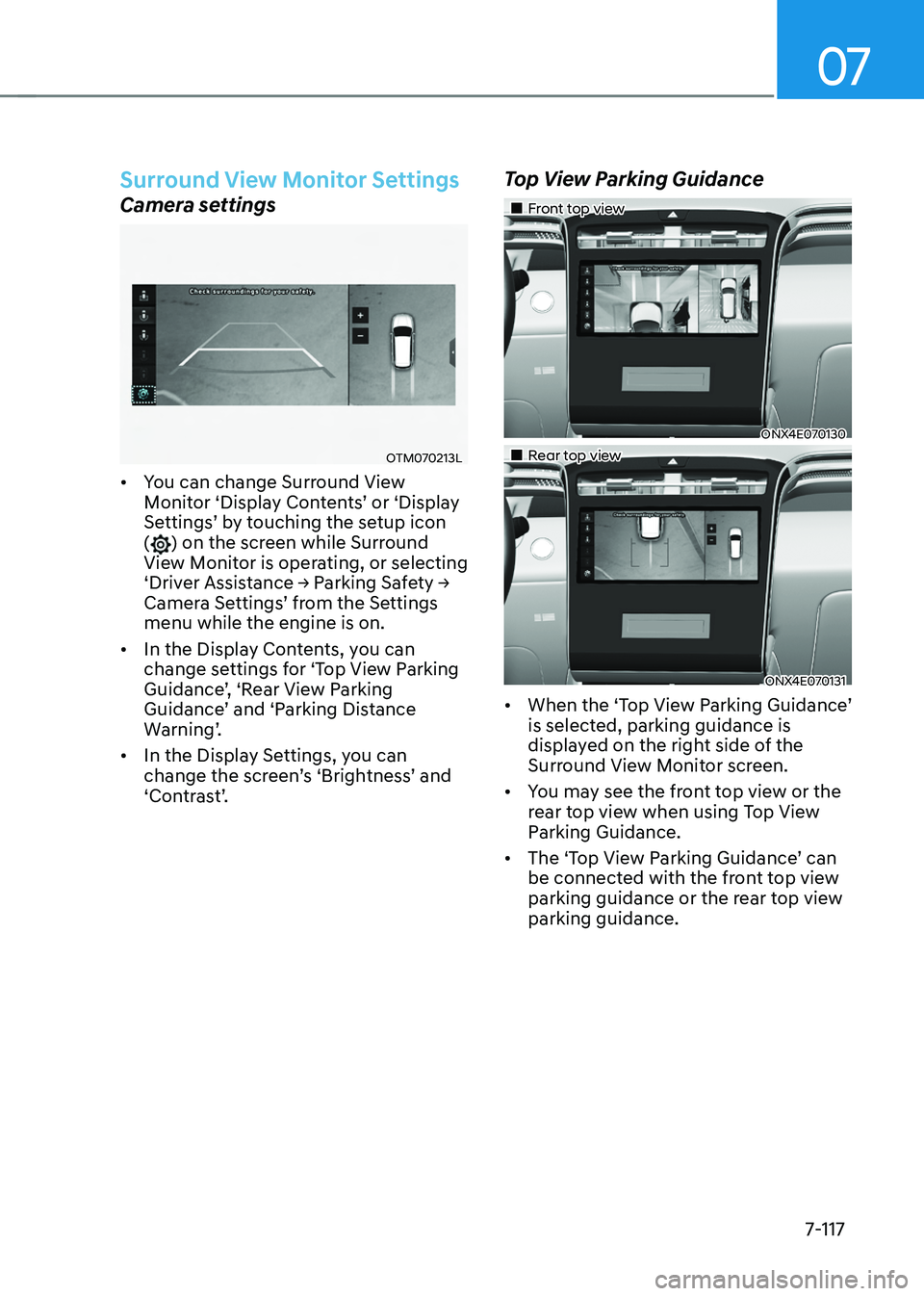
• You can change Surround View Monitor ‘Display Contents’ or ‘Display Settings’ by touching the setup icon () on the screen while Surround
View Monitor is operating, or selecting
‘Driver Assistance → Parking Safety → Camera Settings’ from the Settings menu while the engine is on.
• In the Display Contents, you can
change settings for ‘Top View Parking
Guidance’, ‘Rear View Parking Guidance’ and ‘Parking Distance Warning’.
• In the Display Settings, you can
change the screen’s ‘Brightness’ and ‘Contrast’.
Top View Parking Guidance
„„Front top view
ONX4E070130
„„Rear top view
ONX4E070131
• When the ‘Top View Parking Guidance’ is selected, parking guidance is
displayed on the right side of the
Surround View Monitor screen.
• You may see the front top view or the
rear top view when using Top View
Parking Guidance.
•
The ‘Top View Parking Guidance’ can be connected with the front top view
parking guidance or the rear top view
parking guidance.
Page 481 of 638
Driver assistance system
7-118
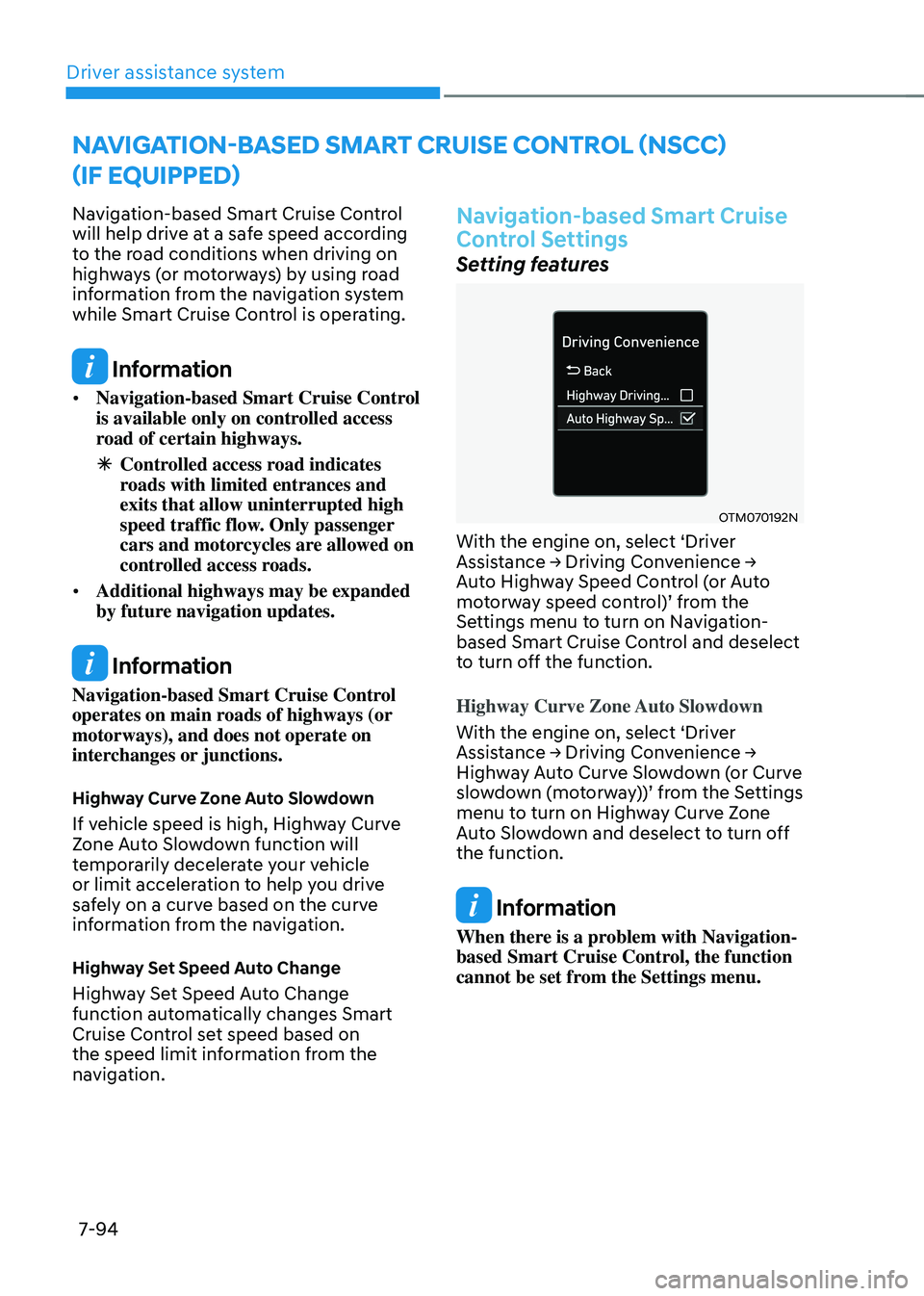
Rear View Parking Guidance
OTM070216L
• When the ‘Rear View Parking Guidance’ is selected, parking guidance is displayed in the rear view.
• The horizontal guideline of the Rear
View Parking Guidance shows the
distance of 1.6 ft (0.5m), 3.3 ft (1 m)
and 7.6 ft (2.3m) from the vehicle.
Parking Distance Warning
OTM070217L
• When the ‘Parking Distance Warning’ is selected, parking distance warning
is displayed on the right side of the
Surround View Monitor screen.
• The image will be displayed only when
Parking Distance Warning is warning
the driver.
Surround View Monitor Auto On
With the engine on, select ‘Driver Assistance → Parking Safety → Surround View Monitor Auto On’ from the Settings menu to use the function.
Page 482 of 638
07
7-119
Surround View Monitor
Operation
Operating button
„„Type A„„Type B
ONX4070040ONX4E070102
ONX4E070132
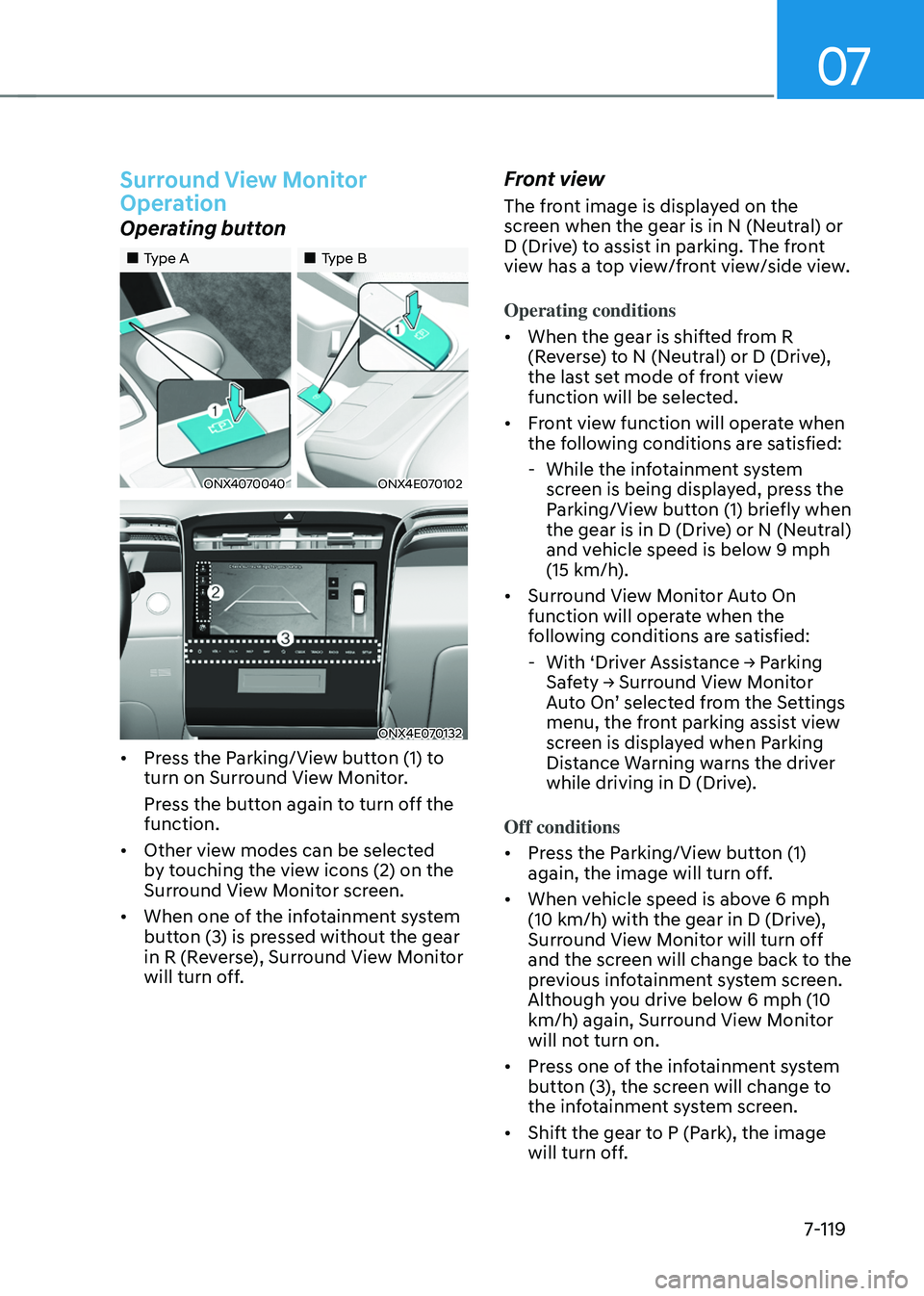
• Press the Parking/View button (1) to
turn on Surround View Monitor.
Press the button again to turn off the
function.
• Other view modes can be selected
by touching the view icons (2) on the
Surround View Monitor screen.
• When one of the infotainment system
button (3) is pressed without the gear
in R (Reverse), Surround View Monitor
will turn off.
Front view
The front image is displayed on the
screen when the gear is in N (Neutral) or
D (Drive) to assist in parking. The front
view has a top view/front view/side view.
Operating conditions
• When the gear is shifted from R
(Reverse) to N (Neutral) or D (Drive),
the last set mode of front view
function will be selected.
• Front view function will operate when
the following conditions are satisfied:
-While the infotainment system
screen is being displayed, press the
Parking/View button (1) briefly when
the gear is in D (Drive) or N (Neutral)
and vehicle speed is below 9 mph
(15 km/h).
• Surround View Monitor Auto On
function will operate when the
following conditions are satisfied:
-With ‘Driver Assistance → Parking Safety → Surround View Monitor Auto On’ selected from the Settings menu, the front parking assist view
screen is displayed when Parking
Distance Warning warns the driver
while driving in D (Drive).
Off conditions
• Press the Parking/View button (1)
again, the image will turn off.
• When vehicle speed is above 6 mph
(10 km/h) with the gear in D (Drive),
Surround View Monitor will turn off
and the screen will change back to the
previous infotainment system screen.
Although you drive below 6 mph (10
km/h) again, Surround View Monitor
will not turn on.
• Press one of the infotainment system
button (3), the screen will change to
the infotainment system screen.
• Shift the gear to P (Park), the image
will turn off.
Page 486 of 638
07
7-123
Rear Cross-Traffic Safety System
Settings
Setting features
OTM070194N
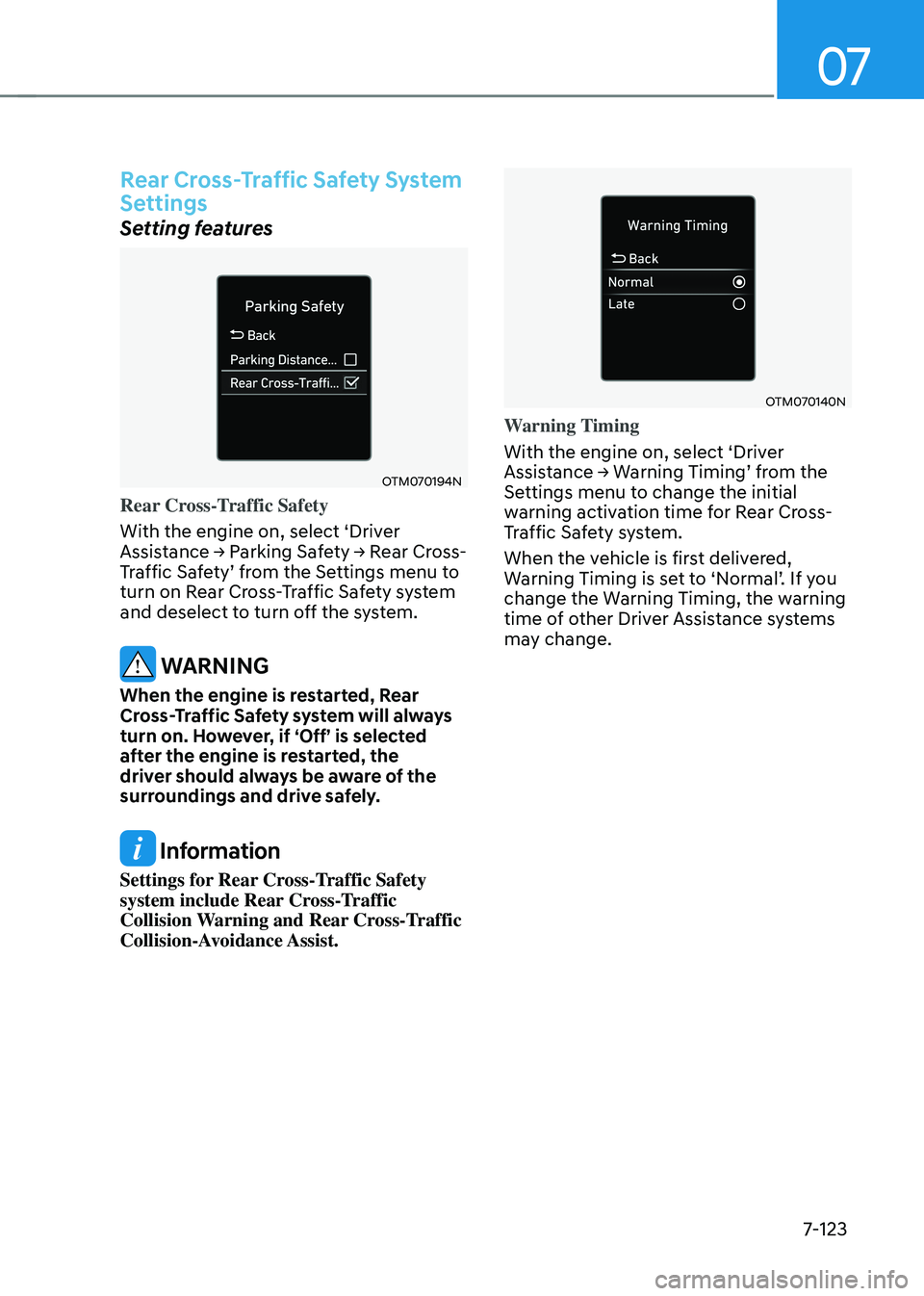
Rear Cross-Traffic Safety
With the engine on, select ‘Driver
Assistance → Parking Safety → Rear Cross-Traffic Safety’ from the Settings menu to turn on Rear Cross-Traffic Safety system
and deselect to turn off the system.
WARNING
When the engine is restarted, Rear
Cross-Traffic Safety system will always
turn on. However, if ‘Off’ is selected
after the engine is restarted, the
driver should always be aware of the
surroundings and drive safely.
Information
Settings for Rear Cross-Traffic Safety
system include Rear Cross-Traffic
Collision Warning and Rear Cross-Traffic
Collision-Avoidance Assist.
OTM070140N
Warning Timing
With the engine on, select ‘Driver
Assistance → Warning Timing’ from the Settings menu to change the initial
warning activation time for Rear Cross-
Traffic Safety system.
When the vehicle is first delivered,
Warning Timing is set to ‘Normal’. If you change the Warning Timing, the warning
time of other Driver Assistance systems
may change.