2022 HYUNDAI TUCSON HYBRID cruise control switch
[x] Cancel search: cruise control switchPage 114 of 630
Immobilizer indicator light (with smart key) ..........................................................4-20
Downhill Brake Control (DBC) indicator light ........................................................4-20
Turn signal indicator light ........................................................................\
.................4-21
High beam indicator light ........................................................................\
................4-21
Low beam indicator light ........................................................................\
.................4-21
Light ON indicator light ........................................................................\
....................4-21
High Beam Assist indicator light ........................................................................\
......4-21
Cruise indicator light ........................................................................\
.......................4-21
SPORT Mode indicator light ........................................................................\
............4-22
ECO Mode indicator light ........................................................................\
................4-22
SMART Mode indicator light ........................................................................\
...........4-22
LCD display messages ........................................................................\
.......................4-22
Shift to P ........................................................................\
...........................................4-22
Low key battery ........................................................................\
................................4-22
Press START button while turning wheel ...............................................................4-22
Check steering wheel lock system ........................................................................\
.4-22
Press brake pedal to start engine ........................................................................\
...4-23
Key not in vehicle ........................................................................\
.............................4-23
Key not detected ........................................................................\
..............................4-23
Press START button again ........................................................................\
...............4-23
Press START button with key ........................................................................\
...........4-23
Check BRAKE SWITCH fuse
........................................................................\
............4-23
12V battery discharging due to additional electrical devices ...............................4-23
Door, Hood, Liftgate open indicator .......................................................................4-24
Sunroof open indicator ........................................................................\
....................4-24
Low pressure ........................................................................\
....................................4-24
Wiper/Lights display ........................................................................\
........................4-25
Low washer fluid ........................................................................\
..............................4-25
Low fuel ........................................................................\
............................................4-25
Engine has overheated ........................................................................\
....................4-25
Check exhaust system ........................................................................\
.....................4-25
Check headlight ........................................................................\
...............................4-25
Check turn signal ........................................................................\
.............................4-25
Check brake light ........................................................................\
.............................4-25
Check headlamp LED ........................................................................\
......................4-26
Check Active Air Flap system ........................................................................\
..........4-26
Ready to start driving ........................................................................\
......................4-26
Check regenerative brakes ........................................................................\
.............. 4-26
Stop vehicle and check brakes
........................................................................\
.......4-26
Check Hybrid system ........................................................................\
.......................4-26
Stop safely and check Hybrid system ....................................................................4-26
Check Hybrid system. Do not start engine ............................................................4-26
4
Page 128 of 630
Instrument cluster
4-16
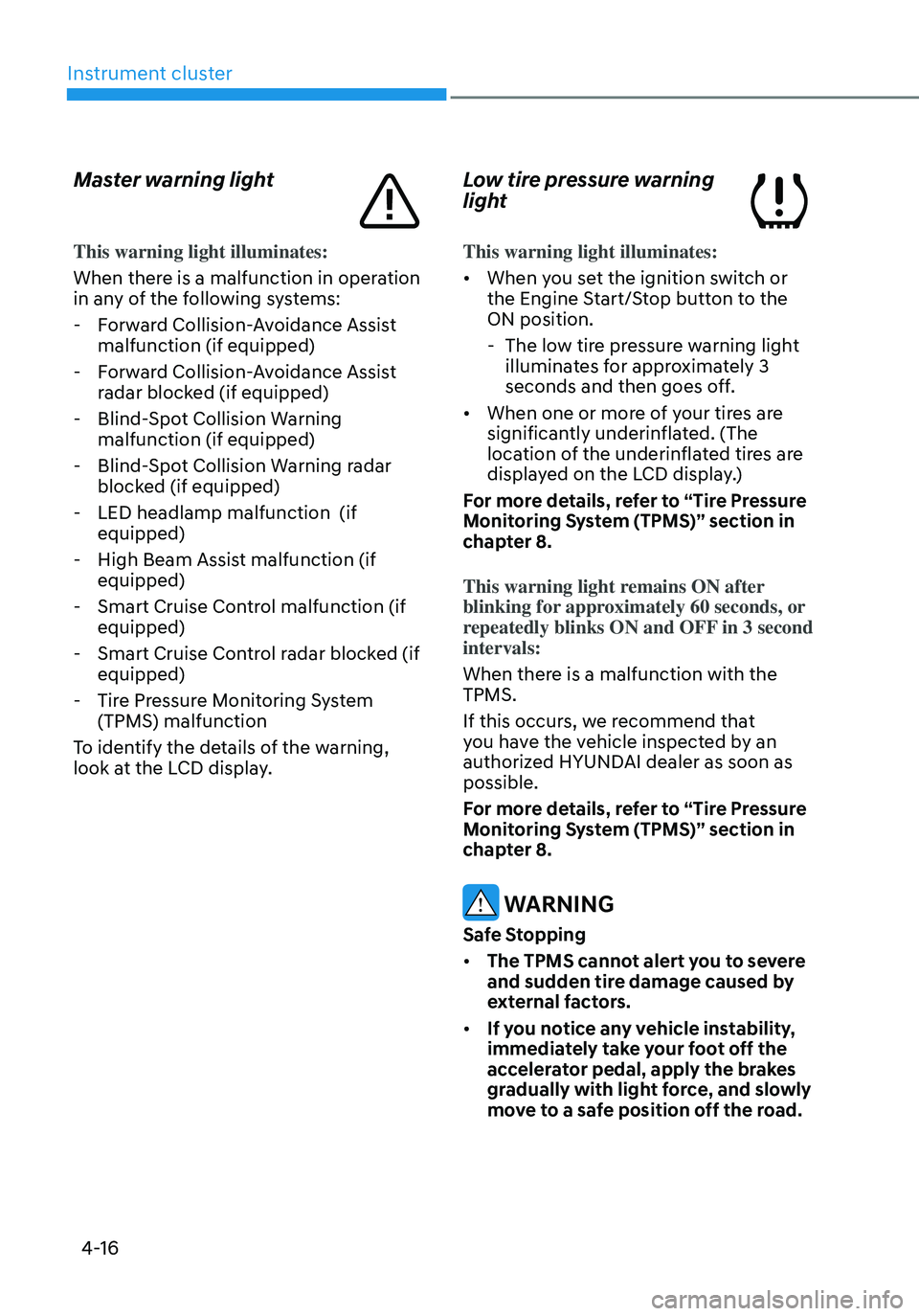
Master warning light
This warning light illuminates:
When there is a malfunction in operation
in any of the following systems:
-Forward Collision-Avoidance Assist
malfunction (if equipped)
-Forward Collision-Avoidance Assist
radar blocked (if equipped)
-Blind-Spot Collision Warning
malfunction (if equipped)
-Blind-Spot Collision Warning radar
blocked (if equipped)
-LED headlamp malfunction (if
equipped)
-High Beam Assist malfunction (if
equipped)
-Smart Cruise Control malfunction (if
equipped)
-Smart Cruise Control radar blocked (if
equipped)
-Tire Pressure Monitoring System
(TPMS) malfunction
To identify the details of the warning,
look at the LCD display.
Low tire pressure warning
light
This warning light illuminates:
• When you set the ignition switch or
the Engine Start/Stop button to the
ON position.
- The low tire pressure warning light
illuminates for approximately 3
seconds and then goes off.
• When one or more of your tires are
significantly underinflated. (The
location of the underinflated tires are
displayed on the LCD display.)
For more details, refer to “Tire Pressure
Monitoring System (TPMS)” section in
chapter 8.
This warning light remains ON after
blinking for approximately 60 seconds, or
repeatedly blinks ON and OFF in 3 second
intervals:
When there is a malfunction with the
TPMS.
If this occurs, we recommend that
you have the vehicle inspected by an
authorized HYUNDAI dealer as soon as
possible.
For more details, refer to “Tire Pressure
Monitoring System (TPMS)” section in
chapter 8.
WARNING
Safe Stopping
• The TPMS cannot alert you to severe
and sudden tire damage caused by
external factors.
• If you notice any vehicle instability,
immediately take your foot off the
accelerator pedal, apply the brakes
gradually with light force, and slowly
move to a safe position off the road.
Page 133 of 630
04
4-21
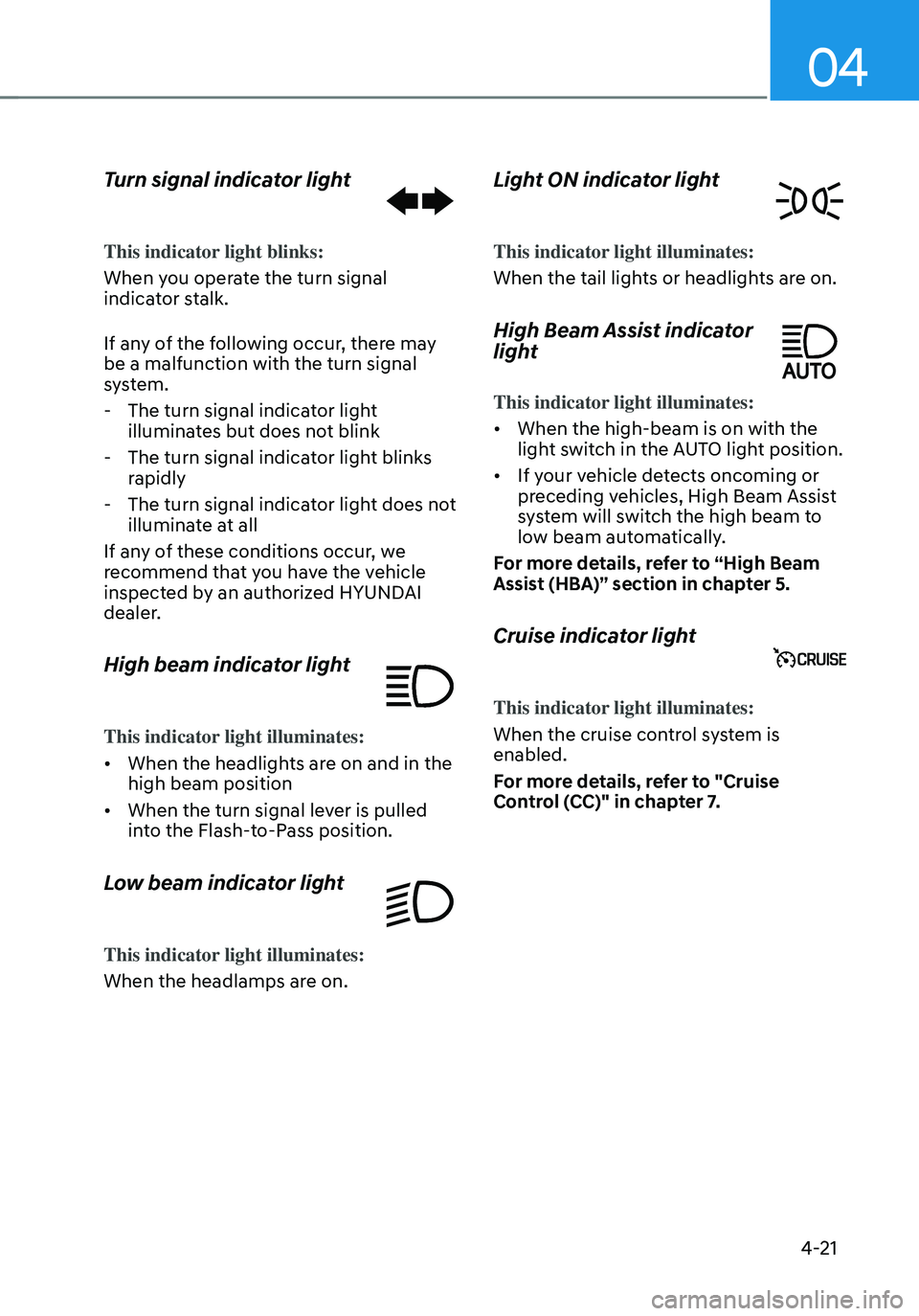
Turn signal indicator light
This indicator light blinks:
When you operate the turn signal
indicator stalk.
If any of the following occur, there may
be a malfunction with the turn signal
system.
-The turn signal indicator light
illuminates but does not blink
-The turn signal indicator light blinks
rapidly
-The turn signal indicator light does not
illuminate at all
If any of these conditions occur, we
recommend that you have the vehicle
inspected by an authorized HYUNDAI
dealer.
High beam indicator light
This indicator light illuminates:
• When the headlights are on and in the
high beam position
• When the turn signal lever is pulled
into the Flash-to-Pass position.
Low beam indicator light
This indicator light illuminates:
When the headlamps are on.
Light ON indicator light
This indicator light illuminates:
When the tail lights or headlights are on.
High Beam Assist indicator
light
This indicator light illuminates:
• When the high-beam is on with the
light switch in the AUTO light position.
• If your vehicle detects oncoming or
preceding vehicles, High Beam Assist
system will switch the high beam to
low beam automatically.
For more details, refer to “High Beam
Assist (HBA)” section in chapter 5.
Cruise indicator light
This indicator light illuminates:
When the cruise control system is
enabled.
For more details, refer to "Cruise
Control (CC)" in chapter 7.
Page 314 of 630
06
6-27
ONX4060009
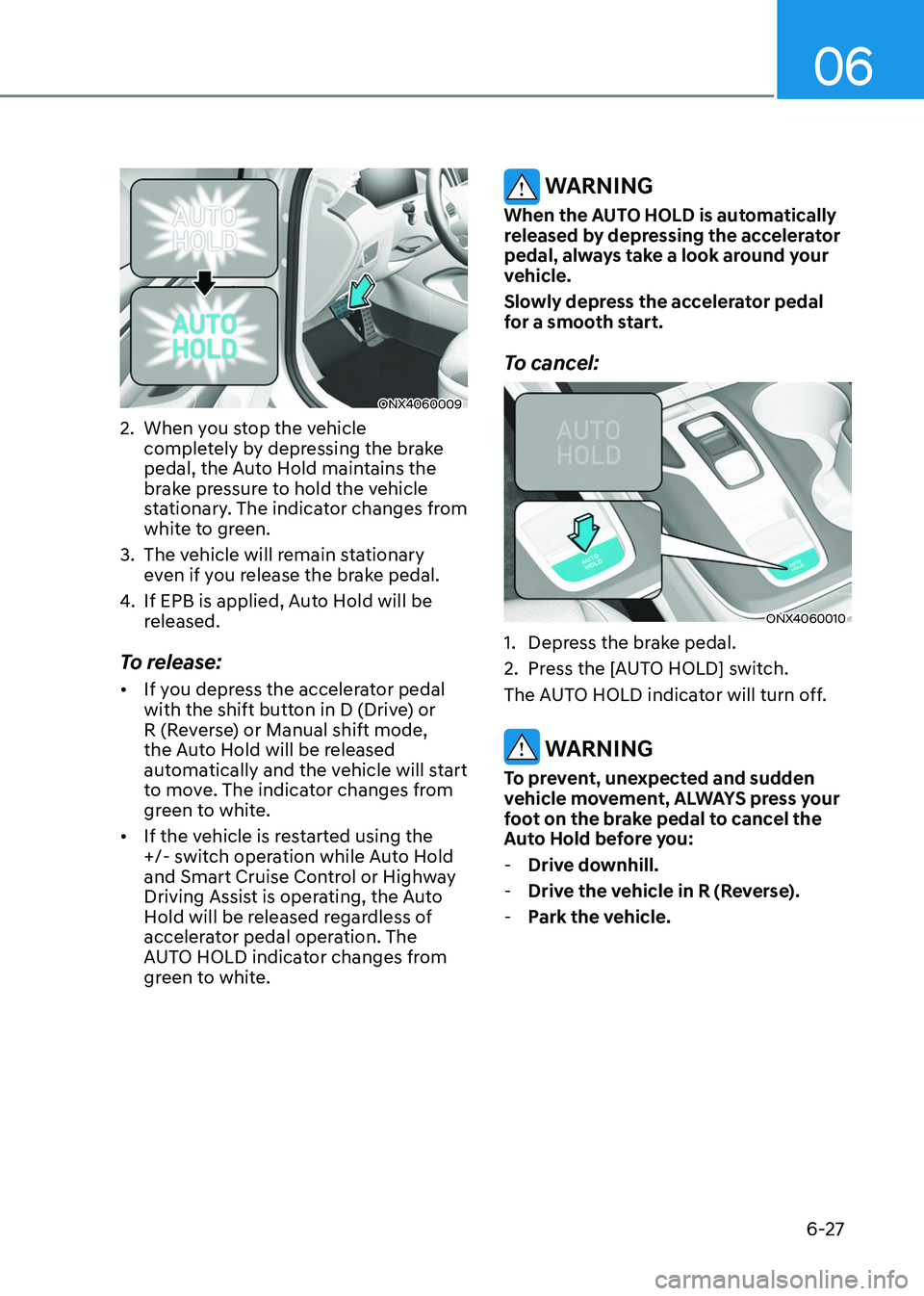
2. When you stop the vehicle
completely by depressing the brake
pedal, the Auto Hold maintains the
brake pressure to hold the vehicle
stationary. The indicator changes from
white to green.
3.
The vehicle will r
emain stationary
even if you release the brake pedal.
4.
If EPB is applied, Aut
o Hold will be
released.
To release:
• If you depress the accelerator pedal
with the shift button in D (Drive) or
R (Reverse) or Manual shift mode,
the Auto Hold will be released
automatically and the vehicle will start
to move. The indicator changes from
green to white.
• If the vehicle is restarted using the
+/- switch operation while Auto Hold
and Smart Cruise Control or Highway
Driving Assist is operating, the Auto
Hold will be released regardless of
accelerator pedal operation. The
AUTO HOLD indicator changes from
green to white.
WARNING
When the AUTO HOLD is automatically
released by depressing the accelerator
pedal, always take a look around your
vehicle.
Slowly depress the accelerator pedal
for a smooth start.
To cancel:
ONX4060010
1. Depress the brake pedal.
2.
Press the [A
UTO HOLD] switch.
The AUTO HOLD indicator will turn off.
WARNING
To prevent, unexpected and sudden
vehicle movement, ALWAYS press your
foot on the brake pedal to cancel the
Auto Hold before you:
- Drive do
wnhill.
-Drive the v
ehicle in R (Reverse).
-Park the v
ehicle.
Page 319 of 630
Driving your vehicle
6-32
ESC operation
ESC ON condition
When the ignition switch is in the
ON position, the ESC and the ESC
OFF indicator lights illuminate for
approximately three seconds. After both
lights go off, the ESC is enabled.
When operating
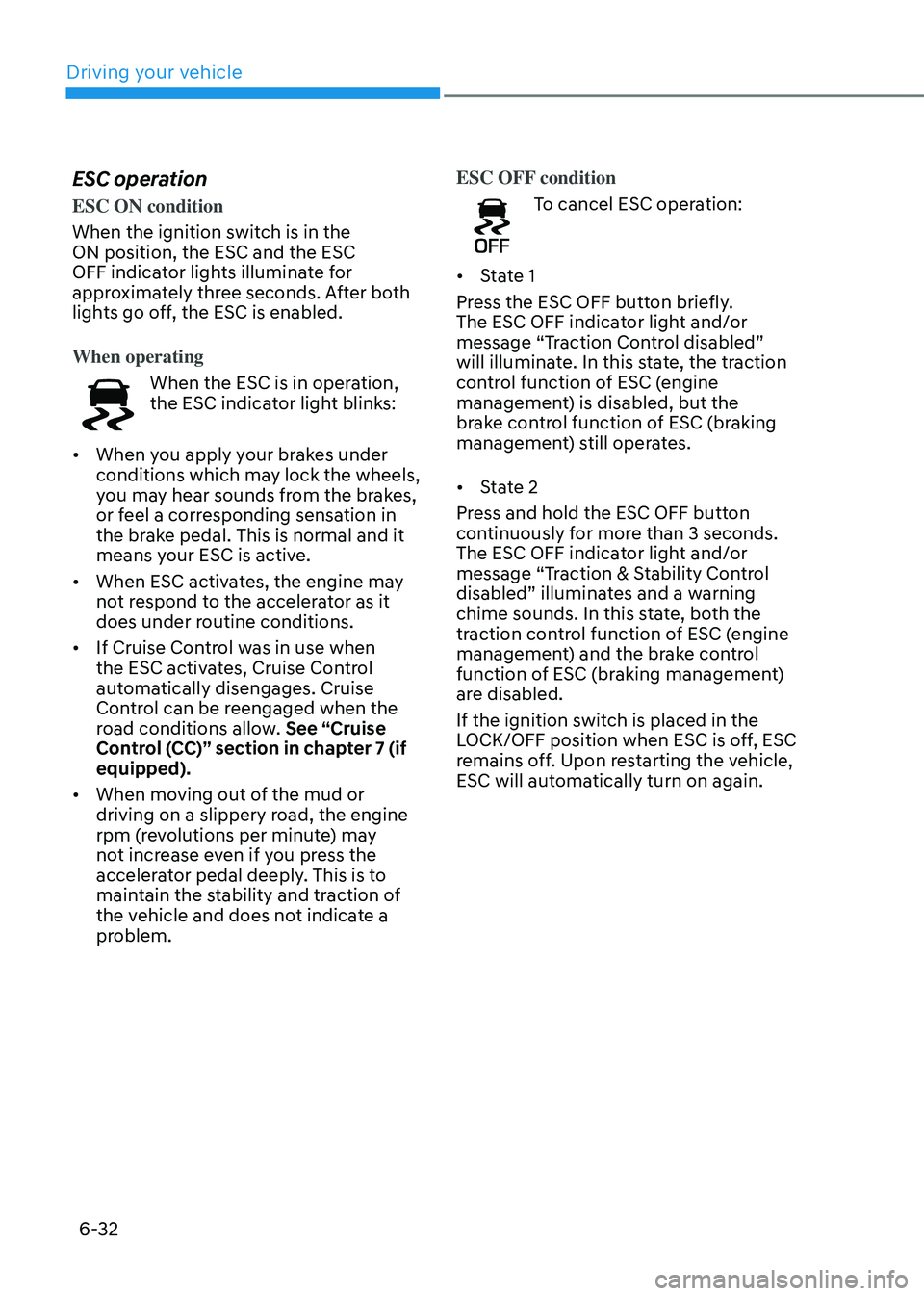
When the ESC is in operation,
the ESC indicator light blinks:
• When you apply your brakes under
conditions which may lock the wheels,
you may hear sounds from the brakes,
or feel a corresponding sensation in
the brake pedal. This is normal and it
means your ESC is active.
• When ESC activates, the engine may
not respond to the accelerator as it
does under routine conditions.
• If Cruise Control was in use when
the ESC activates, Cruise Control
automatically disengages. Cruise
Control can be reengaged when the
road conditions allow. See “Cruise
Control (CC)” section in chapter 7 (if
equipped).
• When moving out of the mud or
driving on a slippery road, the engine
rpm (revolutions per minute) may
not increase even if you press the
accelerator pedal deeply. This is to
maintain the stability and traction of
the vehicle and does not indicate a
problem. ESC OFF condition
To cancel ESC operation:
• State 1
Press the ESC OFF button briefly.
The ESC OFF indicator light and/or
message “Traction Control disabled”
will illuminate. In this state, the traction
control function of ESC (engine
management) is disabled, but the
brake control function of ESC (braking
management) still operates.
• State 2
Press and hold the ESC OFF button
continuously for more than 3 seconds.
The ESC OFF indicator light and/or
message “Traction & Stability Control
disabled” illuminates and a warning
chime sounds. In this state, both the
traction control function of ESC (engine
management) and the brake control
function of ESC (braking management)
are disabled.
If the ignition switch is placed in the
LOCK/OFF position when ESC is off, ESC
remains off. Upon restarting the vehicle,
ESC will automatically turn on again.
Page 420 of 630
07
7-61
Information
• If speed limit information of the road
cannot be recognized, '---' sign will be
displayed. Please refer to "Limitations
of Intelligent Speed Limit Assist " if the
road signs are difficult to recognize.
• Intelligent Speed Limit Assist provides
additional road sign information in
addition to speed limit. The additional
road sign information provided may
vary according to your country.
• Supplementary sign displayed under
the speed limit or overtaking restriction
sign means the conditions under
which the signs must be followed. If
supplementary sign is not recognized, it
will be displayed as blank.
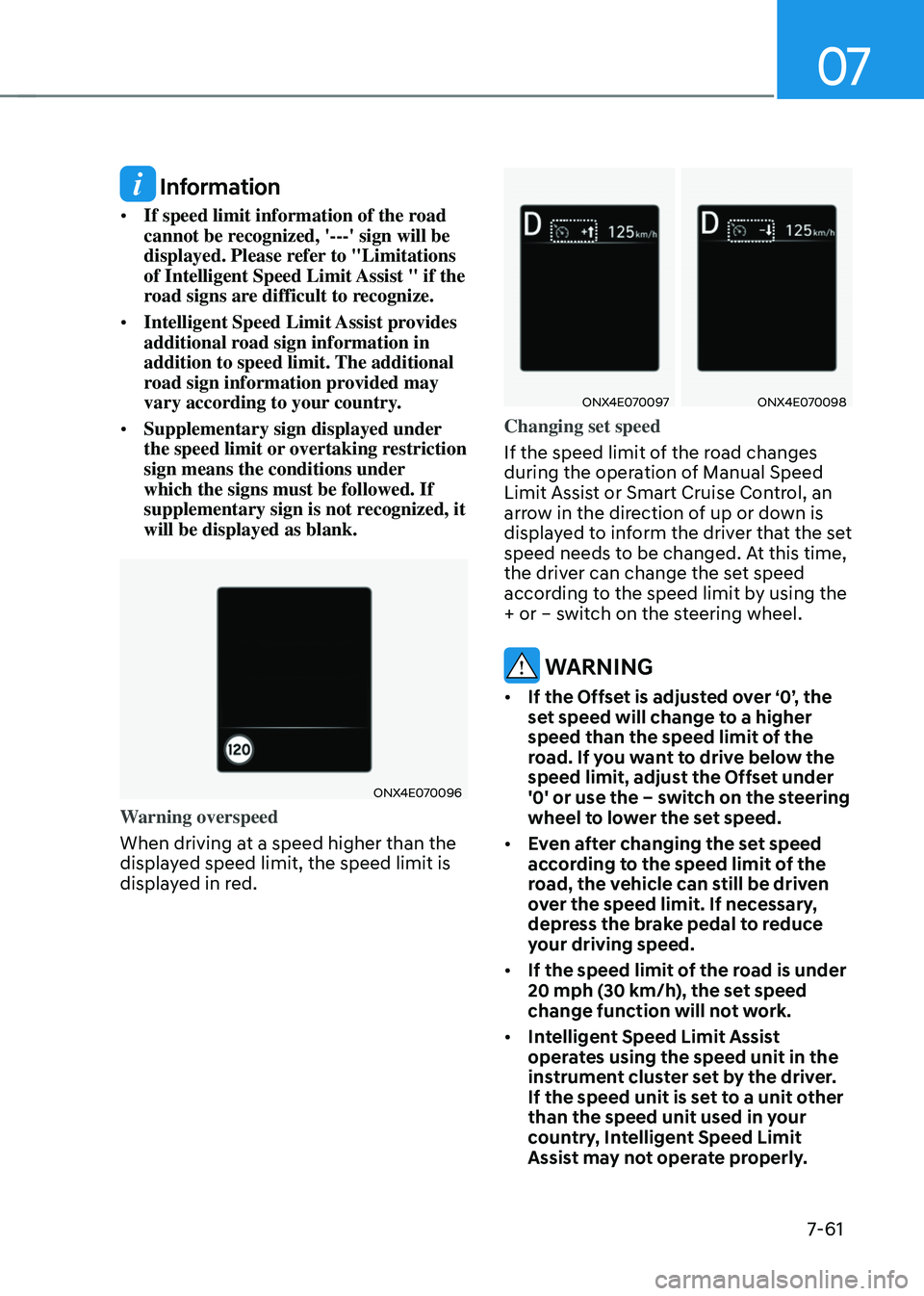
ONX4E070096
Warning overspeed
When driving at a speed higher than the
displayed speed limit, the speed limit is
displayed in red.
ONX4E070097ONX4E070098
Changing set speed
If the speed limit of the road changes
during the operation of Manual Speed
Limit Assist or Smart Cruise Control, an
arrow in the direction of up or down is
displayed to inform the driver that the set
speed needs to be changed. At this time,
the driver can change the set speed
according to the speed limit by using the
+ or – switch on the steering wheel.
WARNING
• If the Offset is adjusted over ‘0’, the
set speed will change to a higher
speed than the speed limit of the
road. If you want to drive below the
speed limit, adjust the Offset under
'0' or use the – switch on the steering
wheel to lower the set speed.
• Even after changing the set speed
according to the speed limit of the
road, the vehicle can still be driven
over the speed limit. If necessary,
depress the brake pedal to reduce
your driving speed.
• If the speed limit of the road is under
20 mph (30 km/h), the set speed
change function will not work.
• Intelligent Speed Limit Assist
operates using the speed unit in the
instrument cluster set by the driver.
If the speed unit is set to a unit other
than the speed unit used in your
country, Intelligent Speed Limit
Assist may not operate properly.
Page 432 of 630
07
7-7 3
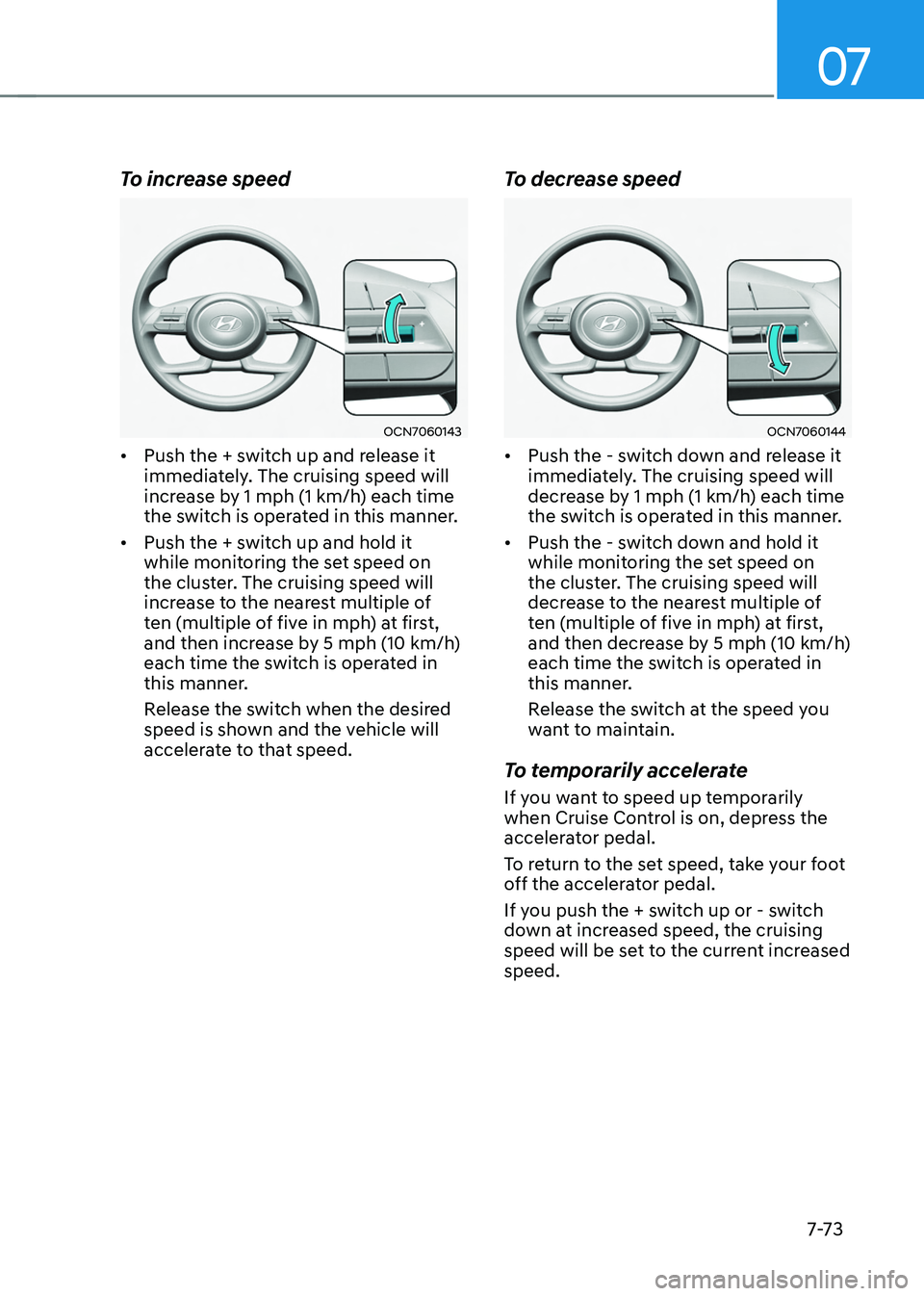
To increase speed
OCN7060143
• Push the + switch up and release it
immediately. The cruising speed will
increase by 1 mph (1 km/h) each time
the switch is operated in this manner.
• Push the + switch up and hold it
while monitoring the set speed on
the cluster. The cruising speed will
increase to the nearest multiple of
ten (multiple of five in mph) at first,
and then increase by 5 mph (10 km/h)
each time the switch is operated in
this manner.
Release the switch when the desired
speed is shown and the vehicle will
accelerate to that speed.
To decrease speed
OCN7060144
• Push the - switch down and release it
immediately. The cruising speed will
decrease by 1 mph (1 km/h) each time
the switch is operated in this manner.
• Push the - switch down and hold it
while monitoring the set speed on
the cluster. The cruising speed will
decrease to the nearest multiple of
ten (multiple of five in mph) at first,
and then decrease by 5 mph (10 km/h)
each time the switch is operated in
this manner.
Release the switch at the speed you
want to maintain.
To temporarily accelerate
If you want to speed up temporarily
when Cruise Control is on, depress the
accelerator pedal.
To return to the set speed, take your foot
off the accelerator pedal.
If you push the + switch up or - switch
down at increased speed, the cruising
speed will be set to the current increased
speed.
Page 433 of 630
Driver assistance system
7-74
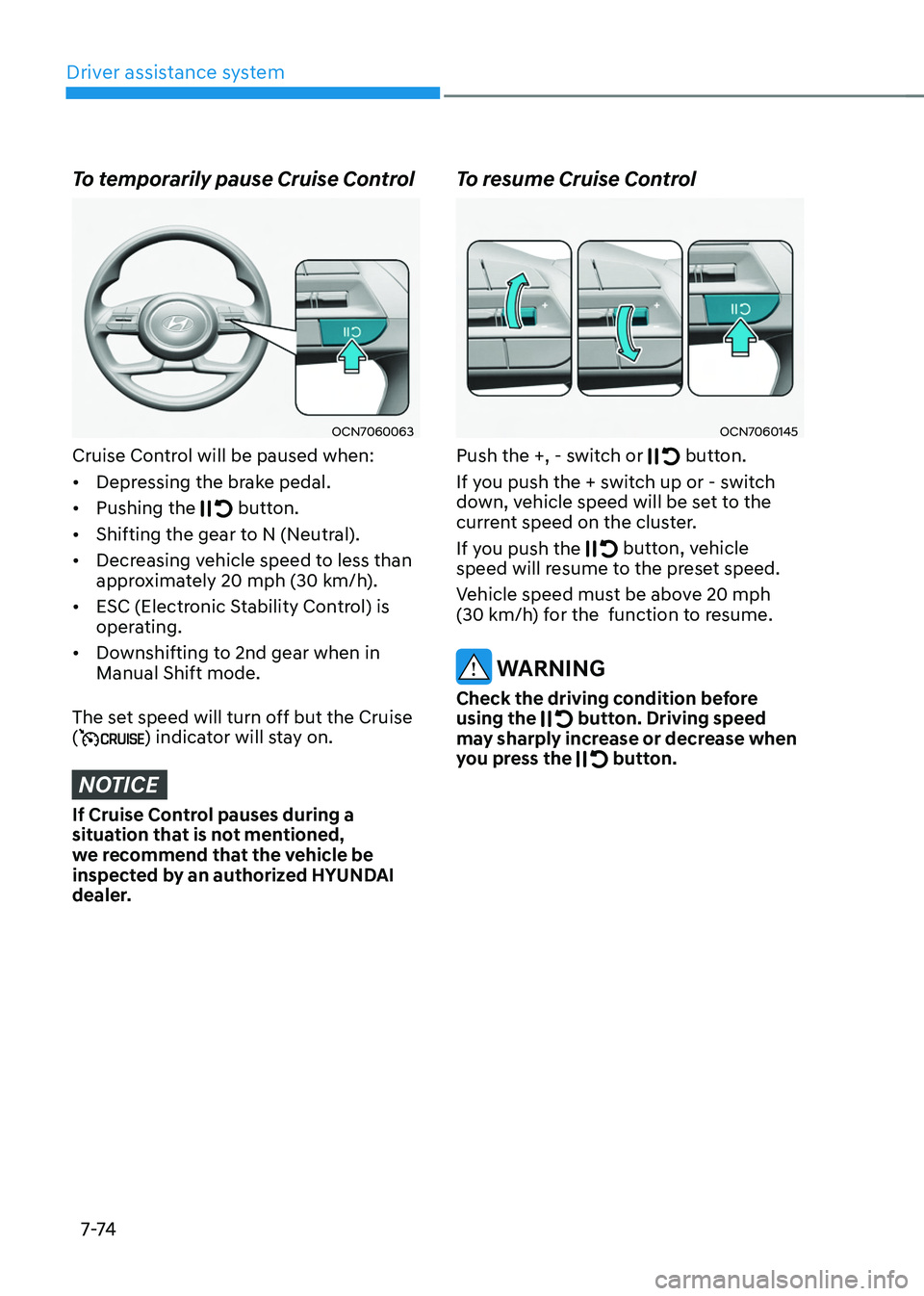
To temporarily pause Cruise Control
OCN7060063
Cruise Control will be paused when:
• Depressing the brake pedal.
• Pushing the
button.
• Shifting the gear to N (Neutral).
• Decreasing vehicle speed to less than
approximately 20
mph (30 km/h
).
• ESC (Electronic Stability Control) is
operating.
• Downshifting to 2nd gear when in
Manual Shift mode.
The set speed will turn off but the Cruise
(
) indicator will stay on.
NOTICE
If Cruise Control pauses during a
situation that is not mentioned,
we recommend that the vehicle be
inspected by an authorized HYUNDAI
dealer.
To resume Cruise Control
OCN7060145
Push the +, - switch or button.
If you push the + switch up or - switch
down, vehicle speed will be set to the
current speed on the cluster.
If you push the
button, vehicle
speed will resume to the preset speed.
Vehicle speed must be above 20
mph
(30 km/h
) for the function to resume.
WARNING
Check the driving condition before
using the button. Driving speed
may sharply increase or decrease when
you press the
button.