2022 HYUNDAI SONATA steering
[x] Cancel search: steeringPage 344 of 546

6-60
• When you replace the windshield
glass, LKA system camera or related
parts of the steering wheel, have the
vehicle inspected by an authorized
HYUNDAI dealer and have the system
checked for calibration.
• The system detects lane markers
and controls the steering wheel
by a camera, therefore, if the lane
markers are hard to detect, the
system may not work properly.
Please refer to “Limitations of the
S y s t e m ”.
• Do not remove or damage the related
parts of LKA system.
• You may not hear a warning sound
of LKA system if the audio volume is
high.
• Do not place objects on the
dashboard that reflects light such as
mirrors, white paper, etc. This may
prevent LKA system from functioning
properly. •
Always have your hands on the
steering wheel while LKA system is
activated. If you continue to drive
with your hands off the steering
wheel after the “Keep hands on
steering wheel” warning message
appears, the system will stop
controlling the steering wheel.
• The steering wheel is not
continuously controlled so if the
vehicle speed is at a higher rate
when leaving a lane the vehicle may
not be controlled by the system. The
driver must always follow the speed
limit when using the system.
• If you attach objects to the steering
wheel, the system may not assist
steering or the hands off alarm may
not work properly.
While Driving
Page 345 of 546

06
6-61
LKA Operation
ODN8069059
To activate/deactivate LKA system:
With the ignition switch in the ON
position, press LKA system button
located on the instrument panel on the
left hand side of the steering wheel.
The
indicator in the cluster
display will initially illuminate white. This
indicates LKA system is in the READY but
NOT ENABLED state.
Note that the vehicle speed
must be at least approximately
40 mph (64 km/h) to ENABLE
LKA system. The indicator in the
cluster display will illuminate
green.
- Whit
e: Sensor does not detect lane
markers or vehicle speed is under 40
mph (64 km/h).
- Gr
een: Sensor detects lane markers
and the system is able to control
vehicle steering.
Information
If the indicator (white) is activated from
the previous ignition cycle, the system will
turn ON without any additional control.
If you press the LKA button again, the
indicator on the cluster goes off.
LKA System Function Change
The driver can change LKA to
Lane Departure Warning or Lane
Keeping Assist from the LCD display
or infotainment system display(if
equipped).
Go to the ‘User Settings →
Driv
er Assistance → Lane Safety → Lane
K
eeping Assist/Lane Departure Warning/
Off'. The system is automatically set to
Lane Keeping Assist if a function is not
changed.
Lane Keeping Assist
The LKA mode guides the driver to help
keep the vehicle within the lanes. It
rarely controls the steering wheel, when
the vehicle drives well inside the lanes.
However, it starts to control the steering
wheel, when the vehicle is about to
deviate out of the lanes.
Lane Departure Warning
LDW alerts the driver with a visual
warning and a warning alarm when the
system detects the vehicle departing
the lane. The steering wheel will not be
controlled.
LKA system operation
ODN8H069060
To see LKA screen on the LCD display in
the cluster, select Driving Assist mode
(
). For more information, refer to “LCD
Display Modes” section in chapter 4.
Page 346 of 546
6-62
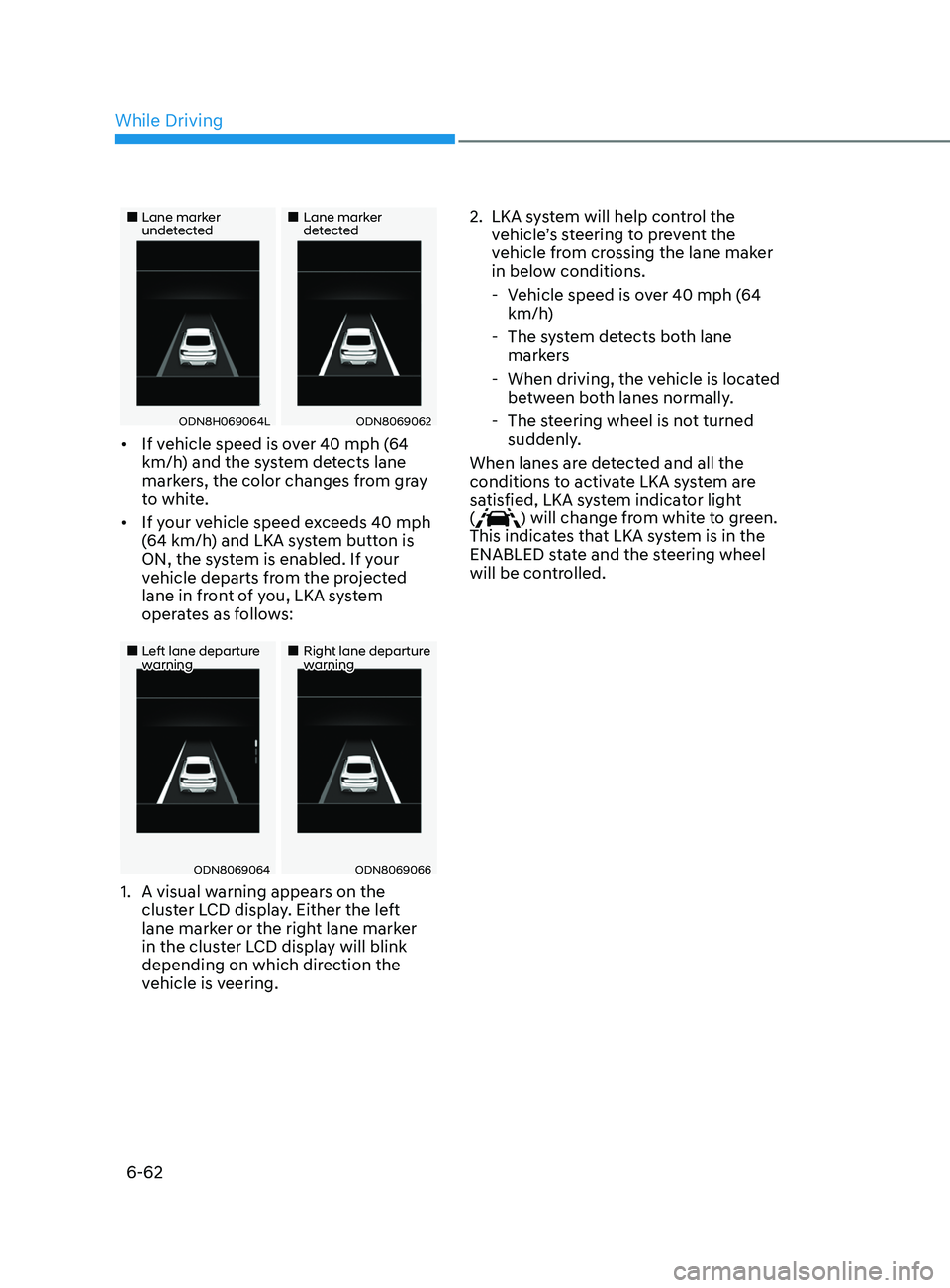
•„Lane marker undetected•„Lane marker detected
ODN8H069064LODN8069062
• If vehicle speed is over 40 mph (64
km/h) and the system detects lane
markers, the color changes from gray
to white.
• If your vehicle speed exceeds 40 mph
(64 km/h) and LKA system button is
ON, the system is enabled. If your
vehicle departs from the projected
lane in front of you, LKA system
operates as follows:
•„Left lane departure warning•„Right lane departure warning
ODN8069064ODN8069066
1. A visual w arning appears on the
cluster LCD display. Either the left
lane marker or the right lane marker
in the cluster LCD display will blink
depending on which direction the
vehicle is veering. 2.
LKA s
ystem will help control the
vehicle’s steering to prevent the
vehicle from crossing the lane maker
in below conditions.
- V
ehicle speed is over 40 mph (64
km/h)
- The s
ystem detects both lane
markers
- When driving, the v
ehicle is located
between both lanes normally.
- The s
teering wheel is not turned
suddenly.
When lanes are detected and all the
conditions to activate LKA system are
satisfied, LKA system indicator light
(
) will change from white to green.
This indicates that LKA system is in the
ENABLED state and the steering wheel
will be controlled.
While Driving
Page 347 of 546
06
6-63
ODN8069068L
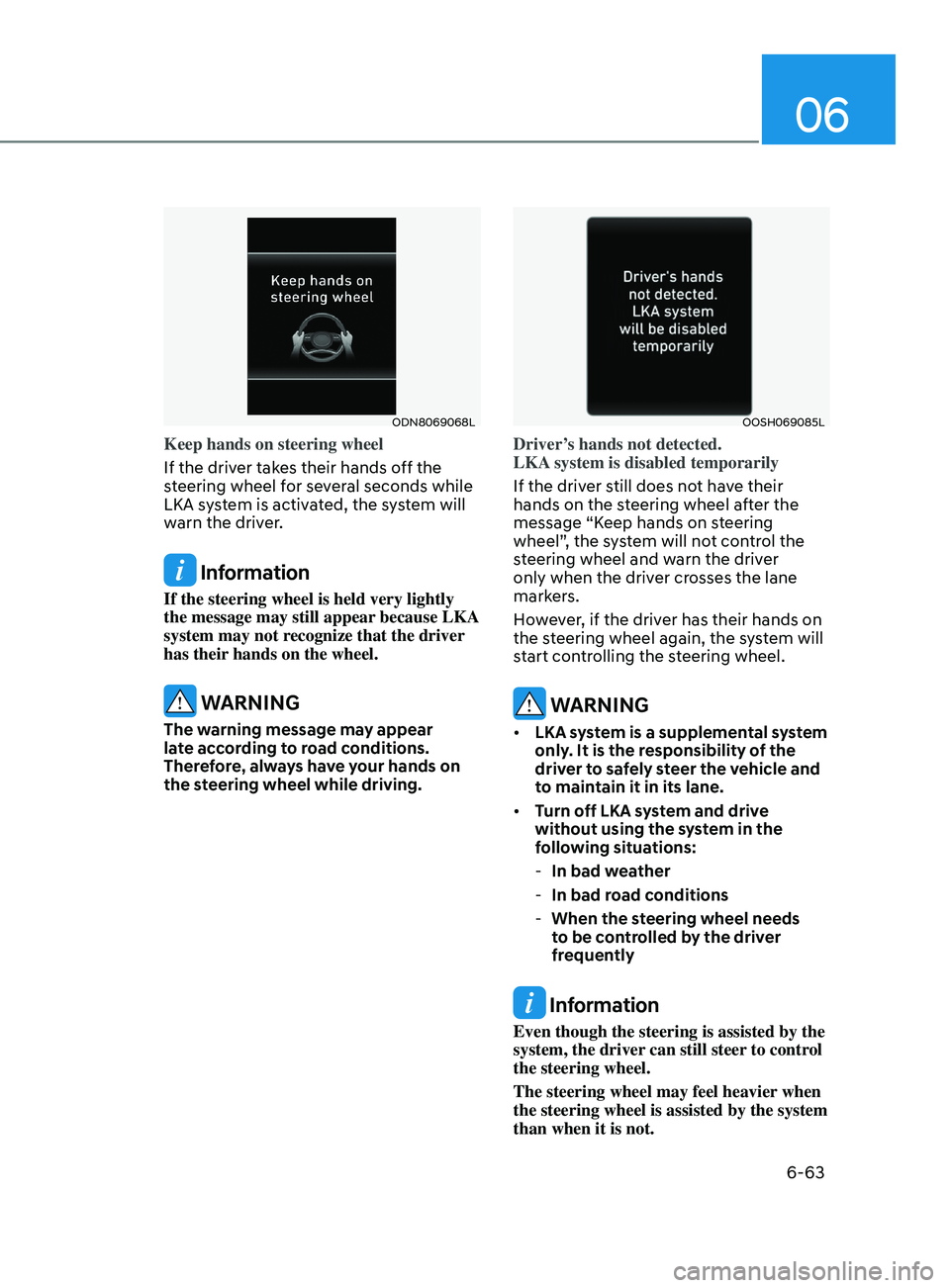
Keep hands on steering wheel
If the driver takes their hands off the
steering wheel for several seconds while
LKA system is activated, the system will
warn the driver.
Information
If the steering wheel is held very lightly
the message may still appear because LKA
system may not recognize that the driver
has their hands on the wheel.
WARNING
The warning message may appear
late according to road conditions.
Therefore, always have your hands on
the steering wheel while driving.
OOSH069085L
Driver’s hands not detected.
LKA system is disabled temporarily
If the driver still does not have their
hands on the steering wheel after the
message “Keep hands on steering
wheel”, the system will not control the
steering wheel and warn the driver
only when the driver crosses the lane
markers.
However, if the driver has their hands on
the steering wheel again, the system will
start controlling the steering wheel.
WARNING
• LKA system is a supplemental system
only. It is the responsibility of the
driver to safely steer the vehicle and
to maintain it in its lane.
• Turn off LKA system and drive
without using the system in the
following situations:
-In bad w
eather
-In bad r
oad conditions
-When the s
teering wheel needs
to be controlled by the driver
frequently
Information
Even though the steering is assisted by the
system, the driver can still steer to control
the steering wheel.
The steering wheel may feel heavier when
the steering wheel is assisted by the system
than when it is not.
Page 348 of 546
6-64
Warning Light and Message
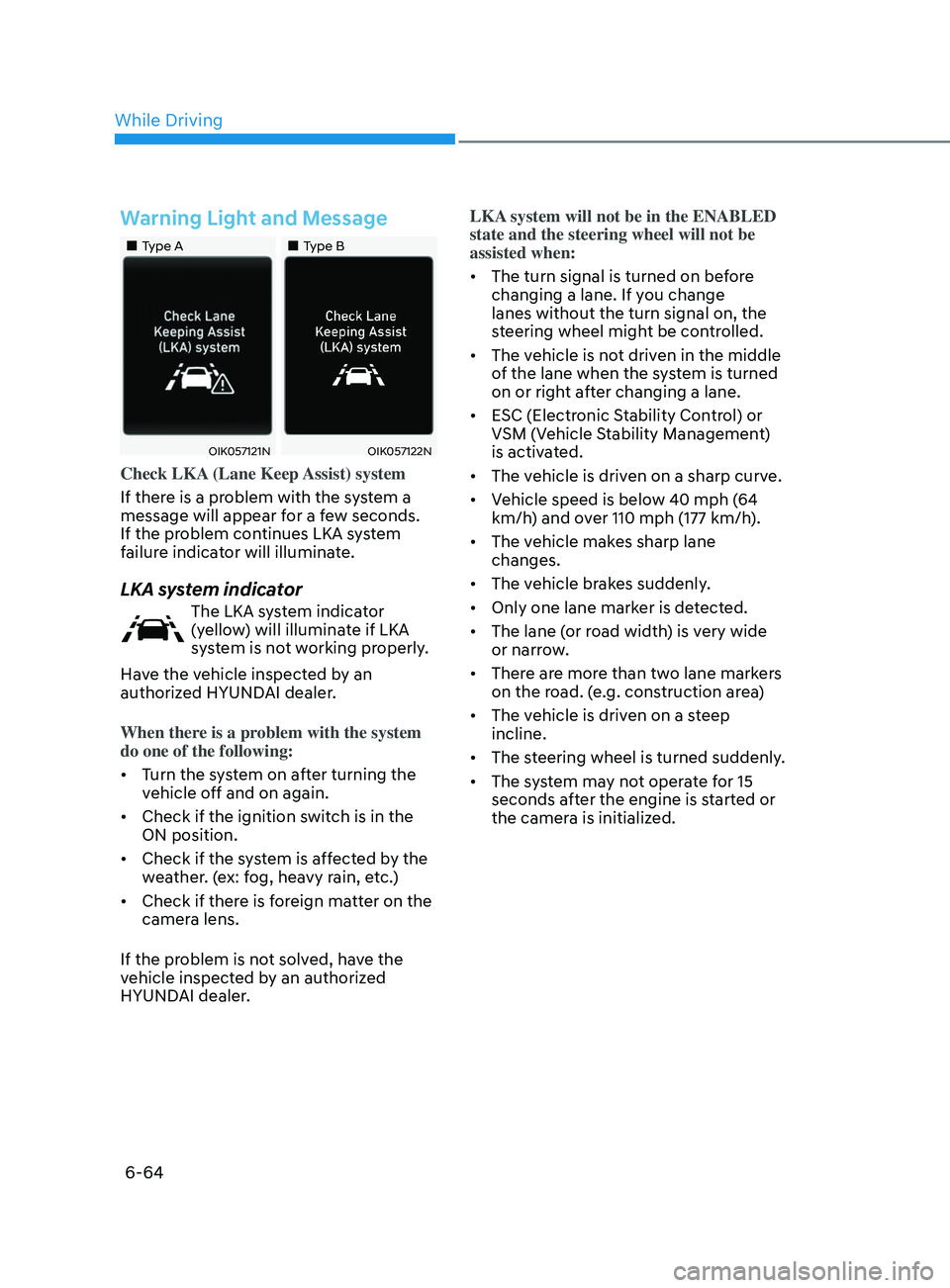
•„Type A•„Type B
OIK057121NOIK057122N
Check LKA (Lane Keep Assist) system
If there is a problem with the system a
message will appear for a few seconds.
If the problem continues LKA system
failure indicator will illuminate.
LKA system indicator
The LKA system indicator
(yellow) will illuminate if LKA
system is not working properly.
Have the vehicle inspected by an
authorized HYUNDAI dealer.
When there is a problem with the system
do one of the following:
• Turn the system on after turning the
vehicle off and on again.
• Check if the ignition switch is in the
ON position.
• Check if the system is affected by the
weather. (ex: fog, heavy rain, etc.)
• Check if there is foreign matter on the
camera lens.
If the problem is not solved, have the
vehicle inspected by an authorized
HYUNDAI dealer. LKA system will not be in the ENABLED
state and the steering wheel will not be
assisted when:
•
The turn signal is turned on before
changing a lane. If you change
lanes without the turn signal on, the
steering wheel might be controlled.
• The vehicle is not driven in the middle
of the lane when the system is turned
on or right after changing a lane.
• ESC (Electronic Stability Control) or
VSM (Vehicle Stability Management)
is activated.
• The vehicle is driven on a sharp curve.
• Vehicle speed is below 40 mph (64
km/h) and over 110 mph (177 km/h).
• The vehicle makes sharp lane
changes.
• The vehicle brakes suddenly.
• Only one lane marker is detected.
• The lane (or road width) is very wide
or narrow.
• There are more than two lane markers
on the road. (e.g. construction area)
• The vehicle is driven on a steep
incline.
• The steering wheel is turned suddenly.
• The system may not operate for 15
seconds after the engine is started or
the camera is initialized.
While Driving
Page 349 of 546
06
6-65
Limitations of the System
LKA system may operate prematurely
even if the vehicle does not depart from
the intended lane, OR, LKA system may
not assist your steering or warn you if the
vehicle leaves the intended lane under
the following circumstances:
When the lane and road conditions are
poor
• It is difficult to distinguish the lane
marking from the road surface or the
lane marking is faded or not clearly
marked.
• It is difficult to distinguish the color of
the lane marker from the road.
• There are markings on the road
surface that look like a lane marker
that is inadvertently being detected
by the camera.
• The lane marker is indistinct or
damaged.
• The lane marker is merged or divided
(e.g. tollgate).
• The lane number increases or
decreases or the lane marker are
crossing complicatedly.
• There are more than two lane markers
on the road in front of you. •
The lane marker is very thick or thin.
• The lane is very wide or narrow.
• The lane ahead is not visible due
to rain, snow, water on the road,
damaged or stained road surface, or
other factors.
• The shadow is on the lane marker by
a median strip, trees, guardrail, noise
barriers, etc.
• The lane markers are complicated or a
structure substitutes for the lines such
as a construction area.
• There are crosswalk signs or other
symbols on the road.
• The lane marker in a tunnel is stained
with oil, etc.
• The lane suddenly disappears such as
at the intersection.
Page 356 of 546
6-72
WARNING
• The driver is responsible for accurate
steering.
• Do not unnecessarily operate the
steering wheel, when Blind-Spot
Collision-Avoidance Assist system is
in operation.
• Always pay extreme caution while
driving. The Blind-Spot Collision-
Avoidance Assist system may not
operate or unnecessarily operate
in accordance with your driving
situations.
• Blind-Spot Collision-Avoidance
Assist system is not a substitute
for safe driving practices, but a
convenience function only. It is
the responsibility of the driver to
always drive cautiously to prevent
unexpected and sudden situations
from occurring. Pay attention to the
road conditions at all times.
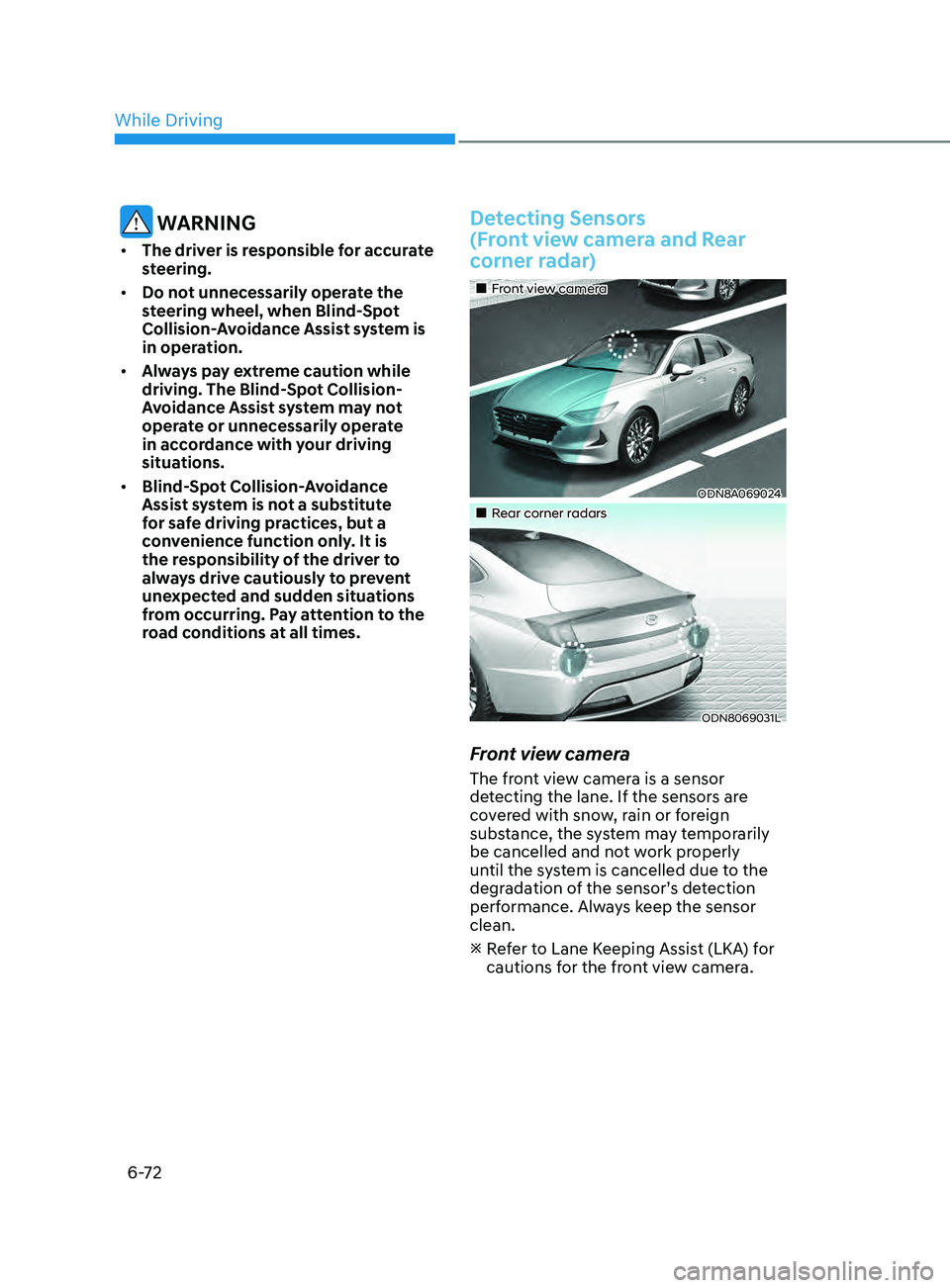
Detecting Sensors
(Front view camera and Rear
corner radar)
•„Front view camera
ODN8A069024
•„Rear corner radars
ODN8069031L
Front view camera
The front view camera is a sensor
detecting the lane. If the sensors are
covered with snow, rain or foreign
substance, the system may temporarily
be cancelled and not work properly
until the system is cancelled due to the
degradation of the sensor’s detection
performance. Always keep the sensor
clean.
R
efer to Lane Keeping Assist (LKA) for
cautions for the front view camera.
While Driving
Page 376 of 546
![HYUNDAI SONATA 2022 Owners Manual 6-92
Limitations
The leading Vehicle Departure Alert
function may not properly operate
with limited alerting in the following
situations:
OADAS021SD
[A] : Your vehicle
• When a vehicle cuts in fr](/manual-img/35/56194/w960_56194-375.png "HYUNDAI SONATA 2022 Owners Manual 6-92
Limitations
The leading Vehicle Departure Alert
function may not properly operate
with limited alerting in the following
situations:
OADAS021SD
[A] : Your vehicle
• When a vehicle cuts in fr")
6-92
Limitations
The leading Vehicle Departure Alert
function may not properly operate
with limited alerting in the following
situations:
OADAS021SD
[A] : Your vehicle
• When a vehicle cuts in front of your
vehicle (No vehicle ahead)
If a v
ehicle cuts in front of your vehicle
within the sensor to detect distance to
the vehicle ahead, it may not operate
to alert.
OADAS022SD
[A] : Your vehicle, [B] : Vehicle in front
• When a vehicle cuts in front of your
vehicle (vehicle ahead)
A
ccording to the cut-in position, the
function may operate to alert the
driver or it may not alert the driver of
the departure of the vehicle in front or
the vehicle cut in.
OADAS023SD
[A] : Your vehicle, [B] : Vehicle in front
• When a vehicle in front turns right or
left or makes a U-turn
If a v
ehicle in front turns the steering
wheel rapidly and drives away from a
closer distance, it may not operate to
alert the driver.
OADAS024SD
• When a vehicle in front makes a
quick start
If a v
ehicle in front makes a quick
start, the function may alert earlier or
it may not alert to the driver.
While Driving