2022 HYUNDAI SANTA CRUZ brakes
[x] Cancel search: brakesPage 313 of 598
06
6-39
WARNING
If the ABS () warning light is on and
stays on, you may have a problem with
the ABS. Your power brakes will work
normally. To reduce the risk of serious
injury or death, contact your authorized
HYUNDAI dealer as soon as possible.
NOTICE
When you drive on a road having poor
traction, such as an icy road, and apply
your brakes continuously, ABS will be
active continuously and the ABS (
)
warning light may illuminate. Pull your
vehicle over to a safe place and turn the
vehicle off.
Restart the vehicle. If the ABS warning
light is off, then your ABS system is
normal.
Otherwise, you may have a problem
with your ABS system. Contact an
authorized HYUNDAI dealer as soon as
possible.
Information
When you jump start your vehicle because
of a drained battery, the ABS ()
warning light may turn on at the same
time. This happens because of the low
battery voltage. It does not mean your
ABS is malfunctioning. Have the battery
recharged before driving the vehicle.
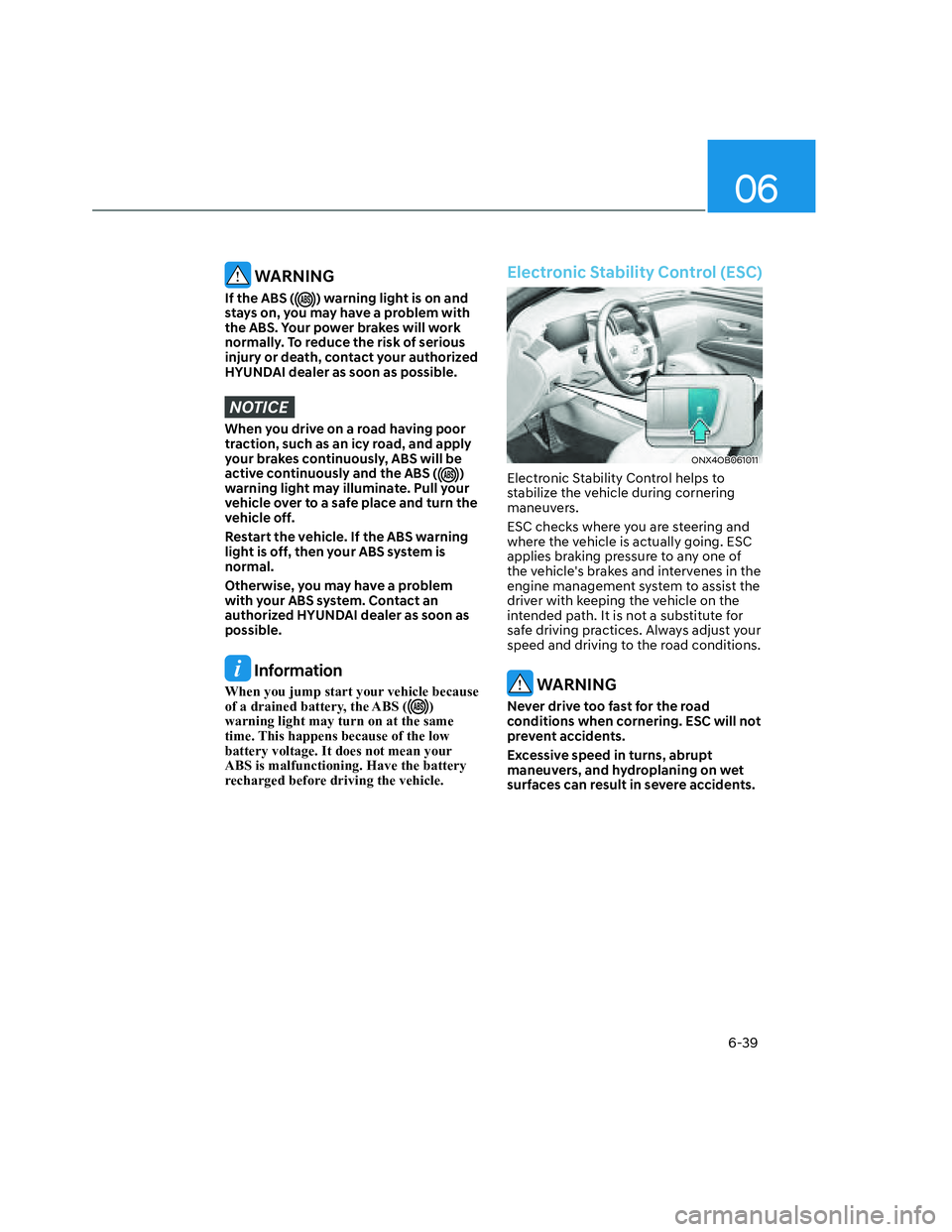
Electronic Stability Control (ESC)
ONX4OB061011ONX4OB061011
Electronic Stability Control helps to
stabilize the vehicle during cornering
maneuvers.
ESC checks where you are steering and
where the vehicle is actually going. ESC
applies braking pressure to any one of
the vehicle's brakes and intervenes in the
engine management system to assist the
driver with keeping the vehicle on the
intended path. It is not a substitute for
safe driving practices. Always adjust your
speed and driving to the road conditions.
WARNING
Never drive too fast for the road
conditions when cornering. ESC will not
prevent accidents.
Excessive speed in turns, abrupt
maneuvers, and hydroplaning on wet
surfaces can result in severe accidents.
Page 314 of 598
Driving Your Vehicle
6-40
ESC operation
ESC ON condition
When the ignition switch is in the
ON position, the ESC and the ESC
OFF indicator lights illuminate for
approximately three seconds. After both
lights go off, the ESC is enabled.
When operating
When ESC is in operation, the
ESC indicator light blinks:
• When you apply your brakes under
conditions which may lock the wheels,
you may hear sounds from the brakes,
or feel a corresponding sensation in
the brake pedal. This is normal and it
means your ESC is active.
• When ESC activates, the engine may
not respond to the accelerator as it
does under routine conditions.
• If Cruise Control or Smart Cruise
Control was in use when ESC
activates, Cruise Control or Smart
Cruise Control automatically
disengages. Cruise Control or Smart
Cruise Control can be reengaged
when the road conditions allow. See
"Cruise Control (CC)" or "Smart
Cruise Control (SCC)" section in
chapter 7 (if equipped).
• When moving out of the mud or
driving on a slippery road, the engine
RPM (revolutions per minute) may
not increase even if you press the
accelerator pedal deeply. This is to
maintain the stability and traction of
the vehicle and does not indicate a
problem.
ESC OFF condition
To cancel ESC operation:
• State 1
Press the ESC OFF button briefly. The
ESC OFF indicator light and/or message
'Traction Control disabled' will illuminate.
In this state, the traction control function
of ESC (engine management) is disabled,
but the brake control function of ESC
(braking management) still operates.
• State 2
Press and hold the ESC OFF button
continuously for more than 3 seconds.
The ESC OFF indicator light and/or
message 'Traction & Stability Control
disabled' illuminates and a warning
chime sounds. In this state, both the
traction control function of ESC (engine
management) and the brake control
function of ESC (braking management)
are disabled.
If the ignition switch is placed to the
LOCK/OFF position when ESC is off, ESC
remains off. Upon restarting the engine,
the ESC will automatically turn on again.
Page 316 of 598
Driving Your Vehicle
6-42
Vehicle Stability Management
(VSM)
Vehicle Stability Management is a
function of the Electronic Stability
Control (ESC) system. It helps the vehicle
stay stable when accelerating or braking
suddenly on wet, slippery and rough
roads where traction over the four tires
can suddenly become uneven.
WARNING
Take the following precautions when
using Vehicle Stability Management:
• ALWAYS check the speed and the
distance to the vehicle ahead. VSM
is not a substitute for safe driving
practices.
• Never drive too fast for the road
conditions. VSM will not prevent
accidents. Excessive speed in bad
weather, on slippery and uneven
roads can result in severe accidents.
VSM operation
When operating
When you apply your brakes under
conditions which may activate ESC, you
may hear sounds from the brakes, or feel
a corresponding sensation in the brake
pedal. This is normal and it means your
VSM is active.
Information
VSM does not operate when:
• Driving on a banked road such as
gradient or incline.
• Driving in reverse.
• The ESC OFF indicator light is on.
• The EPS (Electric power steering)
warning light (
) is on or blinks.
Page 317 of 598
06
6-43
VSM OFF condition
To cancel VSM operation, press the ESC
OFF button. ESC OFF () indicator light
will illuminate.
To turn on VSM, press the ESC OFF
button again. The ESC OFF indicator light
will go out.
WARNING
If the ESC () indicator light or EPS
() warning light stays illuminated
or blinks, your vehicle may have a
malfunction with the VSM system.
When the warning light illuminates
have your vehicle checked by an
authorized HYUNDAI dealer as soon as
possible.
NOTICE
Driving with wheels and tires with
different sizes may cause the VSM
system to malfunction. Before replacing
tires, make sure all four tires and wheels
are the same size. Never drive the
vehicle with different sized tires and
wheels installed.
Trailer Stability Assist (TSA)
Trailer stability assist is operated as a
vehicle stability control system. The
Trailer stability assist system stabilizes
the vehicle and trailer when the trailer
sways or oscillates. Use caution when
towing a trailer in high winds, which
could cause your trailer to sway
excessively. Also, reduce your highway
speed while towing a trailer, especially
when driving a downhill grade. The
weight of the trailer behind your vehicle
while driving on a downhill grade could
cause the trailer to sway excessively.
Factors that may contribute to excessive
trailer sway include:
- Higher vehicle speeds
- Strong crosswinds
- Improper or uneven loading of the
trailer
- Sudden movements of the steering
wheel in your vehicle
- Uneven or broken road conditions
The trailer stability assist system analyzes
the vehicle and trailer condition while
driving. If the system detects excessive
sway from the trailer, the front brakes
may be applied automatically to help
stabilize the vehicle. In some cases the
brakes may be applied on all wheels and
the engine power may be reduced in
order to minimize the sway condition.
Page 318 of 598
Driving Your Vehicle
6-44
Hill-Start Assist Control (HAC)
Hill-Start Assist Control helps prevent
the vehicle from rolling backwards
when starting a vehicle from a stop
on a hill. The system operates the
brakes automatically for approximately
2 seconds and releases when the
accelerator pedal is depressed.
WARNING
Always be ready to depress the
accelerator pedal when starting off
an incline. Hill-Start Assist Control
activates only for approximately 2
seconds.
Information
• Hill-Start Assist Control does not
operate when the gear is shifted to P
(Park) or N (Neutral).
• Hill-Start Assist Control activates even
when the ESC (Electronic Stability
Control) is off. However, it does not
activate, when ESC does not operate
normally.
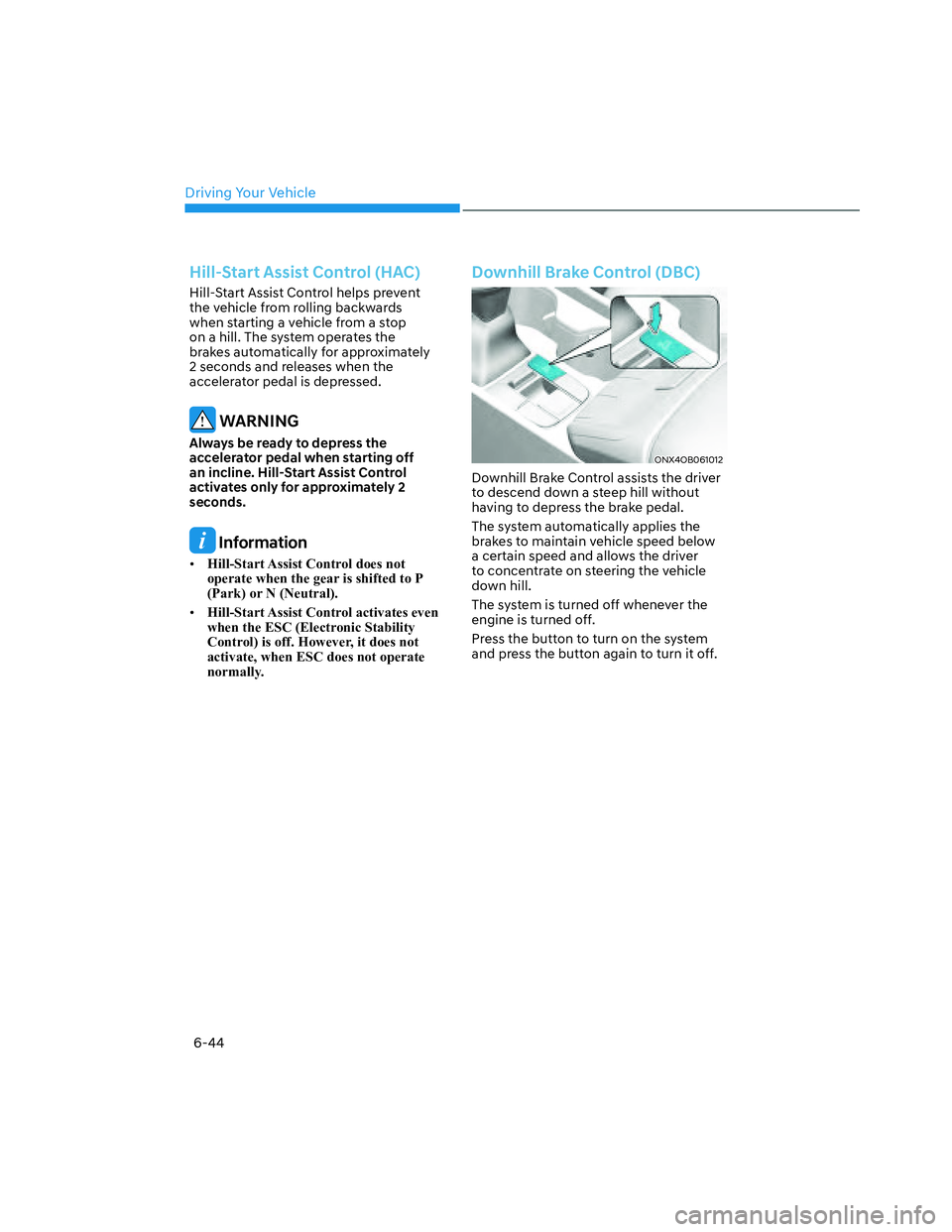
Downhill Brake Control (DBC)
ONX4OB061012ONX4OB061012
Downhill Brake Control assists the driver
to descend down a steep hill without
having to depress the brake pedal.
The system automatically applies the
brakes to maintain vehicle speed below
a certain speed and allows the driver
to concentrate on steering the vehicle
down hill.
The system is turned off whenever the
engine is turned off.
Press the button to turn on the system
and press the button again to turn it off.
Page 320 of 598
Driving Your Vehicle
6-46
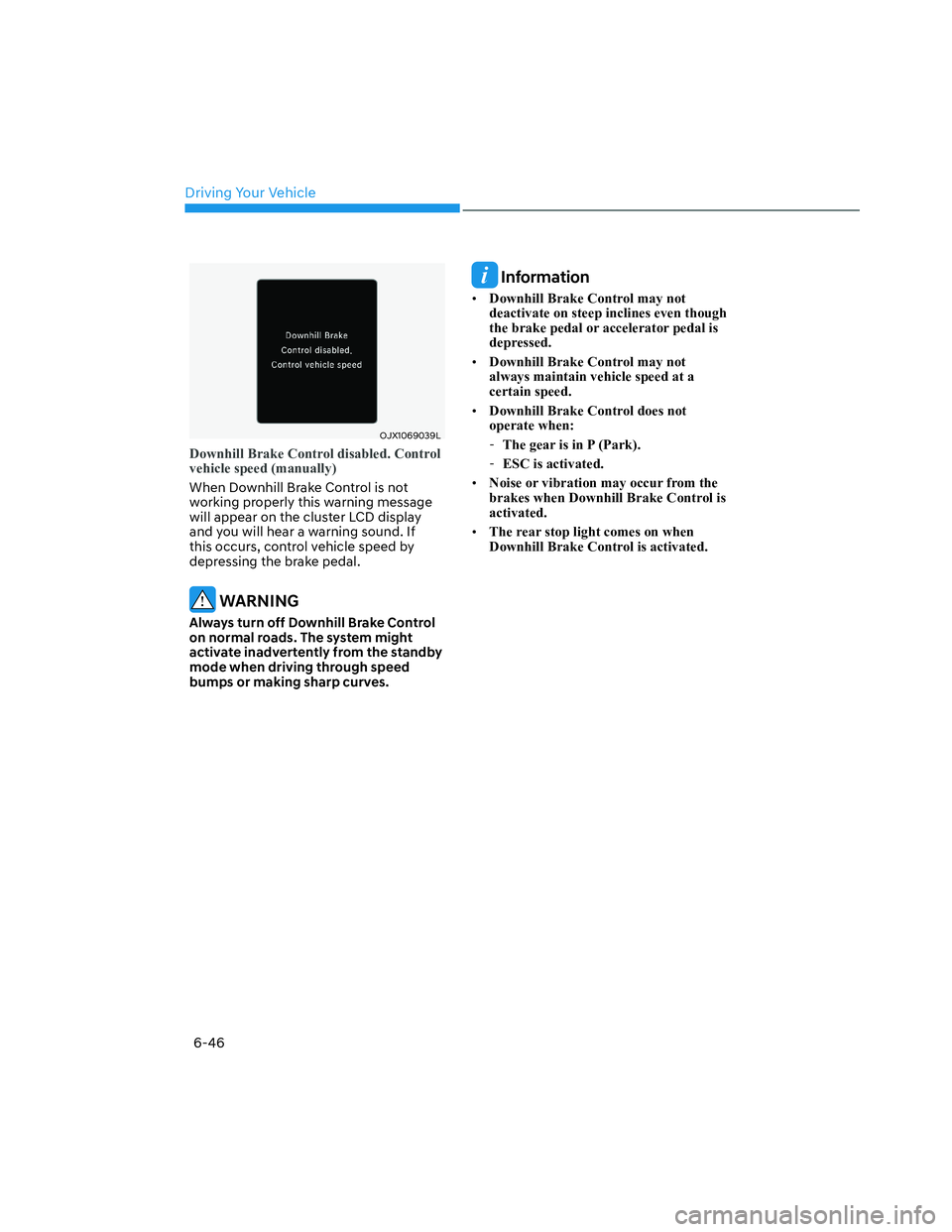
OJX1069039LOJX1069039L
Downhill Brake Control disabled. Control
vehicle speed (manually)
When Downhill Brake Control is not
working properly this warning message
will appear on the cluster LCD display
and you will hear a warning sound. If
this occurs, control vehicle speed by
depressing the brake pedal.
WARNING
Always turn off Downhill Brake Control
on normal roads. The system might
activate inadvertently from the standby
mode when driving through speed
bumps or making sharp curves.
Information
• Downhill Brake Control may not
deactivate on steep inclines even though
the brake pedal or accelerator pedal is
depressed.
• Downhill Brake Control may not
always maintain vehicle speed at a
certain speed.
• Downhill Brake Control does not
operate when:
-The gear is in P (Park).
-ESC is activated.
• Noise or vibration may occur from the
brakes when Downhill Brake Control is
activated.
• The rear stop light comes on when
Downhill Brake Control is activated.
Page 321 of 598
06
6-47
Good Braking Practices
WARNING
Whenever leaving the vehicle or
parking, always come to a complete
stop and continue to depress the brake
pedal. Shift the gear to the P (Park)
position, then apply the parking brake,
and place the ignition switch in the
LOCK/OFF position.
Vehicles parked with the parking brake
not applied or not fully engaged may
roll inadvertently and may cause injury
to the driver and others. ALWAYS apply
the parking brake before exiting the
vehicle.Wet brakes can be dangerous! The
brakes may get wet if the vehicle is
driven through standing water or if it
is washed. Your vehicle will not stop as
quickly if the brakes are wet. Wet brakes
may cause the vehicle to pull to one side.
To dry the brakes, apply the brakes
lightly until the braking action returns to
normal. If the braking action does not
return to normal, stop as soon as it is safe
to do so and call an authorized HYUNDAI
dealer for assistance.
DO NOT drive with your foot resting on
the brake pedal. Even light, but constant
pedal pressure can result in the brakes
overheating, brake wear, and possibly
even brake failure.
If a tire goes flat while you are driving,
apply the brakes gently and keep the
vehicle pointed straight ahead while you
slow down. When you are moving slowly
enough for it to be safe to do so, pull off
the road and stop in a safe location.
Keep your foot firmly on the brake pedal
when the vehicle is stopped to prevent
the vehicle from rolling forward.
Page 332 of 598
Driving Your Vehicle
6-58
NOTICE
If you are still stuck after rocking the
vehicle a few times, have the vehicle
pulled out by a tow vehicle to avoid
engine overheating, possible damage to
the transmission, and tire damage. See
“Towing” section in chapter 8.
Smooth Cornering
Avoid braking or gear changing in
corners, especially when roads are wet.
Ideally, corners should always be taken
under gentle acceleration.
Driving at Night
Night driving presents more hazards than
driving in the daylight. Here are some
important tips to remember:
• Slow down and keep more distance
between you and other vehicles, as it
may be more difficult to see at night,
especially in areas where there may
not be any street lights.
• Adjust your mirrors to reduce the glare
from other drivers’ headlamps.
• Keep your headlamps clean and
properly aimed. Dirty or improperly
aimed headlamps will make it much
more difficult to see at night.
• Avoid staring directly at the
headlamps of oncoming vehicles. You
could be temporarily blinded, and it
will take several seconds for your eyes
to readjust to the darkness.
Driving in the Rain
Rain and wet roads can make driving
dangerous. Here are a few things to
consider when driving in the rain or on
slick pavement:
• Slow down and allow extra following
distance. A heavy rainfall makes
it harder to see and increases the
distance needed to stop your vehicle.
• Turn OFF your Cruise Control. (if
equipped)
• Replace your windshield wiper blades
when they show signs of streaking or
missing areas on the windshield.
• Be sure your tires have enough tread.
If your tires do not have enough tread,
making a quick stop on wet pavement
can cause a skid and possibly lead to
an accident. See “Tire Tread” section
in chapter 9.
• Turn on your headlamps to make it
easier for others to see you.
• Driving too fast through large puddles
can affect your brakes. If you must go
through puddles, try to drive through
them slowly.
• If you believe your brakes may be wet,
apply them lightly while driving until
normal braking operation returns.
Hydroplaning
If the road is wet enough and you are
going fast enough, your vehicle may
have little or no contact with the road
surface and actually ride on the water.
The best advice is SLOW DOWN when
the road is wet.
The risk of hydroplaning increases as
the depth of tire tread decreases, refer
to “Tire Tread” section in chapter 9.