2022 HYUNDAI PALISADE fog light
[x] Cancel search: fog lightPage 242 of 663

3-146
Convenience Features
Even with the AUTO headlamp fea-
ture in operation, it is recommended
to manually turn ON the headlamps
when driving at night or in a fog, driv-
ing in the rain, or when you enter
dark areas, such as tunnels and
parking facilities.
• Do not cover or spill anything on the sensor (1) located in front of
the instrument panel.
Do not clean the sensor using a window cleaner, the cleanser may
leave a light film which could
interfere with sensor operation.
If your vehicle has window tint or other types of metallic coat-
ing on the front windshield, the
AUTO headlamp system may not
work properly.
Parking lamp position ( )
The parking lamp, license plate lamp
and instrument panel lamp are turned
ON.
Headlamp position ( )
The headlamp, parking lamp, license
plate lamp and instrument panel lamp
are turned ON.
Information
The ignition switch must be in the ON
position to turn on the headlamp.
i
NOTICE
OOS047405NOOS047406N
Page 252 of 663
3-156
Convenience Features
High Beam Assist malfunction
and limitations
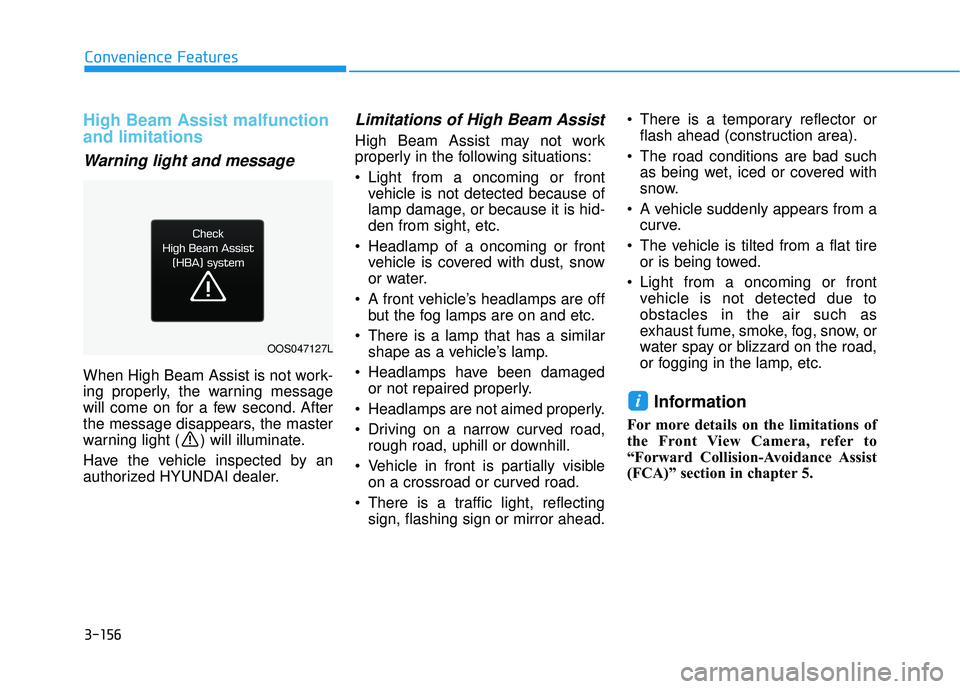
Warning light and message
When High Beam Assist is not work-
ing properly, the warning message
will come on for a few second. After
the message disappears, the master
warning light ( ) will illuminate.
Have the vehicle inspected by an
authorized HYUNDAI dealer.
Limitations of High Beam Assist
High Beam Assist may not work
properly in the following situations:
Light from a oncoming or frontvehicle is not detected because of
lamp damage, or because it is hid-
den from sight, etc.
Headlamp of a oncoming or front vehicle is covered with dust, snow
or water.
A front vehicle’s headlamps are off but the fog lamps are on and etc.
There is a lamp that has a similar shape as a vehicle’s lamp.
Headlamps have been damaged or not repaired properly.
Headlamps are not aimed properly.
Driving on a narrow curved road, rough road, uphill or downhill.
Vehicle in front is partially visible on a crossroad or curved road.
There is a traffic light, reflecting sign, flashing sign or mirror ahead. There is a temporary reflector or
flash ahead (construction area).
The road conditions are bad such as being wet, iced or covered with
snow.
A vehicle suddenly appears from a curve.
The vehicle is tilted from a flat tire or is being towed.
Light from a oncoming or front vehicle is not detected due to
obstacles in the air such as
exhaust fume, smoke, fog, snow, or
water spay or blizzard on the road,
or fogging in the lamp, etc.
Information
For more details on the limitations of
the Front View Camera, refer to
“Forward Collision-Avoidance Assist
(FCA)” section in chapter 5.
i
OOS047127L
Page 289 of 663

3-193
Convenience Features
3
Operation Tips
To keep dust or unpleasant fumesfrom entering the vehicle through
the ventilation system, temporarily
set the air intake control to recircu-
lation mode. Return the control to
fresh mode when the unpleasant
air outside has diminished. This will
help keep the driver alert and com-
fortable.
To help prevent the inside of the windshield from fogging, set the air
intake control to fresh mode and
fan speed to the desired position,
turn on the air conditioning system,
and adjust the temperature control
to the desired temperature.
Air conditioning
Your HYUNDAI vehicle air condition-
ing system is filled with R-134a
refrigerant.
1. Start the engine.
2. Press the air conditioning button.
3. Select the Face Level mode. 4. Set the air intake control to
Recirculation mode temporarily to
allow the cabin to cool quickly.
When the desired temperature in
the cabin is reached, change the
air intake control back to Fresh
mode.
5. Adjust the fan speed control and temperature control to maintain
maximum comfort.
When maximum cooling is desired,
set the temperature control to the
MAX A/C position, then set the fan
speed control to the highest setting.
When using the air conditioning
system, monitor the engine tem-
perature gauge closely while driv-
ing up hills or in heavy traffic when
outside temperatures are high. Air
conditioning system operation
when climbing a steep grade or in
high outside ambient tempera-
tures can cause engine overheat-
ing.
Continue to use the fan, but turn
the air conditioning system off if
the engine temperature gauge
indicates engine overheating.
Air conditioning system operation tips
If the vehicle has been parked in direct sunlight during hot weather,
open the windows for a short time
to let the hot air inside the vehicle
escape.
After sufficient cooling has been achieved, switch back from recircu-
lation mode to fresh mode.
To help reduce moisture inside of the windows on rainy or humid
days, decrease the humidity inside
the vehicle by operating the air con-
ditioning system with the windows
and sunroof closed.
Use the air conditioning system every month only for a few minutes
to ensure maximum system per-
formance.
If you operate air conditioner exces- sively, the difference between the
temperature of the outside air and
that of the windshield could cause
the outer surface of the windshield
to fog up, causing loss of visibility.
In this case, set the mode selection
knob or button to the position
and fan speed control to the lower
speed.
NOTICE
Page 304 of 663

3-208
Convenience Features
Operation Tips
To keep dust or unpleasant fumesfrom entering the car through the
ventilation system, temporarily set
the air intake control to the recircu-
lation mode. Return the control to
the to fresh mode when the
unpleasant air outside has dimin-
ished. This will help keep the driver
alert and comfortable.
To help prevent the inside of the windshield from fogging, set the air
intake control to fresh mode and
the fan speed to the desired posi-
tion, turn on the air conditioning
system, and adjust the temperature
control to the desired temperature.
Air conditioning
Your HYUNDAI vehicle air condition-
ing system is filled with R-134a
refrigerant.
1. Start the engine.
2. Press the air conditioning button.
3. Select the Face Level mode. 4. Set the air intake control to
Recirculation mode temporarily to
allow the cabin to cool quickly.
When the desired temperature in
the cabin is reached, change the
air intake control back to Fresh
mode.
5. Adjust the fan speed control and temperature control to maintain
maximum comfort.
When maximum cooling is desired,
set the temperature control to the
MAX A/C position, then set the fan
speed control to the highest setting.
When using the air conditioning
system, monitor the engine tem-
perature gauge closely while driv-
ing up hills or in heavy traffic
when outside temperatures. Air
conditioning system operation
when climbing a steep grade or in
high outside ambient tempera-
tures can cause engine overheat-
ing. Continue to use the fan, but
turn the air conditioning system
off if the engine temperature
gauge indicates engine overheat-
ing.
Air conditioning system operation
tips
If the vehicle has been parked in direct sunlight during hot weather,
open the windows for a short time
to let the hot air inside the vehicle
escape.
After sufficient cooling has been achieved, switch back from recircu-
lation mode to fresh mode.
To help reduce moisture inside of the windows on rainy or humid
days, decrease the humidity inside
the vehicle by operating the air
conditioning system with the win-
dows and sunroof closed.
Use the air conditioning system every month only for a few minutes
to ensure maximum system per-
formance.
If you operate air conditioner excessively, the difference between
the temperature of the outside air
and that of the windshield could
cause the outer surface of the
windshield to fog up, causing loss
of visibility. In this case, set the
mode selection knob or button to
the position and fan speed
control to the lower speed.
NOTICE
Page 405 of 663

5-71
Driving your vehicle
5
Limitations of the ForwardCollision-Avoidance Assist
Forward Collision-Avoidance Assist
may not operate normally, or the
function may operate unexpectedly
under the following circumstances:
The detecting sensor or the sur-
roundings are contaminated or
damaged
The temperature around the front view camera is high or low
The camera lens is contaminated due to tinted, filmed or coated
windscreen, damaged glass, or
stuck of foreign material (sticker,
bug, etc.) on the glass
Moisture is not removed or frozen on the windscreen
Washer fluid is continuously sprayed, or the wiper is on
Driving in heavy rain or snow, or thick fog
The field of view of the front view camera is obstructed by sun glare Street light or light from an oncom-
ing vehicle is reflected on the wet
road surface, such as a puddle on
the road
An object is placed on the instru- ment panel
Your vehicle is being towed
The surroundings are very bright
The surroundings are very dark, such as in a tunnel, etc.
The brightness changes suddenly, for example when entering or exit-
ing a tunnel
The brightness outside is low, and the headlamps are not on or are
not bright
Driving through steam, smoke or shadow
Only part of the vehicle, pedestrian or cyclist is detected
The vehicle in front is a bus, heavy truck, truck with a unusually
shaped luggage, trailer, etc. The vehicle in front has no tail
lights, tail lights are located unusu-
ally, etc.
The brightness outside is low, and the tail lamps are not on or are not
bright
The rear of the front vehicle is small or the vehicle does not look
normal, such as when the vehicle
is tilted, overturned, or the side of
the vehicle is visible, etc.
The front vehicle's ground clear- ance is low or high
A vehicle, pedestrian or cyclist suddenly cuts in front
The bumper around the front radar is impacted, damaged or the front
radar is out of position
The temperature around the front radar is high or low
Driving through a tunnel or iron bridge
Driving in large areas where there are few vehicles or structures (for
example, desert, meadow, suburb,
etc.)
Page 498 of 663

5-164
Driving your vehicle
Limitations of Smart CruiseControl
Smart Cruise Control may not oper-
ate normally, or it may operate unex-
pectedly under the following circum-
stances:
The detecting sensor or the sur-
roundings are contaminated or
damaged
fluid is continuously sprayed, or the wiper is on
The camera lens is contaminated due to tinted, filmed or coated
windshield, damaged glass, or
sticky foreign material (sticker, bug,
etc.) on the glass
Moisture is not removed or frozen on the windshield
The field of view of the front view camera is obstructed by sun glare
Street light or light from an oncom- ing vehicle is reflected on the wet
road surface, such as a puddle on
the road
The temperature around the front view camera is high or low An object is placed on the dash-
board
The surrounding is very bright
The surrounding is very dark, such as in a tunnel, etc.
The brightness changes suddenly, for example when entering or exit-
ing a tunnel
The brightness outside is low, and the headlamps are not on or are
not bright
Driving in heavy rain or snow, or thick fog
Driving through steam, smoke or shadow
Only part of the vehicle is detected
The vehicle in front has no tail lights, tail lights are located unusu-
ally, etc.
The brightness outside is low, and the tail lamps are not on or are not
bright
The rear of the front vehicle is small or does not look normal (for
example, tilted, overturned, etc.)
The front vehicle’s ground clear- ance is low or high
Even though the warning mes-
sage does not appear on the
cluster, Smart Cruise Control
may not properly operate.
WARNING
Smart Cruise Control may not
properly operate in an area (for
example, open terrain), where
there is nothing to detect after
turning ON the engine.
CAUTION
Page 635 of 663

7-76
Maintenance
Caring for the leather seats - Vacuum the seat periodically toremove dust and sand on the
seat. It will prevent abrasion or
damage of the leather and main-
tain its quality.
- Wipe the natural leather seat cover often with dry or soft cloth.
- Use of proper leather protector may prevent abrasion of the
cover and helps maintain the
color. Be sure to read the instruc-
tions and consult a specialist
when using leather coating or
protective agent.
- Light colored (beige, cream beige) leather is easily contami-
nated and the stain is noticeable.
Clean the seats frequently.
- Avoid wiping with wet cloth. It may cause the surface to crack. Cleaning the leather seats
- Remove all contaminationsinstantly. Refer to instructions
below for removal of each con-
taminant.
- Cosmetic products (sunscreen, foundation, etc.)
Apply cleansing cream on a cloth
and wipe the contaminated spot.
Wipe off the cream with a wet
cloth and remove water with a dry
cloth.
- Beverages (coffee, soft drink, etc.)
Apply a small amount of neutral
detergent and wipe until contami-
nations do not smear.
- Oil Remove oil instantly with
absorbable cloth and wipe with
stain remover used only for natu-
ral leather.
- Chewing gum Harden the gum with ice and
remove gradually.
Cleaning the seat belt webbing
Clean the belt webbing with any mild
soap solution recommended for
cleaning upholstery or carpet. Follow
the instructions provided with the
soap. Do not bleach or re-dye the
webbing because this may weaken
the seat belt.
Cleaning the interior windowglass
If the interior glass surfaces of the
vehicle become fogged (that is, cov-
ered with an oily, greasy or waxy
film), they should be cleaned with
glass cleaner. Follow the directions
on the glass cleaner container.
Do not scrape or scratch the
inside of the rear window. This
may result in damage to the rear
window defroster grid.
NOTICE
Page 643 of 663

B BU U L LB B W W A AT TT TA A G G E E
88
Specifications, Consumer information and Reporting safety defects
Light Bulb Bulb Type Wattage
FrontHeadlamp
Low
Type A HB3 60
Type B LED LED
High Type A H7 55
Type B LED LED
Daytime running lamp(DRL) & Parking lamp Type A LED LED
Type B LED LED
Turn signal lamp LEDLED
Turn signal lamp (Outside mirror)LEDLED
Side marker lamp LED LED
Rear Tail lamp
Type A P28/8W 28/8
Type B LED LED
Tail/Stop lamp Type A P28/8W 28/8
Type B LED LED
Turn signal lamp Type A P28/8W 28/8
Type B LED LED
Side marker lamp Type A LED LED
Type B LED LED
Back up lamp P21W 21
Rear fog lampLEDLED
High mounted stop lamp LED LED
License plate lamp W5W 5
8-3