Page 179 of 579
05
5-45
4) Canadian Programming
Canadian radio-frequency laws require
transmitter remote signals to “time-
out” (or quit) after a couple seconds of
transmission, which may not be long
enough for HomeLink to pick up the
signal during programming.
If you live in Canada or you are having
difficulties programming a gate operator
or garage door opener by using the
programming procedures, replace
“Programming a New HomeLink Button”
step 3 with the following:
While the HomeLink indicator light (7)
is flashing orange, press and release
(“cycle”) your device’s handheld remote
every two seconds until the HomeLink
indicator light (7) changes from orange
to green. You may now release the hand-
held remote button. Then proceed with
“Programming a New HomeLink Button”
step 4.
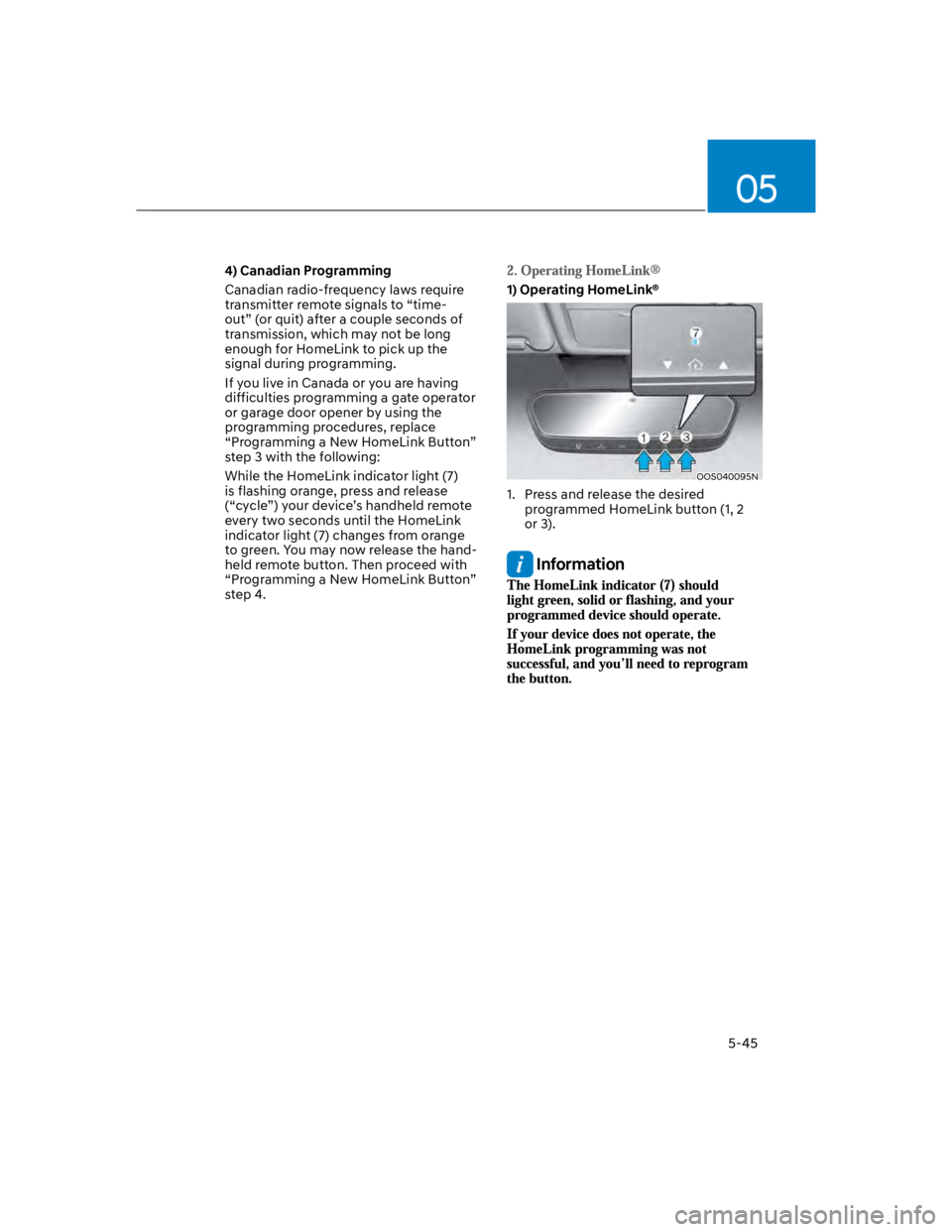
1) Operating HomeLink®
OOS040095N
1. Press and release the desired
programmed HomeLink button (1, 2
or 3).
Information
Page 180 of 579
Convenient features
5-46
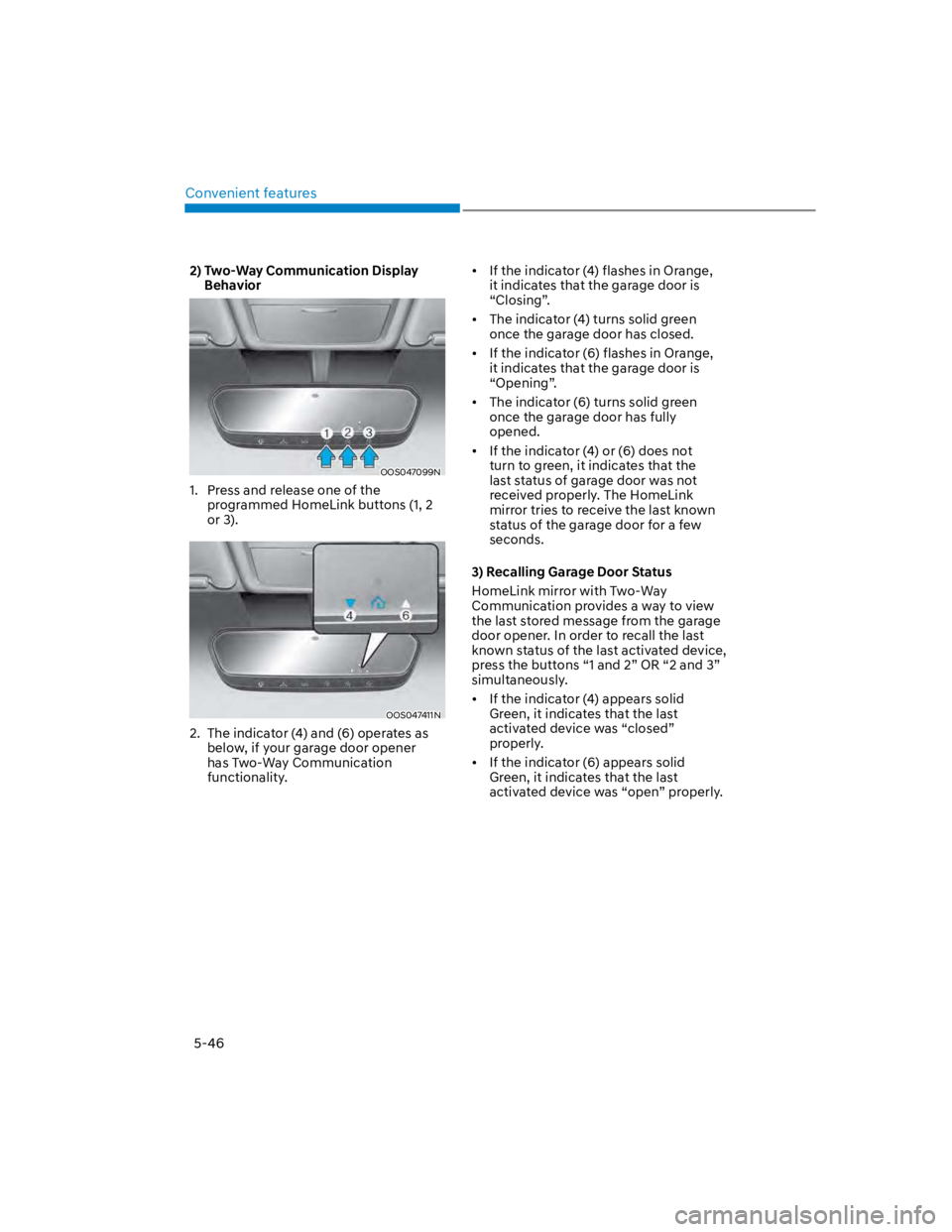
2) Two-Way Communication Display
Behavior
OOS047099N
1. Press and release one of the
programmed HomeLink buttons (1, 2
or 3).
OOS047411N
2. The indicator (4) and (6) operates as
below, if your garage door opener
has Two-Way Communication
functionality.
If the indicator (4) flashes in Orange,
it indicates that the garage door is
“Closing”.
The indicator (4) turns solid green
once the garage door has closed.
If the indicator (6) flashes in Orange,
it indicates that the garage door is
“Opening”.
The indicator (6) turns solid green
once the garage door has fully
opened.
If the indicator (4) or (6) does not
turn to green, it indicates that the
last status of garage door was not
received properly. The HomeLink
mirror tries to receive the last known
status of the garage door for a few
seconds.
3) Recalling Garage Door Status
HomeLink mirror with Two-Way
Communication provides a way to view
the last stored message from the garage
door opener. In order to recall the last
known status of the last activated device,
press the buttons “1 and 2” OR “2 and 3”
simultaneously.
If the indicator (4) appears solid
Green, it indicates that the last
activated device was “closed”
properly.
If the indicator (6) appears solid
Green, it indicates that the last
activated device was “open” properly.
Page 181 of 579
05
5-47
1) Erasing and Reprogramming a Single
HomeLink® Button:
1. Press and hold the desired HomeLink
button you want to re-program. DO
NOT release the button.
2. The HomeLink indicator light (7) will
illuminate solid green. Release the
button as soon as the HomeLink
indicator light (7) begins to flash
orange, usually about 20 seconds.
3. Proceed with the steps in the
“Programming a New HomeLink
Button” section.
Information
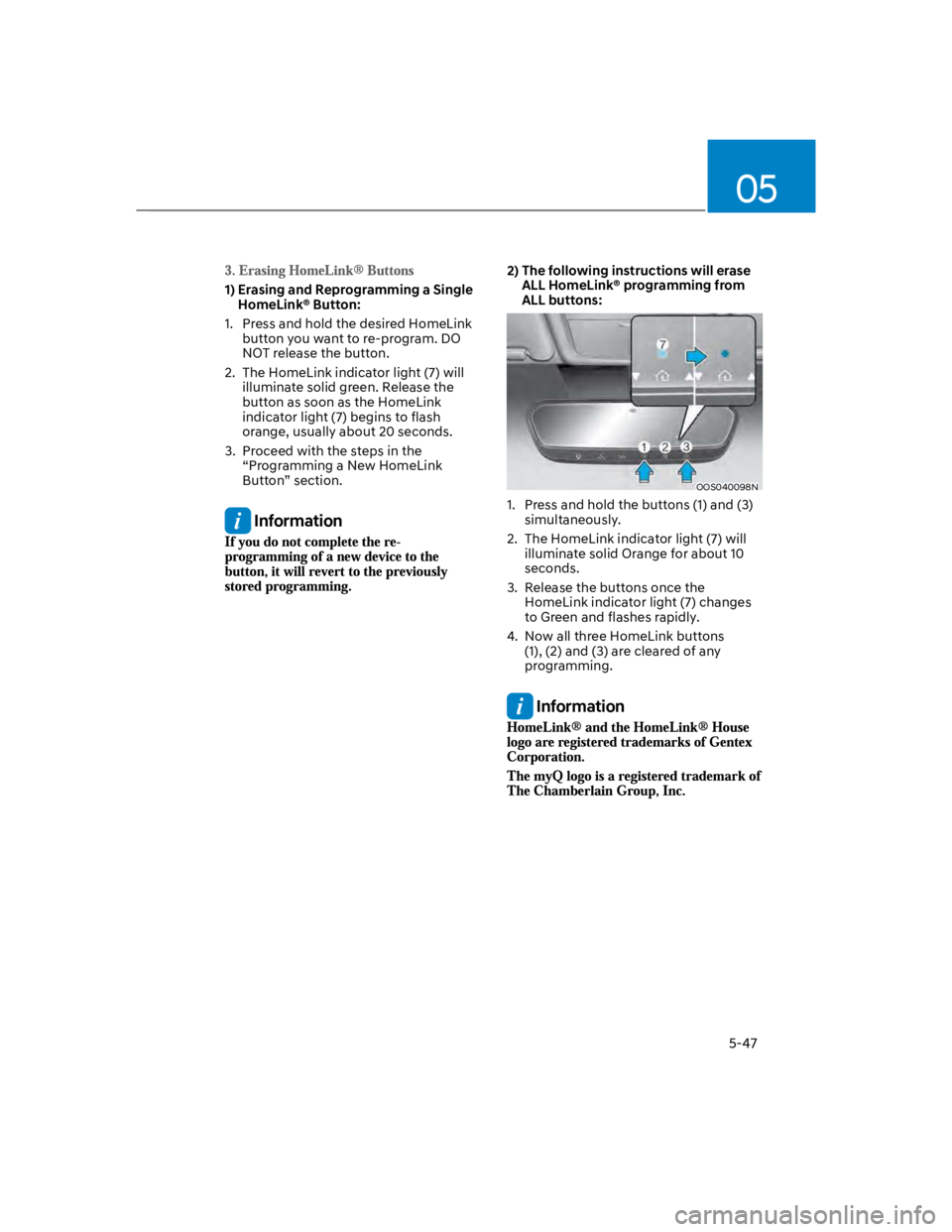
2) The following instructions will erase
ALL HomeLink® programming from
ALL buttons:
OOS040098N
1. Press and hold the buttons (1) and (3)
simultaneously.
2. The HomeLink indicator light (7) will
illuminate solid Orange for about 10
seconds.
3. Release the buttons once the
HomeLink indicator light (7) changes
to Green and flashes rapidly.
4. Now all three HomeLink buttons
(1), (2) and (3) are cleared of any
programming.
Information
Page 188 of 579
Convenient features
5-54
Power Windows
The ignition switch must be in the
ON position to be able to raise or
lower the windows. Each door has a
Power Window switch to control that
door’s window. The driver has a Power
Window Lock switch which can block
the operation of passenger windows.
The power windows will operate for
approximately 30 seconds after the
ignition switch is placed in the ACC or
LOCK/OFF position. However, if the front
doors are opened, the Power Windows
will not operate even within the 30
second period.
WARNING
To avoid serious injury or death, do not
extend your head, arms or body outside
the windows while driving.
Information
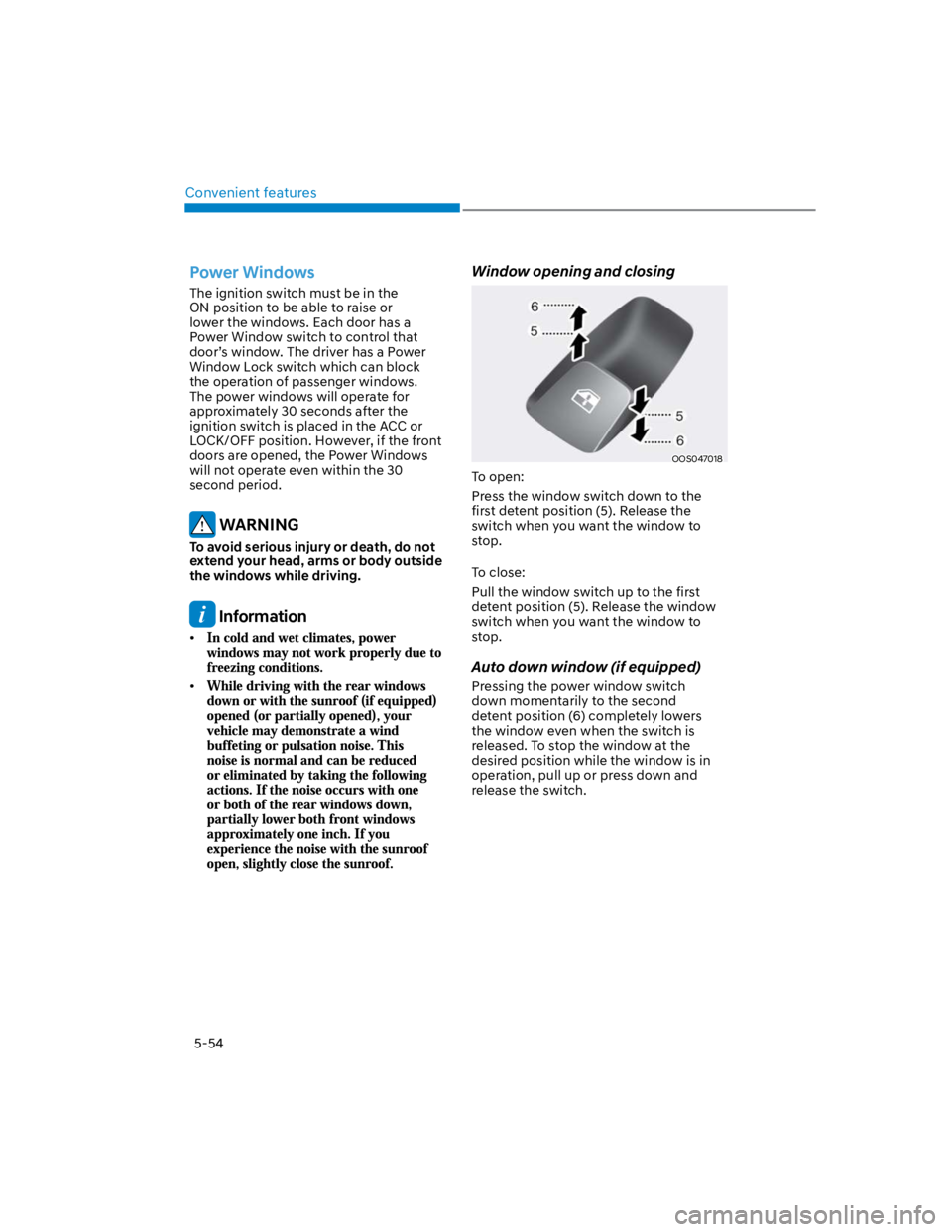
Window opening and closing
OOS047018
To open:
Press the window switch down to the
first detent position (5). Release the
switch when you want the window to
stop.
To close:
Pull the window switch up to the first
detent position (5). Release the window
switch when you want the window to
stop.
Auto down window (if equipped)
Pressing the power window switch
down momentarily to the second
detent position (6) completely lowers
the window even when the switch is
released. To stop the window at the
desired position while the window is in
operation, pull up or press down and
release the switch.
Page 189 of 579
05
5-55
Auto up/down window (if equipped)
Pressing or pulling up the power window
switch momentarily to the second
detent position (6) completely lowers or
lifts the window even when the switch
is released. To stop the window at the
desired position while the window is in
operation, pull up or press down and
release the switch.
Resetting the power windows
If the power windows do not operate
normally, the automatic power window
system must be reset as follows:
1. Press the ignition switch to the ON
position.
2. Close the window and continue
pulling up on the power window
switch for at least one second.
If the power windows do not operate
properly after resetting, have the system
checked by an authorized HYUNDAI
dealer.
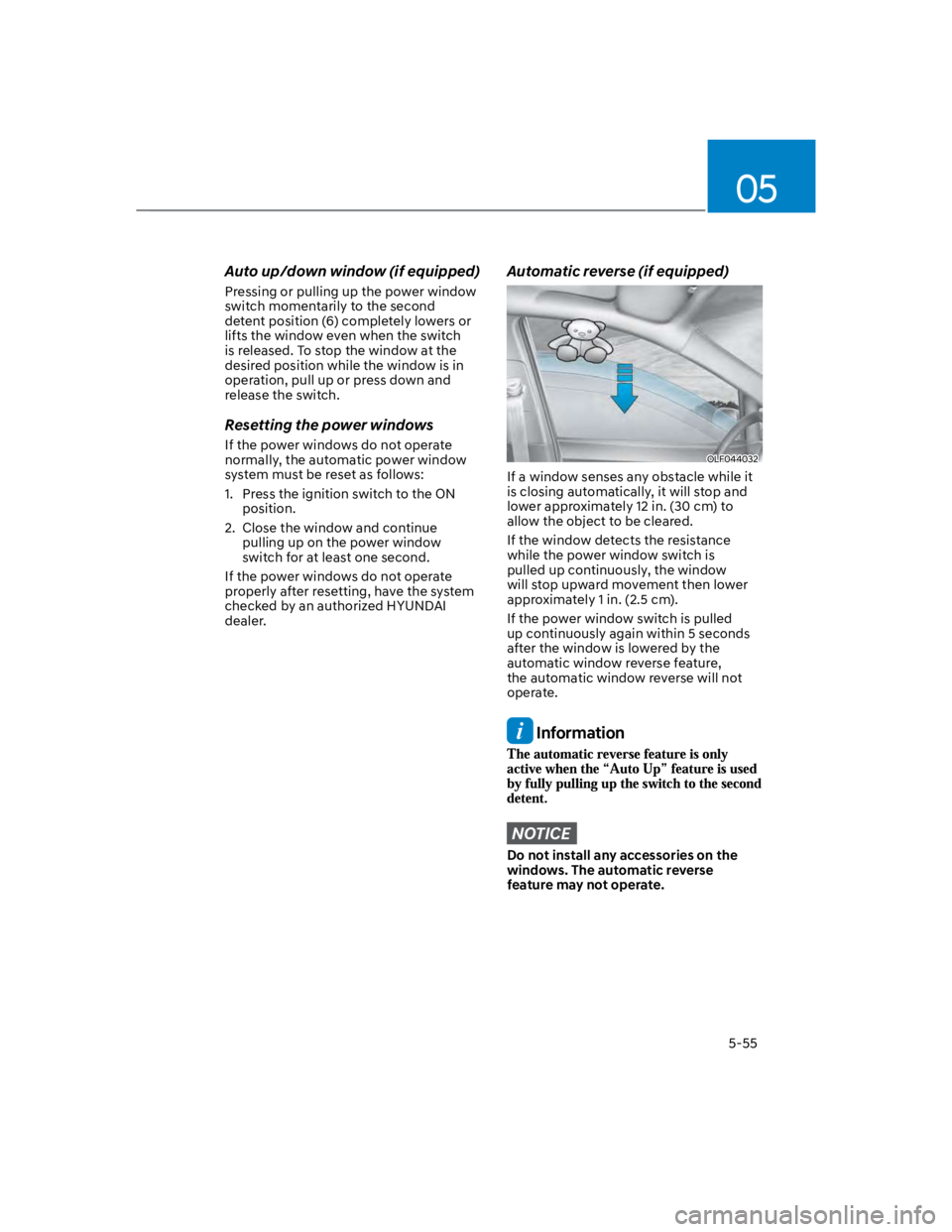
Automatic reverse (if equipped)
OLF044032
If a window senses any obstacle while it
is closing automatically, it will stop and
lower approximately 12 in. (30 cm) to
allow the object to be cleared.
If the window detects the resistance
while the power window switch is
pulled up continuously, the window
will stop upward movement then lower
approximately 1 in. (2.5 cm).
If the power window switch is pulled
up continuously again within 5 seconds
after the window is lowered by the
automatic window reverse feature,
the automatic window reverse will not
operate.
Information
NOTICE
Do not install any accessories on the
windows. The automatic reverse
feature may not operate.
Page 192 of 579
Convenient features
5-58
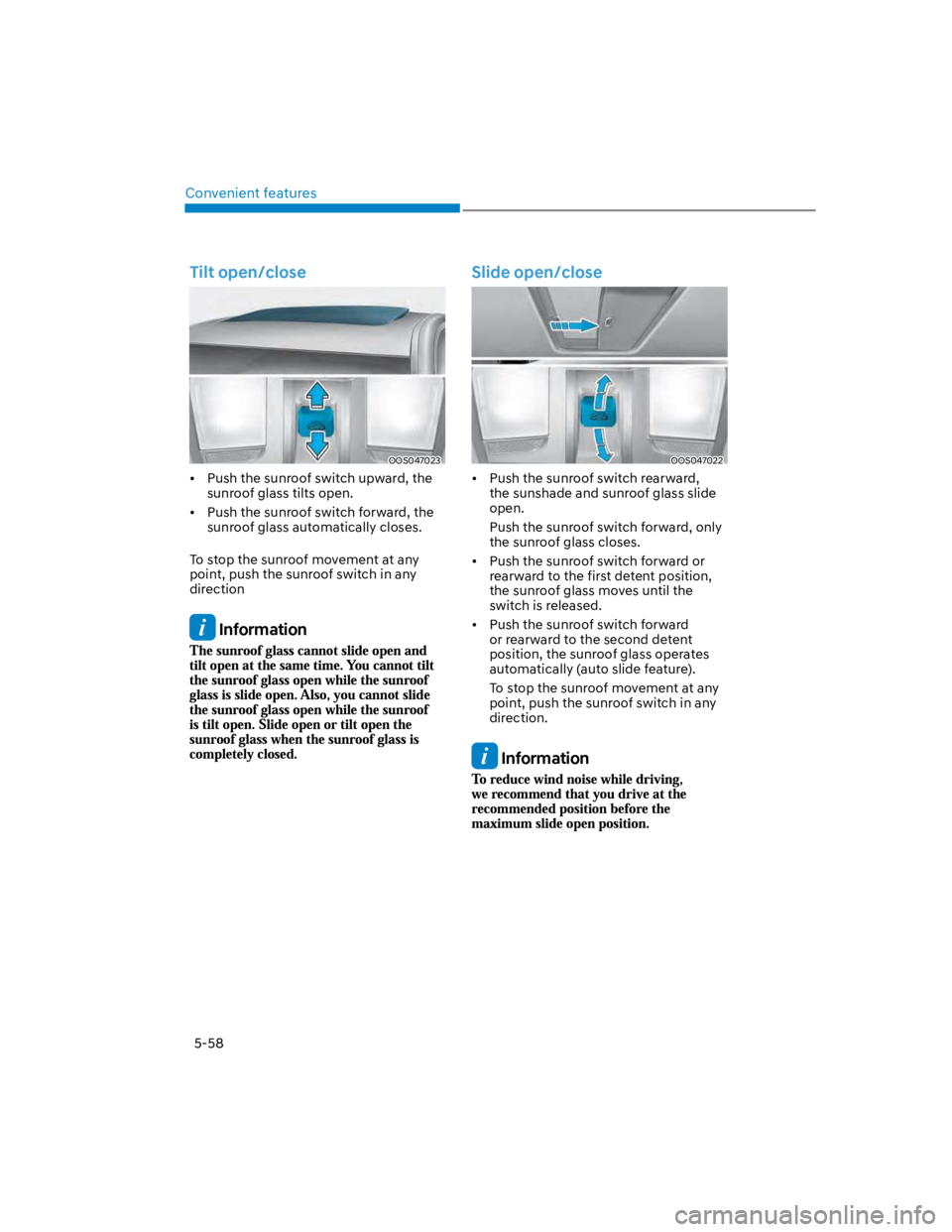
Tilt open/close
OOS047023
Push the sunroof switch upward, the
sunroof glass tilts open.
Push the sunroof switch forward, the
sunroof glass automatically closes.
To stop the sunroof movement at any
point, push the sunroof switch in any
direction
Information
Slide open/close
OOS047022
Push the sunroof switch rearward,
the sunshade and sunroof glass slide
open.
Push the sunroof switch forward, only
the sunroof glass closes.
Push the sunroof switch forward or
rearward to the first detent position,
the sunroof glass moves until the
switch is released.
Push the sunroof switch forward
or rearward to the second detent
position, the sunroof glass operates
automatically (auto slide feature).
To stop the sunroof movement at any
point, push the sunroof switch in any
direction.
Information
Page 194 of 579

Convenient features
5-60
Resetting the sunroof
In some circumstances resetting the
sunroof operation may need to be
performed. Some instances where
resetting the sunroof may be required
include:
- When the 12-volt battery is either
disconnected or discharged
- When the sunroof fuse is replaced
- If the sunroof one-touch AUTO OPEN/
CLOSE operation is not functioning
properly
Sunroof resetting procedure:
1. It is recommended to perform the
reset procedure with the vehicle
engine running. Start the vehicle in P
(Park).
2. Make sure the sunroof glass is in the
fully closed position. If the sunroof
glass is open, push the switch forward
until the sunroof glass is fully closed.
3. Release the switch when the sunroof
glass is fully closed.
4. Push the switch forward until the
sunroof glass moves slightly. Then
release the switch.
5. Once again push and hold the sunroof
switch forward until the sunroof glass
slides open and close. Do not release
the switch until the operation is
completed. If you release the switch
during operation, start the procedure
again from step 2.
Information
Sunroof Open Warning
(if equipped)
If the driver turns off the engine when
the sunroof is not fully closed, the
warning chime will sound for several
seconds and the sunroof open warning
will appear on the LCD display.
Close the sunroof securely when leaving
your vehicle.
CAUTION
Make sure the sunroof is closed fully
when leaving your vehicle.
If the sunroof is left open, rain or snow
may wet the interior of the vehicle.
Also, leaving the sunroof open when the
vehicle is unattended may invite theft.
Page 195 of 579
05
5-61
Hood
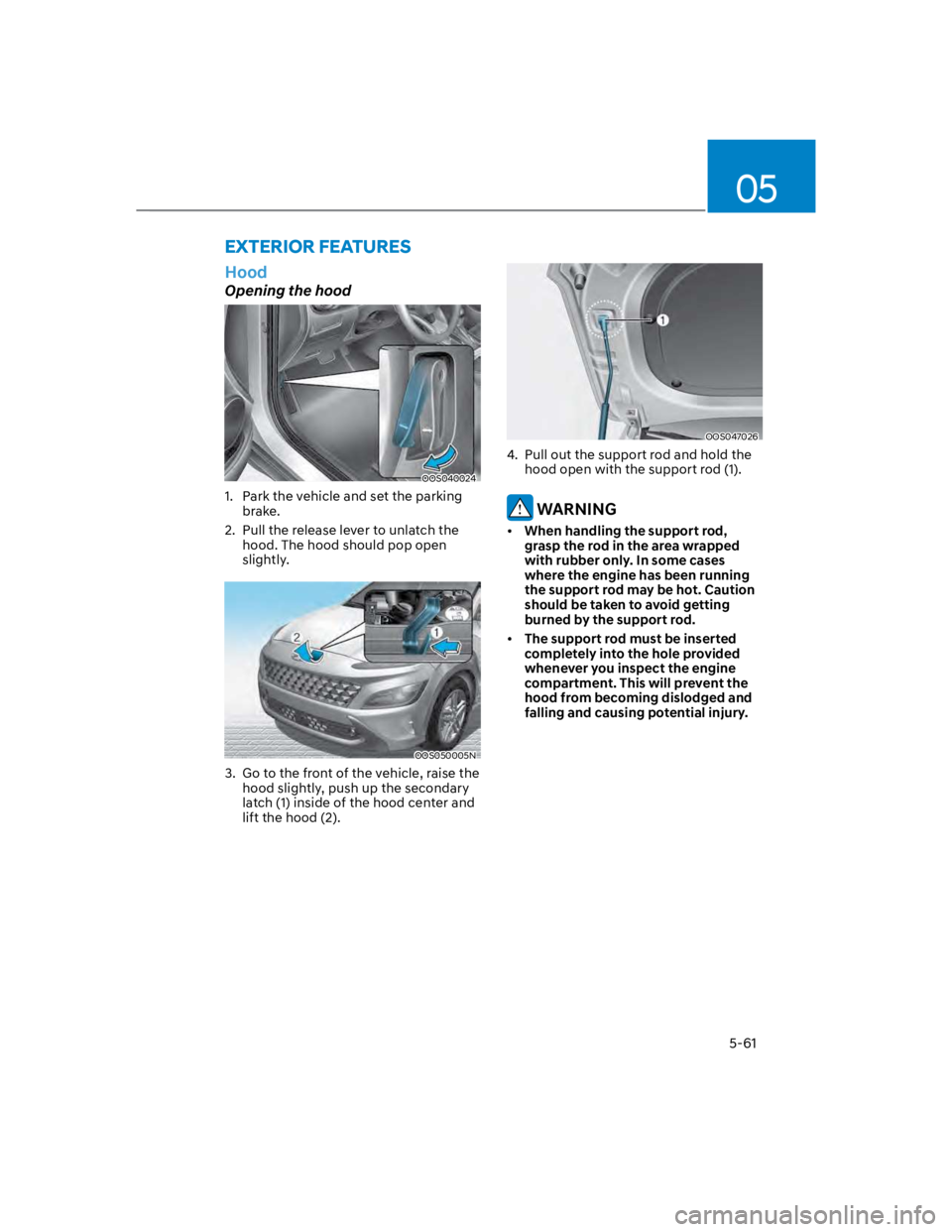
Opening the hood
OOS040024
1. Park the vehicle and set the parking
brake.
2. Pull the release lever to unlatch the
hood. The hood should pop open
slightly.
OOS050005N
3. Go to the front of the vehicle, raise the
hood slightly, push up the secondary
latch (1) inside of the hood center and
lift the hood (2).
OOS047026
4. Pull out the support rod and hold the
hood open with the support rod (1).
WARNING
When handling the support rod,
grasp the rod in the area wrapped
with rubber only. In some cases
where the engine has been running
the support rod may be hot. Caution
should be taken to avoid getting
burned by the support rod.
The support rod must be inserted
completely into the hole provided
whenever you inspect the engine
compartment. This will prevent the
hood from becoming dislodged and
falling and causing potential injury.
EXTERIOR FEATURES