Page 370 of 546
![HYUNDAI IONIQ ELECTRIC 2022 Owners Manual 5-80
Driving your vehicle
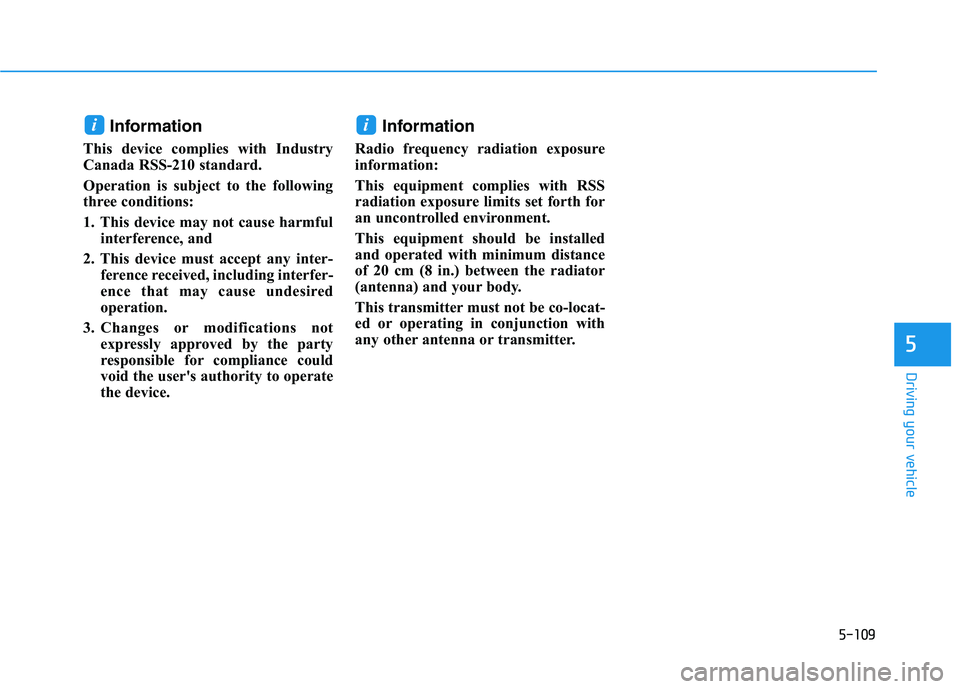
[A] : noise barrier, [B] : guardrail
Driving where there is a structurebeside the road
The BCW system may not operate
properly when driving where there
is structure besid](/manual-img/35/56166/w960_56166-369.png "HYUNDAI IONIQ ELECTRIC 2022 Owners Manual 5-80
Driving your vehicle
[A] : noise barrier, [B] : guardrail
Driving where there is a structurebeside the road
The BCW system may not operate
properly when driving where there
is structure besid")
5-80
Driving your vehicle
[A] : noise barrier, [B] : guardrail
Driving where there is a structurebeside the road
The BCW system may not operate
properly when driving where there
is structure beside the road.
In certain instances, the system
may wrongly recognize the struc-
tures (noise barriers, guardrail,
double guardrail, median strip, bol-lard, street light, road sign, tunnel
wall, etc.) beside the road.
Always pay attention to road and
driving conditions, while driving. Information
This device complies with Industry
Canada RSS-210 standard.
Operation is subject to the following
three conditions:
1. This device may not cause harmful interference, and
2. This device must accept any inter- ference received, including interfer-
ence that may cause undesired
operation.
3. Changes or modifications not expressly approved by the party
responsible for compliance could
void the user's authority to operate
the device. Information
Radio frequency radiation exposure
information:
This equipment complies with RSS
radiation exposure limits set forth for
an uncontrolled environment.
This equipment should be installed
and operated with minimum distance
of 20 cm (8 in.) between the radiator
(antenna) and your body.
This transmitter must not be co-locat-
ed or operating in conjunction with
any other antenna or transmitter.
ii
OAD058151N
Page 377 of 546
5-87
Driving your vehicle
5
Information
The system may suggest a break
according to the driver's driving pat-
tern or habits even if the driver does-
n't feel fatigue. Driver Attention Warning system
utilizes the front view camera sen-
sor on the front windshield for its
operation. To keep the front viewcamera sensor in the best condi-
tion, you should observe the fol-
lowings:
Never install any accessories or
stickers on the front windshield,
or tint the front windshield.
NEVER place any reflective objects (i.e. white paper, mirror)
over the dashboard. Any light
reflection may cause a malfunc-
tion of Driver Attention Warningsystem.
Pay extreme caution to keep the front view camera sensor dry.
NEVER disassemble the front view camera assembly, nor
apply any impact on the front
view camera assembly.
(Continued)(Continued)
If the sensor is forcibly moved
out of proper alignment, the sys-
tem may not operate correctly.
We recommend that you take
your vehicle to an authorized
HYUNDAI dealer and have the
system checked for calibration.
NOTICE
i
Driver Attention Warning sys-
tem is not a substitute for safe
driving practices, but a con-
venience function only. It isthe responsibility of the driver
to always drive cautiously to
prevent unexpected and sud-
den situations from occur-
ring. Pay attention to the roadconditions at all times.
The driver who feels fatigued
should take a break, eventhough there is no break sug-
gestion by Driver Attention
Warning system.
The driver has a responsibility
of safe driving himself/herselfat all times.
WARNING
Page 381 of 546
5-91
Driving your vehicle
5
SSMM AARRTT CC RR UU IISS EE CC OO NNTTRR OO LL WW IITT HH SS TT OO PP AA NN DD GG OO (( SS CC CC WW IITT HH SS && GG)) (( IIFF EE QQ UUIIPP PPEEDD ))
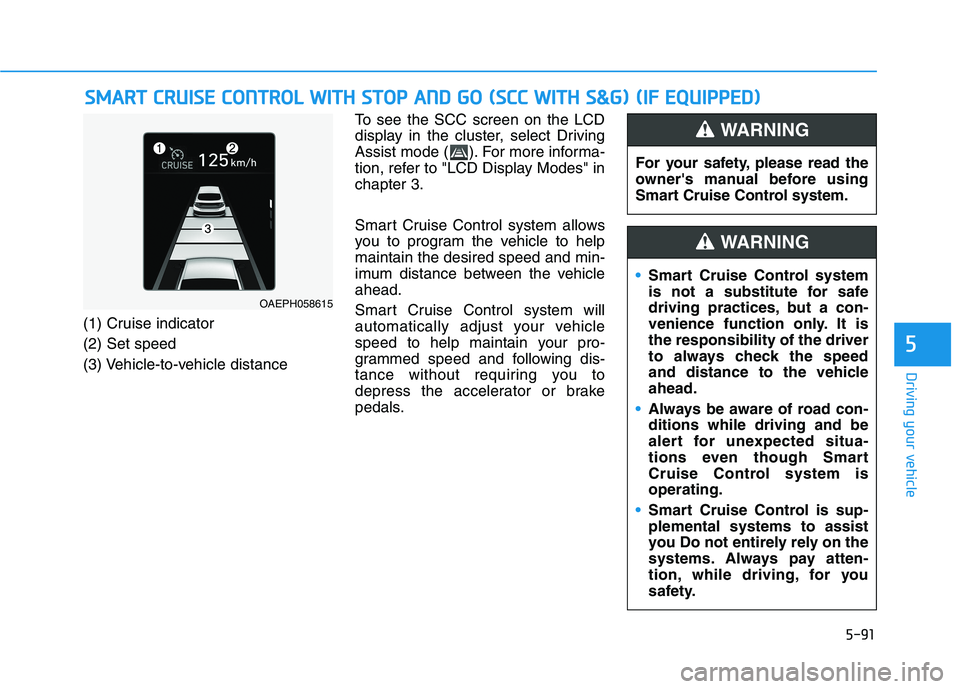
(1) Cruise indicator (2) Set speed
(3) Vehicle-to-vehicle distance To see the SCC screen on the LCD
display in the cluster, select Driving
Assist mode ( ). For more informa-
tion, refer to "LCD Display Modes" inchapter 3.
Smart Cruise Control system allows
you to program the vehicle to helpmaintain the desired speed and min-
imum distance between the vehicleahead.
Smart Cruise Control system will
automatically adjust your vehicle
speed to help maintain your pro-
grammed speed and following dis-
tance without requiring you to
depress the accelerator or brake
pedals.
OAEPH058615
For your safety, please read the
owner's manual before using
Smart Cruise Control system.
WARNING
Smart Cruise Control system
is not a substitute for safe
driving practices, but a con-
venience function only. It isthe responsibility of the driver
to always check the speed
and distance to the vehicleahead.
Always be aware of road con- ditions while driving and be
alert for unexpected situa-
tions even though Smart
Cruise Control system isoperating.
Smart Cruise Control is sup- plemental systems to assist
you Do not entirely rely on the
systems. Always pay atten-
tion, while driving, for you
safety.
WARNING
Page 383 of 546
5-93
Driving your vehicle
5
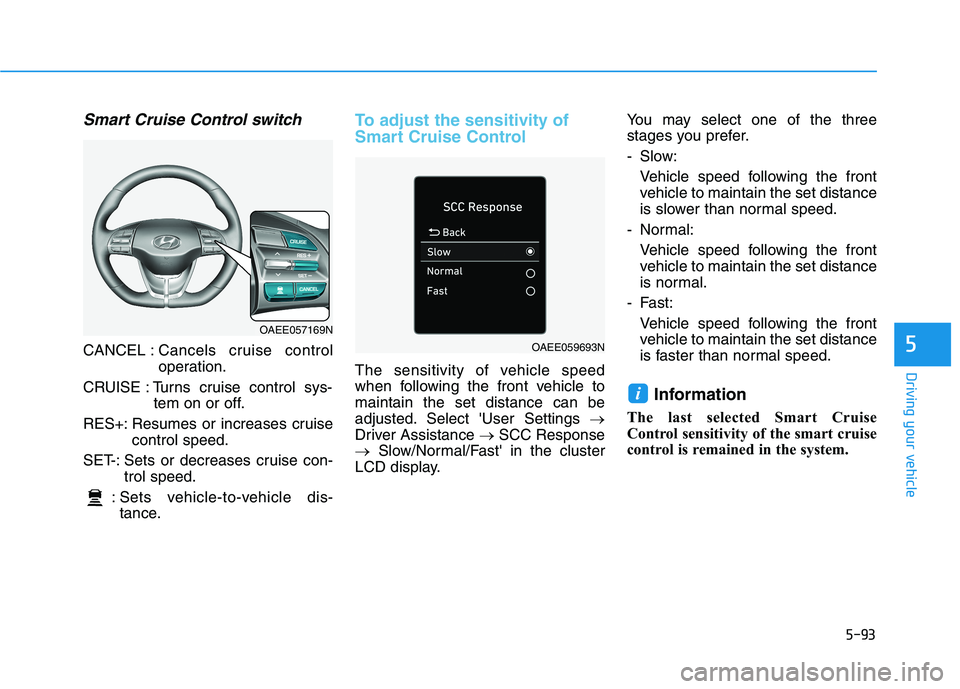
Smart Cruise Control switch
CANCEL :Cancels cruise control
operation.
CRUISE : Turns cruise control sys- tem on or off.
RES+: Resumes or increases cruise control speed.
SET-: Sets or decreases cruise con- trol speed.
: Sets vehicle-to-vehicle dis- tance.
To adjust the sensitivity of
Smart Cruise Control
The sensitivity of vehicle speed
when following the front vehicle tomaintain the set distance can be
adjusted. Select 'User Settings
Driver Assistance SCC Response
Slow/Normal/Fast' in the cluster
LCD display. You may select one of the three
stages you prefer.
- Slow:
Vehicle speed following the front
vehicle to maintain the set distance
is slower than normal speed.
- Normal:
Vehicle speed following the frontvehicle to maintain the set distance
is normal.
- Fast: Vehicle speed following the frontvehicle to maintain the set distance
is faster than normal speed.
Information
The last selected Smart Cruise
Control sensitivity of the smart cruise
control is remained in the system.
i
OAEE057169N
OAEE059693N
Page 398 of 546
5-108
Driving your vehicle
Smart Cruise Control system may
not operate temporarily due to:
Electrical interference
Modifying the suspension
Differences of tire abrasion ortire pressure
Installing different type of tires
NOTICE(Continued)
Smart Cruise Control system
may not recognize complex
driving situations so always
pay attention to driving condi-
tions and control your vehiclespeed.
Turn off the Smart Cruise
Control system when the
vehicle is being towed.
Do not activate Smart Cruise
Control when towing a trailer
or vehicle.
Safety of the vehicle may be deteriorated when braking
control is applied in the tow-ing condition.
(Continued)
Smart Cruise Control system
cannot recognize a stopped
vehicle, pedestrians or an
oncoming vehicle. Always
look ahead cautiously to pre-
vent unexpected and sudden
situations from occurring.
Vehicles moving in front of
you with a frequent lane
change may cause a delay in
the system's reaction or maycause the system to react to a
vehicle actually in an adjacent
lane. Always drive cautiously
to prevent unexpected and
sudden situations from occur-ring.
Always be aware of the select-
ed speed and vehicle to vehi-
cle distance. The driver
should not solely rely on the
system but always pay atten-tion to driving conditions and
control your vehicle speed.
(Continued)
Page 399 of 546
5-109
Driving your vehicle
5
Information
This device complies with Industry
Canada RSS-210 standard.
Operation is subject to the following
three conditions:
1. This device may not cause harmful interference, and
2. This device must accept any inter- ference received, including interfer-
ence that may cause undesired
operation.
3. Changes or modifications not expressly approved by the party
responsible for compliance could
void the user's authority to operate
the device. Information
Radio frequency radiation exposure
information:
This equipment complies with RSS
radiation exposure limits set forth for
an uncontrolled environment.
This equipment should be installed
and operated with minimum distance
of 20 cm (8 in.) between the radiator
(antenna) and your body.
This transmitter must not be co-locat-
ed or operating in conjunction with
any other antenna or transmitter.ii
Page 400 of 546
5-110
Driving your vehicle
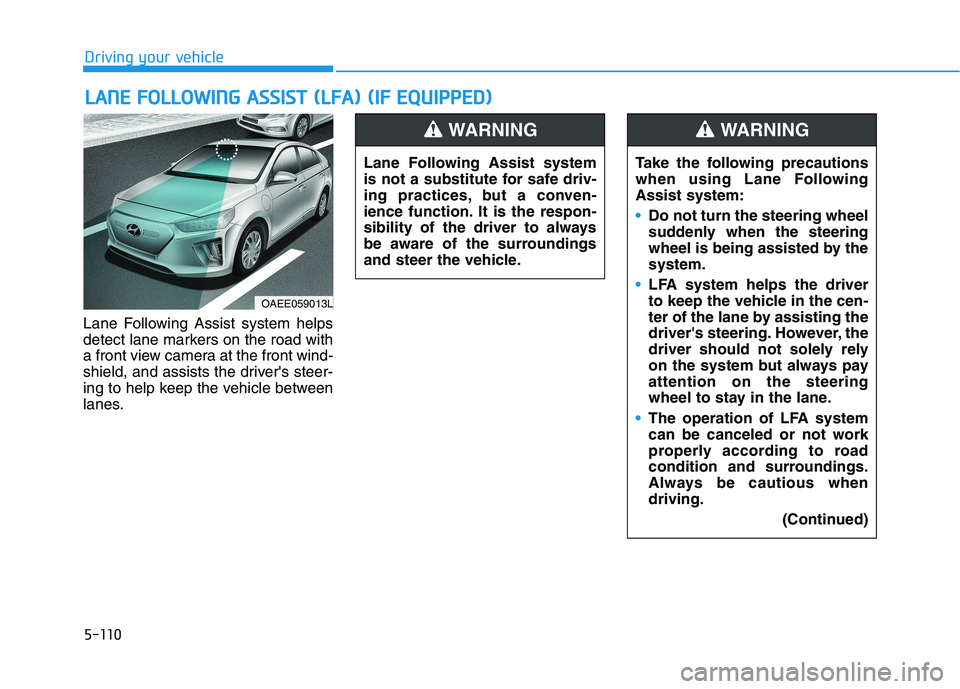
Lane Following Assist system helps
detect lane markers on the road with
a front view camera at the front wind-
shield, and assists the driver's steer-
ing to help keep the vehicle between
lanes.
LLAA NN EE FF OO LLLLOO WW IINN GG AA SSSS IISS TT (( LL FF AA )) (( IIFF EE QQ UUIIPP PPEEDD ))
OAEE059013L Lane Following Assist system
is not a substitute for safe driv-
ing practices, but a conven-
ience function. It is the respon-
sibility of the driver to always
be aware of the surroundings
and steer the vehicle.
WARNING
Take the following precautions
when using Lane FollowingAssist system:
Do not turn the steering wheel
suddenly when the steering
wheel is being assisted by thesystem.
LFA system helps the driver
to keep the vehicle in the cen-
ter of the lane by assisting the
driver's steering. However, the
driver should not solely rely
on the system but always payattention on the steering
wheel to stay in the lane.
The operation of LFA system
can be canceled or not work
properly according to road
condition and surroundings.
Always be cautious whendriving.
(Continued)
WARNING
Page 404 of 546
5-114
Driving your vehicle
Information
Even though the steering is assisted by the system, the driver may con-
trol the steering wheel.
The steering wheel may feel heavier when the steering wheel is assisted
by the system than when it is not.
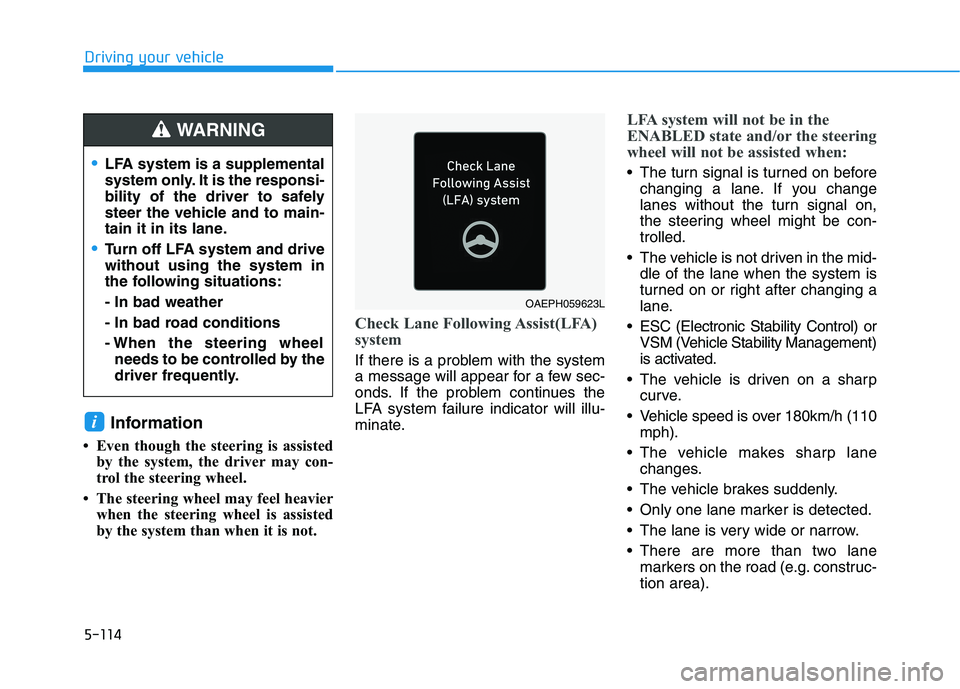
Check Lane Following Assist(LFA)
system
If there is a problem with the system
a message will appear for a few sec-
onds. If the problem continues the
LFA system failure indicator will illu-
minate.
LFA system will not be in the
ENABLED state and/or the steering
wheel will not be assisted when:
The turn signal is turned on beforechanging a lane. If you change
lanes without the turn signal on,
the steering wheel might be con-trolled.
The vehicle is not driven in the mid- dle of the lane when the system is
turned on or right after changing a
lane.
ESC (Electronic Stability Control) or VSM (Vehicle Stability Management)
is activated.
The vehicle is driven on a sharp curve.
Vehicle speed is over 180km/h (110 mph).
The vehicle makes sharp lane changes.
The vehicle brakes suddenly.
Only one lane marker is detected.
The lane is very wide or narrow.
There are more than two lane markers on the road (e.g. construc- tion area).
i
LFA system is a supplemental
system only. It is the responsi-
bility of the driver to safely
steer the vehicle and to main-
tain it in its lane.
Turn off LFA system and drive without using the system in
the following situations: - In bad weather
- In bad road conditions
- When the steering wheelneeds to be controlled by the
driver frequently.
WARNING
OAEPH059623L