2022 HYUNDAI IONIQ ELECTRIC ECO mode
[x] Cancel search: ECO modePage 291 of 546
Driving your vehicle
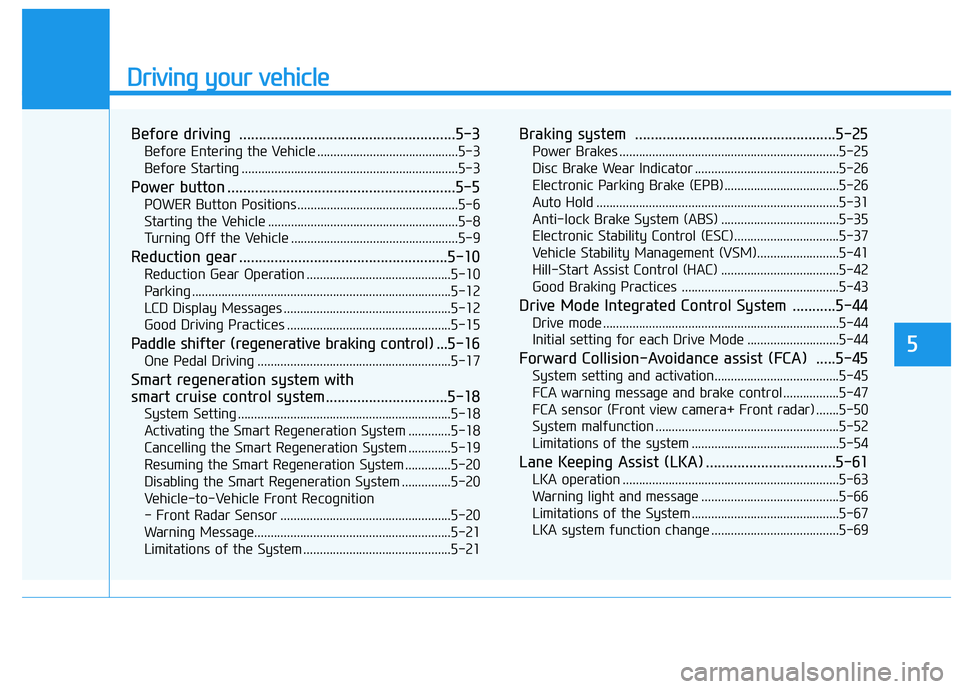
Before driving .......................................................5-3Before Entering the Vehicle ...........................................5-3
Before Starting ..................................................................5-3
Power button ..........................................................5-5 POWER Button Positions.................................................5-6
Starting the Vehicle ..........................................................5-8
Turning Off the Vehicle ...................................................5-9
Reduction gear .....................................................5-10 Reduction Gear Operation ............................................5-10
Parking ...............................................................................5-12
LCD Display Messages ...................................................5-12
Good Driving Practices ..................................................5-15
Paddle shifter (regenerative braking control) ... 5-16
One Pedal Driving ...........................................................5-17
Smart regeneration system with
smart cruise control system...............................5-18 System Setting .................................................................5-18
Activating the Smart Regeneration System .............5-18
Cancelling the Smart Regeneration System .............5-19
Resuming the Smart Regeneration System ..............5-20
Disabling the Smart Regeneration System ...............5-20
Vehicle-to-Vehicle Front Recognition
- Front Radar Sensor ....................................................5-20 Warning Message............................................................5-21
Limitations of the System .............................................5-21 Braking system ...................................................5-25
Power Brakes ...................................................................5-25
Disc Brake Wear Indicator ............................................5-26
Electronic Parking Brake (EPB)...................................5-26
Auto Hold ..........................................................................5-31
Anti-lock Brake System (ABS) ....................................5-35
Electronic Stability Control (ESC)................................5-37
Vehicle Stability Management (VSM).........................5-41
Hill-Start Assist Control (HAC) ....................................5-42
Good Braking Practices ................................................5-43
Drive Mode Integrated Control System ...........5-44 Drive mode ........................................................................5-44
Initial setting for each Drive Mode ............................5-44
Forward Collision-Avoidance assist (FCA) .....5-45 System setting and activation......................................5-45
FCA warning message and brake control .................5-47
FCA sensor (Front view camera+ Front radar) .......5-50
System malfunction ........................................................5-52
Limitations of the system .............................................5-54
Lane Keeping Assist (LKA) .................................5-61 LKA operation ..................................................................5-63
Warning light and message ..........................................5-66
Limitations of the System .............................................5-67
LKA system function change .......................................5-69
5
Page 298 of 546
5-8
Driving your vehicle
Starting the VehicleInformation
The vehicle will start by pressing the POWER button, only when the
smart key is in the vehicle.
Even if the smart key is in the vehi- cle, and when it is far away from the
driver, the vehicle may not start.
When the POWER button is in the ACC or ON position, any door is
open, the system checks for the
smart key. When the smart key is
not in the vehicle, the " " indica-
tor will blink and the warning "Key
not in vehicle" will come on. When
all doors are closed, the chime will
also sound for about 5 seconds.
Keep the smart key in the vehicle
when in the ACC position or if the
vehicle is in the ready ( ) mode. 1. Always carry the smart key with
you.
2. Make sure the gear is in P (Park).
3. Depress the brake pedal.
4. Press the POWER button. If the vehicle starts, the " " indicator will come on.
Information
Always start the vehicle with your foot on the brake pedal.
If ambient temperature is low, the " " indicator may remain illumi-
nated longer than the normal amount
of time.
i
i
Always wear appropriate
shoes when operating your
vehicle. Unsuitable shoes,
such as high heels, ski boots,
sandals, flip-flops, etc., may
interfere with your ability touse the brake and acceleratorpedals.
Do not start the vehicle with the accelerator pedaldepressed.
The vehicle can move and lead to an accident.
WARNING
Page 307 of 546
5-17
Driving your vehicle
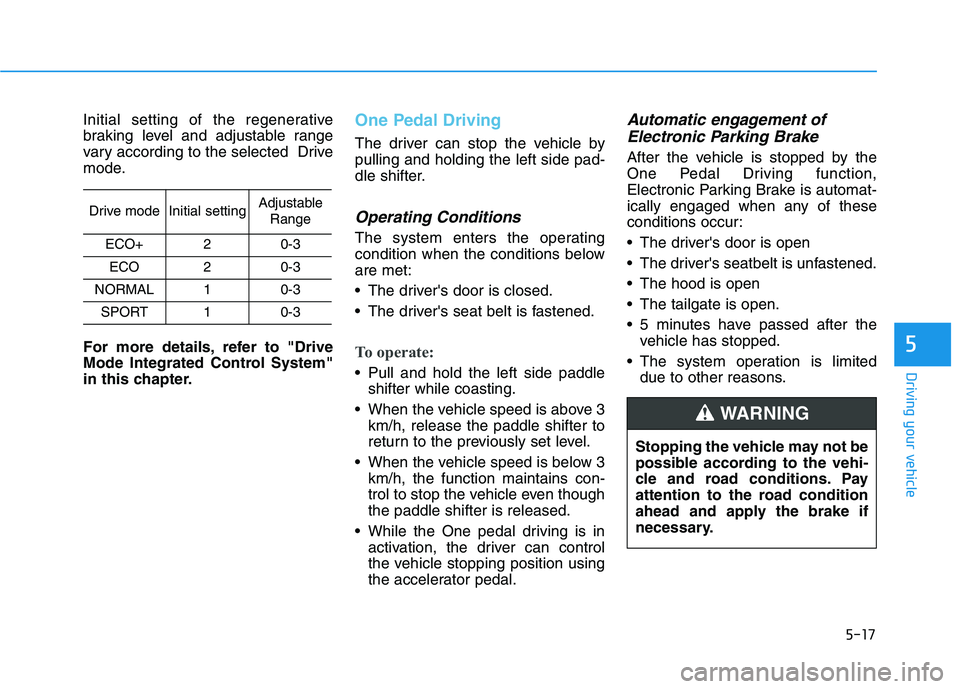
Initial setting of the regenerative
braking level and adjustable range
vary according to the selected Drive
mode.
For more details, refer to "Drive
Mode Integrated Control System"
in this chapter.One Pedal Driving
The driver can stop the vehicle by pulling and holding the left side pad-
dle shifter.
Operating Conditions
The system enters the operating
condition when the conditions beloware met:
The driver's door is closed.
The driver's seat belt is fastened.
To operate:
Pull and hold the left side paddleshifter while coasting.
When the vehicle speed is above 3 km/h, release the paddle shifter to
return to the previously set level.
When the vehicle speed is below 3 km/h, the function maintains con-
trol to stop the vehicle even thoughthe paddle shifter is released.
While the One pedal driving is in activation, the driver can control
the vehicle stopping position using
the accelerator pedal.
Automatic engagement of
Electronic Parking Brake
After the vehicle is stopped by the
One Pedal Driving function,
Electronic Parking Brake is automat-
ically engaged when any of these
conditions occur:
The driver's door is open
The driver's seatbelt is unfastened.
The hood is open
The tailgate is open.
5 minutes have passed after the vehicle has stopped.
The system operation is limited due to other reasons.
5
Drive modeInitial settingAdjustable
Range
ECO+20-3
ECO20-3
NORMAL10-3
SPORT10-3
Stopping the vehicle may not be
possible according to the vehi-
cle and road conditions. Pay
attention to the road condition
ahead and apply the brake if
necessary.
WARNING
Page 308 of 546
5-18
The Smart Regeneration System
controls the regenerative brakingautomatically according to the road
gradient and driving condition of the
vehicle in front. The system mini-
mizes the unnecessary operation of
the brake and acceleration pedal,
improving the fuel efficiency and
assisting the driver.
System Setting
The Smart Regeneration System is
enabled when:
The gear is in P (Park) and select 'User settings
Convenience
Smart Regeneration' on the User
Settings mode. The setting is maintained when the
vehicle is restarted.
Activating the Smart
Regeneration System
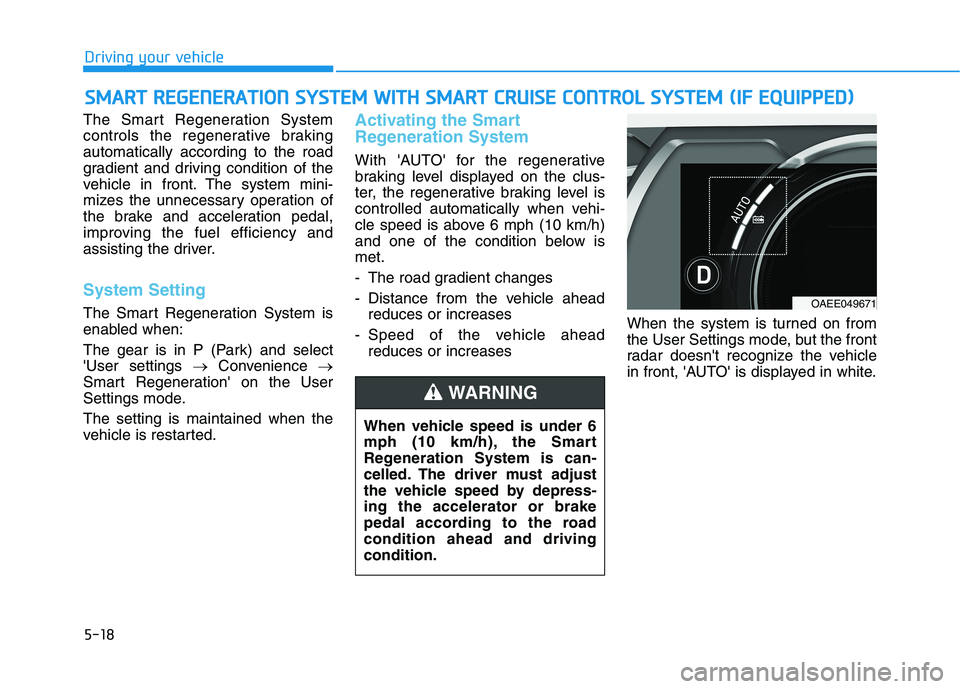
With 'AUTO' for the regenerative
braking level displayed on the clus-
ter, the regenerative braking level is
controlled automatically when vehi-
cle speed is above 6 mph (10 km/h)
and one of the condition below ismet.
- The road gradient changes
- Distance from the vehicle ahead reduces or increases
- Speed of the vehicle ahead reduces or increases When the system is turned on from
the User Settings mode, but the front
radar doesn't recognize the vehicle
in front, 'AUTO' is displayed in white.
SS
MM AARRTT RR EEGG EENN EERR AA TTIIOO NN SS YY SSTT EEMM WW IITT HH SS MM AARRTT CC RR UU IISS EE CC OO NNTTRR OO LL SS YY SSTT EEMM (( IIFF EE QQ UUIIPP PPEEDD ))
Driving your vehicle
When vehicle speed is under 6
mph (10 km/h), the Smart
Regeneration System is can-
celled. The driver must adjust
the vehicle speed by depress-ing the accelerator or brake
pedal according to the roadcondition ahead and drivingcondition.
WARNING
OAEE049671
Page 310 of 546
5-20
Resuming the Smart
Regeneration System
To re-activate the Smart
Regeneration System while driving,
pull and hold the right side paddle
shifter for more than 1 second again.
Note that the "AUTO" indicator in the
LCD display turns back on, signaling
that the Smart Regeneration System
is enabled again.
Disabling the Smart
Regeneration System
To turn off the system, shift to P (Park) and deselect 'User Settings
Convenience Smart Regeneration'
on the User Settings mode.
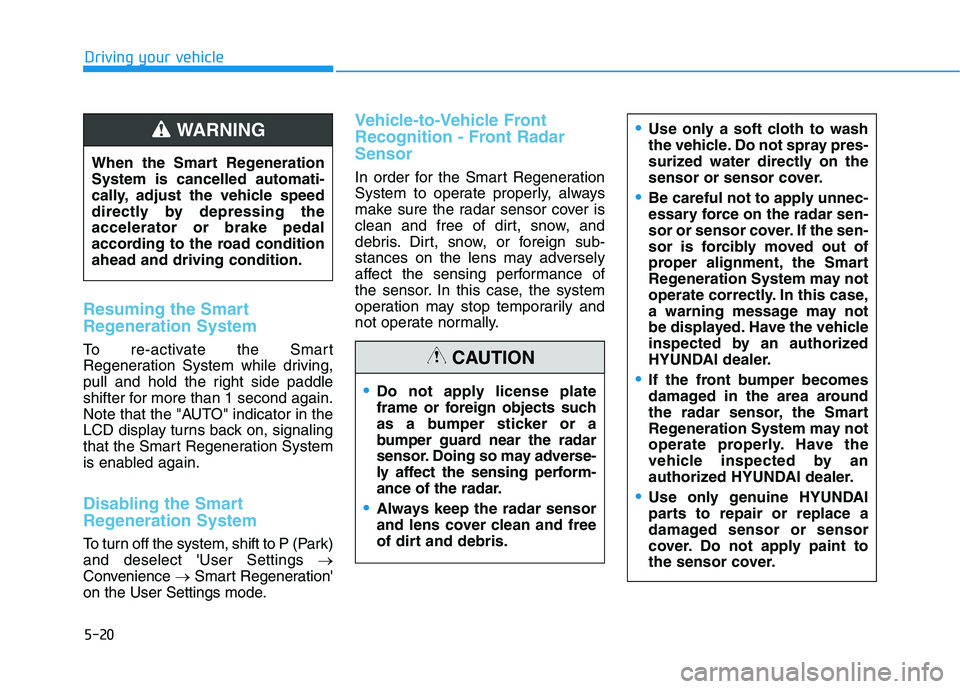
Vehicle-to-Vehicle Front
Recognition - Front RadarSensor
In order for the Smart Regeneration
System to operate properly, always
make sure the radar sensor cover is
clean and free of dirt, snow, and
debris. Dirt, snow, or foreign sub-
stances on the lens may adversely
affect the sensing performance of
the sensor. In this case, the system
operation may stop temporarily and
not operate normally.
Driving your vehicle
Do not apply license plate
frame or foreign objects such
as a bumper sticker or a
bumper guard near the radar
sensor. Doing so may adverse-
ly affect the sensing perform-
ance of the radar.
Always keep the radar sensor
and lens cover clean and free
of dirt and debris.
Use only a soft cloth to wash
the vehicle. Do not spray pres-
surized water directly on the
sensor or sensor cover.
Be careful not to apply unnec-
essary force on the radar sen-
sor or sensor cover. If the sen-
sor is forcibly moved out of
proper alignment, the Smart
Regeneration System may not
operate correctly. In this case,
a warning message may not
be displayed. Have the vehicle
inspected by an authorized
HYUNDAI dealer.
If the front bumper becomes
damaged in the area around
the radar sensor, the Smart
Regeneration System may not
operate properly. Have the
vehicle inspected by an
authorized HYUNDAI dealer.
Use only genuine HYUNDAI
parts to repair or replace a
damaged sensor or sensor
cover. Do not apply paint to
the sensor cover.
CAUTION
When the Smart Regeneration System is cancelled automati-
cally, adjust the vehicle speed
directly by depressing theaccelerator or brake pedal
according to the road conditionahead and driving condition.
WARNING
Page 317 of 546
5-27
Driving your vehicle
5
However, if the EPB switch is pressed within 1 second after the
vehicle is turned off, the EPB will notbe applied.Releasing the parking brake
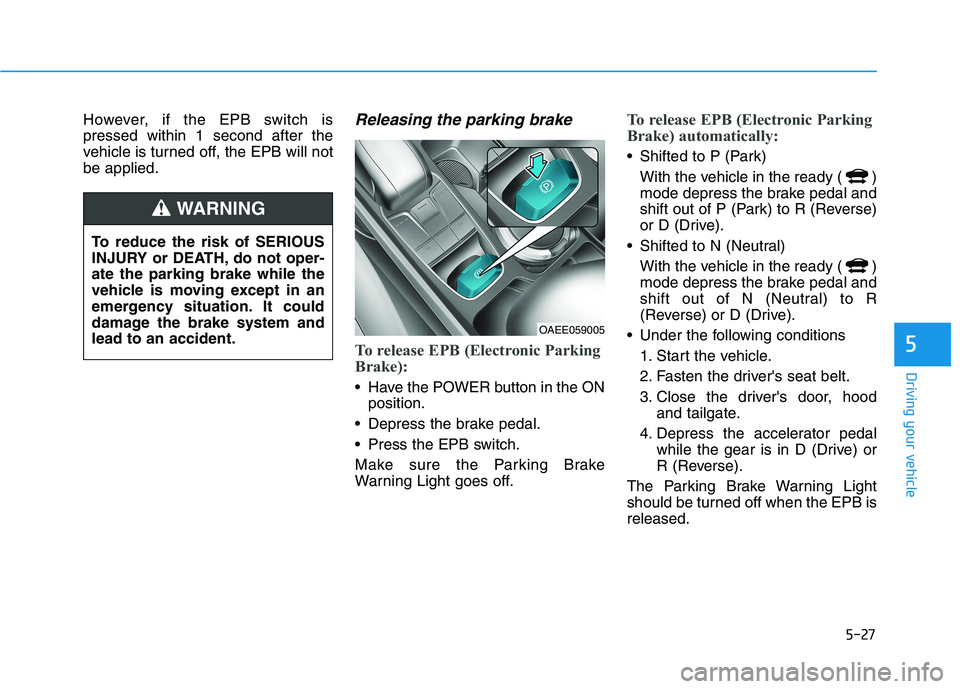
To release EPB (Electronic Parking
Brake):
Have the POWER button in the ONposition.
Depress the brake pedal.
Press the EPB switch.
Make sure the Parking Brake
Warning Light goes off.
To release EPB (Electronic Parking
Brake) automatically:
Shifted to P (Park) With the vehicle in the ready ( )
mode depress the brake pedal and
shift out of P (Park) to R (Reverse)
or D (Drive).
Shifted to N (Neutral) With the vehicle in the ready ( )
mode depress the brake pedal and
shift out of N (Neutral) to R
(Reverse) or D (Drive).
Under the following conditions 1. Start the vehicle.
2. Fasten the driver's seat belt.
3. Close the driver's door, hood and tailgate.
4. Depress the accelerator pedal while the gear is in D (Drive) or
R (Reverse).
The Parking Brake Warning Light
should be turned off when the EPB isreleased.
To reduce the risk of SERIOUS
INJURY or DEATH, do not oper-ate the parking brake while the
vehicle is moving except in an
emergency situation. It could
damage the brake system andlead to an accident.
WARNING
OAEE059005
Page 326 of 546
5-36
Driving your vehicle
ABS is an electronic braking system
that helps prevent a braking skid.
ABS allows the driver to steer and
brake at the same time.
Using ABS
To obtain the maximum benefit from
your ABS in an emergency situation,
do not attempt to modulate your
brake pressure and do not try to
pump your brakes. Depress your
brake pedal as hard as possible.
When you apply your brakes under
conditions which may lock the
wheels, you may hear sounds from
the brakes, or feel a corresponding
sensation in the brake pedal. This is
normal and it means your ABS is
active. ABS does not reduce the time or dis-
tance it takes to stop the vehicle.
Always maintain a safe distance from
the vehicle in front of you.
ABS will not prevent a skid that results from sudden changes in
direction, such as trying to take a
corner too fast or making a sudden
lane change. Always drive at a safe
speed for the road and weather con-
ditions.ABS cannot prevent a loss of stabili-
ty. Always steer moderately when
braking hard. Severe or sharp steer-
ing wheel movement can still cause
your vehicle to veer into oncoming
traffic or off the road.
On loose or uneven road surfaces,
operation of the anti-lock brake sys-
tem may result in a longer stopping
distance than for vehicles equipped
with a conventional brake system.
The ABS warning light ( ) will stay
on for several seconds after the
POWER button is in the ON position.
During that time, the ABS will gothrough self-diagnosis and the light
will go off if everything is normal. If
the light stays on, you may have a
problem with your ABS. Contact an
authorized HYUNDAI dealer as soon
as possible.(Continued)
On roads where the road sur-
face is pitted or has differentsurface height.
The safety features of an ABS
or ESC equipped vehicle should
not be tested by high speed
driving or cornering. This could
endanger the safety of yourself
or others.
Page 334 of 546
5-44
Driving your vehicle
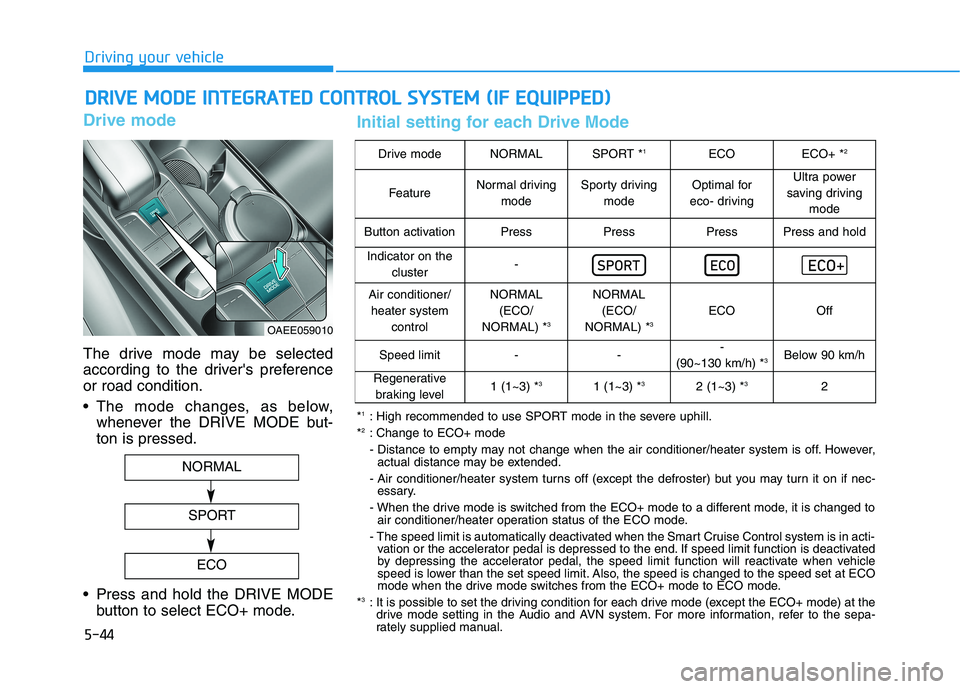
Drive mode
The drive mode may be selected
according to the driver's preferenceor road condition.
The mode changes, as below,whenever the DRIVE MODE but- ton is pressed.
Press and hold the DRIVE MODE button to select ECO+ mode.
DDRRIIVV EE MM OODDEE IINN TTEEGG RRAA TTEEDD CC OO NNTTRR OO LL SS YY SSTT EEMM (( IIFF EE QQ UUIIPP PPEEDD ))
OAEE059010
NORMAL
SPORT
ECO
Drive modeNORMALSPORT * 1ECOECO+ *2
FeatureNormal driving
modeSporty drivingmodeOptimal for
eco- drivingUltra power
saving driving mode
Button activationPressPressPressPress and hold
Indicator on the cluster-
Air conditioner/heater system controlNORMAL(ECO/
NORMAL) * 3NORMAL
(ECO/
NORMAL) * 3
ECOOff
Speed limit---
(90~130 km/h) * 3Below 90 km/h
Regenerative
braking level1 (1~3) * 31 (1~3) * 32 (1~3) *32
*1
: High recommended to use SPORT mode in the severe uphill.
* 2
: Change to ECO+ mode
- Distance to empty may not change when the air conditioner/heater system is off. However,
actual distance may be extended.
- Air conditioner/heater system turns off (except the defroster) but you may turn it on if nec- essary.
- When the drive mode is switched from the ECO+ mode to a different mode, it is changed to air conditioner/heater operation status of the ECO mode.
- The speed limit is automatically deactivated when the Smart Cruise Control system is in acti- vation or the accelerator pedal is depressed to the end. If speed limit function is deactivated
by depressing the accelerator pedal, the speed limit function will reactivate when vehicle
speed is lower than the set speed limit. Also, the speed is changed to the speed set at ECO
mode when the drive mode switches from the ECO+ mode to ECO mode.
* 3
: It is possible to set the driving condition for each drive mode (except the ECO+ mode) at the
drive mode setting in the Audio and AVN system. For more information, refer to the sepa-
rately supplied manual.
Initial setting for each Drive Mode