2022 HYUNDAI IONIQ ELECTRIC ECO mode
[x] Cancel search: ECO modePage 176 of 546
3-26
Convenient features of your vehicle
Gate operator & Canadian program-ming
During programming, your handheld
transmitter may automatically stop
transmitting. Continue to press the
Integrated HomeLink ®
Wireless
Control System button (note steps 2 through 4 in the Standard
Programming portion of this docu-
ment) while you press and re-press
("cycle") your handheld transmitter
every two seconds until the frequen-
cy signal has been learned. The indi-
cator light will flash slowly and then
rapidly after several seconds upon
successful training.
Operating HomeLink®
To operate, simply press and release
the programmed HomeLink ®
button.
Activation will now occur for the
trained device (i.e. garage door
opener, gate operator, security sys-
tem, entry door lock, home/office
lighting, etc.). For convenience, the
hand-held transmitter of the device
may also be used at any time.
Reprogramming a single
HomeLink®button
To program a new device to a previ-
ously trained HomeLink ®
button, fol-
low these steps:
1. Press and hold the desired HomeLink ®
button. Do NOT
release until step 4 has been com- pleted.
2. When the indicator light begins to flash slowly (after 20 seconds),
position the handheld transmitter 1
to 3 inches away from theHomeLink ®
surface.
3. Press and hold the handheld transmitter button. The HomeLink ®
indicator light will flash, first slowly
and then rapidly.
4. When the indicator light begins to flash rapidly, release both buttons.
5. Press and hold the just-trained HomeLink ®
button and observe
the red Status Indicator LED. If the
indicator light stays on constantly,
programming is complete and
your new device should activate.
Erasing HomeLink®buttons
Individual buttons cannot be erased.
However, to erase all three pro-
grammed buttons:
1. Press and hold the two outer HomeLink ®
buttons until the indi-
cator light begins to flash-after 20
seconds.
2. Release both buttons. Do not hold for longer than 30 seconds.
The Integrated HomeLink ®
Wireless
Control System is now in the training
(learn) mode and can be pro-
grammed at any time following the
appropriate steps in the Programming
chapters above. NVS ®
is a registered trademark and
Z-Nav™ is a trademark of the Gentex
Corporation, Zeeland, Michigan.HomeLink ®
is a registered trademark
owned by Johnson Controls,
Incorporated, Milwaukee, Wisconsin.
FCC ID: NZLZTVHL3
IC: 4112A-ZTVHL3
Page 188 of 546
3-38
Convenient features of your vehicle
Resetting the sunroof
Sunroof needs to be reset if the fol-
lowing occurs :
- Battery is discharged or discon-nected or the related fuse has been replaced or disconnected
- The one-touch sliding function of the sunroof does not normally oper-ate
Reset procedure :
1. Place the POWER button to the ON position or start the vehicle
( indicator ON). It is recom-mended to reset the sunroof while
the vehicle is in the ready ( )
mode.
2. Push the control lever forward. The sunroof will close completelyor tilt depending on the condition
of the sunroof.
3. Release the control lever when the sunroof stops moving. 4. Push the control lever forward
about 10 seconds.
- When the sunroof is in the closed position :
The glass will tilt and slightly move up and down.
- When the sunroof is in the tilt position:
The glass will slightly move up and down.
Do not release the lever until the
operation is completed.
If you release the lever during opera-
tion, start the procedure again fromstep 2.
5. Within 3 seconds, push and hold the control lever forward until the
sunroof operates as follows:
Tilt down Slide Open Slide
Close.
Do not release the lever until the
operation is completed. If you release the lever during opera-
tion, start the procedure again fromstep 2.
6. Release the sunroof control lever
after all steps have completed. The sunroof system has beenreset.
Information
If the sunroof is not reset when the vehicle battery is disconnected or
discharged, or the sunroof fuse is
blown, the sunroof may not operate
normally.
For more detailed information, con- tact an authorized HYUNDAI dealer.
i
Page 196 of 546
3-46
Convenient features of your vehicle
Gauges and Meters
Speedometer/Eco guide
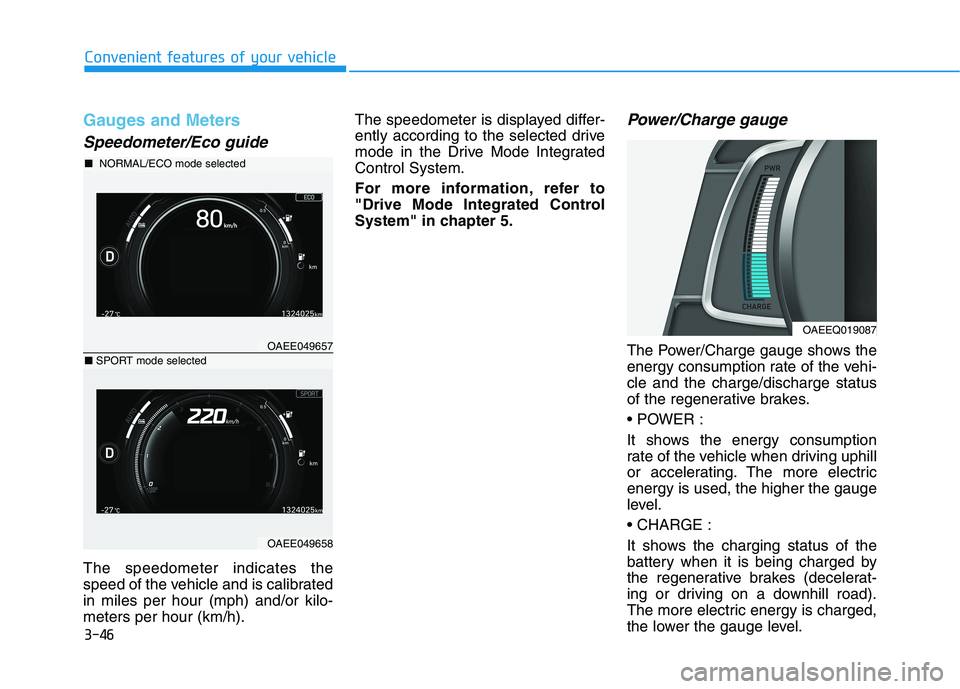
The speedometer indicates the
speed of the vehicle and is calibratedin miles per hour (mph) and/or kilo-meters per hour (km/h).The speedometer is displayed differ-
ently according to the selected drive
mode in the Drive Mode IntegratedControl System.
For more information, refer to
"Drive Mode Integrated Control
System" in chapter 5.
Power/Charge gauge
The Power/Charge gauge shows the
energy consumption rate of the vehi-cle and the charge/discharge status
of the regenerative brakes.
It shows the energy consumption
rate of the vehicle when driving uphill
or accelerating. The more electricenergy is used, the higher the gauge
level.
It shows the charging status of the
battery when it is being charged by
the regenerative brakes (decelerat-
ing or driving on a downhill road).
The more electric energy is charged,
the lower the gauge level.
OAEEQ019087
OAEE049657
■
NORMAL/ECO mode selected
OAEE049658
■SPORT mode selected
Page 207 of 546
3-57
Convenient features of your vehicle
3
LED Headlamp WarningLight (if equipped)
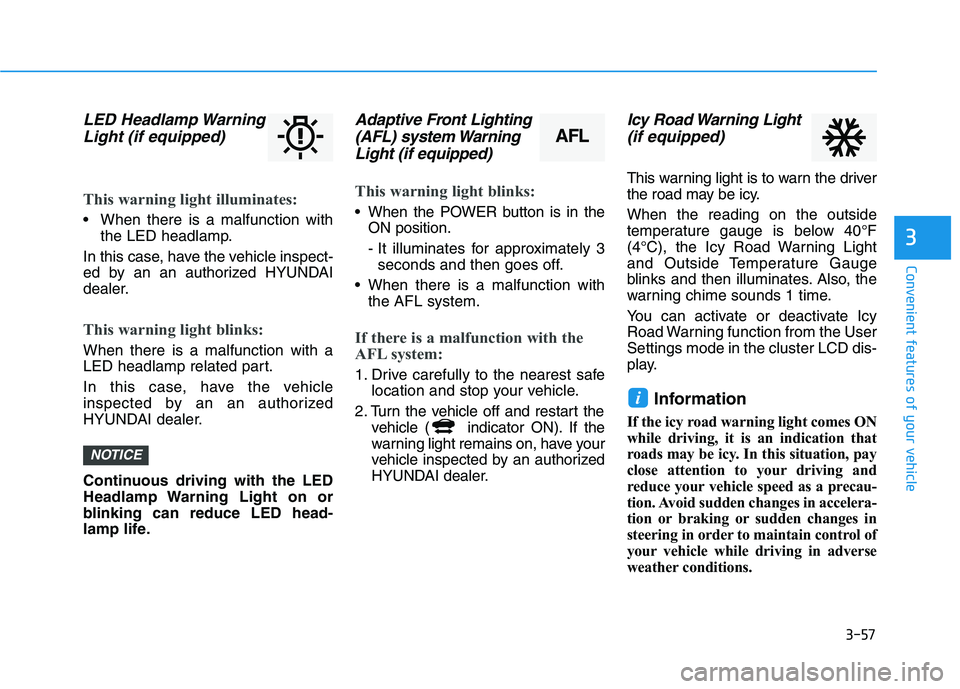
This warning light illuminates:
When there is a malfunction with the LED headlamp.
In this case, have the vehicle inspect-
ed by an an authorized HYUNDAI
dealer.
This warning light blinks:
When there is a malfunction with a
LED headlamp related part.
In this case, have the vehicle
inspected by an an authorized
HYUNDAI dealer.
Continuous driving with the LED
Headlamp Warning Light on or
blinking can reduce LED head-
lamp life.
Adaptive Front Lighting (AFL) system Warning
Light (if equipped)
This warning light blinks:
When the POWER button is in the ON position.
- It illuminates for approximately 3seconds and then goes off.
When there is a malfunction with the AFL system.
If there is a malfunction with the
AFL system:
1. Drive carefully to the nearest safe location and stop your vehicle.
2. Turn the vehicle off and restart the vehicle ( indicator ON). If the
warning light remains on, have your
vehicle inspected by an authorized
HYUNDAI dealer.
Icy Road Warning Light
(if equipped)
This warning light is to warn the driver
the road may be icy. When the reading on the outside
temperature gauge is below 40°F
(4°C), the Icy Road Warning Light
and Outside Temperature Gauge
blinks and then illuminates. Also, the
warning chime sounds 1 time.
You can activate or deactivate Icy
Road Warning function from the UserSettings mode in the cluster LCD dis-
play.
Information
If the icy road warning light comes ON
while driving, it is an indication that
roads may be icy. In this situation, pay
close attention to your driving and
reduce your vehicle speed as a precau-
tion. Avoid sudden changes in accelera-
tion or braking or sudden changes in
steering in order to maintain control of
your vehicle while driving in adverse
weather conditions.
i
NOTICE
AFL
Page 211 of 546
3-61
Convenient features of your vehicle
3
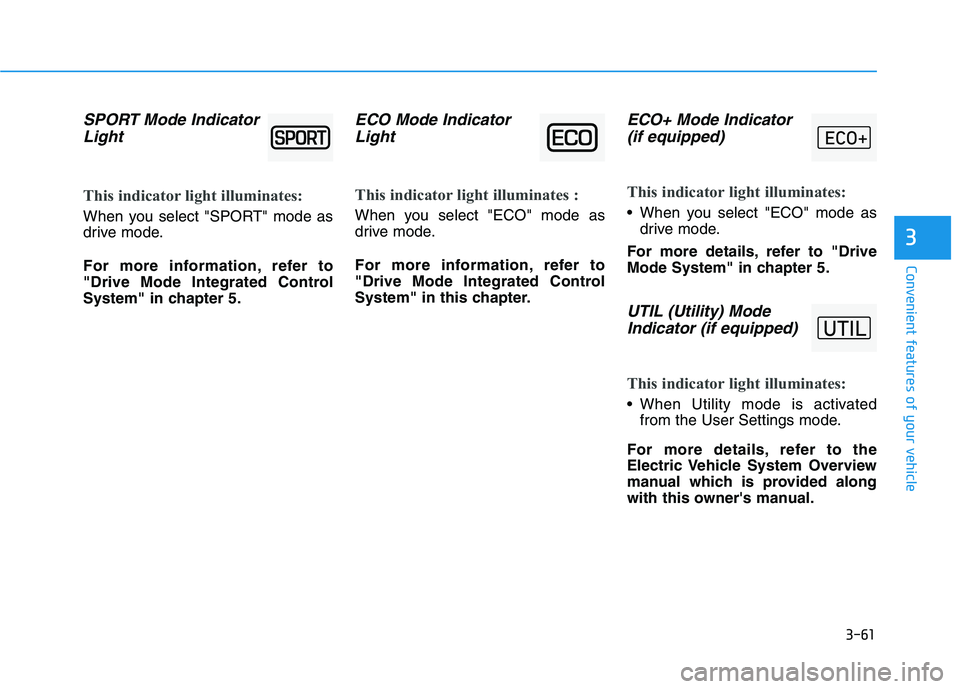
SPORT Mode IndicatorLight
This indicator light illuminates:
When you select "SPORT" mode as
drive mode.
For more information, refer to
"Drive Mode Integrated Control
System" in chapter 5.
ECO Mode IndicatorLight
This indicator light illuminates :
When you select "ECO" mode as
drive mode.
For more information, refer to
"Drive Mode Integrated Control
System" in this chapter.
ECO+ Mode Indicator(if equipped)
This indicator light illuminates:
When you select "ECO" mode as drive mode.
For more details, refer to "Drive
Mode System" in chapter 5.
UTIL (Utility) Mode Indicator (if equipped)
This indicator light illuminates:
When Utility mode is activated from the User Settings mode.
For more details, refer to the
Electric Vehicle System Overview
manual which is provided along
with this owner's manual.
Page 237 of 546
3-87
Convenient features of your vehicle
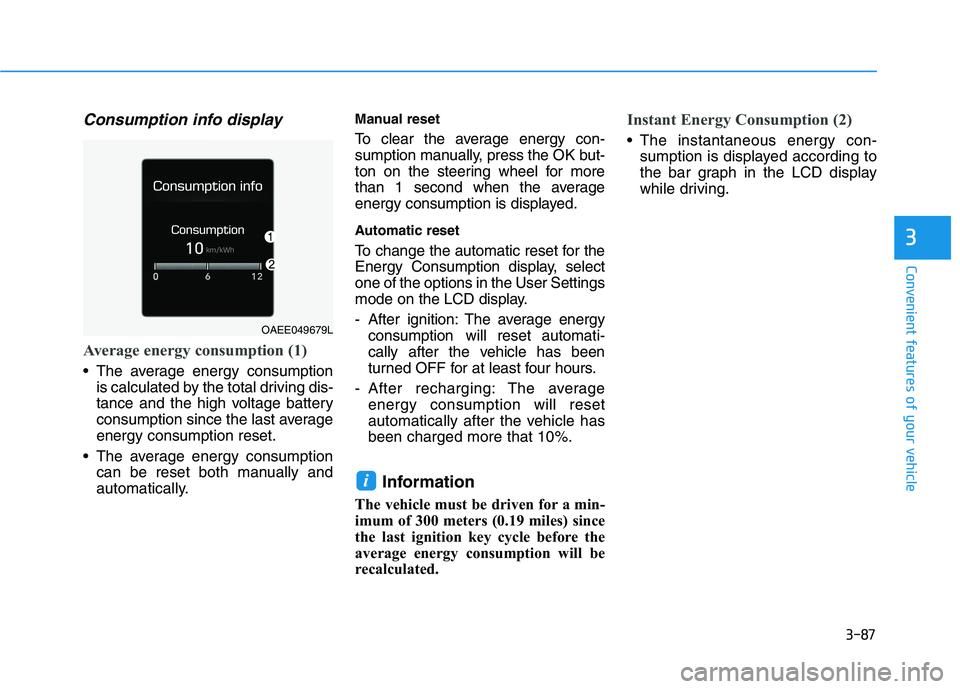
Consumption info display
Average energy consumption (1)
The average energy consumptionis calculated by the total driving dis-
tance and the high voltage battery
consumption since the last averageenergy consumption reset.
The average energy consumption can be reset both manually and
automatically. Manual reset
To clear the average energy con-
sumption manually, press the OK but-
ton on the steering wheel for more
than 1 second when the average
energy consumption is displayed.
Automatic reset
To change the automatic reset for the
Energy Consumption display, selectone of the options in the User Settings
mode on the LCD display.
- After ignition: The average energy
consumption will reset automati-
cally after the vehicle has been
turned OFF for at least four hours.
- After recharging: The average energy consumption will reset
automatically after the vehicle hasbeen charged more that 10%.
Information
The vehicle must be driven for a min-
imum of 300 meters (0.19 miles) since
the last ignition key cycle before the
average energy consumption will be
recalculated.
Instant Energy Consumption (2)
The instantaneous energy con- sumption is displayed according to
the bar graph in the LCD display
while driving.
i
3
OAEE049679L
Page 239 of 546
3-89
Convenient features of your vehicle
3
The driving information will continue
to be counted while the vehicle is in
the ready ( ) mode (for example,
when the vehicle is in traffic orstopped at a stop light.)Information
The vehicle must be driven for a min-
imum of 300 meters (0.19 miles) since
the last ignition key cycle before the
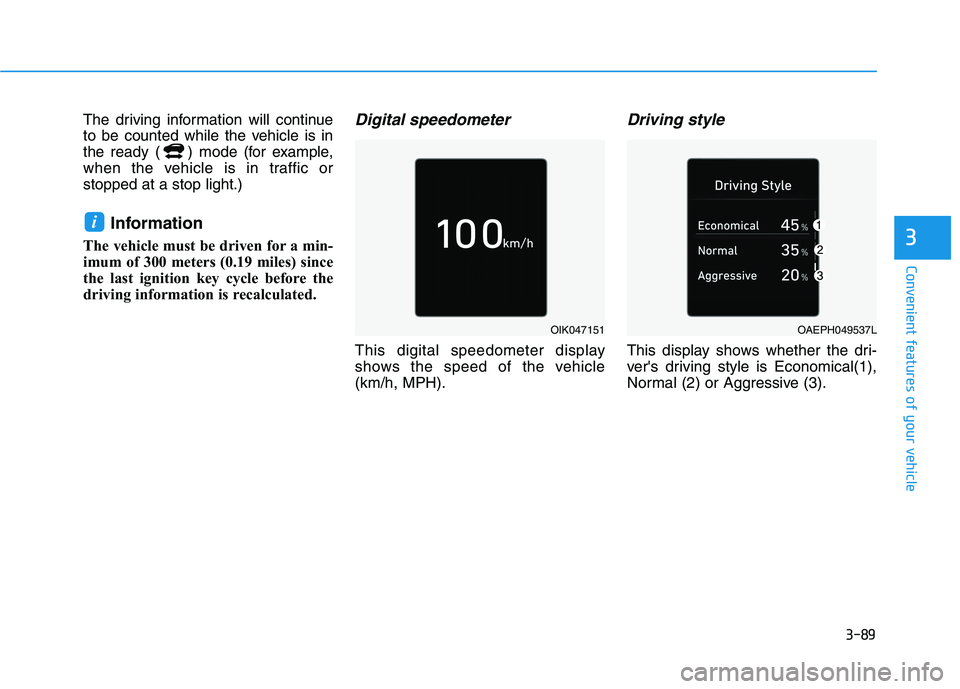
driving information is recalculated.Digital speedometer
This digital speedometer display
shows the speed of the vehicle(km/h, MPH).
Driving style
This display shows whether the dri-
ver's driving style is Economical(1),
Normal (2) or Aggressive (3).
i
OIK047151OAEPH049537L
Page 247 of 546
3-97
Convenient features of your vehicle
Onetouch turn signal function
To activate the One Touch Turn
Signal function, push the turn signal
lever up or down to position (B) andthen release it.
The lane change signals will blink 3,
5 or 7 times.
You can activate or deactivate the
One Touch Turn Signal function or
choose the number of blinking (3, 5,or 7) from the User Settings mode
(Light) on the LCD display.
For more information, refer to the
"LCD Display" section in this
chapter.
Battery saver function
The purpose of this feature is to pre-
vent the battery from being dis-
charged. The system automatically
turns off the parking lamp when the
driver turns the vehicle off and opens
the driver-side door.
With this feature, the parking lamps
will turn off automatically if the driver
parks on the side of road at night.
If necessary, to keep the lamps on
when the the vehicle is turned off, per-
form the following:
1) Open the driver-side door.
2) Turn the parking lamps OFF andON again using the light switch on
the steering column.
Headlamp delay function
(if equipped)
If the POWER button is placed in the
ACC position or the OFF positionwith the headlamps ON, the head-
lamps (and/or parking lamps) remain
on for about 5 minutes. However, if
the driver’s door is opened and
closed, the headlights are turned off
after 15 seconds. Also, with the vehi-
cle off if the driver's door is openedand closed, the headlamps (and/or
parking lamps) are turned off after 15
seconds.
The headlamps (and/or parking
lamps) can be turned off by pressing
the lock button on the smart key
twice or turning the light switch to the
OFF or AUTO position.
You can activate or deactivate the
Headlamp Delay function from theUser Settings mode (Light) on the
LCD display.
For more information, refer to the
"LCD Display" section in this
chapter.
3