2022 HONDA PILOT audio off
[x] Cancel search: audio offPage 154 of 737
152
uuLocking and Unlocking the Doors uAuto Door Locking/Unlocking
Controls
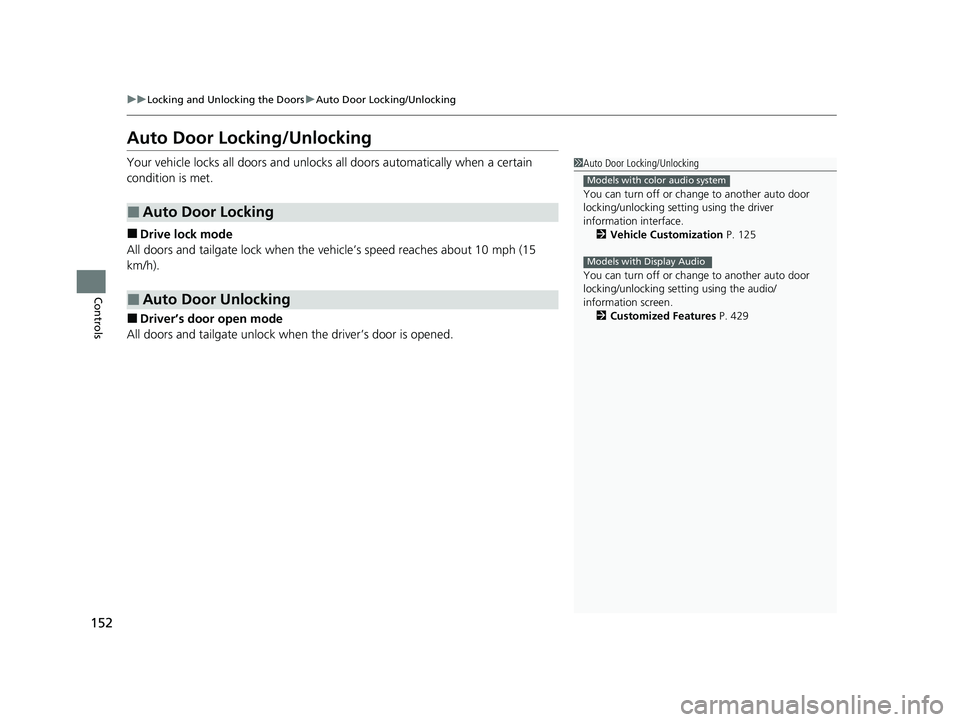
Auto Door Locking/Unlocking
Your vehicle locks all doors and unlocks all doors automatically when a certain
condition is met.
■Drive lock mode
All doors and tailgate lock when the ve hicle’s speed reaches about 10 mph (15
km/h).
■Driver’s door open mode
All doors and tailgate unlock when the driver’s door is opened.
■Auto Door Locking
■Auto Door Unlocking
1Auto Door Locking/Unlocking
You can turn off or cha nge to another auto door
locking/unlocking sett ing using the driver
information interface. 2 Vehicle Customization P. 125
You can turn off or cha nge to another auto door
locking/unlocking setting using the audio/
information screen. 2 Customized Features P. 429
Models with color audio system
Models with Display Audio
22 PILOT-31TG76600.book 152 ページ 2021年6月11日 金曜日 午後4時40分
Page 157 of 737

Continued155
uuOpening and Closing the Tailgate uOpening/Closing the Power Tailgate*
Controls
Opening/Closing the Power Tailgate*
Use a forward and back kicking motion for
about 1 second under the center of the rear
bumper to open or close the power tailgate
while carrying the keyless remote.
u Some exterior lights flash twice and a
beeper sounds once, then the tailgate
begins to move.
■Using the Hands Free Access*
1Precautions for Opening/Closing the Tailgate
If you close the power tail gate with all the doors
locked, the power tailgate locks automatically.
1 Using the Hands Free Access*
During rain or in other instances when the vehicle
becomes wet, the sensor may not properly detect
your foot motion.
When performing work on or around the rear section
of the vehicle, you may in advertently open or close
the tailgate.
To prevent this from happe ning, select Customized
Features on the audio/information screen and then
select OFF for the feature.
2 Customized Features P. 429
If you hold your foot under the bumper for too long
or sweep your foot from side to side, the power
tailgate does not open or close.
This function will not opera te if you don't have the
keyless remote on you. Please make sure you have
the keyless remote on you.
1 sec.
* Not available on all models
22 PILOT-31TG76600.book 155 ページ 2021年6月11日 金曜日 午後4時40分
Page 173 of 737

171Continued
Controls
Operating the Switches Around the Steering Wheel
ENGINE START/STOP Button
*1: Canadian models
■Changing the Power Mode1ENGINE START/STOP Button
ENGINE START/STOP Button Operating Range
You can start the engine when the keyless remote is
inside the vehicle.
If the battery of the keyless remote is getting low, the
engine may not start when you push the ENGINE
START/STOP button. If the engi ne does not start,
refer to the following link. 2 If the Keyless Remote Battery is Weak
P. 690
The engine may also run if the keyless remote is close
to the door or window, even if it is outside the
vehicle.
ON mode:
The ENGINE START/STOP button is on (in red), if the
engine is running.
If the power mode does not change from VEHICLE
OFF to ACCESSORY, press the ENGINE START/STOP
button while moving the st eering wheel left and
right. The steering wheel will unlock, allowing the
mode to change.
Operating Range
Canadian models
VEHICLE OFF (LOCK)
The button is off.
The steering wheel is locked
*1.
The power to all electrical
components is turned off.
Press the button.
Without pressing
the brake pedal ACCESSORY
The button blinks (in red).
Operate the audio system and
other accessories in this position.
ON
The button blinks (in red).
All electrical components can be
used.
22 PILOT-31TG76600.book 171 ページ 2021年6月11日 金曜日 午後4時40分
Page 179 of 737

177
uuOperating the Switches Around the Steering Wheel uLight Switches
Controls
The headlights automatically come on when th e wipers are used several times within
a certain number of intervals with the headlight switch in AUTO.
The headlights automatically go off a few mi nutes later if the wipers are stopped.
The headlights, all other exterior lights, and the instrument panel lights turn off 15
seconds after you set the power mode to VEHICLE OFF, take the remote with you,
and close the driver’s door.
If you set the power mode to VEHICLE OFF with the headlight switch on, but do not
open the door, the lights turn off after 10 minutes (three minutes, if the switch is in
the AUTO position).
The lights turn on again when you unlock or open the driver’s door. If you unlock
the door, but do not open it within 15 seconds, the lights go off. If you open the
driver’s door, you will hear a reminder chime alerting you that the lights are on.
■Headlight Integration with Wipers
■Automatic Lighting Off Feature
1 Automatic Operation (aut omatic lighting control)
You can adjust the auto li ght sensitivity as follows:
2 Vehicle Customization P. 125
2 Customized Features P. 429
SettingThe exterior lights come on
when the ambient light is at
Max
High
Mid
Low
Min
U.S. models
Bright
Dark
Models with color audio system
U.S. models with Display Audio
1 Headlight Integration with Wipers
This feature activates during the headlights are off in
AUTO .
The instrument panel br ightness does not change
when the headlights come on.
At dark ambient light leve ls, the automatic lighting
control feature turns on the headlights, regardless of
the number of wiper sweeps.
1 Automatic Lighting Off Feature
You can change the headlight auto off timer setting.
2 Vehicle Customization P. 125
2 Customized Features P. 422
Models with color audio system
Models with Display Audio
22 PILOT-31TG76600.book 177 ページ 2021年6月11日 金曜日 午後4時40分
Page 191 of 737

189
uuOperating the Switches Around the Steering Wheel uDriving Position Memory System*
Continued
Controls
Driving Position Memory System*
You can store two driver’s seat (except for power lumbar) and door mirror positions
with the driving position memory system.
When you unlock and open the driver’s door with a remote transmitter, or keyless
access system, door mirrors adjust to one of the two preset positions and the seat
adjusts to retracted positions of one of the two preset positions automatically.
The seat will move to the stored position when you set the power mode to
ACCESSORY.
When you enter the vehicle, the driver in formation interface briefly shows you which
remote transmitter you used to unlock the vehicle.
• DRIVER 1 transmitter is linked to memory button 1.
• DRIVER 2 transmitter is linked to memory button 2.
The driver’s seat moves rearward depending
on the set seating position once you
•Stop the vehicle.
• Put the transmission in
(P.
• Turn the engine off.
• Open the driv er’s door.
Once the power mode is in the ACCESSORY
position, the driver’s seat moves to the
DRIVER 1 or 2 preset position.
1 Driving Position Memory System*
Using the audio/informati on screen, you can disable
the automatic seat and d oor mirrors adjustment
function. 2 Customized Features P. 429
The driver’s seat easy exit feature can be turned ON/
OFF. 2 Customized Features P. 429
System Operation
The system will not operate if:
•The vehicle speed is above 3 mph (5 km/h).
•Either memory position button is pressed while the
seat is in motion.
•The seat position is adju sted while in operation.
•The memory 1 or 2 position is set fully to the rear.
DRIVER 1 DRIVER 2
* Not available on all models
22 PILOT-31TG76600.book 189 ページ 2021年6月11日 金曜日 午後4時40分
Page 211 of 737

209Continued
Controls
Interior Lights/Interior Convenience Items
Interior Lights
■ON
The interior lights come on regardless of
whether the tailgate and doors are open or
closed.
■Door activated
The interior lights come on in the following
situations:
• When the tailgate or any doors are opened.
• You unlock the driver’s door.
• When the power mode is set to VEHICLE
OFF.
■OFF
The interior lights remain off regardless of
whether the tailgate or the doors are open or
closed.
■Interior Light Switches1 Interior Light Switches
In the door activated position, the interior lights fade
out and go off about 30 seconds after the doors are
closed.
The lights go off after about 30 seconds in the
following situations:
•When you unlock the driver’s door but do not open
it.
•When you set the power mode to VEHICLE OFF but
do not open a door.
You can change the interi or lights dimming time.
2 Vehicle Customization P. 125
2 Customized Features P. 429
The interior lights go off im mediately in the following
situations:
•When you lock the driver’s door.
•When you close the driver’s door in ACCESSORY
mode.
•When you set the power mode to ON.
If you leave any of the tailgate or doors open in
VEHICLE OFF mode, the inte rior lights go off after
about 15 minutes.
To avoid draining the ba ttery, do not leave the
interior light on for an extended length of time when
the engine or power system is off.
Models with color audio system
Models with Display Audio
Models without panoramic roof
Door Activated Position
Off
On
Models with panoramic roof
Door Activated Position
OffOn
22 PILOT-31TG76600.book 209 ページ 2021年6月11日 金曜日 午後4時40分
Page 222 of 737

uuInterior Lights/Interior Convenience Items uInterior Convenience Items
220
Controls
■When charging does not start
Perform one of the solution s in the following table.
IndicatorCauseSolution
Slow Blink
There is an obstacle(s) between
the charging area and the
device.Remove the
obstacle(s).
The device is not within the
charging area. Move the device to the
center of the charging
area where is
located.
Fast BlinkThe wireless charger is faulty.
Turn the vehicle off
and back on. If the
indicator still blinks,
contact a dealer.
1
Wireless Charger*
Using the audio/informati on screen, you can disable
the wireless ch arger function.
2 Customized Features P. 429
3CAUTION
Metal objects between the charge pad
and the device to be charged will get
hot and can burn you.
•Always remove foreign objects from
the charge pad before charging the
device.
• Be sure the surface is clear of dust and
other debris before charging.
• Do not spill liquids (i. e. water, drinks,
etc.) on the charger and the device.
• Do not use oil, grease, alcohol,
benzine or thinner for cleaning the
charge pad.
• Do not cover the system with towels,
clothing, or other objects while
charging etc.
• Avoid spraying aerosols which may
come in contact with the charge pad
surface.
* Not available on all models
22 PILOT-31TG76600.book 220 ページ 2021年6月11日 金曜日 午後4時40分
Page 242 of 737

240
Features
Audio System
About Your Audio System
The audio system features AM/FM radio and SiriusXM® Radio* service. It can also
play audio CDs*, WMA/MP3/AAC files*, USB flash drives, and iPod, iPhone, iPad*
and Bluetooth ® devices.
You can operate the audio system from the buttons
* and knobs on the panel, the
remote controls on the steering wheel, or the icons on the touchscreen interface*.
1 About Your Audio System
SiriusXM ® Radio is available on a subscription basis
only. For more information on SiriusXM ® Radio,
contact a dealer.
*
2 General Information on the Audio System
P. 349
SiriusXM ® Radio is available in the United States and
Canada, except Ha waii, Alaska, and Puerto Rico.
*
SiriusXM® is a registered trademark of SiriusXM
Radio, Inc.*
Video CDs and 3-inch (8 -cm) mini CDs are not
supported.
iPod ®, iPad ®, iPhone ® and iTunes ® are trademarks of
Apple Inc.
State or local laws may pr ohibit the operation of
handheld electronic devices while operating a
vehicle.
After you set the power m ode to VEHICLE OFF, you
can use the audio system for up to 30 minutes per
driving cycle, or until opening the driver's door.
However, whether you can continue using the audio
system depends on the batter y condition. Repeatedly
using this feature ma y drain the battery.
Models with Blu-rayTM player
Models with Display AudioRemote Controls iPod
USB Flash Drive
*1
*2
*1 : Models with color audio system
*2 : Models with Display Audio
* Not available on all models
22 PILOT-31TG76600.book 240 ページ 2021年6月11日 金曜日 午後4時40分