Page 340 of 737
uuAudio System Basic Operation uApple CarPlay
338
Features
■Maps
Display Apple Maps and use the navigation function just as you would on your
iPhone.
Only one navigation system (pre-installed navigation or Apple CarPlay) can give
directions at a time. When you are using one system, directions to any prior
destination set on the other system will be canceled, and the system you are
currently using will direct you to your destination.
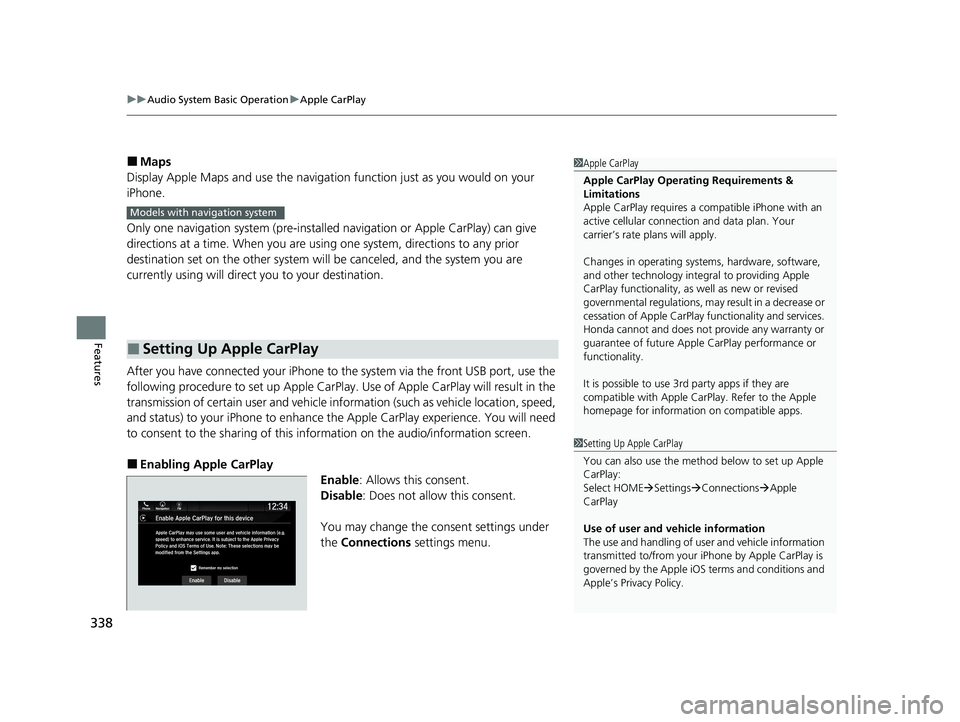
After you have connected your iPhone to th e system via the front USB port, use the
following procedure to set up Apple CarPlay. Use of Apple CarPlay will result in the
transmission of certain user and vehicle information (such as vehicle location, speed,
and status) to your iPhone to enhance th e Apple CarPlay experience. You will need
to consent to the sharing of this information on the audio/information screen.
■Enabling Apple CarPlay
Enable: Allows this consent.
Disable : Does not allo w this consent.
You may change the consent settings under
the Connections settings menu.
■Setting Up Apple CarPlay
1Apple CarPlay
Apple CarPlay Operating Requirements &
Limitations
Apple CarPlay requi res a compatible iPhone with an
active cellular connecti on and data plan. Your
carrier’s rate plans will apply.
Changes in operating systems, hardware, software,
and other technology integral to providing Apple
CarPlay functionality, as well as new or revised
governmental regulations, may result in a decrease or
cessation of Apple CarPlay functionality and services.
Honda cannot and does not pr ovide any warranty or
guarantee of future Appl e CarPlay performance or
functionality.
It is possible to use 3r d party apps if they are
compatible with Apple CarPlay. Refer to the Apple
homepage for information on compatible apps.
Models with navigation system
1 Setting Up Apple CarPlay
You can also use the method below to set up Apple
CarPlay:
Select HOME Settings Connections Apple
CarPlay
Use of user and vehicle information
The use and handling of user and vehicle information
transmitted to/from your iP hone by Apple CarPlay is
governed by the Apple iOS terms and conditions and
Apple’s Privacy Policy.
22 PILOT-31TG76600.book 338 ページ 2021年6月11日 金曜日 午後4時40分
Page 341 of 737
339
uuAudio System Basic Operation uApple CarPlay
Features
Press and hold the (Talk) button to activate Siri.
■Operating Apple CarPlay with Siri1Operating Apple CarPlay with Siri
Below are examples of questions and commands for
Siri:
•What movies are playing today?
•Call dad at work.•What song is this?
•How’s the weather tomorrow?
•Read my latest email.•Find a table for four tonight in Chicago.
For more information, please visit
www.apple.com/ios/siri .
(Talk) Button:
Press and hold to activate Siri.
Press again to deactivate Siri.
Press and release to activate st andard voice recognition system.
22 PILOT-31TG76600.book 339 ページ 2021年6月11日 金曜日 午後4時40分
Page 342 of 737

340
uuAudio System Basic Operation uAndroid Auto
Features
Android Auto
When you connect an Android phone to the audio system via the front USB port,
Android Auto is automatically initiated. When connected via Android Auto, you can
use the audio/information screen to access the Phone, Google Maps (Navigation),
Google Play Music, and Google Now functions. When you first use Android Auto, a
tutorial will appe ar on the screen.
We recommend that you complete this tuto rial while safely parked before using
Android Auto.
2 USB Ports P. 241
2 Auto Pairing Connection P. 342
1Android Auto
To use Android Auto, you need to download the
Android Auto app from Google Play to your
smartphone.
Only Android 5.0 (Lollipop) or later versions are
compatible with Android Auto.
Bluetooth A2DP cannot be used with Android Auto
phone.
Park in a safe place befo re connecting your Android
phone to Android Auto and when launching any
compatible apps.
To use Android Auto, connect the USB cable to the
USB port located on the console panel. The USB ports
located in the console compartment and on the back
of the console compartment
* will not enable Android
Auto operation. 2 USB Ports P. 241
To directly access the Android Auto phone function,
press Phone on the home screen.
2 Auto Pairing Connection P. 342
When your Android phone is connected to Android
Auto, it is not possible to use the Bluetooth® Audio.
However, other previously paired phones can stream
audio via Bluetooth ® while Android Auto is
connected.
2 Phone Setup P. 481
* Not available on all models
22 PILOT-31TG76600.book 340 ページ 2021年6月11日 金曜日 午後4時40分
Page 343 of 737

Continued341
uuAudio System Basic Operation uAndroid Auto
Featuresa Maps (Navigation)
Display Google Maps and use the navigation function just as you would with your
Android phone. When the vehicle is in motion, it is not possible to make keyboard
entries. Stop the vehicle in a safe locati on to undertake a search or provide other
inputs.
Only one navigation system (pre-installed navigation or Android Auto) can give
directions at a time. When you are using one system, directions to any prior
destination set on the other system will be canceled, and the system you are
currently using will direct you to your destination.
The audio/information screen shows you turn-by-turn dr iving directions to your
destination.
b Phone (Communication)
Make and receive phone calls as well as listen to voicemail.
c Google Now (Home screen)
Display useful information organized by Android Auto into simple cards that appear
just when they’re needed.
■Android Auto Menu1 Android Auto
For details on c ountries and regions where Android
Auto is available, as well as information pertaining to
function, refer to the Android Auto homepage.
Android Auto Operating Requirements &
Limitations
Android Auto requires a compatible Android phone
with an active cellular connection and data plan.
Your carrier’s rate plans will apply.
Changes in operating systems, hardware, software,
and other technology integral to providing Android
Auto functionality, as well as new or revised
governmental regulations, may result in a decrease or
cessation of Android Auto functionality and services.
Honda cannot and does not pr ovide any warranty or
guarantee of future Android Auto performance or
functionality.
It is possible to use 3r d party apps if they are
compatible with Android Auto. Refer to the Android
Auto homepage for informat ion on compatible apps.
: Go back to the
home screen
Android Auto icon
6
Models with navigation system
22 PILOT-31TG76600.book 341 ページ 2021年6月11日 金曜日 午後4時40分
Page 344 of 737

uuAudio System Basic Operation uAndroid Auto
342
Features
d Music and audio
Play Google Play Music and music apps that are compatible with Android Auto.
To switch between music apps, press this icon.
e Go back to the Home Screen.
f Voice
Operate Android Auto with your voice.
When you connect an Android phone to the unit via the front USB port, Android
Auto is automatically initiated.
■Enabling Android Auto Enable: Allows this consent.
Disable : Does not allo w this consent.
You may change the consent settings under
the Connections settings menu.
■Auto Pairing Connection
1Enabling Android Auto
Only initialize Android Auto when you safely parked.
When Android Auto first detects your phone, you will
need to set up your phone so that auto pairing is
possible. Refer to the inst ruction manual that came
with your phone.
You can use the method below to change Android
Auto settings after you ha ve completed the initial
setup:
Select HOME Settings Connections Android
Auto
Use of user and vehicle information
The use and handling of user and vehicle information
transmitted to/from your phone by Android Auto is
governed by the Google’s Privacy Policy.
22 PILOT-31TG76600.book 342 ページ 2021年6月11日 金曜日 午後4時40分
Page 345 of 737
343
uuAudio System Basic Operation uAndroid Auto
Features
Press and hold the (Talk) button to operate Android Auto with your voice.
■Operating Android Auto with Voice Recognition1Operating Android Auto with Voice Recognition
Below are examples of co mmands you can give with
voice recognition:
•Reply to text.
•Call my wife.•Navigate to Honda.
•Play my music.
•Send a text message to my wife.•Call flower shop.
For more information, please refer to the Android
Auto homepage.
You can also activate the voice recognition function
by pressing the icon in the upper-right corner of
the screen.
(Talk) Button:
Press and hold to operate Android Auto with your voice.
Press and release to activate standard voice recognition system.
22 PILOT-31TG76600.book 343 ページ 2021年6月11日 金曜日 午後4時40分
Page 346 of 737

344
Features
Audio Error Messages
CD Player*
If a disc error occurs, you may see the following error messages.
Error MessageCauseSolution
Problem ejecting disc from
the player. Contact Honda
dealer to fix this problem.
Disc stuck in player•Contact a dealer and the play er needs to be replaced.
There is a problem with the
player. Eject and re-insert the
disc. If this does not work, try
another disc. If the error
continues, contact Honda
dealer.Focus error
Unsupported disc error
Mechanical error
Servo error
DRM file access
Error file access•Press the (eject) button and remove the disc, and check that the
error message is cleared.
• Check that the disc is not dama ged or deformed, and insert the
disc again.
2 Protecting CDs P. 351
The system has overheated.
Try to reduce the
temperature by tuning the
audio system off and
allowing the player to cool
down.
High temperature•Turn the audio system off and allo w the player to cool down until
the error message is cleared.
Models with Display Audio
* Not available on all models
22 PILOT-31TG76600.book 344 ページ 2021年6月11日 金曜日 午後4時40分
Page 347 of 737
345
uuAudio Error Messages uCD Player*
Features
Error MessageCauseSolution
There is a problem with the
player. Eject and re-insert the
disc. If this does not work, try
another disc. If this error
continues contact Honda
dealer.
Disc error• Check that the disc is not damaged or deformed.
2 Protecting CDs P. 351
The system has overheated.
Try to reduce the
temperature by turning the
audio system off and
allowing the player to cool
down.
High temperature•Turn the audio system off and allo w the player to cool down until
the error message is cleared.
22 PILOT-31TG76600.book 345 ページ 2021年6月11日 金曜日 午後4時40分


