Page 284 of 737
uuAudio System Basic Operation uSystem Updates
282
Features
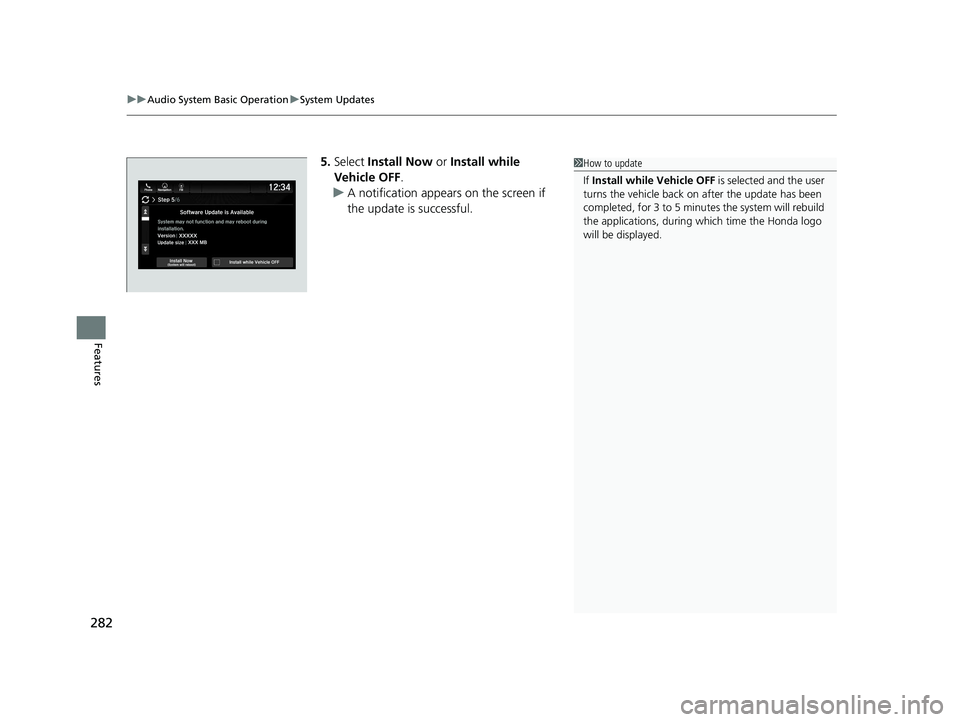
5. Select Install Now or Install while
Vehicle OFF .
u A notification appears on the screen if
the update is successful.1How to update
If Install while Vehicle OFF is selected and the user
turns the vehicle back on after the update has been
completed, for 3 to 5 minutes the system will rebuild
the applications, during wh ich time the Honda logo
will be displayed.
22 PILOT-31TG76600.book 282 ページ 2021年6月11日 金曜日 午後4時40分
Page 285 of 737
283
uuAudio System Basic Operation uSystem Updates
Continued
Features
■Automatic download settings
Use the following procedure to change to the automatic download setting.
1. Select .
2. Select System Updates .
3. Select Settings .
4. Select Auto Download .
5. Select the access point, then Allow.
■View an update result
Use the following procedure to confirm the update result. 1.Select .
2. Select System Updates .
3. Select Settings .
4. Select Update Result .
22 PILOT-31TG76600.book 283 ページ 2021年6月11日 金曜日 午後4時40分
Page 286 of 737
uuAudio System Basic Operation uSystem Updates
284
Features
■Download the update files from the server
1.Select .
2. Select System Updates .
3. Select via USB .
u A notification appears on the screen.
4. Connect a USB device into the front USB
port.
u The inventory data is copied into the USB
device.
2 USB Ports P. 241
5.Remove the USB device from the USB port.
6. Connect the USB device into your
computer, and then download the update
files.
u Follow the link to download the required
software update files. Refer to
https://usb.honda.com for instructions.
■How to Update with a USB Device1How to Update with a USB Device
A USB device with a minimum of 8 GB of free space
or more is recommended.
Be sure to delete any pr evious inventory or update
files from the USB before starting the USB update
process.
22 PILOT-31TG76600.book 284 ページ 2021年6月11日 金曜日 午後4時40分
Page 287 of 737
285
uuAudio System Basic Operation uSystem Updates
Features
■Update the audio system
1.Select .
2. Select System Updates .
3. Select via USB .
u A notification appears on the screen.
4. Connect the USB device with the update
files into the USB port.
u A notification appears on the screen.
2 USB Ports P. 241
5.Select Install Now or Install while
Vehicle OFF .
u A notification appears on the screen if
the update is successful.
1Update the audio system
If Install while Vehicle OFF is selected and the user
turns the vehicle back on after the update has been
completed, for 3 to 5 minutes the system will rebuild
the applications, during wh ich time the Honda logo
will be displayed.
22 PILOT-31TG76600.book 285 ページ 2021年6月11日 金曜日 午後4時40分
Page 288 of 737
286
uuAudio System Basic Operation uFile Manager
Features
File Manager
Allows you to transfer imag e or audio files to the audio system with a USB device.
1.Connect a USB device into the USB port.
2 USB Ports P. 241
2.Select , then select All Apps.
3. Select File Manager .
4. Select Transfer Content .
To transfer a selected file:
5. Select Select Files to Transfer .
■How to Transfer a File
22 PILOT-31TG76600.book 286 ページ 2021年6月11日 金曜日 午後4時40分
Page 289 of 737
Continued287
uuAudio System Basic Operation uFile Manager
Features
6. Select the file or folder you want to
transfer.
7. Select OK.
8. Select Transfer .
u A confirmation message appears on the
screen. Select Continue.
u A notification appears on the screen if
the transfer is successful. Then, the
display will return to the File Manager
screen.1 How to Transfer a File
To switch the view method, select List or Thumbnail
on the upper right of the screen.
22 PILOT-31TG76600.book 287 ページ 2021年6月11日 金曜日 午後4時40分
Page 290 of 737
uuAudio System Basic Operation uFile Manager
288
Features
To transfer all files:
5. Select Transfer All Content.
6. Select Transfer.
u A confirmation message appears on the
screen. Select Continue.
u A notification appears on the screen if
the transfer is successful. Then, the
display will return to the File Manager
screen.1 How to Transfer a File
To switch the view method, select List or Thumbnail
on the upper right of the screen.
22 PILOT-31TG76600.book 288 ページ 2021年6月11日 金曜日 午後4時40分
Page 291 of 737
289
uuAudio System Basic Operation uFile Manager
Continued
Features
1. Select , then select All Apps.
2. Select File Manager .
3. Select Delete Content .
To delete a selected file:
4. Select Select Files to Delete .
■How to Delete a File
22 PILOT-31TG76600.book 289 ページ 2021年6月11日 金曜日 午後4時40分