2022 HONDA CRV ima
[x] Cancel search: imaPage 117 of 692

115
uuIndicators uDriver Information Interface Wa rning and Information Messages
Continued
Instrument Panel
MessageConditionExplanation
●Appears when you press and hold (N button for more
than two seconds.●Disappears when you set the shift position to a shift
other than
(N.
2 If you want to keep the transmission in (N
position [car wash mode] P. 481
●Appears when the vehicle is stopped with the driver’s
seat belt unfastened and there is a chance that the
vehicle may roll unintentionally.●Press the (P button before release the brake pedal
when idling, parking or exiting the vehicle.
2 Shift Operation P. 479
●Appears when the power system temperature is high.●Your vehicle has less ability to accelerate and may be
harder to start on an incline.
●Park in a safe place, and cool the system down.
2Overheating P. 649
●Appears when the High Volt age battery temperature is
low.●Your vehicle has less ability to accelerate and may be
harder to start on an incline.
●Goes off once you start dr iving as the High Voltage
battery warms up.
●Appears after the 12-volt battery charging system
indicator comes on.●Your vehicle has less ability to accelerate and may be
harder to start on an incline.
●Contact a dealer immediately.
●Appears when the High Volt age battery temperature is
too low to operate (approx. -22°F [-30°C] or below).●You can start the engine and use the climate control
system to warm up the interior, which will also warm
the High Voltage battery en ough for you to drive the
vehicle.
22 CR-V HEV ELP-31TPG6200.book 115 ページ 2021年6月30日 水曜日 午前11時6分
Page 126 of 692

124
uuIndicators uDriver Information Interface Wa rning and Information Messages
Instrument Panel
MessageConditionExplanation
●Appears if the temperature inside the front sensor
camera is too high and some driver assist systems
cannot be activated.●Use the climate control system to cool down the
camera.
●Disappears - The camera has been cooled down
and the systems are activated normally.
2 Front Sensor Camera P. 548
2 Honda Sensing ® P. 503
●Appears if the area around the front sensor camera is
blocked by dirt, mud, etc. and be prevented from
detecting a vehicle in front.
●May appear when driving in bad weather (rain, snow,
fog, etc.)
●When the front window gets dirty, stop your vehicle
in a safe place, and wipe it off with a soft cloth.
●Have your vehicle checked by a dealer if the message
does not disappear even a fter you cleaned the area
around the camera.
2 Front Sensor Camera P. 548
2 Honda Sensing ® P. 503
●Appears if there is a proble m with the auto high-beam.●Manually operate the headlight switch.●If you are driving with the high beam headlights
when this happens, the headlights are changed to
low beams.
22 CR-V HEV ELP-31TPG6200.book 124 ページ 2021年6月30日 水曜日 午前11時6分
Page 130 of 692

128
uuGauges and Driver Information Interface uDriver Information Interface
Instrument Panel
Driver Information Interface
The driver information interface shows in formation such as the estimated travelable
distance and fuel economy of the vehicle. It also displays messages such as warnings
and other helpful information.
■Main displays
Press the (display/information) button, and then press or to change the
display. Press ENTER to see detailed information.
■Switching the Display
(Display/
Information)
Button
Press , or .
Press ENTER . Eco Drive
Display
Audio
*Phone*
Speed Unit & Disp OFF
Warning
Messages Average
Fuel
Economy Records
Driver
Attention Monitor
Range &
Fuel Average
Speed &
Elapsed Time Navigation*
& Compass*
Customize*
Power Flow Monitor
AWD Torque Distribution Monito r
Main
tenance
MinderTM
* Not available on all models
22 CR-V HEV ELP-31TPG6200.book 128 ページ 2021年6月30日 水曜日 午前11時6分
Page 132 of 692

uuGauges and Driver Information Interface uDriver Information Interface
130
Instrument Panel
■Resetting a trip meter
To reset a trip meter, display it, then pr ess and hold the knob. The trip meter is
reset to 0.0 .
Shows the estimated average fuel economy of each trip meter in mpg or l/100 km.
The display is updated at set intervals. When a trip meter is reset, the average fuel
economy is also reset.
Shows the estimated distance you can trave l on the remaining power and fuel. This
estimated distance is based on the vehicle’s current fuel economy.
Shows the time elapsed since Trip A or Trip B was reset.
Shows the average speed in mph or km/h since Trip A or Trip B was reset.
Shows the instant fuel economy as a bar graph in mpg or l/100 km.
■Average Fuel Economy
■Range
■Elapsed Time
■Average Speed
■Instant Fuel Economy Gauge
1Average Fuel Economy
You can change when to reset the average fuel
economy.
2 Customized Features P. 140, 369
1Elapsed Time
You can change when to reset the elapsed time.
2 Customized Features P. 140, 369
1Average Speed
You can change when to reset the average speed.
2 Customized Features P. 140, 369
22 CR-V HEV ELP-31TPG6200.book 130 ページ 2021年6月30日 水曜日 午前11時6分
Page 138 of 692
136
uuGauges and Driver Information Interface uDriver Information Interface
Instrument Panel
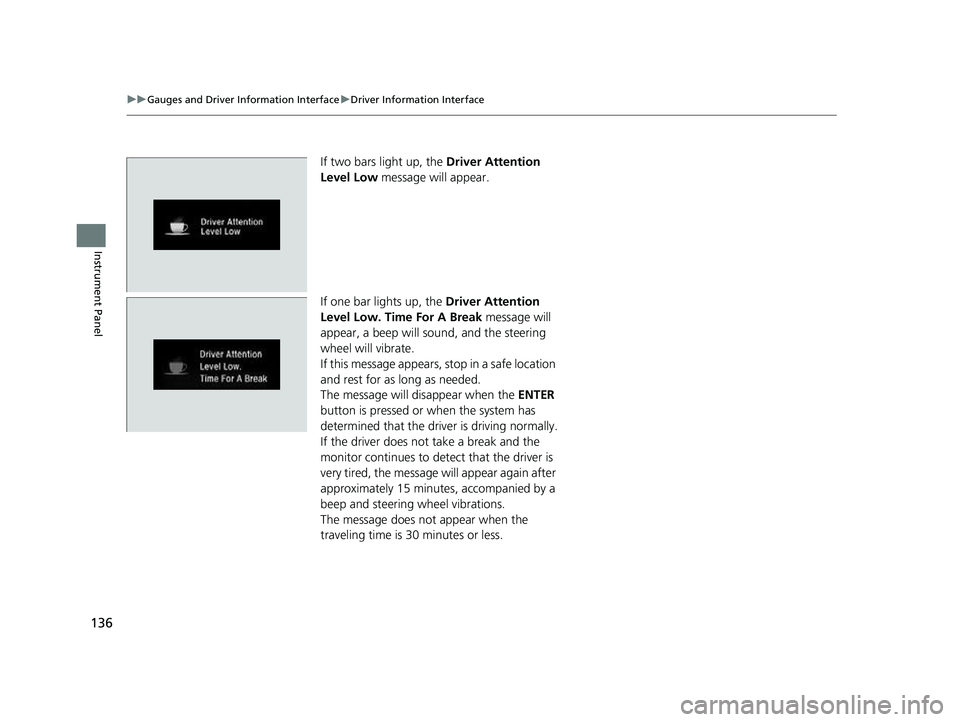
If two bars light up, the Driver Attention
Level Low message will appear.
If one bar lights up, the Driver Attention
Level Low. Time For A Break message will
appear, a beep will sound, and the steering
wheel will vibrate.
If this message appears, stop in a safe location
and rest for as long as needed.
The message will disappear when the ENTER
button is pressed or when the system has
determined that the driver is driving normally.
If the driver does not take a break and the
monitor continues to detect that the driver is
very tired, the message will appear again after
approximately 15 minutes, accompanied by a
beep and steering wheel vibrations.
The message does not appear when the
traveling time is 30 minutes or less.
22 CR-V HEV ELP-31TPG6200.book 136 ページ 2021年6月30日 水曜日 午前11時6分
Page 151 of 692
149
Controls
This chapter explains how to operate the various controls necessary for driving.
Clock.................................................. 150
Locking and Unlocking the Doors Key .................................................. 152
Low Keyless Remote Signal Strength ... 154
Locking/Unlocking the Doors from the Outside .......................................... 155
Locking/Unlocking the Doors from the Inside ............................................. 163
Childproof Door Locks ..................... 165
Auto Door Locking/Unlocking .......... 166
Tailgate .............................................. 167
Security System Immobilizer System .......................... 178
Security System Alarm
*.................... 178
Windows ............................................... 181Moonroof*........................................ 185
Operating the Switches Around the Steering Wheel
POWER Button................................. 186
Turn Signals ..................................... 189
Light Switches.................................. 190
Fog Lights
*...................................... 194
Daytime Running Lights ................... 194
Auto High-Beam .............................. 195
Wipers and Washers ........................ 198 Rear Defogger/Heated Door Mirror
*
Button ........................................... 201
Brightness Control ........................... 202
Driving Position Memory System
*.... 203
Adjusting the Steering Wheel .......... 205
Mirrors ............................................... 206
Seats .................................................. 208
Interior Convenience Items .............. 218
Climate Control System Using Automatic Climate Control .... 235
Automatic Climate Control Sensors ...... 241
* Not available on all models
22 CR-V HEV ELP-31TPG6200.book 149 ページ 2021年6月30日 水曜日 午前11時6分
Page 160 of 692

uuLocking and Unlocking the Doors uLocking/Unlocking the Doors from the Outside
158
Controls
■Locking the doors an d tailgate (Walk
away auto lock ®)
When you walk away from the vehicle with all
doors and tailgate closed while carrying the
keyless remote, the doors and tailgate will
automatically lock.
The auto lock function activates when all
doors and tailgate are closed, and the keyless
remote is within about 5 feet (1.5 m) radius of
the outside door handle or tailgate outer
handle.
Exit vehicle while carrying keyless remote and
close door(s) and tailgate.
1. While within about 5 feet (1.5 m) radius of
the vehicle.
u The beeper sounds; the auto lock
function will be activated.
2. Carry the keyless remote beyond about 5
feet (1.5 m) from the vehicle and remain
outside this range fo r 2 or more seconds.
u Some exterior lights flash; the beeper
sounds; all doors and tailgate will then
lock.1Locking the doors and tailg ate (Walk away auto lock®)
The auto lock function is set to OFF as the factory
default setting. The auto lo ck function can be set to
ON using the driver information interface
* or audio/
information screen*.
If you set the auto lock function to ON using the
driver information interface
* or audio/information
screen*, only the keyless remote that was used to
unlock the driver’s door prio r to the setting change
can activate auto lock.
2 Customized Features P. 140
2 Customized Features P. 369
After the auto lock function has been activated, when
you stay within the locking/unlocking operation range,
the indicator on the keyless remote will continue to flash
until the doors and tailgate are locked.
When you stay beside the vehicle within the
operation range, the door s and tailgate will
automatically lock approx imately 30 seconds after
the auto lock function activating beeper sounds.
When you open a door or tailgate after the auto lock
function activating beeper sounds, the auto lock
function will be canceled.
Models with color audio system
Models with Display Audio
The activation range of
the auto lock function is
about 5 feet (1.5 m)
* Not available on all models
22 CR-V HEV ELP-31TPG6200.book 158 ページ 2021年6月30日 水曜日 午前11時6分
Page 161 of 692
Continued159
uuLocking and Unlocking the Doors uLocking/Unlocking the Doors from the Outside
Controls
To temporarily deactivate the function:
1. Set the power mode to OFF.
2. Open the driv er’s door.
3. Using the master door lock switch, operate
the lock as follows:
Lock Unlock Lock Unlock.
u The beeper sounds an d the function is
deactivated.
To restore the function:
• Set the power mode to ON.
• Lock the vehicl e without using the auto lock
function.
• With the keyless remote on you, move out
of the auto lock function operation range.
• Open any door.1Locking the doors and tailg ate (Walk away auto lock®)
Under the following circumstances, the auto lock
function will not activate:
•The keyless remote is inside the vehicle.
u The beeper will not sound.
•The keyless remote is taken out of its operational
range before all doors a nd tailgate are closed.
u The beeper will sound.
If equipped, the user mu st wait until the power
tailgate fully closes before the auto lock function will
be activated.
The auto lock function does not operate when any of
the following conditions are met.
•The keyless remote is inside the vehicle.•A door, tailgate or th e hood is not closed.•The power mode is set to any mode other than OFF.•The keyless remote is not located within a radius of
about 5 feet (1.5 m) from the vehicle when you get
out of the vehicle and cl ose the doors and tailgate.
Auto lock function operation stop beeper
After the auto lock function has been activated, the
auto lock operation stop beeper sounds for
approximately two seconds in the following cases.
•The keyless remote is put inside the vehicle through
a window.
•You are located too close to the vehicle.•The keyless remote is put inside the tailgate.
If the warning beeper sounds, check that you are
carrying the keyless remote. Then, open/close a door
and confirm the auto lock activation beeper sounds
once.
Models with power tailgate
22 CR-V HEV ELP-31TPG6200.book 159 ページ 2021年6月30日 水曜日 午前11時6分