Page 534 of 692

uuHonda Sensing ®u Adaptive Cruise Control (ACC) with Low Speed Follow
532
Driving
Press and hold the (interval) button for one
second. Cruise Mode Selected appears on
the driver information interface for two
seconds, and then the mode switches to
Cruise.
To switch back to ACC with Low Speed
Follow, press and hold the button again for
one second.
■When to use
Desired speed in a range above roughly 25 mph (40 km/h) ~.
Take your foot off the pedal and press the –/SET button when you reach the desired
speed.
The moment you release the –/SET button, the set speed is fixed, and cruise control
begins. The CRUISE CONTROL indicator comes on.
When you use cruise control, Straight Driving Assist (a feature of the Electric Power
Steering system) is activated.
By enabling the steering system to automa tically compensate for natural steering
pull, Straight Driving Assist makes it easier for you to keep your vehicle in a straight
line.
■To Switch ACC with Low Speed Follow to Cruise Control1 To Switch ACC with Low Speed Follow to Cruise Control
Always be aware which mode you are in. When you
are driving in Cruise mode, the system will not assist
you to maintain a following-interval from a vehicle
ahead of you.
You can switch the displayed set speed
measurements on the driv er information interface
* or
audio/information screen* between mph and km/h.
2 Customized Features P. 140, 369
ACC with
Low Speed
Follow ON Cruise
Control ON
■To Set the Vehicle Speed
* Not available on all models
22 CR-V HEV ELP-31TPG6200.book 532 ページ 2021年6月30日 水曜日 午前11時6分
Page 546 of 692
uuHonda Sensing ®u Road Departure Mitigation (RDM) System
544
Driving
The system activates when all the following conditions are met:
• The vehicle is traveling between about 45 and 90 mph (72 and 145 km/h).
• The vehicle is on a straight or slightly curved road.
• The turn signals are off.
• The brake pedal is not depressed.
• The wipers are not in continuous operation.
• The system makes a determination that th e driver is not actively accelerating,
braking, or steering.
■How the System Activates1 Road Departure Mitigation (RDM) System
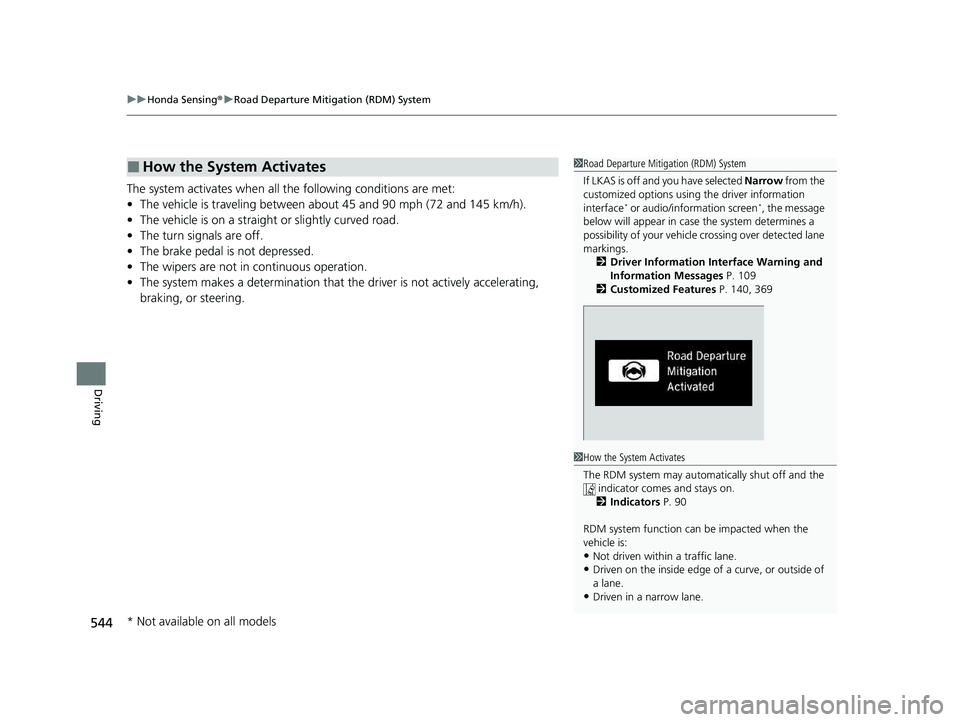
If LKAS is off and you have selected Narrow from the
customized options using the driver information
interface
* or audio/information screen*, the message
below will appear in case the system determines a
possibility of your vehicle crossing ov er detected lane
markings. 2 Driver Information Interface Warning and
Information Messages P. 109
2 Customized Features P. 140, 369
1How the System Activates
The RDM system may automa tically shut off and the
indicator comes and stays on. 2 Indicators P. 90
RDM system function can be impacted when the
vehicle is:
•Not driven within a traffic lane.
•Driven on the inside edge of a curve, or outside of
a lane.
•Driven in a narrow lane.
* Not available on all models
22 CR-V HEV ELP-31TPG6200.book 544 ページ 2021年6月30日 水曜日 午前11時6分
Page 547 of 692
Continued545
uuHonda Sensing ®u Road Departure Mitigation (RDM) System
Driving
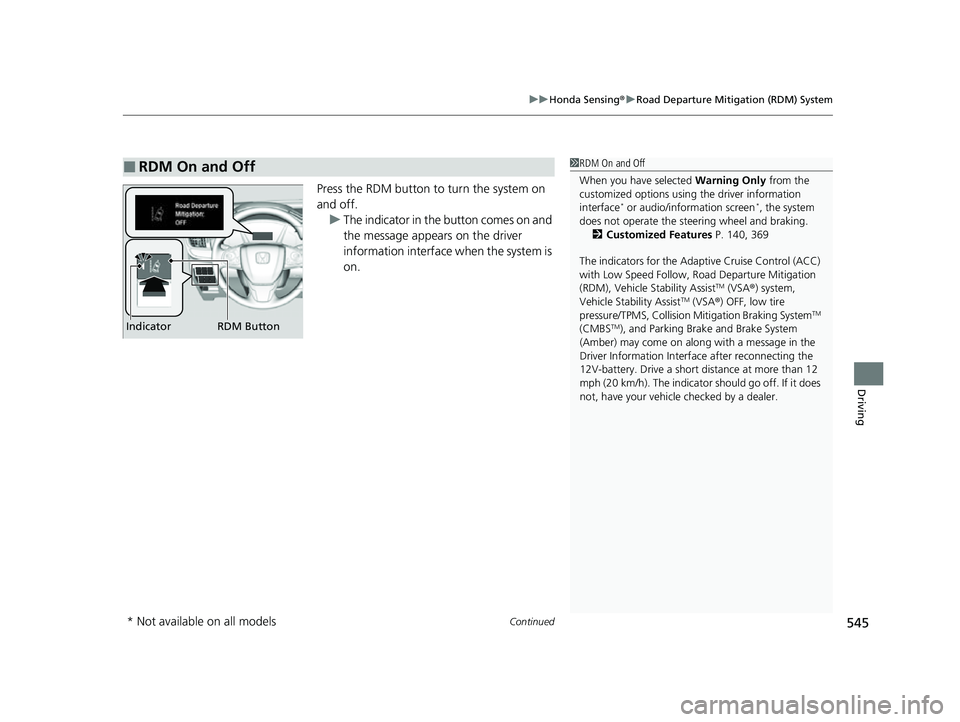
Press the RDM button to turn the system on
and off.
u The indicator in the button comes on and
the message appears on the driver
information interface when the system is
on.
■RDM On and Off1RDM On and Off
When you have selected Warning Only from the
customized options using the driver information
interface
* or audio/information screen*, the system
does not operate the steering wheel and braking. 2 Customized Features P. 140, 369
The indicators for the Adaptive Cruise Control (ACC)
with Low Speed Follow, Road Departure Mitigation
(RDM), Vehicle Stability Assist
TM (VSA ®) system,
Vehicle Stability AssistTM (VSA ®) OFF, low tire
pressure/TPMS, Collision Mitigation Braking SystemTM
(CMBSTM), and Parking Brake and Brake System
(Amber) may come on along with a message in the
Driver Information Interf ace after reconnecting the
12V-battery. Drive a short distance at more than 12
mph (20 km/h). The indicator should go off. If it does
not, have your vehicle checked by a dealer.RDM Button
Indicator
* Not available on all models
22 CR-V HEV ELP-31TPG6200.book 545 ページ 2021年6月30日 水曜日 午前11時6分
Page 565 of 692
Continued563
uuParking Your Vehicle uParking Sensor System*
Driving
■Screen Operation
You can switch the display to normal display
or split display by touching the tab vicinity or
on the camera display.1Screen Operation
If the parking sensor system is off or there is a
malfunction in the system , the tab disappears, and
the split display returns to the normal display.
You can also switch the di splay to normal display or
split display using the audio/information screen. 2 Customized Features P. 369
Touch
TouchTouch
Touch
Camera
display Tab
Normal display
Split display
22 CR-V HEV ELP-31TPG6200.book 563 ページ 2021年6月30日 水曜日 午前11時6分
Page 566 of 692
564
uuParking Your Vehicle uParking Sensor System*
Driving
■When the distance between your vehicle and obstacles behind becomes shorter
*1: At this stage, only the center sensors detect obstacles.
Interval between beepsDistance between the Bumper and ObstacleIndicatorDriver Information Interface/Audio/Information Screen
Corner SensorsCenter Sensors
Moderate—
Front: About 41-26 in
(105-65 cm)
Rear: About 45-26 in
(115-65 cm)
Blinks in Yellow*1
Short
Front: About 26-19 in
(65-50 cm)
Rear: About 30-19 in
(75-50 cm)
About 26-19 in (65-50 cm)
Blinks in Amber
Very shortAbout 19-16 in (50-40 cm)About 19-16 in (50-40 cm)
ContinuousAbout 16 in (40 cm) or lessAbout 16 in (40 cm) or lessBlinks in Red
Indicators light up where the
sensor detects an obstacle
Indicators light up where the
sensor detects an obstacle
Audio/information screen
Driver information interface
22 CR-V HEV ELP-31TPG6200.book 564 ページ 2021年6月30日 水曜日 午前11時6分
Page 570 of 692
uuParking Your Vehicle uCross Traffic Monitor*
568
Driving
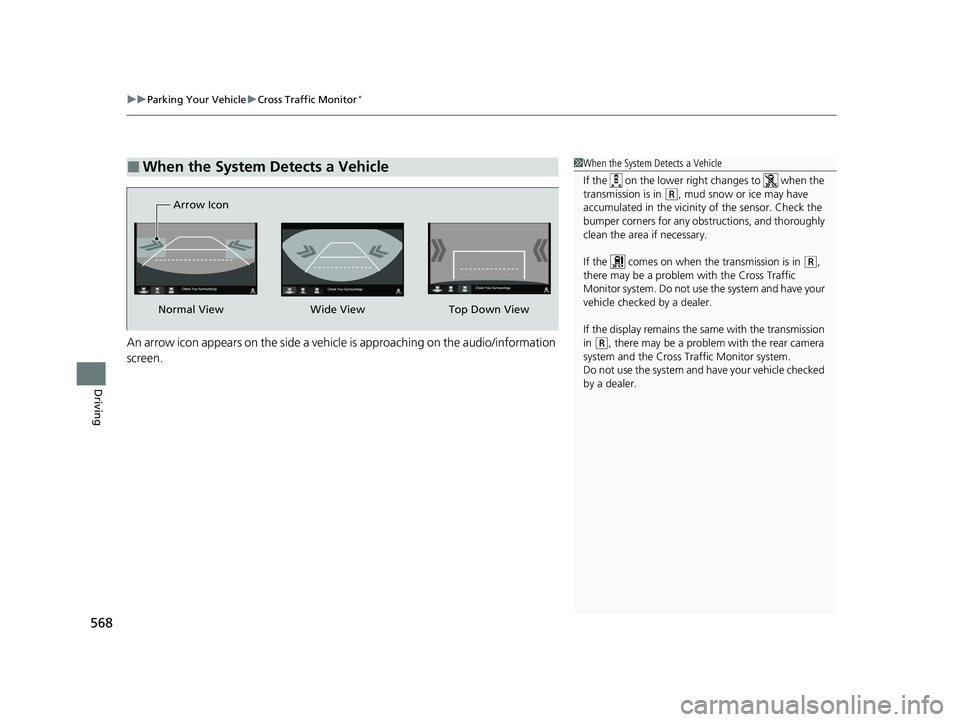
An arrow icon appears on the side a vehicl e is approaching on the audio/information
screen.
■When the System Detects a Vehicle1 When the System Detects a Vehicle
If the on the lower right changes to when the
transmission is in
(R, mud snow or ice may have
accumulated in the vicinity of the sensor. Check the
bumper corners for any obs tructions, and thoroughly
clean the area if necessary.
If the comes on when the transmission is in
( R,
there may be a problem with the Cross Traffic
Monitor system. Do not use the system and have your
vehicle checked by a dealer.
If the display remains the same with the transmission
in
( R, there may be a problem with the rear camera
system and the Cross Traffic Monitor system.
Do not use the system and have your vehicle checked
by a dealer.
Wide View
Normal View Arrow IconTop Down View
22 CR-V HEV ELP-31TPG6200.book 568 ページ 2021年6月30日 水曜日 午前11時6分
Page 571 of 692
569
uuParking Your Vehicle uCross Traffic Monitor*
Driving
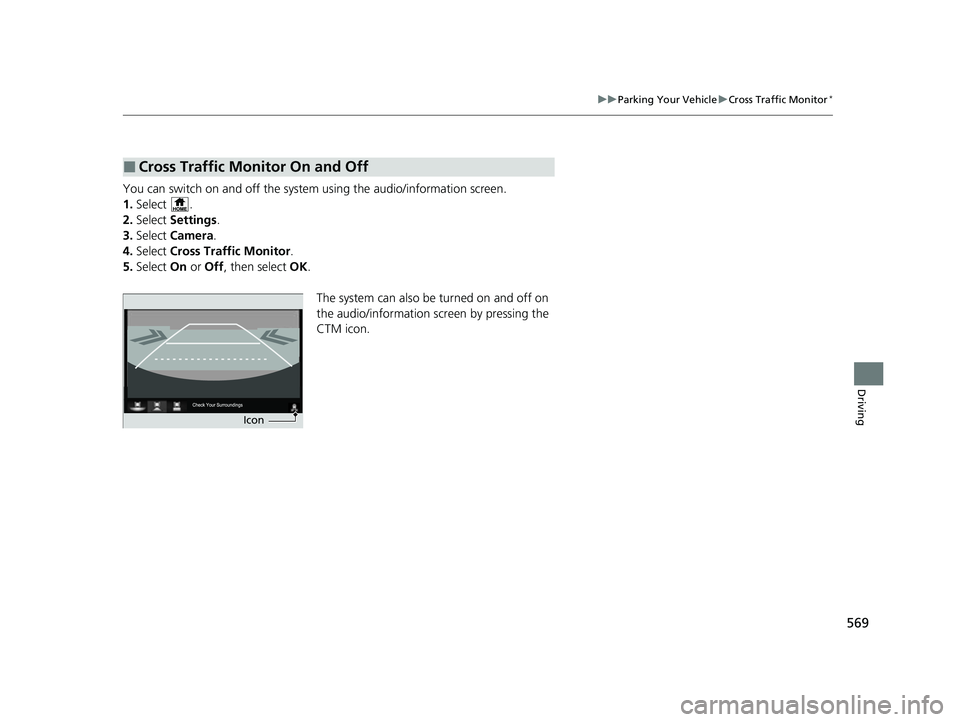
You can switch on and off the system using the audio/information screen.
1. Select .
2. Select Settings .
3. Select Camera .
4. Select Cross Traffic Monitor .
5. Select On or Off , then select OK.
The system can also be turned on and off on
the audio/information screen by pressing the
CTM icon.
■Cross Traffic Monitor On and Off
Icon
22 CR-V HEV ELP-31TPG6200.book 569 ページ 2021年6月30日 水曜日 午前11時6分
Page 572 of 692

570
Driving
Multi-View Rear Camera
About Your Multi-View Rear Camera
The audio/information screen can display your vehicle’s rear view.
The display automatically changes to a rear view when the transmission is put into
(R.
■Multi-View Rear Camera Display Area
1About Your Multi-View Rear Camera
The rear camera view is restricted. You cannot see
the corner ends of the bumper or what is underneath
the bumper. Its unique le ns also makes objects
appear closer or farther than they actually are.
Visually confirm that it is safe to drive before backing
up. Certain conditions (such as weather, lighting, and
high temperatures) may also restrict the rear view. Do
not rely on the rearview display which does not give
you all information about conditions at the back of
your vehicle.
If the camera lens is cove red with dirt or moisture,
use a soft, moist cloth to keep the lens clean and free
of debris.
You can change the Fixed Guideline and Dynamic
Guideline settings. 2 Customized Features P. 369
Fixed Guideline
On: Guidelines appear when you put the
transmission into
( R.
Off: Guidelines do not appear.
Dynamic Guideline
On: Guidelines move accordi ng to the steering wheel
direction.
Off: Guidelines do not move.
Models with Display Audio
Guidelines Bumper Wide View Mode
Normal View Mode
Top Down View Mode
Approx.
39
inches
(1 m
)
Approx.
20 inches
(50 cm)
Tailgate
Open
Range
Camera
22 CR-V HEV ELP-31TPG6200.book 570 ページ 2021年6月30日 水曜日 午前11時6分