Page 452 of 692
uuBluetooth ® HandsFreeLink ®u HFL Menus
450
Features
■Displaying text messages
1. Go to the Phone Menu screen.
2Phone Menu screen P. 428
2.Select Text/Email .
u Select account if necessary.
3. Select a message.
u The text message is displayed. The
system automatically starts reading the
message aloud.
■Displaying Messages1Displaying Messages
The icon appears next to an unread message.
If you delete a message on the phone, the message is
also deleted in the system. If you send a message
from the system, the message goes to your phone’s
outbox.
To see the previous or next message, select
(previous) or (next) on the message screen.
Message List
Text Message
22 CR-V HEV ELP-31TPG6200.book 450 ページ 2021年6月30日 水曜日 午前11時6分
Page 454 of 692

uuBluetooth ® HandsFreeLink ®u HFL Menus
452
Features
■Read or Stop reading a message
1. Go to the text or e-mail message screen.
u The system automatically starts reading
the message aloud.
2 Displaying Messages P. 450
2.Select Stop to stop reading.
Select Read again to start reading the
message from the beginning.
■Reply to a message
1. Go to the text or e-mail message screen.
u The system automatically starts reading
the message aloud.
2 Displaying Messages P. 450
2.Select Reply.
3. Select the reply message.
u The pop-up menu appears on the screen.
4. Select Send to send the message.
u Complete appears on the screen when
the reply message was successfully sent.
1 Reply to a message
The available fixed reply messages are as follows:
•Talk to you later, I’m driving.•I’m on my way.
•I’m running late.
•OK•Yes
•No
You cannot add, edit, or delete reply messages.
Only certain phones receive and send messages when
paired and connected. For a list of compatible
phones, visit automobiles.honda.com/handsfreelink/ ,
or call 1-888-528-7876.
22 CR-V HEV ELP-31TPG6200.book 452 ページ 2021年6月30日 水曜日 午前11時6分
Page 457 of 692
455
uuBluetooth ® HandsFreeLink ®u HFL Menus
Features
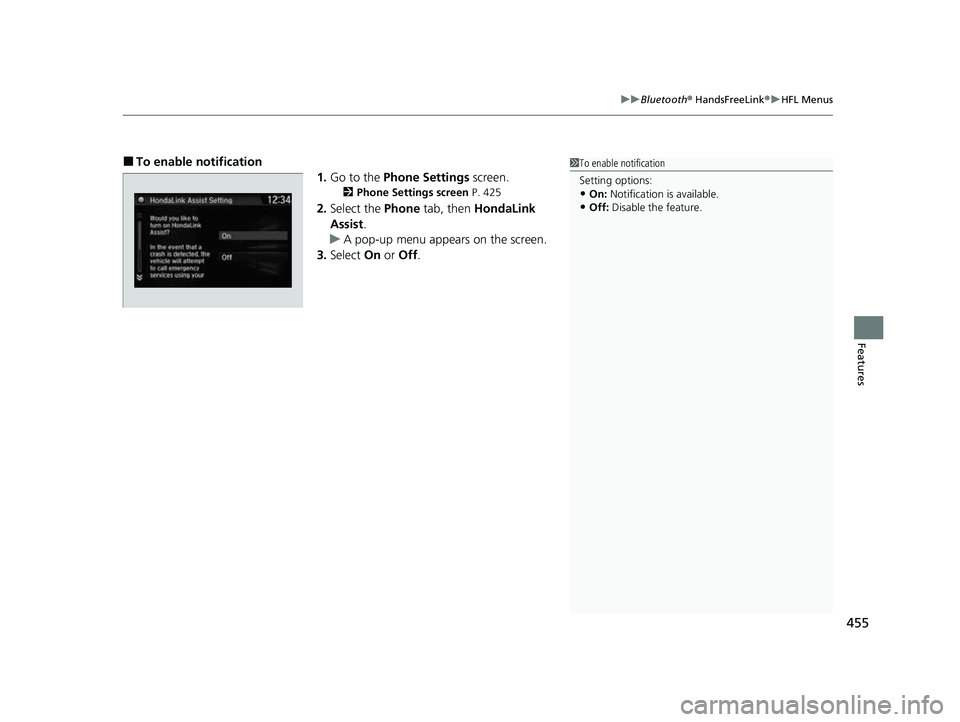
■To enable notification
1.Go to the Phone Settings screen.
2Phone Settings screen P. 425
2.Select the Phone tab, then HondaLink
Assist .
u A pop-up menu appears on the screen.
3. Select On or Off .
1To enable notification
Setting options:
•On: Notification is available.
•Off: Disable the feature.
22 CR-V HEV ELP-31TPG6200.book 455 ページ 2021年6月30日 水曜日 午前11時6分
Page 458 of 692

456
Features
Compass*
When you set the power mode to ON, the compass self-calibrates, and the compass
display appears.
Compass Calibration
If the compass indicates the wrong direction, or the CAL indicator blinks, you need
to manually calibrate the system.
1.Set the power mode to ON.
2. Press and hold the (day/night) button
until the display shows the compass setting
menu.
3. Rotate to select Calibration, then press
.
4. When the display changes to Push CAL
Start, press .
5. Drive the vehicle slowly in two circles.
u The compass starts to show a direction
after the calibration. The CAL indicator
goes off.
1 Compass*
Compass operation can be affected under the
following conditions:
•Driving near power lines or stations
•Crossing a bridge•Passing a large vehicle, or driving near a large
object that can cause a magnetic disturbance
•When accessories such as antennas and roof racks
are mounted by magnets
1 Compass Calibration
Calibrate the compass in an open area.
While setting the compass:
•The (Back) button returns to the previous
screen.
Compass Setting Menu Items
* Not available on all models
22 CR-V HEV ELP-31TPG6200.book 456 ページ 2021年6月30日 水曜日 午前11時6分
Page 471 of 692

469Continued
Driving
When Driving
Turning on the Power
1.Make sure the parkin g brake is applied.
u The parking brake and brake system
indicator (red) comes on for 15 seconds
when you pull up the electric parking
brake switch.
2. Depress the brake pedal.1Turning on the Power
Keep your foot firmly on the brake pedal when
starting the power system.
The engine is harder to st art in cold weather and in
thinner air found at altit udes above 8,000 feet (2,400
meters).
When turning on the power system in cold weather,
turn off all electrical accessories such as the lights,
climate control system, and rear defogger in order to
reduce 12V-battery drain.
If the exhaust system sounds abnormal or you can
smell exhaust gas inside the vehicle, have your vehicle
checked by a dealer. There may be a problem with
the engine or exhaust system.
The immobilizer system pr otects your vehicle from
theft. If an improperly c oded device is used, the
power system does not activate.
2 Immobilizer System P. 178
When you set the power mode to ON, you may feel
as if the brake pedal is sinking down. This is normal.
Electric Parking Brake Switch
Brake Pedal
22 CR-V HEV ELP-31TPG6200.book 469 ページ 2021年6月30日 水曜日 午前11時6分
Page 472 of 692

uuWhen Driving uTurning on the Power
470
Driving
3. Without depressing th e accelerator pedal,
press the POWER button while depressing
the brake pedal.
4. Check the READY indicator.
u Keep depressing the brake pedal until
the READY indicator comes on.
u The READY indicator comes on when
the power system is on and you can start
driving.
u If the outside temperature is extremely
low, you cannot drive until conditions are
improved. In this case, the READY
indicator does not come on and a
warning message appears on the driver
information interface.
2 Driver Information Interface
Warning and Information Messages
P. 109
You can turn the power system off when the vehicle is completely stopped.
1. Put the transmission into
(P.
2. Press the POWER button.
■Stopping the Power System
1Turning on the Power
Bring the keyless remote close to the POWER button
if the battery in the keyless remote is weak.
2 If the Keyless Remote Battery is Weak
P. 645
The power system may not activate if the keyless
remote is subjected to strong radio waves.
Do not hold the POWER button to start the power
system.
If the power system does not start, wait at least 30
seconds before trying again.
The engine may not run when the vehicle is ready for
driving.
You can start driving with the READY indicator on.
If you press the POWER button while depressing the
brake pedal with the READY indicator on, the power
mode is set to VEHICLE OFF and you cannot start
driving. 2 READY Indicator P. 93
22 CR-V HEV ELP-31TPG6200.book 470 ページ 2021年6月30日 水曜日 午前11時6分
Page 476 of 692

uuWhen Driving uTurning on the Power
474
Driving
1. Depress and hold the brake pedal, then press the POWER button.
2. Keeping your right foot on the brake pedal, check that the READY indicator is on,
then put the tra nsmission into
(D. Select (R when reversing.
3. With the parking brake is applied, releas e the brake pedal and gently depress the
accelerator pedal.
u Make sure the parking brake and brake system indicator (red) goes off.
2 Parking Brake P. 551
■Hill start assist system
Hill start assist keeps the brake engaged br iefly to help prevent the vehicle from
rolling on inclines as you move your fo ot from the brake pedal to the accelerator.
Put the transmission into
(D when facing uphill, or (R when facing downhill, then
release the brake pedal.
■Starting to Drive1 Starting to Drive
The power system is turned off when the
transmission is taken out of
(P before the POWER
button is pressed. Follow step 1 when starting to
drive.
You can also release the parking brake by pressing
the electric parking brake sw itch while depressing the
brake pedal. When facing downhill, you can start
your vehicle more smoothly by manually releasing it
with the electric parki ng brake switch than by
releasing it with th e accelerator pedal.
As a hybrid vehicle, the sounds and vibrations from
the engine may be absent even though the vehicle is
ready for driving. It also makes you fail to recognize
that you can start.
Make sure to check if the READY indicator is on
before you start to drive.
When the power system is turned on using the
button on the keyless remoteWhen the power system is turned on using the button on the keyless remote
When the power system is turned on in any case
1 Hill start assist system
Hill start assist may not prevent the vehicle from
rolling downhill on a very st eep or slippery slope, and
will not operate on small inclines.
Hill start assist is not a replacement for the parking
brake.
Hill start assist will operate even when VSA ® is
switched off.
22 CR-V HEV ELP-31TPG6200.book 474 ページ 2021年6月30日 水曜日 午前11時6分
Page 480 of 692
uuWhen Driving uShifting
478
Driving
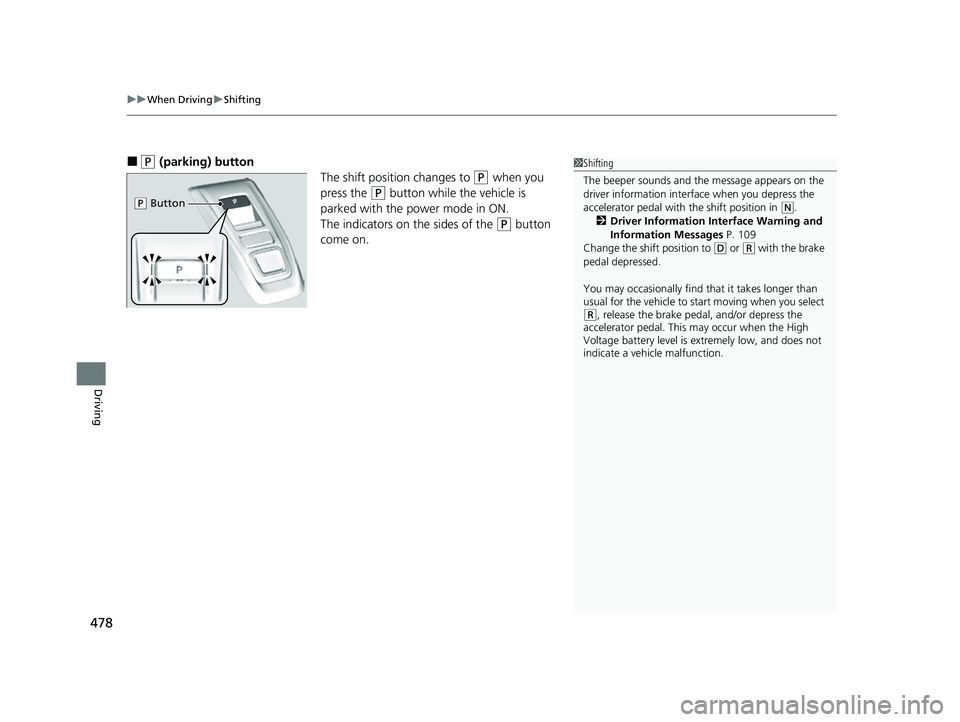
■(P (parking) button
The shift position changes to
(P when you
press the
(P button while the vehicle is
parked with the power mode in ON.
The indicators on the sides of the
(P button
come on.
1 Shifting
The beeper sounds and the message appears on the
driver information interf ace when you depress the
accelerator pedal with the shift position in
( N.
2 Driver Information Interface Warning and
Information Messages P. 109
Change the shift position to
( D or (R with the brake
pedal depressed.
You may occasionally find th at it takes longer than
usual for the vehicle to st art moving when you select
(R, release the brake peda l, and/or depress the
accelerator pedal. This may occur when the High
Voltage battery level is extremely low, and does not
indicate a vehicle malfunction.
( P Button
22 CR-V HEV ELP-31TPG6200.book 478 ページ 2021年6月30日 水曜日 午前11時6分