Page 102 of 692

100
uuIndicators u
Instrument Panel
IndicatorNameOn/BlinkingExplanationMessage
System Message
Indicator
●Comes on along with a beep
when a problem is detected. A
system message on the driver
information interface appears at
the same time.●While the indicator is on, press the
(display/information) button to see the
message again.
●Refer to the Indicators information in this
chapter when a system message appears
on the driver information interface.
Respond to the message accordingly.
●The driver information interface does not
return to the normal screen unless the
warning is canceled, or the button is
pressed.
—
Turn Signal and
Hazard Warning
Indicators
●Blinks when you operate the turn
signal lever.
●Blink along with all turn signals
when you press the hazard
warning button.
●Does not blink or blinks rapidly
- Have your vehicle checked by a dealer.
—
High Beam
Indicator●Comes on when the high beam
headlights are on.——
22 CR-V HEV ELP-31TPG6200.book 100 ページ 2021年6月30日 水曜日 午前11時6分
Page 103 of 692
101
uuIndicators u
Continued
Instrument Panel
IndicatorNameOn/BlinkingExplanationMessage
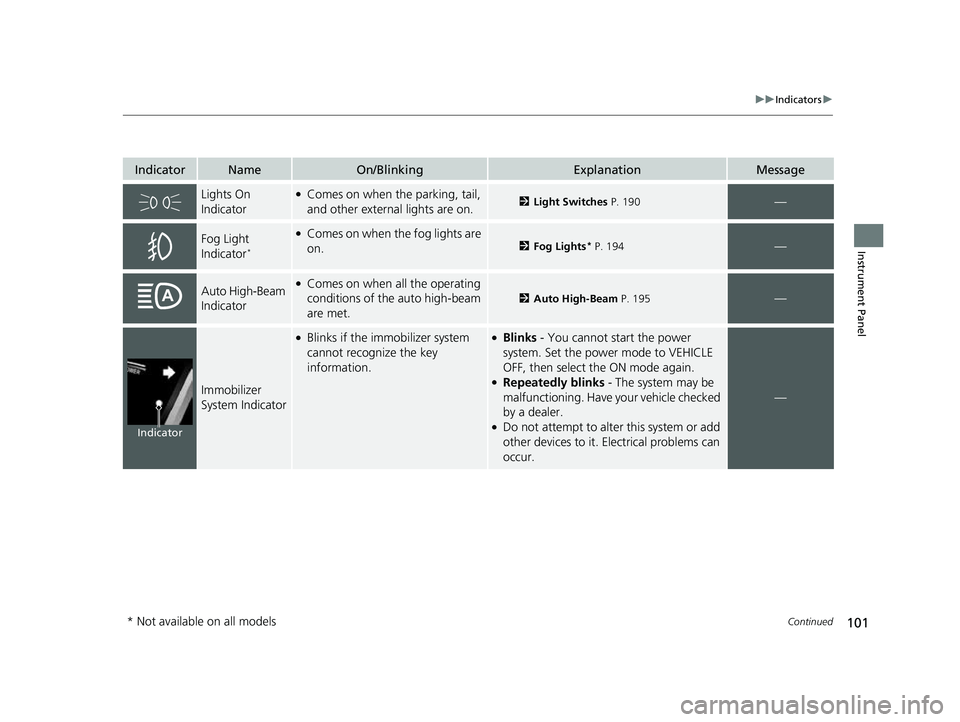
Lights On
Indicator●Comes on when the parking, tail,
and other external lights are on.2Light Switches P. 190—
Fog Light
Indicator*
●Comes on when the fog lights are
on.2Fog Lights* P. 194—
Auto High-Beam
Indicator●Comes on when all the operating
conditions of the auto high-beam
are met.
2Auto High-Beam P. 195—
Immobilizer
System Indicator
●Blinks if the immobilizer system
cannot recognize the key
information.●Blinks - You cannot start the power
system. Set the power mode to VEHICLE
OFF, then select the ON mode again.
●Repeatedly blinks - The system may be
malfunctioning. Have your vehicle checked
by a dealer.
●Do not attempt to alter this system or add
other devices to it. Electrical problems can
occur.
—
Indicator
* Not available on all models
22 CR-V HEV ELP-31TPG6200.book 101 ページ 2021年6月30日 水曜日 午前11時6分
Page 120 of 692

118
uuIndicators uDriver Information Interface Wa rning and Information Messages
Instrument Panel
MessageConditionExplanation
●Appears if there is a problem with the automatic
lighting control system.●Appears while driving - Manually turn the lights
on, and have your vehicl e checked by a dealer.
●Appears if there is a problem with the headlights.●Appears while driving - The headlights may not be
on.
When conditions allow you to drive safely, have your
vehicle checked by a dealer as soon as possible.
●Appears when you unlock and open the driver’s door
while the power system is on by remote engine start.
2 Remote Engine Start P. 471
●Appears if the vehicle is being driven in a manner
consistent with drowsy or inattentive driving.
2Driver Attention Monitor P. 135
●Appears when ACC with Lo w Speed Follow has been
automatically canceled.●You can resume the set speed after the condition
that caused ACC with Low Speed Follow to cancel
improves. Press the RES/+ button.
2Adaptive Cruise Control (ACC) with Low Speed
Follow P. 517
22 CR-V HEV ELP-31TPG6200.book 118 ページ 2021年6月30日 水曜日 午前11時6分
Page 126 of 692

124
uuIndicators uDriver Information Interface Wa rning and Information Messages
Instrument Panel
MessageConditionExplanation
●Appears if the temperature inside the front sensor
camera is too high and some driver assist systems
cannot be activated.●Use the climate control system to cool down the
camera.
●Disappears - The camera has been cooled down
and the systems are activated normally.
2 Front Sensor Camera P. 548
2 Honda Sensing ® P. 503
●Appears if the area around the front sensor camera is
blocked by dirt, mud, etc. and be prevented from
detecting a vehicle in front.
●May appear when driving in bad weather (rain, snow,
fog, etc.)
●When the front window gets dirty, stop your vehicle
in a safe place, and wipe it off with a soft cloth.
●Have your vehicle checked by a dealer if the message
does not disappear even a fter you cleaned the area
around the camera.
2 Front Sensor Camera P. 548
2 Honda Sensing ® P. 503
●Appears if there is a proble m with the auto high-beam.●Manually operate the headlight switch.●If you are driving with the high beam headlights
when this happens, the headlights are changed to
low beams.
22 CR-V HEV ELP-31TPG6200.book 124 ページ 2021年6月30日 水曜日 午前11時6分
Page 138 of 692
136
uuGauges and Driver Information Interface uDriver Information Interface
Instrument Panel
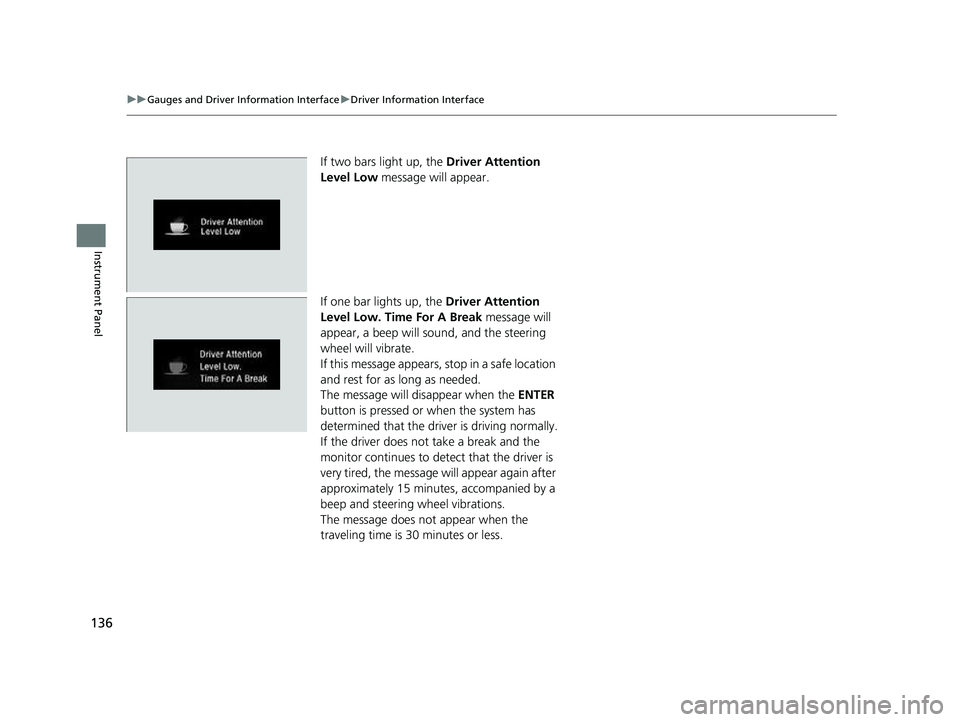
If two bars light up, the Driver Attention
Level Low message will appear.
If one bar lights up, the Driver Attention
Level Low. Time For A Break message will
appear, a beep will sound, and the steering
wheel will vibrate.
If this message appears, stop in a safe location
and rest for as long as needed.
The message will disappear when the ENTER
button is pressed or when the system has
determined that the driver is driving normally.
If the driver does not take a break and the
monitor continues to detect that the driver is
very tired, the message will appear again after
approximately 15 minutes, accompanied by a
beep and steering wheel vibrations.
The message does not appear when the
traveling time is 30 minutes or less.
22 CR-V HEV ELP-31TPG6200.book 136 ページ 2021年6月30日 水曜日 午前11時6分
Page 147 of 692
145
uuGauges and Driver Information Interface uDriver Information Interface
Continued
Instrument Panel
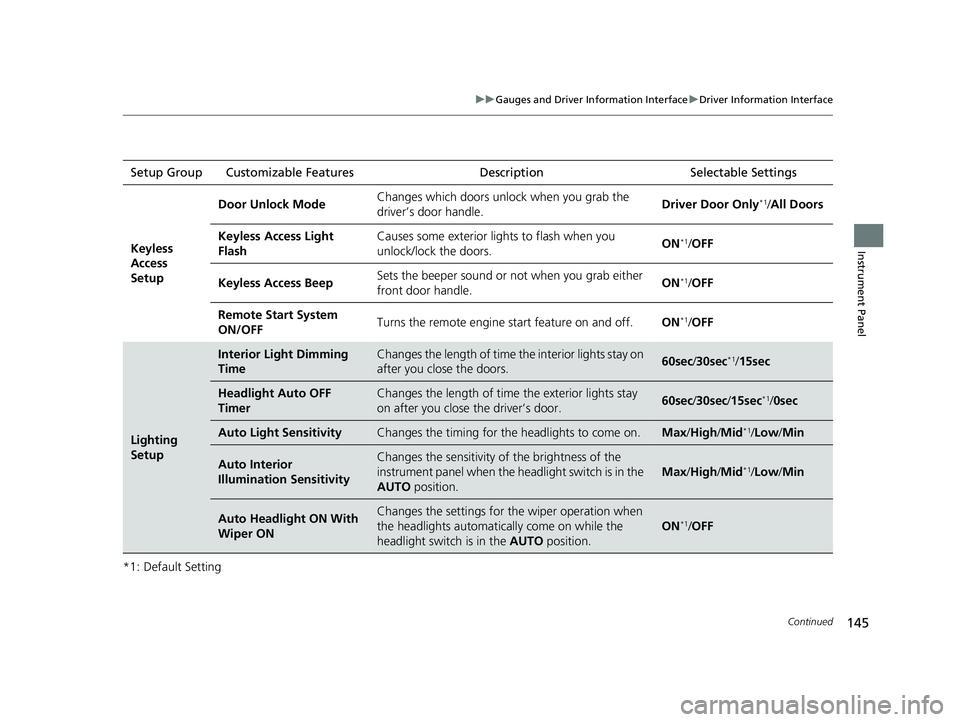
*1: Default SettingSetup Group Customizable Features
Description Selectable Settings
Keyless
Access
Setup
Door Unlock ModeChanges which doors unlock when you grab the
driver’s door handle.Driver Door Only*1/All Doors
Keyless Access Light
FlashCauses some exterior li ghts to flash when you
unlock/lock the doors.ON*1/ OFF
Keyless Access BeepSets the beeper sound or not when you grab either
front door handle.ON*1/OFF
Remote Start System
ON/OFFTurns the remote engine start feature on and off.ON*1/OFF
Lighting
Setup
Interior Light Dimming
TimeChanges the length of time the interior lights stay on
after you close the doors.60sec /30sec*1/15sec
Headlight Auto OFF
TimerChanges the length of time the exterior lights stay
on after you close the driver’s door.60sec /30sec /15sec*1/ 0sec
Auto Light SensitivityChanges the timing for th e headlights to come on.Max/High /Mid*1/Low /Min
Auto Interior
Illumination SensitivityChanges the sensitivity of the brightness of the
instrument panel when the headlight switch is in the
AUTO position.
Max/High /Mid*1/Low /Min
Auto Headlight ON With
Wiper ONChanges the settings for th e wiper operation when
the headlights automatica lly come on while the
headlight switch is in the AUTO position.
ON*1/OFF
22 CR-V HEV ELP-31TPG6200.book 145 ページ 2021年6月30日 水曜日 午前11時6分
Page 148 of 692

146
uuGauges and Driver Information Interface uDriver Information Interface
Instrument Panel
*1: Default SettingSetup Group Customizable Features
DescriptionSelectable Settings
Door Setup
Auto Door LockChanges the setting for when the doors and the
tailgate automatically lock.With Vehicle Speed*1/Shift
From P /OFF
Auto Door UnlockChanges the setting for when the doors and the
tailgate automatically unlock.
When Driver’s Door Opens*1/
When Shifting Into Park/
When Ignition Switched
OFF /OFF
Key And Remote Unlock
ModeSets up either the driver’s door or all doors to unlock
on the first operation of the keyless remote.Driver Door*1/ All Doors
Walk Away Auto Lock
Changes the settings for the automatic locking the
doors when you walk away from the vehicle while
carrying the keyless remote.
ON /OFF*1
Keyless Lock Answer
BackLOCK/UNLOCK- The exterior lights flash.
LOCK (2nd push)- The beeper sounds.ON*1/OFF
Security Relock Timer
Changes the time it takes for the doors to relock and
the security system to set after you unlock the
vehicle without opening any door.
90sec /60sec /30sec*1
Maintenance
Reset—Resets the Maintenance MinderTM display when you
have performed the maintenance service.Cancel /All Due Items
Default All—Cancels customized changes you have made or
restores them to their default setting.Cancel /Set
22 CR-V HEV ELP-31TPG6200.book 146 ページ 2021年6月30日 水曜日 午前11時6分
Page 151 of 692
149
Controls
This chapter explains how to operate the various controls necessary for driving.
Clock.................................................. 150
Locking and Unlocking the Doors Key .................................................. 152
Low Keyless Remote Signal Strength ... 154
Locking/Unlocking the Doors from the Outside .......................................... 155
Locking/Unlocking the Doors from the Inside ............................................. 163
Childproof Door Locks ..................... 165
Auto Door Locking/Unlocking .......... 166
Tailgate .............................................. 167
Security System Immobilizer System .......................... 178
Security System Alarm
*.................... 178
Windows ............................................... 181Moonroof*........................................ 185
Operating the Switches Around the Steering Wheel
POWER Button................................. 186
Turn Signals ..................................... 189
Light Switches.................................. 190
Fog Lights
*...................................... 194
Daytime Running Lights ................... 194
Auto High-Beam .............................. 195
Wipers and Washers ........................ 198 Rear Defogger/Heated Door Mirror
*
Button ........................................... 201
Brightness Control ........................... 202
Driving Position Memory System
*.... 203
Adjusting the Steering Wheel .......... 205
Mirrors ............................................... 206
Seats .................................................. 208
Interior Convenience Items .............. 218
Climate Control System Using Automatic Climate Control .... 235
Automatic Climate Control Sensors ...... 241
* Not available on all models
22 CR-V HEV ELP-31TPG6200.book 149 ページ 2021年6月30日 水曜日 午前11時6分