Page 237 of 692
235Continued
Controls
Climate Control System
Using Automatic Climate Control
The automatic climate control system maintains the interior temperature you select.
The system also selects the proper mix of heat ed or cooled air that raises or lowers
the interior temperature to your pr eference as quickly as possible.
Temperature Control Dial Fan Control Dial
(Windshield Defroster) Button
(Fresh Air) Button
(ON/OFF) Button
(Recirculation) Button
AUTO Button
Air flows from
dashboard
vents, and
back of the
center
console. Air flows from
floor and
dashboard
vents, and
back of the
center
console.Air flows from
floor vents.
Air flows from
floor and
windshield
defroster
vents.
Models without SYNC button
A/C
(Air Conditioning) Button
22 CR-V HEV ELP-31TPG6200.book 235 ページ 2021年6月30日 水曜日 午前11時6分
Page 238 of 692
236
uuClimate Control System uUsing Automatic Climate Control
Controls
Driver’s Side Temperature
Control Dial Fan Control Buttons
CLIMATE Button
Passenger’s Side
Temperature Control Dial
SYNC (Synchronization) Button
(Windshield Defroster) Button
(Fresh Air) Button
(ON/OFF) Button
(Recirculation) Button
AUTO Button
Models with SYNC button
Air flows
from
dashboard
vents, and
back of the
center
console. Air flows
from floor
and
dashboard
vents, and
back of the
center
console. Air flows
from floor
vents.
Air flows
from floor
and
windshield
defroster
vents.
22 CR-V HEV ELP-31TPG6200.book 236 ページ 2021年6月30日 水曜日 午前11時6分
Page 247 of 692

245
uuAudio System uUSB Port(s)
Continued
Features
USB Port(s)
Install the USB connector or the USB flash drive to the USB port.
■On the front of the center console
The USB port (1.0A) is for playing audio files
on a USB flash drive, connecting a cellular
phone, and charging devices.
The USB port (1.5A) is for charging devices,
playing audio files and connecting compatible
phones with Apple CarPlay
TM or Android
AutoTM.
u To prevent any potenti al issues, be sure
to use an Apple MFi Certified Lightning
Connector for Apple CarPlay
TM, and for
Android AutoTM, the USB cables should
be certified by USB-IF to be compliant
with USB 2.0 Standard.
*1: Models with color audio system
*2: Models with Display Audio
1 USB Port(s)
•Do not leave the iPod or USB flash drive in the
vehicle. Direct sunlight and high temperatures may
damage it.
•We recommend that you us e a USB cable if you are
attaching a USB flash drive to the USB port.
•Do not connect the iPod or USB flash drive using a
hub.
•Do not use a device such as a card reader or hard
disk drive, as the device or your files may be
damaged.
•We recommend backing up yo ur data before using
the device in your vehicle.
•Displayed messages may vary depending on the
device model and software version.
If the audio system does not recognize the iPod, try
reconnecting it a few times or reboot the device. To
reboot, follow the manufac turer’s instructions
provided with the iPod or visit www.apple.com/ipod.
The USB port can supply up to 1.5A/2.5A of power. It
does not output 1.5A/2.5A unless the device
requests.
For amperage details, read the operating manual of
the device that ne eds to be charged.
Under certain condi tions, a device connected to the
port may generate noise to the radio station you are
listening to.
On the front of the center console
*1
*2
USB Port (1.0A)
USB Port (1.5A)*
* Not available on all models
22 CR-V HEV ELP-31TPG6200.book 245 ページ 2021年6月30日 水曜日 午前11時6分
Page 248 of 692
246
uuAudio System uUSB Port(s)
Features
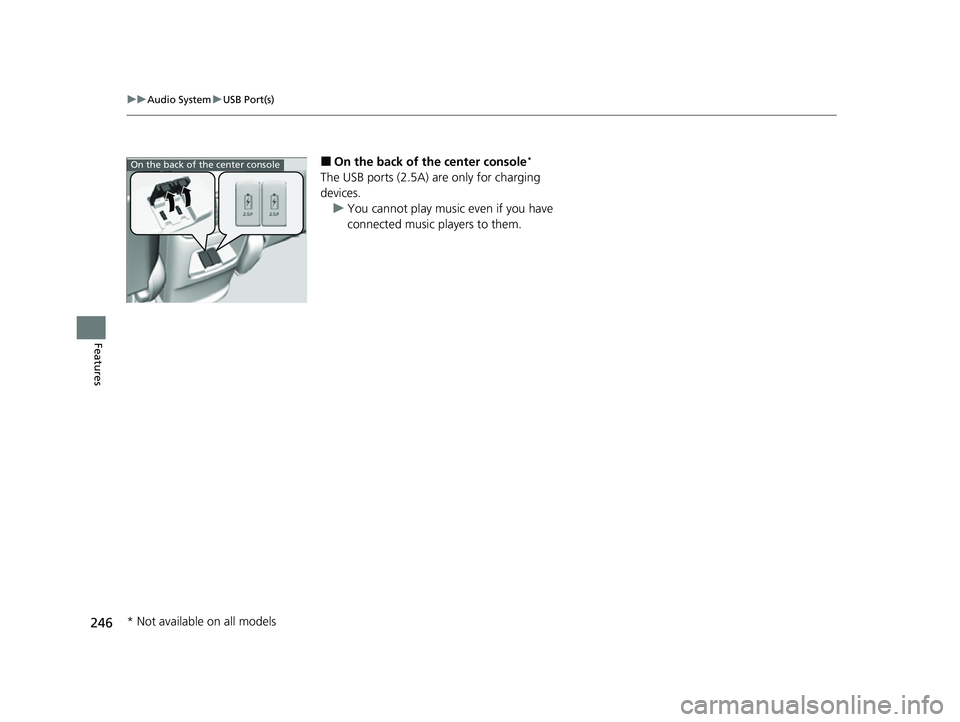
■On the back of the center console*
The USB ports (2.5A) are only for charging
devices.
u You cannot play music even if you have
connected music players to them.
On the back of the center console
* Not available on all models
22 CR-V HEV ELP-31TPG6200.book 246 ページ 2021年6月30日 水曜日 午前11時6分