Page 320 of 692
318
uuAudio System Basic Operation uSong By VoiceTM (SBV)
Features
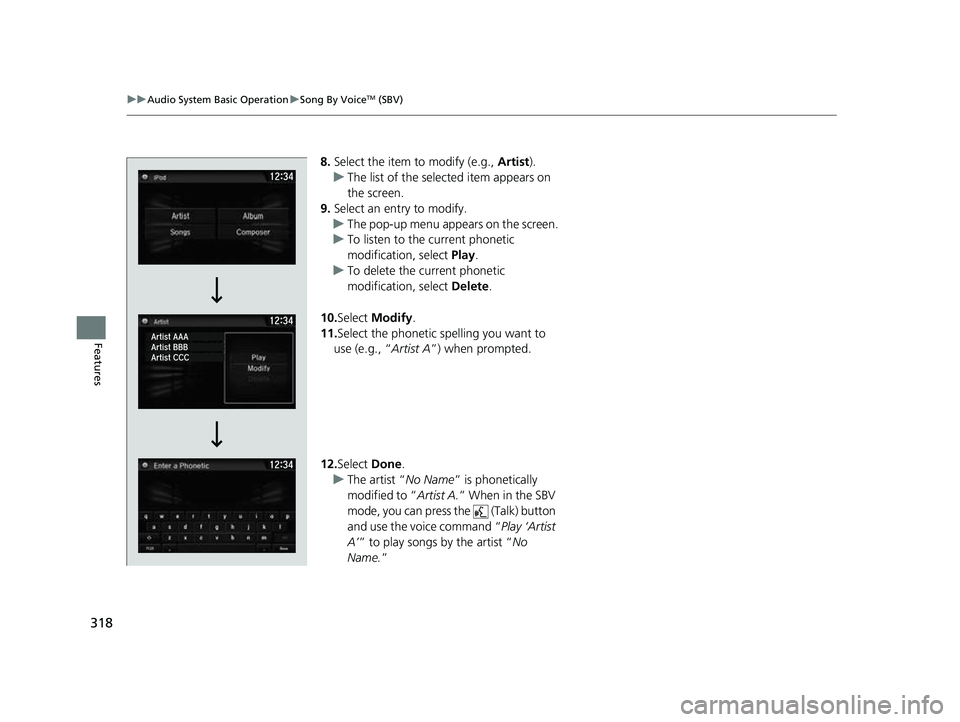
8. Select the item to modify (e.g., Artist).
u The list of the selected item appears on
the screen.
9. Select an entry to modify.
u The pop-up menu appears on the screen.
u To listen to the current phonetic
modification, select Play.
u To delete the current phonetic
modification, select Delete.
10. Select Modify .
11. Select the phonetic spelling you want to
use (e.g., “ Artist A”) when prompted.
12. Select Done.
u The artist “ No Name” is phonetically
modified to “ Artist A.” When in the SBV
mode, you can press the (Talk) button
and use the voice command “ Play ‘Artist
A’ ” to play songs by the artist “ No
Name. ”
22 CR-V HEV ELP-31TPG6200.book 318 ページ 2021年6月30日 水曜日 午前11時6分
Page 321 of 692

319
uuAudio System Basic Operation uPlaying Pandora ®
Continued
Features
Playing Pandora ®
Your audio system allows you to listen to music from the Pandora ® app on a
compatible smartphone.
This function is available when the phone is paired and connected to the vehicle’s
Bluetooth ® HandsFreeLink ® (HFL) system, or with an iPhone, you can connect using
your USB cable to the USB port.
2 Phone Setup P. 430
2 USB Port(s) P. 245
*1:Some or all of the lists may not be displayed.
1Playing Pandora ®
Pandora®, the Pandora logo, and the Pandora trade
dress are trademarks or registered trademarks of
Pandora Media, Inc., used with permission. Pandora is
only available in certain countries. Visit the Pandora
website for more information.
To find out if your phone is compatible with this
feature, visit automobiles.honda.com/handsfreelink/ ,
or call 1-888-528-7876.
To use this service in your vehicle, the Pandora ® app
must first be installed on your phone. Visit
www.pandora.com . for more information.
Pandora ® is free, personalized radio that plays music
and comedy you’ll love. Just start with the name of
one of your favorite arti sts, tracks, comedians or
composers and Pandora ® will create a custom station
that plays similar tracks. Pandora ® also features
hundreds of genre stations ranging from Dubstep to
Smooth Jazz to Power Workout.
If you cannot operate Pandora ® through the audio
system, it may be streaming through Bluetooth®
Audio. Make sure Pandora ® mode on your audio
system is selected.
If your phone is connected to Android Auto
TM,
Pandora ® is only available through the Android
Auto
TM interface. Visit the Android AutoTM website to
check compatibility.
Audio/Information
Screen
Cover Art
VOL/ AUDIO
(Volume/Po wer
Aud
io) Knob
Press to turn the audio
system on and off.
Turn to adjust the
volume.
(Back) Icon
Select to go back to
the previous display.
(Audio) Icon
Select to display the
audio screen.
Play/Pause Icon
Select to resume or play a track.
Station Up/
Down Icons
Select to change
a station. Skip Icon
Select to skip a track.
Like/Dislike IconsSelect to evaluate a track.
22 CR-V HEV ELP-31TPG6200.book 319 ページ 2021年6月30日 水曜日 午前11時6分
Page 322 of 692
uuAudio System Basic Operation uPlaying Pandora ®
320
Features
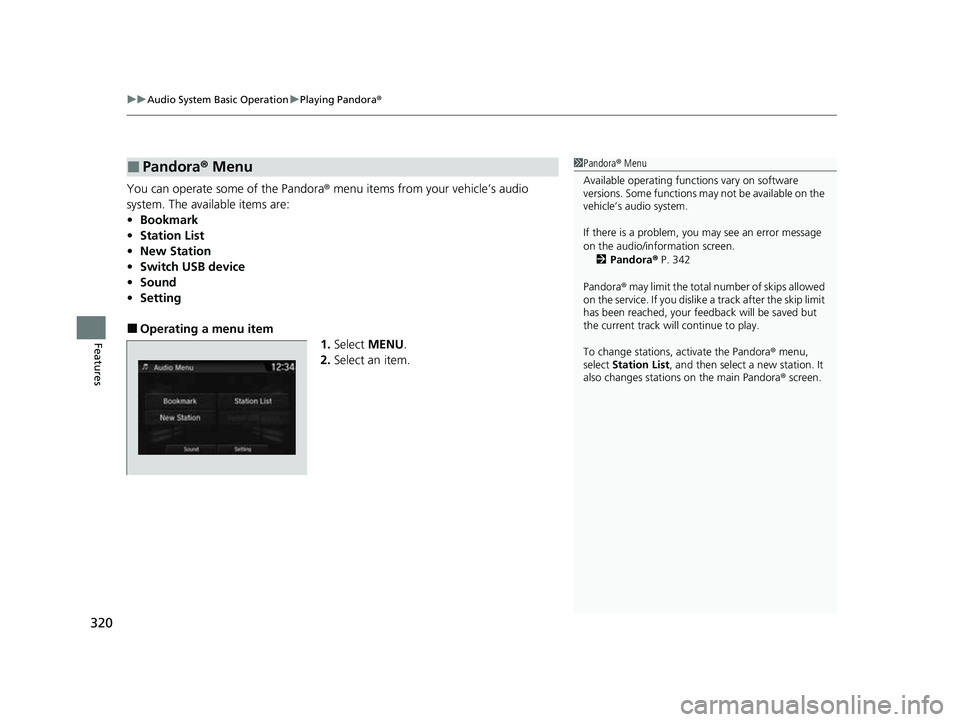
You can operate some of the Pandora® menu items from your vehicle’s audio
system. The available items are:
•Bookmark
• Station List
• New Station
• Switch USB device
• Sound
• Setting
■Operating a menu item
1.Select MENU .
2. Select an item.
■Pandora ® Menu1 Pandora ® Menu
Available operating functi ons vary on software
versions. Some functions ma y not be available on the
vehicle’s audio system.
If there is a problem, you may see an error message
on the audio/information screen.
2 Pandora ® P. 342
Pandora ® may limit the total number of skips allowed
on the service. If you dislike a track after the skip limit
has been reached, your fe edback will be saved but
the current track will continue to play.
To change stations, activate the Pandora ® menu,
select Station List , and then select a new station. It
also changes stations on the main Pandora ® screen.
22 CR-V HEV ELP-31TPG6200.book 320 ページ 2021年6月30日 水曜日 午前11時6分
Page 323 of 692
321
uuAudio System Basic Operation uPlaying a USB Flash Drive
Continued
Features
Playing a USB Flash Drive
Your audio system reads and plays sound files on a USB flash drive in either MP3,
WMA, AAC*1 or WAV format.
Connect your USB flash drive to the USB port, then select the USB mode.
2 USB Port(s) P. 245
*1:Only AAC format files recorded with iTunes are playable on this unit.
*2:Some or all of the lists may not be displayed.
VOL/ AUDIO (Volume/Power Audio)
Knob
Press to turn the audio system on and
off.
Turn to adjust the volume.
(Back) Icon
Select to go back to the previous
display.
Track Icons
Select or to change files.
Select and hold to move rapidly within
a track.
Open/Close Icon*2
Displays/hides the detailed
information.
(Audio) Icon
Select to display the audio screen.
Folder Icons
Select to skip to the next folder, and to skip to the beginning of the previous folder.
Audio/Information Screen
22 CR-V HEV ELP-31TPG6200.book 321 ページ 2021年6月30日 水曜日 午前11時6分
Page 324 of 692
uuAudio System Basic Operation uPlaying a USB Flash Drive
322
Features
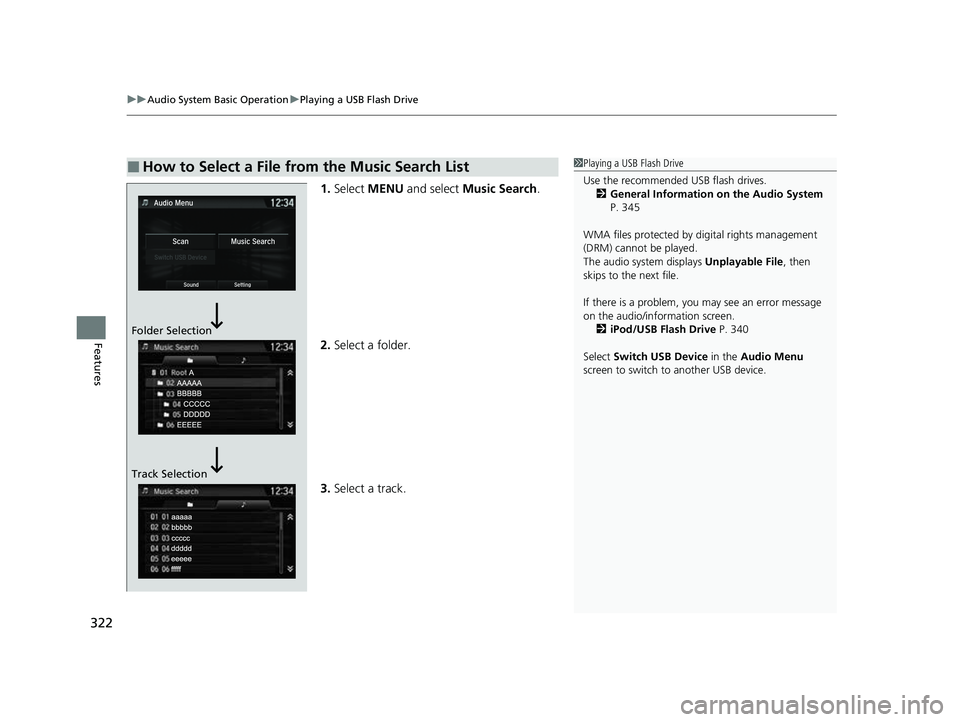
1. Select MENU and select Music Search .
2. Select a folder.
3. Select a track.
■How to Select a File from the Music Search List1Playing a USB Flash Drive
Use the recommended USB flash drives.
2 General Information on the Audio System
P. 345
WMA files protected by di gital rights management
(DRM) cannot be played.
The audio system displays Unplayable File, then
skips to the next file.
If there is a problem, you may see an error message
on the audio/information screen.
2 iPod/USB Flash Drive P. 340
Select Switch USB Device in the Audio Menu
screen to switch to another USB device.
Folder Selection
Track Selection
22 CR-V HEV ELP-31TPG6200.book 322 ページ 2021年6月30日 水曜日 午前11時6分
Page 325 of 692
323
uuAudio System Basic Operation uPlaying a USB Flash Drive
Features
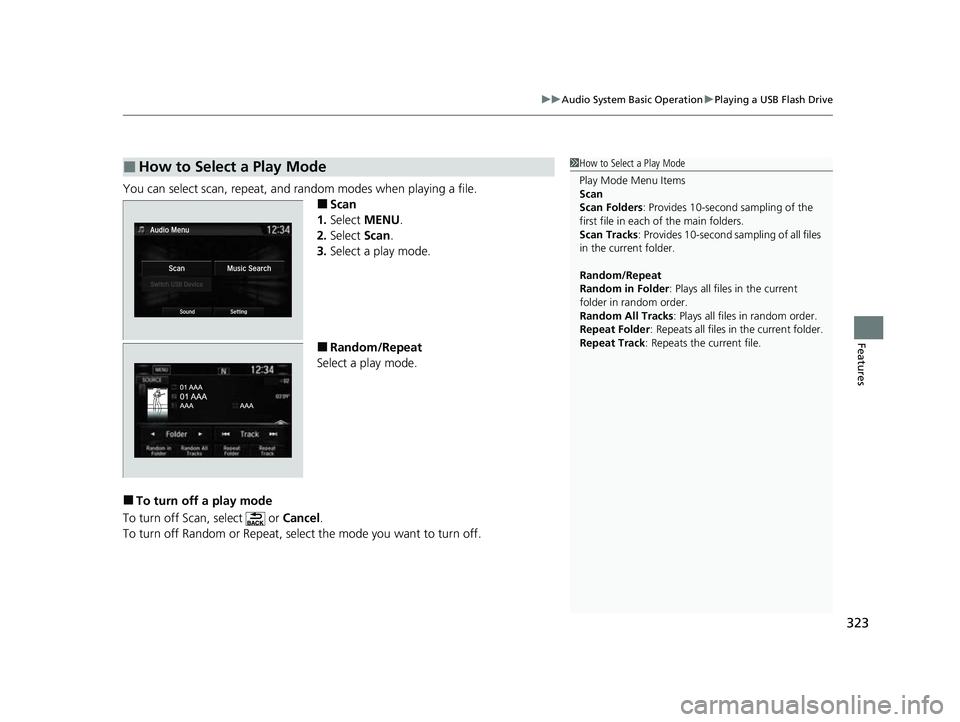
You can select scan, repeat, and random modes when playing a file.
■Scan
1. Select MENU .
2. Select Scan.
3. Select a play mode.
■Random/Repeat
Select a play mode.
■To turn off a play mode
To turn off Scan, select or Cancel.
To turn off Random or Repeat, select the mode you want to turn off.
■How to Select a Play Mode1 How to Select a Play Mode
Play Mode Menu Items
Scan
Scan Folders : Provides 10-second sampling of the
first file in each of the main folders.
Scan Tracks: Provides 10-second sa mpling of all files
in the current folder.
Random/Repeat
Random in Folder : Plays all files in the current
folder in random order.
Random All Tracks : Plays all files in random order.
Repeat Folder : Repeats all files in the current folder.
Repeat Track: Repeats the current file.
22 CR-V HEV ELP-31TPG6200.book 323 ページ 2021年6月30日 水曜日 午前11時6分
Page 326 of 692

324
uuAudio System Basic Operation uPlaying Bluetooth ® Audio
Features
Playing Bluetooth ® Audio
Your audio system allows you to listen to music from your Bluetooth-compatible
phone.
This function is available when the phone is paired and connected to the vehicle’s
Bluetooth ® HandsFreeLink ® (HFL) system.
2 Phone Setup P. 430
*1:Depending on the Bluetooth® device you connect, some or all of the lists may not
be displayed.
1 Playing Bluetooth ® Audio
Not all Bluetooth -enabled phones with streaming
audio capabilities are compatible with the system.
For a list of compatible phones, visit
automobiles.honda.com /handsfreelink/,
or call 1-888-528-7876.
It may be illegal to perform some data device
functions while driving.
Only one phone can be used with HFL at a time.
When there are more than two paired phones in the
vehicle, the system automatically connects to the
prioritized phone. You can a ssign priority to a phone
in the Priority Device Settings .
2 Customized Features P. 369
The connected phone for Bluetooth® Audio can be different.
If more than one phone is paired to the HFL system,
there may be a delay before the system begins to play.
In some cases, the name of the artist, album, or track
may not appear correctly.
Some functions may not be available on some devices.
If a phone is currently connected via Apple CarPlay
TM or
Android AutoTM, Bluetooth® Audio from that phone is
unavailable. However, a second previously paired phone
can stream
Bluetooth® Audio by selecting Connect
from the
Bluetooth Device List screen.2 Phone Setup P. 430
Audio/
Information
Screen
VOL/ AUDIO
(Volu me/Po
wer
Aud
io) Knob
Press to turn the
audio system on
and off.
Turn to adjust the
volume.
(Back) Icon
Select to go back to the
previous display.
(Audio) Icon
Select to display
the audio screen.
Group Icons
Select or to change group.
Pause Icon
Play Icon
Bluetooth
Indicator
Appears when
your phone is
connected to
HFL.
Track Icons
Select or to change tracks.
Open/Close
Icon*1
Displays/hides
the detailed
information.
22 CR-V HEV ELP-31TPG6200.book 324 ページ 2021年6月30日 水曜日 午前11時6分
Page 327 of 692
325
uuAudio System Basic Operation uPlaying Bluetooth ® Audio
Features
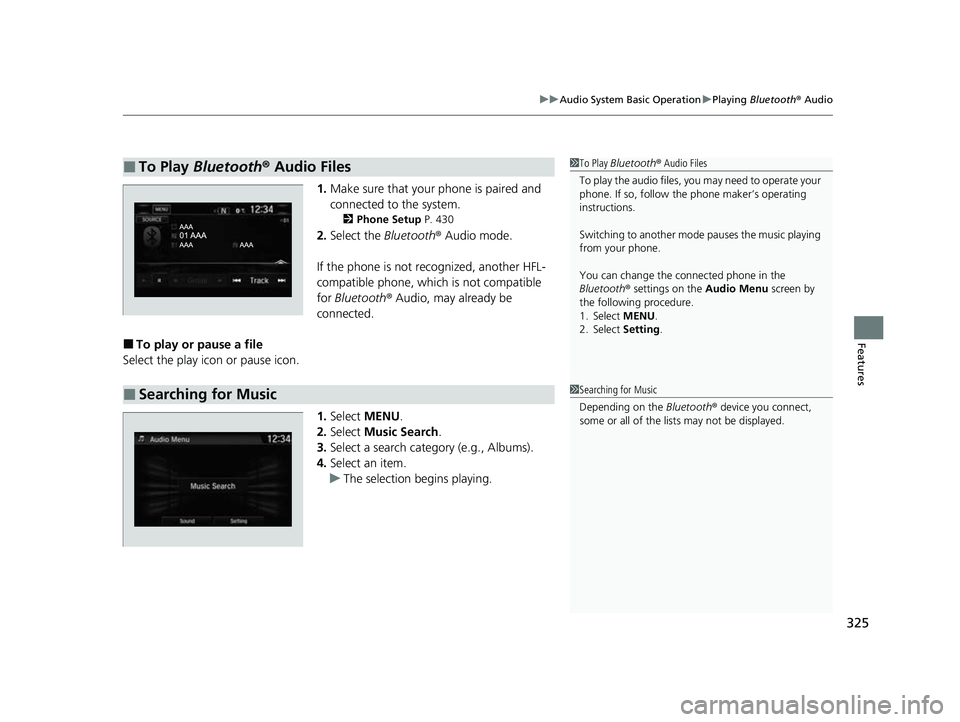
1. Make sure that your phone is paired and
connected to the system.
2 Phone Setup P. 430
2.Select the Bluetooth® Audio mode.
If the phone is not recognized, another HFL-
compatible phone, which is not compatible
for Bluetooth ® Audio, may already be
connected.
■To play or pause a file
Select the play icon or pause icon.
1.Select MENU .
2. Select Music Search.
3. Select a search catego ry (e.g., Albums).
4. Select an item.
u The selection begins playing.
■To Play Bluetooth® Audio Files1To Play Bluetooth ® Audio Files
To play the audio files, y ou may need to operate your
phone. If so, follow the phone maker’s operating
instructions.
Switching to another mode pauses the music playing
from your phone.
You can change the connected phone in the
Bluetooth ® settings on the Audio Menu screen by
the following procedure.
1. Select MENU .
2. Select Setting .
■Searching for Music1Searching for Music
Depending on the Bluetooth® device you connect,
some or all of the list s may not be displayed.
22 CR-V HEV ELP-31TPG6200.book 325 ページ 2021年6月30日 水曜日 午前11時6分