2022 FORD MAVERICK battery
[x] Cancel search: batteryPage 89 of 533
WHAT IS THE BATTERY BACKUP
ALARM
The battery backup alarm is an additional
alarm system that has its own battery and
horn. It is designed to detect if the vehicle
battery or the battery backup alarm is
disconnected.
ARMING THE ANTI-THEFT ALARM
SYSTEM
The alarm is ready to arm when your
vehicle is switched off.
Lock your vehicle with your remote control
to arm the alarm.
DISARMING THE ANTI-THEFT
ALARM SYSTEM
Disarm the alarm by performing any of the
following actions:
•
Unlock the doors or luggage
compartment with the remote control.
• Switch your vehicle on or start your
vehicle.
ANTI-THEFT ALARM SYSTEM
SETTINGS
WHAT ARE THE ALARM SECURITY
LEVELS
You can select two levels of alarm security,
all sensors and perimeter sensing.
All Sensors
All sensors is the standard setting.
In all sensors, all equipped sensors are on
when you arm the alarm. Note:
Do not arm the alarm with all sensors
if passengers, animals or other moving
objects are inside your vehicle.
Perimeter Sensing
In perimeter sensing, the interior sensors
are off when you arm the alarm.
All the other equipped sensors activate
when you arm the alarm in this mode.
SETTING THE ALARM SECURITY
LEVEL
To select a different security level, use the
instrument cluster display:
1. Select Settings.
2. Select
Vehicle.
3. Select
Alarm.
4. Select a setting.
WHAT IS ASK ON EXIT
You can choose which level of security you
require after you switch the ignition off.
Note: If you do not choose a setting, the
system defaults to all sensors.
SWITCHING ASK ON EXIT ON AND
OFF
To switch the system on or off, use the
instrument cluster display:
1. Select
Settings.
2. Select
Vehicle.
3. Select
Alarm.
4. Switch
Ask on exit on or off.
86
2022 Maverick (CFE) Canada/United States of America, enUSA, Edition date: 202106, First-Printing Security
Page 97 of 533
HEADLAMPS –
TROUBLESHOOTING
HEADLAMPS – FREQUENTLY
ASKED QUESTIONS
Why is there condensation in the
headlamps?
Headlamps have vents to
accommodate normal changes in air
pressure. Condensation can be a
natural by-product of this design.
When moist air enters the lamp
assembly through the vents, there is a
possibility that condensation can
occur when the temperature is cold.
When normal condensation occurs, a
fine mist can form on the interior of the
lens. The fine mist eventually clears
and exits through the vents during
normal operation.
How much condensation is
acceptable? The presence of a fine mist, for
example no streaks, drip marks or
large droplets. A fine mist covers less
than 50% of the lens.
How long may it take for the
acceptable condensation to be
cleared? Clearing time may take as long as 48
hours under dry weather conditions.
How much condensation is
unacceptable? A water puddle inside the lamp.
Streaks, drip marks or large droplets
present on the interior of the lens.
What should I do if unacceptable
condensation is present? Have your vehicle checked as soon as
possible. Why do my headlamps turn off when I
have them switched on when I switch
my vehicle off?
The battery saver turns the headlamps
off after a short period of time after
you switch your vehicle off.
AUTOLAMPS
WHAT ARE AUTOLAMPS WARNING: The system does not
relieve you of your responsibility to drive
with due care and attention. You may
need to override the system if it does not
turn the headlamps on in low visibility
conditions, for example daytime fog.
Autolamps turn the headlamps on in low
light situations or when the windshield
wipers operate.
AUTOLAMP SETTINGS
1. Using the instrument cluster controls on the steering wheel, select Settings.
2. Select
Vehicle.
3. Select
Lighting.
4. Select
Autolamp Delay.
5. Select a setting and press the
OK
button.
94
2022 Maverick (CFE) Canada/United States of America, enUSA, Edition date: 202106, First-Printing Exterior Lighting
Page 103 of 533
SWITCHING AMBIENT LIGHTING
ON AND OFF - VEHICLES WITH:
SYNC 3
1. Press Settings on the touchscreen.
2. Press
Vehicle Settings.
3. Press
Ambient Light.
4. Switch
Ambient Light on or off.
ADJUSTING AMBIENT LIGHTING
Drag the slider left or right.
INTERIOR LIGHTING –
TROUBLESHOOTING
INTERIOR LIGHTING –
FREQUENTLY ASKED QUESTIONS
Why do my courtesy lamps or interior
lamps turn off when I have them
switched on when I switch my vehicle
off? The battery saver turns the courtesy
lamps and interior lamps off after a
short period of time after you switch
your vehicle off.
100
2022 Maverick (CFE) Canada/United States of America, enUSA, Edition date: 202106, First-Printing Interior Lighting
Page 115 of 533
WHAT IS THE POWER GAUGE
- HYBRID ELECTRIC VEHICLE
(HEV)
The power gauge displays power to the
wheels when accelerating or maintaining
speed. When slowing down by lifting your
foot off the accelerator pedal or pressing
the brake, the gauge displays the power
captured by the regenerative braking
system and returned to the high voltage
battery.
WHAT IS THE SPEEDOMETER
Indicates the vehicle speed.
FUEL GAUGE
WHAT IS THE FUEL GAUGE
Indicates approximately how much fuel is
in the fuel tank.
FUEL GAUGE LIMITATIONS
The fuel gauge may not provide an
accurate reading when your vehicle is on
an incline.
LOCATING THE FUEL FILLER
DOOR
The arrow adjacent to the fuel pump
symbol indicates on which side of your
vehicle the fuel filler door is located.
WHAT IS THE LOW FUEL
REMINDER
A low fuel level reminder displays and
sounds when the distance to empty
reaches 75 mi (120 km) to empty for
MyKey, and at 50 mi (80 km), 25 mi
(40 km), 12 mi (20 km) and 0 mi (0 km)
for all vehicle keys.
Note: The low fuel reminder can appear at
different fuel gauge positions depending on
fuel economy conditions. This variation is
normal.
WHAT IS DISTANCE TO EMPTY -
GASOLINE, HYBRID ELECTRIC
VEHICLE (HEV)
Indicates the approximate distance your
vehicle can travel on the fuel remaining in
the tank. Changes in driving pattern can
cause the value to not only decrease but
also increase or stay constant for periods
of time.
WHAT IS THE ENGINE
COOLANT TEMPERATURE
GAUGE
Indicates the engine coolant temperature.
WHAT IS THE INFORMATION
BAR
The information bar displays information
related to the ambient air temperature,
odometer, compass, indicators and
warning lamps.
112
2022 Maverick (CFE) Canada/United States of America, enUSA, Edition date: 202106, First-Printing Instrument Cluster
Page 116 of 533
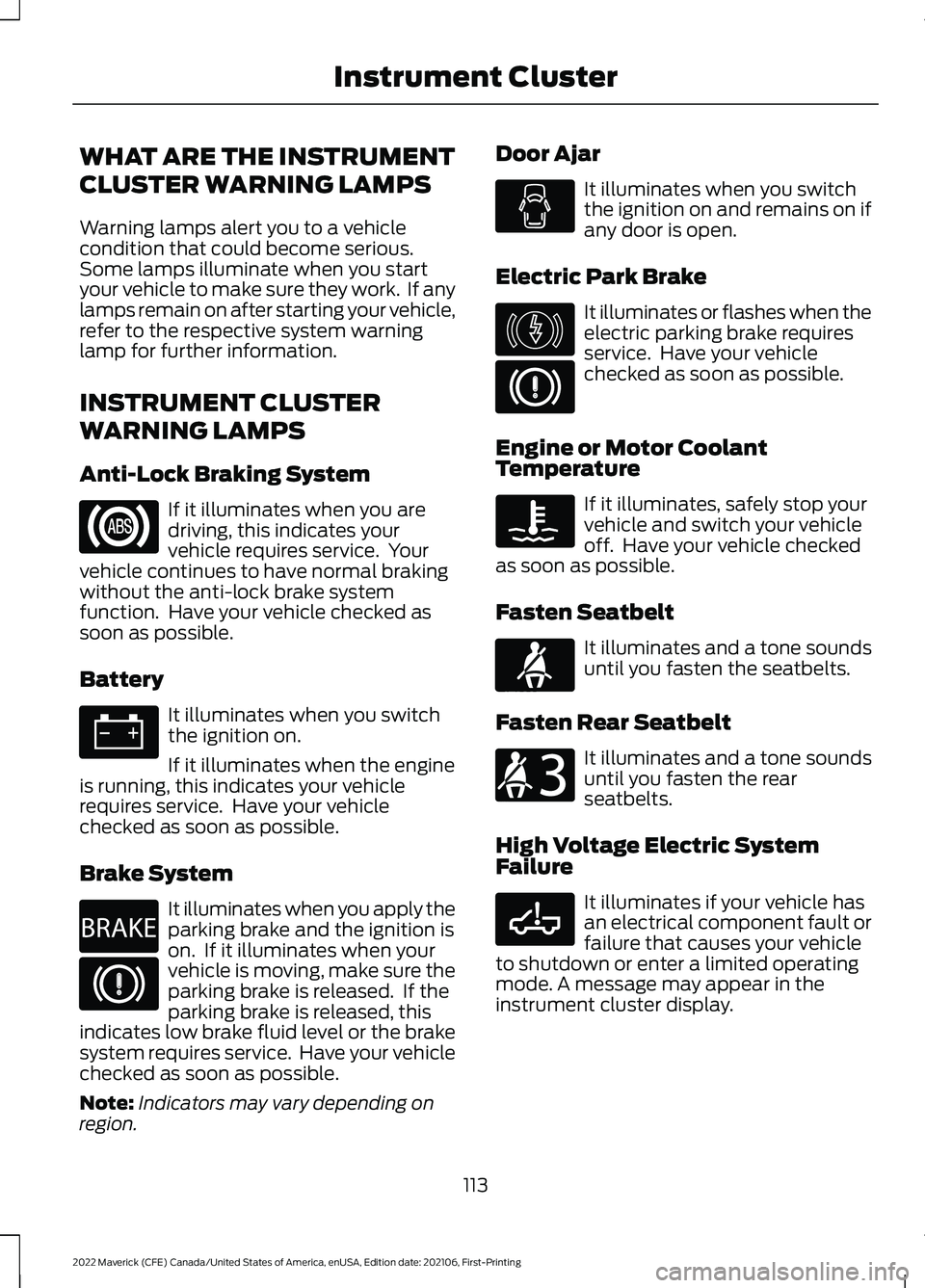
WHAT ARE THE INSTRUMENT
CLUSTER WARNING LAMPS
Warning lamps alert you to a vehicle
condition that could become serious.
Some lamps illuminate when you start
your vehicle to make sure they work. If any
lamps remain on after starting your vehicle,
refer to the respective system warning
lamp for further information.
INSTRUMENT CLUSTER
WARNING LAMPS
Anti-Lock Braking System
If it illuminates when you are
driving, this indicates your
vehicle requires service. Your
vehicle continues to have normal braking
without the anti-lock brake system
function. Have your vehicle checked as
soon as possible.
Battery It illuminates when you switch
the ignition on.
If it illuminates when the engine
is running, this indicates your vehicle
requires service. Have your vehicle
checked as soon as possible.
Brake System It illuminates when you apply the
parking brake and the ignition is
on. If it illuminates when your
vehicle is moving, make sure the
parking brake is released. If the
parking brake is released, this
indicates low brake fluid level or the brake
system requires service. Have your vehicle
checked as soon as possible.
Note: Indicators may vary depending on
region. Door Ajar It illuminates when you switch
the ignition on and remains on if
any door is open.
Electric Park Brake It illuminates or flashes when the
electric parking brake requires
service. Have your vehicle
checked as soon as possible.
Engine or Motor Coolant
Temperature If it illuminates, safely stop your
vehicle and switch your vehicle
off. Have your vehicle checked
as soon as possible.
Fasten Seatbelt It illuminates and a tone sounds
until you fasten the seatbelts.
Fasten Rear Seatbelt It illuminates and a tone sounds
until you fasten the rear
seatbelts.
High Voltage Electric System
Failure It illuminates if your vehicle has
an electrical component fault or
failure that causes your vehicle
to shutdown or enter a limited operating
mode. A message may appear in the
instrument cluster display.
113
2022 Maverick (CFE) Canada/United States of America, enUSA, Edition date: 202106, First-Printing Instrument Cluster E270480 E146190 E71880 E206718 E332963
Page 122 of 533
4. Select a tire pressure unit.
CHANGING THE TIRE PRESSURE
UNIT - VEHICLES WITH: 6.5 INCH
SCREEN
You can change the tire pressure unit using
the instrument cluster display.
1. Select Display Setup.
2. Select
Tire pressure.
3. Select a pressure unit.
FUEL ECONOMY DISPLAY -
GASOLINE
An instant fuel economy gauge is provided
along with average fuel economy. Average
fuel economy is continuously averaged
since the last reset.
Note: Press and hold the
OK button on the
controls on the steering wheel to reset your
average fuel economy.
FUEL ECONOMY DISPLAY -
HYBRID ELECTRIC VEHICLE
(HEV)
An instant fuel economy gauge is provided
along with average fuel economy. Average
fuel economy is continuously averaged
since the last reset.
When the gasoline engine is off the instant
fuel economy gauges is replaced with an
electric driving message.
Note: Press and hold the
OK button on the
controls on the steering wheel to reset your
average fuel economy. EV COACH - HYBRID ELECTRIC
VEHICLE (HEV)
EV coach can help you get the most out of
your vehicle's electric driving capabilities.
Note:
EV coach is a selectable screen. See
Customizing the Instrument Cluster
Display
(page 117).
When you are accelerating or maintaining
speed you see a blue or white solid bar
indicating vehicle power. You may also see
a blue rectangular box which shows the
power level at which the engine turns on.
• When the power level is within the box,
the color of the bar is blue. This means
you are in electric operation and the
engine is off.
• When the power level is outside of the
box, the color of the bar is white. This
means you are in hybrid operation with
a combination of the electric motor
and the engine providing vehicle power.
When you are decelerating with either your
foot off the accelerator pedal or on the
brake pedal, a green or white solid bar
displays indicating the power being used
to slow down your vehicle. You may also
see a green rectangular box which shows
the amount of power that can be
recaptured by the regenerative braking
system and returned to the high voltage
battery.
• When the power level is within the box,
the color of the bar will be all green.
This means that the regenerative
braking system is being used to
efficiently slow your vehicle down and
return the maximum percentage of
energy to the high voltage battery.
• When the power level is outside of the
box, then the bar is white. This means
both the regenerative braking system
and conventional braking system are
being used.
119
2022 Maverick (CFE) Canada/United States of America, enUSA, Edition date: 202106, First-Printing Instrument Cluster Display
Page 126 of 533
WHAT IS REMOTE START
The system allows you to remotely start
your vehicle and to adjust the interior
temperature according to the settings that
you chose.
REMOTE START
PRECAUTIONS
WARNING: Do not start the engine
in a closed garage or in other enclosed
areas. Exhaust fumes are toxic. Always
open the garage door before you start
the engine. Failure to follow this
instruction could result in personal injury
or death.
REMOTE START LIMITATIONS
Remote start does not work under the
following conditions:
• The alarm horn is sounding.
• The hood is open.
• The transmission is not in park (P).
• The ignition is on.
• The battery voltage is below the
minimum operating voltage.
Note: Do not use remote start if your fuel
level is low.
Note: You can use remote start with
FordPass. See Connecting the Vehicle to
a Wi-Fi Network (page 369).
ENABLING REMOTE START
1. Using the information display controls on the steering wheel, select Settings.
2. Select
Vehicle Settings.
3. Select
Remote Start. 4. Switch
System on.
Note: To use remote start, make sure that
the modem is enabled. See
Enabling and
Disabling the Modem (page 369).
REMOTELY STARTING AND
STOPPING THE VEHICLE
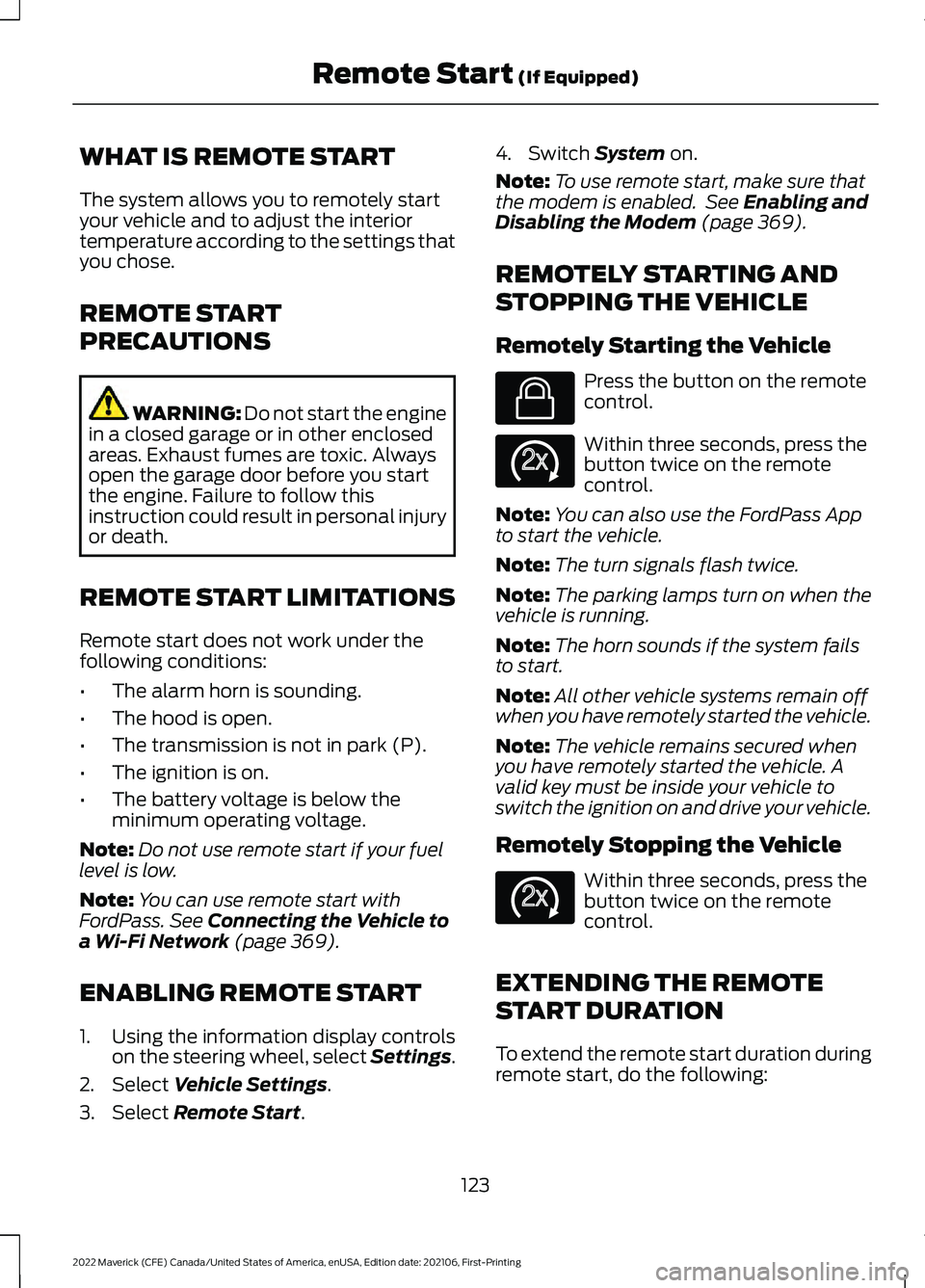
Remotely Starting the Vehicle Press the button on the remote
control.
Within three seconds, press the
button twice on the remote
control.
Note: You can also use the FordPass App
to start the vehicle.
Note: The turn signals flash twice.
Note: The parking lamps turn on when the
vehicle is running.
Note: The horn sounds if the system fails
to start.
Note: All other vehicle systems remain off
when you have remotely started the vehicle.
Note: The vehicle remains secured when
you have remotely started the vehicle. A
valid key must be inside your vehicle to
switch the ignition on and drive your vehicle.
Remotely Stopping the Vehicle Within three seconds, press the
button twice on the remote
control.
EXTENDING THE REMOTE
START DURATION
To extend the remote start duration during
remote start, do the following:
123
2022 Maverick (CFE) Canada/United States of America, enUSA, Edition date: 202106, First-Printing Remote Start
(If Equipped)E138623 E138625 E138625
Page 154 of 533
WHAT IS THE POWER OUTLET
The power outlet can power devices using
a 12 V outlet adapter.
POWER OUTLET
PRECAUTIONS
When you switch the vehicle on, you can
use the socket to power
12 V appliances
with a maximum current rating of 15 A. Do
not use the power point over the vehicle
capacity of
12 V DC 180 W or a fuse could
blow. Do not plug in any device that
supplies power to the vehicle through the
power points. This could result in damage
to vehicle systems. Do not hang any
accessory from the accessory plug. Always
keep the power point caps closed when
not in use. Do not insert objects other than
an accessory plug into the power point.
To prevent the battery from running out of
charge:
• Do not use the power point longer than
necessary when the vehicle is off.
• Do not leave devices plugged in
overnight or when you park your vehicle
for extended periods.
LOCATING THE POWER
OUTLET
Power outlets may be in the following
locations:
• On the lower instrument panel.
• Inside the center console.
• On the front of the center console.
• On the rear of the center console.
• On the passenger side floor panel.
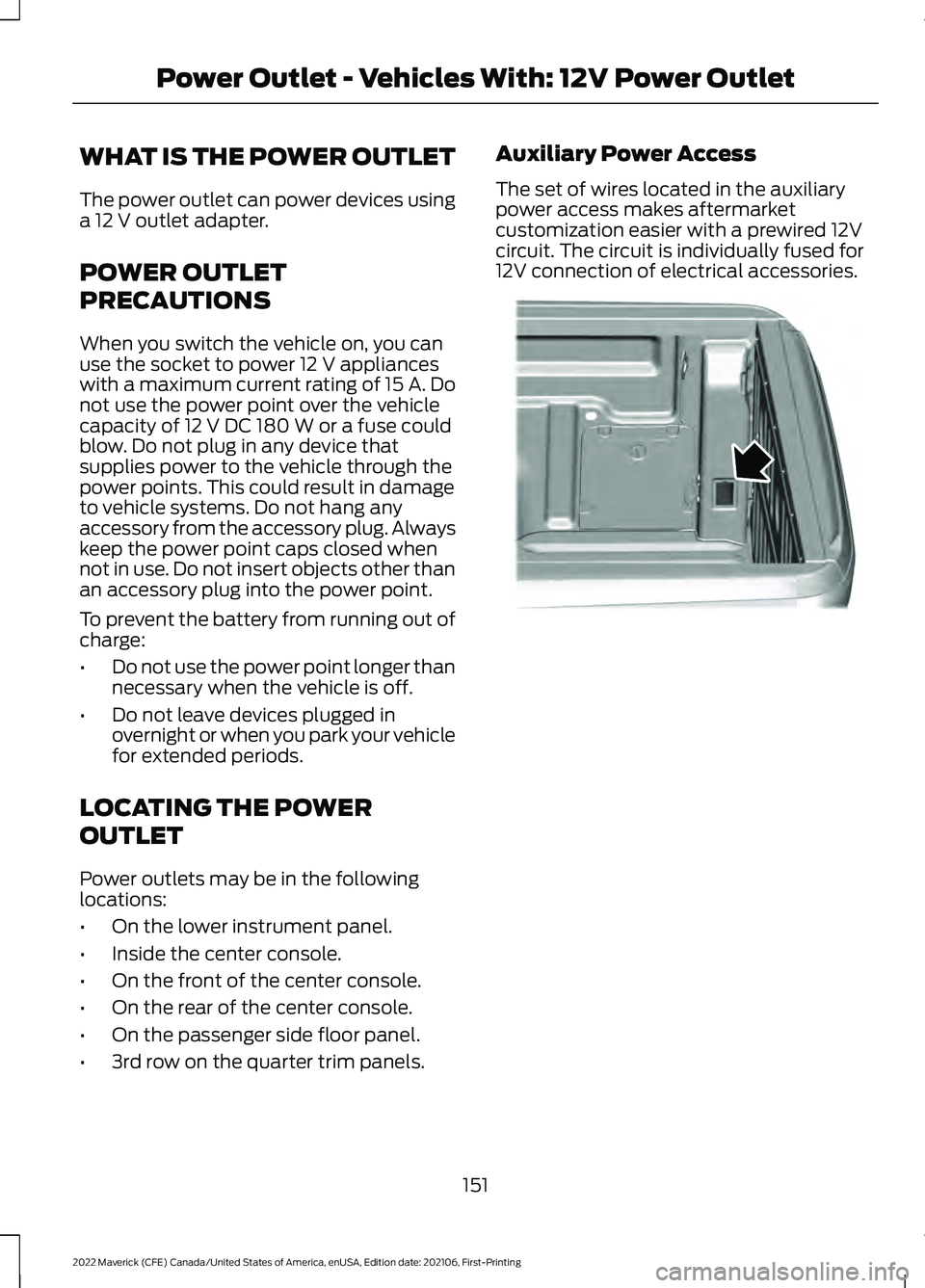
• 3rd row on the quarter trim panels. Auxiliary Power Access
The set of wires located in the auxiliary
power access makes aftermarket
customization easier with a prewired 12V
circuit. The circuit is individually fused for
12V connection of electrical accessories.
151
2022 Maverick (CFE) Canada/United States of America, enUSA, Edition date: 202106, First-Printing Power Outlet - Vehicles With: 12V Power OutletE357738