2022 FORD F-150 lane assist
[x] Cancel search: lane assistPage 24 of 750
If you require assistance or clarification on
policies or procedures, please contact the
customer relationship center.
United States
Ford Motor Company
Customer Relationship Center
PO Box 6248
Dearborn, MI 48126
1-800-392-3673 (FORD)
TDD for the hearing impaired:
7-1-1 (where offered by your telephone
service provider)
www.ford.com/help/contact/
Ford Credit - US Only
Ford Credit offers a full range of financing
and lease plans to help you acquire your
vehicle. If you have financed or leased your
vehicle through Ford Credit, thank you for
your business.
For assistance call 1-800-727-7000, or for
more information about Ford Credit and
access to an account manager, visit
www.ford.com/finance.
Canada
Customer Relationship Center
Ford Motor Company of Canada Limited
P.O. Box 2000
Oakville, Ontario L6J 5E4
1-800-565-3673 (FORD)
TDD for the hearing impaired:
7-1-1 (where offered by your telephone
service provider)
www.ford.ca
Facebook: FordServiceCA (English),
FordServiceQC (Francais)
Australia
Ford Motor Company
Attention: Customer Relationship Centre
Private Mail Bag 5
Fairlane Business Park #3
Campbellfield, Victoria, 3061
Telephone: 13 3673 (FORD)
E-mail: [email protected]
New Zealand
Ford Motor Company
Attention: Customer Relationship Centre
Private Bag 76912
Manukau City 2241
Telephone: 0800 367 369 (FORDNZ)
E-mail: [email protected]
China - Imported Vehicle
Customer Relationship Center
Telephone: 400-690-1886
Website: https://www.ford.com.cn/
China - Chang’
An Ford
Customer Relationship Center
Telephone: 800-810-8168
Mobile: 400-887-7766
Website: https://www.ford.com.cn/
Asia Pacific
E-mail: [email protected]
Caribbean, Central America and
Israel
Ford Motor Company
Ford Export Operations
Attention: Owner Relations
1555 Fairlane Drive
Fairlane Business Park #3
Allen Park, MI 48101
Fax: (313) 390-0804
Telephone: (313) 594-4857
E-mail: [email protected]
20
2022 F-150 (TFD) Canada/United States of America, enUSA, Edition date: 202109, First-Printing Contacting Us
Page 100 of 750

WHAT IS MYKEY
MyKey allows you to program keys with
restricted driving modes to promote good
driving habits.
MYKEY SETTINGS
NON-CONFIGURABLE MYKEY
SETTINGS
Seatbelt Reminder or Belt-
Minder™
MyKey mutes the audio system until the
front seat passengers buckle the front seat
belts.
Note:
If your vehicle includes an AM/FM
radio or a very basic audio system, then the
radio may not mute.
Satellite Radio (If Equipped)
Some Satellite radio channels have
restricted access to adult radio content.
Early Low Fuel
The low fuel level warning lamp turns on
earlier.
Driving and Parking Aids
You cannot configure settings for parking
aids, blind spot information system, and
cross traffic alert. These systems turn on
when the vehicle turns on, and you cannot
switch them off with a MyKey.
You cannot configure settings for
pre-collision assist and lane keeping. These
systems turn on when the vehicle turns on,
but you can switch them off with a MyKey.
A new destination in the navigation system
can only be set using voice commands
when using a MyKey, and with your vehicle
moving. Note:
MyKey drivers may be able to switch
the lane departure warning feature off, but
this feature turns back on automatically
with every new key cycle.
CONFIGURABLE MYKEY
SETTINGS
You can configure the following settings
after creating a MyKey. See
Creating a
MyKey (page 98).
Speed Limit WARNING:
Do not set MyKey
maximum speed limit to a limit that will
prevent the driver from maintaining a
safe speed considering posted speed
limits and prevailing road conditions. The
driver is always responsible to drive in
accordance with local laws and
prevailing conditions. Failure to do so
could result in accident or injury.
You can set a speed limit for your vehicle.
Warning messages appear in the
information display and a tone sounds if
your vehicle reaches the set speed. You
cannot override the set speed when using
a MyKey.
Speed Minder
You can set a speed reminder for your
vehicle. Warning messages appear in the
information display and a tone sounds if
your vehicle exceeds the set speed.
Audio System Volume Limit
The audio system maximum volume
reduces. A message appears in the
information display if you attempt to
exceed the volume limit. Automatic
volume control turns off.
96
2022 F-150 (TFD) Canada/United States of America, enUSA, Edition date: 202109, First-Printing MyKey
™
(If Equipped)
Page 330 of 750
4. Use the turn signal lever to search for
a parking space on the driver or
passenger side of your vehicle.
Note: If you do not use the turn signal lever,
the system searches for a parking space on
the passenger side of your vehicle.
5. Drive your vehicle approximately 3 ft
(1 m) away from and parallel to the
other parked vehicles when searching
for a parking space.
Note: A tone sounds and a message
appears in the information and
entertainment display when active park
assist finds a suitable parking space.
6. Press and hold the brake pedal.
7. Release the steering wheel and shift into neutral (N).
8. Press and hold the active park assist button.
9. Release the brake pedal to allow your vehicle to park.
Note: You can slow down your vehicle at
any time by pressing the brake pedal.
Note: When parallel parking between
objects, the system parks closer to the
object in front of your vehicle to allow easier
access to the luggage compartment.
Note: When parking is complete, your
vehicle shifts into park (P).
ENTERING A PERPENDICULAR
PARKING SPACE
1. Press the parking aid button.
Note: Active park assist does not recognize
parking space lines and centers your vehicle
between objects.
2. Press the active park assist icon on the
touchscreen.
3. Select perpendicular parking. 4. Use the turn signal lever to search for
a parking space on the driver or
passenger side of your vehicle.
Note: If you do not use the turn signal lever,
the system searches for a parking space on
the passenger side of your vehicle.
5. Drive your vehicle approximately 3 ft
(1 m) away from and perpendicular to
the other parked vehicles when
searching for a parking space.
Note: A tone sounds and a message
appears in the information and
entertainment display when active park
assist finds a parking space.
6. Press and hold the brake pedal.
7. Release the steering wheel and shift into neutral (N).
8. Press and hold the parking aid button.
9. Release the brake pedal to allow the vehicle to park.
Note: Active park assist backs your vehicle
into parking spaces.
Note: Active park assist aligns the front end
of your vehicle with the lane side of the
object next to it.
Note: When the system detects only one
object, it allows enough distance to open
the door on either side.
Note: You can slow down your vehicle at
any time by pressing the brake pedal.
Note: When parking is complete, your
vehicle shifts into park (P).
EXITING A PARKING SPACE
Active park assist only assists leaving
parallel parking spaces.
1. Press the parking aid button.
2. Press the active park assist icon on the
touchscreen.
3. Select parallel park exit.
326
2022 F-150 (TFD) Canada/United States of America, enUSA, Edition date: 202109, First-Printing Active Park Assist
(If Equipped)
Page 342 of 750

1. Press Features on the touchscreen.
2. Press
Driver Assistance.
3. Press
Cruise Control.
4. Press
Normal Cruise Control. The cruise control indicator
replaces the adaptive cruise
control indicator if you select
normal cruise control. The gap setting
does not display, and the system does not
respond to lead vehicles. Automatic
braking remains active to maintain set
speed. The system remembers the last
setting when you start your vehicle.
LANE CENTERING
HOW DOES LANE CENTERING
WORK
Adaptive cruise control with lane centering
uses radar and camera sensors to help
keep your vehicle in the middle of the lane
by applying continuous assistance steering
torque input toward the lane center on
highways.
Note: The adaptive cruise control gap
setting operates normally.
If you drive off-center within the lane, the
system sets and maintains that preferred
lane position. The system provides
continuous assistance steering torque
input toward the preferred position.
Note: The system can only set preferred
lane positions within the lane.
Note: If the system cancels, the preferred
position erases. On the next activation, the
system provides continuous assistance
steering torque input toward the lane center. LANE CENTERING PRECAUTIONS WARNING: Do not use the system
when towing a trailer. Failure to follow
this instruction could result in the loss of
control of your vehicle, personal injury or
death. WARNING:
Do not use the system
if any changes or modifications to the
steering wheel have been made. Any
changes or modifications to the steering
wheel could affect the functionality or
performance of the system. Failure to
follow this instruction could result in the
loss of control of your vehicle, personal
injury or death.
Adaptive cruise control precautions apply
to lane centering unless stated otherwise
or contradicted by a lane centering
precaution. See Adaptive Cruise Control
Precautions
(page 331).
LANE CENTERING
REQUIREMENTS
You must keep your hands on the steering
wheel at all times.
The system only activates when all of the
following occur:
• You have adaptive cruise control with
stop and go on.
• Lane centering assist is enabled in your
information and entertainment screen.
See
Switching Lane Centering On
and Off (page 339).
• You have your hands on the steering
wheel.
• The system detects both lane
markings.
Note: If it does not detect valid lane
markings, the system stays inactive until
valid markings are available.
338
2022 F-150 (TFD) Canada/United States of America, enUSA, Edition date: 202109, First-Printing Adaptive Cruise Control
(If Equipped)E332905
Page 343 of 750

LANE CENTERING LIMITATIONS
Adaptive cruise control limitations apply
to lane centering unless stated otherwise
or contradicted by a lane centering
limitation. See Adaptive Cruise Control
Limitations (page 332).
Lane Centering may not correctly operate
in any of the following conditions:
• The lane is too narrow or wide.
• The system does not detect at least
one lane marking or when lanes merge
or split.
• Limited steering torque input is applied.
• Areas under construction or new
infrastructure.
• When modifications to the steering
system have been made.
• When using a spare tire.
• In high wind conditions.
Note: The driving assistance torque is
limited and may not be sufficient for all
driving situations such as driving through
tight curves or driving through curves at high
speeds.
Note: In exceptional conditions, such as
inclement weather or direct sunlight, the
system could deviate from the center line
or could cancel.
SWITCHING LANE CENTERING ON
AND OFF
You must keep your hands on the steering
wheel at all times.
The controls are on the steering wheel. Press the button.
The indicator appears in the information
display. When the system is on, the color
of the indicator changes to indicate the
system status. You can override the system at any time
by steering your vehicle.
Note:
The correct requirements must be
met before you can switch the system on.
See
Lane Centering Requirements (page
338).
Enabling and Disabling Lane
Centering
1. Press
Features on the touchscreen.
2. Press
Driver Assistance.
3. Press
Cruise Control.
4. Press
Lane Centering Assist.
LANE CENTERING ALERTS
You must keep your hands on the steering
wheel at all times.
When the system is active and detects no
steering activity for a period of time, the
system alerts you to put your hands on the
steering wheel. If you do not react to the
warnings the system cancels and slows
your vehicle down to idle speeds while
maintaining steering control.
See Lane
Centering Automatic Cancellation
(page
339).
The system also alerts you if your vehicle
crosses lane markings without detected
steering activity.
Note: The system could detect a light grip
or touch on the steering wheel as hands-off
driving.
LANE CENTERING AUTOMATIC
CANCELLATION
When an external condition cancels the
system, for example, no lane markings
available, a tone sounds and a message
appears in the instrument cluster display.
339
2022 F-150 (TFD) Canada/United States of America, enUSA, Edition date: 202109, First-Printing Adaptive Cruise Control
(If Equipped)E308131
Page 344 of 750

If your vehicle starts to slow
down, you must provide steering
input to the wheel and press and
release the button to regain full system
performance.
Automatic cancellation can also occur if:
• The lane becomes too wide or too
narrow.
• The system cannot detect valid lane
markings.
• Lane markings cross over one another.
Note: The system disables until the next
key cycle if your vehicle slows down due to
driver inactivity twice within a key cycle.
LANE CENTERING INDICATORS Illuminates when you switch
lane centering on. The color of
the indicator changes to indicate
the system status.
Gray indicates the system is on but
inactive.
Green indicates the system is active and
applying steering torque assistance input
to keep your vehicle in the center of the
lane.
Amber with an audible tone and then gray
indicates a system automatic cancellation. INTELLIGENT ADAPTIVE
CRUISE CONTROL
HOW DOES INTELLIGENT
ADAPTIVE CRUISE CONTROL
WORK
Intelligent adaptive cruise control
combines speed sign recognition and
navigation map data with adaptive cruise
control to adjust the cruise set speed to
the speed limit detected by the speed sign
recognition system. As the system detects
new speed signs, the set speed updates.
There are limitations that affect the
accuracy of the speed sign recognition
system and its ability to determine the
current speed limit. The intelligent
adaptive cruise control system and its
ability to determine the current speed limit
shares these limitations.
Note:
The adaptive cruise control gap
setting operates normally when the feature
is enabled.
INTELLIGENT ADAPTIVE CRUISE
CONTROL PRECAUTIONS WARNING: You are responsible for
controlling your vehicle at all times. The
system is designed to be an aid and does
not relieve you of your responsibility to
drive with due care and attention. Failure
to follow this instruction could result in
the loss of control of your vehicle,
personal injury or death.
INTELLIGENT ADAPTIVE CRUISE
CONTROL REQUIREMENTS
Traffic sign recognition must be enabled
for intelligent adaptive cruise control to be
active.
340
2022 F-150 (TFD) Canada/United States of America, enUSA, Edition date: 202109, First-Printing Adaptive Cruise Control (If Equipped)E308130 E297977
Page 345 of 750
INTELLIGENT ADAPTIVE CRUISE
CONTROL LIMITATIONS
The speed limit information provided by
the navigation map data could be
inaccurate or out of date.
The system may not detect and read
speed limit signs with conditional
information, for example, when a sign is
flashing, during specific time ranges, or
when children are present.
Note:
The system does not set the vehicle
speed to speed limits shown with a
supplementary traffic sign.
Under certain conditions, the system may
not adjust the vehicle speed until after your
vehicle passes the speed limit.
SWITCHING INTELLIGENT MODE
ON AND OFF
1. Press Features on the touchscreen.
2. Press
Driver Assistance.
3. Press
Cruise Control.
4. Press
Adaptive Cruise Control.
5. Press
Speed Sign Recognition.
ADJUSTING THE SET SPEED
TOLERANCE
1. Press
Features on the touchscreen.
2. Press
Driver Assistance.
3. Press
Cruise Control.
4. Press
Adaptive Cruise Control.
5. Press
Speed Sign Recognition.
6. Press
Tolerance.
7. Use
+ and - to set the tolerance.
Note: You cannot set the tolerance more
than
20 mph (30 km/h) above or below the
recognized speed. INTELLIGENT ADAPTIVE CRUISE
CONTROL ALERTS
If you increase the set speed beyond the
speed limit or speed limit plus a positive
tolerance value, the set speed indicator
flashes.
The warning does not occur if:
•
You override the set speed using the
accelerator pedal.
• The vehicle speed exceeds the set
speed due to being on a downhill slope.
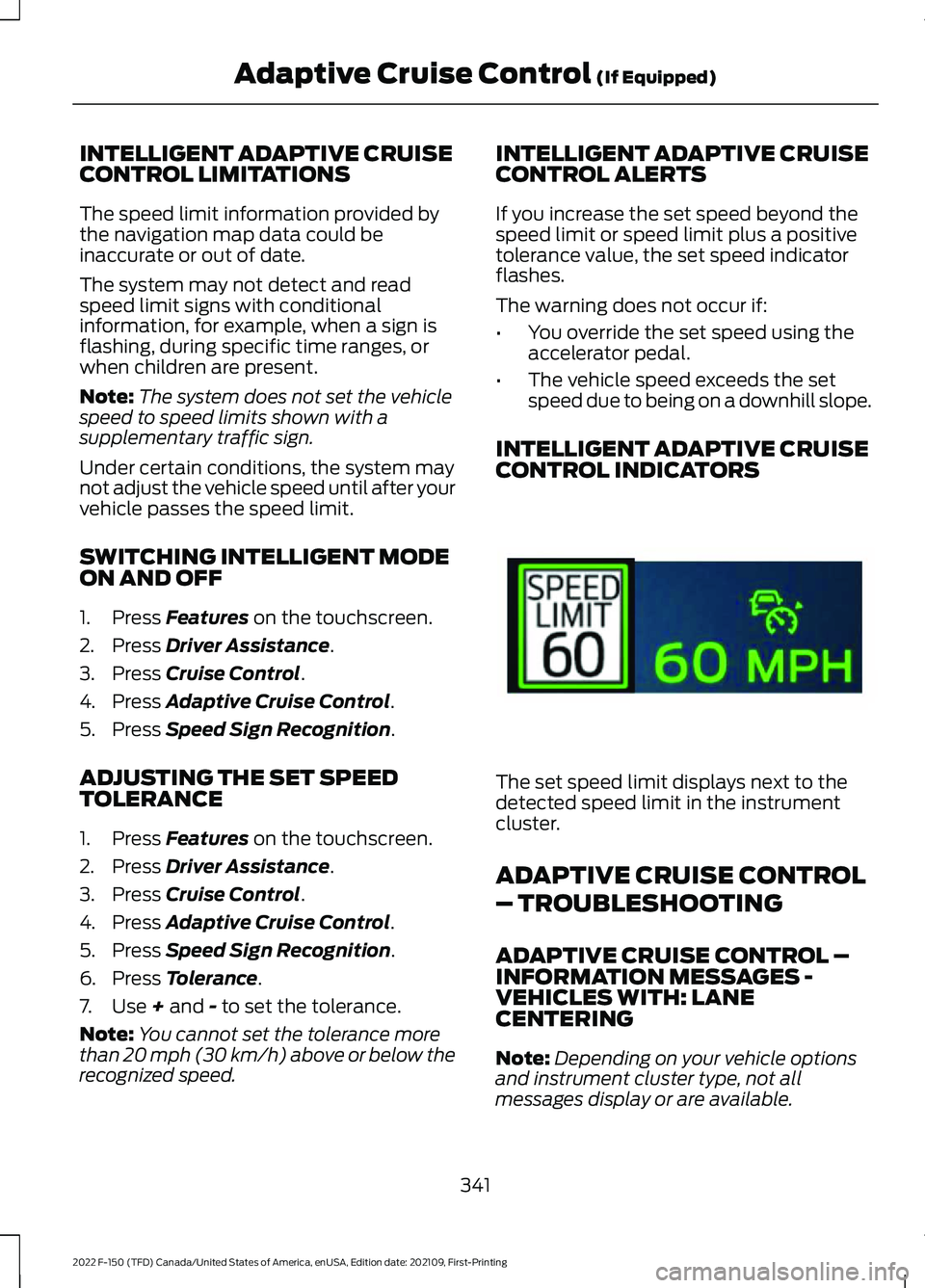
INTELLIGENT ADAPTIVE CRUISE
CONTROL INDICATORS The set speed limit displays next to the
detected speed limit in the instrument
cluster.
ADAPTIVE CRUISE CONTROL
– TROUBLESHOOTING
ADAPTIVE CRUISE CONTROL –
INFORMATION MESSAGES -
VEHICLES WITH: LANE
CENTERING
Note:
Depending on your vehicle options
and instrument cluster type, not all
messages display or are available.
341
2022 F-150 (TFD) Canada/United States of America, enUSA, Edition date: 202109, First-Printing Adaptive Cruise Control
(If Equipped)E337564
Page 346 of 750
Note:
The system could abbreviate or
shorten certain messages depending upon
which cluster type you have. Action
Message
Return your hands to the steering wheel and provide steeringinput to cancel the message.
Keep Hands on Steering
Wheel
To reset the feature when the vehicle is stationary, return thegear selector to park and turn the engine off. Restart the engine with your foot on the brake pedal.
Lane Centering Assist
Not Available
You must immediately take full control of the vehicle.
Resume Control
Resume adaptive cruise control with lane centering by
applying foot pressure on the accelerator pedal. You can also resume the feature by pressing the resume button on the steering wheel.
Press Accelerator Pedal
to Resume
342
2022 F-150 (TFD) Canada/United States of America, enUSA, Edition date: 202109, First-Printing Adaptive Cruise Control (If Equipped)