2022 FORD F-150 Instrument cluster
[x] Cancel search: Instrument clusterPage 474 of 750

6. Press and hold the brake pedal.
7. Using the instrument cluster controls
on the steering wheel, select Settings.
8. Select Neutral Tow.
9. Press and hold the
OK button until a
confirmation message appears in the
information display.
Note: If completed successfully, the
information display shows
Neutral Tow
Enabled Leave Transmission in Neutral.
This indicates that your vehicle is safe to
tow with all wheels on the ground.
Note: If you do not see a confirmation
message in the instrument cluster display,
you must perform the procedure again from
the beginning.
Note: You may hear noise as the transfer
case shifts into its neutral position. This is
normal.
10. Release the brake pedal.
11. Leave the transmission in neutral (N)
and switch your vehicle off by
pressing the push button ignition
switch once without pressing the
brake pedal or turning the key as far
toward the off position.
Note: Vehicles with keys do not turn to the
off position when the transmission is in
neutral (N). You must leave the key in the
ignition when towing. Use the keyless entry
keypad or an extra set of keys to lock and
unlock your vehicle.
Switching
Neutral Tow Off
1. With your vehicle properly secured to the tow vehicle, press and hold the
brake pedal and start the engine.
2. Switch your vehicle off by pressing the
push button ignition switch once or
turning the key as far towards the off
position and release the brake pedal. 3. Place your vehicle in accessory mode
by pressing the push button ignition
switch once without pressing the brake
pedal or by turning the ignition key to
the on position.
4. Press and hold the brake pedal.
5. Shift into park (P).
6. Release the brake pedal.
Note: If completed successfully, the
instrument cluster displays 2H and Neutral
Tow Disabled
.
Note: You must perform the switching
neutral tow on and switching neutral tow
off procedures again from the beginning if
the indicator light and message do not
display.
Note: You may hear a noise as the transfer
case shifts out of its neutral position. This
is normal.
7. Apply the parking brake, then disconnect your vehicle from the tow
vehicle.
8. Release the parking brake, start the engine, and shift into drive (D) to make
sure the transfer case is out of the
neutral tow position.
9. If the transfer case does not successfully shift out of its neutral
position, set the parking brake. Have
your vehicle checked as soon as
possible.
Resolving the
Shift Delayed Drive
Forward Message
1. Press and hold the brake pedal.
2. Start your vehicle.
3. Shift into neutral (N).
4. With the vehicle running, shift into drive
(D) and let the vehicle roll forward up
to
3 ft (1 m).
470
2022 F-150 (TFD) Canada/United States of America, enUSA, Edition date: 202109, First-Printing Towing Your Vehicle
Page 475 of 750

Note:
You may hear a noise as the transfer
case shifts out of its neutral position. This
is normal.
5. Make sure the instrument cluster displays Neutral Tow Disabled.
RECREATIONALLY TOWING
YOUR VEHICLE - 4X2
You cannot recreational tow your vehicle
with all wheels on the ground because
vehicle or transmission damage could
occur. You must recreational tow your
vehicle with all four wheels off the ground,
such as when using a car-hauling trailer.
Otherwise, you cannot recreational tow
your vehicle. EMERGENCY TOWING
If your vehicle becomes inoperable without
access to wheel dollies or a vehicle
transport trailer, it can be flat-towed with
all wheels on the ground, regardless of the
powertrain and transmission configuration,
under the following conditions:
•
Your vehicle is facing forward for
towing in a forward direction.
• Use the manual park release
procedure. See
Using Manual Park
Release (page 267). Failure to do so
may result in damage to the
transmission.
• Maximum speed is 35 mph (56 km/h).
• Maximum distance is
50 mi (80 km).
TOWING YOUR VEHICLE – TROUBLESHOOTING
TOWING YOUR VEHICLE – INFORMATION MESSAGES Description
Message
The transfer case is in the neutral position and your vehicleis safe to tow with all four wheels on the ground.
Neutral Tow Enabled
Leave Transmission in Neutral
There is a transfer case gear tooth blockage present. With
your vehicle on, shift the transmission into drive (D) and let the vehicle roll forward, up to
3 ft (1 m).
Shift Delayed Drive
Forward
The transfer case is not in the neutral position and your vehicleis not safe to tow with all four wheels on the ground.
Neutral Tow Disabled
471
2022 F-150 (TFD) Canada/United States of America, enUSA, Edition date: 202109, First-Printing Towing Your Vehicle
Page 483 of 750

Protected Component
Fuse Rating
Fuse
Loca- tion
Not used.
—
1
Delayed accessory feed.
10 A
2
Wireless charger.
7.5 A
3
Not used.
20 A
4
Not used.
—
5
Driver power window switch.
10 A
6
Gear shift module.
10 A
7
Cell phone passport module.
5 A
8
Combined sensor module.
5 A
9
Not used.
—
10
Not used.
—
11
Enhanced central gateway.
7.5 A
12
Climate control.
Instrument cluster.
7.5 A
13
Steering column control module.
Not used (spare).
15 A
14
Integrated control panel.
15 A
15
SYNC.
Not used.
—
16
Headlamp control module.
7.5 A
17
Not used.
7.5 A
18
Headlamp switch.
5 A
19
Passive start.
5 A
20
Ignition switch.
Key inhibit solenoid.
Trailer brake switch.
5 A
21
Not used.
5 A
22
479
2022 F-150 (TFD) Canada/United States of America, enUSA, Edition date: 202109, First-Printing Fuses
Page 517 of 750

CLEANING THE ENGINE
COMPARTMENT
Use a vacuum cleaner to remove debris
from the screen area below windshield.
Note:
If you are not familiar with the parts
around the engine do not wash the engine
compartment. Avoid frequent engine
washes.
When washing the engine compartment:
• Never wash or rinse the engine while it
is hot or running.
• Never wash or rinse any ignition coil,
spark plug wire or spark plug well.
• Cover the battery, power distribution
box, and air filter assembly to prevent
water damage.
Note: If your vehicle has an engine cover
remove the cover before application of
shampoo and degreaser.
• Spray an approved engine shampoo
and degreaser on all parts that require
cleaning and rinse with water.
CLEANING STRIPES OR
GRAPHICS
It is recommended to wash your vehicle by
hand however, pressure washing may be
used under the following conditions:
• Use a spray with a 40° wide spray
angle pattern.
• Keep the nozzle at a
12 in (305 mm)
distance and 90° angle to your
vehicle's surface.
• Do not use water pressure higher than
2,000 psi (14,000 kPa)
.
• Do not use water hotter than
179°F
(82°C).
Note: Holding the pressure washer nozzle
at an angle to the vehicle's surface may
damage graphics and cause the edges to
peel away from the vehicle's surface. CLEANING CAMERA LENSES AND
SENSORS
We recommend that you only use
lukewarm or cold water and a soft cloth
to clean the camera lens and sensors.
Note:
Do not pressure wash camera lens
and sensors.
CLEANING THE UNDERBODY
Flush the complete underside of your
vehicle frequently. Keep body and door
drain holes free from packed dirt.
Rear suspension components may require
regular cleaning with a power washer or a
thorough rinse with a strong stream of
water if the vehicle is operated in dusty or
muddy environments. Rear leaf springs or
other suspension components may emit
squeaking or popping noises while
operating the vehicle if particles, such as
dirt, rocks, or other debris, are present in
the components.
CLEANING THE INTERIOR
CLEANING THE INSTRUMENT
PANEL WARNING:
Do not use chemical
solvents or strong detergents when
cleaning the steering wheel or
instrument panel to avoid contamination
of the airbag system.
We recommend that you only clean the
instrument panel and cluster lens with a
damp soft cloth. Dry the area with a clean,
soft cloth.
For additional information and assistance,
we recommend that you contact an
authorized dealer.
513
2022 F-150 (TFD) Canada/United States of America, enUSA, Edition date: 202109, First-Printing Vehicle Care
Page 728 of 750

Contacting Us..................................................20
Cooling System Capacity and Specification - 2.7L EcoBoost™..........578
Cooling System Capacity and Specification - 3.3L..................................579
Cooling System Capacity and Specification - 3.5L, Hybrid Electric
Vehicle (HEV)............................................580
Cooling System Capacity and Specification - 3.5L Ecoboost™.........579
Cooling System Capacity and Specification - 5.0L
..................................581
Cooling System Capacity and Specification - Raptor, Police
Responder....................................................581
Crash and Breakdown Information.................................................462
Automatic Crash Shutoff............................... 466
Jump Starting the Vehicle.............................. 464
Post-Crash Alert System................................ 466
Recovery Towing................................................ 467
Crash Sensors and Airbag Indicator........77
Crash Sensors and Airbag Indicator - Police Responder
........................................78
Creating a MyKey - Vehicles With: Flip Key....................................................................98
Creating a MyKey - Vehicles With: Push Button Start
...................................................97
Creating a Personal Profile......................629
Creating a Vehicle Wi-Fi Hotspot...........601
Cross Traffic Alert.........................................372 Cross Traffic Alert –
Troubleshooting............................................. 374
Cross Traffic Alert Indicators
...................373
Cross Traffic Alert Limitations.................372
Cross Traffic Alert Precautions...............372
Cross Traffic Alert – Troubleshooting........................................374
Cross Traffic Alert – Information Messages.......................................................... 374
Cruise Control...............................................329
Cruise Control Indicators
..........................330
Cup Holders....................................................227
Cup Holder Precautions................................... 227
Customer Information
...............................656
Radio Frequency Certification
Labels............................................................... 659Customizing the Instrument Cluster
Display............................................................175
D
Data Privacy
......................................................27
Decommissioning Requirements..........655
Decommissioning the Vehicle................655
Department of Transportation Uniform Tire Quality Grades
...................................519
Deploying and Stowing the Power Running Boards..........................................137
Digital Radio
.................................................606
Digital Radio Indicators................................... 607
Digital Radio Limitations................................ 606
How Does Digital Radio Work...................... 606
Switching Digital Radio Reception On and Off...................................................................... 607
What Is Digital Radio....................................... 606
Directing the Flow of Air.............................183
Disposing of Airbags.....................................83
Distance Alert...............................................380 Adjusting the Sensitivity of Distance
Alert.................................................................... 381
What Is Distance Alert.................................... 380
Distance Indication
.....................................379
Distance Indication Indicator........................ 380
Switching Distance Indication On and Off...................................................................... 380
What Is Distance Indication........................... 379
Doors and Locks Audible Warnings.......................................................103
Doors and Locks
...........................................102
Autolock................................................................. 103
Autounlock............................................................ 103
Doors and Locks – Troubleshooting...........104
Mislock.................................................................... 103
Operating the Doors From Inside Your Vehicle............................................................... 102
Operating the Doors From Outside Your Vehicle............................................................... 102
Doors and Locks – Troubleshooting
........................................104
Doors and Locks – Frequently Asked
Questions......................................................... 105
Doors and Locks – Information Messages.......................................................... 104
Doors and Locks – Warning Lamps............104
724
2022 F-150 (TFD) Canada/United States of America, enUSA, Edition date: 202109, First-Printing Index
Page 734 of 750
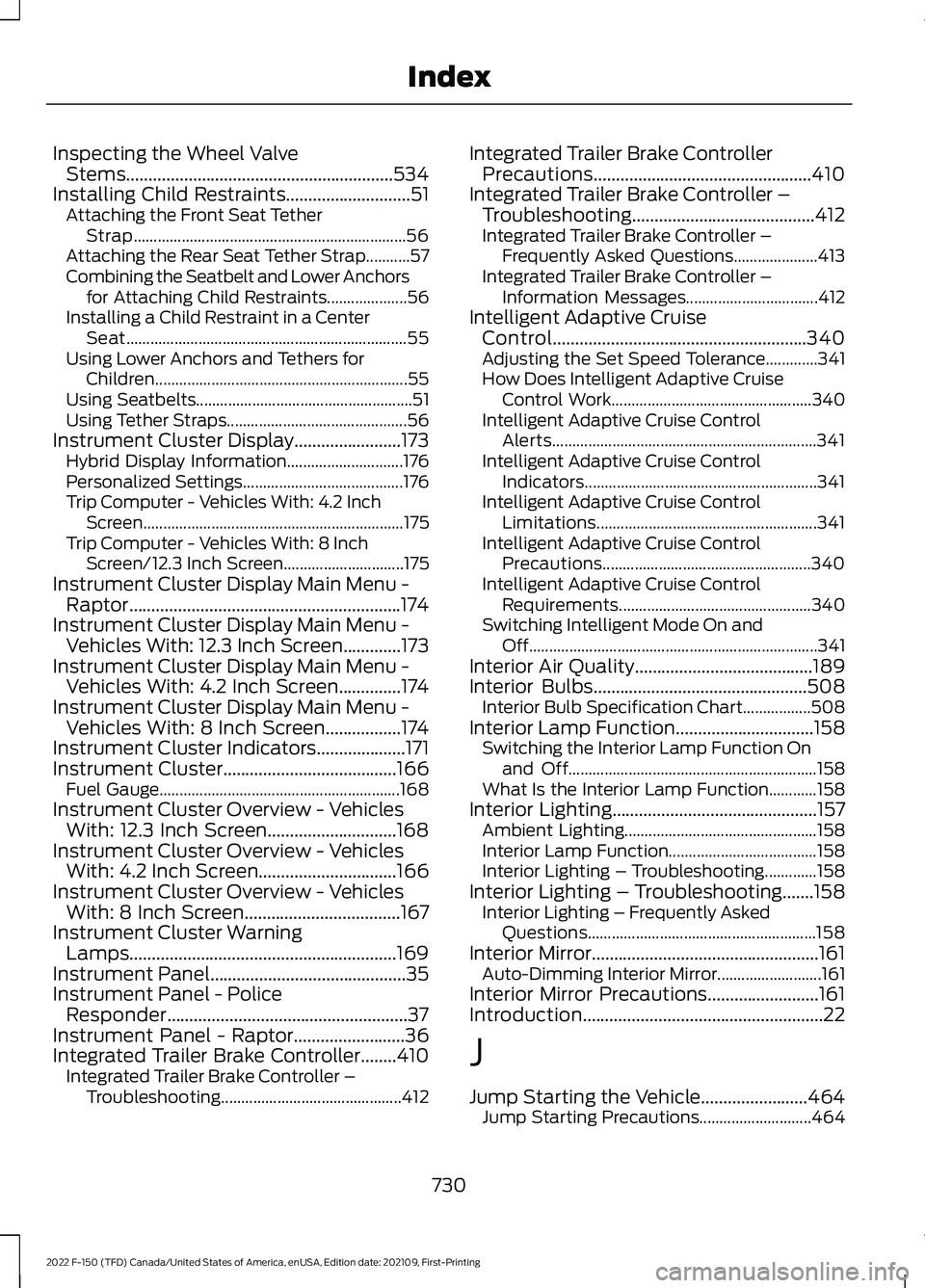
Inspecting the Wheel Valve
Stems............................................................534
Installing Child Restraints............................51 Attaching the Front Seat Tether
Strap.................................................................... 56
Attaching the Rear Seat Tether Strap...........57
Combining the Seatbelt and Lower Anchors for Attaching Child Restraints.................... 56
Installing a Child Restraint in a Center Seat...................................................................... 55
Using Lower Anchors and Tethers for Children............................................................... 55
Using Seatbelts...................................................... 51
Using Tether Straps............................................. 56
Instrument Cluster Display........................173 Hybrid Display Information............................. 176
Personalized Settings........................................ 176
Trip Computer - Vehicles With: 4.2 Inch Screen................................................................. 175
Trip Computer - Vehicles With: 8 Inch Screen/12.3 Inch Screen.............................. 175
Instrument Cluster Display Main Menu - Raptor.............................................................174
Instrument Cluster Display Main Menu - Vehicles With: 12.3 Inch Screen.............173
Instrument Cluster Display Main Menu - Vehicles With: 4.2 Inch Screen..............174
Instrument Cluster Display Main Menu - Vehicles With: 8 Inch Screen.................174
Instrument Cluster Indicators....................171
Instrument Cluster.......................................166
Fuel Gauge............................................................ 168
Instrument Cluster Overview - Vehicles With: 12.3 Inch Screen.............................168
Instrument Cluster Overview - Vehicles With: 4.2 Inch Screen...............................166
Instrument Cluster Overview - Vehicles With: 8 Inch Screen
...................................167
Instrument Cluster Warning Lamps............................................................169
Instrument Panel............................................35
Instrument Panel - Police Responder......................................................37
Instrument Panel - Raptor.........................36
Integrated Trailer Brake Controller
........410
Integrated Trailer Brake Controller –
Troubleshooting............................................. 412Integrated Trailer Brake Controller
Precautions.................................................410
Integrated Trailer Brake Controller – Troubleshooting.........................................412
Integrated Trailer Brake Controller – Frequently Asked Questions..................... 413
Integrated Trailer Brake Controller – Information Messages................................. 412
Intelligent Adaptive Cruise Control.........................................................340
Adjusting the Set Speed Tolerance.............341
How Does Intelligent Adaptive Cruise Control Work.................................................. 340
Intelligent Adaptive Cruise Control Alerts.................................................................. 341
Intelligent Adaptive Cruise Control Indicators.......................................................... 341
Intelligent Adaptive Cruise Control Limitations....................................................... 341
Intelligent Adaptive Cruise Control Precautions.................................................... 340
Intelligent Adaptive Cruise Control Requirements................................................ 340
Switching Intelligent Mode On and Off........................................................................\
341
Interior Air Quality
........................................189
Interior Bulbs................................................508
Interior Bulb Specification Chart.................508
Interior Lamp Function...............................158 Switching the Interior Lamp Function On
and Off.............................................................. 158
What Is the Interior Lamp Function............158
Interior Lighting
..............................................157
Ambient Lighting................................................ 158
Interior Lamp Function..................................... 158
Interior Lighting – Troubleshooting.............158
Interior Lighting – Troubleshooting.......158 Interior Lighting – Frequently Asked
Questions......................................................... 158
Interior Mirror...................................................161 Auto-Dimming Interior Mirror.......................... 161
Interior Mirror Precautions.........................161
Introduction......................................................22
J
Jump Starting the Vehicle........................464 Jump Starting Precautions............................ 464
730
2022 F-150 (TFD) Canada/United States of America, enUSA, Edition date: 202109, First-Printing Index
Page 745 of 750

Transfer Case Fluid Capacity and
Specification - Raptor.............................591
Transfer Case Fluid Capacity and Specification...............................................591
Transmission Fluid Temperature Gauge .............................................................
169
Transporting the Vehicle..........................468
Trip Computer - Vehicles With: 4.2 Inch Screen
............................................................175
Accessing the Trip Computer......................... 175
Resetting the Trip Computer.......................... 175
Trip Computer - Vehicles With: 8 Inch Screen/12.3 Inch Screen..........................175
Accessing the Trip Computer......................... 175
Resetting the Trip Computer.......................... 175
Turbo Boost Gauge......................................169
U
Under Hood Fuse Box
................................472
Accessing the Under Hood Fuse Box.........472
Identifying the Fuses in the Under Hood
Fuse Box........................................................... 473
Locating the Under Hood Fuse Box............472
Under Hood Overview - 2.7L EcoBoost™.................................................483
Under Hood Overview - 3.3L..................484
Under Hood Overview - 3.5L, Hybrid Electric Vehicle (HEV)............................486
Under Hood Overview - 3.5L Ecoboost™.................................................485
Under Hood Overview - 5.0L..................487
Under Seat Storage
....................................228
Locating the Under Seat Storage
Compartment................................................ 228
Unique Features...............................................31
Updating the Vehicle Systems Wirelessly....................................................633
USB Ports
.......................................................209
Using a Slide-In Camper..........................389
Using Auto Hold
............................................297
Using Bead-Lock Wheels - Raptor.......530
Using Keyless Entry.....................................106
Using MyKey With Remote Start Systems..........................................................98
Using On-Board Scale...............................420
Using Progressive Range Selection......................................................265 Using Smart Hitch........................................418
Using Snow Chains.....................................528
Using the Center Console Work Surface
- Vehicles With: Column Shift..............223
Using the Center Console Work Surface - Vehicles With: Console Shift
.............224
Using the Instrument Cluster Display Controls.........................................................173
Using the Integrated Trailer Brake Controller.....................................................410
Using the Keyless Entry Keypad.............109
Using the Remote Control - Police Responder......................................................87
Using the Remote Control..........................88
Using the Trailer Backup Assistance Controller.....................................................427
Using the Trailer Backup Assistance Views.............................................................427
Using This Publication..................................23
Using Trailer Hitching Assistance...........416
Using Trailer Reverse Guidance Views..............................................................441
V
Vehicle Care
.....................................................511
Cleaning the Exterior.......................................... 511
Cleaning the Interior.......................................... 513
Vehicle Identification Number
...............596
Locating the Vehicle Identification
Number............................................................ 596
Vehicle Identification Number Overview.......................................................... 596
Vehicle Identification.................................596 Vehicle Identification Number..................... 596
Vehicle Interior - Police Responder.........40
Vehicle Interior - Raptor
...............................39
Vehicle Interior................................................38
Vehicle System Updates...........................633
Vehicle Wi-Fi Hotspot................................601
Ventilated Seats
............................................197
Switching the Ventilated Seats On and
Off........................................................................\
197
Ventilated Seat Precautions........................... 197
741
2022 F-150 (TFD) Canada/United States of America, enUSA, Edition date: 202109, First-Printing Index
Page 746 of 750

Ventilation
See: Climate Control - Vehicles With:
Automatic Temperature Control..............181
See: Climate Control - Vehicles With: Manual Temperature Control................................... 186
Venting the Moonroof................................164
Viewing the Tire Pressures.......................538
Visual Search...................................................32
Voice Interaction Examples......................617
Voice Interaction
...........................................617
W
Warranty Terms and Conditions...........639
Washer Fluid Specification.....................589
Washers............................................................143 Adding Washer Fluid......................................... 143
Switching the Courtesy Wipe On and Off........................................................................\
143
Using the Windshield Washer........................ 143
Washer Fluid Specification............................. 143
Washer Precautions.......................................... 143
Washers See: Wipers and Washers................................. 141
Waxing Your Vehicle
....................................516
Waypoints.......................................................631 Adding a Waypoint............................................. 631
Editing Waypoints.............................................. 631
What Are the Auxiliary Switches...........636
What Are the Instrument Cluster Indicators........................................................171
What Are the Instrument Cluster Warning Lamps..........................................169
What Is 911 Assist
...........................................85
What Is a Connected Vehicle..................597
What Is Active Park Assist
........................325
What is a Hybrid Electric Vehicle............241
What Is Auto-Start-Stop..........................244
What Is Blind Spot Information System.........................................................368
What Is BlueCruise......................................344
What Is Brake Coach
...................................176
What Is Cross Traffic Alert........................372
What Is Cruise Control
...............................329
What Is Drive Mode Control....................350
What Is Driver Alert.....................................386
What Is Ford Protect.................................640
What Is Generator Mode............................215 What Is Hill Descent Control..................309
What Is Hill Start Assist
............................296
What Is MyKey................................................96
What Is On-Board Scale
...........................420
What Is Pre-Collision Assist.....................375
What Is Remote Start.................................178
What Is Reverse Braking Assist..............292
What Is Smart Hitch....................................418
What Is the 360 Degree Camera............321
What Is the Cabin Air Filter.......................189
What Is the Catalytic Converter.............258
What Is the Electric Parking Brake........289
What Is the Electronic Locking Differential...................................................279
What Is the Garage Door Opener
..........205
What Is the Gross Axle Weight Rating...........................................................389
What Is the Gross Combined Weight Rating...........................................................390
What Is the Gross Vehicle Weight Rating...........................................................389
What Is the High Voltage Battery..........259
What Is the Integrated Trailer Brake Controller.....................................................410
What Is the Keyless Entry Keypad.........108
What Is the Lane Keeping System.........361
What Is the Memory Function................204
What Is the Pedestrian Alert System............................................................84
What Is the Personal Safety System............................................................69
What Is the Power Outlet...........................211
What is the Rear Occupant Alert System..........................................................202
What Is the Rear View Camera...............318
What Is the Tire Pressure Monitoring System..........................................................536
What Is the Trip Summary
.........................177
What Is the Wireless Accessory Charger.........................................................226
What Is Traction Control
..........................298
What Is Trail Control - Raptor.................303
What is Trailer Backup Assistance
........422
What Is Trailer Hitching Assistance....................................................415
What Is Trailer Reverse Guidance..........437
What Is Trail Turn Assist............................307
742
2022 F-150 (TFD) Canada/United States of America, enUSA, Edition date: 202109, First-Printing Index