2022 FORD ESCAPE ignition
[x] Cancel search: ignitionPage 245 of 585

WHAT IS CRUISE CONTROL
Cruise control lets you maintain a set
speed without keeping your foot on the
accelerator pedal.
Requirements
Use cruise control when the vehicle speed
is greater than 20 mph (30 km/h).
SWITCHING CRUISE CONTROL
ON AND OFF
WARNING: Do not use cruise
control on winding roads, in heavy traffic
or when the road surface is slippery. This
could result in loss of vehicle control,
serious injury or death.
The cruise controls are on the steering
wheel.
Switching Cruise Control On
E71340
Press the button to put the
system in standby mode.
Switching Cruise Control Off
E71340
Press the button when in
standby mode or switch the
ignition off.
Note: When you switch cruise control off
the set speed clears.
SETTING THE CRUISE
CONTROL SPEED
WARNING: When you are going
downhill, your vehicle speed could
increase above the set speed. The
system does not apply the brakes.
Drive to the speed you prefer.
Press the toggle button upward
or downward to set the current
speed.
Take your foot off the accelerator pedal.
Note: The indicator changes color in the
information display.
Changing the Set Speed
Press and release the toggle
button upward to increase the
set speed in small increments.
Press and hold the toggle button upward
to accelerate. Release the button when
you have reached your preferred speed.
Press and release the toggle
button downward to decrease
the set speed in small
increments.
Press and hold the toggle button
downward to decelerate. Release the
button when you have reached your
preferred speed.
Note: If you accelerate by pressing the
accelerator pedal, the set speed does not
change. When you release the accelerator
pedal, your vehicle returns to the speed that
you previously set.
242
Cruise Control (If Equipped)
Page 250 of 585

Optimal system performance requires a
clear view of the road by the
windshield-mounted camera.
Optimal performance may not occur if:
• The camera is blocked.
• There is poor visibility or lightingconditions.
• There are bad weather conditions.
SWITCHING ADAPTIVE
CRUISE CONTROL ON AND OFF
The cruise controls are on the steering
wheel. See What Is Cruise Control
(page 242).
Switching Adaptive Cruise Control
On
E144529
Press the button to set the
system in standby mode.
The indicator, current gap setting and set
speed appear in the information display.
Switching Adaptive Cruise Control
Off
E144529
Press the button when the
system is in standby mode, or
switch the ignition off.
Note: You erase the set speed when you
switch the system off.
ADAPTIVE CRUISE CONTROL
AUTOMATIC CANCELLATION
The system may cancel if:
• The tires lose traction.
• You apply the parking brake. The system may cancel and set the parking
brake if:
• You unbuckle the seatbelt and open
the driver door after you stop your
vehicle.
• Your vehicle is at a stop continuously for more than three minutes.
The system may deactivate or prevent
activating when requested if:
• The vehicle has a blocked sensor.
• The brake temperature is too high.
• There is a failure in the system or a related system.
SETTING THE ADAPTIVE
CRUISE CONTROL SPEED
Drive to the speed you prefer.
Press the toggle button upward
or downward to set the current
speed.
Take your foot off the accelerator pedal.
The indicator, current gap setting and set
speed appear in the information display.
E2556686E25566866
A vehicle image illuminates if there is a
vehicle detected in front of you.
Note: When adaptive cruise control is
active, the speedometer may vary slightly
from the set speed displayed in the
information display.
247
Adaptive Cruise Control (If Equipped)
Page 260 of 585

WHAT IS DRIVE MODE
CONTROL
The system delivers a driving experience
through a suite of sophisticated electronic
vehicle systems. These systems optimize
steering, handling and powertrain
response. This provides a single location
to control multiple systems performance
settings.
Changing the drive mode changes the
functionality of the following systems:
• Electric power-assisted steeringsystem adjusts steering effort and feel
based on the mode you select. See
Electric Power Steering
Precautions (page 229).
• Electronic stability control and traction control maintain your vehicle control
in adverse conditions or high
performance driving. See Stability
Control (page 227).
• Electronic throttle control enhances the powertrain response to your driving
inputs.
• Transmission controls become optimized with shift schedules tuned
to each mode.
• Four-wheel drive settings are optimized and tuned to each mode.
• Electric vehicle mode selections may be limited.
The system tailors your vehicle
configuration for each mode you select.
Note: Not all settings may be available.
Note: The system has diagnostic checks
that continuously monitor the system for
proper operation. If a mode is unavailable
due to a system fault or change in gear
shifter position, the mode defaults to
Normal.
SELECTING A DRIVE MODE -
EXCLUDING: PLUG-IN HYBRID
ELECTRIC VEHICLE (PHEV)
Note: Drive mode changes may not be
available when the ignition is off.
Note: Button icon shown may vary from
your vehicle.
Note: Selected drive mode displays in the
information display.
E306303E306303E306E306EE306E306E306E306E3063066E306EE306EE3063333333303033033033033303303303
To select drive modes, use the console
mounted control.
SELECTING A DRIVE MODE
E356781E356EEE356E356EE356E356E3566E356E356EE3566777777787817817817817817781781
To select drive modes, use the console
mounted control.
257
Drive Mode Control
Page 261 of 585

Note:Drive mode changes may not be
available when the ignition is off.
Note: Button icon shown may vary from
your vehicle.
Note: Selected drive mode displays in the
information cluster display.
DRIVE MODES
DEEP SNOW/SAND (If Equipped)
E295420
Use this mode to aid you in
getting your vehicle unstuck
from deep snow or sand.
Note: The intent of your all-wheel drive
vehicle is not for off-road use. The all-wheel
drive feature allows for driving on relatively
level surfaces, obstruction free and similar
to normal on-road driving conditions.
Operating your vehicle in other conditions
could lead to excessive stress that could
result in damage not covered by the
warranty.
Note: This mode is not intended for driving
on snowy roads. For snowy roads use
slippery mode.
Note: Using deep snow/sand mode on dry,
hard surfaces could produce some vibration,
driveline bind up, and potential excessive
tire wear. This mode is for slippery and loose
surfaces.
ECO
E295413
For efficient driving. This mode
helps deliver maximum fuel
efficiency and helps to increase
driving range.
NORMAL
E225310
For everyday driving. This mode
is a perfect balance of
excitement, comfort and
convenience. This is the default mode after
each ignition cycle.
SLIPPERY
E295414
For less than ideal road
conditions such as snow or ice
covered roads. T his mode lowers
throttle response, adjusts transmission
shift points, and optimizes vehicle stability
controls to help mitigate wheel spin and
maintain vehicle control when driving in
winter conditions.
Note: Using slippery mode on dry, hard
surfaces could produce some vibration,
driveline bind up, and potential excessive
tire wear.
SPORT
E246593
For sporty driving with improved
performance handling and
response. This mode increases
accelerator pedal response, enhances
steering to provide a sportier feel, and
adjusts transmission shift points for quicker
vehicle acceleration.
258
Drive Mode Control
Page 275 of 585
3. Switch Cross Traffic Alert on or off.
Note:The system switches on every time
you switch the ignition on. To permanently
switch the system off, contact an authorized
dealer.
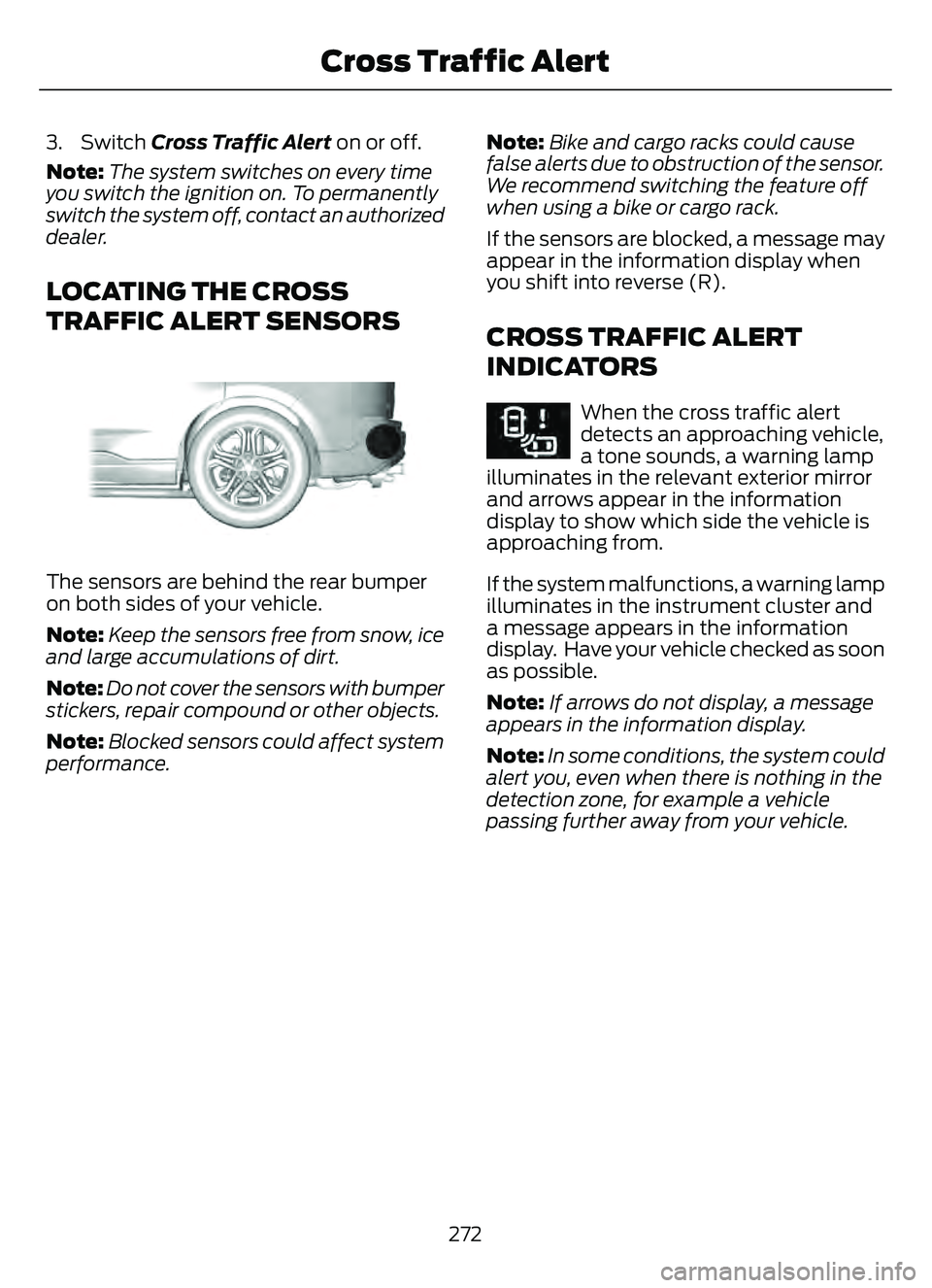
LOCATING THE CROSS
TRAFFIC ALERT SENSORS
E205199E205199
The sensors are behind the rear bumper
on both sides of your vehicle.
Note: Keep the sensors free from snow, ice
and large accumulations of dirt.
Note: Do not cover the sensors with bumper
stickers, repair compound or other objects.
Note: Blocked sensors could affect system
performance. Note:
Bike and cargo racks could cause
false alerts due to obstruction of the sensor.
We recommend switching the feature off
when using a bike or cargo rack.
If the sensors are blocked, a message may
appear in the information display when
you shift into reverse (R).
CROSS TRAFFIC ALERT
INDICATORS
E268294When the cross traffic alert
detects an approaching vehicle,
a tone sounds, a warning lamp
illuminates in the relevant exterior mirror
and arrows appear in the information
display to show which side the vehicle is
approaching from.
If the system malfunctions, a warning lamp
illuminates in the instrument cluster and
a message appears in the information
display. Have your vehicle checked as soon
as possible.
Note: If arrows do not display, a message
appears in the information display.
Note: In some conditions, the system could
alert you, even when there is nothing in the
detection zone, for example a vehicle
passing further away from your vehicle.
272
Cross Traffic Alert
Page 279 of 585

Adjusting the Pre-Collision Assist
Settings
You can adjust the following settings by
using the touchscreen controls in the
pre-collision assist menu:
• Change alert and distance alertsensitivity to one of three possible
settings.
• Switch distance indication and alert on or off.
• If required, switch automatic emergency braking on or off.
• If required, switch evasive steering assist on or off.
Note: Automatic emergency braking and
evasive steering automatically turns on
every time you switch the ignition on.
Note: If you switch automatic emergency
braking off, evasive steering assist switches
off.
LOCATING THE PRE-
COLLISION ASSIST SENSORS
E307090E307090
Camera.
1.
Radar sensor (if equipped).
2. If a message regarding a blocked sensor
or camera appears in the information
display, something is obstructing the radar
signals or camera images. The radar sensor
is behind the fascia cover in the center of
the lower grille. With a blocked sensor or
camera, the system may not function, or
performance may reduce. See
Pre-Collision Assist – Information
Messages (page 280).
Note:
Proper system operation requires a
clear view of the road by the camera. Repair
any windshield damage in the area of the
camera's field of view.
Note: If something hits the front end of your
vehicle or damage occurs and your vehicle
has a radar sensor, the radar sensing zone
could change. This could cause missed or
false vehicle detections. Have your vehicle
serviced to have the radar checked for
proper coverage and operation.
Note: If your vehicle detects excessive heat
at the camera or a potential misalignment
condition, a message could display in the
information display indicating temporary
sensor unavailability. When operational
conditions are correct, the message
deactivates. For example, when the ambient
temperature around the sensor decreases
or the sensor recalibrates successfully.
DISTANCE INDICATION
WHAT IS DISTANCE INDICATION
Distance indication displays the gap
between your vehicle and the vehicle
ahead of you.
Note: The graphic does not display if you
switch on cruise control or adaptive cruise
control.
276
Pre-Collision Assist
Page 282 of 585

SWITCHING AUTOMATIC
EMERGENCY BRAKING ON AND
OFF
To switch the system on or off, use the
touchscreen:
1. Press Settings on the touchscreen.
2. Press Driver Assistance.
3. Press Pre-Collision Assist.
4. Press Active Braking.
5. Switch the feature on or off.
EVASIVE STEERING ASSIST (IF
EQUIPPED)
WHAT IS EVASIVE STEERING
ASSIST
If your vehicle is rapidly approaching a road
user, evasive steering assist helps you steer
around the road user.
After you turn the steering wheel in an
attempt to avoid a crash with the road
user, the system applies additional steering
torque to help you steer around the road
user. After you pass the road user, the
system applies steering torque when you
turn the steering wheel to steer back into
the lane. The system deactivates after you
fully pass the road user.
Note: Road users are defined as another
stationary vehicle in the same lane or a
vehicle traveling in the same lane in the
same direction as you. See Pre-Collision
Assist Precautions (page 274).
EVASIVE STEERING ASSIST
LIMITATIONS
Evasive steering assist only activates when
all the following occur:
• Automatic emergency braking and evasive steering assist are on.
• The system detects a road user ahead and starts to apply the brakes.
• You significantly turn the steering wheel to steer around a road user.
Note: Evasive steering assist does not
automatically steer around a road user. If
you do not turn the steering wheel, evasive
steering assist does not activate.
Note: Evasive steering assist does not
activate if the distance to the road user
ahead is too small and the system cannot
avoid a crash.
Note: Evasive steering does not activate
with cyclists or pedestrians.
SWITCHING EVASIVE STEERING
ASSIST ON AND OFF
To switch the system on or off, use the
touchscreen:
1. Press Settings on the touchscreen.
2. Press Driver Assistance.
3. Press Pre-Collision Assist.
4. Press Evasive Steering.
5. Switch the feature on or off.
Note: If you switch automatic emergency
braking off, evasive steering assist turns off.
Note: Automatic emergency braking and
evasive steering assist turn on every time
you switch the ignition on.
279
Pre-Collision Assist
Page 286 of 585

2. Press Driver Assistance.
3. Switch Driver Alert on or off.
Note:The system remains on or off
depending on how it was last set.
Resetting Driver Alert
You can reset the system by either:
• Switching the ignition off and on.
• Stopping the vehicle and then opening and closing the driver door.
DRIVER ALERT INDICATORS
System Warnings
The warning system has two stages:
1. A temporary warning is issued to adviseyou to take a rest. This message only
appears for a short time.
2. If you do not rest and the system continues to detect that your driving
deteriorates, it issues a further warning.
This remains in the instrument cluster
display until you cancel it.
Note: The system does not warn you if the
vehicle speed falls below approximately
40 mph (65 km/h).
DRIVER ALERT – TROUBLESHOOTING
DRIVER ALERT – INFORMATION MESSAGES
Action
Message
Stop and rest as soon as it is safe to do so.
Driver Alert Warning Rest Now
Take a rest soon.
Driver Alert Warning Rest Suggested
283
Driver Alert