2022 FORD BRONCO SPORT wheel
[x] Cancel search: wheelPage 224 of 494
Note:
The system does not prevent contact
with other vehicles. It is not designed to
detect parked vehicles, pedestrians, animals
or other infrastructures.
Using the Blind Spot Information
System
Vehicles with Automatic Transmission
The system turns on when all of the
following occur:
• You start your vehicle.
• You shift into drive (D).
• The vehicle speed is greater than
6 mph (10 km/h).
Note: The system does not operate in park
(P) or reverse (R).
Blind Spot Information System
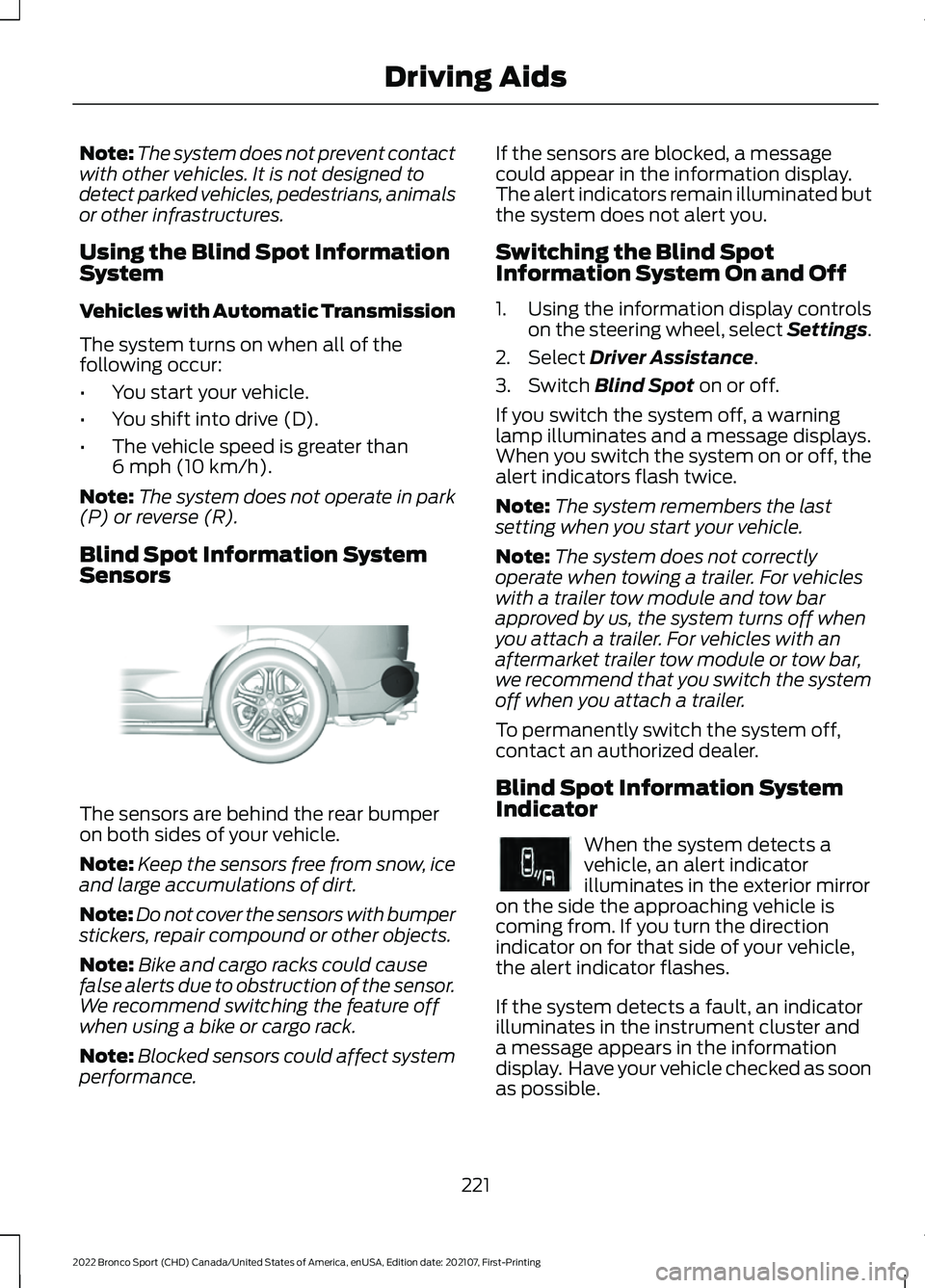
Sensors The sensors are behind the rear bumper
on both sides of your vehicle.
Note:
Keep the sensors free from snow, ice
and large accumulations of dirt.
Note: Do not cover the sensors with bumper
stickers, repair compound or other objects.
Note: Bike and cargo racks could cause
false alerts due to obstruction of the sensor.
We recommend switching the feature off
when using a bike or cargo rack.
Note: Blocked sensors could affect system
performance. If the sensors are blocked, a message
could appear in the information display.
The alert indicators remain illuminated but
the system does not alert you.
Switching the Blind Spot
Information System On and Off
1. Using the information display controls
on the steering wheel, select Settings.
2. Select
Driver Assistance.
3. Switch
Blind Spot on or off.
If you switch the system off, a warning
lamp illuminates and a message displays.
When you switch the system on or off, the
alert indicators flash twice.
Note: The system remembers the last
setting when you start your vehicle.
Note: The system does not correctly
operate when towing a trailer. For vehicles
with a trailer tow module and tow bar
approved by us, the system turns off when
you attach a trailer. For vehicles with an
aftermarket trailer tow module or tow bar,
we recommend that you switch the system
off when you attach a trailer.
To permanently switch the system off,
contact an authorized dealer.
Blind Spot Information System
Indicator When the system detects a
vehicle, an alert indicator
illuminates in the exterior mirror
on the side the approaching vehicle is
coming from. If you turn the direction
indicator on for that side of your vehicle,
the alert indicator flashes.
If the system detects a fault, an indicator
illuminates in the instrument cluster and
a message appears in the information
display. Have your vehicle checked as soon
as possible.
221
2022 Bronco Sport (CHD) Canada/United States of America, enUSA, Edition date: 202107, First-Printing Driving AidsE205199 E249861E249861
Page 232 of 494
Distance Indication and Alert (If
Equipped)
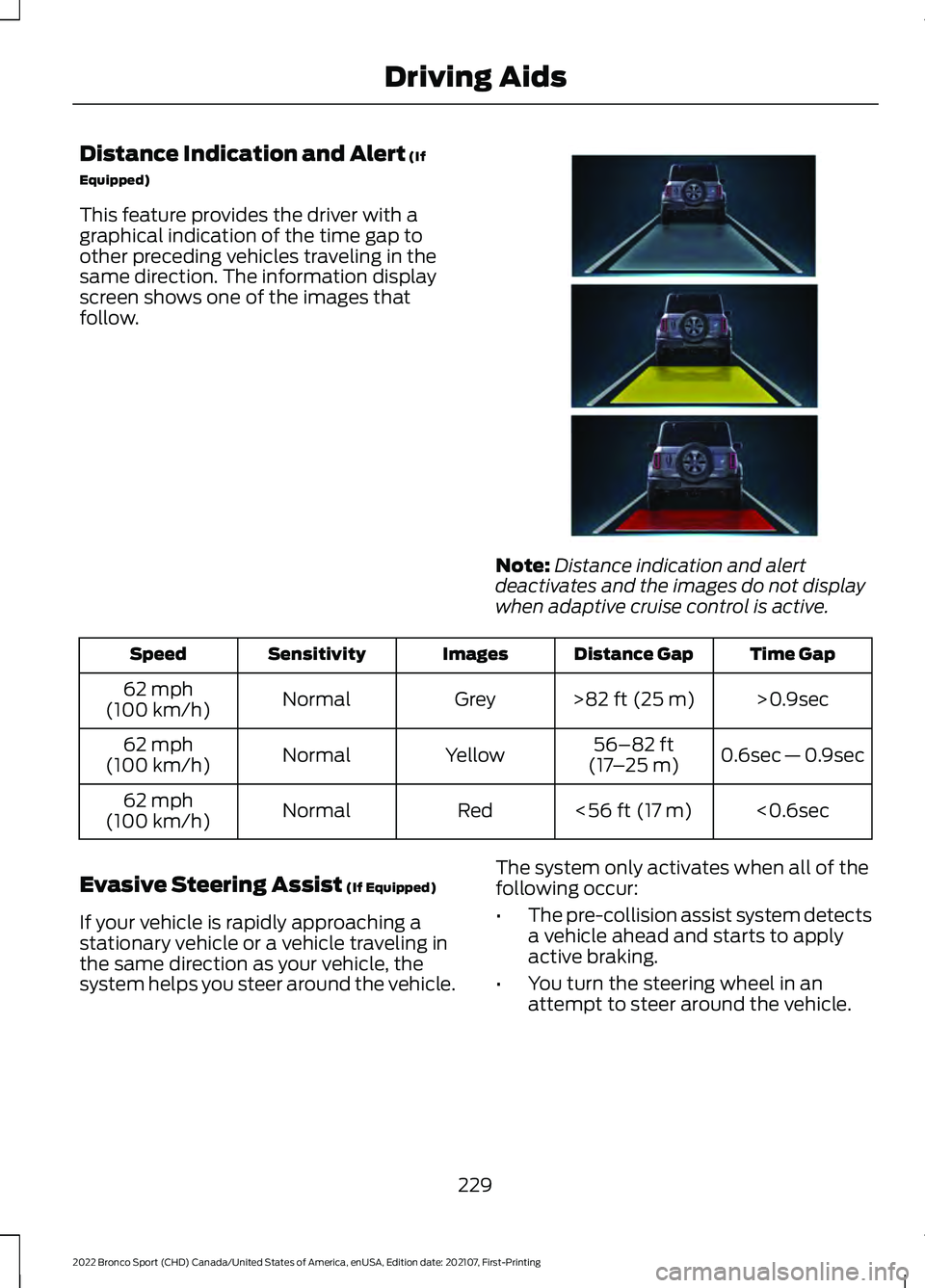
This feature provides the driver with a
graphical indication of the time gap to
other preceding vehicles traveling in the
same direction. The information display
screen shows one of the images that
follow. Note:
Distance indication and alert
deactivates and the images do not display
when adaptive cruise control is active. Time Gap
Distance Gap
Images
Sensitivity
Speed
>0.9sec
>
82 ft (25 m)
Grey
Normal
62 mph
(100 km/h)
0.6sec — 0.9sec
56–82 ft
(17 –25 m)
Yellow
Normal
62 mph
(100 km/h)
<0.6sec
<
56 ft (17 m)
Red
Normal
62 mph
(100 km/h)
Evasive Steering Assist
(If Equipped)
If your vehicle is rapidly approaching a
stationary vehicle or a vehicle traveling in
the same direction as your vehicle, the
system helps you steer around the vehicle. The system only activates when all of the
following occur:
•
The pre-collision assist system detects
a vehicle ahead and starts to apply
active braking.
• You turn the steering wheel in an
attempt to steer around the vehicle.
229
2022 Bronco Sport (CHD) Canada/United States of America, enUSA, Edition date: 202107, First-Printing Driving AidsE357884
Page 233 of 494
After you turn the steering wheel, the
system applies additional steering torque
to help you steer around the vehicle. After
you pass the vehicle, the system applies
steering torque in the opposite direction to
encourage you to steer back into the lane.
The system deactivates after you fully pass
the vehicle.
Note:
The system does not automatically
steer around a vehicle. If you do not turn the
steering wheel, the system does not
activate.
Note: The system does not activate if the
distance to the vehicle ahead is too small
and you cannot avoid a crash.
Adjusting the Pre-Collision Assist
Settings
Depending on your vehicle options, the
pre-collision assist settings can be in the
following:
• Information display. See General
Information (page 102).
• Touchscreen. See
Settings (page 391).
You can adjust the following settings:
• Change alert and distance alert
sensitivity to one of three possible
settings.
• Switch distance indication and alert on
or off.
• If required, switch active braking on or
off.
• If required, switch evasive steering
assist on or off.
Note: Active braking and evasive steering
assist turn on every time you switch the
ignition on. Note:
If you switch active braking off,
evasive steering assist turns off.
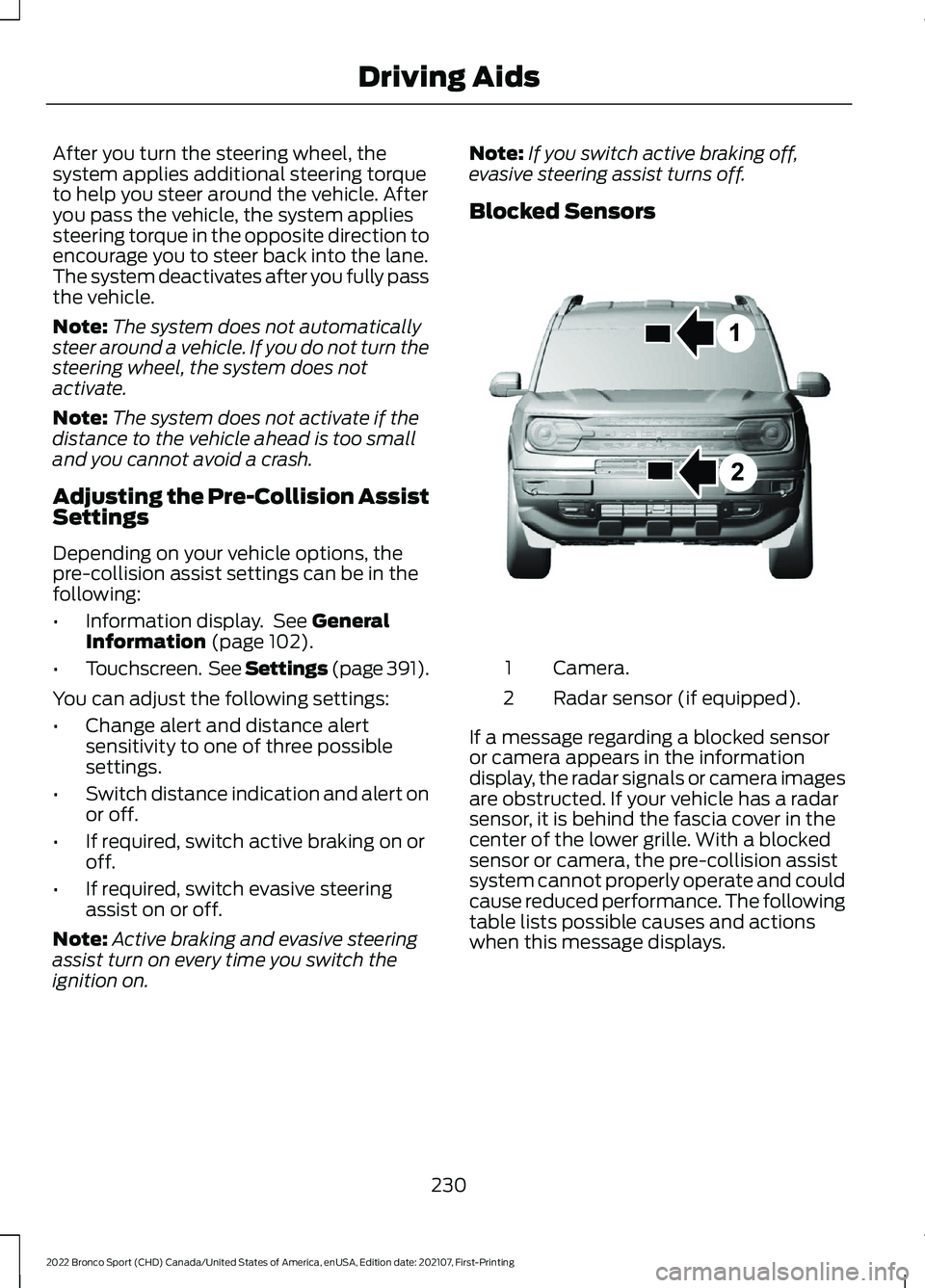
Blocked Sensors Camera.
1
Radar sensor (if equipped).
2
If a message regarding a blocked sensor
or camera appears in the information
display, the radar signals or camera images
are obstructed. If your vehicle has a radar
sensor, it is behind the fascia cover in the
center of the lower grille. With a blocked
sensor or camera, the pre-collision assist
system cannot properly operate and could
cause reduced performance. The following
table lists possible causes and actions
when this message displays.
230
2022 Bronco Sport (CHD) Canada/United States of America, enUSA, Edition date: 202107, First-Printing Driving AidsE325781
Page 235 of 494
WHAT IS G.O.A.T. MODE
CONTROL
Your vehicle has several goes over
any-type of terrain (G.O.A.T.) modes that
you can select for different driving
conditions. Depending on the mode that
you select, the system adjusts various
vehicle settings.
HOW DOES G.O.A.T. MODE
CONTROL WORK
Each selectable mode changes various
electronic and mechanical settings within
your vehicle to tailor its performance and
driving characteristics to on-road or
off-road driving conditions. The system
can alter steering feel and effort, traction
control, stability control, chassis controls,
powertrain response, transmission shift
points, four-wheel driveline settings and
the exhaust noise level to a
pre-determined setting, depending upon
the mode that you select.
Your vehicle reverts to normal mode each
time you start it.
Note:
Your vehicle has diagnostic checks
that continuously monitor all systems for
proper operation. If a mode is unavailable
due to a system fault, your vehicle defaults
to normal mode and the driveline remains
in the four-wheel drive setting that you last
selected prior to the system fault. SELECTING A G.O.A.T. MODE -
1.5L ECOBOOST™
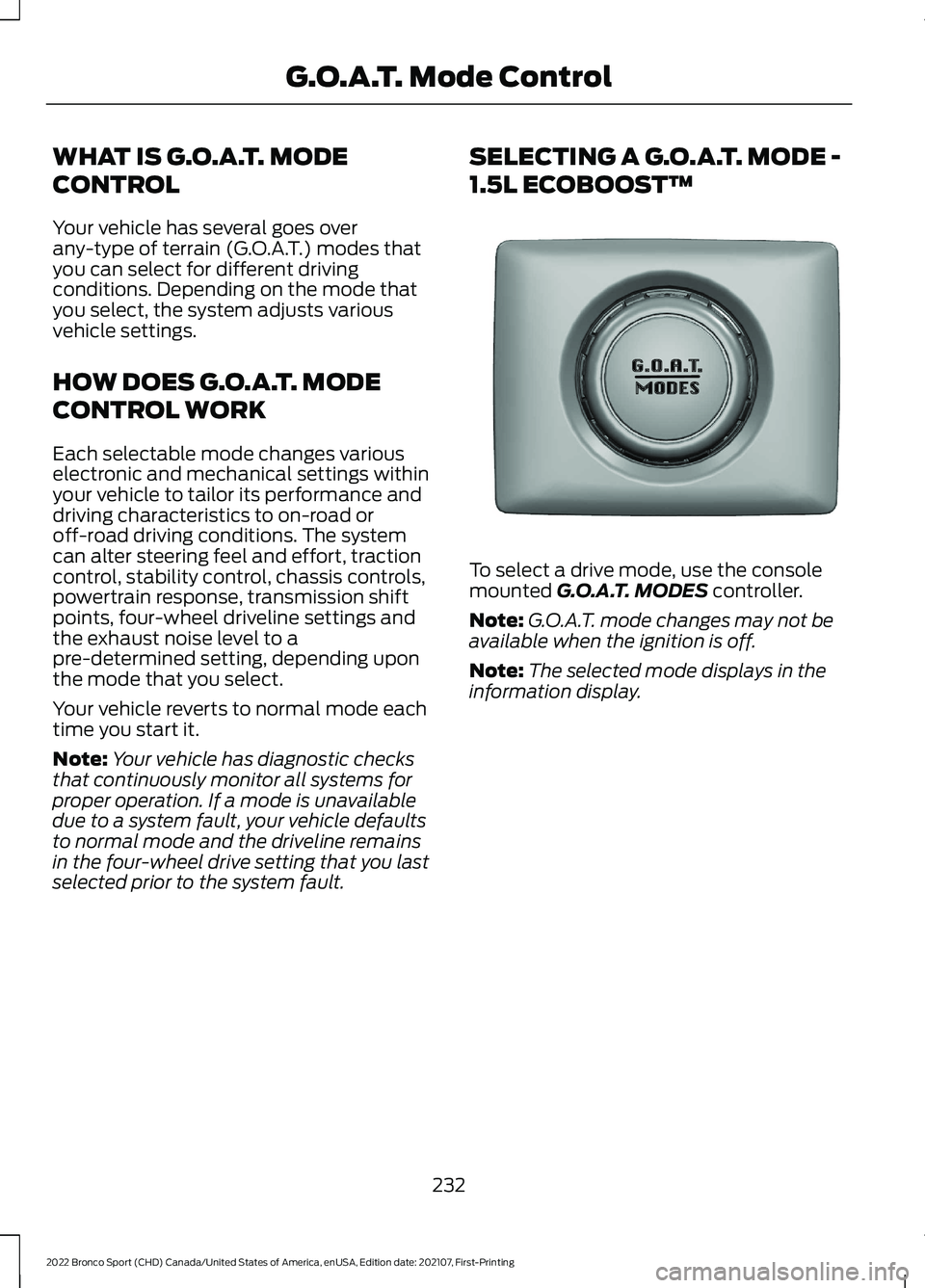
To select a drive mode, use the console
mounted G.O.A.T. MODES controller.
Note: G.O.A.T. mode changes may not be
available when the ignition is off.
Note: The selected mode displays in the
information display.
232
2022 Bronco Sport (CHD) Canada/United States of America, enUSA, Edition date: 202107, First-Printing G.O.A.T. Mode ControlE339228
Page 236 of 494
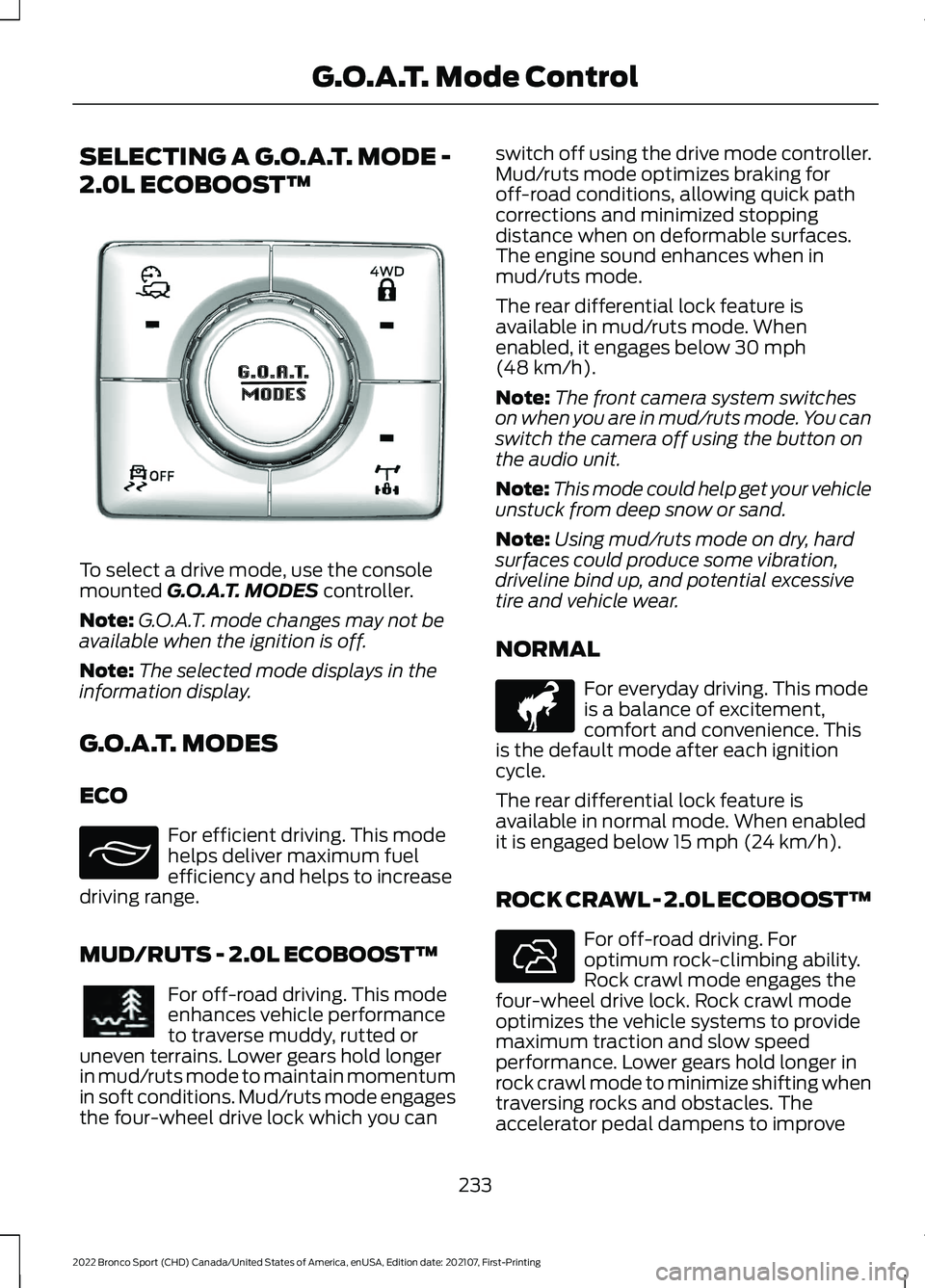
SELECTING A G.O.A.T. MODE -
2.0L ECOBOOST™
To select a drive mode, use the console
mounted G.O.A.T. MODES controller.
Note: G.O.A.T. mode changes may not be
available when the ignition is off.
Note: The selected mode displays in the
information display.
G.O.A.T. MODES
ECO For efficient driving. This mode
helps deliver maximum fuel
efficiency and helps to increase
driving range.
MUD/RUTS - 2.0L ECOBOOST™ For off-road driving. This mode
enhances vehicle performance
to traverse muddy, rutted or
uneven terrains. Lower gears hold longer
in mud/ruts mode to maintain momentum
in soft conditions. Mud/ruts mode engages
the four-wheel drive lock which you can switch off using the drive mode controller.
Mud/ruts mode optimizes braking for
off-road conditions, allowing quick path
corrections and minimized stopping
distance when on deformable surfaces.
The engine sound enhances when in
mud/ruts mode.
The rear differential lock feature is
available in mud/ruts mode. When
enabled, it engages below
30 mph
(48 km/h).
Note: The front camera system switches
on when you are in mud/ruts mode. You can
switch the camera off using the button on
the audio unit.
Note: This mode could help get your vehicle
unstuck from deep snow or sand.
Note: Using mud/ruts mode on dry, hard
surfaces could produce some vibration,
driveline bind up, and potential excessive
tire and vehicle wear.
NORMAL For everyday driving. This mode
is a balance of excitement,
comfort and convenience. This
is the default mode after each ignition
cycle.
The rear differential lock feature is
available in normal mode. When enabled
it is engaged below
15 mph (24 km/h).
ROCK CRAWL - 2.0L ECOBOOST™ For off-road driving. For
optimum rock-climbing ability.
Rock crawl mode engages the
four-wheel drive lock. Rock crawl mode
optimizes the vehicle systems to provide
maximum traction and slow speed
performance. Lower gears hold longer in
rock crawl mode to minimize shifting when
traversing rocks and obstacles. The
accelerator pedal dampens to improve
233
2022 Bronco Sport (CHD) Canada/United States of America, enUSA, Edition date: 202107, First-Printing G.O.A.T. Mode ControlE339229 E295413 E296606 E317283 E322413
Page 237 of 494
throttle control and minimize speed
change over rough terrain. The steering
optimizes for less effort with reduced
kick-back. Rock crawl mode optimizes
braking for off-road conditions, allowing
quick path corrections and minimized
stopping distance when on deformable
surfaces. The engine sound enhances
when in rock crawl mode.
The rear differential lock feature enables
in rock crawl mode. When enabled it is
engaged below 30 mph (48 km/h). You
can disable the feature using the drive
mode controller.
Note: The front camera system switches
on when you are in rock crawl mode. You
can switch the camera off using the button
on the audio unit.
Note: This mode may help get your vehicle
unstuck from deep snow or sand.
Note: Do not use this mode on dry, hard
pavement. This could produce some
vibration, driveline bind up, and potential
excessive tire and vehicle wear depending
on the four-wheel drive mode selection.
SAND For more spirited off-road
driving. Sand mode is for
off-road driving on soft, dry sand
or deep conditions. Lower gears hold
longer in sand mode to maintain
momentum in soft conditions. Sand mode
engages the four-wheel drive lock, which
you can switch off using the drive mode
controller. Sand mode optimizes braking
for off-road conditions, allowing quick path
corrections and minimized stopping
distance when on deformable surfaces.
The engine sound enhances when in sand
mode. The rear differential lock feature enables
in sand mode. When enabled it is engaged
below
30 mph (48 km/h). You can disable
the feature using the drive mode controller.
Note: The front camera system switches
on when you are in sand mode. You can
switch the camera off using the button on
the audio unit.
Note: Using sand mode on dry, hard
surfaces could produce some vibration,
driveline bind up, potential excessive tire
wear and vehicle wear.
Note: Do not use on firm, slippery surfaces,
such as paved roads covered with snow or
ice or driving on packed snow. For slippery,
firm surfaces use slippery mode.
SLIPPERY For less than ideal road
conditions such as snow or ice
covered roads. You can use this
mode for crossing terrain where loose, wet
or slippery materials covers a firm surface.
Slippery mode lowers throttle response
and optimizes shifting for slippery surfaces.
The rear differential lock feature is
available in slippery mode. When enabled
it is engaged below
15 mph (24 km/h).
Note: Do not use this mode on dry, hard
pavement. This could produce some
vibration, driveline bind up, and potential
excessive tire and vehicle wear depending
on the four-wheel drive mode selection.
234
2022 Bronco Sport (CHD) Canada/United States of America, enUSA, Edition date: 202107, First-Printing G.O.A.T. Mode ControlE332185 E295414
Page 238 of 494
SPORT
For sporty driving with improved
performance handling and
response. This mode increases
accelerator pedal response and provides
a sportier steering feel. The powertrain
system holds onto lower gears longer,
helping your vehicle accelerate faster. The
steering optimizes for higher effort with
more kick-back. The engine sound
enhances when in sport mode. G.O.A.T. MODE CONTROL –
TROUBLESHOOTING
G.O.A.T. MODE CONTROL –
WARNING LAMPS Some drive modes reduce
traction and stability control
performance and the indicator
illuminates in the instrument cluster.
G.O.A.T. MODE CONTROL – INFORMATION MESSAGES Details
Message
Displays when the system switches to
normal mode to support towing perform- ance.
Changing to Normal Drive Mode for
Improved Towing Performance
Displays when you select a drive mode thatis not available. Select a different mode.
Drive Mode Not Available
Displays when you select a drive mode that
is not available. Check the four-wheel drivemode and electronic locking differential before selecting a mode.
Drive Mode Preconditions Not Met
Displays when you select a mode that isnot available. Have the system checked.
Drive Mode Selection Reduced due to
System Fault
Displays when you select a four-wheel drivemode that is not available in the current
mode. Select an available four-wheel drive mode.
Selected 4x4 Mode Not Available in Current
Drive Mode
Displays when you select an electronic
locking differential that is not available in the current mode. Select an available electric locking differential.
Selected Locking Differential Not Available
in Current Drive Mode
235
2022 Bronco Sport (CHD) Canada/United States of America, enUSA, Edition date: 202107, First-Printing G.O.A.T. Mode ControlE246593 E130458
Page 249 of 494
RV & Trailer Towing Guide Online
http://www.fleet.ford.com/towing-guides/
Website
TRAILER SWAY CONTROL WARNING: Turning off trailer sway
control increases the risk of loss of
vehicle control, serious injury or death.
Ford does not recommend disabling this
feature except in situations where speed
reduction may be detrimental (such as
hill climbing), the driver has significant
trailer towing experience, and can control
trailer sway and maintain safe operation.
Note: This feature does not prevent trailer
sway, but reduces it when it begins.
Note: This feature cannot stop all trailers
from swaying. Note:
In some cases, if your vehicle speed
is too high, the system may turn on multiple
times, gradually reducing your vehicle speed.
The system applies the brakes to the
individual wheels and reduces engine
torque to aid vehicle stability. If the trailer
begins to sway, the stability control
warning lamp flashes and a message
appears in the information display. See
Information Messages (page 107). Slow
your vehicle down, pull safely to the side
of the road and check for correct load
distribution. See Load Carrying (page
237).
You can switch this feature off in the
information display. When you switch the
ignition on, the system automatically turns
on.
RECOMMENDED TOWING WEIGHTS Website
Market
ht tp s:/ / www .fl e e t.f or d . c om/
t o wing-g uide s/United States of America
ht tp s:/ / www .fl e e t.f or d . c a/ t o wing-
g uide s/Canada
246
2022 Bronco Sport (CHD) Canada/United States of America, enUSA, Edition date: 202107, First-Printing Towing