2022 FORD BRONCO SPORT climate settings
[x] Cancel search: climate settingsPage 367 of 494
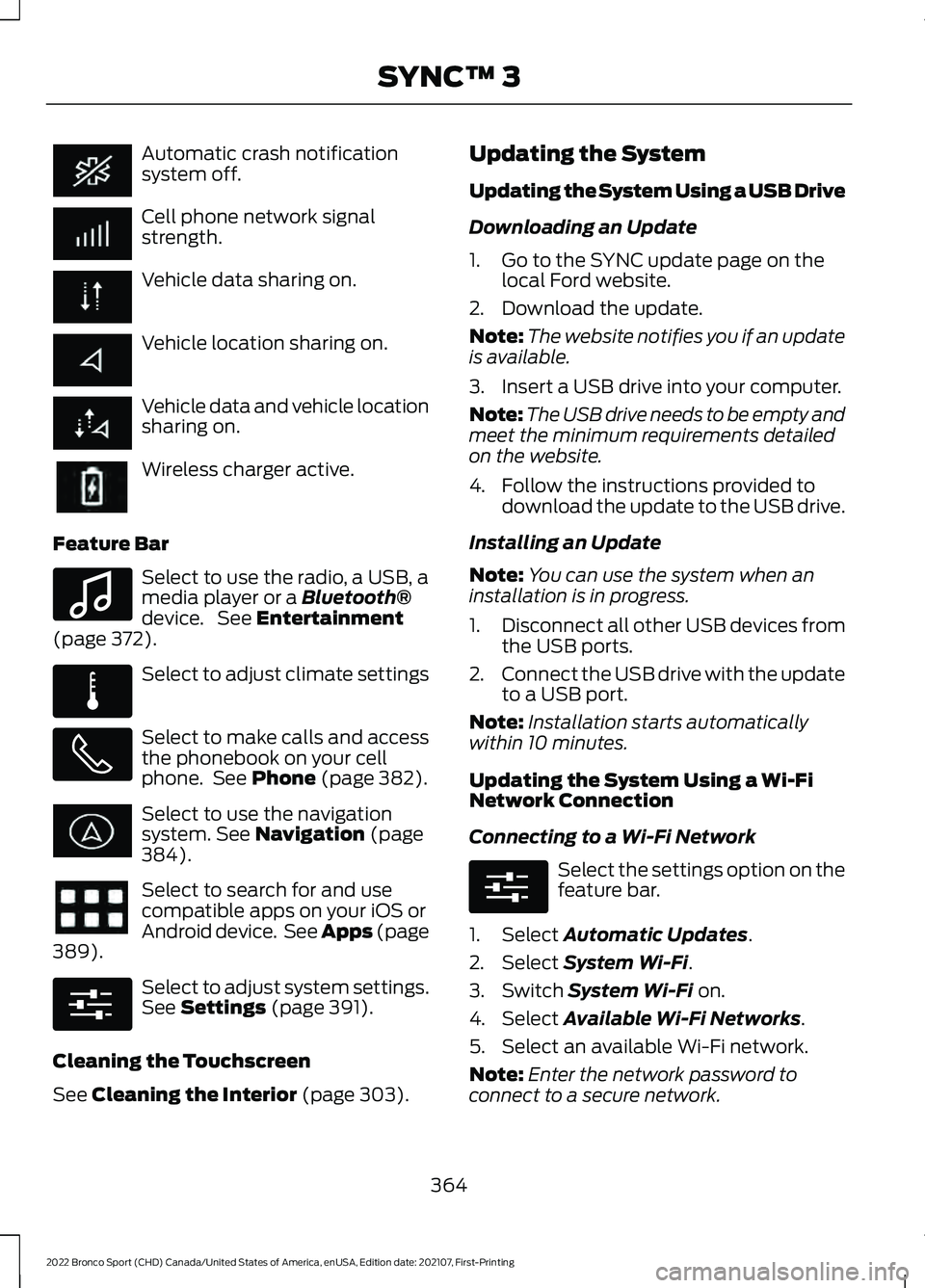
Automatic crash notification
system off.
Cell phone network signal
strength.
Vehicle data sharing on.
Vehicle location sharing on.
Vehicle data and vehicle location
sharing on.
Wireless charger active.
Feature Bar Select to use the radio, a USB, a
media player or a Bluetooth®
device. See Entertainment
(page 372). Select to adjust climate settings
Select to make calls and access
the phonebook on your cell
phone. See
Phone (page 382).
Select to use the navigation
system.
See Navigation (page
384). Select to search for and use
compatible apps on your iOS or
Android device. See Apps (page
389
). Select to adjust system settings.
See
Settings (page 391).
Cleaning the Touchscreen
See
Cleaning the Interior (page 303). Updating the System
Updating the System Using a USB Drive
Downloading an Update
1. Go to the SYNC update page on the
local Ford website.
2. Download the update.
Note: The website notifies you if an update
is available.
3. Insert a USB drive into your computer.
Note: The USB drive needs to be empty and
meet the minimum requirements detailed
on the website.
4. Follow the instructions provided to download the update to the USB drive.
Installing an Update
Note: You can use the system when an
installation is in progress.
1. Disconnect all other USB devices from
the USB ports.
2. Connect the USB drive with the update
to a USB port.
Note: Installation starts automatically
within 10 minutes.
Updating the System Using a Wi-Fi
Network Connection
Connecting to a Wi-Fi Network Select the settings option on the
feature bar.
1. Select
Automatic Updates.
2. Select
System Wi-Fi.
3. Switch
System Wi-Fi on.
4. Select
Available Wi-Fi Networks.
5. Select an available Wi-Fi network.
Note: Enter the network password to
connect to a secure network.
364
2022 Bronco Sport (CHD) Canada/United States of America, enUSA, Edition date: 202107, First-Printing SYNC™ 3 E100027 E283811 E280315 E280315
Page 368 of 494
Switching Automatic System Updates
On
Select the settings option on the
feature bar.
1. Select Automatic Updates.
2. Switch
Automatic System Updates
on.
The system is now set to check for and
receive system updates when it is
connected to a Wi-Fi network.
Note: You can use the system when a
download is in progress.
Note: If the system is disconnected from
the Wi-Fi network when a download is in
progress, the download continues the next
time the system is connected to a Wi-Fi
network.
Additional Information and
Assistance
For additional information and assistance,
we recommend that you contact an
authorized dealer or refer to the local Ford
website. USING VOICE RECOGNITION
The SYNC 3 system allows you to use voice
commands to control features like audio
and climate controls. By using voice
commands, you can keep your hands on
the wheel and your eyes on the road.
You can access each feature controlled by
SYNC 3 through a variety of commands. To activate the SYNC 3 voice
commands push the voice
button on the steering wheel and
wait for the prompt.
___ is a dynamic listing, meaning that it can
be the name of anything, such as artist, the
name of contact or number. The context
and the description of the command tell
you what to say for this dynamic option.
There are some commands that work for
every feature, these commands are: Action and Description
Voice Command
Brings you to the main menu.
Main Menu
Returns you to the previous screen.
Go back
Ends the voice session.
Cancel
Gives you a list of possible voice commands.
List of Commands
You can name any feature and the system gives a list of
commands available for the feature. For example, you could
say:
___ List of Commands
Phone List of Commands
Navigation List of Commands
365
2022 Bronco Sport (CHD) Canada/United States of America, enUSA, Edition date: 202107, First-Printing SYNC™ 3E280315 E142599
Page 370 of 494
Description
Voice Command
Play Audiobook ___ For USB audio only, you can say the name of an
artist, album, or a genre to browse by that selec-
tion. Your system must finish indexing before this
option is available. For example you can say
"Browse artist The Beatles" or "Browse genre
folk".
Browse ___
Browse Artist ___
Browse Album ___
Browse Genre ___
Browse Playlist ___
Browse Audiobook ___
Browse Podcast ___
1 This option may not be available in all markets or may require a subscription.
Climate Voice Commands (If Equipped)
You can control the temperature of the
vehicle using voice commands. ___ is a dynamic listing, meaning that for
climate voice commands it can be the
desired degrees for the temperature
setting.
To adjust the temperature, say: Description
Voice Command
Adjust the temperature between 60–85°F
(15.5– 29.5°C).
Set the Temperature to ____
Phone Voice Commands
Pairing a Phone
You can use voice commands to connect
your
Bluetooth®-enabled phone to the
system.
To pair your phone, press the voice button and when prompted, say: Description
Voice Command
Follow the on-screen instructions to complete the pairingprocess. See
Settings (page 391).
Pair Phone
367
2022 Bronco Sport (CHD) Canada/United States of America, enUSA, Edition date: 202107, First-Printing SYNC™ 3
Page 375 of 494
Description
Voice Command
The system does not confirm before placing a call.
Phone Confirmation Off
The system displays a short list of available commands.
Voice Command Lists On
The system does not display the list of commands.
Voice Command Lists Off
You can use the volume control to adjust
the volume of the system voice prompts.
While prompt is active, adjust the volume
control up or down to your desired setting.
Note: Depending on the current climate
control settings, the fan speed may
automatically go down while issuing voice
commands or while making and receiving
phone calls via SYNC to reduce the amount
of background noise in the vehicle. The fan
speed will automatically return to normal
operation once the voice session ends. You
can adjust the fan speed during a voice
session, simply press the fan buttons (or
turn the fan knob) to increase or decrease
the fan speed to the setting you prefer.
To disable this automatic fan speed
reduction feature during voice sessions,
press and hold the climate control AC and
Recirculated air buttons simultaneously,
release and then increase fan speed within
2 seconds. To re-enable this feature, repeat
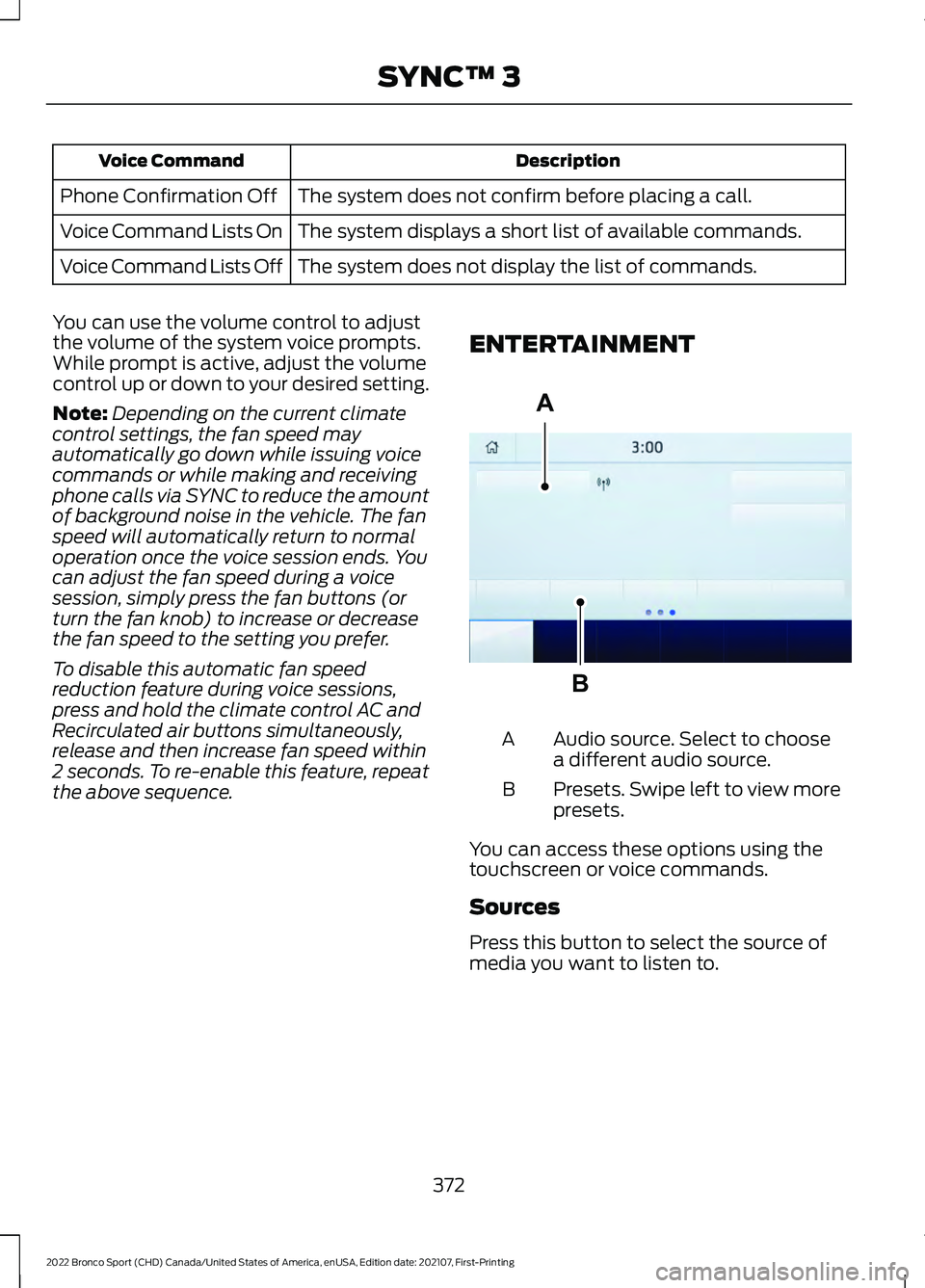
the above sequence. ENTERTAINMENT Audio source. Select to choose
a different audio source.
A
Presets. Swipe left to view more
presets.
B
You can access these options using the
touchscreen or voice commands.
Sources
Press this button to select the source of
media you want to listen to.
372
2022 Bronco Sport (CHD) Canada/United States of America, enUSA, Edition date: 202107, First-Printing SYNC™ 3A
BE293491
Page 491 of 494
Power Outlet..................................................149
Power Outlet Precautions.........................149
Power Seats
....................................................143
Power Steering Fluid Check.....................293
Power Windows...............................................91
Pre-Collision Assist
......................................227
Protecting the Environment........................19
Puncture See: Changing a Road Wheel....................... 329
R
Radio Frequency Certification Labels............................................................418
Blind Spot Information System Sensors..............................................................418
Body Control Module....................................... 424
Cruise Control Module...................................... 427
Keys and Remote Controls............................. 431
Passive Anti-Theft System............................ 436
Radio Transceiver Module.............................. 436
SYNC..................................................................... 440
Telematics Control Unit.................................. 444
Tire Pressure Monitoring System Sensors............................................................ 444
Wireless Accessory Charging Module............................................................. 449
Rear Exterior.....................................................24
Rear Floodlamps
...........................................88
Rear Occupant Alert System Audible Warnings
.......................................................148
Rear Occupant Alert System Indicators......................................................148
Rear Occupant Alert System Limitations....................................................147
Rear Occupant Alert System Precautions..................................................147
Rear Occupant Alert System
....................147
Rear Parking Aid............................................193
Rear Seats.......................................................144
Rear View Camera.......................................196
Rear View Camera See: Rear View Camera................................... 196
Rear Window Wiper and Washers...........82
Rear Wiper Blades See: Changing the Rear Wiper Blades.......297
Recommended Towing Weights
...........246
Refueling..........................................................165 Remote Control
...............................................57
Remotely Starting and Stopping the Vehicle............................................................123
Remote Start Limitations..........................123
Remote Start Precautions.........................123
Remote Start Remote Control Indicators......................................................124
Remote Start..................................................123 Remote Start Settings...................................... 124
Remote Start Settings................................124 Setting the Remote Start Duration..............125
Switching Climate Control Auto Mode On
and Off............................................................... 124
Switching Climate Control Last Settings On and Off........................................................ 124
Switching the Heated Seat Settings On and Off........................................................................\
124
Switching the Heated Steering Wheel Settings On and Off...................................... 125
Repairing Minor Paint Damage..............305
Replacement Parts Recommendation........................................16
Replacing a Lost Key or Remote Control.............................................................62
Replacing the Cabin Air Filter...................138
Reporting Safety Defects (Canada Only)...............................................................271
Reporting Safety Defects (U.S. Only)...............................................................271
Resuming the Set Speed..........................202
Roadside Assistance
.................................260
Roadside Emergencies.............................260
Roof Racks and Load Carriers.................237
Running-In See: Breaking-In................................................. 258
Running Out of Fuel....................................163
S
Safety Canopy ™
.............................................52
Safety Precautions.......................................162
Satellite Radio..............................................358
Scheduled Maintenance..........................409
Seatbelt Extensions......................................44
Seatbelt Height Adjustment.......................41
Seatbelt Reminder.........................................42
Seatbelts...........................................................38 Principle of Operation........................................ 38
488
2022 Bronco Sport (CHD) Canada/United States of America, enUSA, Edition date: 202107, First-Printing Index
Page 492 of 494
Seatbelt Warning Lamp and Indicator
Chime...............................................................42
Seats.................................................................139
Security...............................................................75
Selecting a G.O.A.T. Mode - 1.5L EcoBoost™.................................................232
Selecting a G.O.A.T. Mode - 2.0L EcoBoost™.................................................233
Settings............................................................391
Setting the Adaptive Cruise Control Gap................................................................208
Setting the Adaptive Cruise Control Speed............................................................207
Setting the Blower Motor Speed.............127
Setting the Cruise Control Speed..........201
Setting the Temperature............................127
Setting the Trail Control Speed..............190
Side Airbags.....................................................50
Sitting in the Correct Position..................139
Snow Chains See: Using Snow Chains................................. 323
Spare Wheel See: Changing a Road Wheel....................... 329
Special Notices
................................................16
Special Operating Conditions Scheduled Maintenance...............................................415
Speed Control See: Cruise Control............................................ 201
Speed Sign Recognition
............................225
Stability Control............................................188
Principle of Operation...................................... 188
Starter Switch See: Ignition Switch........................................... 155
Starting a Gasoline Engine
.......................156
Starting and Stopping the Engine..........155 General Information.......................................... 155
Steering............................................................227
Steering Wheel
...............................................20
Storage.............................................................153 Cup Holders.......................................................... 153
Glasses Holder..................................................... 154
Glove Compartment.......................................... 153
Map Pocket........................................................... 154
Under Seat Storage........................................... 153
Sunroof See: Moonroof....................................................... 94
Sun Visors.........................................................93 Supplementary Restraints System.........46
Principle of Operation........................................ 46
Switching Adaptive Cruise Control On and Off
.........................................................206
Switching Air Conditioning On and Off...................................................................126
Switching Automatic High Beam Control On and Off
.....................................................89
Switching Climate Control On and Off...................................................................126
Switching Cruise Control On and Off...................................................................201
Switching From Adaptive Cruise Control to Cruise Control........................................210
Switching Intelligent Mode On and Off
....................................................................212
Switching Lane Centering On and Off...................................................................210
Switching Maximum Cooling On and Off...................................................................126
Switching Maximum Defrost On and Off...................................................................126
Switching Rear Occupant Alert System On and Off....................................................147
Switching Recirculated Air On and Off...................................................................126
Switching the Heated Mirrors On and Off....................................................................127
Switching the Heated Rear Window On and Off...........................................................127
Switching the Heated Steering Wheel On and Off
.....................................................79
Switching the Heated Wiper Park On and Off...................................................................126
Switching Trail Control On and Off.......190
Symbols Glossary
.............................................9
SYNC™ 3........................................................363
General Information......................................... 363
SYNC™ 3 Troubleshooting
......................393
T
Technical Specifications See: Capacities and Specifications............336
The Better Business Bureau (BBB) Auto Line Program (U.S. Only)......................268
Tire Care
...........................................................310
Tire Pressure Monitoring System...........324
489
2022 Bronco Sport (CHD) Canada/United States of America, enUSA, Edition date: 202107, First-Printing Index