Page 418 of 450
144
Audio and Telematics
Transversal-Citroen_en_Chap02_RCC-2-2-0_ed01-2016
Media
QUESTIONANSWERSOLUTION
Playback of my USB memory stick starts only after a very long wait (around 2 to 3 minutes).
Some files supplied with the memory stick may greatly slow down access to reading the memory stick (multiplication by 10 of the catalogue time).
Delete the files supplied with the memory stick and limit the number of sub-folders in the file structure on the memory stick.
Some characters in the media information are not displayed correctly while playing.
The audio system does not display some types of characters. Use standard characters to name tracks and folders.
Playing of streaming files does not start. The peripheral device connected does not support automatic play. Start the playback from the device.
The names of tracks and the track length are not displayed on the screen when streaming audio.
The Bluetooth profile does not allow the transfer of this information.
Page 420 of 450

146
Audio and Telematics
Transversal-Citroen_en_Chap02_RCC-2-2-0_ed01-2016
QUESTIONANSWERSOLUTION
In changing the setting of treble and bass the equalizer setting is deselected.
The selection of an equalizer setting imposes the settings for treble and bass and vice-versa. Modify the treble and bass or equalizer settings to obtain the desired musical ambience.
In changing the equalizer setting, treble and bass return to zero.
When changing the balance settings, the distribution setting is deselected.
The selection of a distribution setting imposes the balance settings and vice-versa. Modify the balance or distribution settings to obtain the desired musical ambience.
When changing a distribution setting, the balance setting is deselected.
There is a difference in sound quality between the different audio sources.
For optimum sound quality, the audio settings can be adapted to the different sound sources, which may result in audible differences when changing source.
Check that the audio settings are adapted to the sources listened to. Adjust the audio functions to the middle position.
With the engine off, the system switches off after a few minutes of use.
When the engine is switched off, the system's operating time depends on the state of charge of the battery. The switch-off is normal: the system switches to economy mode and switches off to prevent discharging of the vehicle's battery.
Start the vehicle's engine to increase the battery charge.
Settings
Page 421 of 450
147
.
Audio and Telematics
Transversal-Citroen_en_Chap03_RD6_ed01-2016
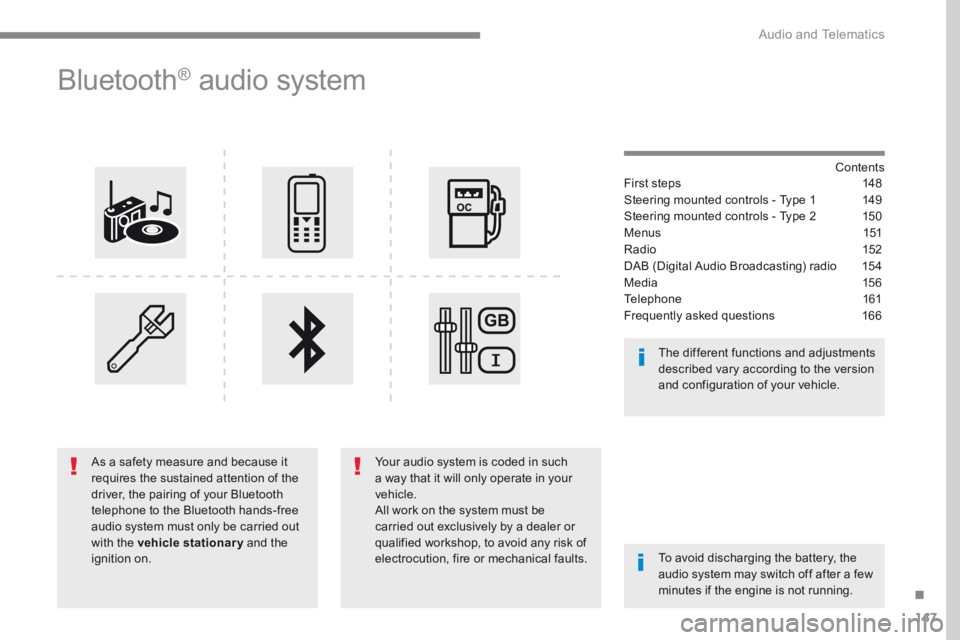
B l u e t o o t h ® audio system
Contents First steps 148
Steering mounted controls - Type 1 149
Steering mounted controls - Type 2 150
M e n u s 151
Radio 152
DAB (Digital Audio Broadcasting) radio 154
Media 15 6
Telephone 161
Frequently asked questions 166
Your audio system is coded in such a way that it will only operate in your vehicle. All work on the system must be carried out exclusively by a dealer or qualified workshop, to avoid any risk of electrocution, fire or mechanical faults. To avoid discharging the battery, the audio system may switch off after a few minutes if the engine is not running.
The different functions and adjustments described vary according to the version and configuration of your vehicle.
As a safety measure and because it requires the sustained attention of the driver, the pairing of your Bluetooth telephone to the Bluetooth hands-free audio system must only be carried out with the vehicle stationary and the ignition on.
Page 430 of 450

156
Audio and Telematics
Media
USB port
This unit consists of a USB port and an auxiliary Jack socket, depending on version.
Insert a USB memory stick into the USB port or connect a USB peripheral device to the USB port using a suitable cable (not supplied). The system changes automatically to "USB" source. The system creates playlists (temporary memory), which can take from a few seconds to several minutes on the first connection. Reducing the number of non-music files and the number of folders reduces this waiting time. Playlists are updated every time a new USB memory stick is connected.
Press this button to display the
contextual menu for the Media function.
Press this button to select the play mode.
Press this button to confirm.
Play mode
The play modes available are: - Normal : the tracks are played in order, depending on the classification of the selected files. - Random : the tracks in an album or folder are played in a random order. - Random on all media : all of the tracks saved in the media are played in random o r d e r. - Repeat : the tracks played are only those from the current album or folder.
The choice made is displayed at the top of the screen.
While connected by USB, the portable device may be charged automatically.
To protect the system, do not use a USB hub.
Any additional equipment connected to the system must conform to the standard of the product or standard IEC 60950 -1.
Page 440 of 450

166
Audio and Telematics
The table below gives answers to the most frequently asked questions on your audio system.
QUESTIONANSWERSOLUTION
With the engine off, the audio system switches off after a few minutes of use.
When the engine is switched off, the audio system operating time depends on the state of charge of the battery. The switch-off is normal: the audio equipment switches to economy mode and switches off to prevent discharging of the vehicle's battery.
Start the vehicle's engine to increase the battery charge.
The message "the audio system is overheated" appears on the display.
In order to protect the installation if the surrounding temperature is too high, the audio system switches to an automatic thermal protection mode leading to a reduction in volume or CD play stopping.
Switch the audio system off for a few minutes to allow the system to cool.
Frequently asked questions
QUESTIONANSWERSOLUTION
There is a difference in sound quality between the different audio sources (radio, CD...).
For optimum sound quality, the audio settings (Volume, Bass, Treble, Ambience and Loudness) can be adapted to the different sound sources, which may result in audible differences when changing source (radio, CD...).
Check that the audio settings (Volume, Bass, Treble, Ambience and Loudness) are adapted to the sources listened to. It is advisable to set the audio functions (Bass, Treble, Front-Rear Balance and Left-Right Balance) to the middle position, select the musical ambience "None" and set the loudness correction to the "Active" position in CD mode or to the "Inactive" position in radio mode.
Radio
