2022 CHEVROLET BOLT EV brakes
[x] Cancel search: brakesPage 166 of 316
Chevrolet BOLT EV Owner Manual (GMNA-Localizing-U.S./Canada-
15082216) - 2022 - CRC - 6/25/21
Driving and Operating 165
{Warning
Things inside the vehicle can strike
and injure people in a sudden stop or
turn, or in a crash.
.Put things in the cargo area of the
vehicle. In the cargo area, put
them as far forward as possible.
Try to spread the weight evenly.
.Never stack heavier things, like
suitcases, inside the vehicle so
that some of them are above the
tops of the seats.
.Do not leave an unsecured child
restraint in the vehicle.
.Secure loose items in the vehicle.
.Do not leave a seat folded down
unless needed.
Starting and Operating
New Vehicle Break-In
Caution
Avoid making hard stops for the first
322 km (200 mi). During this time the
new brake linings are not yet broken in.
Hard stops with new linings can mean
premature wear and earlier replacement.
Follow this breaking-in guideline every
time you get new brake linings.
Following break-in, vehicle speed and load
can be gradually increased.
Power Button
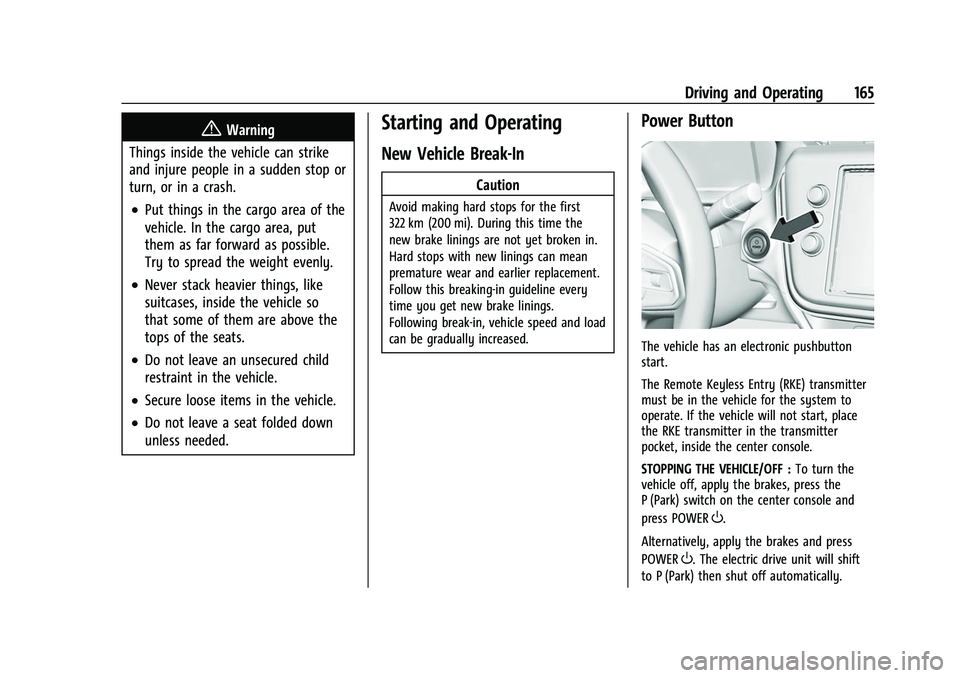
The vehicle has an electronic pushbutton
start.
The Remote Keyless Entry (RKE) transmitter
must be in the vehicle for the system to
operate. If the vehicle will not start, place
the RKE transmitter in the transmitter
pocket, inside the center console.
STOPPING THE VEHICLE/OFF : To turn the
vehicle off, apply the brakes, press the
P (Park) switch on the center console and
press POWER
O.
Alternatively, apply the brakes and press
POWER
O. The electric drive unit will shift
to P (Park) then shut off automatically.
Page 167 of 316
Chevrolet BOLT EV Owner Manual (GMNA-Localizing-U.S./Canada-
15082216) - 2022 - CRC - 6/25/21
166 Driving and Operating
Retained Accessory Power (RAP) will remain
active until the driver door is opened.
If the vehicle must be shut off in an
emergency:1. Brake using a firm and steady pressure. Do not pump the brakes repeatedly. This
may deplete power assist, requiring
increased brake pedal force.
2. Shift the vehicle to N (Neutral). This can be done while the vehicle is moving.
After shifting to N (Neutral), firmly apply
the brakes and steer the vehicle to a
safe location.
3. Come to a complete stop, shift to P (Park), and turn the vehicle off by
pressing POWER
O.
4. Set the parking brake.
{Warning
Turning off the vehicle while moving may
disable the airbags. While driving, only
shut the propulsion system off in an
emergency.
If the vehicle cannot be pulled over, and
must be shut off while driving, press and
hold POWER
Ofor longer than two seconds,
or press twice in five seconds. ON/RUN :
This position is for starting and
driving. With the vehicle off, and the brake
pedal applied, pressing POWER
Oonce will
place the vehicle in ON/RUN. When the
vehicle ready light is on in the instrument
cluster, the vehicle is ready to be driven.
This could take up to 15 seconds at
extremely cold temperatures.
Service Mode
This power mode is available for service and
diagnostics, and to verify the proper
operation of the service vehicle soon light as
may be required for emission inspection
purposes. With the vehicle off, and the
brake pedal not applied, pressing and
holding POWER
Ofor more than
five seconds will place the vehicle in Service
Mode. The instruments and audio systems
will operate as they do in ON/RUN, but the
vehicle will not be able to be driven. The
propulsion system will not start in Service
Mode. Press POWER
Oagain to turn the
vehicle off.
Caution
Placing the vehicle in Service Mode will
use the 12-volt battery. Do not use
Service Mode for an extended period,
or the vehicle may not start.
Starting and Stopping the Vehicle
Starting Procedure
Shift the vehicle to P (Park) or N (Neutral).
The propulsion system will not start in any
other position.
Caution
Do not try to shift to P (Park) if the
vehicle is moving or the electric drive unit
could be damaged. Shift to P (Park) only
when the vehicle is stopped.
Caution
If you add electrical parts or accessories,
you could change the way the vehicle
operates. Any resulting damage would
not be covered by the vehicle warranty.
Page 172 of 316
Chevrolet BOLT EV Owner Manual (GMNA-Localizing-U.S./Canada-
15082216) - 2022 - CRC - 6/25/21
Driving and Operating 171
6. If desired, press POWEROto turn off
the vehicle.
7. Exit the vehicle and close the door. The vehicle is now ready for the car wash.
8. If left on, the vehicle may automatically shift into P (Park) upon re-entry.
D : This position is for normal driving.
If more power is needed for passing, press
the accelerator pedal down.
To shift into D (Drive):
1. Bring the vehicle to a complete stop.
2. Pull the D (Drive) switch on the center console.
To shift out of D (Drive): 1. Bring the vehicle to a complete stop.
2. Shift to the desired gear.
Caution
Spinning the tires excessively may
damage the electric drive unit. The repair
will not be covered by the vehicle
warranty. If you are stuck, do not spin
the tires.
Apply the brakes when stopping or shifting
to P (Park) on a hill to prevent the vehicle
from rolling.
One-Pedal Driving
With One-Pedal Driving, the accelerator
pedal is used to control the deceleration of
the vehicle to a complete stop.
Completely lifting off the accelerator pedal
results in aggressive deceleration. Partially
lifting off the accelerator pedal allows the
deceleration of the vehicle to be adjusted as
desired.
The amount of deceleration may vary under
Regenerative Power Limited condition. See
Power Indicator Gauge 082.
Use the brake pedal if emergency braking is
required.
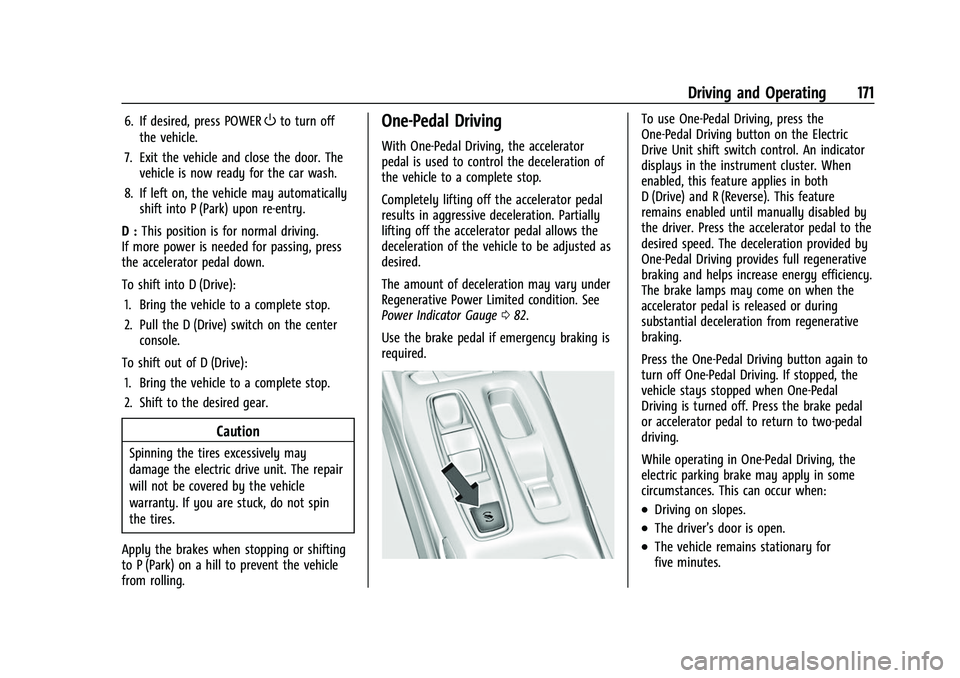
To use One-Pedal Driving, press the
One-Pedal Driving button on the Electric
Drive Unit shift switch control. An indicator
displays in the instrument cluster. When
enabled, this feature applies in both
D (Drive) and R (Reverse). This feature
remains enabled until manually disabled by
the driver. Press the accelerator pedal to the
desired speed. The deceleration provided by
One-Pedal Driving provides full regenerative
braking and helps increase energy efficiency.
The brake lamps may come on when the
accelerator pedal is released or during
substantial deceleration from regenerative
braking.
Press the One-Pedal Driving button again to
turn off One-Pedal Driving. If stopped, the
vehicle stays stopped when One-Pedal
Driving is turned off. Press the brake pedal
or accelerator pedal to return to two-pedal
driving.
While operating in One-Pedal Driving, the
electric parking brake may apply in some
circumstances. This can occur when:
.Driving on slopes.
.The driver’s door is open.
.The vehicle remains stationary for
five minutes.
Page 173 of 316
Chevrolet BOLT EV Owner Manual (GMNA-Localizing-U.S./Canada-
15082216) - 2022 - CRC - 6/25/21
172 Driving and Operating
.There is a problem with the propulsion
system.
To drive, press the accelerator pedal again
and the electric parking brake will
automatically disengage.
One-Pedal Driving may shift the car into
P (Park) if the vehicle is pushed once it has
been stopped or if a problem with the
propulsion system develops.
Brakes
Antilock Brake System (ABS)
The Antilock Brake System (ABS) helps
prevent a braking skid and maintain steering
while braking hard.
ABS performs a system check when the
vehicle is first driven. A momentary motor
or clicking noise may be heard while this
test is going on, and the brake pedal may
move slightly. This is normal.
If there is a problem with ABS, this warning
light stays on. See Antilock Brake System
(ABS) Warning Light 086.
ABS does not change the time needed to
get a foot on the brake pedal and does not
always decrease stopping distance. If you
get too close to the vehicle ahead, there will
not be enough time to apply the brakes if
that vehicle suddenly slows or stops. Always
leave enough room ahead to stop, even
with ABS.
Using ABS
Do not pump the brakes. Just hold the brake
pedal down firmly. Hearing or feeling ABS
operate is normal.
Braking in Emergencies
ABS allows steering and braking at the same
time. In many emergencies, steering can
help even more than braking.
Electric Parking Brake
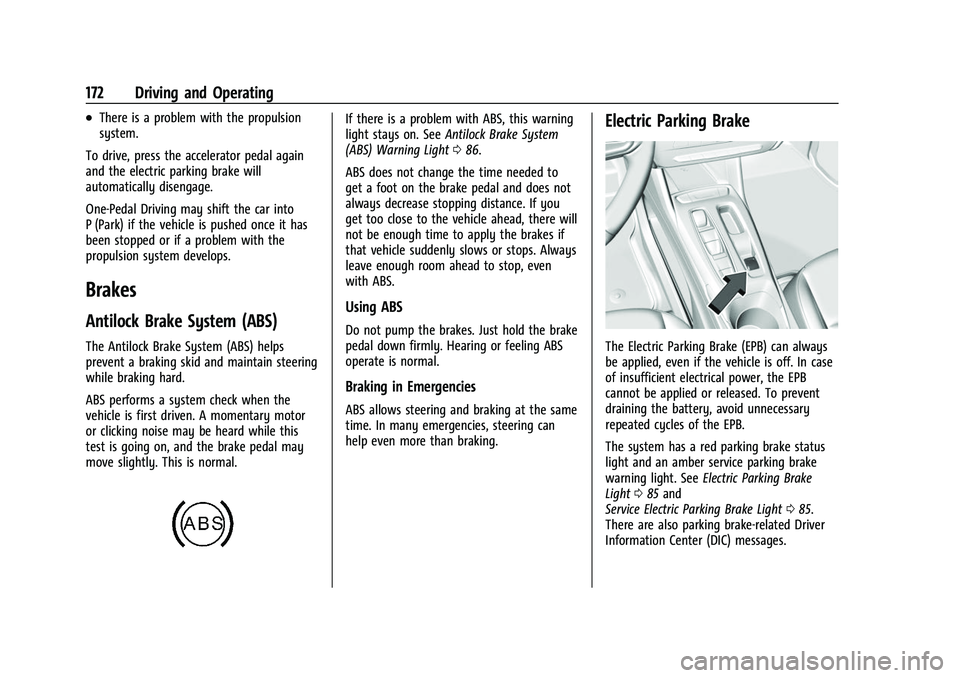
The Electric Parking Brake (EPB) can always
be applied, even if the vehicle is off. In case
of insufficient electrical power, the EPB
cannot be applied or released. To prevent
draining the battery, avoid unnecessary
repeated cycles of the EPB.
The system has a red parking brake status
light and an amber service parking brake
warning light. See Electric Parking Brake
Light 085 and
Service Electric Parking Brake Light 085.
There are also parking brake-related Driver
Information Center (DIC) messages.
Page 175 of 316
Chevrolet BOLT EV Owner Manual (GMNA-Localizing-U.S./Canada-
15082216) - 2022 - CRC - 6/25/21
174 Driving and Operating
Hill Start Assist (HSA)
{Warning
Do not rely on the HSA feature. HSA does
not replace the need to pay attention
and drive safely. You may not hear or
feel alerts or warnings provided by this
system. Failure to use proper care when
driving may result in injury, death,
or vehicle damage. SeeDefensive Driving
0 157.
When the vehicle is stopped on a grade, Hill
Start Assist (HSA) prevents the vehicle from
rolling in an unintended direction during the
transition from brake pedal release to
accelerator pedal apply. The brakes release
when the accelerator pedal is applied. If the
accelerator pedal is not applied within a few
minutes, the Electric Parking Brake will
apply. The brakes may also release under
other conditions. Do not rely on HSA to hold
the vehicle.
HSA is available when the vehicle is facing
uphill in a forward gear, or when facing
downhill in R (Reverse). The vehicle must
come to a complete stop on a grade for HSA
to activate.
Regenerative Braking
Regenerative braking takes some of the
energy from the moving vehicle and turns it
back into electrical energy. This energy is
then stored back into the high voltage
battery system, contributing to increased
energy efficiency.
The brake system uses regenerative braking,
conventional hydraulic braking, or a
combination of both as appropriate.
The brake controller applies the hydraulic
brakes using a pump. The pump may be
heard during some braking, such as rapid
applies. This is normal.
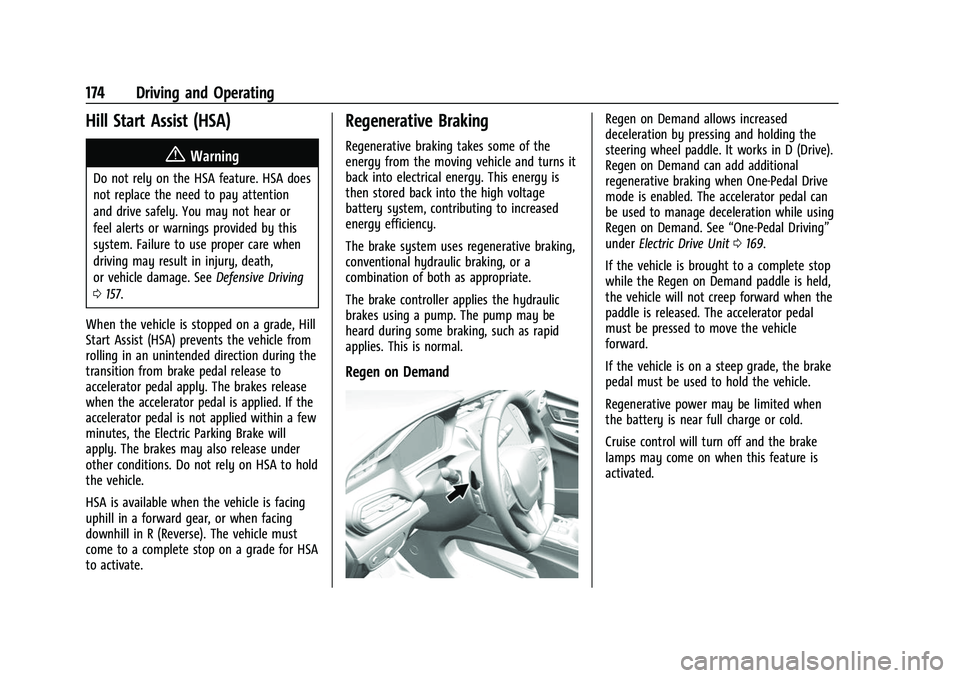
Regen on Demand
Regen on Demand allows increased
deceleration by pressing and holding the
steering wheel paddle. It works in D (Drive).
Regen on Demand can add additional
regenerative braking when One-Pedal Drive
mode is enabled. The accelerator pedal can
be used to manage deceleration while using
Regen on Demand. See “One-Pedal Driving”
under Electric Drive Unit 0169.
If the vehicle is brought to a complete stop
while the Regen on Demand paddle is held,
the vehicle will not creep forward when the
paddle is released. The accelerator pedal
must be pressed to move the vehicle
forward.
If the vehicle is on a steep grade, the brake
pedal must be used to hold the vehicle.
Regenerative power may be limited when
the battery is near full charge or cold.
Cruise control will turn off and the brake
lamps may come on when this feature is
activated.
Page 176 of 316
Chevrolet BOLT EV Owner Manual (GMNA-Localizing-U.S./Canada-
15082216) - 2022 - CRC - 6/25/21
Driving and Operating 175
Ride Control Systems
Traction Control/Electronic
Stability Control
System Operation
The vehicle has a Traction Control System
(TCS) and StabiliTrak/Electronic Stability
Control (ESC), an electronic stability control
system. These systems help limit wheel slip
and assist the driver in maintaining control,
especially on slippery road conditions.
TCS activates if it senses that any of the
drive wheels are spinning or beginning to
lose traction. When this happens, TCS
applies the brakes to the spinning wheels
and reduces propulsion system power to
limit wheel spin.
StabiliTrak/ESC activates when the vehicle
senses a difference between the intended
path and the direction the vehicle is actually
traveling. StabiliTrak/ESC selectively applies
braking pressure to any one of the vehicle
wheel brakes to assist the driver in keeping
the vehicle on the intended path.
If cruise control or adaptive cruise control is
being used and TCS or StabiliTrak/ESC begins
to limit wheel spin, cruise control oradaptive cruise control will disengage. Cruise
control or adaptive cruise control may be
turned back on when road conditions allow.
Both systems come on automatically when
the vehicle is started and begins to move.
The systems may be heard or felt while
they are operating or while performing
diagnostic checks. This is normal and does
not mean there is a problem with the
vehicle.
It is recommended to leave both systems on
for normal driving conditions, but it may be
necessary to turn TCS off if the vehicle gets
stuck in sand, mud, ice, or snow. See
“Turning the Systems Off and On”
later in
this section.
The indicator light for both systems is in the
instrument cluster. This light will:
.Flash when TCS is limiting wheel spin.
.Flash when StabiliTrak/ESC is activated.
.Turn on and stay on when either system
is not working. If either system fails to turn on or to
activate, a message displays in the Driver
Information Center (DIC), and
dcomes on
and stays on to indicate that the system is
inactive and is not assisting the driver in
maintaining control. The vehicle is safe to
drive, but driving should be adjusted
accordingly.
If
dcomes on and stays on:
1. Stop the vehicle.
2. Turn the vehicle off and wait 15 seconds.
3. Start the vehicle.
Drive the vehicle. If
dcomes on and stays
on, the vehicle may need more time to
diagnose the problem. If the condition
persists, see your dealer.
Page 177 of 316
Chevrolet BOLT EV Owner Manual (GMNA-Localizing-U.S./Canada-
15082216) - 2022 - CRC - 6/25/21
176 Driving and Operating
Turning the Systems Off and On
Caution
Do not repeatedly brake or accelerate
heavily when TCS is off. The vehicle
driveline could be damaged.
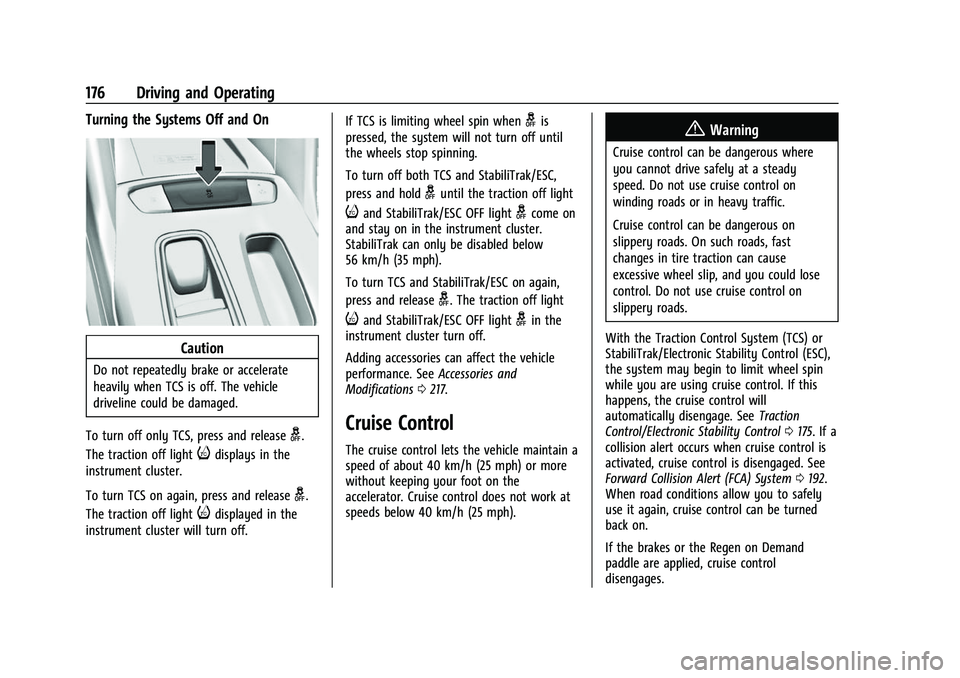
To turn off only TCS, press and release
g.
The traction off light
idisplays in the
instrument cluster.
To turn TCS on again, press and release
g.
The traction off light
idisplayed in the
instrument cluster will turn off. If TCS is limiting wheel spin when
gis
pressed, the system will not turn off until
the wheels stop spinning.
To turn off both TCS and StabiliTrak/ESC,
press and hold
guntil the traction off light
iand StabiliTrak/ESC OFF lightgcome on
and stay on in the instrument cluster.
StabiliTrak can only be disabled below
56 km/h (35 mph).
To turn TCS and StabiliTrak/ESC on again,
press and release
g. The traction off light
iand StabiliTrak/ESC OFF lightgin the
instrument cluster turn off.
Adding accessories can affect the vehicle
performance. See Accessories and
Modifications 0217.
Cruise Control
The cruise control lets the vehicle maintain a
speed of about 40 km/h (25 mph) or more
without keeping your foot on the
accelerator. Cruise control does not work at
speeds below 40 km/h (25 mph).
{Warning
Cruise control can be dangerous where
you cannot drive safely at a steady
speed. Do not use cruise control on
winding roads or in heavy traffic.
Cruise control can be dangerous on
slippery roads. On such roads, fast
changes in tire traction can cause
excessive wheel slip, and you could lose
control. Do not use cruise control on
slippery roads.
With the Traction Control System (TCS) or
StabiliTrak/Electronic Stability Control (ESC),
the system may begin to limit wheel spin
while you are using cruise control. If this
happens, the cruise control will
automatically disengage. See Traction
Control/Electronic Stability Control 0175. If a
collision alert occurs when cruise control is
activated, cruise control is disengaged. See
Forward Collision Alert (FCA) System 0192.
When road conditions allow you to safely
use it again, cruise control can be turned
back on.
If the brakes or the Regen on Demand
paddle are applied, cruise control
disengages.
Page 178 of 316
Chevrolet BOLT EV Owner Manual (GMNA-Localizing-U.S./Canada-
15082216) - 2022 - CRC - 6/25/21
Driving and Operating 177
Cruise control will disengage if either TCS or
StabiliTrak/ESC is turned off.
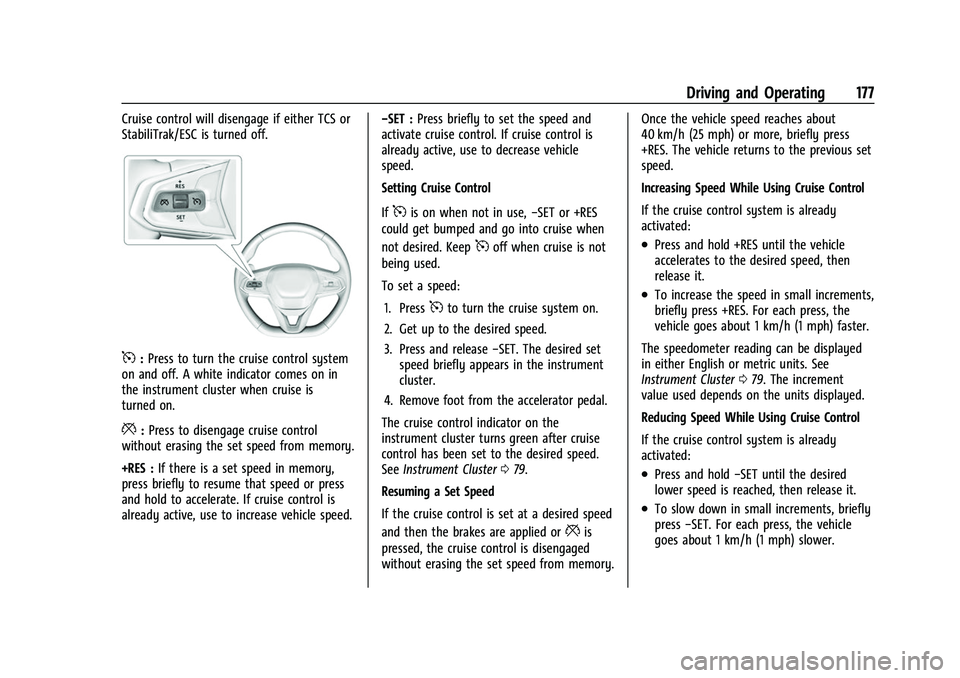
5:Press to turn the cruise control system
on and off. A white indicator comes on in
the instrument cluster when cruise is
turned on.
*: Press to disengage cruise control
without erasing the set speed from memory.
+RES : If there is a set speed in memory,
press briefly to resume that speed or press
and hold to accelerate. If cruise control is
already active, use to increase vehicle speed. −SET :
Press briefly to set the speed and
activate cruise control. If cruise control is
already active, use to decrease vehicle
speed.
Setting Cruise Control
If
5is on when not in use, −SET or +RES
could get bumped and go into cruise when
not desired. Keep
5off when cruise is not
being used.
To set a speed:
1. Press
5to turn the cruise system on.
2. Get up to the desired speed.
3. Press and release −SET. The desired set
speed briefly appears in the instrument
cluster.
4. Remove foot from the accelerator pedal.
The cruise control indicator on the
instrument cluster turns green after cruise
control has been set to the desired speed.
See Instrument Cluster 079.
Resuming a Set Speed
If the cruise control is set at a desired speed
and then the brakes are applied or
*is
pressed, the cruise control is disengaged
without erasing the set speed from memory. Once the vehicle speed reaches about
40 km/h (25 mph) or more, briefly press
+RES. The vehicle returns to the previous set
speed.
Increasing Speed While Using Cruise Control
If the cruise control system is already
activated:
.Press and hold +RES until the vehicle
accelerates to the desired speed, then
release it.
.To increase the speed in small increments,
briefly press +RES. For each press, the
vehicle goes about 1 km/h (1 mph) faster.
The speedometer reading can be displayed
in either English or metric units. See
Instrument Cluster 079. The increment
value used depends on the units displayed.
Reducing Speed While Using Cruise Control
If the cruise control system is already
activated:
.Press and hold −SET until the desired
lower speed is reached, then release it.
.To slow down in small increments, briefly
press −SET. For each press, the vehicle
goes about 1 km/h (1 mph) slower.