Page 86 of 712

85
uuIndicators u
Continued
Instrument Panel
M (sequential mode)
Indicator/Gear
Selection Indicator P. 89
Parking Brake and
Brake System
Indicator (Red)
Parking Brake and
Brake System
Indicator (Amber)
U.S.
Canada
U.S.
Canada Automatic Brake
Hold System Indicator
Automatic Brake Hold
Indicator
U.S.
Canada
*1 : When you set the power mode to ON, these indicators come on to indicate that system checks are being perf ormed. They go off a few seconds later or after the engine
has started. If an indicator does not come on or turn off, th ere may be a malfunction in the corresponding system. To resolve the issue, follow the instructions in the
owner's manual.
P. 86*1
Malfunction Indicator
Lamp
Charging System
Indicator
Anti-lock Brake System
(ABS ) Indicator
Seat Belt Reminder
Indicator
Low Fuel Indicator
(Amber)
Vehicle Stability AssistTM
(VSA®) System Indicator
Vehicle Stability Assist
TM
(VSA®) OFF Indicator
Supplemental Restraint
System Indicator
Auto High-Beam
Indicator
Low Tire Pressure/TPMS
Indicator Electric Power Steering
(EPS) System Indicator
Turn Signal and Hazard
Warning Indicators
Lights On Indicator High Beam Indicator
Fog Light Indicator*
System Message Indicator Adaptive Cruise Control
(ACC) with Low Speed
Follow Indicator (Amber)
Lane Keeping Assist System
(LKAS) Indicator (Amber)
Safety Support Indicator
(Green/Gray)
P. 88
P. 88
P. 88
P. 89
P. 89*1 *1
P. 96
*1
Gear Position Indicator P. 89
Transmission System
Indicator P. 90
Auto Idle Stop System
Indicator (Amber)
P. 91
P. 93
P. 93
P. 94
P. 94
P. 97
P. 95
*1
*1
P. 95
*1 P. 94
P. 97
P. 99
*1
P. 97
P. 97
P. 97
Immobilizer System
Indicator
Security System Alarm
Indicator P. 98
P. 99
P. 101
P. 103
*1
Adaptive Cruise Control
(ACC) with Low Speed
Follow Indicator (White/
Green) P. 100
*1
Lane Keeping Assist
System (LKAS) Indicator
(White/Green) P. 101
*1
*1
Safety Support Indicator
(Amber) P. 101
*1
Cruise Mode Indicator
(White/Green) P. 100
Auto Idle Stop OFF
Indicator P. 91
Auto Idle Stop Suspend
Indicator P. 92
*1
Auto Idle Stop Indicator
(Green)
P. 91
High Temperature
Indicator (Red) P. 93
Adaptive Cruise Control
(ACC) with Low Speed
Follow Interval Indicator P. 100
P. 98
* Not available on all models
22 ACURA MDX-31TYA6000_02.book 85 ページ 2020年11月5日 木曜日 午前11時39分
Page 95 of 712

94
uuIndicators u
Instrument Panel
IndicatorNameOn/BlinkingExplanation
Anti-lock Brake
System (ABS)
Indicator
• Comes on if there is a problem with the
ABS.•Stays on constantly - Have your vehicle checked
by a dealer. With this indicator on, your vehicle still
has normal braking ability but no anti-lock
function.
2 Anti-lock Brake System (ABS) P. 558
Supplemental
Restraint System
Indicator
•Comes on if a problem with any of the
following is detected:
- Supplemental restraint system
- Side airbag system
- Side curtain airbag system
- Seat belt tensioner• Stays on constantly - Have your vehicle checked
by a dealer.
Electric Power
Steering (EPS)
System Indicator
• Comes on if there is a problem with the EPS
system.•Stays on constantly - Have your vehicle checked
by a dealer.
• Do not drive displays on the driver
information interface - Immediately stop in a
safe place and contact a dealer.
2 If the Electric Power Steering (EPS) System
Indicator Comes On P. 674
22 ACURA MDX-31TYA6000_02.book 94 ページ 2020年11月5日 木曜日 午前11時39分
Page 103 of 712

102
uuIndicators u
Instrument Panel
IndicatorNameOn/BlinkingExplanation
Safety Support
Indicator (Amber)
●Comes on when Road Departure Mitigation
system and/or CMBSTM shuts itself off.
●Indicator may come on temporarily when passing
through an enclosed space, such as a tunnel.
●The area around the radar sensor is blocked by dirt,
mud, etc. Stop your vehicle in a safe place and wipe
the debris off with a soft cloth. Indicator may take
some time to go off after the radar sensor is
cleaned.
●Have your vehicle checked by a dealer if the
indicator does not go off even after you have
cleaned the radar sensor.
2 Radar Sensor P. 549
●Stays on - The temperature inside the camera is
too high.
Use the climate control system to cool down the
camera.
The system activates when the temperature inside
the camera cools down.
2 Front Sensor Camera P. 547
●Stays on - The area around the camera is blocked
by dirt, mud, etc. Stop your vehicle in a safe place
and wipe the debris off with a soft cloth.
●Have your vehicle checked by a dealer if the
indicator and message are st ill displayed even after
you have cleaned the area around the camera.
2 Front Sensor Camera P. 547
22 ACURA MDX-31TYA6000_02.book 102 ページ 2020年11月5日 木曜日 午前11時39分
Page 123 of 712

122
uuGauges and Displays uHead-Up Display*
Instrument Panel
Head-Up Display*
Shows the currently selected Driving View information, navigation, audio and phone
information, etc. You can choose which it ems are displayed using the left selector
wheel on the steering wheel. They are displayed when the power mode is in ON.
2To Change Head-Up Display Content P. 124
2 Audio Remote Controls P. 242
2 Bluetooth ® HandsFreeLink ® P. 376
The display can be moved up and down to become level with your eyes.
To raise or lower the head-up display : Press and hold the or button until
the desired position is reached.
1 Head-Up Display*
When you unlock and open the driver’s door with a
remote transmitter, or keyless access system, the
head-up display adjusts auto matically to one of the
two preset positions.
34
/ Button34
Head-Up Display Press and hold the button
to raise the display.3
Press and hold the button
to lower the display.4
* Not available on all models
22 ACURA MDX-31TYA6000_02.book 122 ページ 2020年11月5日 木曜日 午前11時39分
Page 128 of 712

127
Controls
This chapter explains how to operate the various controls necessary for driving.
Clock.................................................. 128
Locking and Unlocking the Doors
Key .................................................. 130
Low Keyless Access Remote Signal Strength ......................................... 132
Locking/Unlocking the Doors from the Outside .......................................... 133
Locking/Unlocking the Doors from the
Inside ............................................. 143
Childproof Door Locks ..................... 145
Auto Door Locking/Unlocking .......... 146
Tailgate .............................................. 147
Security System ................................ 157
Windows ........................................... 160
Panoramic Roof ................................. 163 Operating the Switches Around the
Steering Wheel ENGINE START/STOP Button............. 166
Turn Signals ..................................... 169
Light Switches.................................. 170
Fog Lights
*...................................... 173
Daytime Running Lights ................... 173
Auto High-Beam .............................. 174
Wipers and Washers ........................ 177
Rear Defogger/Heated Door Mirror Button ... 180Heated Windshield Button*............. 180
Brightness Control ........................... 181
Driving Position Memory System ...... 183
Adjusting the Steering Wheel........... 186 Mirrors
Interior Rearview Mirror ................... 187
Power Door Mirrors ......................... 188
Seats
Front Seats ...................................... 190
Second Row Seats ........................... 195
Third Row Seats ............................... 199
Armrest ........................................... 207
Interior Convenience Items .............. 208
Climate Control System Using Automatic Climate Control .... 229
Rear Climate Control System ........... 233
Automatic Climate Control Sensors ... 235
* Not available on all models
22 ACURA MDX-31TYA6000_02.book 127 ページ 2020年11月5日 木曜日 午前11時39分
Page 129 of 712
128
Controls
Clock
Adjusting the Clock
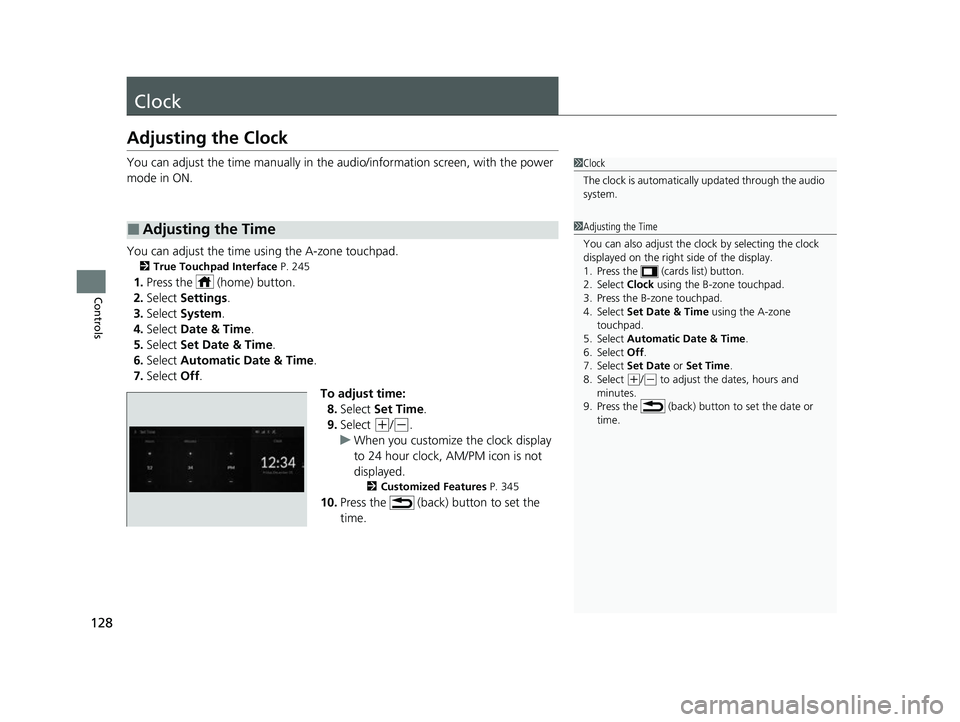
You can adjust the time manually in the audio/information screen, with the power
mode in ON.
You can adjust the time using the A-zone touchpad.
2 True Touchpad Interface P. 245
1.Press the (home) button.
2. Select Settings .
3. Select System.
4. Select Date & Time .
5. Select Set Date & Time .
6. Select Automatic Date & Time .
7. Select Off.
To adjust time:8. Select Set Time .
9. Select
(+/(-.
u When you customize the clock display
to 24 hour clock, AM/PM icon is not
displayed.
2 Customized Features P. 345
10.Press the (back) button to set the
time.
■Adjusting the Time
1Clock
The clock is automatically updated through the audio
system.
1Adjusting the Time
You can also adjust the clock by selecting the clock
displayed on the right side of the display.
1. Press the (cards list) button.
2. Select Clock using the B-zone touchpad.
3. Press the B-zone touchpad.
4. Select Set Date & Time using the A-zone
touchpad.
5. Select Automatic Date & Time .
6. Select Off .
7. Select Set Date or Set Time.
8. Select
( +/(- to adjust the dates, hours and
minutes.
9. Press the (back) button to set the date or
time.
22 ACURA MDX-31TYA6000_02.book 128 ページ 2020年11月5日 木曜日 午前11時39分
Page 130 of 712
129
uuClock uAdjusting the Clock
Controls
To adjust date:
8. Select Set Date .
9. Select
(+/(-.
10. Press the (back) button to set the
date.
1Adjusting the Time
You can customize the clock display to show the 12
hour clock or 24 hour clock.
2 Customized Features P. 345
22 ACURA MDX-31TYA6000_02.book 129 ページ 2020年11月5日 木曜日 午前11時39分
Page 131 of 712

130
Controls
Locking and Unlocking the Doors
Key
This vehicle comes with the following keys:Use the keys to start and stop the engine, and
to lock and unlock all the doors, tailgate, and
fuel fill door.1Key
All the keys have an immobilizer system. The
immobilizer system helps to protect against vehicle
theft. 2 Immobilizer System P. 157
Follow the advice below to prevent damage to the
keys:
•Do not leave the keys in direct sunlight, or in
locations with high temperature or high humidity.
•Do not drop the keys or set heavy objects on them.•Keep the keys away from liquids, dust and sand.
•Do not take the keys apart except for replacing the
battery.
If the circuits in the keys are damaged, the engine
may not start, and the keyless access system may not
work.
If the keys do not work properly, have them
inspected by a dealer.
You can remotely start the engine using the two-way
keyless access remote. 2 Remote Engine Start
* P. 436
Models with two-way keyless access remote
Models with two-way keyless
access remote
Models without two-way keyless
access remote
* Not available on all models
22 ACURA MDX-31TYA6000_02.book 130 ページ 2020年11月5日 木曜日 午前11時39分
