2021 VOLVO V90 CROSS COUNTRY radio
[x] Cancel search: radioPage 478 of 683
||
AUDIO, MEDIA AND INTERNET
* Option/accessory.
476
Categories/Genres
Tap to display the categories available. Tap a category or genre name to display the chan-nels that it contains and then tap a channel tolisten. If you have activated alerts (see the “Alerts” section below) and an alert is activated for anartist, song or team, temporary virtual catego-ries will also be created and displayed. Thechannels currently broadcasting the song,artist or broadcasting a program with theselected team will be listed in a virtual cate-gory.
EPG (Electronic Program Guide)On the center display's Home view, tap EPGfor information about e.g., when a program is being broadcast and its name, description,artist, etc. If no information is currently availa- ble,
No information will be displayed.
AlertsIf this feature has been selected underSiriusXM Settings, the Alerts button will be
displayed on the Home view. To add e.g. an artist's name, song title or a sports team to the list of alerts:
1. Tune to a channel that is broadcasting a song, game, etc., of your choice.
2. Tap the
Alerts button. 3. A pop-up window will be displayed show-
ing a list of alerts (nothing will be dis- played if the selected channel does notsupport the alert function).
4. Select one of the alternatives in list (only one can be selected at a time).
5. The song/artist/team will now be added to the list of alerts. Favorite sports teams canalso be added to the list using “GameAlert” in the SiriusXM satellite radio set-tings.
> When your choice is being broadcaston a channel, you will be informed by a pop-up.
iTunes taggingFrom the center display's Top view, tapSiriusXM Settings. Tap the iTunes Taggingmenu. Tap the iTunes Tagging box to acti-
vate/deactivate this function and tap Close to
return to Home view. Tap Tags List to display
a list of all tagged songs. If the function is activated, the
iTunes tagbutton will be displayed in Home view. If a song is played that you would like to buy inthe iTunes store, tap this button while the song is playing to tag it. If a song with
iTunes
Tagging information is available, the button
will be selectable. Tap the button to tag the song. If you would like to buy a tagged song via iTunes, Tap the iTunes tag button. To buy a song in iTunes, begin by connecting an iPhone/iPod/iPad to the USB port in thetunnel console. The iTunes tagging list willautomatically be transferred to the device andremoved from the list in the vehicle. If thedevice is connected when a song is tagged,the data will automatically be saved in thedevice. To purchase the song, consult theiTunes support page.
Related information
SiriusXM ®
Satellite radio * (p. 474)
Entering characters, letters and words by
hand in the center display (p. 133)
Settings for SiriusXM ®
Satellite radio *
(p. 477)
Settings for SiriusXM ®
Satellite radio *
(p. 477)
Connecting a device via the USB port(p. 490)
Page 479 of 683
AUDIO, MEDIA AND INTERNET
}}
* Option/accessory.477
Settings for SiriusXM ®
Satellite
radio *
There are numerous settings that can be made to enhance your SiriusXM ®
Satellite
radio listening experience.
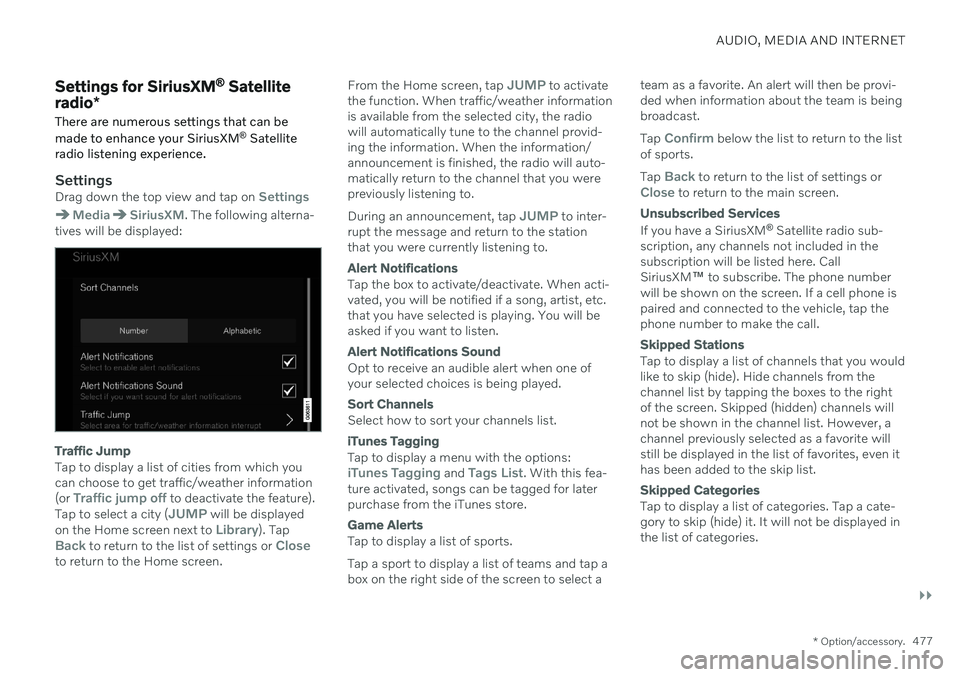
SettingsDrag down the top view and tap on Settings
MediaSiriusXM. The following alterna-
tives will be displayed:
Traffic Jump
Tap to display a list of cities from which you can choose to get traffic/weather information (or
Traffic jump off to deactivate the feature).
Tap to select a city (JUMP will be displayed
on the Home screen next to Library). TapBack to return to the list of settings or Closeto return to the Home screen. From the Home screen, tap
JUMP to activate
the function. When traffic/weather information is available from the selected city, the radiowill automatically tune to the channel provid-ing the information. When the information/announcement is finished, the radio will auto-matically return to the channel that you werepreviously listening to. During an announcement, tap
JUMP to inter-
rupt the message and return to the station that you were currently listening to.
Alert Notifications
Tap the box to activate/deactivate. When acti- vated, you will be notified if a song, artist, etc.that you have selected is playing. You will beasked if you want to listen.
Alert Notifications Sound
Opt to receive an audible alert when one of your selected choices is being played.
Sort Channels
Select how to sort your channels list.
iTunes Tagging
Tap to display a menu with the options:iTunes Tagging and Tags List. With this fea-
ture activated, songs can be tagged for later purchase from the iTunes store.
Game Alerts
Tap to display a list of sports. Tap a sport to display a list of teams and tap a box on the right side of the screen to select a team as a favorite. An alert will then be provi-ded when information about the team is beingbroadcast. Tap
Confirm below the list to return to the list
of sports. Tap
Back to return to the list of settings orClose to return to the main screen.
Unsubscribed Services
If you have a SiriusXM ®
Satellite radio sub-
scription, any channels not included in the subscription will be listed here. CallSiriusXM ™ to subscribe. The phone number
will be shown on the screen. If a cell phone ispaired and connected to the vehicle, tap thephone number to make the call.
Skipped Stations
Tap to display a list of channels that you would like to skip (hide). Hide channels from thechannel list by tapping the boxes to the rightof the screen. Skipped (hidden) channels willnot be shown in the channel list. However, achannel previously selected as a favorite willstill be displayed in the list of favorites, even ithas been added to the skip list.
Skipped Categories
Tap to display a list of categories. Tap a cate- gory to skip (hide) it. It will not be displayed inthe list of categories.
Page 480 of 683
||
AUDIO, MEDIA AND INTERNET
* Option/accessory.
478
Related information
SiriusXM ®
Satellite radio * (p. 474)
Using SiriusXM ®
Satellite radio * (p. 475)SiriusXM Travel Link ®
*
SiriusXM Travel Link is a subscription fea-
ture offered by SiriusXM ®
satellite radio * that
can provide information about e.g., weather forecasts, weather alerts, service stations,sports, etc. in the vicinity of the vehicle.
Starting SiriusXM Travel Link
NOTE
SiriusXM Travel Link services are only available in vehicles equipped with theSensus Navigation system.
From the center display's App view, tap Travel
Link to activate the feature. A disclaimer text
will be displayed. Tap OK to display a list of
SiriusXM Travel Link services:
Alerts
Fuel
Sports
Weather
Favorites
In order to use one or more of these services, the user has to subscribe to the ones desired. To subscribe to a SiriusXM Travel Link service:
1. Open the center display's Top view.2. Tap
Settings. 3.
Tap
Media.
4. Press
SiriusXM Travel Link andSubscription Status.
> To subscribe, call the phone number lis- ted on the screen.
Any services not subscribed will be grayed out and contain the text
Service not subscribed.
When the services have been activated (sub- scribed), tap the one of your choice to start it. The following applies for all of the
SiriusXM
Travel Link services:
Pressing the
Back button will take you
back to the previous screen
Pressing the
Close button will take you to
the SiriusXM Travel Link home screen.
Page 481 of 683
AUDIO, MEDIA AND INTERNET
}}
* Option/accessory.479
NOTE
If the Close button is used to return to theSiriusXM Travel Link home screen, the
following applies (the Weather service is
used here as an example):
If you have already used the
Weatherfunction, tapping Weather again in theSiriusXM Travel Link home screen
before using any other SiriusXM
Travel Link service will return you to
the point where you left the Weatherservice.
If another
SiriusXM Travel Link serv-
ice is used (e.g., Fuel, Sports, etc.)
before you return to the Weather serv-
ice, you will be returned to the default
Weather view (in this case, Local).
The same principle applies to all of the
SiriusXM Travel Link services.
FavoritesMany SiriusXM Travel Link selections can be saved for easy access as favorites by tappingthe "star" icon next to the selection whereapplicable. To display a list of your stored selections, tap the
Favorites application in the SiriusXM
Travel Link home screen.
Related information
SiriusXM ®
Satellite radio * (p. 474)
SiriusXM Travel Link ®
* - Fuel (p. 481)
SiriusXM Travel Link ®
* - Sports (p. 483)
SiriusXM Travel Link ®
* - Weather (p. 479)
SiriusXM Travel Link ®
* - Notifications
(p. 481)SiriusXM Travel Link ®
* - Weather
This SiriusXM Travel Link service provides weather-related information near the vehicle,at a local ski resort, etc.
From the SiriusXM Travel Link home screen, to display weather-related information:
–Tap the Weather button to display this
screen.
At the top of the screen, the following catego- ries will be displayed:
Search (the magnifying glass icon)
Local
Ski condition
Areas
Favorites
Tap the category of your choice.
SearchTap the magnifying glass icon. If the function is supported in the current context, a keyboardwill appear on the screen. Enter the text of your choice and tap
Search for detailed infor-
mation from the SiriusXM Travel Link data- base.
Page 485 of 683
AUDIO, MEDIA AND INTERNET
}}
* Option/accessory.483
SiriusXM Travel Link ®
* - Sports
This SiriusXM Travel Link service provides information about sporting events, tourna-ments, teams, leagues, etc.
From the SiriusXM Travel Link home screen, to display sports information:
–Tap the Sports button to display the main
sports screen.
A number of sports categories will be listed (Football, Baseball, Basketball, etc.) Tap a sport to select a league in that sport (NFL, MLB, etc.) or a sport organization (PGA,LPGA, etc.). The following is an example of the result of tapping Baseball :
1. MLB (Major League Baseball) will be dis- played.
2. Tap MLB to display the two leagues in Major League Baseball (American Leagueor National League).
3. Tap one of the league names to display the divisions in the league. 4. Tap one of the divisions to display:
In progress: play-by-play information
about a match/game/tournament cur- rently in progress. Continue tapping todisplay. In the detailed view, you canalso select a radio station that is cur-rently broadcasting an ongoing sport-ing event
Headlines for MLB: tap to display
brief headline information
Scheduled: schedules for coming
matches, games, etc.
Scores: match/game results
The same principle applies to all sports.
Related information
SiriusXM Travel Link ®
* (p. 478)
SiriusXM Travel Link ®
* - Notifications
(p. 481)
SiriusXM Travel Link ®
* - Fuel (p. 481)
SiriusXM Travel Link ®
* - Weather (p. 479)
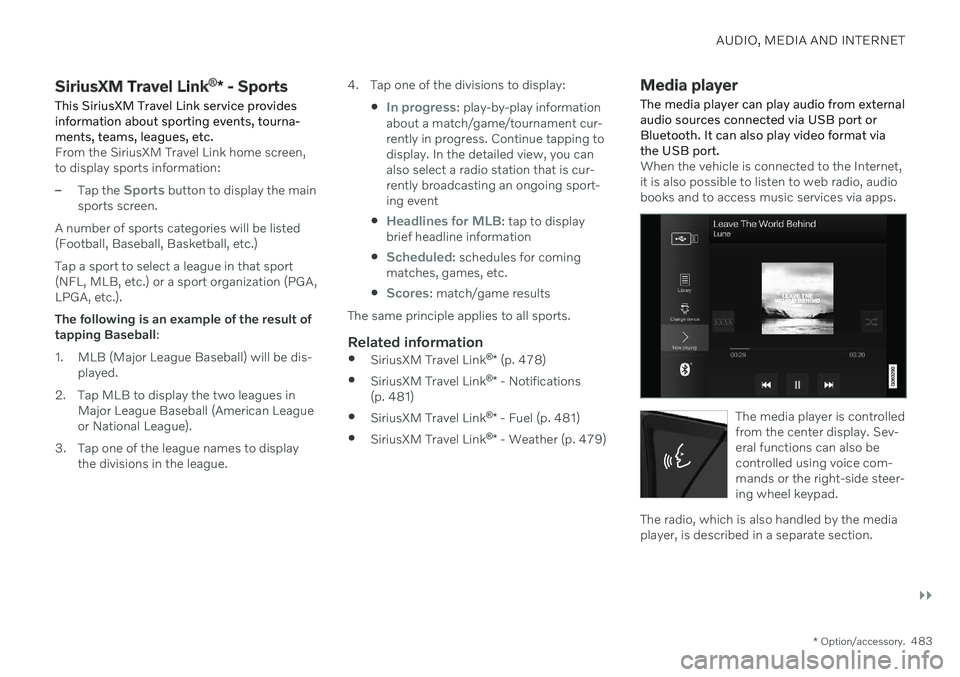
Media player
The media player can play audio from external audio sources connected via USB port orBluetooth. It can also play video format viathe USB port.
When the vehicle is connected to the Internet, it is also possible to listen to web radio, audiobooks and to access music services via apps.
The media player is controlled from the center display. Sev-eral functions can also becontrolled using voice com-mands or the right-side steer-ing wheel keypad.
The radio, which is also handled by the media player, is described in a separate section.
Page 486 of 683
||
AUDIO, MEDIA AND INTERNET
* Option/accessory.
484
Related information
Playing media (p. 484)
Controlling and changing media (p. 485)
Media searches (p. 486)
Apps (p. 464)
Radio (p. 466)
Video (p. 488)
Streaming media via Bluetooth ®
(p. 489)
Playing media via the USB port (p. 490)
Internet-connected vehicle
* (p. 514)
Playing media
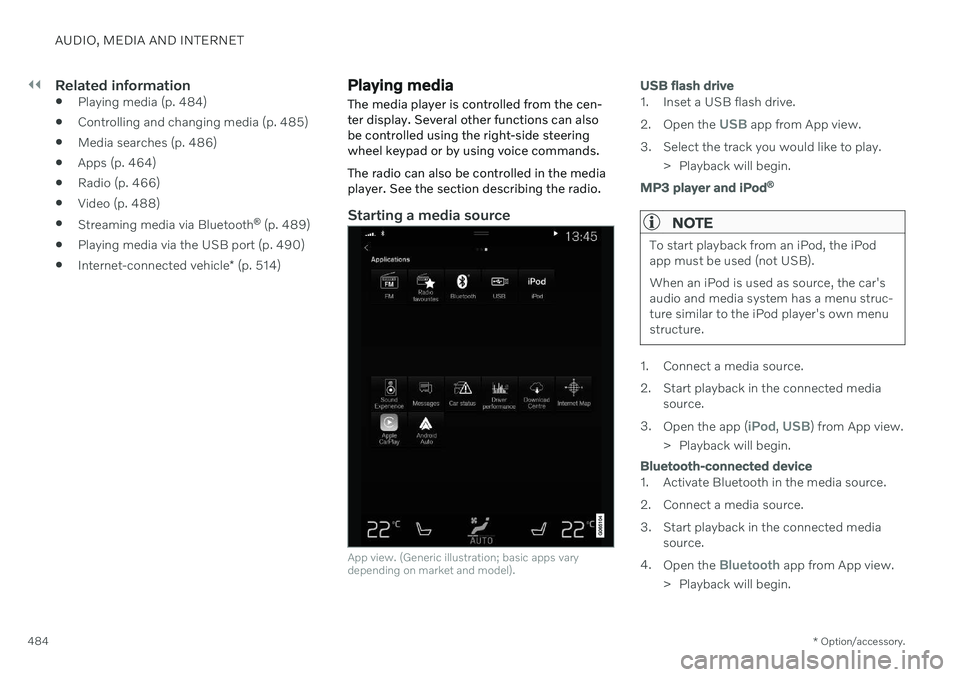
The media player is controlled from the cen- ter display. Several other functions can alsobe controlled using the right-side steeringwheel keypad or by using voice commands. The radio can also be controlled in the media player. See the section describing the radio.
Starting a media source
App view. (Generic illustration; basic apps vary depending on market and model).
USB flash drive
1. Inset a USB flash drive. 2. Open the
USB app from App view.
3. Select the track you would like to play. > Playback will begin.
MP3 player and iPod®
NOTE
To start playback from an iPod, the iPod app must be used (not USB). When an iPod is used as source, the car's audio and media system has a menu struc-ture similar to the iPod player's own menustructure.
1. Connect a media source.
2. Start playback in the connected media
source.
3. Open the app (
iPod, USB) from App view.
> Playback will begin.
Bluetooth-connected device
1. Activate Bluetooth in the media source.
2. Connect a media source.
3. Start playback in the connected media source.
4. Open the
Bluetooth app from App view.
> Playback will begin.
Page 487 of 683
AUDIO, MEDIA AND INTERNET
}}
* Option/accessory.485
Media with Internet connection
Medial playback from apps with Internet con- nection:
1. Connect the vehicle to the Internet.
2. Open the app from the App view.
> Playback will begin.
Read the separate section on how to down- load apps.
Video
1. Connect a media source. 2. Open the
USB app from App view.
3. Tap the title you would like to play. > Playback will begin.
Apple CarPlay
CarPlay is described in a separate section.
Android Auto
Android Auto is described in a separate sec- tion.
Related information
Handling the App menu in the instrumentpanel (p. 109)
Radio (p. 466)
Controlling and changing media (p. 485)
Connecting a device via the USB port(p. 490)
Connecting a device via Bluetooth ®
(p. 489)
Download apps (p. 465)
Internet-connected vehicle
* (p. 514)
Video (p. 488)
Apple ®
CarPlay ®
* (p. 492)
Android Auto
* (p. 496)
Voice control for radio and media (p. 153)
Compatible file formats for media(p. 491)
Controlling and changing media
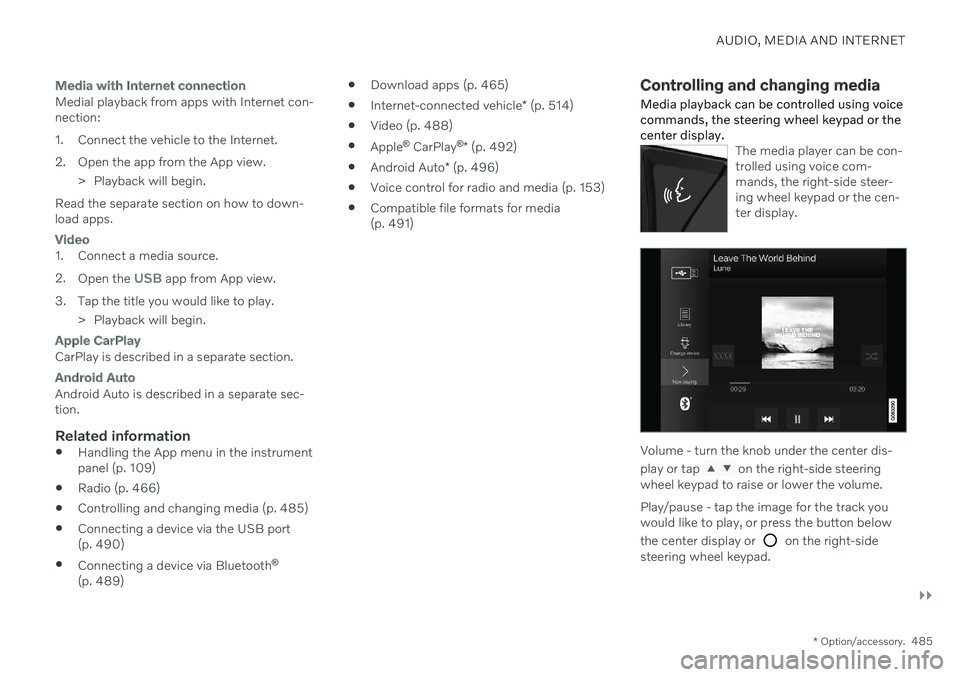
Media playback can be controlled using voice commands, the steering wheel keypad or thecenter display.
The media player can be con- trolled using voice com-mands, the right-side steer-ing wheel keypad or the cen-ter display.
Volume - turn the knob under the center dis- play or tap
on the right-side steering
wheel keypad to raise or lower the volume. Play/pause - tap the image for the track you would like to play, or press the button below the center display or
on the right-side
steering wheel keypad.
Page 488 of 683
||
AUDIO, MEDIA AND INTERNET
486Changing track/song - tap the desired track in the center display, or press
or below
the center display or on the right-side steering wheel keypad. Rewinding/fast-forwarding - tap the time axis in the center display and drag it sideways, or press and hold
or below the center
display or on the right-side steering wheel keypad. Changing media source - select from among previous sources in the app, tap the desiredapp in App view or use the right-side steeringwheel keypad to select the app in the app menu
.
Library - tap the button to
play from the library.
Shuffle - tap the button to
play tracks in a random order.
Similar - tap the button to
use Gracenote to search for similar music on the USBdevice and create a playlistfrom the music found. Theplaylist can contain up to 50tracks.
Change device - tap the but-
ton to toggle between USB devices when more than oneis connected.
Related information
Media player (p. 483)
Media searches (p. 486)
Sound settings (p. 462)
Apps (p. 464)
Gracenote ®
(p. 487)
Voice control for radio and media (p. 153)
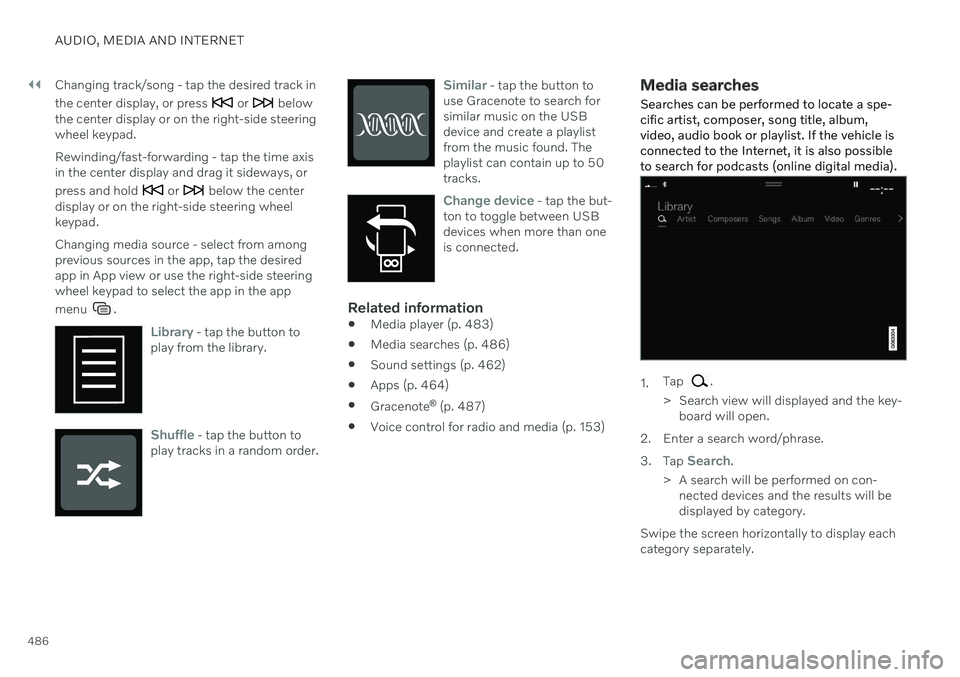
Media searches
Searches can be performed to locate a spe- cific artist, composer, song title, album,video, audio book or playlist. If the vehicle isconnected to the Internet, it is also possibleto search for podcasts (online digital media).
1. Tap .
> Search view will displayed and the key- board will open.
2. Enter a search word/phrase. 3. Tap
Search.
> A search will be performed on con- nected devices and the results will be displayed by category.
Swipe the screen horizontally to display eachcategory separately.