2021 VOLKSWAGEN UP! steering
[x] Cancel search: steeringPage 111 of 211

•Depress the clutch pedal to restart the engine.
Important preconditions for automatic engine switch-off
•The driver is wearing their seat belt.
•The driver door is closed.
•The bonnet is closed.
•A minimum engine temperature has been reached.
•The vehicle has been moved since the engine was last switched off.
•The defrost function of the air conditioning system is not switched on.
•The charging state of the vehicle battery is sufficient.
•The temperature of the vehicle battery is not too low or too high.
•The vehicle is not on a steep incline.
•Reverse gear is not engaged.
Conditions for an automatic restart
The engine can start automatically under the following conditions:
•If the vehicle rolls on.
•If the voltage of the vehicle battery falls.
Conditions that make a key start necessary
The engine has to be started manually with the vehicle key in the following conditions:
•If the driver unfastens their seat belt.
•If the driver door is opened.
•If the bonnet is opened.
Switching the start/stop system on and off
•Press the button in the centre console ⇒ Fig. 103.
•If start/stop system has been deactivated, the indicator lamp in the button lights up.
If the start/stop system has switched the engine off, the engine will start again as soon as the
system has been switched off manually with the button.
In some cases, it will be necessary to restart the engine manually with the vehicle key. Take
note of the corresponding indicator lamp in the instrument cluster.
Hill Hold Assist
First read and observe the introductoryinformation and safety warnings⇒
Introduction
The Hill Hold Assist function actively holds the vehicle when pulling away on an incline.
The Hill Hold Assist function is automatically activated if the following
conditions are met
Points 1 to 3 must be fulfilled at the same time:
Manual gearboxAutomated manual gearbox
1.On an incline, the stationary vehicle must be held in position with the footbrake until the
vehicle starts moving.
2.The engine is running smoothly.
3.
Fully depress the clutch pedal and move the
gear stick to the 1st gear position if you want
to drive forwards up a hill or to the R position
if you want to reverse up a hill.
Position D is selected when driving forwards
up an incline or position R is selected for
driving in reverse up an incline.
The brake servo and the electromechanical steering will not function if the engine is switched
off.
•Never allow the vehicle to roll if the engine is switched off.
•The start/stop system must be switched off if work is to be carried out in the engine
compartment.
WARNING
If the start/stop system is used in very high outside temperatures over a long period, the
vehicle battery can be damaged.
NOTICE
Page 116 of 211

Fig. 106 Turn signal and main beam lever on the left of the steering column: button and switch for
the CCS
First read and observe the introductoryinformation and safety warnings⇒
Introduction
FunctionSwitch position, switch
control ⇒ Fig. 106
Action
Switching on the CCS.Switch ② in position .
The system is switched on. No
speed has yet been stored and the
speed is not yet being controlled.
Activating the CCS.Press button ③ .The current speed is stored and
controlled.
Switching off the CCS
control temporarily.
Switch ② in position
OR: depress the brake or clutch
pedal.
Control is switched off temporarily.
The speed is stored in the memory.
Resuming CCS control.Press button ① .The stored speed is reactivated
and controlled.
Increasing the set
speed (during CCS
control).
Press button ① briefly
to increase the speed in small
steps of 1 km/h (1 mph) and to
save.
The vehicle accelerates actively
until it reaches the new set speed.
Press and hold down button ①
continuously to
continuously increase the speed;
the increased speed setting will
be saved when you release the
button.
Decreasing the set
speed (during CCS
control).
Press button ③ briefly to
reduce the stored speed in small
steps of 1 km/h (1 mph) and to
save.
The system will decrease the
speed until the new set speed is
reached by easing off the
accelerator without actively
braking.
Press and hold button ③
to decrease the speed
continuously. The new speed
setting will be saved when you
release the button.
Switching off the CCS.Switch ② in position .The system is switched off. The set
speed will be deleted.
The mph figures given in brackets in the table relate exclusively to instrument clusters with mile
readings.
Driving downhill with CCS
If the CCS cannot maintain the vehicle speed when driving downhill, brake the vehicle with the foot
brake and shift down gear if necessary.
Automatic switch-off
The CCS control will be switched off automatically or switched off temporarily:
•If the system detects a fault that could impair the function of the CCS.
•If the vehicle speed is higher than the stored speed for an extended period with the accelerator
pedal depressed.
•If the brake pedal or clutch pedal is depressed.
•If you change gear on a manual gearbox.
•If the airbag is triggered.
City emergency brake function
Introduction
This chapter contains information on the followingsubjects:
⇒ Warning and indicator lamps
⇒ Laser sensor
⇒ Switching city emergency brake function on and off
⇒ Special driving situations
Within the speed range of approximately 5 – 30 km/h (3 – 19 mph), the city emergency brake
function monitors the traffic situation up to a distance of about 10 m in front of the vehicle.
The system prepares the vehicle for emergency braking if it detects a possible collision with a
vehicle ahead ⇒.
If the driver does not react to a possible collision, the system can brake the vehicle automatically in
order to reduce the speed ahead of a possible collision.
Page 117 of 211
If, in a potential collision scenario, the city emergency brake function detects that the driver is
applying the brakes with insufficient pressure, the system can increase the brake pressure in order
to reduce speed ahead of the collision. Hence the system can help minimise the consequences of
an accident.
Additional information and warnings:
•Exterior views ⇒ Exterior views
•Lower section of the centre console ⇒ Overview of the centre console
•Instrument cluster ⇒ Instrument cluster
•Accessories, modifications, repairs and renewal of parts ⇒ Accessories, modifications, repairs
and renewal of parts
The brake pedal travel decreases when the city emergency brake function is triggered. This
may make the brake pedal feel stiffer.
Automatic brake intervention by the city emergency brake function can be stopped by using
the clutch, the accelerator or steering intervention.
Unusual noises may be heard if the city emergency brake function is applying an automatic
braking procedure. This is normal and the noises are caused by the braking system.
Warning and indicator lamps
First read and observe the introductoryinformation and safety warnings⇒
Introduction
The city emergency brake function is switched on every time the ignition is switched on. No display
will be shown to alert you of this.
The indicator lamp will be lit up if the city emergency brake function is switched off, is working or if
there is a fault in the system.
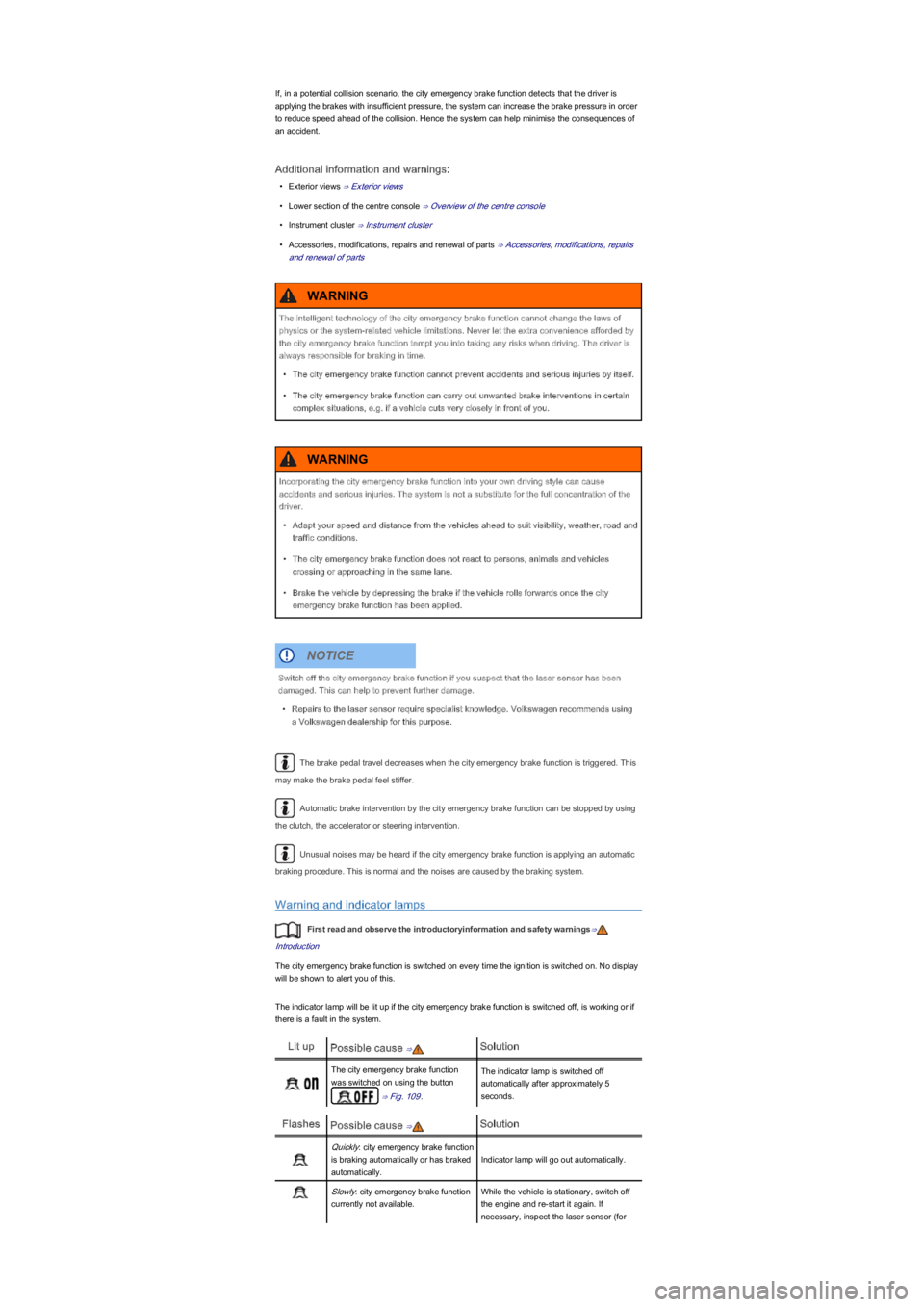
Lit upPossible cause ⇒Solution
The city emergency brake function
was switched on using the button
⇒ Fig. 109.
The indicator lamp is switched off
automatically after approximately 5
seconds.
FlashesPossible cause ⇒Solution
Quickly: city emergency brake function
is braking automatically or has braked
automatically.
Indicator lamp will go out automatically.
Slowly: city emergency brake function
currently not available.
While the vehicle is stationary, switch off
the engine and re-start it again. If
necessary, inspect the laser sensor (for
The intelligent technology of the city emergency brake function cannot change the laws of
physics or the system-related vehicle limitations. Never let the extra convenience afforded by
the city emergency brake function tempt you into taking any risks when driving. The driver is
always responsible for braking in time.
•The city emergency brake function cannot prevent accidents and serious injuries by itself.
•The city emergency brake function can carry out unwanted brake interventions in certain
complex situations, e.g. if a vehicle cuts very closely in front of you.
WARNING
Incorporating the city emergency brake function into your own driving style can cause
accidents and serious injuries. The system is not a substitute for the full concentration of the
driver.
•Adapt your speed and distance from the vehicles ahead to suit visibility, weather, road and
traffic conditions.
•The city emergency brake function does not react to persons, animals and vehicles
crossing or approaching in the same lane.
•Brake the vehicle by depressing the brake if the vehicle rolls forwards once the city
emergency brake function has been applied.
WARNING
Switch off the city emergency brake function if you suspect that the laser sensor has been
damaged. This can help to prevent further damage.
•Repairs to the laser sensor require specialist knowledge. Volkswagen recommends using
a Volkswagen dealership for this purpose.
NOTICE
Page 120 of 211

Special driving situations
Fig. 110 A: vehicle in a bend B: motorbike in front is outside the range of the laser sensor
Fig. 111 Vehicles changing lanes
First read and observe the introductoryinformation and safety warnings⇒
Introduction
The city emergency brake function has physical and system-specific limits. In certain situations, the
driver may therefore feel that the city emergency brake function reacts too late or unexpectedly.
You should therefore always be prepared to take full control of the vehicle if necessary.
The following driving situations demand particular vigilance:
When driving through bends
When driving into or out of a long bend, the laser sensor may react to a vehicle in the adjacent lane
⇒ Fig. 110A and thus brake the vehicle. The braking effect can be stopped by pressing the
accelerator or clutch pedal or by steering the vehicle.
Narrow vehicles and a zig-zag traffic situation
Narrow vehicles and vehicles travelling slightly to the left or right of your vehicle will only be
recognised by the laser sensor once they have entered the range of the sensor ⇒ Fig. 110B. This
particularly applies to narrow vehicles such as motorcycles.
When other vehicles change lanes
Vehicles that are very close to you when they move into your lane could cause the city emergency
brake function to be applied unexpectedly ⇒ Fig. 111. The braking effect can be stopped by
pressing the accelerator or clutch pedal or by steering the vehicle.
Possible laser sensor function impairments
The city emergency brake function will switch off temporarily if the function of the laser sensor is
impaired due to heavy rain, spray, snow or mud, for example. The indicator lamp will flash in
the instrument cluster display.
The city emergency brake function is ready to work again as soon as the laser sensor returns to
normal function. The indicator lamp goes out.
The following conditions could prevent the city emergency brake function
from reacting:
•If ESC is active.
•In tight bends.
•If the vehicle is reversing.
•When you drive faster than 30 km/h for a few seconds.
•If the accelerator is fully depressed.
•If the city emergency brake function is switched off or if there is a fault in the system ⇒ Warning
and indicator lamps.
•If the laser sensor is dirty, covered or overheated ⇒ Laser sensor.
•In snow, heavy rain or thick fog.
•If vehicles are travelling slightly to the left or right of your vehicle.
•If vehicles are crossing in front of your vehicle.
Accidents and serious injuries could occur if you do not switch off the city emergency brake
function during any of the situations named above.
•Switch off the city emergency brake function during critical driving situations.
WARNING
Page 126 of 211
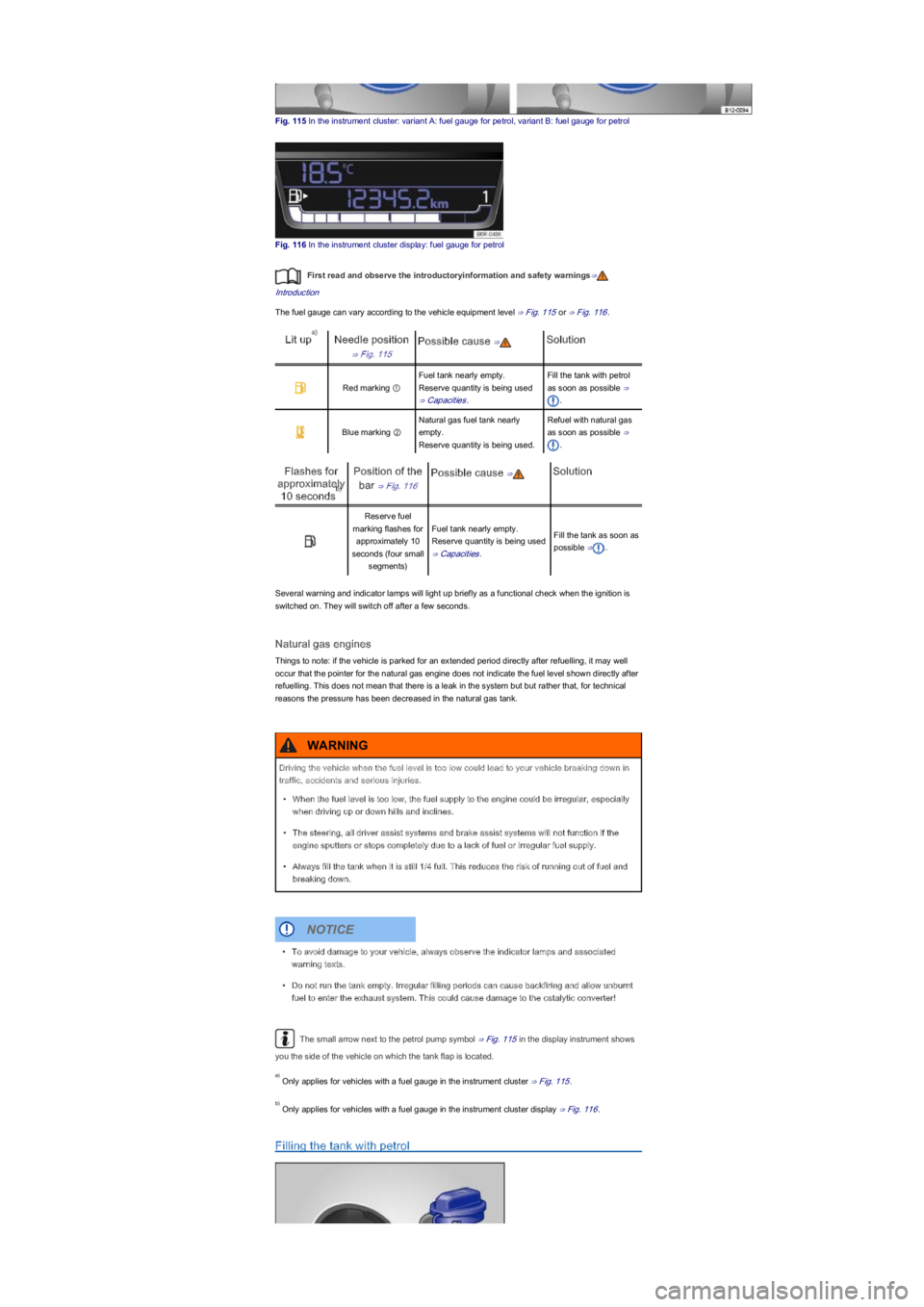
Fig. 115 In the instrument cluster: variant A: fuel gauge for petrol, variant B: fuel gauge for petrol
Fig. 116 In the instrument cluster display: fuel gauge for petrol
First read and observe the introductoryinformation and safety warnings⇒
Introduction
The fuel gauge can vary according to the vehicle equipment level ⇒ Fig. 115 or ⇒ Fig. 116.
Lit upNeedle position
⇒ Fig. 115
Possible cause ⇒Solution
Red marking ①
Fuel tank nearly empty.
Reserve quantity is being used
⇒ Capacities.
Fill the tank with petrol
as soon as possible ⇒
.
Blue marking ②
Natural gas fuel tank nearly
empty.
Reserve quantity is being used.
Refuel with natural gas
as soon as possible ⇒
.
Flashes for
approximately
10 seconds
Position of the
bar ⇒ Fig. 116
Possible cause ⇒Solution
Reserve fuel
marking flashes for
approximately 10
seconds (four small
segments)
Fuel tank nearly empty.
Reserve quantity is being used
⇒ Capacities.
Fill the tank as soon as
possible ⇒.
Several warning and indicator lamps will light up briefly as a functional check when the ignition is
switched on. They will switch off after a few seconds.
Natural gas engines
Things to note: if the vehicle is parked for an extended period directly after refuelling, it may well
occur that the pointer for the natural gas engine does not indicate the fuel level shown directly after
refuelling. This does not mean that there is a leak in the system but but rather that, for technical
reasons the pressure has been decreased in the natural gas tank.
The small arrow next to the petrol pump symbol ⇒ Fig. 115 in the display instrument shows
you the side of the vehicle on which the tank flap is located.
Only applies for vehicles with a fuel gauge in the instrument cluster ⇒ Fig. 115.
Only applies for vehicles with a fuel gauge in the instrument cluster display ⇒ Fig. 116.
Filling the tank with petrol
a)
b)
Driving the vehicle when the fuel level is too low could lead to your vehicle breaking down in
traffic, accidents and serious injuries.
•When the fuel level is too low, the fuel supply to the engine could be irregular, especially
when driving up or down hills and inclines.
•The steering, all driver assist systems and brake assist systems will not function if the
engine sputters or stops completely due to a lack of fuel or irregular fuel supply.
•Always fill the tank when it is still 1/4 full. This reduces the risk of running out of fuel and
breaking down.
WARNING
•To avoid damage to your vehicle, always observe the indicator lamps and associated
warning texts.
•Do not run the tank empty. Irregular filling periods can cause backfiring and allow unburnt
fuel to enter the exhaust system. This could cause damage to the catalytic converter!
NOTICE
a)
b)
Page 163 of 211

Tyre damage
First read and observe the introductoryinformation and safety warnings⇒
Introduction
Damage to tyres and rims is often not readily visible. Any unusual vibrations or signs that the car is
pulling to one side may indicate that one of the tyres is damaged ⇒.
•Reduce your speed immediately if you suspect that a wheel is damaged.
•Check the tyres and rims for damage.
•If the tyre is damaged, do not drive on. Seek expert assistance.
•If there is no visible damage, drive slowly and cautiously to the next qualified workshop in order
to have the vehicle checked.
Foreign bodies in the tyre
•Leave the foreign body in the tyre if it has entered the inner tyre. However, foreign bodies that
are stuck between the tyre tread blocks can be removed.
•For vehicles with a spare wheel or temporary spare wheel: where appropriate, change the
damaged wheel ⇒ Changing a wheel If required, seek expert assistance when changing the
damaged wheel. Volkswagen recommends using a Volkswagen dealership for this purpose.
•For vehicles with a breakdown set: if required, seal the tyre and pump it up using the
breakdown set ⇒ Breakdown set. Proceed to a qualified workshop. Volkswagen recommends
using a Volkswagen dealership for this purpose.
•Check the pressure and adjust it as required.
Tyre wear
Tyre wear is affected by several factors. These include:
•Driving style.
•Unbalanced wheels.
•Running gear setting.
Driving style – fast cornering, heavy acceleration and hard braking all increase tyre wear. The
running gear should be checked by a qualified workshop if the tyres show excessive wear despite a
normal driving style.
Unbalanced wheels – the wheels on new vehicles are balanced. However, various factors
encountered in normal driving can cause them to become unbalanced, which results in steering
vibration. Unbalanced wheels will affect levels of wear on the steering system and the suspension.
In this case the wheels should be balanced again. A new tyre will have to be balanced after fitting.
Running gear setting – incorrect wheel alignment causes excessive tyre wear, impairing the safety
of the vehicle. The wheel alignment should be checked by a qualified workshop if tyres show
excessive wear.
Spare wheel or temporary spare wheel
Worn tyres are a safety risk and can lead to a loss of control of the vehicle and cause serious
injury.
•Tyres must be replaced at the latest when the tread is worn down to the tread wear
indicators.
•Worn tyres have considerably less tread, particularly on wet roads, which can cause the
vehicle to glide along the road surface (aquaplaning).
•Worn tyres reduce the possibility of controlling the vehicle well in normal and difficult
driving situations and increase braking distance and the risk of sliding.
WARNING
If you notice unusual vibration or the car pulling to one side while the vehicle is in motion, this
may indicate that one of the tyres is damaged.
•Reduce speed immediately and park the vehicle without obstructing traffic.
•Check the tyres and rims for damage.
•Never drive on if wheels or tyres are damaged. Seek expert assistance instead.
•If there is no visible damage, drive slowly and cautiously to the next qualified workshop in
order to have the vehicle checked.
WARNING
Page 181 of 211

Practical tips
Frequently asked questions
If you suspect that there is a fault in the vehicle or if your vehicle has been damaged, read and
observe the following information before contacting a Volkswagen dealership or qualified
workshop. You may also find useful information in the index under the headings Things to note or
Checklist.
IrregularitySome possible causesPossible solution
Engine does not start.
Vehicle battery is discharged.
– Jump start the engine ⇒ Starting the
engine with jump leads.
– Recharge the vehicle battery
⇒ Vehicle battery.
An incorrect vehicle key is
being used.
Use a valid vehicle key ⇒ Vehicle key
set.
The fuel level is too low.Fill the tank ⇒ Filling the tank.
Vehicle cannot be locked
or unlocked with the
vehicle key.
– The battery in the vehicle
key is discharged.
– The vehicle key is too far
away from the vehicle.
– Replace battery ⇒ Vehicle key set.
– Move closer to the vehicle.
– Synchronise vehicle key ⇒ Vehicle
key set.
– Unlock or lock vehicle manually
⇒ Manual opening and closing.
Unusual noises.
Cold engine, brake assist
systems, electronic steering
column lock, auxiliary heater,
filling up with natural gas.
Refer to the index under entries for
Noises.
Unusual handling.
Assist systems are active.Refer to the index under entries for
Assist systems.
An incorrect tyre pressure is
being used.
Check tyre pressure ⇒ Wheels and
tyres.
Damage to the tyre or wheel.
Check the rims and tyres regularly for
damage ⇒ Wheels and tyres and
replace as necessary ⇒ Changing a
wheel.
The vehicle has no
vehicle jack, spare wheel
or breakdown set.
Equipment depends on type
of vehicle.
No direct solutions possible as it
depends on the equipment level.
Contact a Volkswagen dealership if
necessary ⇒ Vehicle toolkit.
The road ahead is not lit
up properly.
– Headlight has been masked
for driving on the left or on the
right.
– Headlight not adjusted
correctly.
– Bulbs have failed.
– Dipped beam headlight not
switched on.
– Mask the headlights accordingly for
driving on the left or right ⇒ Lights.
– Adjust headlight range ⇒ Lights.
– Change bulbs ⇒ Changing bulbs.
– Switch dipped headlights on
⇒ Lights.
Electrical consumers not
working.
Low vehicle battery charge.Recharge vehicle battery ⇒ Vehicle
battery.
Low fuel level.Fill the tank ⇒ Filling the tank.
Fuse blown.Check fuse and replace as necessary
⇒ Fuses.
Fuel consumption is
higher than indicated.
– Short distances driven.
– Uneven acceleration.
– Avoid driving short distances.
– Think ahead when driving.
– Accelerate evenly.
An electrical consumer is
switched on.
Switch off all consumers that are not
needed.
Fault in engine management
system.
Have the fault rectified ⇒ Engine
management system and exhaust
purification system.
Tyre pressure too low.Adjust the tyre pressure ⇒ Wheels
and tyres.
Driving in hilly regions.No direct solutions possible.
Driving with a heavy load.No direct solutions possible.
Driving at high engine speed.Select a high gear.
In an emergency
Introduction
This chapter contains information on the followingsubjects:
⇒ Making you and your vehicle safe
⇒ First aid kit, warning triangle and fire extinguisher
Additional information and warnings:
Page 207 of 211

⇒ Fitting the front towing eye
⇒ Driving tips when towing
Observe any legal requirements when towing or tow-starting.
For technical reasons, vehicles with a discharged battery must not be tow-started.
For technical reasons, vehicles with an automated manual gearbox must not be tow started
unless it has been ascertained that the gearbox is in position N⇒ When a vehicle with an
automated manual gearbox has to be towed:.
Towing a vehicle when the engine is switched off and the ignition is switched on discharges the
vehicle battery. In some vehicles battery charge level, the drop in voltage can be large enough after
just a few minutes that electrical consumers in the vehicle will no longer function, e.g. the hazard
warning lights.
Additional information and warnings:
•Exterior views ⇒ Exterior views
•Changing gear ⇒ Changing gear
•Engine management system and exhaust purification system ⇒ Engine management system
and exhaust purification system
•Starting the engine with jump leads ⇒ Starting the engine with jump leads
You will not be able to fit a towing eye onto the rear bumper. The vehicle is not suited for
towing other vehicles.
Notes on tow-starting
First read and observe the introductoryinformation and safety warnings⇒
Introduction
Vehicles should not be tow-started wherever possible. Use jump leads to start the engine
instead⇒ Starting the engine with jump leads.
For technical reasons, the following vehicles cannot be tow-started:
•If the vehicle battery has discharged, the engine control unit will not function properly.
However, if the vehicle still has to be tow-started (manual gearbox):
•Engage 2nd or 3rd gear.
•Keep the clutch pressed down.
Never tow a vehicle that has no power supply.
•Never remove the key from the ignition. This could cause the steering lock to engage
suddenly. You will no longer be able to steer the vehicle. This can lead to a loss of control
of the vehicle, accidents and serious injuries.
•If the power supply to the towed vehicle is disconnected, stop towing immediately and
seek expert assistance.
WARNING
If a vehicle is being towed, the vehicle handling and braking effect will change significantly.
Please note the following in order to reduce the risk of an accident or serious injuries:
•Notes for the driver of the towed vehicle:
- You will need to depress the brake pedal more vigorously than normal as the brake
servo is not working. Always be careful not to drive into the vehicle that is pulling your
vehicle.
- You will need to turn the steering wheel more vigorously as the power-assisted
steering function is not working.
•Notes for the driver of the towing vehicle
- Accelerate carefully and gently.
- Avoid sudden braking and driving manoeuvres.
- Brake earlier than normal by pressing lightly on the brake pedal.
WARNING
•Remove and install the cover and the towing eye carefully so as to avoid damage to the
vehicle, e.g. the paintwork.
•Unburnt fuel can enter the catalytic converter and damage it while the vehicle is being
towed.
NOTICE