Page 76 of 140
Yelp
Yelp is a local guide powered by a community of
reviewers that helps you find great local businesses.
Chimani
Get the most comprehensive guide to all 417 national
parks in the United States. Quickly learn about each
park’s history and highlights.
eBird
Exclusive to Subaru vehicles, the eBird app tells you
what birds are being seen near you in real time. Based
on a database of millions of bird sightings, eBird acts
as a “digital coach” for finding birds. Use the app to
decide where to go based on the distance to a great
birding location and the species being seen there. For
example, the app may tell you the nearest sighting of a
certain species is 8 miles away and navigate you to
the last place it was seen. Full-screen photos help you
confirm your sightings.
APPS
74
Page 90 of 140
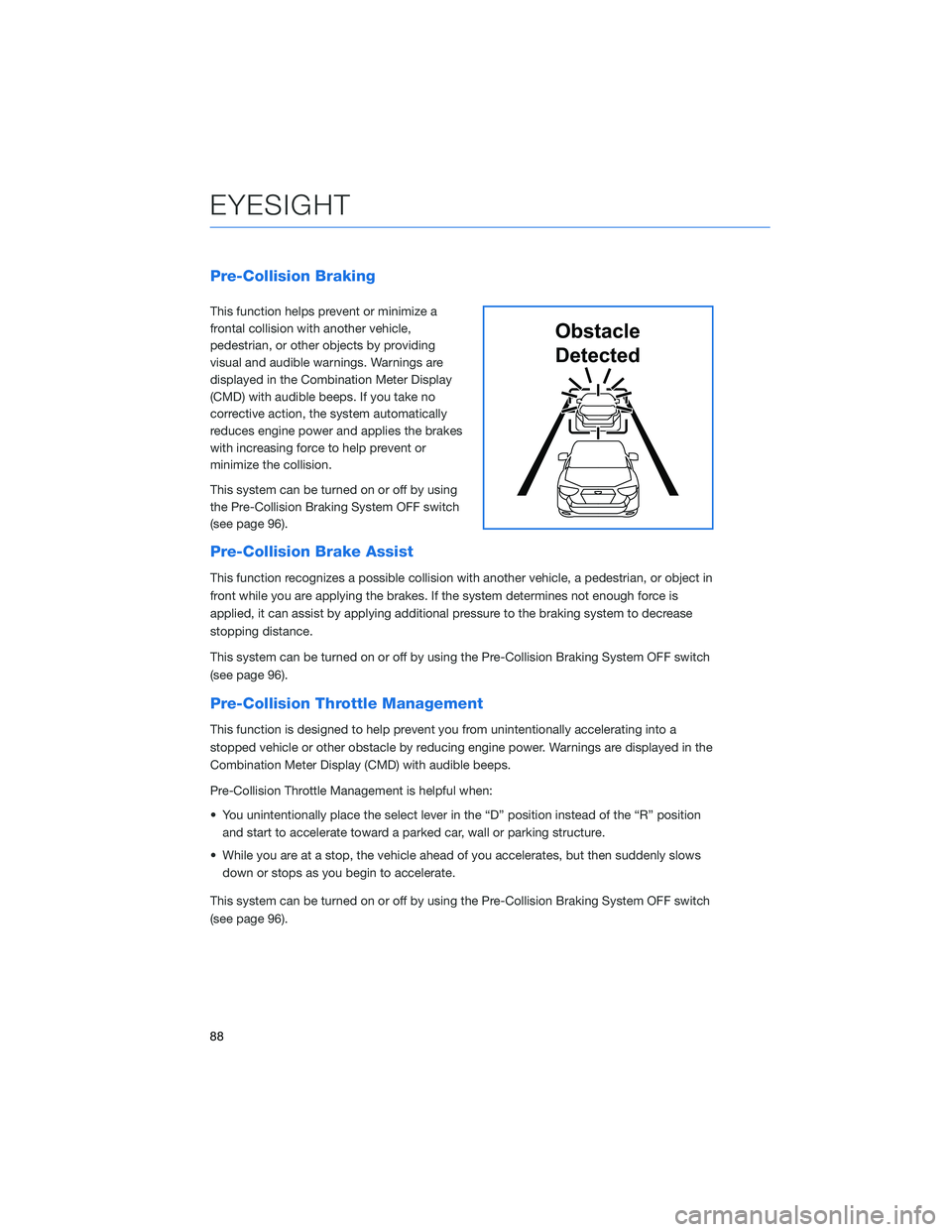
Pre-Collision Braking
This function helps prevent or minimize a
frontal collision with another vehicle,
pedestrian, or other objects by providing
visual and audible warnings. Warnings are
displayed in the Combination Meter Display
(CMD) with audible beeps. If you take no
corrective action, the system automatically
reduces engine power and applies the brakes
with increasing force to help prevent or
minimize the collision.
This system can be turned on or off by using
the Pre-Collision Braking System OFF switch
(see page 96).
Pre-Collision Brake Assist
This function recognizes a possible collision with another vehicle, a pedestrian, or object in
front while you are applying the brakes. If the system determines not enough force is
applied, it can assist by applying additional pressure to the braking system to decrease
stopping distance.
This system can be turned on or off by using the Pre-Collision Braking System OFF switch
(see page 96).
Pre-Collision Throttle Management
This function is designed to help prevent you from unintentionally accelerating into a
stopped vehicle or other obstacle by reducing engine power. Warnings are displayed in the
Combination Meter Display (CMD) with audible beeps.
Pre-Collision Throttle Management is helpful when:
• You unintentionally place the select lever in the “D” position instead of the “R” position
and start to accelerate toward a parked car, wall or parking structure.
• While you are at a stop, the vehicle ahead of you accelerates, but then suddenly slows
down or stops as you begin to accelerate.
This system can be turned on or off by using the Pre-Collision Braking System OFF switch
(see page 96).
Obstacle
Detected
EYESIGHT
88
Page 99 of 140

REAR-VISION CAMERA
This function provides a clear view of the area
behind the vehicle to help avoid obstacles.
Using a wide-angle camera mounted on the
rear of the vehicle, an image is automatically
displayed on the multimedia screen when you
place the select lever in the “R” position. The
displayed image features a centerline
indicator, colored distance markers, and
dynamic guidelines that move as the steering wheel is turned.
FRONT VIEW MONITOR(if equipped)
The Front View Monitor provides you with
visibility from the front grille shown in the
Multi-Function Display, improving visibility
when making turns with an obstructed view or
pulling into a narrow parking spot. A guide line
is also displayed to provide distance and
width references.
Press the “VIEW” switch on the
center console to display the
Front View Monitor image on the
Multi-Function Display (MFD). You
can manually turn off the Front
View Monitor by pressing the
“VIEW” switch again or the
function will automatically turn off.
View/Enter Switch
DRIVER ASSIST TECHNOLOGIES
97
Page 108 of 140
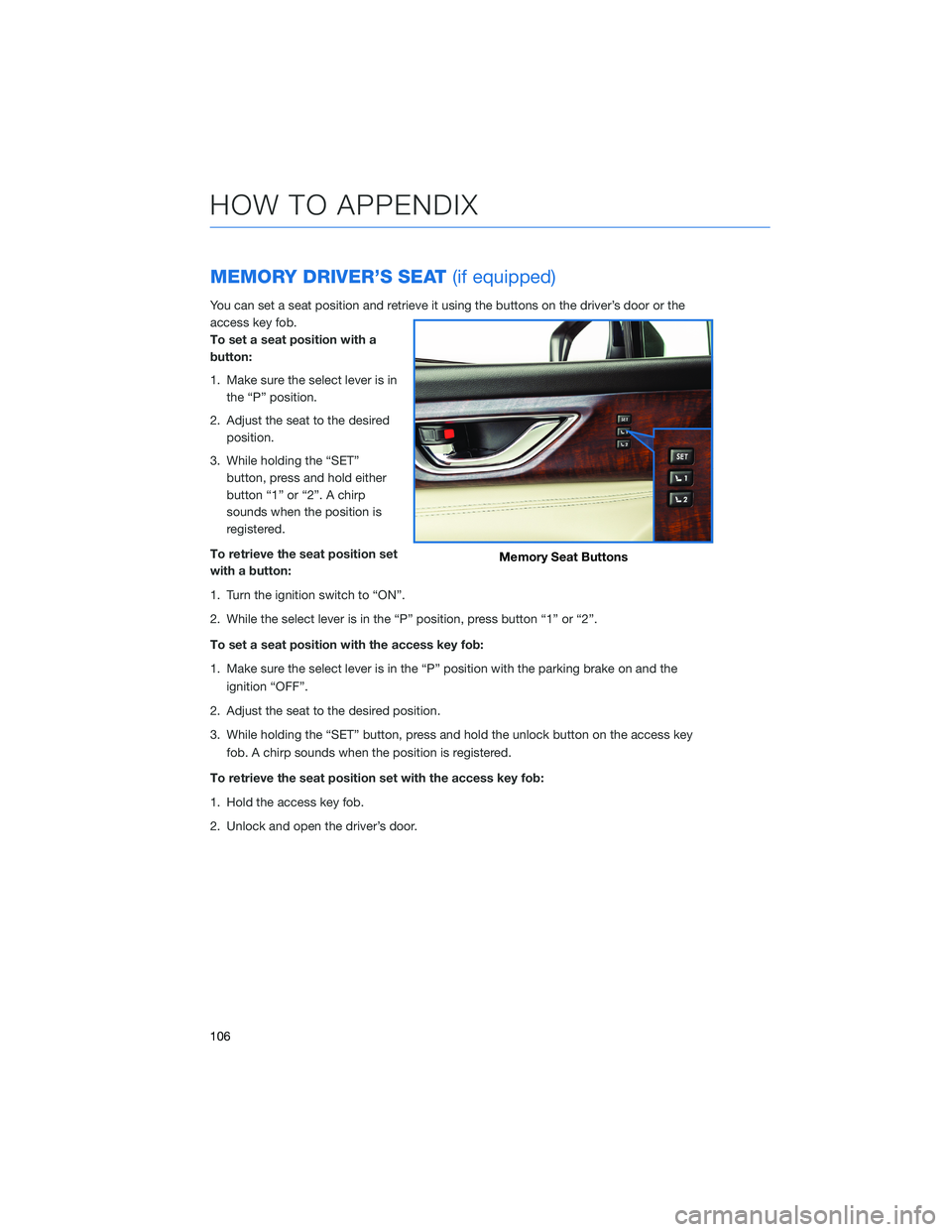
MEMORY DRIVER’S SEAT(if equipped)
You can set a seat position and retrieve it using the buttons on the driver’s door or the
access key fob.
To set a seat position with a
button:
1. Make sure the select lever is in
the “P” position.
2. Adjust the seat to the desired
position.
3. While holding the “SET”
button, press and hold either
button “1” or “2”. A chirp
sounds when the position is
registered.
To retrieve the seat position set
with a button:
1. Turn the ignition switch to “ON”.
2. While the select lever is in the “P” position, press button “1” or “2”.
To set a seat position with the access key fob:
1. Make sure the select lever is in the “P” position with the parking brake on and the
ignition “OFF”.
2. Adjust the seat to the desired position.
3. While holding the “SET” button, press and hold the unlock button on the access key
fob. A chirp sounds when the position is registered.
To retrieve the seat position set with the access key fob:
1. Hold the access key fob.
2. Unlock and open the driver’s door.
Memory Seat Buttons
HOW TO APPENDIX
106
Page 132 of 140
2.4 L ENGINE . . . . . . . . . . . . . . . 52
A
ACCESSING THE THIRD-ROW..... 45
ACCESSORY CONNECTIONS . . . . . . 29
ADDING SHORTCUTS . ......... 63
ADVANCED ADAPTIVE CRUISE
CONTROL . . . . . . . . ........ 31
ANDROID AUTO™ . . . . . . . . . . . . 115
Cables . . . . . . . . . . . . .....115
Compatible Models . . . . . . . . . . 117
Connecting an Android Phone....115
APPLE CARPLAY
®............ 117
Cables . . . . . . . . . . . . .....117
Compatible Models . . . . . . . . . . 118
Connecting an iPhone . . . . . . . . 118
ASCENT . . . . . . . . . . . . . . . . . . 101
AUDIO CONTROLS . . . . . . . . . . . . 30
B
BLIND-SPOT DETECTION (BSD)/ REAR
CROSS-TRAFFIC ALERT (RCTA) . . 98
Blind-Spot Detection (BSD)......98
Lane Change Assist (LCA).......98
Rear Cross-Traffic Alert (RCTA)....98
BLUETOOTH
®PAIRING . . . ...... 107
Pairing an Android Device......107
Pairing an iOS/Apple Device . . . . . 111
BUTTONS . . . . . . . . . . . . . . . . . 56
CD Player Functions . . ........57
Controlling the Volume . ........57
Other Functions . . . . . . . . . . . . . 57
Radio Functions . . . . . . . . . . . . . 56
C
CABIN VIEW MIRROR . . . . . . . . . . 21
CARGO COVER . . . . . . ........ 49
CHILD SAFETY LOCKS .......... 47
CLIMATE CONTROL . . . . . . ..... 23
Heated Seats . . . . . . ........27Heated Steering Wheel . . ......28
Rear Climate Control Panel . . . . . . 26
Remote Engine Start with Climate
Control . . . . . . . . . . . . . . . . . . 28
Second-row Heated Seats . .....28
Tri-Zone Automatic Climate
Control . . . . . . . . . . . . . . . . . . 23
Ventilated Seats . ...........27
CLOCK . .................. 83
Automatically . . . . ..........84
Manually . . . . . . ...........83
COMBINATION METER . ......... 37
CREATING A DRIVER PROFILE . . . . . 64
Retrieving a Driver Profile . . . . . . . 65
CREATING HOME AND WORK
PROFILES................ 76
D
DRIVING THE VEHICLE . . . . . . . . . . 39
Automatic Transmission Shift
Mode...................39
Paddle Shift Control Switches .....39
E
ELECTRONIC PARKING BRAKE
(EPB) . . . ................ 40
Auto Vehicle Hold (AVH)........41
ENGINE OIL................ 53
ENGINE OIL CAPACITY ......... 53
ENROLLMENT............... 78
EXITING THE THIRD-ROW ........ 45
EYESIGHT
®DISCLAIMER....... 102
EYESIGHT®OVERVIEW . . . . . . . . . 86
EYESIGHT®ASSIST MONITOR
(EAM) . . ................ 95
F
FIRMWARE AND SOFTWARE
UPDATES . . . . . . . . . . . . . . . 129
INDEX
130
