2021 PEUGEOT BOXER ignition
[x] Cancel search: ignitionPage 78 of 212

76
Driving
Stop & Start
The Stop & Start function puts the engine temporarily into standby - STOP mode - during
phases when the vehicle is stopped (red lights,
queues, etc.). The engine restarts automatically
- START mode - as soon as the driver wishes to
move off again.
Primarily designed for urban use, the function
is intended to reduce fuel consumption and
exhaust emissions as well as the noise level
when stationary.
The function does not affect the functionalities of
the vehicle, in particular the braking.
Deactivation/Reactivation
The function is activated by default when the
ignition is switched on.
To deactivate/reactivate the function:
► Press the button.
A message in the instrument panel confirms the
change of status.
When the function is deactivated, the indicator
lamp is lit; if the engine was in standby, it restarts
immediately.
To allow continuous operation of the air conditioning, deactivate the Stop & Start.
Opening the bonnet
Before doing anything under the bonnet,
deactivate the Stop & Start system to avoid
any risk of injury caused by the engine
restarting automatically.
Driving on flooded roads
Before entering into a flooded area, it is
strongly recommended that you deactivate
the Stop & Start system.
For more information on Driving
recommendations, particularly on flooded
roads, refer to the corresponding section.
Going into engine STOP
mode
With the vehicle stationary, place the gear lever
in neutral and release the clutch pedal.
This indicator lamp comes on in the instrument panel and the engine goes into
standby.
Automatic engine shutdown is only possible when the speed of the vehicle
has exceeded 6 mph (10 km/h), to avoid
repeated engine shutdowns when driving
slowly.
Never leave the vehicle without first
switching the ignition off with the key.
Never refuel with the engine in STOP
mode; you must switch off the ignition
using the key.
Special cases: STOP mode
not available
STOP mode is not activated when:
– the system is initialising,
–
the driver's door is open,
–
the driver's seat belt is not fastened,
–
the air conditioning is on,
–
the rear screen demisting is on,
–
the windscreen wipers are on fast wipe,
–
the reverse gear is engaged for the parking
manoeuvre,
–
some special conditions (battery charge,
engine temperature, particle filter regeneration,
braking assistance, exterior temperature, etc.)
Page 79 of 212
77
Driving
6where the engine is needed to assure control of
a system.
–
during intensive use of Stop & Start, it may
be deactivated to conserve starting ability; go
to a PEUGEOT
dealer to have the function
reactivated.
This indicator lamp in the instrument panel flashes for a few seconds, then
goes off.
This operation is perfectly normal.
Going into engine START
mode
With a gear engaged, the automatic restarting of
the engine is only possible by fully depressing
the clutch pedal.
This indicator lamp goes off and the engine restarts.
If, after an automatic restart in START mode, the
driver does not perform any action on the vehicle
within 3 minutes, the system stops the engine
permanently. The engine can only be restarted
with the ignition key.
Special cases: START mode
activated automatically
The START mode may be invoked automatically
in the following circumstances:
–
the vehicle is free-wheeling on a gradient,
–
the windscreen wipers are on fast wipe,
–
the air conditioning is on,
– the engine has been stopped for around 3
minutes with Stop & Start,
–
some special conditions (battery charge,
engine temperature, braking assistance, air
conditioning setting, etc.) where the engine is
needed for control of the system or vehicle.
In this case, a message appears in the
instrument panel screen, accompanied by
this indicator lamp, which flashes for a few
seconds, then goes off.
This operation is perfectly normal.
While in STOP mode with a manual
gearbox, if a gear is engaged without
fully depressing the clutch pedal, restarting
may not take place.
An indicator lamp and/or message is
displayed in the instrument panel asking
you to fully depress the clutch pedal to allow
restarting.
With the engine stopped in STOP mode,
if the driver unfastens their seat belt and
opens a front door, the engine can only be
restarted using the ignition key. There is an
audible signal, accompanied by flashing of this
indicator lamp, and the display of a message.
Malfunction
In the event of a malfunction, the Stop &
Start is deactivated and this warning lamp
comes on, accompanied by a message on the
instrument panel display.
Have it checked by a PEUGEOT dealer or a
qualified workshop.In the event of a malfunction
in STOP mode, the engine can be restarted by
fully
depressing the clutch pedal or putting the
gear lever in neutral.
Hill start assist
This system keeps your vehicle briefly stationary
(for approximately 2 seconds) when making a hill
start, while you transfer your foot from the brake
pedal to the accelerator pedal.
This system (also called HHC - Hill Hold
Control), integrated with the dynamic stability
control system, is activated in the following
conditions:
–
the vehicle must be stationary
, engine running,
foot on the brake,
–
the gradient of the road must be steeper than
5%,
–
uphill, the gearbox must be in neutral or in a
gear other than reverse,
–
downhill, reverse gear must be engaged.
The hill start assist system is a driving aid. It is not an automatic vehicle parking
function or an automatic parking brake.
Page 86 of 212
84
Driving
The display indicates OFF and the last
programmed speed.
Programming a speed
A speed can be programmed without activating
the speed limiter but with the engine running.
To memorise a speed higher than the previous
one:
►
Move the control upwards (+).
A
short press increases the setting by 1 mph
(km/h).
Pressing and holding increases the setting in
steps of 5 mph (km/h).
To memorise a speed lower than the previous
one:
►
Move the control downwards (-).
A
short press decreases the setting by 1 mph
(km/h).
Pressing and holding decreases the setting in
steps of 5 mph (km/h).
Activation/Deactivation
► Press button 2 to activate the speed limiter.
OFF disappears from the display and a message
appears confirming activation.
Pressing again deactivates it, OFF is displayed
again and a message appears confirming
deactivation.
Exceeding the programmed
speed
► Fully depress the accelerator pedal to exceed
the programmed speed threshold.
The speed limiter is deactivated temporarily and
the programmed speed flashes.
To return to the speed limiter function, reduce
your speed below the programmed speed.
On a steep descent or in the event of
sharp acceleration, the speed limiter will
not be able to prevent the vehicle from
exceeding the programmed speed.
Switching the function off
► Place the ring in the central position O or
switch the ignition off to stop the system.
The last programmed speed remains in the
memory.
Malfunction
The programmed speed is cleared, then
replaced by dashes.
Have the system checked by a PEUGEOT
dealer or a qualified workshop.
Fixed speed limiter
If fitted to your vehicle, its speed can be limited
to a fixed setting.
A label located in the passenger compartment
indicates this maximum speed.
The fixed speed limiter is not a cruise control
type function. It cannot be activated or
deactivated by the driver during the trip.
The maximum speed is originally set according to the regulations in force in
the country of sale.
This maximum speed cannot be changed by
the driver.
If you wish to modify this maximum speed,
contact a PEUGEOT dealer.
Page 88 of 212
86
Driving
First activation/
Programming a speed
► Bring the vehicle up to the desired speed by
pressing the accelerator .
►
Move the control upwards (+) or downwards
(-) to memorise it.
A message appears in the
instrument panel display to confirm activation.
The memorised speed is visible in the instrument
panel display.
The vehicle will maintain this speed setting.
Deactivation (off)
► Press button 2.
or
►
Depress the brake or clutch pedal.
A
message appears in the instrument panel
display to confirm deactivation.
Reactivation
► Following deactivation of the cruise control,
press button 2. A message appears in the
instrument panel display to confirm reactivation.
Your vehicle will return to the last programmed
speed.
You can also repeat the "first activation"
procedure.
Changing the programmed
speed
There are two methods for memorising a speed
higher than the previous one: Without using the accelerator:
►
Move the control upwards (+).
A
short press increases the setting by 1 mph
(km/h).
Pressing and holding increases the setting in
steps of 5 mph (km/h).
Using the accelerator:
►
Exceed the memorised speed until the
desired speed is reached.
►
Move the control upwards (+) or downwards
(-).
T
o memorise a speed lower than the previous
one:
►
Move the control downwards (-).
A
short press decreases the setting by 1 mph
(km/h).
Pressing and holding decreases the setting in
steps of 5 mph (km/h).
Switching the function off
► Place the ring in the central position O or
switch the ignition off to stop the system.
When the vehicle stops, after the ignition is
switched off, the system no longer memorises
any speeds.
Malfunction
In the event of a malfunction, the function
stops and the indicator lamp goes out.
Have the system checked by a PEUGEOT
dealer or a qualified workshop.
Lane departure warning
system
For more information, refer to the
General recommendations on the use
of driving and manoeuvring aids .
System which detects the involuntary crossing of
longitudinal traffic lane markings on the ground
(solid or broken line).
A camera, fitted in the upper central part of the
windscreen, monitors the road and detects the
lane marking lines and the position of the vehicle
in relation to them.
With the speed of the vehicle above 37 mph (60
km/h), an alarm is triggered if there is a deviation
in direction.
This system is particularly useful on motorways
and main roads.
In case of windscreen damage, it is strongly
recommended to contact a PEUGEOT dealer or
Page 89 of 212
87
Driving
6a qualified workshop for any replacement and
calibration of the camera.
Operation
The system starts automatically when moving
off.
A check of the operating conditions takes place: these two indicator
lamps come on in the instrument panel.
When these conditions are met, these two
indicator lamps go off. The system is activated.
If the operating conditions are not met, the
system is activated but is no longer effective.
This is signalled by the fixed illumination of these
two warning lamps in the instrument panel.
Operating conditions
Once engaged, the system is active only when
these operating conditions are met:
–
The vehicle is moving forwards.
–
No malfunction of the vehicle is detected.
–
The speed of the vehicle is equal to or greater
than approximately 37 mph (60 km/h).
–
The longitudinal marking of the traffic lanes is
clearly visible.
–
The visibility conditions are clear
.
–
The trajectory is in a straight line (or in the
case of bends, they are wide).
–
The field of vision is sufficiently clear (the
safety distance with the vehicle ahead is
respected). –
In the event of a lane departure, the direction
indicator corresponding to the direction (right or
left) of the departure has not been operated.
–
The trajectory of the vehicle is consistent with
the road layout.
Deactivation / Reactivation
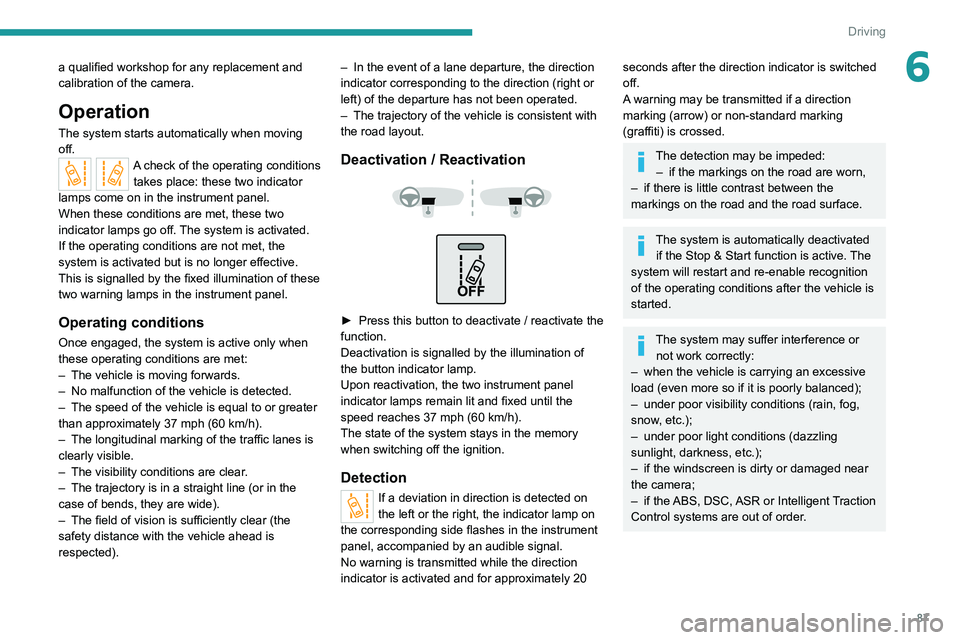
► Press this button to deactivate / reactivate the
function.
Deactivation is signalled by the illumination of
the button indicator lamp.
Upon reactivation, the two instrument panel
indicator lamps remain lit and fixed until the
speed reaches 37 mph (60 km/h).
The state of the system stays in the memory
when switching off the ignition.
Detection
If a deviation in direction is detected on
the left or the right, the indicator lamp on
the corresponding side flashes in the instrument
panel, accompanied by an audible signal.
No warning is transmitted while the direction
indicator is activated and for approximately 20
seconds after the direction indicator is switched
off.
A warning may be transmitted if a direction
marking (arrow) or non-standard marking
(graffiti) is crossed.
The detection may be impeded: – if the markings on the road are worn,
–
if there is little contrast between the
markings on the road and the road surface.
The system is automatically deactivated if the Stop & Start function is active. The
system will restart and re-enable recognition
of the operating conditions after the vehicle is
started.
The system may suffer interference or not work correctly:
–
when the vehicle is carrying an excessive
load (even more so if it is poorly balanced);
–
under poor visibility conditions (rain, fog,
snow
, etc.);
–
under poor light conditions (dazzling
sunlight, darkness, etc.);
–
if the windscreen is dirty or damaged near
the camera;
–
if the
ABS, DSC, ASR or Intelligent Traction
Control systems are out of order.
Page 91 of 212

89
Driving
6Blind spot monitoring with
trailer detection
For more information, refer to the
General recommendations on the use
of driving and manoeuvring aids .
This system includes sensors, placed on the
sides of the rear bumper, which monitor the blind
spot areas.
It warns the driver of the presence of another
vehicle (car, truck, motorcycle) in the areas
hidden
from their field of vision, while driving and
reversing.
If a trailer is hitched to the vehicle, the detection
area is enlarged by the length of the trailer.
The warning is given by a fixed warning lamp
that appears in the door mirror on the side in
question. Depending on the configuration, an
audible warning may sound.
Activation/Deactivation
The function can be activated or deactivated using the MODE button in the
Blind spot menu.
For more information on Vehicle configuration
(MODE), refer to the corresponding section.
Two modes of activation are available:
–
VISUAL
: visual warning. While driving, a
warning lamp appears in the door mirror on the
side where a vehicle is detected.
–
VISUAL
and AUDIBLE: visual and audible
warning. While driving, a warning lamp appears
in the door mirror on the side in question. If the
direction indicator is activated on the side where
the vehicle is detected, an audible warning will
sound. When starting the vehicle, the
warning lamp
comes on in each mirror to indicate that the
system is activated.
The status of the system is memorised when the
ignition is switched off.
Reverse gear
The system assists the driver during their
manoeuvres in reverse (e.g. exit from a parking
space).
It detects vehicles arriving to the left or right of
the vehicle at a speed of between approximately
1 and 22 mph (1 and 35 km/h).
When a vehicle is detected, a warning lamp
comes on in the mirror on the side in question,
supplemented by an audible warning.
Trailer detection
The system detects the presence and length of a
trailer. The vehicle detection area in blind spots
is extended by the length of the trailer.
Page 94 of 212
92
Driving
Collision Risk Alert
It warns the driver that their vehicle is at risk of
collision with the vehicle in front.
Modifying the alert trigger threshold
This trigger threshold determines the sensitivity
with which the function warns of the risk of
collision.
The threshold is set via the vehicle configuration menu.
►
Select one of the three pre-defined
thresholds: "Near", "Normal" or "Far".
The last threshold selected is memorised when
the ignition is switched off.
Operation
Depending on the degree of risk of collision
detected by the system and the alert threshold
chosen by the driver, several different levels
of alert may be triggered and displayed in the
instrument panel.
They take account of the vehicle dynamics, the
speed of your vehicle and the one in front, the
environmental conditions and the operation of
the vehicle (cornering, actions on the pedals,
etc.) to trigger the alert at the best moment.
Level 1 (orange): visual alert only,
signalling that the vehicle in front is very
close.
The message "
Vehicle close" is displayed.
Level 2 (red): visual and audible alert,
signalling that a collision is imminent.
The message "Brake! " is displayed.
Level 3: finally, in some cases, a haptic alert
in the form of micro-braking can be given,
confirming the risk of collision.
Where the speed of your vehicle is too
high approaching another vehicle, the
first level of alert may not be displayed: the
level 2 alert may be displayed directly.
Important: the level
1 alert is never displayed
for a stationary obstacle or when the " Close"
trigger threshold has been selected.
Intelligent emergency
braking assistance
If the driver brakes, but not sufficiently to avoid a
collision, this system will supplement the braking,
within the limits of the laws of physics.
This assistance will only be provided if the driver
presses the brake pedal.
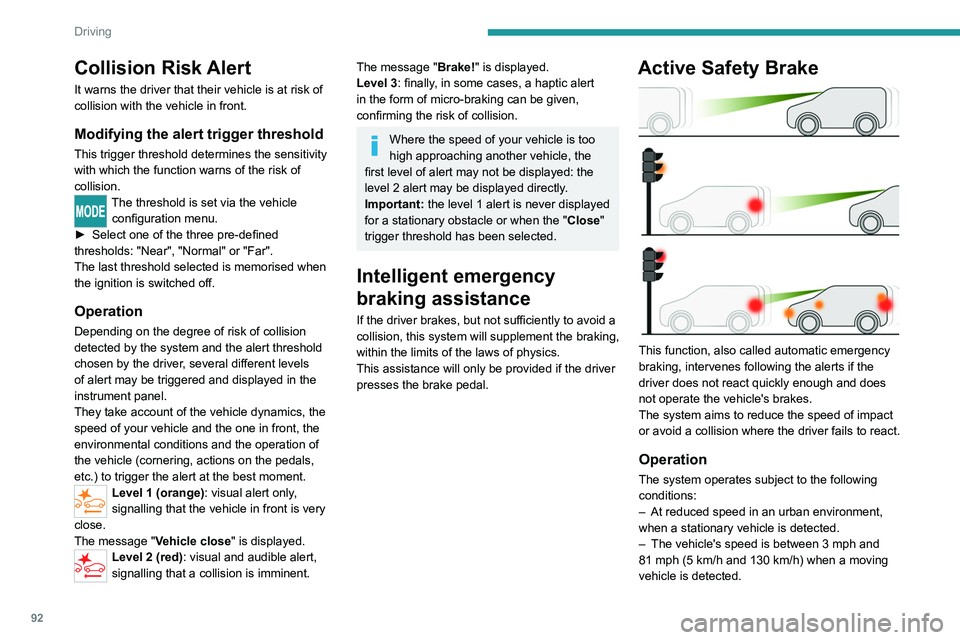
Active Safety Brake
This function, also called automatic emergency
braking, intervenes following the alerts if the
driver does not react quickly enough and does
not operate the vehicle's brakes.
The system aims to reduce the speed of impact
or avoid a collision where the driver fails to react.
Operation
The system operates subject to the following
conditions:
–
At reduced speed in an urban environment,
when a stationary vehicle is detected.
–
The vehicle's speed is between 3 mph and
81 mph (5
km/h and 130 km/h) when a moving
vehicle is detected.
Page 98 of 212
96
Practical information
Fuel
The capacity of the tank is about 90 litres.
Fuel tanks of different capacities may be fitted,
60 and 120 litres, depending on the engine.
Low fuel level
When the low fuel tank level E (Empty) is
reached, this warning lamp comes on.
At this moment, you have approximately 10 or
12 litres left in the reserve, depending on the
capacity of your tank and the engine.
You must refuel as soon as possible to avoid
running out of fuel.
Refuelling
The fuel tank must be filled with the engine off.
► Open the fuel filler flap.
►
Hold the black filler cap with one hand.
►
With the other hand, insert the key and turn it
anti-clockwise.
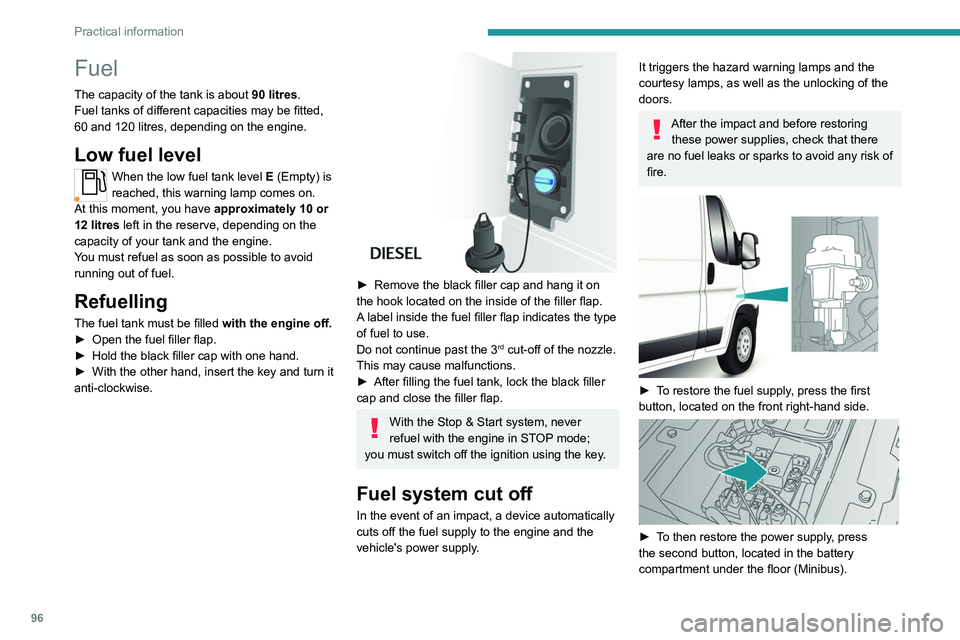
► Remove the black filler cap and hang it on
the hook located on the inside of the filler flap.
A
label inside the fuel filler flap indicates the type
of fuel to use.
Do not continue past the 3
rd cut-off of the nozzle.
This may cause malfunctions.
►
After filling the fuel tank, lock the black filler
cap and close the filler flap.
With the Stop & Start system, never
refuel with the engine in STOP mode;
you must switch off the ignition using the key.
Fuel system cut off
In the event of an impact, a device automatically
cuts off the fuel supply to the engine and the
vehicle's power supply.
It triggers the hazard warning lamps and the
courtesy lamps, as well as the unlocking of the
doors.
After the impact and before restoring these power supplies, check that there
are no fuel leaks or sparks to avoid any risk of
fire.
► To restore the fuel supply, press the first
button, located on the front right-hand side.
► To then restore the power supply, press
the second button, located in the battery
compartment under the floor (Minibus).