2021 PEUGEOT BOXER fuse
[x] Cancel search: fusePage 131 of 212
129
In the event of a breakdown
8
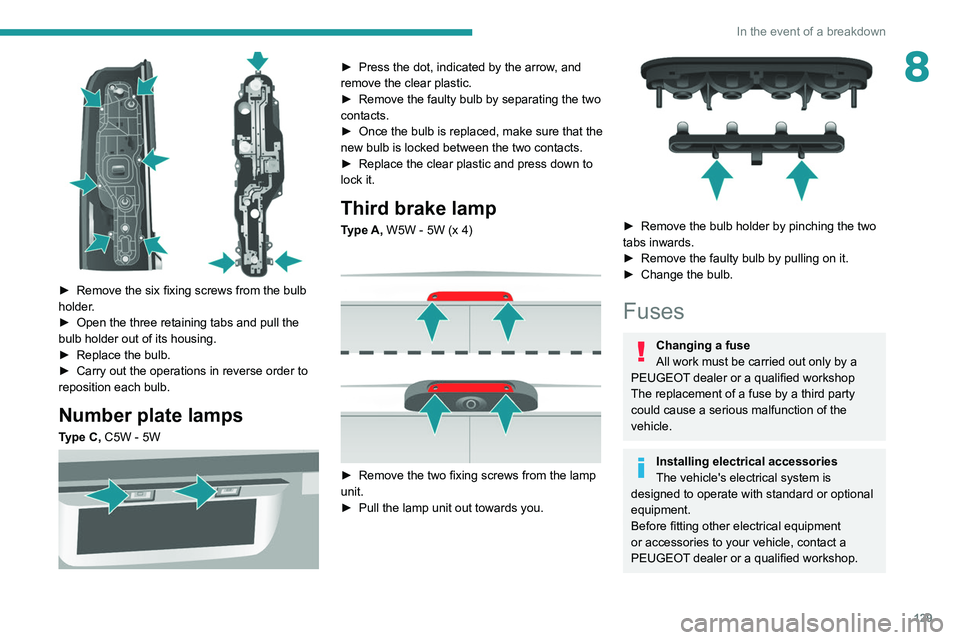
► Remove the six fixing screws from the bulb
holder .
►
Open the three retaining tabs and pull the
bulb holder out of its housing.
►
Replace the bulb.
►
Carry out the operations in reverse order to
reposition each bulb.
Number plate lamps
Type C, C5W - 5W
► Press the dot, indicated by the arrow , and
remove the clear plastic.
►
Remove the faulty bulb by separating the two
contacts.
►
Once the bulb is replaced, make sure that the
new bulb is locked between the two contacts.
►
Replace the clear plastic and press down to
lock it.
Third brake lamp
Type A, W5W - 5W (x 4)
► Remove the two fixing screws from the lamp
unit.
►
Pull the lamp unit out towards you.
► Remove the bulb holder by pinching the two
tabs inwards.
►
Remove the faulty bulb by pulling on it.
►
Change the bulb.
Fuses
Changing a fuse
All work must be carried out only by a
PEUGEOT dealer or a qualified workshop
The replacement of a fuse by a third party
could cause a serious malfunction of the
vehicle.
Installing electrical accessories
The vehicle's electrical system is
designed to operate with standard or optional
equipment.
Before fitting other electrical equipment
or accessories to your vehicle, contact a
PEUGEOT dealer or a qualified workshop.
Page 133 of 212

131
In the event of a breakdown
8Disconnecting the battery
► Tilt lever 1 downwards to release the
terminals.
►
Remove terminals
2
from the negative (-)
terminal.
Wait approximately 6 minutes after
switching off the ignition before
disconnecting the battery.
Do not disconnect the terminals while the
engine is running.
Do not charge a battery without disconnecting
the terminals first.
Close the windows and the doors before
disconnecting the battery.
After reconnecting the battery, turn on the
ignition and wait 1 minute before starting the
engine, to enable the electronic systems to
initialise. If minor problems nevertheless persist
following this operation, contact a PEUGEOT
dealer or a qualified workshop.
It is recommended to disconnect the (-)
terminal of the battery if the vehicle is to
be left unused for more than one month.
The description of the battery charging
procedure is only indicative.
After prolonged battery disconnection, it may be
necessary to reinitialise the following functions:
–
the display parameters (date, time, language,
distance and temperature units),
–
the stations of the audio system,
–
the central locking.
Some settings are cancelled and must be
entered once again; contact a PEUGEOT
dealer.
If the vehicle is equipped with a tachograph or
an alarm,
it is recommended that the (-) terminal
of the battery (located under the floor on the
left-hand side, in the cab) be disconnected if the
vehicle is not going to be used for more than 5
days.
Starting using another
battery
Never start the engine by connecting a
battery charger.
Never use a 24 V or higher battery booster.
Check beforehand that the backup battery
has a nominal voltage of 12 V and a capacity
at least equal to that of the discharged
battery.
The two vehicles must not be in contact with
each other.
Switch off all electricity-consuming equipment
on both vehicles (audio system, wipers,
lighting, etc.).
Make sure that the jump leads are well away
from the engine’s moving parts (fan, belt,
etc.).
Do not disconnect the (+) terminal while the
engine is running.
Starting the engine using another battery is to be
performed inside the engine compartment.
►
Open the bonnet.
A. Positive metallic terminal on the vehicle
B. Backup battery
C. Vehicle earth point
The positive metallic terminal A is accessible
through a flap located on the side of the fuse
box.
Page 163 of 212

161
Special features
10SymptomsVerification/Check
The hydraulic
unit does not
work. Power harness and unit
relay.
Control harness (control
unit).
Circuit-breaker.
The ram does
not lower. No, check the coil and the
electrical connections of
the valve.
The control unit
does not work. Check the connection and
contacts.
The fuse blows
while lowering. Replace the lowering coil.
Hydraulic faults
Symptoms Verification/Check
Very noisy unit,
rises slowly. Suction strainer clogged
or crushed at the bottom
of the tank.
Very noisy
new unit, rises
quickly. Pump alignment, change
the unit.
The ram lowers
by itself. Lowering valve crushed or
blocked.
Symptoms
Verification/Check
The ram does
not lower. Yes, check the slide valve
and bleed.
Refer to the
"Maintenance" section.
No, replace the solenoid
valve.
No, check the alignment
of the ram.
The unit works
but its pressure
does not
increase. Slide valve jammed if no
solenoid valve on the unit.
Refer to the
"Maintenance" section.
Pressure relief device,
setting, dirt.
Pump seal out of service.
Motor/pump coupling.
Pump loose from its
support.
The hydraulic
unit does not
work. Solenoid valve stuck,
replace it or retighten the
nut behind the strainer.
Emulsion in the
tank. Incorrectly positioned
return pipe.
Insufficient oil level.Symptoms
Verification/Check
The oil flows
back through
the oil breather
pipe. Oil level too high.
Tolerance of the oil
breather pipe membrane
too high, to be replaced.
Valid only for UD2386
units.
Page 165 of 212
163
Audio system
11Media, toggle up or down: select next/previous
track.
Media, toggle up or down continuously: fast
forward/rewind until you release the button.
Refuse an incoming call.
End the call in progress.
Radio
Selecting a station
The exterior environment (hills, buildings, tunnels, car parks, underground location,
etc.) may block reception, including in RDS
mode.
This behaviour is normal in the propagation of
radio waves and does not indicate any fault
with the audio system.
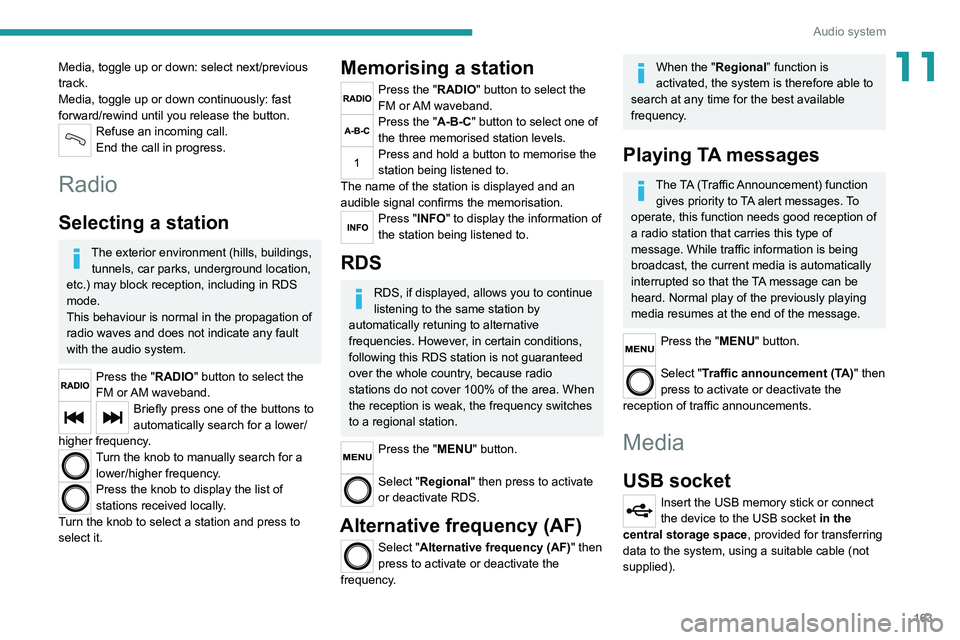
Press the "RADIO" button to select the
FM or AM waveband.
Briefly press one of the buttons to
automatically search for a lower/
higher frequency.
Turn the knob to manually search for a lower/higher frequency.
Press the knob to display the list of
stations received locally.
Turn the knob to select a station and press to
select it.
Memorising a station
Press the "RADIO" button to select the
FM or AM waveband.
Press the "A-B-C" button to select one of
the three memorised station levels.
Press and hold a button to memorise the
station being listened to.
The name of the station is displayed and an
audible signal confirms the memorisation.
Press "INFO" to display the information of
the station being listened to.
RDS
RDS, if displayed, allows you to continue
listening to the same station by
automatically retuning to alternative
frequencies. However, in certain conditions,
following this RDS station is not guaranteed
over the whole country, because radio
stations do not cover 100% of the area. When
the reception is weak, the frequency switches
to a regional station.
Press the "MENU" button.
Select "Regional" then press to activate
or deactivate RDS.
Alternative frequency (AF)
Select "Alternative frequency (AF)" then
press to activate or deactivate the
frequency.
When the "Regional” function is
activated, the system is therefore able to
search at any time
for the best available
frequency.
Playing TA messages
The TA (Traffic Announcement) function gives priority to TA alert messages. To
operate, this function needs good reception of
a radio station that carries this type of
message. While traffic information is being
broadcast, the current media is automatically
interrupted so that the TA message can be
heard. Normal play of the previously playing
media resumes at the end of the message.
Press the "MENU" button.
Select "Traffic announcement (TA)" then
press to activate or deactivate the
reception of traffic announcements.
Media
USB socket
Insert the USB memory stick or connect
the device to the USB socket in the
central storage space , provided for transferring
data to the system, using a suitable cable (not
supplied).
Page 167 of 212
165
Audio system
11Telephone
Pairing a Bluetooth®
telephone
For safety reasons and because it
requires sustained attention by the driver,
the pairing of a Bluetooth
® mobile phone with
the hands-free kit of your audio system must
be done with the vehicle stationary.
Activate the Bluetooth
® function on the telephone
and ensure that it is "visible to all" (telephone
configuration).
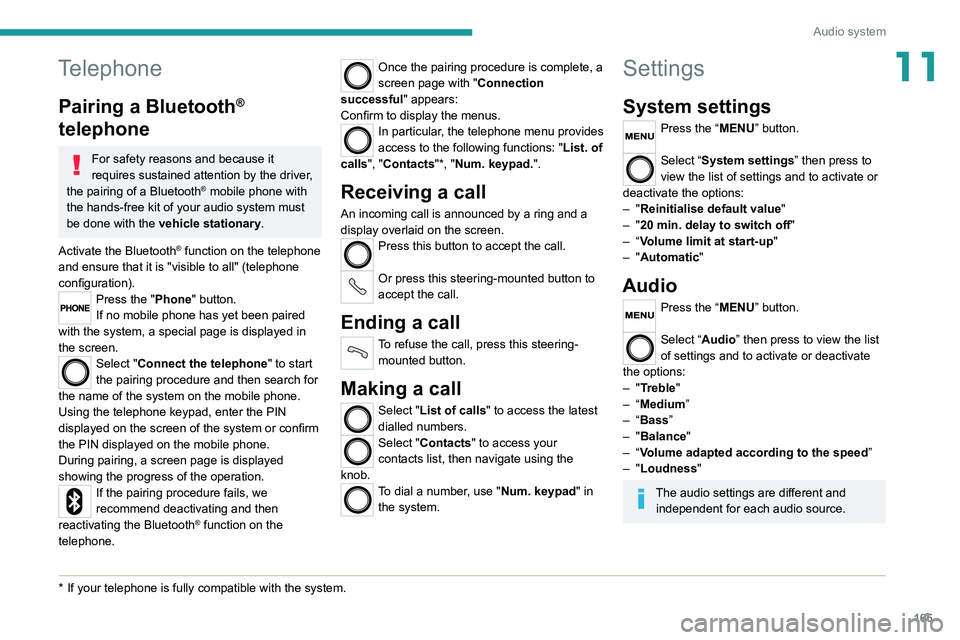
Press the "Phone" button.
If no mobile phone has yet been paired
with the system, a special page is displayed in
the screen.
Select "Connect the telephone" to start
the pairing procedure and then search for
the name of the system on the mobile phone.
Using the telephone keypad, enter the PIN
displayed on the screen of the system or confirm
the PIN displayed on the mobile phone.
During pairing, a screen page is displayed
showing the progress of the
operation.
If the pairing procedure fails, we
recommend deactivating and then
reactivating the Bluetooth
® function on the
telephone.
* If your telephone i s fully compatible with the system.
Once the pairing procedure is complete, a
screen page with "Connection
successful" appears:
Confirm to display the menus.
In particular, the telephone menu provides
access to the following functions: " List. of
calls", "Contacts"*, "Num. keypad.".
Receiving a call
An incoming call is announced by a ring and a
display overlaid on the screen.
Press this button to accept the call.
Or press this steering-mounted button to
accept the call.
Ending a call
To refuse the call, press this steering- mounted button.
Making a call
Select "List of calls" to access the latest
dialled numbers.
Select "Contacts" to access your
contacts list, then navigate using the
knob.
To dial a number, use "Num. keypad" in the system.
Settings
System settings
Press the “MENU” button.
Select “System settings” then press to
view the list of settings and to activate or
deactivate the options:
–
"Reinitialise default value"
–
"20 min. delay to switch off "
–
“
Volume limit at start-up "
–
"Automatic"
Audio
Press the “MENU” button.
Select “Audio” then press to view the list
of settings and to activate or deactivate
the options:
–
"Treble"
–
“
Medium”
–
“
Bass ”
–
"Balance"
–
“
Volume adapted according to the speed ”
–
"Loudness"
The audio settings are different and independent for each audio source.
Page 172 of 212
170
Touch screen audio and telematics system
ENTER
Confirm an option displayed on the screen by
pressing.
Steering mounted controls
Activate/deactivate the pause function of USB/iPod and Bluetooth® sources.
Activate/deactivate the mute function of the
radio.
Activate/deactivate the microphone during a
telephone conversation.
Toggle up or down: increase or decrease the volume for voice announcements and
music, hands-free and text message reading
sources.
Activate voice recognition. Pause a voice message to start a new
voice command.
Pause voice recognition.
Accept an incoming call. Accept a second incoming call and put
the active call on hold.
Activate voice recognition for the telephone
function.
Pause a voice message to give another voice
command.
Pause voice recognition.
Radio, toggle up or down: select next/
previous station.
Radio, toggle up or down continuously: scan up/
down frequencies until you release the button. Media, toggle up or down: select next/previous
track.
Media, toggle up or down continuously: fast
forward/rewind until you release the button.
Refuse an incoming call.
End the call in progress.
Menus
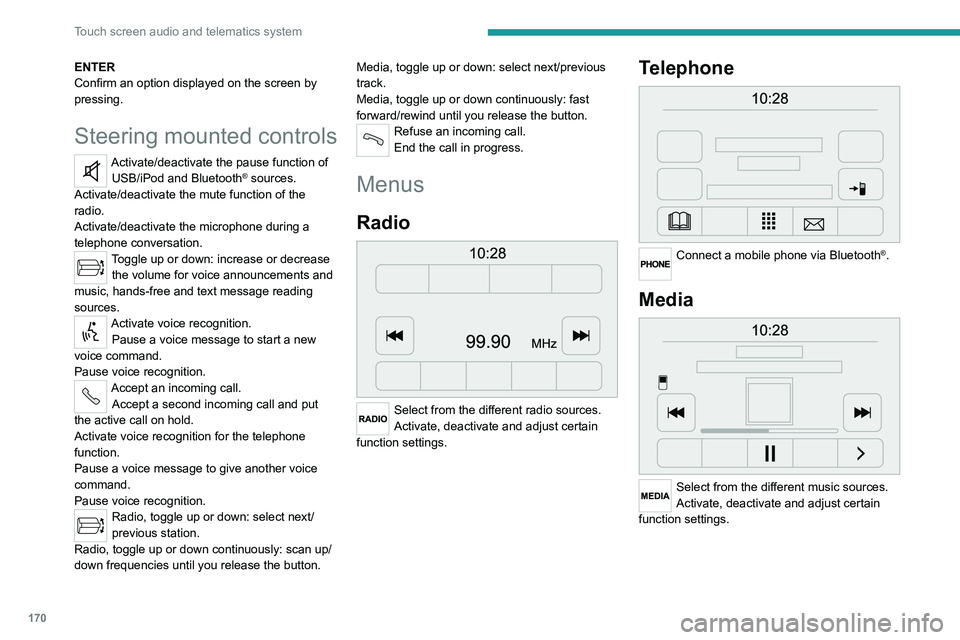
Radio
Select from the different radio sources.
Activate, deactivate and adjust certain
function settings.
Telephone
Connect a mobile phone via Bluetooth®.
Media
Select from the different music sources.
Activate, deactivate and adjust certain
function settings.
Page 180 of 212
178
Touch screen audio and telematics system
If the pairing procedure fails, it is
recommended that you deactivate and
then reactivate the Bluetooth function on your
telephone.
Once the pairing procedure is complete, a
screen page appears:
–
answer "Y
es" to the question; the mobile
phone is registered as the favourite (the mobile
phone will have priority over other mobile
phones, which may be registered later).
–
if no other device is associated, the system
considers the first associated device as the
favourite.
For mobile phones that are not set as
favourites, priority is determined by the
connection order. The last phone
connected
will have the highest priority.
The services available depend on the
network, the SIM card and the compatibility
of the Bluetooth
® devices used. Refer to your
telephone’s user guide and your service provider
to check which services you are able to access.
When you return to the vehicle, the last
phone
connected reconnects automatically,
within approximately 30 seconds of switching the
ignition on (with
Bluetooth
® activated).
To change the automatic connection profile,
select the phone from the list then select the
desired parameters.
The profiles compatible with the system are:
HFP, OPP, PBAP, A2DP, AVRCP, MAP.
Automatic reconnection
When the ignition is switched on, the telephone
connected when the ignition was last switched
off reconnects automatically, if this connection
mode had been set during the pairing procedure
(see previous pages).
The connection is confirmed by the display of a
message and the name of the telephone.
Managing paired telephones
This function allows a device to be connected or disconnected, as well as a
pairing to be deleted.
Press "Settings".
Select “Telephone/Bluetooth
®” then select the
telephone from the list of paired devices.
Select “Connect” or “Disconnect”, “Delete
device” or “Add device”, “Memorise
Favourite”, “Text on”, “Download ” from the list
of available options.
Receiving a call
An incoming call is announced by a ring and a
display overlaid on the screen.
Make a short press on this steering-
mounted button to accept an incoming
call.
or
Press the "Answer“ button displayed on the
screen.
If two calls are in progress (one in progress and
one on hold), it is possible to switch from one to
the other by pressing the " Call toggle” button or
unite the two calls in a conference by pressing
the "Confer." button.
Ending a call
To refuse a call, press this steering- mounted button.
or
Press the “Ignore” button
displayed on the
screen.
Making a call
Calling a new number
You are strongly advised NOT to use the telephone while driving. We recommend
that you park safely or make use of the
steering-mounted controls.
Press “PHONE".
Press the keypad button.
Enter the telephone number using the keypad,
then press the “Call” button to make the call.
Calling a contact
Press "PHONE".
Page 192 of 212

190
Alphabetical index
A
ABS 29
Accelerated charging unit (Wallbox)
71
Accessories
28
Active Safety Brake
90–92
AdBlue®
86
AdBlue® tank
87
Adjusting the date
21
Adjusting the seat angle
18
Adjusting the seat belt height
60–61
Adjusting the time
21
Advice on care and maintenance
70, 88
Advice on driving
6, 69–70
Airbags
35, 37
Airbags, curtain
35
Airbags, front
62–63
Airbags, lateral
35
Air conditioning
23, 39–40
Air conditioning, additional
39–40
Air conditioning, automatic
24
Air conditioning, manual
24
Air vents
23
Alarm
27–28
Anti-lock braking system (ABS)
29
Armrest, front
19
ASR
29
Assistance, emergency braking
29, 64
Audible warning
28
Audio streaming (Bluetooth)
173–174
Audio system
134
B
Battery 45
Battery, 12 V
111–112, 102
Battery, ancillaries
102
Blind spot sensors
61
BlueHDi
14, 83
Bluetooth (hands-free)
137, 177–178
Bluetooth (telephone)
137, 177–178
Bodywork
89
Bonnet
79
Brake discs
85
Brakes
85
Braking, automatic emergency
90–92
Brightness
8
Bulbs (changing)
97
Bulbs (changing, type)
97
C
Cable, audio 136, 145
Cable, Jack
136, 145
Capacity, fuel tank
68
Care of the bodywork
89
CCS (Combined Charging System)
74
CD
145
CD, MP3
145
Centre console
4
Changing a bulb
97
Changing a fuse
101
Changing to free-wheeling
105
Charging cable (Electric) 71
Charging connector (Electric)
70, 101–103
Charging flap (Electric)
70, 101–103
Charging system (Electric)
5, 6, 69
Charging the traction battery
(Electric)
69, 101–103
Checking the levels
109–111
Checks
111 – 11 3
Checks, routine
111 – 11 3
Children
33
Child seats
33, 63–65
Cigar lighter
35
Cleaning (advice)
70, 116–117
Collision Risk Alert
90–92
Configuration, vehicle
15, 21
Container, AdBlue®
87
Control, heated seats
19
Control stalk, lighting
23
Control stalk, wipers
26
Control unit
71
Courtesy lamp, front
43–46
Courtesy lamp, rear
36
Courtesy lamps
36
Cruise control
85–86
D
DAB (Digital Audio Broadcasting) -
Digital radio
144
Dashboard
4
Daytime running lamps, LED
23