2021 Peugeot 308 display
[x] Cancel search: displayPage 88 of 244
86
Driving
Automatic application
With the vehicle stationary, the parking brake
is automatically applied when the ignition is
switched off.
Application of the parking brake is
confirmed by illumination of the
brake indicator lamp and the P indicator lamp in
the control lever, accompanied by the display of
a message.
With the engine stalled or in STOP mode
of Stop & Start, automatic application
does not take place.
With automatic operation, you can also
manually apply or release the parking
brake using the control lever.
Manual release
With the ignition on or the engine running, to
release the parking brake:
► press the brake pedal,
► briefly push the control lever.
The complete release of the parking brake is
confirmed by the brake indicator lamp and the
P indicator lamp in the control lever going off,
accompanied by the display of a message and
an audible signal until the doors are closed.
If you push the control lever without
pressing the brake pedal, the parking
the parking brake is still on or has not been fully
released.
When parking on a slope, direct your
wheels against the kerb, apply the
parking brake, engage a gear and switch off
the ignition.
Pressing the brake pedal facilitates the
application and release of the manual
parking brake.
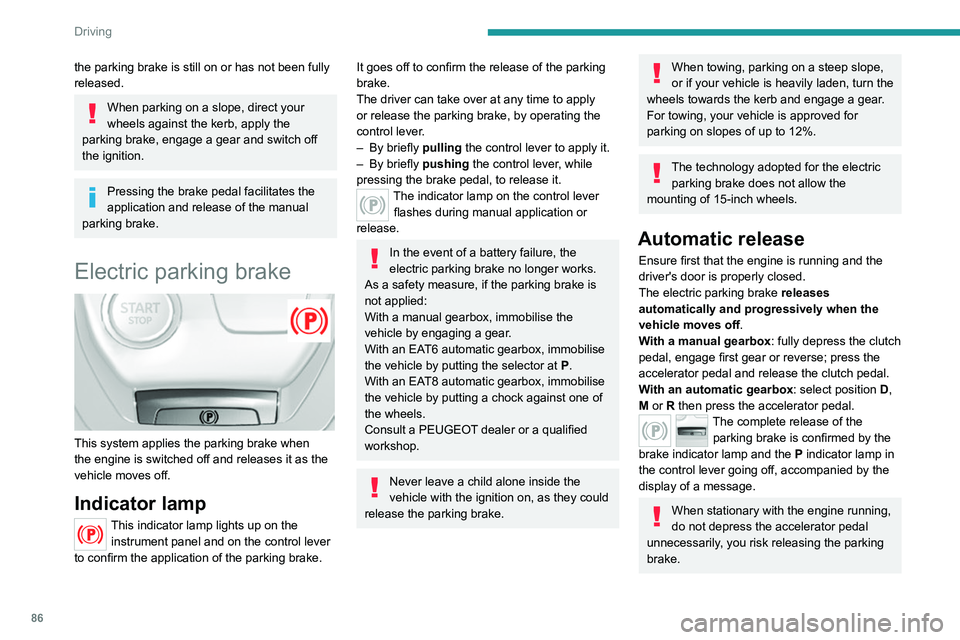
Electric parking brake
This system applies the parking brake when
the engine is switched off and releases it as the
vehicle moves off.
Indicator lamp
This indicator lamp lights up on the instrument panel and on the control lever
to confirm the application of the parking brake.
It goes off to confirm the release of the parking
brake.
The driver can take over at any time to apply
or release the parking brake, by operating the
control lever.
–
By briefly
pulling the control lever to apply it.
–
By briefly
pushing the control lever, while
pressing the brake pedal, to release it.
The indicator lamp on the control lever flashes during manual application or
release.
In the event of a battery failure, the
electric parking brake no longer works.
As a safety measure, if the parking brake is
not applied:
With a manual gearbox, immobilise the
vehicle by engaging a gear.
With an EAT6
automatic gearbox, immobilise
the vehicle by putting the selector at
P
.
With an EAT8 automatic gearbox, immobilise
the vehicle by putting a chock against one of
the wheels.
Consult a PEUGEOT dealer or a qualified
workshop.
Never leave a child alone inside the
vehicle with the ignition on, as they could
release the parking brake.
When towing, parking on a steep slope,
or if your vehicle is heavily laden, turn the
wheels towards the kerb and engage a gear.
For towing, your vehicle is approved for
parking on slopes of up to 12%.
The technology adopted for the electric parking brake does not allow the
mounting of 15-inch wheels.
Automatic release
Ensure first that the engine is running and the
driver's door is properly closed.
The electric parking brake releases
automatically and progressively when the
vehicle moves off.
With a manual gearbox: fully depress the clutch
pedal, engage first gear or reverse; press the
accelerator pedal and release the clutch pedal.
With an automatic gearbox: select position D,
M or R then press the accelerator pedal.
The complete release of the parking brake is confirmed by the
brake indicator lamp and the P indicator lamp in
the control lever going off, accompanied by the
display of a message.
When stationary with the engine running,
do not depress the accelerator pedal
unnecessarily, you risk releasing the parking
brake.
Page 89 of 244
87
Driving
6Automatic application
With the vehicle stationary, the parking brake
is automatically applied when the ignition is
switched off.
Application of the parking brake is
confirmed by illumination of the
brake indicator lamp and the P indicator lamp in
the control lever, accompanied by the display of
a message.
With the engine stalled or in STOP mode
of Stop & Start, automatic application
does not take place.
With automatic operation, you can also
manually apply or release the parking
brake using the control lever.
Manual release
With the ignition on or the engine running, to
release the parking brake:
►
press the brake pedal,
►
briefly push the control lever
.
The complete release of the parking brake is
confirmed by the brake indicator lamp and the
P indicator lamp in the control lever going off,
accompanied by the display of a message and
an audible signal until the doors are closed.
If you push the control lever without
pressing the brake pedal, the parking
brake will not be released and a message is
displayed.
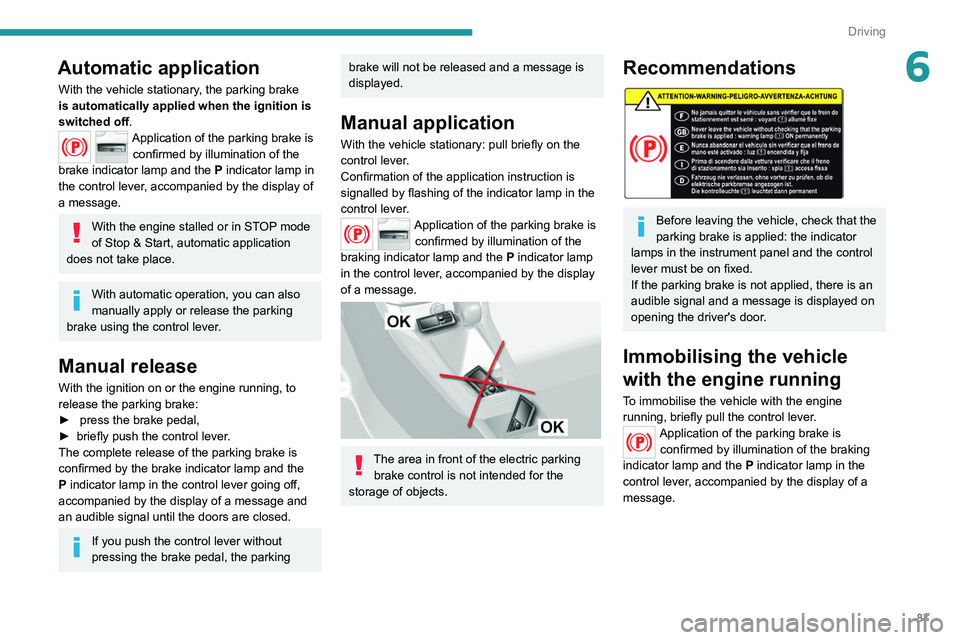
Manual application
With the vehicle stationary: pull briefly on the
control lever.
Confirmation of the application instruction is
signalled by flashing of the indicator lamp in the
control lever.
Application of the parking brake is confirmed by illumination of the
braking indicator lamp and the P indicator lamp
in the control lever, accompanied by the display
of a message.
The area in front of the electric parking brake control is not intended for the
storage of objects.
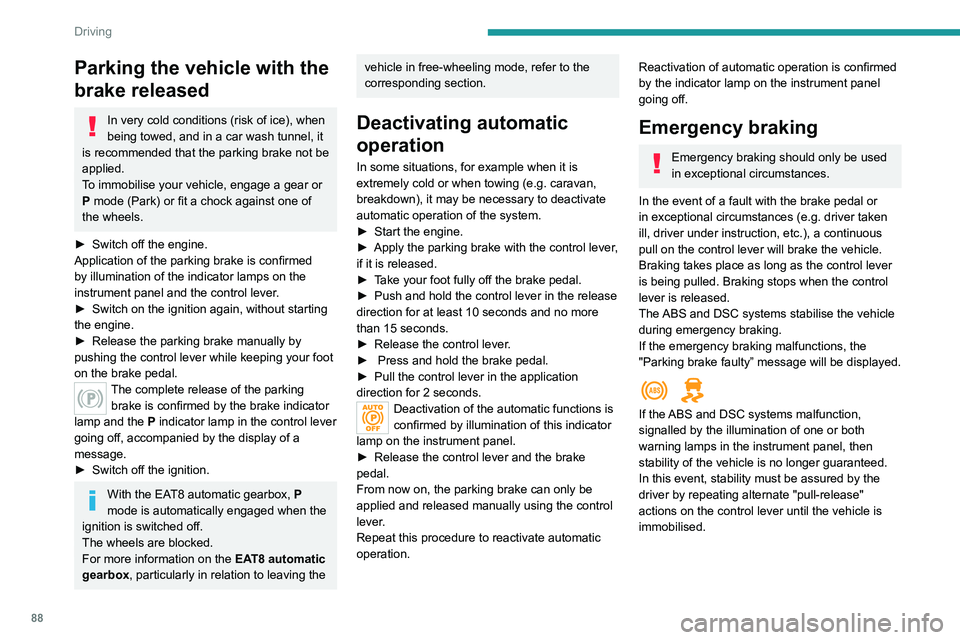
Recommendations
Before leaving the vehicle, check that the
parking brake is applied: the indicator
lamps in the instrument panel and the control
lever must be on fixed.
If the parking brake is not applied, there is an
audible signal and a message is displayed on
opening the driver's door.
Immobilising the vehicle
with the engine running
To immobilise the vehicle with the engine
running, briefly pull the control lever.
Application of the parking brake is confirmed by illumination of the braking
indicator lamp and the P indicator lamp in the
control lever, accompanied by the display of a
message.
Page 90 of 244
88
Driving
Hill start assist
System which keeps your vehicle immobilised
temporarily (approximately 2 seconds) when
starting on a gradient, the time it takes to move
your foot from the brake pedal to the accelerator
pedal.
It is only active when:
– the vehicle is completely stationary, with your
foot on the brake pedal,
– certain slope conditions are met,
– the driver’s door is closed.
The hill start assist system cannot be
deactivated.
Do not leave the vehicle while it is being
held in the hill start assist phase.
If you need to leave the vehicle with the
engine running, apply the parking brake
manually. Then check that the parking brake
warning lamp is on continuously (not flashing)
on the instrument panel.
Parking the vehicle with the
brake released
In very cold conditions (risk of ice), when
being towed, and in a car wash tunnel, it
is recommended that the parking brake not be
applied.
To immobilise your vehicle, engage a gear or
P mode (Park) or fit a chock against one of
the wheels.
►
Switch off the engine.
Application of the parking brake is confirmed
by illumination of the indicator lamps on the
instrument panel and the control lever
.
►
Switch on the ignition again, without starting
the engine.
►
Release the parking brake manually by
pushing the control lever while keeping your foot
on the brake pedal.
The complete release of the parking brake is confirmed by the brake indicator
lamp and the P indicator lamp in the control lever
going off, accompanied by the display of a
message.
►
Switch off the ignition.
With the EAT8 automatic gearbox, P
mode is automatically engaged when the
ignition is switched off.
The wheels are blocked.
For more information on the EAT8 automatic
gearbox, particularly in relation to leaving the
vehicle in free-wheeling mode, refer to the
corresponding section.
Deactivating automatic
operation
In some situations, for example when it is
extremely cold or when towing (e.g. caravan,
breakdown), it may be necessary to deactivate
automatic operation of the system.
►
Start the engine.
►
Apply the parking brake with the control lever
,
if it is released.
►
T
ake your foot fully off the brake pedal.
►
Push and hold the control lever in the release
direction for at least 10 seconds and no more
than 15 seconds.
►
Release the control lever
.
►
Press and hold the brake pedal.
►
Pull the control lever in the application
direction for 2 seconds.
Deactivation of the automatic functions is
confirmed by illumination of this indicator
lamp on the instrument panel.
►
Release the control lever and the brake
pedal.
From now on, the parking brake can only be
applied and released manually using the control
lever
.
Repeat this procedure to reactivate automatic
operation.
Reactivation of automatic operation is confirmed
by the indicator lamp on the instrument panel
going off.
Emergency braking
Emergency braking should only be used
in exceptional circumstances.
In the event of a fault with the brake pedal or
in exceptional circumstances (e.g. driver taken
ill, driver under instruction, etc.), a continuous
pull on the control lever will brake the vehicle.
Braking takes place as long as the control lever
is being pulled. Braking stops when the control
lever is released.
The ABS and DSC systems stabilise the vehicle
during emergency braking.
If the emergency braking malfunctions, the
"Parking brake faulty” message will be displayed.
If the ABS and DSC systems malfunction,
signalled by the illumination of one or both
warning lamps in the instrument panel, then
stability of the vehicle is no longer guaranteed.
In this event, stability must be assured by the
driver by repeating alternate "pull-release"
actions on the control lever until the vehicle is
immobilised.
Page 93 of 244
91
Driving
6M. +/-Manual operation
►
T o shift up/down through the gears,
push the control backwards/forwards.
Steering mounted controls
(Only for vehicles equipped with the Driver
Sport Pack.)
Press behind the right control to increase the
gear.
Press behind the left control to decrease the
gear.
The steering controls do not allow neutral to be selected and reverse gear to be
engaged or disengaged.
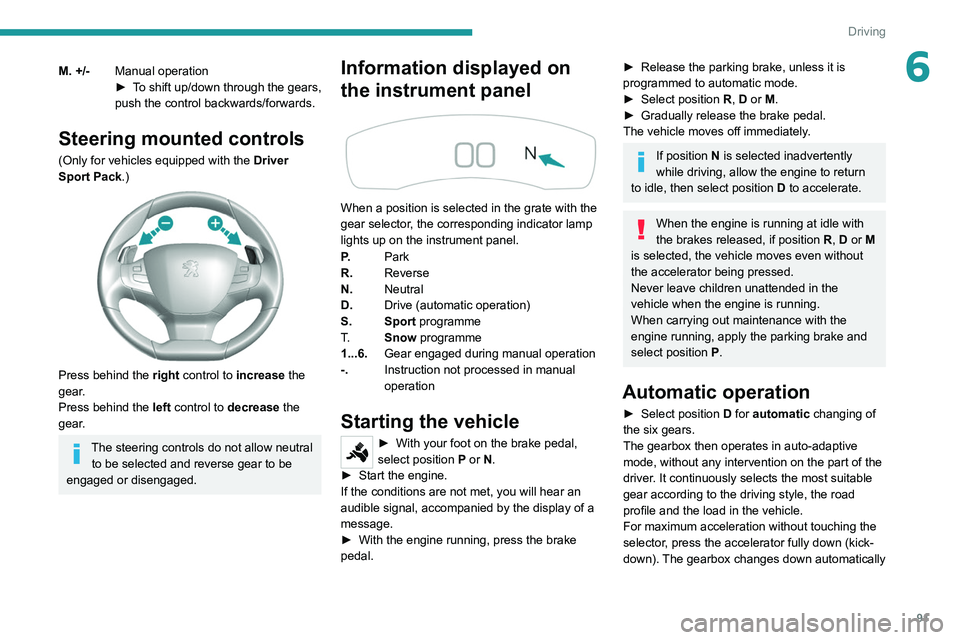
Information displayed on
the instrument panel
When a position is selected in the grate with the
gear selector, the corresponding indicator lamp
lights up on the instrument panel.
P. Park
R. Reverse
N. Neutral
D. Drive (automatic operation)
S. Sport programme
T. Snow programme
1...6. Gear engaged during manual operation
-. Instruction not processed in manual
operation
Starting the vehicle
► With your foot on the brake pedal,
select position P
or N.
►
Start the engine.
If the conditions are not met, you will hear an
audible signal, accompanied by the display of a
message.
►
With the engine running, press the brake
pedal.
► Release the parking brake, unless it is
programmed to automatic mode.
►
Select position R
, D or M.
►
Gradually release the brake pedal.
The vehicle moves off immediately
.
If position N is selected inadvertently
while driving, allow the engine to return
to idle, then select position D to accelerate.
When the engine is running at idle with
the brakes released, if position R, D or M
is selected, the vehicle moves even without
the accelerator being pressed.
Never leave children unattended in the
vehicle when the engine is running.
When carrying out maintenance with the
engine running, apply the parking brake and
select position P.
Automatic operation
► Select position D for automatic changing of
the six gears.
The gearbox then operates in auto-adaptive
mode, without any intervention on the part of the
driver. It continuously selects the most suitable
gear according to the driving style, the road
profile and the load in the vehicle.
For maximum acceleration without touching the
selector, press the accelerator fully down (kick-
down). The gearbox changes down automatically
Page 94 of 244

92
Driving
Malfunction
In the event of a malfunction, this warning
lamp comes on and a message is
displayed, when the ignition is switched on.
In this case, the gearbox goes into back-up
mode and is locked in 3
rd gear. It is possible to
feel a significant jolt (without risk for the gearbox)
while changing from P to R and from N to R.
Do not exceed 62 mph (100 km/h), local speed
restrictions permitting.
Have it checked by a PEUGEOT dealer or a
qualified workshop.
There is a risk of damaging the gearbox: – If the accelerator and brake pedals are
pressed simultaneously.
– In the event of a battery failure, forcing the
selector from position P to another position.
With an automatic gearbox, never try to
start the engine by pushing the vehicle.
EAT8 automatic gearbox
Automatic 8 speed gearbox with a push selector.
It also offers a manual mode with gear changes
via control paddles situated behind the steering
wheel.
or holds the gear selected until the maximum
engine speed is reached.
When braking, the gearbox changes down
automatically to provide effective engine braking.
If you release the accelerator sharply, the
gearbox will not shift to a higher gear for safety
reasons.
Never select position N while the vehicle
is moving.
Never select positions P or R unless the
vehicle is completely stationary.
"Sport" and "Snow" programmes
These two special programmes supplement the
automatic operation in specific conditions of use.
"Sport"
► Press this button, once the engine has
started.
"
S" appears on the instrument panel.
The gearbox automatically favours a dynamic
style of driving.
On versions fitted with the
Driver Sport Pack, the
"S" button is replaced by the " SPORT" button.
"Snow"
► Press this button, once the engine has
started.
"T" appears on the instrument panel.
The gearbox adapts to driving on slippery roads.
This programme improves starting and traction
when grip is poor.
Driver Sport Pack
This function favours a dynamic style of driving.► Press the " SPORT" button, after
starting the engine.
"S" appears in the instrument panel.
For more information on Driver Sport Pack,
refer to the corresponding section.
Return to automatic operation
► At any time, press the selected button ( "S or
"T") again to quit the activated programme and
return to auto-adaptive mode.
Manual operation
To limit fuel consumption during an extended standstill with the engine
running (for example, in a traffic jam), set the
gear selector to N and apply the parking
brake.
►
Selecting position
M
enables sequential
shifting between the six gears.
►
Push backwards to shift up a gear
.
►
Push forwards to shift down a gear
.
The gearbox only changes gear if the road
speed and engine speed permit; apart from
this condition, the rules for automatic operation
temporarily apply.
D disappears, and the gears engaged
appear in succession on the instrument
panel.
If the engine speed is too low or too high, the
selected gear flashes for a few seconds, then the
gearactually activated is displayed.
It is possible to change from position D to
position M
at any time.
When the vehicle is stationary or moving
very slowly, the gearbox selects gear M1
automatically.
The Sport and Snow programmes are inactive
in manual operation.
This symbol is displayed if a gear is not engaged correctly (gear selector between
two positions).
Switching the vehicle off
Before switching off the engine, it is possible to
engage position P or N to place the gearbox in
neutral.
In both cases, apply the parking brake to
immobilise the vehicle, unless it is programmed
to automatic mode.
If the selector is not in position P, when
the driver's door is opened or
approximately 45 seconds after the ignition is
switched off, an audible signal sounds and a
message appears.
►
Return the gear selector to P
; the audible
signal stops and the message disappears.
Page 95 of 244
93
Driving
6Malfunction
In the event of a malfunction, this warning
lamp comes on and a message is
displayed, when the ignition is switched on.
In this case, the gearbox goes into back-up
mode and is locked in 3
rd gear. It is possible to
feel a significant jolt (without risk for the gearbox)
while changing from
P
to R and from N to R.
Do not exceed 62 mph (100
km/h), local speed
restrictions permitting.
Have it checked by a PEUGEOT dealer or a
qualified workshop.
There is a risk of damaging the gearbox: – If the accelerator and brake pedals are
pressed simultaneously
.
–
In the event of a battery failure, forcing the
selector from position P
to another position.
With an automatic gearbox, never try to
start the engine by pushing the vehicle.
EAT8 automatic gearbox
Automatic 8 speed gearbox with a push selector. It also offers a manual mode with gear changes
via control paddles situated behind the steering
wheel.
Gearbox selector positions
P. Park
For parking the vehicle: the front wheels are
blocked.
R. Reverse gear
N. Neutral
For moving the vehicle with the ignition off, or
to allow it to free-wheel.
For more information on Changing to free-
wheeling , refer to the corresponding section.
D. Driving in automatic mode
The gearbox manages gear changes
according to the style of driving, the road
profile and the vehicle load.
M. Driving in manual mode
The driver changes gear using the steering-
mounted controls.
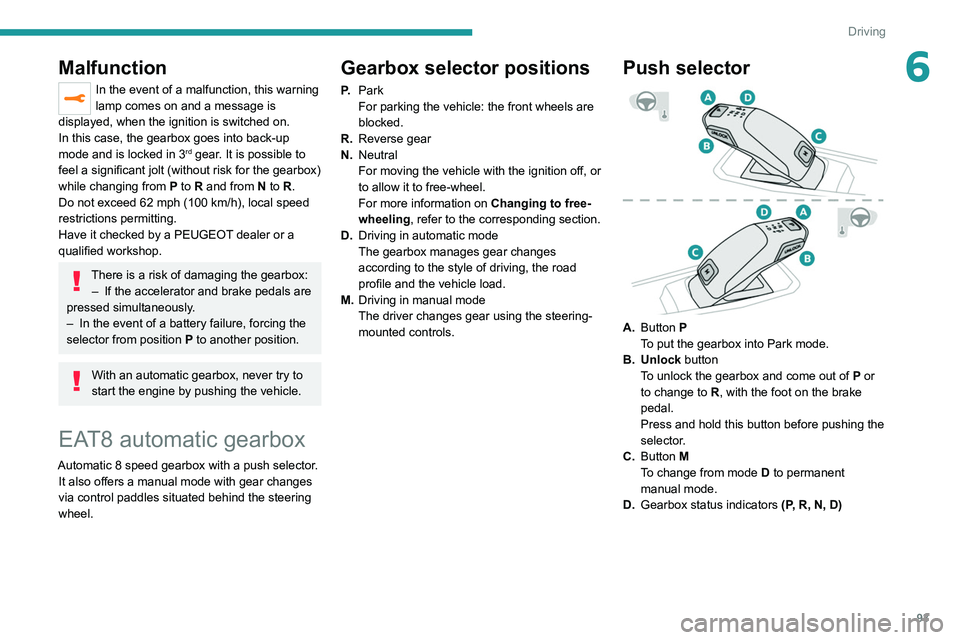
Push selector
A.Button P
To put the gearbox into Park mode.
B. Unlock button To unlock the gearbox and come out of
P
or
to change to
R, with the foot on the brake
pedal.
Press and hold this button before pushing the
selector.
C. Button M
To change from mode
D
to permanent
manual mode.
D. Gearbox status indicators (P, R, N, D)
Page 96 of 244

94
Driving
Engaging reverse gear
► Slow down until you come to a stop.
► Depress the brake pedal, then press the
Unlock button.
► While maintaining the presses, select
mode R.
Manual mode
Entering the mode:
► With mode D initially selected.
► Press button M; the green indicator lamp in
the button comes on.
Exiting the mode:
► Push forwards once to return to D.
or
► Press button M; the indicator lamp in the
button goes off.
Switching off the ignition
To switch off the ignition, the vehicle must be
stationary.
Changing to free-wheeling
For more information on Changing to free-
wheeling , refer to the corresponding section.
If you open the driver's door while mode
N is engaged, an audible signal will
sound. It will stop when you close the driver's
door again.
Special aspects of automatic mode
The gearbox selects the gear that offers
optimum performance, taking account of the
► Move the selector by pressing it forwards
( N or R) or rearwards (N or D) once or twice,
passing the point of resistance if necessary.
The push selector returns to its initial position
when released.
For example, to change from
P to R, either
push forwards twice without passing the point of
resistance or push just once, passing the point
of resistance:
–
In the first case, the gearbox goes from
P to N,
then from
N to R.
–
In the second case, the gearbox goes directly
from
P to R.
Steering-mounted controls
In mode M or D, the steering-mounted control
paddles can be used to change gear manually .
They cannot be used to select neutral or to
engage or disengage reverse gear.
► Pull the " +" or "-" paddle towards you and
release to shift up or down a gear, respectively.
Information displayed on
the instrument panel
When the ignition is switched on, the gearbox
status is displayed on the instrument panel:
P : Park.
R : Reverse.
N : Neutral.
D1...D8 : Automatic mode.
S : Sport programme ou Driver Sport Pack.
M1...M8 : Manual mode.
- : Instruction not processed in manual mode.
If the driver's door is opened with the ignition on,
a message is displayed, prompting you to set the
gearbox to mode P.
Operation
With the engine running, if it is necessary to
press the brake pedal and/or the Unlock button
in order to change mode, an alert message is
displayed in the instrument panel.
Only appropriate attempted changes of mode
are accepted.
With the engine running and the brakes
released, if R, D or M is selected, the
vehicle moves off, even without pressing the
accelerator pedal.
Never press the accelerator and brake
pedals at the same time - risk of damage
to the gearbox!
In the event of a battery failure, you must
place the chock supplied with the vehicle
tools against one of the wheels to immobilise
the vehicle.
Unlocking the gearbox
– From mode P:
► Fully depress the brake pedal.
►
Press the
Unlock button.
►
While continuing to press the brake pedal
and the
Unlock button, select another mode.
–
From neutral
N, at a speed below 3 mph
(5
km/h):
►
Fully depress the brake pedal.
►
While continuing to depress the brake
pedal, select another mode.
Page 99 of 244
97
Driving
6With an automatic gearbox, gear
changes are faster.
Activation of Driver Sport Pack acts like the Sport programme on the operation of
the gearbox.
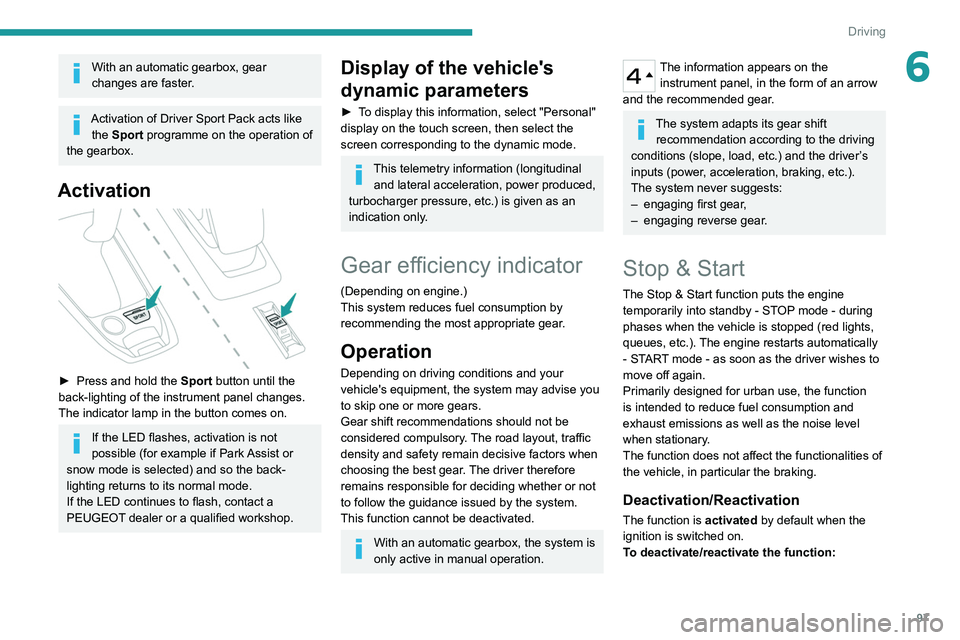
Activation
► Press and hold the Sport button until the
back-lighting of the instrument panel changes.
The indicator lamp in the button comes on.
If the LED flashes, activation is not
possible (for example if Park Assist or
snow mode is selected) and so the back-
lighting returns to its normal mode.
If the LED continues to flash, contact a
PEUGEOT dealer or a qualified workshop.
Display of the vehicle's
dynamic parameters
► To display this information, select "Personal"
display on the touch screen, then select the
screen corresponding to the dynamic mode.
This telemetry information (longitudinal
and lateral acceleration, power produced,
turbocharger pressure, etc.) is given as an
indication only.
Gear efficiency indicator
(Depending on engine.)
This system reduces fuel consumption by
recommending the most appropriate gear.
Operation
Depending on driving conditions and your
vehicle's equipment, the system may advise you
to skip one or more gears.
Gear shift recommendations should not be
considered compulsory. The road layout, traffic
density and safety remain decisive factors when
choosing the best gear. The driver therefore
remains responsible for deciding whether or not
to follow the guidance issued by the system.
This function cannot be deactivated.
With an automatic gearbox, the system is
only active in manual operation.
The information appears on the instrument panel, in the form of an arrow
and the recommended gear.
The system adapts its gear shift recommendation according to the driving
conditions (slope, load, etc.) and the driver’s
inputs (power, acceleration, braking, etc.).
The system never suggests:
–
engaging first gear
,
–
engaging reverse gear
.
Stop & Start
The Stop & Start function puts the engine temporarily into standby - STOP mode - during
phases when the vehicle is stopped (red lights,
queues, etc.). The engine restarts automatically
- START mode - as soon as the driver wishes to
move off again.
Primarily designed for urban use, the function
is intended to reduce fuel consumption and
exhaust emissions as well as the noise level
when stationary.
The function does not affect the functionalities of
the vehicle, in particular the braking.
Deactivation/Reactivation
The function is activated by default when the
ignition is switched on.
To deactivate/reactivate the function: