Page 247 of 482
∙ When washing the vehicle with highpressure water, be sure not to spray it
around the cameras. Otherwise, wa-
ter may enter the camera unit causing
water condensation on the lens, a
malfunction, fire or an electric shock.
∙ Do not strike the cameras. They are precision instruments. Doing so could
cause a malfunction or cause damage
resulting in a fire or an electric shock.
There are some areas where the system
will not show objects and the system does
not warn of moving objects. When in the
front or rear view display, an object below
the bumper or on the ground may not be
viewed
�1. When in the bird’s-eye view, a tall
object near the seam
�2of the camera
viewing areas will not appear in the moni-
tor.
The following are operating limitations and
do not represent a system malfunction:
∙ There may be a delay when switching between views.
∙ When the temperature is extremely high or low, the screen may not display
objects clearly. ∙ When strong light directly shines on the
camera, objects may not be displayed
clearly.
∙ The screen may flicker under fluores- cent light.
∙ The colors of objects on the Intelligent Around View Monitor may differ some-
what from the actual color of objects.
∙ Objects on the Intelligent Around View Monitor may not be clear and the color
of the object may differ in a dark envi-
ronment.
∙ There may be differences in sharpness between each camera view of the
bird’s-eye view.
∙ Do not use wax on the camera lens. Wipe off any wax with a clean cloth that
has been dampened with a diluted mild
cleaning agent, then wipe with a dry
cloth.
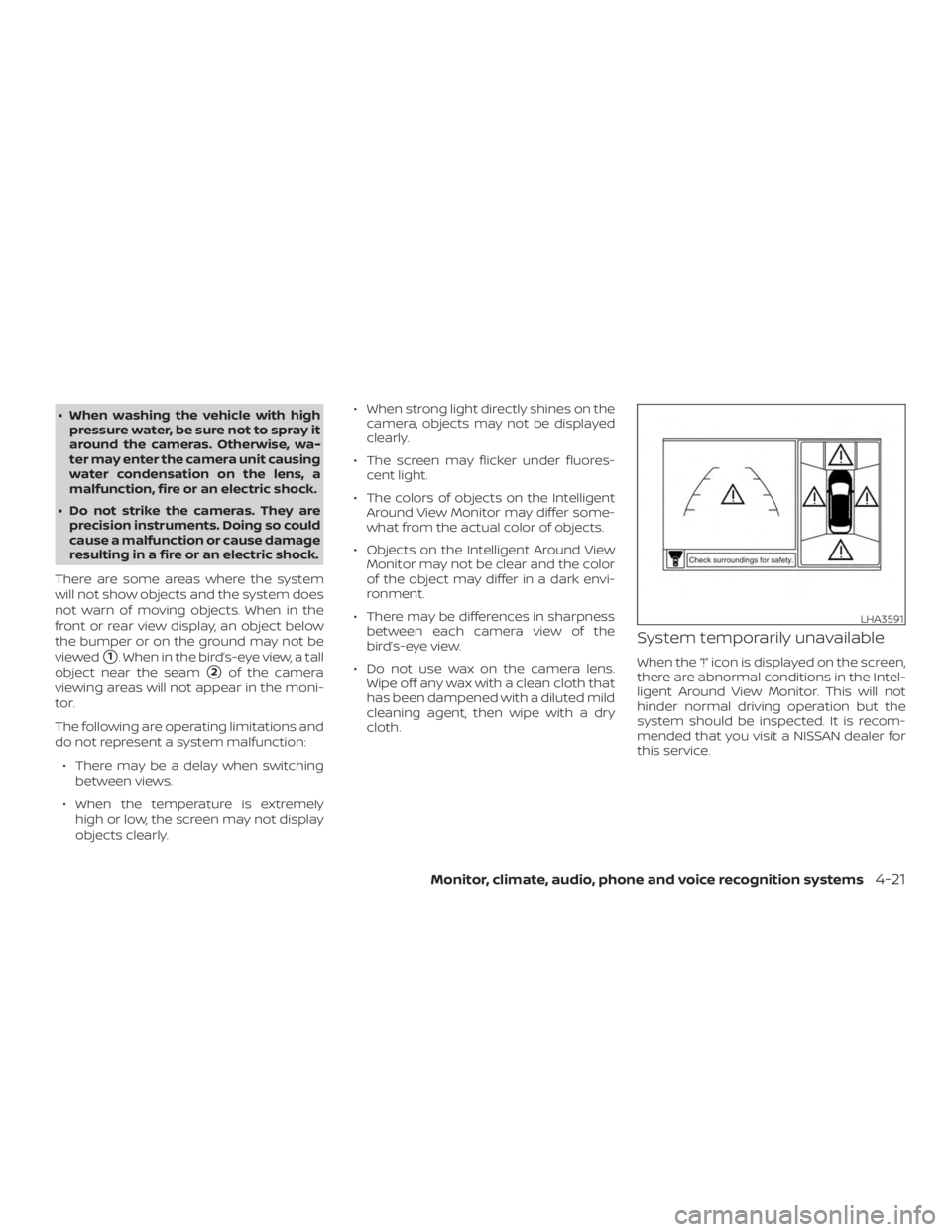
System temporarily unavailable
When the “!” icon is displayed on the screen,
there are abnormal conditions in the Intel-
ligent Around View Monitor. This will not
hinder normal driving operation but the
system should be inspected. It is recom-
mended that you visit a NISSAN dealer for
this service.
Page 248 of 482
When the “[X]” icon is displayed on the
screen, the camera image may be receiv-
ing temporary electronic disturbances
from surrounding devices. This will not hin-
der normal driving operation but the sys-
tem should be inspected if it occurs fre-
quently. It is recommended that you visit a
NISSAN dealer for this service.SYSTEM MAINTENANCE
Page 249 of 482
WARNING
Failure to follow the warnings and in-
structions for proper use of the sonar
function as outlined in this section
could result in serious injury or death.
∙ The sonar is a convenience feature. Itis not a substitute for proper parking.
∙ This function is designed as an aid to the driver in detecting large station-
ary objects to help avoid damaging
the vehicle.
∙ The driver is always responsible for safety during parking and other
maneuvers.
∙ Always look around and check that it is safe to move before parking.
∙ Read and understand the limitations of the sonar as contained in this
section.
The sonar function helps to inform the
driver of large stationary objects around
the vehicle when parking by issuing an au-
dible and visual alert. 1. Center display
2. CAMERA or CAMERA
Page 251 of 482

∙ When the ignition switch is placed in the“OFF” position and turned back to the
“ON” position again. To prevent the so-
nar system from activating altogether,
use the “Camera” menu. For additional
information, refer to “Sonar function
settings” in this section.
Sonar function settings
To set up the sonar function to your pre-
ferred settings, press the SETTING button,
select the “Camera/Sonar” key and then
select the “Sonar” key on the center display.
Designs and items displayed on the
screen may vary depending on the mod-
els.
Sonar: When this item is turned on, the rear
sonar is activated. When this item is turned
off (indicator turns off ), the rear sonar is
deactivated. The amber markers are dis-
played at the corners of the vehicle icon.
The next time the ignition switch is placed
in the ON position, “sonar is OFF” is dis-
played briefly.
Sonar Sensitivity: Adjust the sensitivity
level of the sonar higher (right) or lower
(lef t).
Sonar Volume: Adjust the volume of the
buzzer. Towing mode (if so equipped):
When this
item is turned on, only the rear sonar is off.
The amber markers are displayed at the
rear corners of the vehicle icon.
Show Camera when Sonar Activate (if so
equipped): When this item is turned on, the
camera view is automatically shown on the
display in the case that the distance to the
objects measured by the sonar is becom-
ing short.
SONAR SYSTEM LIMITATIONS
Page 252 of 482
System temporarily unavailable
When the amber markers are displayed at
the corners of the vehicle icon and the
function cannot be activated from the
Camera setting menu (the setting items
are grayed out), the sonar system may be
malfunctioning.
SYSTEM MAINTENANCE
Page 254 of 482

WARNING
∙ Failure to follow the warnings and in-structions for proper use of the Mov-
ing Object Detection system could re-
sult in serious injury or death.
∙ The MOD system is not a substitute for proper vehicle operation and is not
designed to prevent contact with ob-
jects surrounding the vehicle. When
maneuvering, always use the outside
mirrors and rearview mirror and turn
and check the surroundings to ensure
it is safe to maneuver.
∙ The system is deactivated at speeds above 6 mph (10 km/h). It is reacti-
vated at lower speeds.
∙ The MOD system is not designed to detect surrounding stationary
objects.
The MOD system can inform the driver of
moving objects near the vehicle when
backing out of garages, maneuvering in
parking lots and in other such instances.
The MOD system detects moving objects
by using image processing technology on
the image shown in the display.
MOD SYSTEM OPERATION
The MOD system will turn on automatically
under the following conditions: ∙ When the shif t lever is in the R (Reverse) position.
∙ When the CAMERA or CAMERA
Page 274 of 482

Additional information:∙ When replacing a wheel without the TPMS such as the spare tire, the TPMS
does not monitor the tire pressure of
the spare tire.
∙ The TPMS will activate only when the vehicle is driven at speeds above
16 mph (25 km/h). Also, this system may
not detect a sudden drop in tire pres-
sure (for example, a flat tire while driv-
ing).
∙ The low tire pressure warning light does not automatically turn off when the tire
pressure is adjusted. Af ter the tire is in-
flated to the recommended pressure,
the vehicle must be driven at speeds
above 16 mph (25 km/h) to activate the
TPMS and turn off the low tire pressure
warning light. Use a tire pressure gauge
to check the tire pressure.
∙ The “Tire Pressure Low - Add Air” warn- ing appears in the vehicle information
display when the low tire pressure
warning light is illuminated and low tire
pressure is detected. The “Tire Pressure
Low - Add Air” warning turns off when
the low tire pressure warning light turns
off. ∙ The “Tire Pressure Low - Add Air” warn-
ing appears each time the ignition
switch is placed in the on position as
long as the low tire pressure warning
light remains illuminated.
∙ The “Tire Pressure Low - Add Air” warn- ing does not appear if the low tire pres-
sure warning light illuminates to indi-
cate a TPMS malfunction.
∙ Tire pressure rises and falls depending on the heat caused by the vehicle’s op-
eration and the outside temperature.
Do not reduce the tire pressure af ter
driving because the tire pressure rises
af ter driving. Low outside temperature
can lower the temperature of the air
inside the tire which can cause a lower
tire inflation pressure. This may cause
the low tire pressure warning light to
illuminate. If the warning light illumi-
nates, check the tire pressure for all four
tires.
∙ The Tire and Loading Information label is located in the driver’s door opening. ∙ You can also check the pressure of all
tires (except the spare tire) on the ve-
hicle information display screen. The or-
der of the tire pressure figures dis-
played on the screen corresponds with
the actual order of the tire position.
For additional information, refer to “Low tire
pressure warning light” in the “Instruments
and controls” section and “Tire Pressure
Monitoring System (TPMS)” in the “In case of
emergency” section of this manual.
Page 295 of 482
HOW TO ENABLE/DISABLE THE
BSW SYSTEM
When the BSW system is enabled in the
vehicle information display, the system can
be turned off by pushing the warning sys-
tems switch. For additional information, re-
fer to “Warning systems switch” in the “In-
struments and controls” section of this
manual.
Perform the following steps to enable or
disable the BSW system.1. Press the
![NISSAN PATHFINDER 2021 Owners Manual When the “[X]” icon is displayed on the
screen, the camera image may be receiv-
ing temporary electronic disturbances
from surrounding devices. This will not hin-
der normal driving operation but](/manual-img/5/56750/w960_56750-247.png "NISSAN PATHFINDER 2021 Owners Manual When the “[X]” icon is displayed on the
screen, the camera image may be receiv-
ing temporary electronic disturbances
from surrounding devices. This will not hin-
der normal driving operation but")


