Page 455 of 602

•Once the automatic brake control
operates, it does not operate again if
the vehicle approaches the same
obstacle.
• The automatic brake control can only
operate for a short period of time.
Therefore, the driver must depress
the brake pedal.
• In the following situations, the RAB
system may not operate properly or
may not function sufficiently:
– The vehicle is driven in bad
weather (rain, fog, snow, etc.).
– The vehicle is driven on a steep
hill.
– The vehicle’s posture is changed
(e.g., when driving over a bump).
– The vehicle is driven on a slippery
road.
– The vehicle is turned sharply by
turning the steering wheel fully.
– Snow chains are used.
– Wheels or tires other than NISSAN
recommended are used.
– The brakes are cold at low ambi-
ent temperatures or immediately
af ter driving has started. –
The braking force becomes poor
due to wet brakes af ter driving
through a puddle or washing the
vehicle.
• Turn the RAB system off in the follow-
ing conditions to prevent the occur-
rence of an unexpected accident re-
sulting from sudden system
operation:
– The vehicle is towed.
– The vehicle is carried on a flatbed
truck.
– The vehicle is on the chassis
dynamometer.
– The vehicle drives on an uneven
road surface.
– Suspension parts other than
those designated as Genuine
NISSAN parts are used. (If the ve-
hicle height or the vehicle body in-
clination is changed, the system
may not detect an obstacle
correctly.)
• Excessive noise (e.g., audio system
volume, an open vehicle window) will
interfere with the chime sound, and it
may not be heard.SYSTEM MALFUNCTION
If the RAB system malfunctions, it will be
turned off automatically, the RAB system
warning light will illuminate, and the “Mal-
function: See Owner’s Manual” warning
message will appear in the vehicle infor-
mation display.
Action to take
If the warning light illuminates, park the ve-
hicle in a safe location, turn the EV system
off, and restart the EV system. If the warn-
ing light continues to illuminate, have the
RAB system checked. It is recommended
that you visit a NISSAN certified LEAF dealer
for this service.
NOTE:
If the RAB system cannot be operated
temporarily, the RAB system warning
light blinks.
5-136Starting and driving
Page 459 of 602
TURNING THE I-FCW SYSTEM
ON/OFF
Perform the following steps to turn the
I-FCW system on or off:
1. Press the
button until “Settings” dis-
plays in the vehicle information display.
Use the
button to select “Driver As-
sistance.” Then press the OK button.
2. Select “Emergency Brake” and press the OK button.
3. Select “Front” and use the OK button to turn the system on or off.
When the I-FCW system is turned off, the
AEB with Pedestrian Detection system
warning light illuminates.
NOTE:
• The I-FCW system will be automatically turned on when the EV system is
restarted.
• The I-FCW system is integrated into the AEB with Pedestrian Detection system.
There is not a separate selection in the
vehicle information display for the
I-FCW system. When the AEB with Pe-
destrian Detection is turned off, the
I-FCW system is also turned off.
LSD3663
5-140Starting and driving
Page 465 of 602
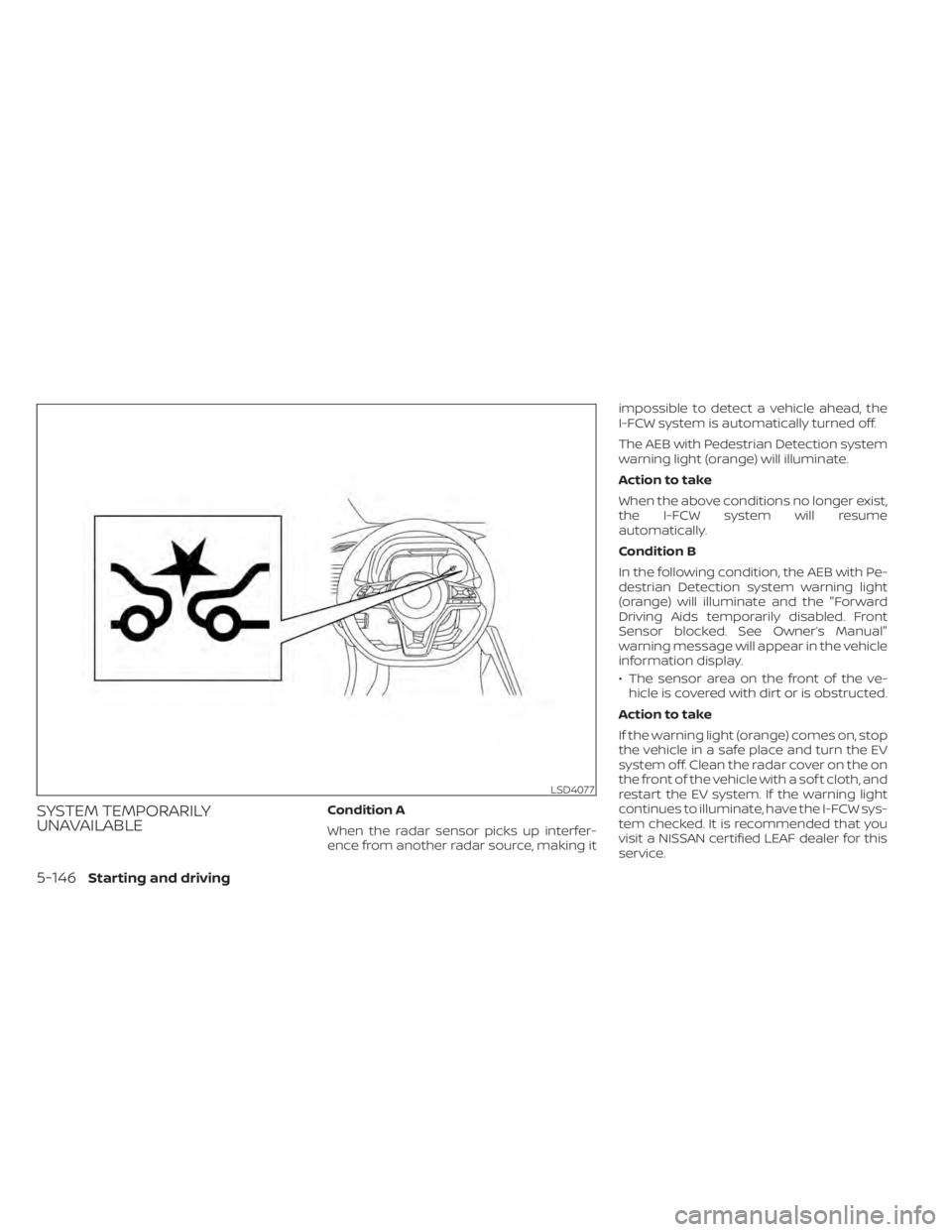
SYSTEM TEMPORARILY
UNAVAILABLECondition A
When the radar sensor picks up interfer-
ence from another radar source, making itimpossible to detect a vehicle ahead, the
I-FCW system is automatically turned off.
The AEB with Pedestrian Detection system
warning light (orange) will illuminate.
Action to take
When the above conditions no longer exist,
the I-FCW system will resume
automatically.
Condition B
In the following condition, the AEB with Pe-
destrian Detection system warning light
(orange) will illuminate and the "Forward
Driving Aids temporarily disabled. Front
Sensor blocked. See Owner’s Manual"
warning message will appear in the vehicle
information display.
• The sensor area on the front of the ve-
hicle is covered with dirt or is obstructed.
Action to take
If the warning light (orange) comes on, stop
the vehicle in a safe place and turn the EV
system off. Clean the radar cover on the on
the front of the vehicle with a sof t cloth, and
restart the EV system. If the warning light
continues to illuminate, have the I-FCW sys-
tem checked. It is recommended that you
visit a NISSAN certified LEAF dealer for this
service.
LSD4077
5-146Starting and driving
Page 466 of 602
• When driving on roads with limited roadstructures or buildings (for example, long
bridges, deserts, snow fields, driving next
to long walls).
Action to take
When the above conditions no longer exist,
the AEB with Pedestrian Detection system
will resume automatically.
NOTE:
If the AEB with Pedestrian Detection sys-
tem stops working, the I-FCW system will
also stop working.
SYSTEM MALFUNCTION
If the I-FCW system malfunctions, it will be
turned off automatically, a chime will
sound, the AEB with Pedestrian Detection
system warning light (orange) will illumi-
nate and the warning message “Malfunc-
tion: See Owner’s Manual” will appear in the
vehicle information display. Action to take:
If the warning light (orange) comes on, stop
the vehicle in a safe location, turn the EV
system off and restart the EV system. If the
warning light continues to illuminate, have
the AEB with Pedestrian Detection system
checked. It is recommended that you visit a
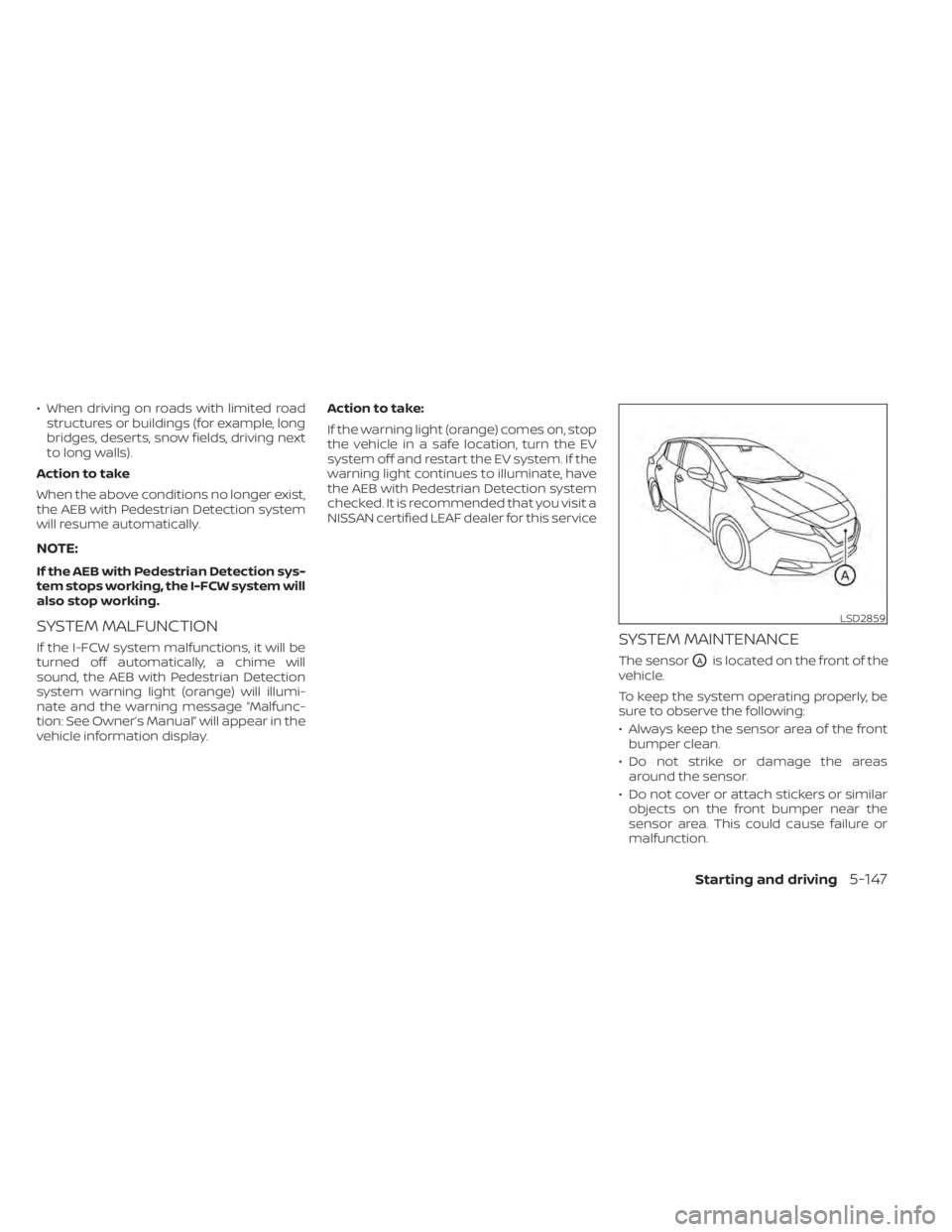
NISSAN certified LEAF dealer for this serviceSYSTEM MAINTENANCE
The sensorOAis located on the front of the
vehicle.
To keep the system operating properly, be
sure to observe the following:
• Always keep the sensor area of the front bumper clean.
• Do not strike or damage the areas around the sensor.
• Do not cover or attach stickers or similar objects on the front bumper near the
sensor area. This could cause failure or
malfunction.
LSD2859
Starting and driving5-147
Page 468 of 602
WARNING
Failure to follow the warnings and in-
structions for proper use of the I-DA
system could result in serious injury or
death.
• The I–DA system is only a warning to
inform the driver of a potential lack
of driver attention or drowsiness. It
will not steer the vehicle or prevent
loss of control.
• The I–DA system does not detect and
provide an alert of the driver’s lack of
attention or fatigue in every
situation.
• It’s the driver’s responsibility to:
– stay alert,
– drive safely,
– keep the vehicle in the traveling
lane,
– be in control of the vehicle at all
times,
– avoid driving when tired,
– avoid distractions (texting, etc.). The I–DA system helps alert the driver if the
system detects a lack of attention or driv-
ing fatigue.
The system monitors driving style and
steering behavior over a period of time,
and it detects changes from the normal
pattern. If the system detects that driver
attention is decreasing over a period of
time, the system uses audible and visual
warnings to suggest that the driver take a
break.
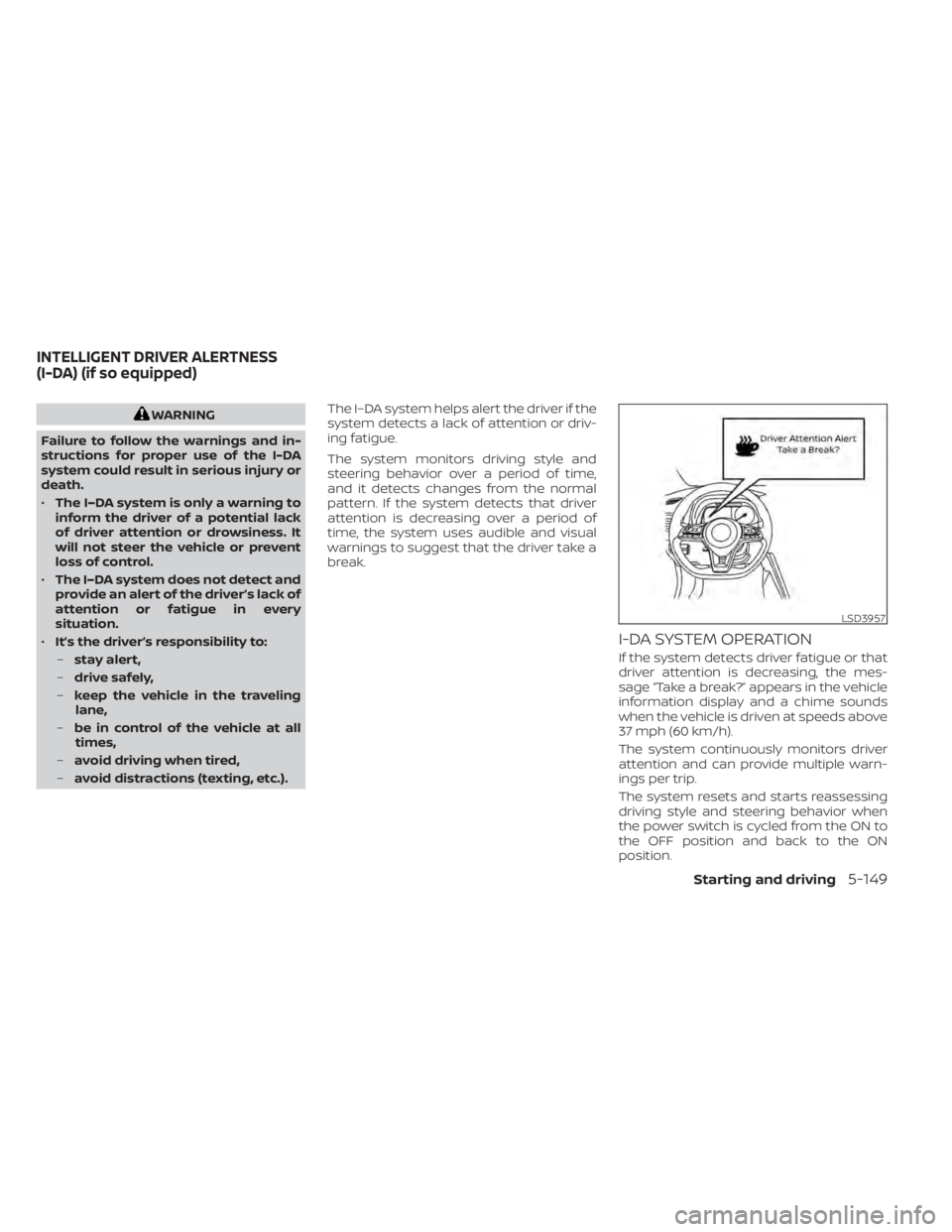
I-DA SYSTEM OPERATION
If the system detects driver fatigue or that
driver attention is decreasing, the mes-
sage “Take a break?” appears in the vehicle
information display and a chime sounds
when the vehicle is driven at speeds above
37 mph (60 km/h).
The system continuously monitors driver
attention and can provide multiple warn-
ings per trip.
The system resets and starts reassessing
driving style and steering behavior when
the power switch is cycled from the ON to
the OFF position and back to the ON
position.
LSD3957
INTELLIGENT DRIVER ALERTNESS
(I-DA) (if so equipped)
Starting and driving5-149
Page 469 of 602
HOW TO ENABLE/DISABLE THE
I-DA SYSTEM
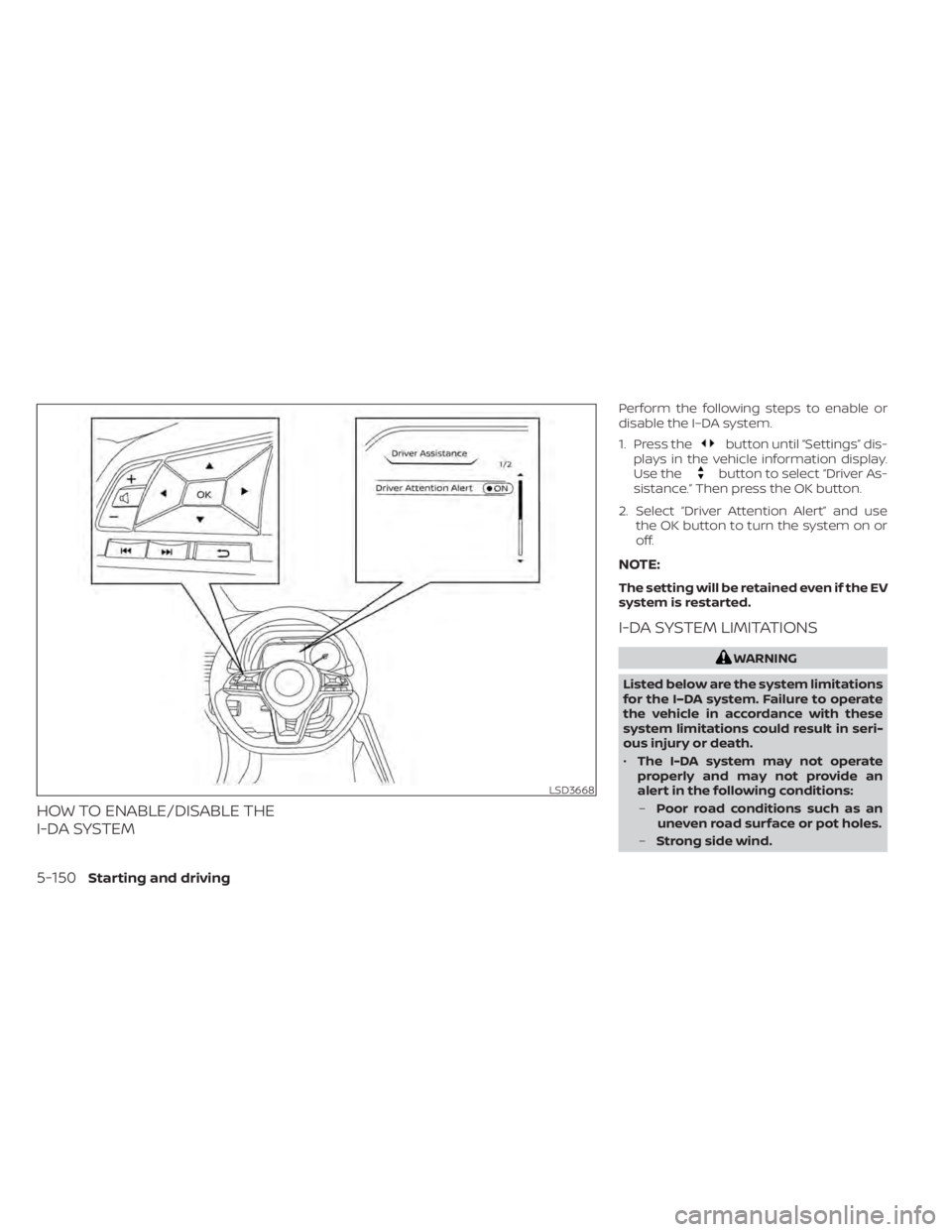
Perform the following steps to enable or
disable the I–DA system.
1. Press the
button until “Settings” dis-
plays in the vehicle information display.
Use the
button to select “Driver As-
sistance.” Then press the OK button.
2. Select “Driver Attention Alert” and use the OK button to turn the system on or
off.
NOTE:
The setting will be retained even if the EV
system is restarted.
I-DA SYSTEM LIMITATIONS
WARNING
Listed below are the system limitations
for the I–DA system. Failure to operate
the vehicle in accordance with these
system limitations could result in seri-
ous injury or death.
• The I-DA system may not operate
properly and may not provide an
alert in the following conditions:
– Poor road conditions such as an
uneven road surface or pot holes.
– Strong side wind.
LSD3668
5-150Starting and driving
Page 470 of 602
–If you have adopted a sporty driv-
ing style with higher cornering
speeds or higher rates of
acceleration.
– Frequent lane changes or
changes to vehicle speed.
• The I–DA system will not provide an
alert in the following conditions:
– Vehicle speeds lower than 37 mph
(60 km/h).
– Short lapses of attention.
– Instantaneous distractions such
as dropping an object.
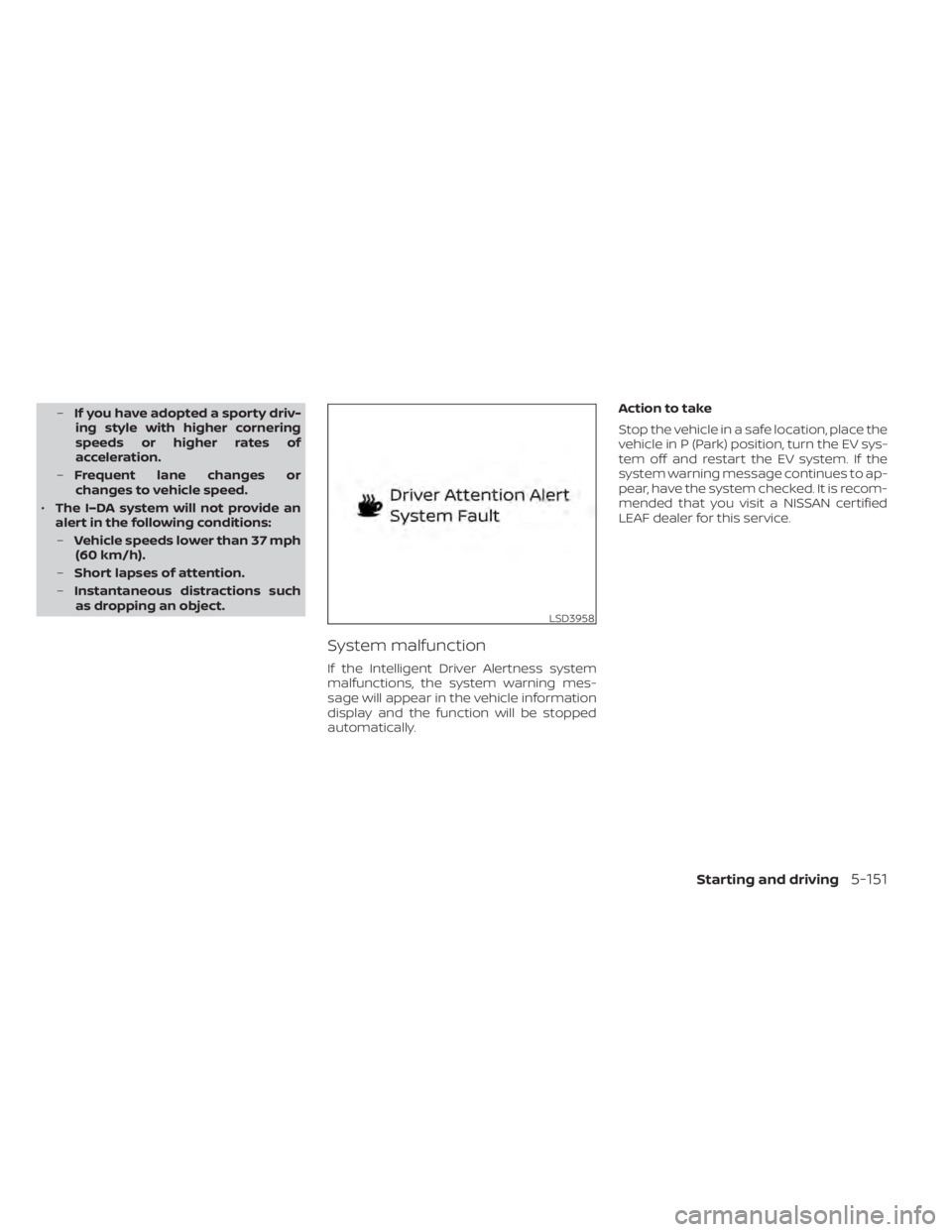
System malfunction
If the Intelligent Driver Alertness system
malfunctions, the system warning mes-
sage will appear in the vehicle information
display and the function will be stopped
automatically. Action to take
Stop the vehicle in a safe location, place the
vehicle in P (Park) position, turn the EV sys-
tem off and restart the EV system. If the
system warning message continues to ap-
pear, have the system checked. It is recom-
mended that you visit a NISSAN certified
LEAF dealer for this service.
LSD3958
Starting and driving5-151
Page 471 of 602
The ECO mode helps reduce power con-
sumption by reducing acceleration when
compared to the same accelerator pedal
position in the D (Drive) position. Use the
ECO mode for maximum driving range and
for city driving.
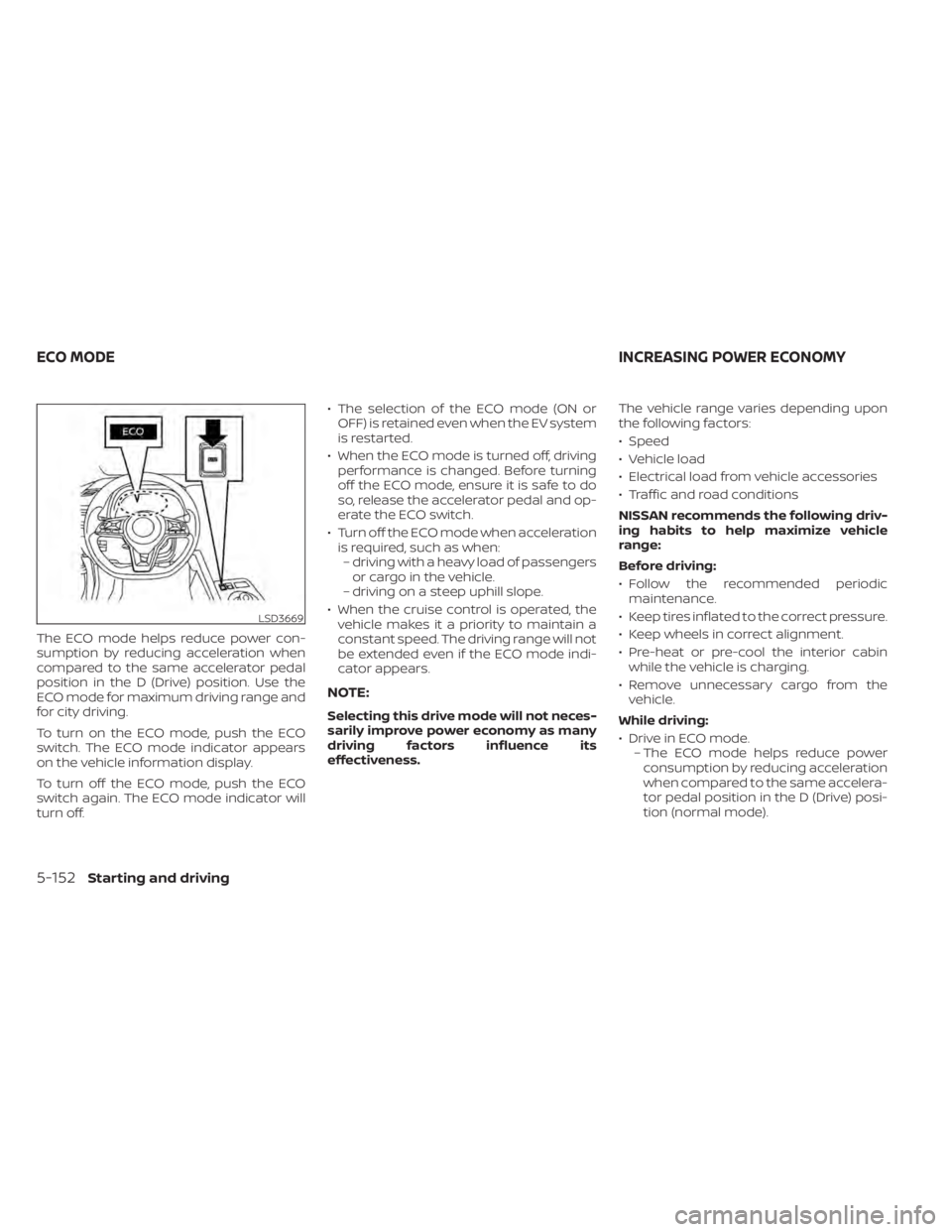
To turn on the ECO mode, push the ECO
switch. The ECO mode indicator appears
on the vehicle information display.
To turn off the ECO mode, push the ECO
switch again. The ECO mode indicator will
turn off.• The selection of the ECO mode (ON or
OFF) is retained even when the EV system
is restarted.
• When the ECO mode is turned off, driving performance is changed. Before turning
off the ECO mode, ensure it is safe to do
so, release the accelerator pedal and op-
erate the ECO switch.
• Turn off the ECO mode when acceleration is required, such as when:– driving with a heavy load of passengers or cargo in the vehicle.
– driving on a steep uphill slope.
• When the cruise control is operated, the vehicle makes it a priority to maintain a
constant speed. The driving range will not
be extended even if the ECO mode indi-
cator appears.
NOTE:
Selecting this drive mode will not neces-
sarily improve power economy as many
driving factors influence its
effectiveness. The vehicle range varies depending upon
the following factors:
• Speed
• Vehicle load
• Electrical load from vehicle accessories
• Traffic and road conditions
NISSAN recommends the following driv-
ing habits to help maximize vehicle
range:
Before driving:
• Follow the recommended periodic
maintenance.
• Keep tires inflated to the correct pressure.
• Keep wheels in correct alignment.
• Pre-heat or pre-cool the interior cabin while the vehicle is charging.
• Remove unnecessary cargo from the vehicle.
While driving:
• Drive in ECO mode. – The ECO mode helps reduce powerconsumption by reducing acceleration
when compared to the same accelera-
tor pedal position in the D (Drive) posi-
tion (normal mode).
LSD3669
ECO MODE INCREASING POWER ECONOMY
5-152Starting and driving