Page 7 of 492

NISSAN CARES . . .
Both NISSAN and your NISSAN dealer are dedicated to serving all your automotive needs. Your satisfaction with your vehicle and your
NISSAN dealer are our primary concerns. YourNISSAN dealer is always available to assist you with all your automobile sales and service
needs.
However, if there is something that your
NISSAN dealer cannot assist you with or
you would like to provide NISSAN directly
with comments or questions, please con-
tact the NISSAN Consumer Affairs Depart-
ment using our toll-free number:
For U.S. customers 1-800-NISSAN-1
(1-800-647-7261)
For Canadian customers 1-800-387-0122 The Consumer Affairs Department will ask
for the following information:
– Your name, address, and telephone
number
– Vehicle identification number (attached to the top of the instrument panel on the
driver's side)
– Date of purchase
– Current odometer reading
– Your NISSAN dealer's name
– Your comments or questions
OR You can write to NISSAN with the informa-
tion at:
For U.S. customers
Nissan North America, Inc.
Consumer Affairs Department
P.O. Box 685003
Franklin, TN 37068-5003
or via e-mail at:
[email protected]
For Canadian customers Nissan Canada Inc.
5290 Orbitor Drive
Mississauga, Ontario L4W 4Z5
or via e-mail at:
[email protected]
If you prefer, visit us at:
www.nissanusa.com (for U.S. customers)
or
www.nissan.ca (for Canadian customers)
We appreciate your interest in NISSAN and thank you for buying a quality NISSAN vehicle.
NISSAN CUSTOMER CARE PROGRAM
Page 9 of 492
Table of
contents
Safety-Seats, seat belts and supplemental restraint system
Instruments and controls
Pre-driving checks and adjustments
Monitor, climate, audio, phone and voice recognition systems
Starting and driving
In case of emergency
Appearance and care
Do-it-yourself
Maintenance and schedules
Technical and consumer information
Index
0
1
2
3
4
5
6
7
8
9
10
11
Page 16 of 492
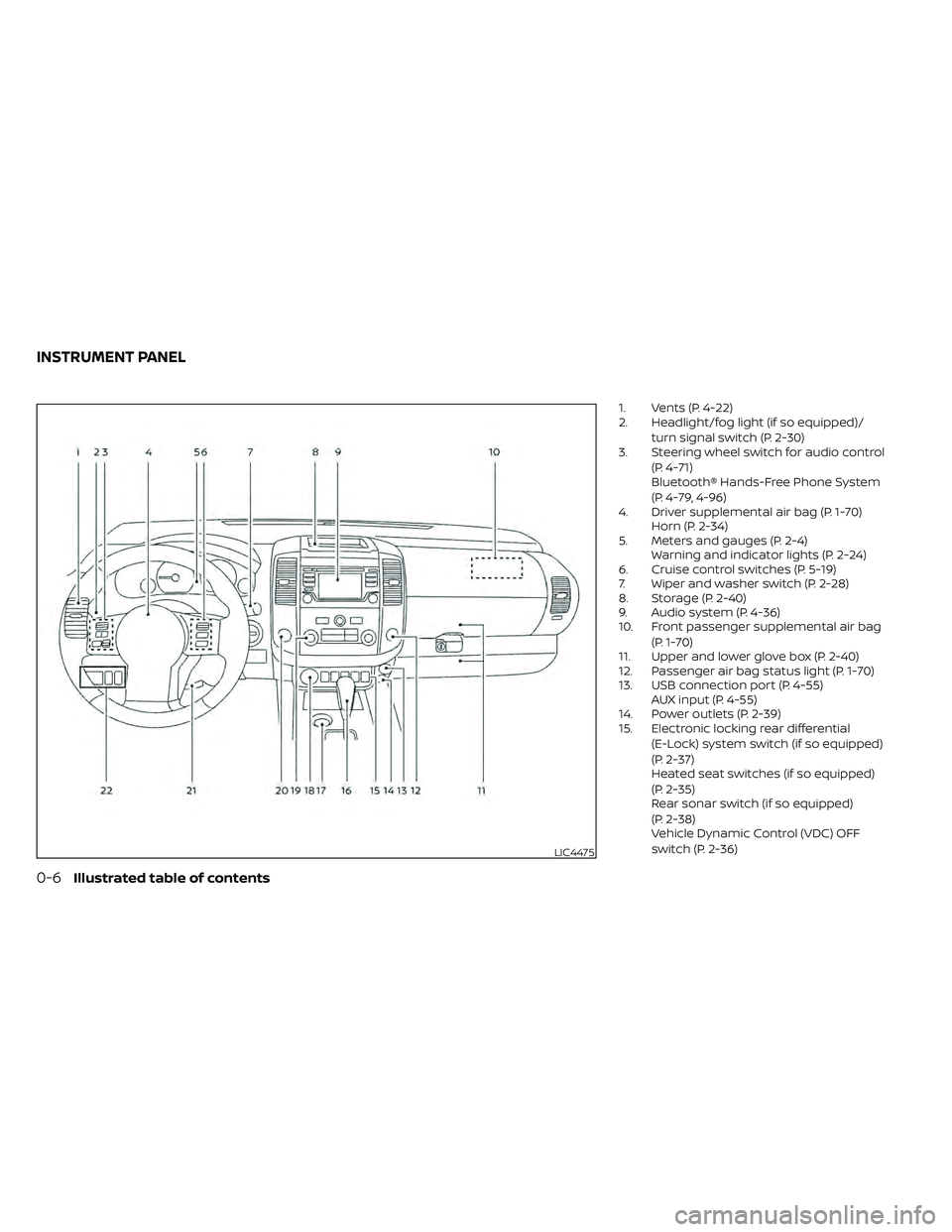
1. Vents (P. 4-22)
2. Headlight/fog light (if so equipped)/turn signal switch (P. 2-30)
3. Steering wheel switch for audio control
(P. 4-71)
Bluetooth® Hands-Free Phone System
(P. 4-79, 4-96)
4. Driver supplemental air bag (P. 1-70) Horn (P. 2-34)
5. Meters and gauges (P. 2-4) Warning and indicator lights (P. 2-24)
6. Cruise control switches (P. 5-19)
7. Wiper and washer switch (P. 2-28)
8. Storage (P. 2-40)
9. Audio system (P. 4-36)
10. Front passenger supplemental air bag
(P. 1-70)
11. Upper and lower glove box (P. 2-40)
12. Passenger air bag status light (P. 1-70)
13. USB connection port (P. 4-55) AUX input (P. 4-55)
14. Power outlets (P. 2-39)
15. Electronic locking rear differential
(E-Lock) system switch (if so equipped)
(P. 2-37)
Heated seat switches (if so equipped)
(P. 2-35)
Rear sonar switch (if so equipped)
(P. 2-38)
Vehicle Dynamic Control (VDC) OFF
switch (P. 2-36)
LIC4475
INSTRUMENT PANEL
Page 112 of 492
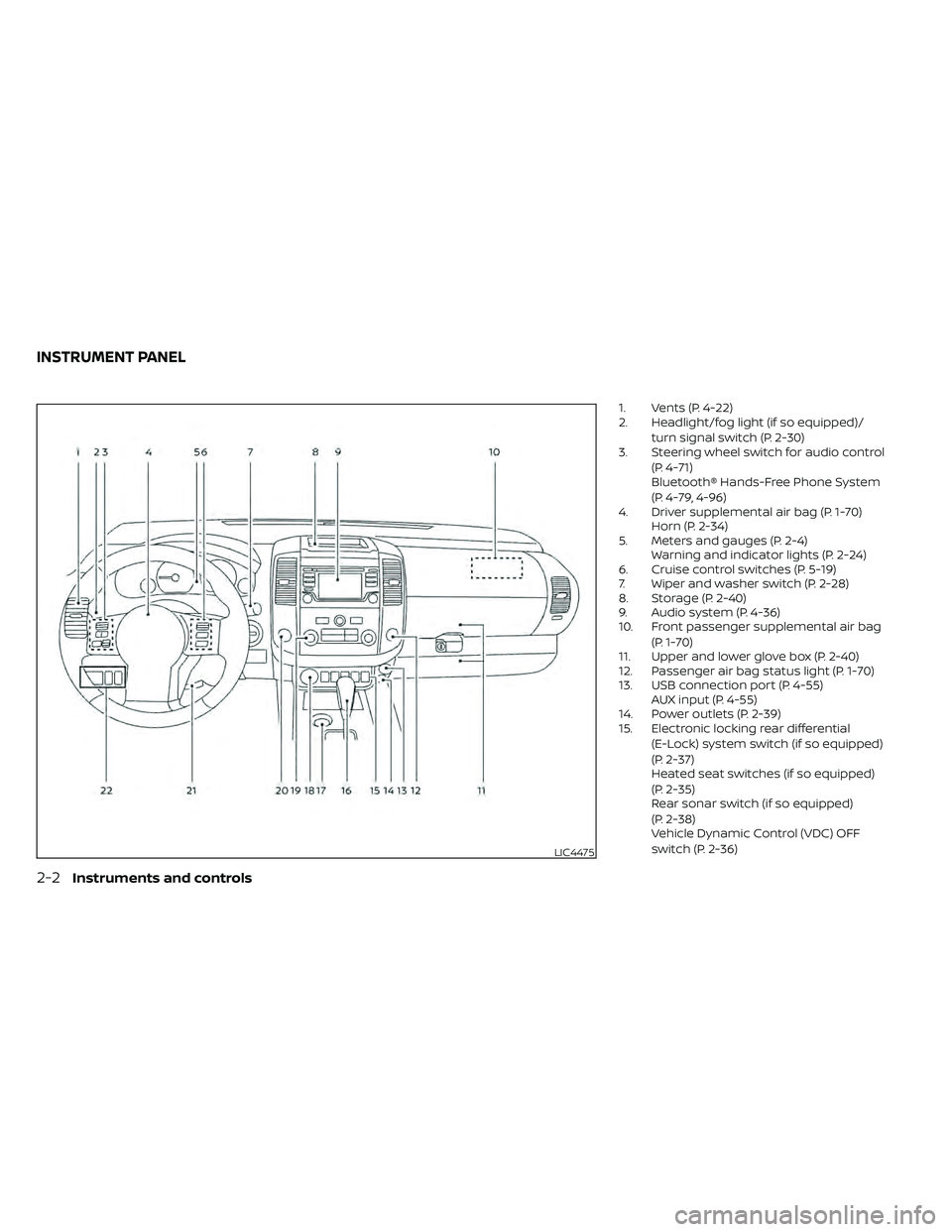
1. Vents (P. 4-22)
2. Headlight/fog light (if so equipped)/turn signal switch (P. 2-30)
3. Steering wheel switch for audio control
(P. 4-71)
Bluetooth® Hands-Free Phone System
(P. 4-79, 4-96)
4. Driver supplemental air bag (P. 1-70) Horn (P. 2-34)
5. Meters and gauges (P. 2-4) Warning and indicator lights (P. 2-24)
6. Cruise control switches (P. 5-19)
7. Wiper and washer switch (P. 2-28)
8. Storage (P. 2-40)
9. Audio system (P. 4-36)
10. Front passenger supplemental air bag
(P. 1-70)
11. Upper and lower glove box (P. 2-40)
12. Passenger air bag status light (P. 1-70)
13. USB connection port (P. 4-55) AUX input (P. 4-55)
14. Power outlets (P. 2-39)
15. Electronic locking rear differential
(E-Lock) system switch (if so equipped)
(P. 2-37)
Heated seat switches (if so equipped)
(P. 2-35)
Rear sonar switch (if so equipped)
(P. 2-38)
Vehicle Dynamic Control (VDC) OFF
switch (P. 2-36)
LIC4475
INSTRUMENT PANEL
Page 149 of 492
The RSS can be disabled by pushing the
OFF switch. When the system is disabled,
the indicator light on the switch will illumi-
nate.
The system will automatically reset the
next time the ignition switch is placed in
the ON position.
For additional information, refer to “Rear
Sonar System (RSS)” in the “Starting and
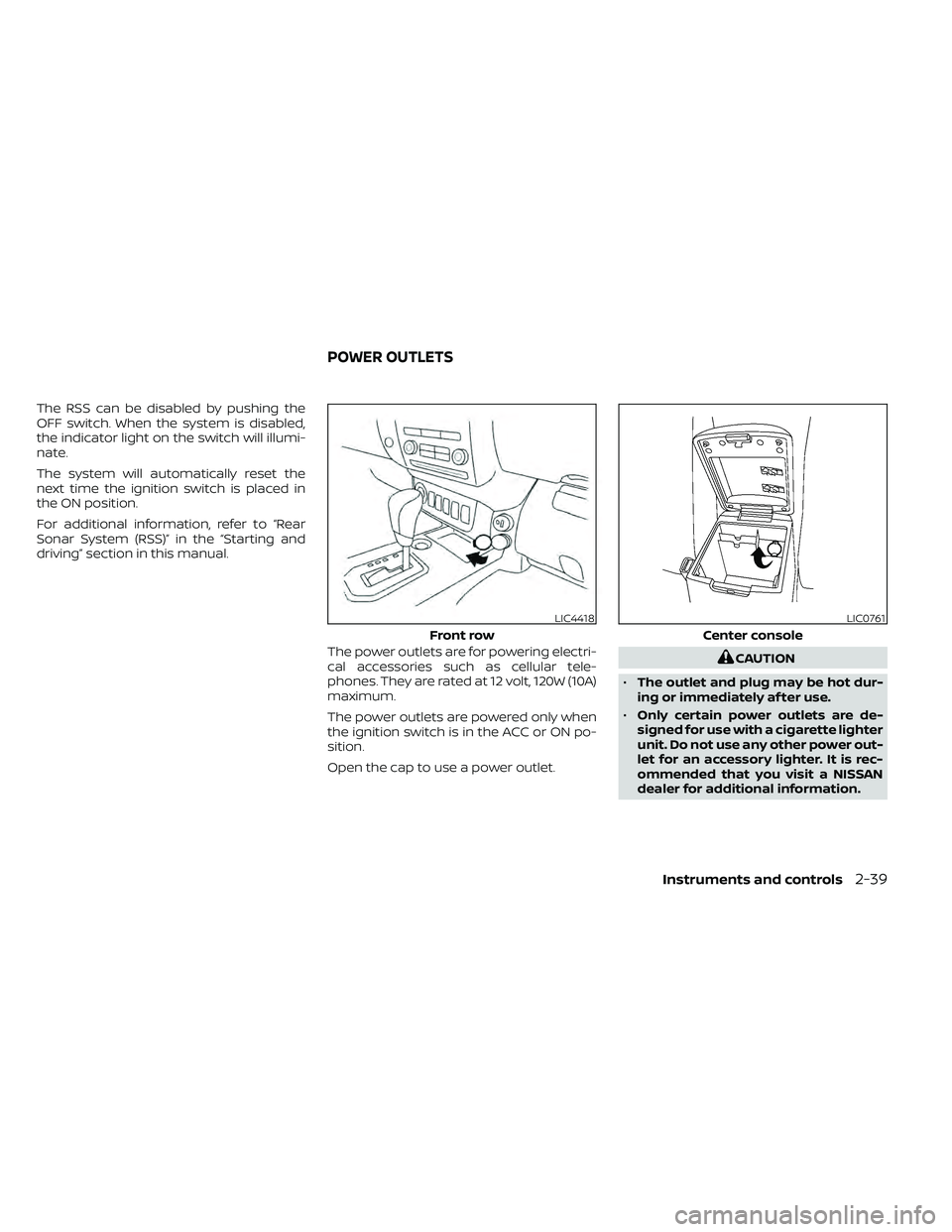
driving” section in this manual.The power outlets are for powering electri-
cal accessories such as cellular tele-
phones. They are rated at 12 volt, 120W (10A)
maximum.
The power outlets are powered only when
the ignition switch is in the ACC or ON po-
sition.
Open the cap to use a power outlet.
Instruments and controls2-39
Page 198 of 492
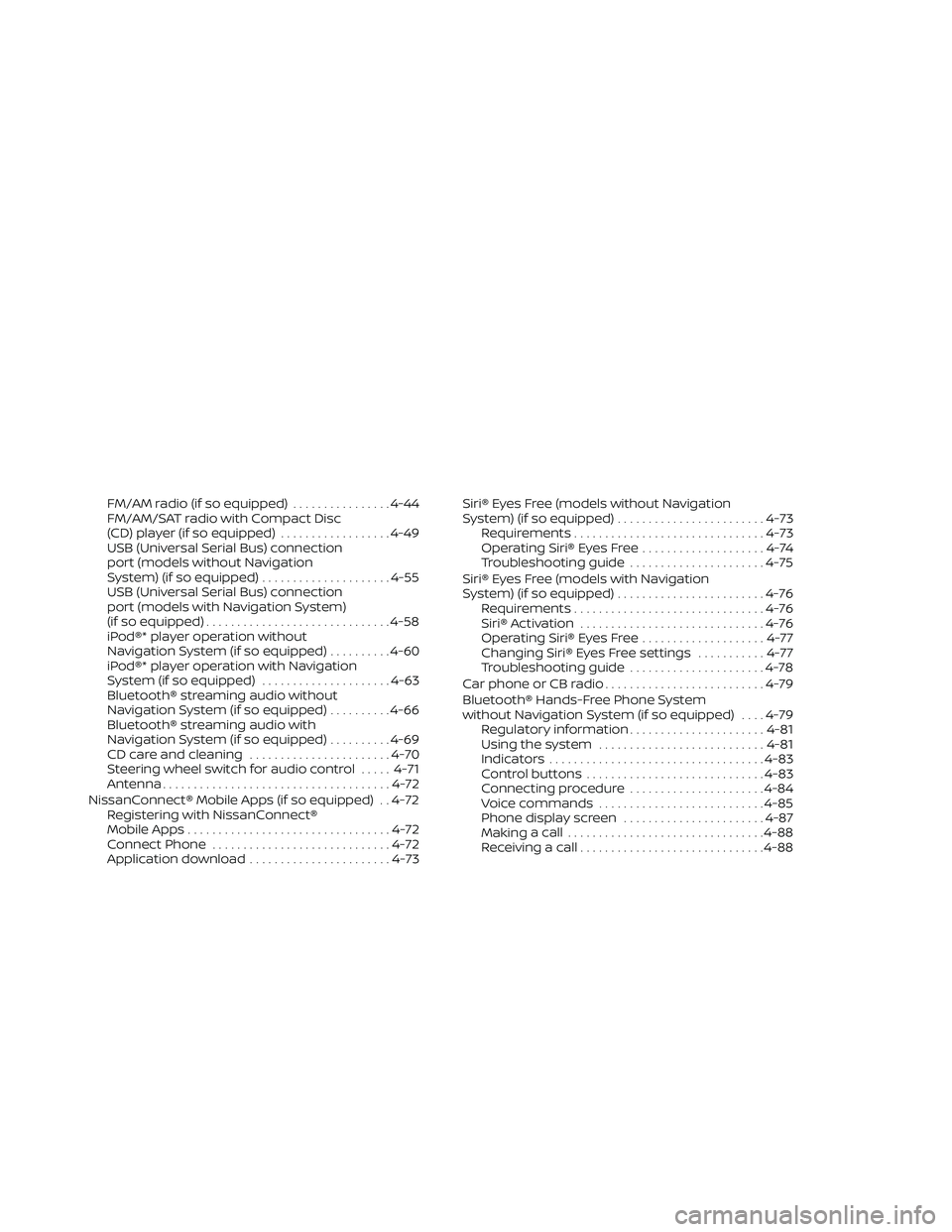
FM/AM radio (if so equipped)................4-44
FM/AM/SAT radio with Compact Disc
(CD) player (if so equipped) ..................4-49
USB (Universal Serial Bus) connection
port (models without Navigation
System) (if so equipped) .....................4-55
USB (Universal Serial Bus) connection
port (models with Navigation System)
(if so equipped) .............................. 4-58
iPod®* player operation without
Navigation System (if so equipped) ..........4-60
iPod®* player operation with Navigation
System (if so equipped) .....................4-63
Bluetooth® streaming audio without
Navigation System (if so equipped) ..........4-66
Bluetooth® streaming audio with
Navigation System (if so equipped) ..........4-69
CD care and cleaning .......................4-70
Steering wheel switch for audio control .....4-71
Antenna ..................................... 4-72
NissanConnect® Mobile Apps (if so equipped) . . 4-72 Registering with NissanConnect®
Mobile Apps ................................. 4-72
Connect Phone ............................. 4-72
Application download .......................4-73Siri® Eyes Free (models without Navigation
System) (if so equipped)
........................4-73
Requirements ............................... 4-73
Operating Siri® Eyes Free ....................4-74
Troubleshooting guide ......................4-75
Siri® Eyes Free (models with Navigation
System) (if so equipped) ........................4-76
Requirements ............................... 4-76
Siri® Activation .............................. 4-76
Operating Siri® Eyes Free ....................4-77
Changing Siri® Eyes Free settings ...........4-77
Troubleshooting guide ......................4-78
Car phone or CB radio .......................... 4-79
Bluetooth® Hands-Free Phone System
without Navigation System (if so equipped) ....4-79
Regulatory information ......................4-81
Using the system ........................... 4-81
Indicators ................................... 4-83
Control buttons ............................. 4-83
Connecting procedure ......................4-84
Voice commands ........................... 4-85
Phone display screen .......................
4-87
Making
a call ................................ 4-88
Receiving a call .............................. 4-88
Page 199 of 492
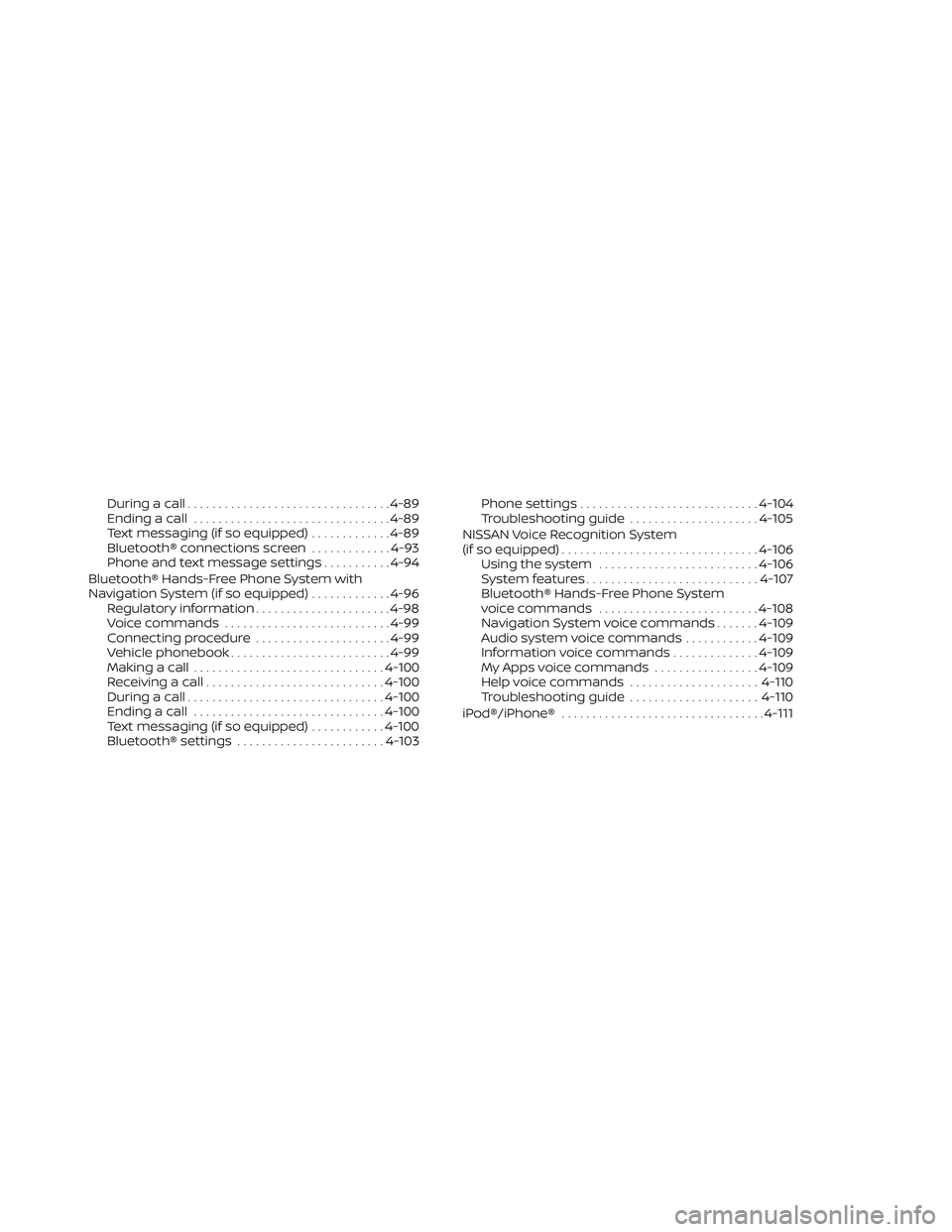
During a call................................. 4-89
Ending a call ................................ 4-89
Text messaging (if so equipped) .............4-89
Bluetooth® connections screen .............4-93
Phone and text message settings ...........4-94
Bluetooth® Hands-Free Phone System with
Navigation System (if so equipped) .............4-96
Regulatory information ......................4-98
Voice commands ........................... 4-99
Connecting procedure ......................4-99
Vehicle phonebook .......................... 4-99
Making a call ............................... 4-100
Receiving a call ............................. 4-100
During a call ................................ 4-100
Ending a call ............................... 4-100
Text messaging (if so equipped) ............4-100
Bluetooth® settings ........................ 4-103Phone settings
............................. 4-104
Troubleshooting guide .....................4-105
NISSAN Voice Recognition System
(if so equipped) ................................ 4-106
Using the system .......................... 4-106
System features ............................ 4-107
Bluetooth® Hands-Free Phone System
voice commands .......................... 4-108
Navigation System voice commands .......4-109
Audio system voice commands ............4-109
Information voice commands ..............4-109
My Apps voice commands .................4-109
Help voice commands .....................4-110
Troubleshooting guide .....................4-110
iPod®/iPhone® ................................. 4-111
Page 200 of 492
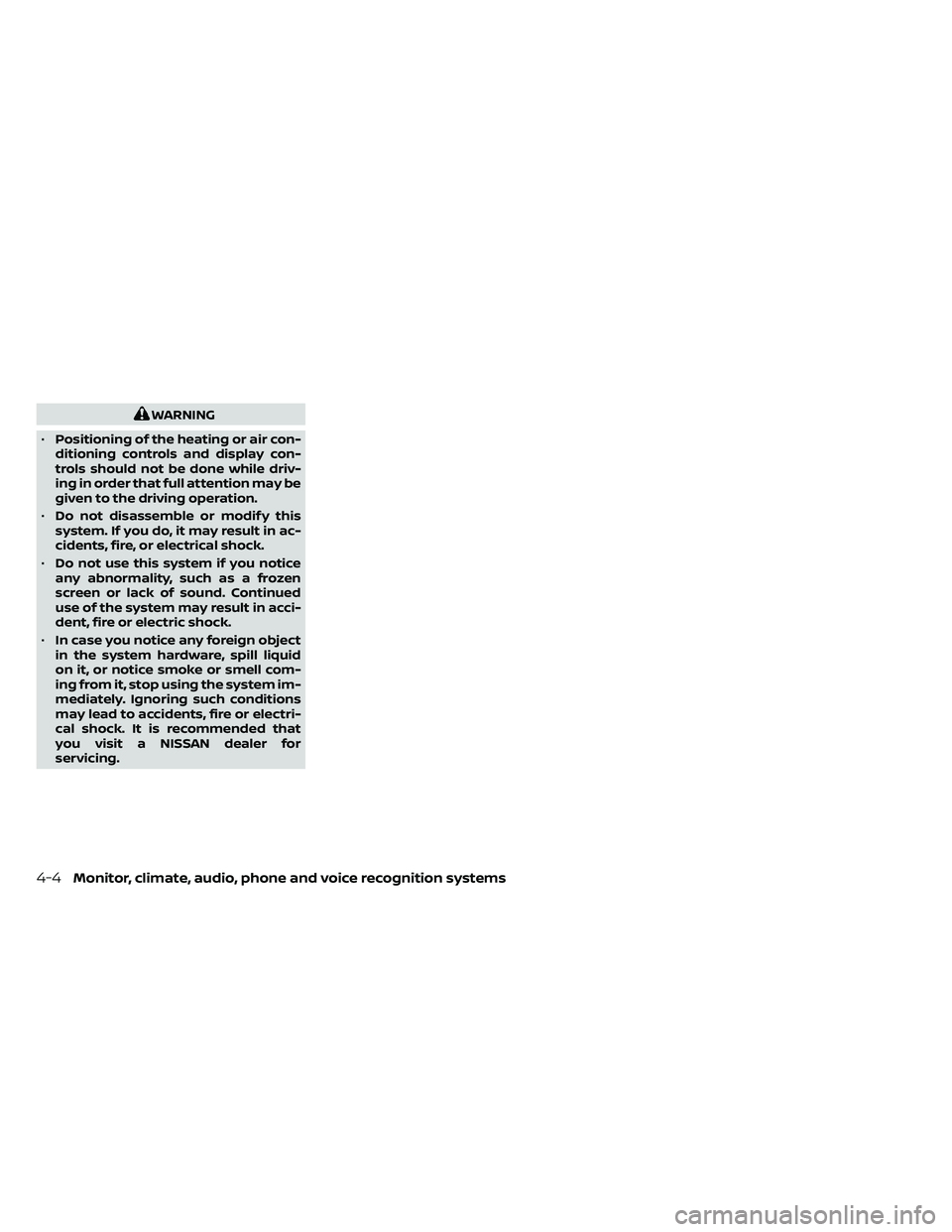
WARNING
• Positioning of the heating or air con-
ditioning controls and display con-
trols should not be done while driv-
ing in order that full attention may be
given to the driving operation.
• Do not disassemble or modif y this
system. If you do, it may result in ac-
cidents, fire, or electrical shock.
• Do not use this system if you notice
any abnormality, such as a frozen
screen or lack of sound. Continued
use of the system may result in acci-
dent, fire or electric shock.
• In case you notice any foreign object
in the system hardware, spill liquid
on it, or notice smoke or smell com-
ing from it, stop using the system im-
mediately. Ignoring such conditions
may lead to accidents, fire or electri-
cal shock. It is recommended that
you visit a NISSAN dealer for
servicing.
4-4Monitor, climate, audio, phone and voice recognition systems