Page 18 of 492
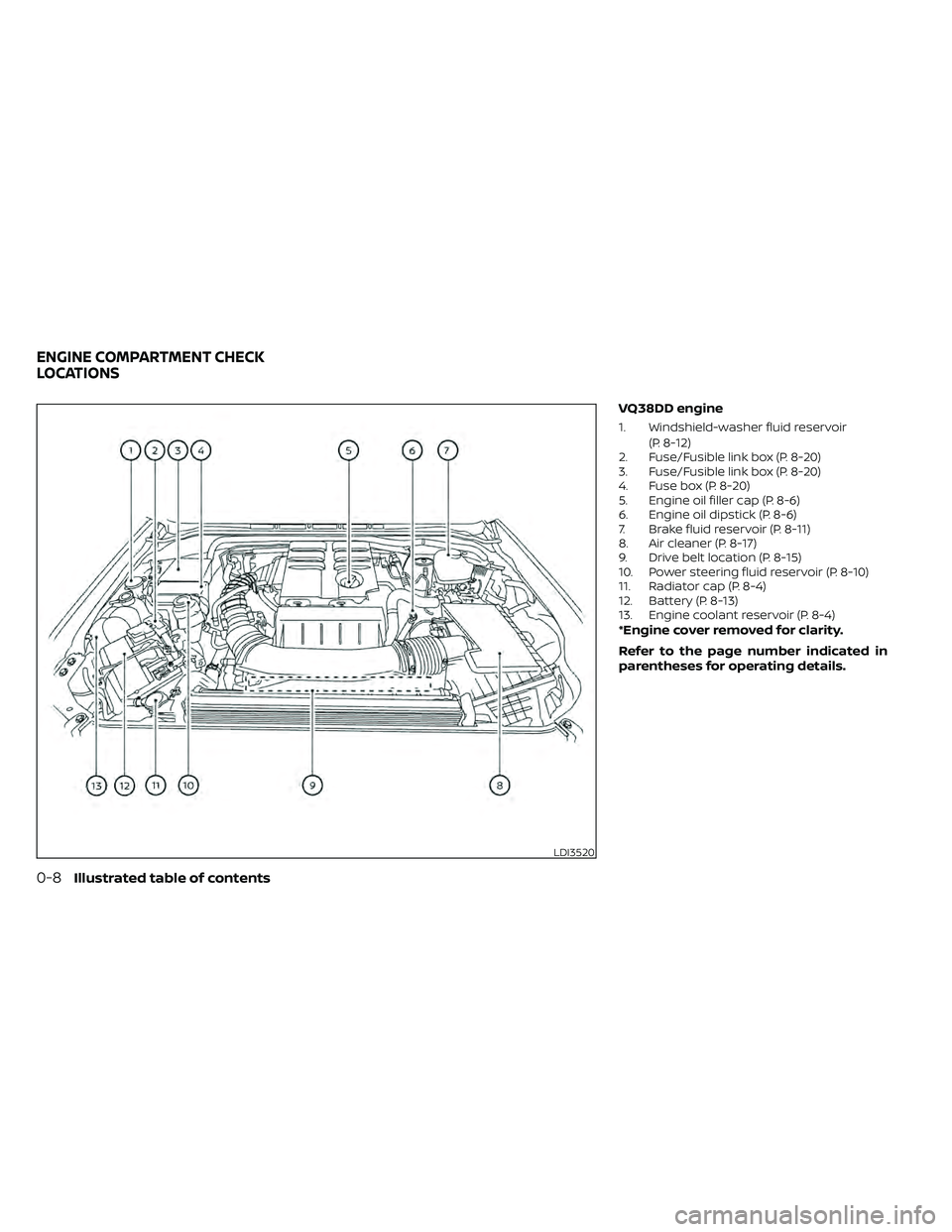
VQ38DD engine
1. Windshield-washer fluid reservoir(P. 8-12)
2. Fuse/Fusible link box (P. 8-20)
3. Fuse/Fusible link box (P. 8-20)
4. Fuse box (P. 8-20)
5. Engine oil filler cap (P. 8-6)
6. Engine oil dipstick (P. 8-6)
7. Brake fluid reservoir (P. 8-11)
8. Air cleaner (P. 8-17)
9. Drive belt location (P. 8-15)
10. Power steering fluid reservoir (P. 8-10)
11. Radiator cap (P. 8-4)
12. Battery (P. 8-13)
13. Engine coolant reservoir (P. 8-4)
*Engine cover removed for clarity.
Refer to the page number indicated in
parentheses for operating details.
Page 150 of 492
•Do not use with accessories that ex-
ceed a 12 volt, 120W (10A) power draw.
• Do not use double adapters or more
than one electrical accessory.
• Use power outlets with the engine
running to avoid discharging the ve-
hicle battery.
• Avoid using power outlets when the
air conditioner, headlights or rear
window defroster is on.
• Before inserting or disconnecting a
plug, be sure the electrical accessory
being used is turned off.
• Push the plug in as far as it will go. If
good contact is not made, the plug
may overheat or the internal tem-
perature fuse may open.
• When not in use, be sure to close the
cap. Do not allow water or any other
liquids to contact the outlet.
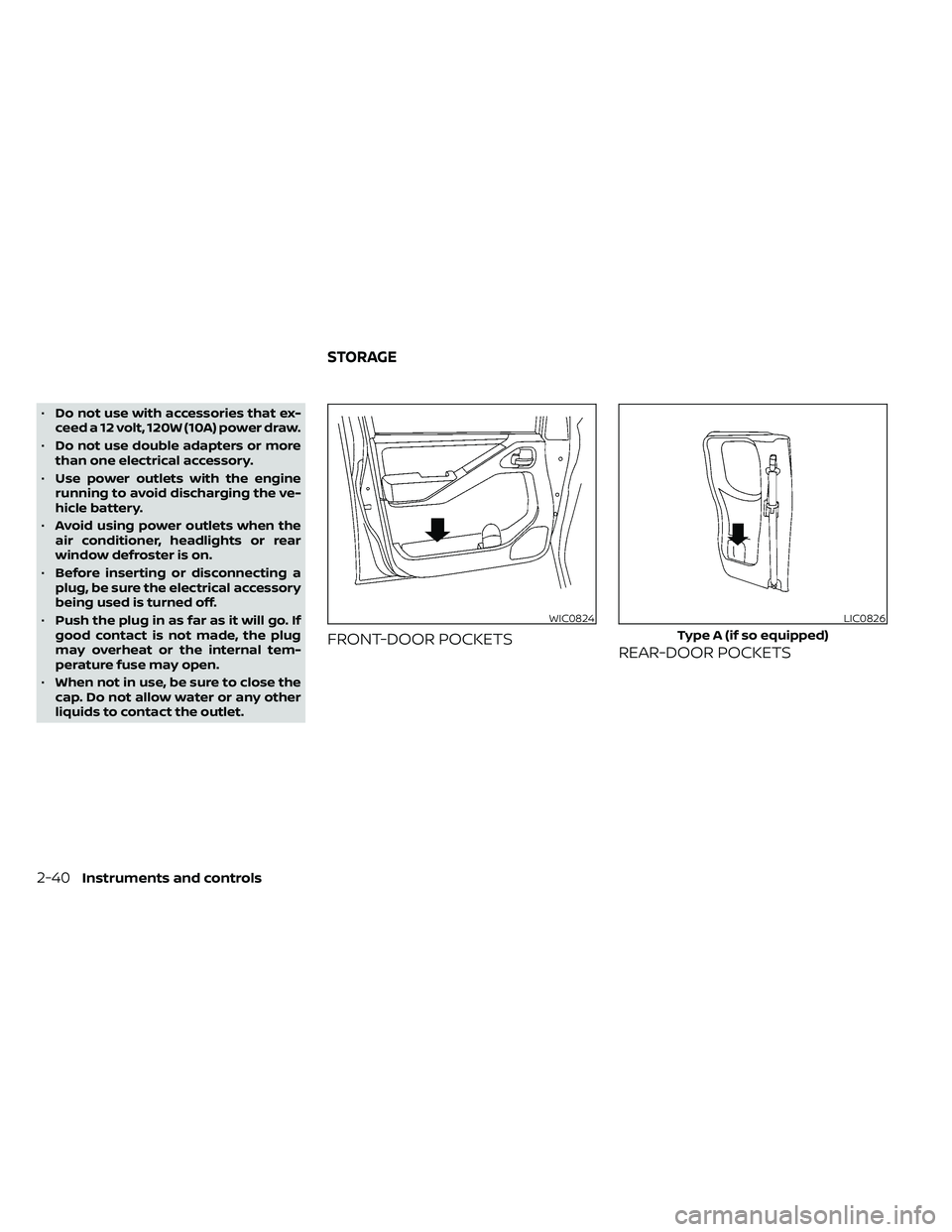
FRONT-DOOR POCKETS REAR-DOOR POCKETS
WIC0824LIC0826
Type A (if so equipped)
STORAGE
Page 248 of 492

1 to 6 Station memory operations
Twelve stations can be set for the FM band
(six for FM1, six for FM2) and six stations can
be set for the AM band. Eighteen stations
can be set for the SXM band (six for SXM1, six
for SXM2 & six SXM3).
1. Choose the radio band AM, FM1 or FM2using the FM·AM select button or choose
the radio band SXM1, SXM2 & SXM3 using
the SXM button.
2. Tune to the desired station using manual or seek tuning. Press and hold
any of the desired station memory but-
tons (1 – 6) until a beep sound is heard. 3. The channel indicator will then come on
and the sound will resume. Program-
ming is now complete.
4. Other buttons can be set in the same manner.
If the battery cable is disconnected or if the
fuse opens, the radio memory will be can-
celed. In that case, reset the desired sta-
tions.
Presets can also be selected by touching
the desired preset number on the screen.
Smart Favorites Preset Setup (if
so equipped)
The Smart Favorites feature allows the
user to designate presets, within the SXM1,
SXM2 and SXM3 bands, as their Smart Fa-
vorites. When any of the Smart Favorite
presets are selected, the current track on
that station will play from the beginning of
the song.
To program a Smart Favorite preset:
1. Press the SXM button.
2. Touch the “Setup” key.
LHA2899LHA3085
4-52Monitor, climate, audio, phone and voice recognition systems
Page 379 of 492
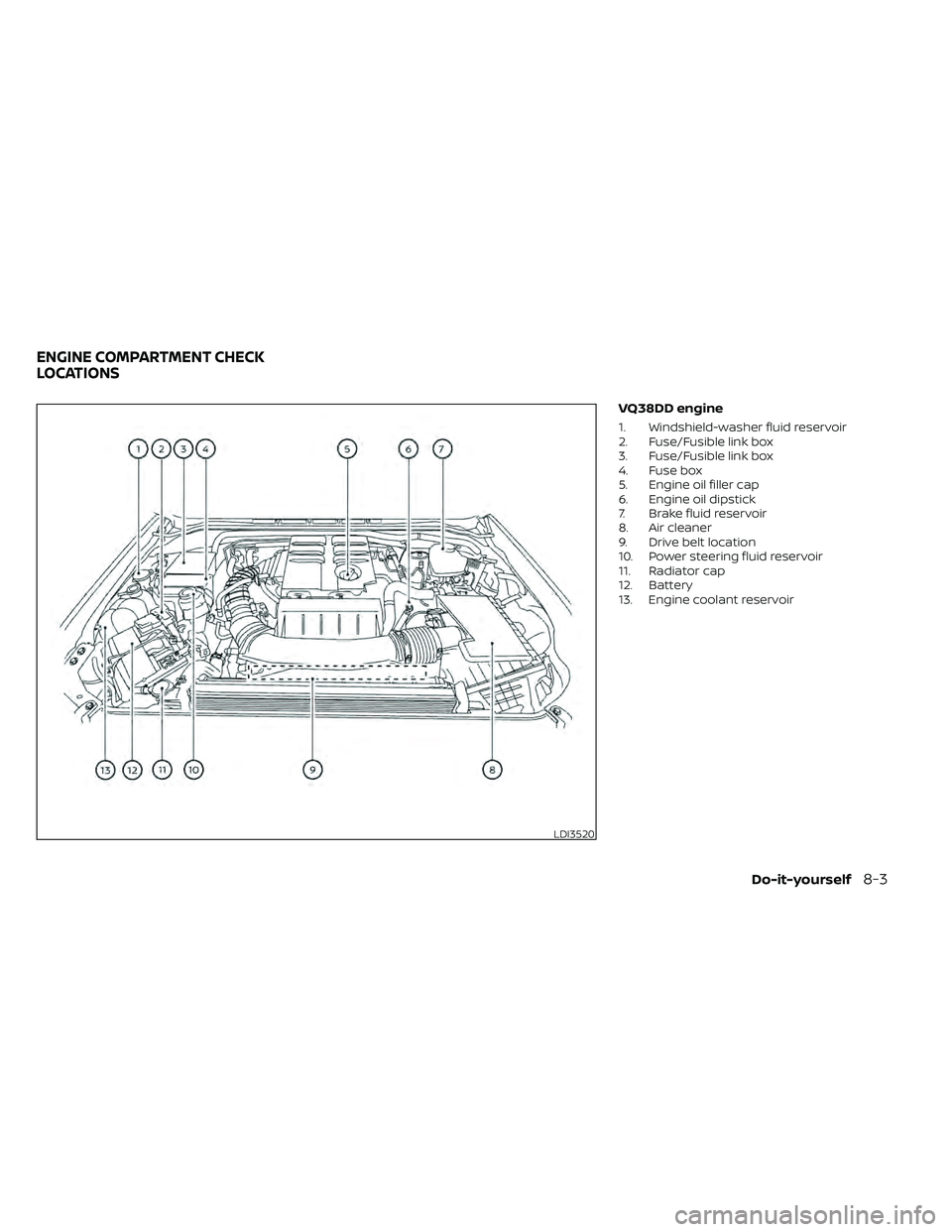
VQ38DD engine
1. Windshield-washer fluid reservoir
2. Fuse/Fusible link box
3. Fuse/Fusible link box
4. Fuse box
5. Engine oil filler cap
6. Engine oil dipstick
7. Brake fluid reservoir
8. Air cleaner
9. Drive belt location
10. Power steering fluid reservoir
11. Radiator cap
12. Battery
13. Engine coolant reservoir
LDI3520
ENGINE COMPARTMENT CHECK
LOCATIONS
Do-it-yourself8-3
Page 396 of 492
If the brakes do not operate properly, have
the brakes checked. It is recommended
that you visit a NISSAN dealer for this ser-
vice.
Self-adjusting brakes
Your vehicle is equipped with self-adjusting
brakes.
The front and rear disc-type brakes self-
adjust every time the brake pedal is ap-
plied.
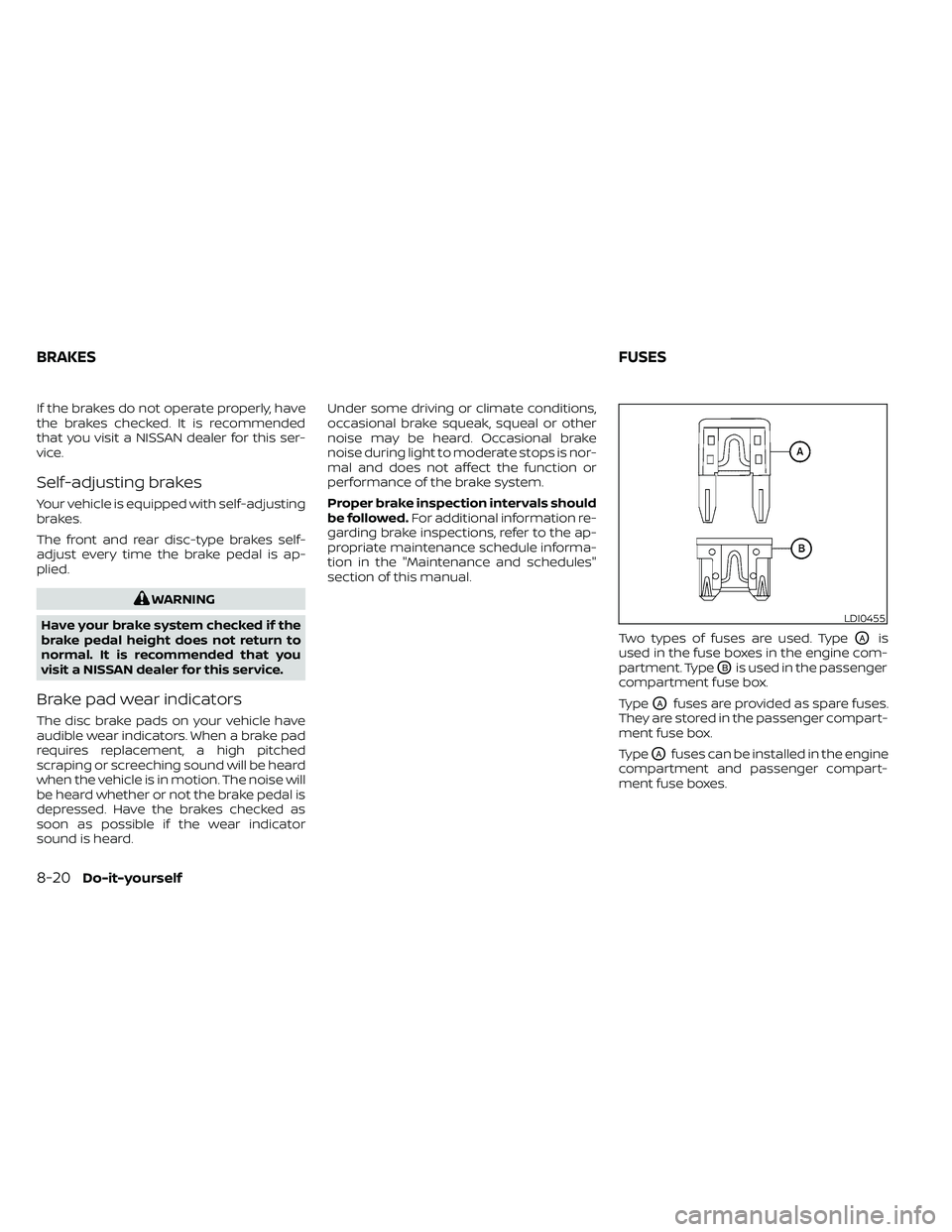
LDI0455
BRAKESFUSES
Page 397 of 492
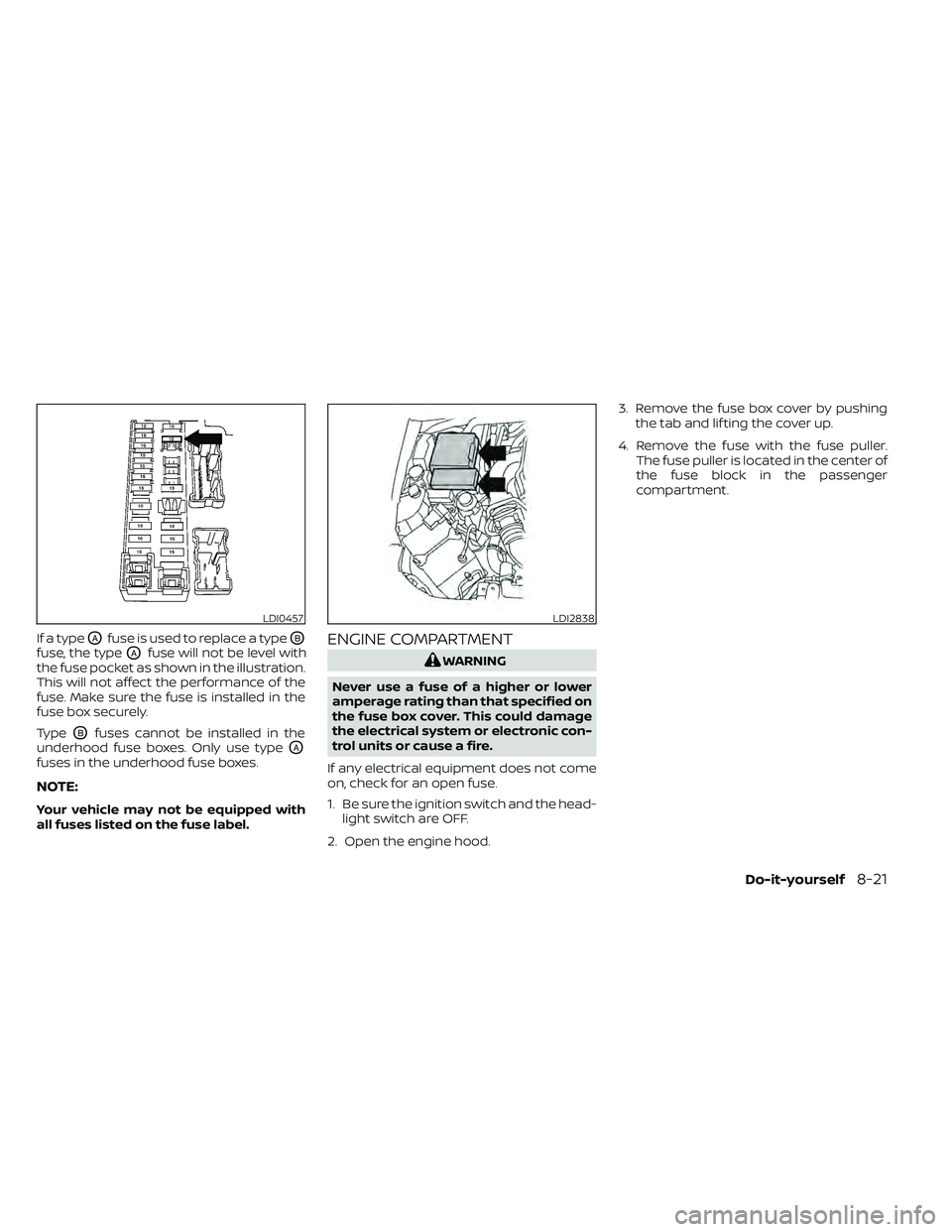
If a typeOAfuse is used to replace a typeOB
fuse, the typeOAfuse will not be level with
the fuse pocket as shown in the illustration.
This will not affect the performance of the
fuse. Make sure the fuse is installed in the
fuse box securely.
Type
OBfuses cannot be installed in the
underhood fuse boxes. Only use type
OA
fuses in the underhood fuse boxes.
NOTE:
Your vehicle may not be equipped with
all fuses listed on the fuse label.
ENGINE COMPARTMENT
LDI0457LDI2838
Page 398 of 492
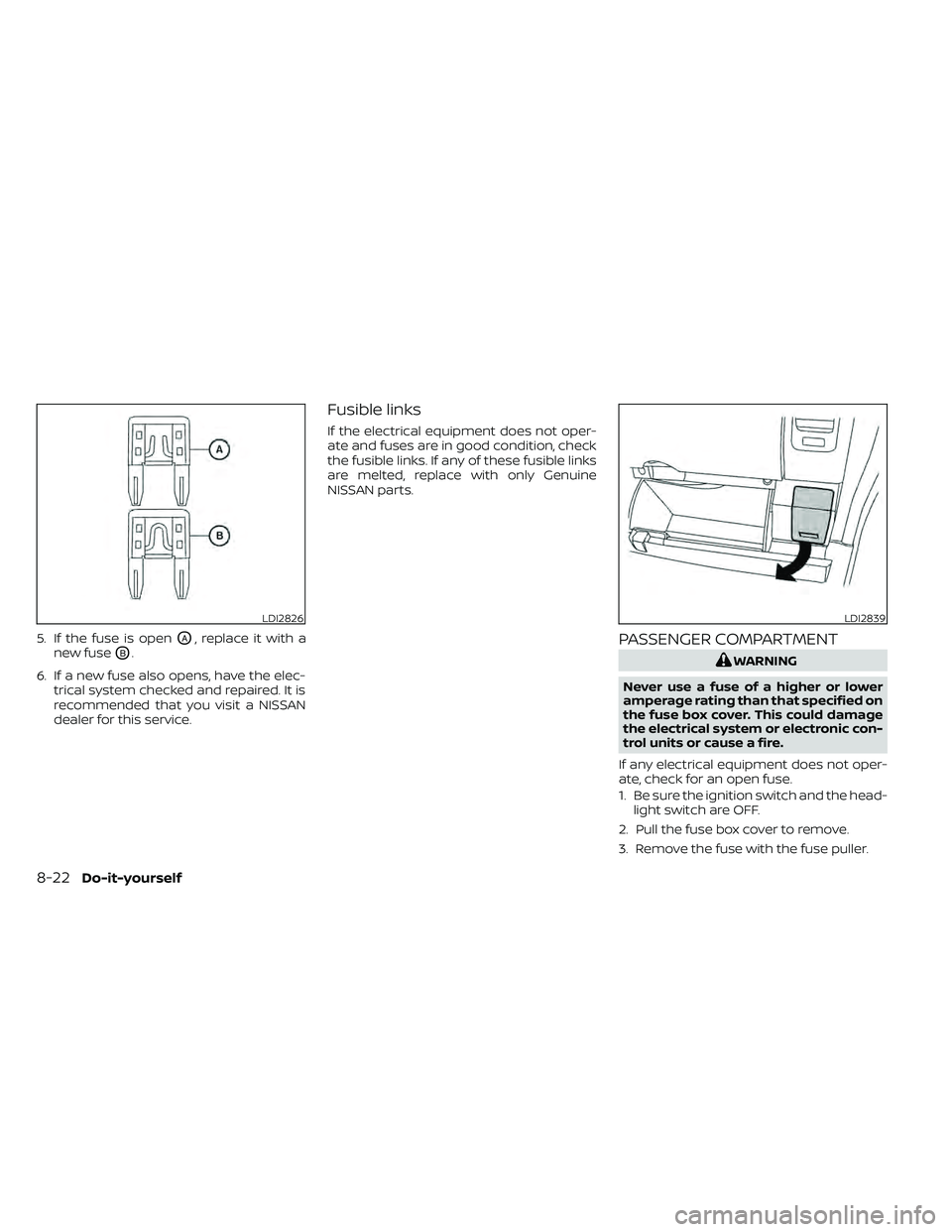
5. If the fuse is openOA, replace it with a
new fuse
OB.
6. If a new fuse also opens, have the elec- trical system checked and repaired. It is
recommended that you visit a NISSAN
dealer for this service.
Fusible links
If the electrical equipment does not oper-
ate and fuses are in good condition, check
the fusible links. If any of these fusible links
are melted, replace with only Genuine
NISSAN parts.
PASSENGER COMPARTMENT
LDI2826LDI2839
8-22Do-it-yourself
Page 399 of 492
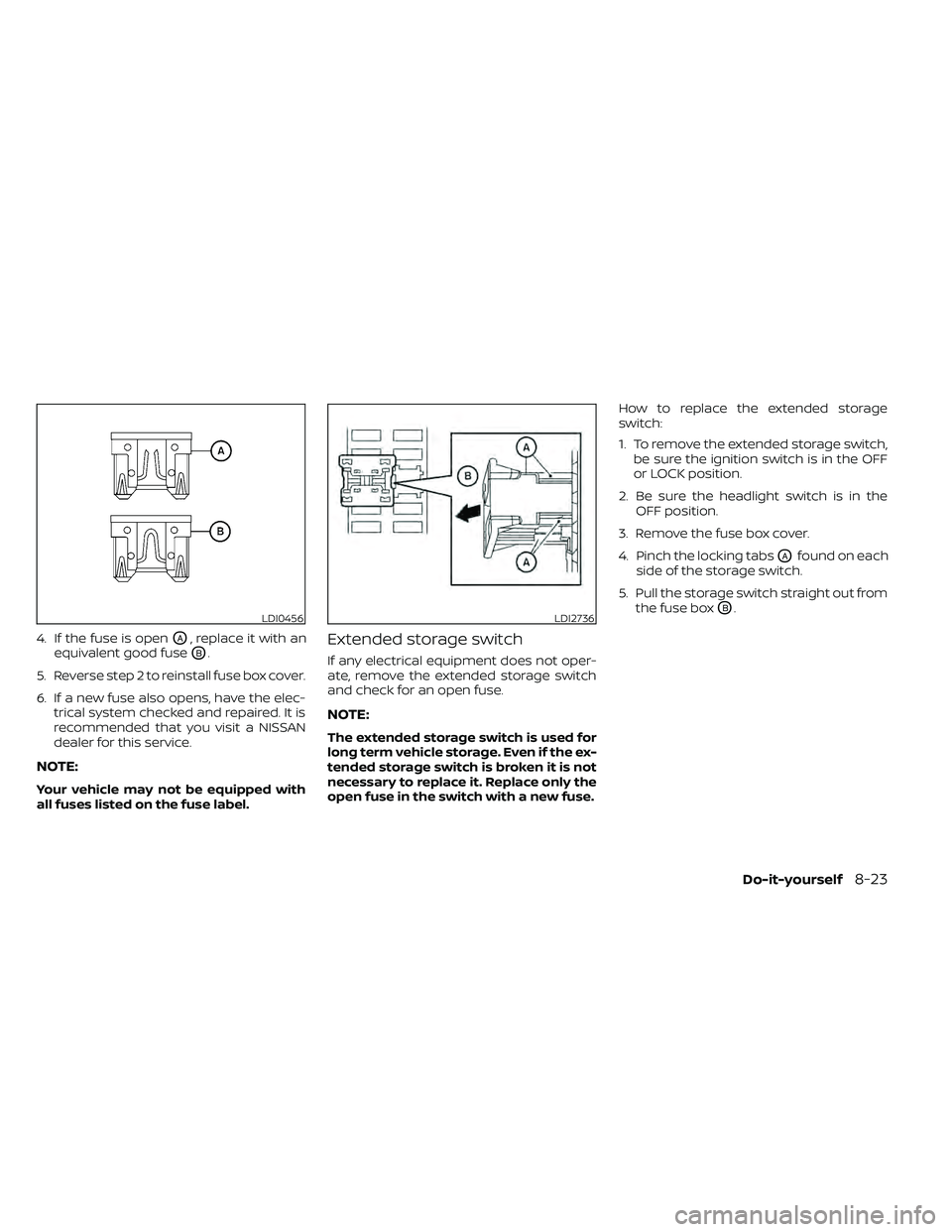
4. If the fuse is openOA, replace it with an
equivalent good fuse
OB.
5. Reverse step 2 to reinstall fuse box cover.
6. If a new fuse also opens, have the elec- trical system checked and repaired. It is
recommended that you visit a NISSAN
dealer for this service.
NOTE:
Your vehicle may not be equipped with
all fuses listed on the fuse label.
Extended storage switch
If any electrical equipment does not oper-
ate, remove the extended storage switch
and check for an open fuse.
NOTE:
The extended storage switch is used for
long term vehicle storage. Even if the ex-
tended storage switch is broken it is not
necessary to replace it. Replace only the
open fuse in the switch with a new fuse. How to replace the extended storage
switch:
1. To remove the extended storage switch,
be sure the ignition switch is in the OFF
or LOCK position.
2. Be sure the headlight switch is in the OFF position.
3. Remove the fuse box cover.
4. Pinch the locking tabs
OAfound on each
side of the storage switch.
5. Pull the storage switch straight out from the fuse box
OB.LDI0456LDI2736