Operation with a trailer or bicycle
rack
If th e electrical connection has been cor rectly
es tablished tothe trailer or bicycle rack:
R Drive program A,;, N,=,
C andB: theve hicle remains at nor‐
mal le vel ir respective of speed.
R The cur veinclination function is deactivated.
R Drive program FandG: theve hicle
adopts the normal le velst arting from a
speed of 30 km/h.
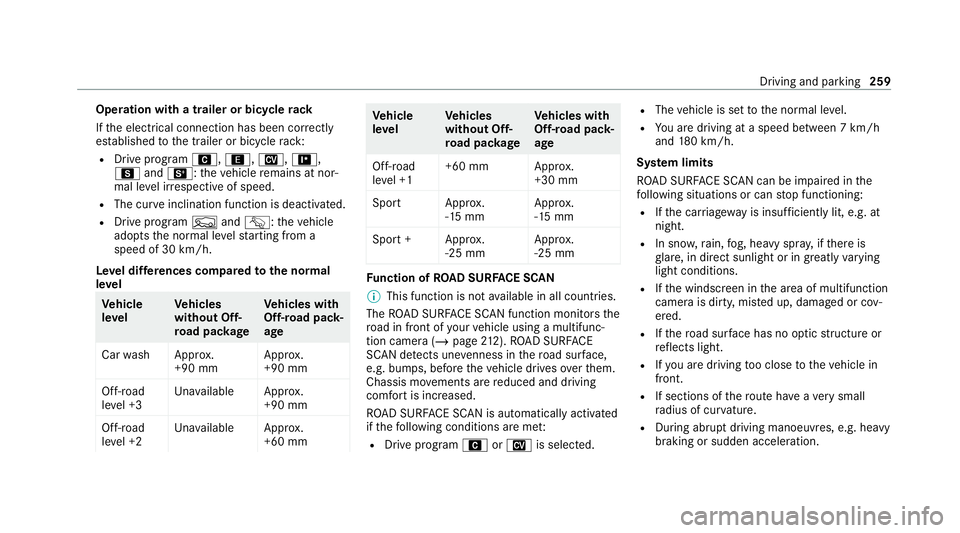
Le vel dif fere nces compared tothe normal
le vel Ve
hicle
le vel Ve
hicles
without Off-
ro ad pac kage Ve
hicles with
Off-road pack‐
age
Car wash Appr ox.
+90 mm Appr
ox.
+90 mm
Off-road
le ve l +3 Una
vailable Appr ox.
+90 mm
Off-road
le ve l +2 Una
vailable Appr ox.
+60 mm Ve
hicle
le vel Ve
hicles
without Off-
ro ad pac kage Ve
hicles with
Off-road pack‐
age
Off-road
le ve l +1 +60 mm Appr
ox.
+30 mm
Spor tA pprox.
-15 mm App
rox.
-15 mm
Spo rt+A pprox.
-25 mm App
rox.
-25 mm Fu
nction of ROAD SUR FACE SCAN
% This function is not available in all countries.
The ROAD SUR FACE SCAN function monitors the
ro ad in front of your vehicle using a multifunc‐
tion camera (/ page212). ROAD SUR FACE
SCAN de tects une venness in thero ad sur face,
e.g. bu mps, before theve hicle drives overth em.
Chassis mo vements are reduced and driving
comfort is increased.
RO AD SUR FACE SCAN is automatically activated
if th efo llowing conditions are me t:
R Drive prog ram A orN is selected. R
The vehicle is set tothe normal le vel.
R You are driving at a speed between 7 km/h
and 180 km/h.
Sy stem limits
RO AD SUR FACE SCAN can be impaired in the
fo llowing situations or can stop functioning:
R Ifth e car riag ewa y is insuf ficiently lit, e.g. at
night.
R In sno w,rain, fog, heavy spr ay, if there is
gl are, in direct sunlight or in great lyvarying
light conditions.
R Ifth e windscreen in the area of multifunction
camera is dirty, mis ted up, damaged or cov‐
ered.
R Ifth ero ad sur face has no optic stru cture or
re flects light.
R Ifyo u are driving too close totheve hicle in
front.
R If sections of thero ute ha veave ry small
ra dius of cur vature.
R During ab rupt driving manoeuvres, e.g. heavy
braking or sudden acceleration. Driving and parking
259
#
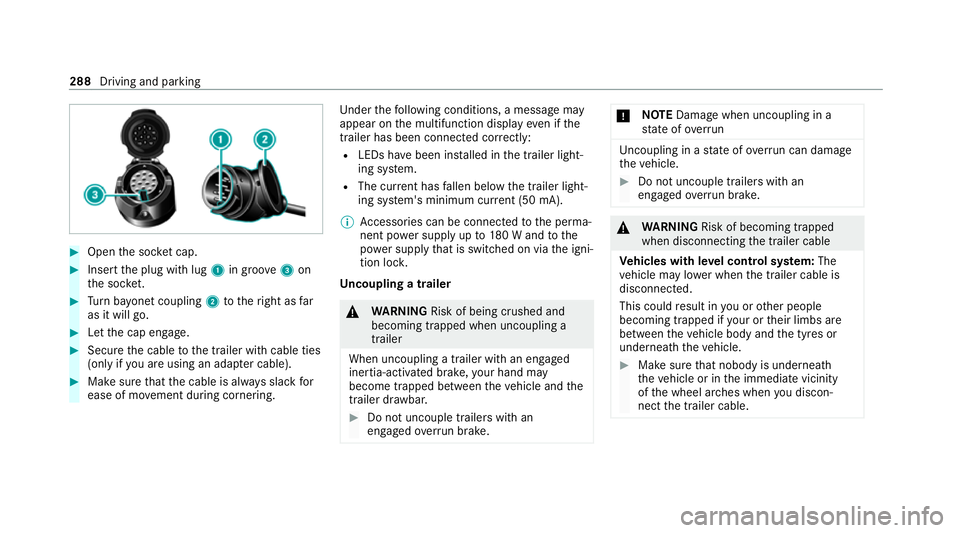
Open the soc ket cap. #
Inse rtthe plug with lug 1in groo ve3 on
th e soc ket. #
Turn bayonet coupling 2totheright as far
as it will go. #
Let the cap engage. #
Secure the cable tothe trailer with cable ties
(only if you are using an adap ter cable). #
Make sure that the cable is alw ays slack for
ease of mo vement during cornering. Under
thefo llowing conditions, a message may
appear on the multifunction display even if the
trailer has been connected cor rectly:
R LEDs ha vebeen ins talled in the trailer light‐
ing sy stem.
R The cur rent has fallen below the trailer light‐
ing sy stem's minimum cur rent (50 mA).
% Accessories can be connected tothe perma‐
nent po wer supp lyup to180 W and tothe
po we r supp lythat is swit ched on via the igni‐
tion loc k.
Un coupling a trailer &
WARNING Risk of being crushed and
becoming trapped when uncoupling a
trailer
When uncoupling a trailer with an engaged
ine rtia-activated brake, your hand may
become trapped between theve hicle and the
trailer dr awbar. #
Do not uncouple trailers with an
engaged overrun brake. *
NO
TEDama gewhen uncoupling in a
st ate of overrun Uncou
pling in a state of overru n can dama ge
th eve hicle. #
Do not uncouple trailers with an
engaged overrun brake. &
WARNING Risk of becoming trapped
when disconnecting the trailer cable
Ve hicles with le vel control sy stem: The
ve hicle may lo wer when the trailer cable is
disconnected.
This could result in you or other people
becoming trapped if your or their limbs are
between theve hicle body and the tyres or
underneath theve hicle. #
Make sure that nobody is unde rneath
th eve hicle or in the immediate vicinity
of the wheel ar ches when you discon‐
nect the trailer cable. 288
Driving and parking