2021 MERCEDES-BENZ GLE COUPE lights
[x] Cancel search: lightsPage 144 of 525
#
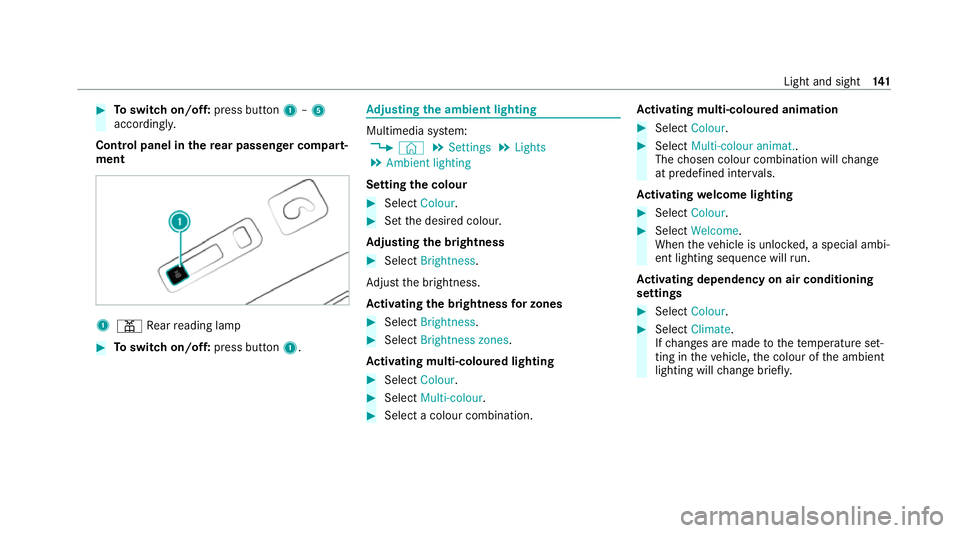
Toswitch on/off: press button1–5
accordingly.
Control panel in there ar passenger comp art‐
ment 1
003D Rear reading lamp #
Toswitch on/off: press button1. Ad
justing the ambient lighting Multimedia sy
stem:
4 © 5
Settings 5
Lights
5 Ambient lighting
Setting the colour #
Select Colour. #
Set the desired colour.
Ad justing the brightness #
Select Brightness .
Ad just the brightness.
Ac tivating the brightness for zones #
Select Brightness . #
Select Brightness zones .
Ac tivating multi-coloured lighting #
Select Colour. #
Select Multi-colour. #
Select a colour combination. Ac
tivating multi-coloured animation #
Select Colour. #
Select Multi-colour animat..
The chosen colour combination will change
at predefined inter vals.
Ac tivating welcome lighting #
Select Colour. #
Select Welcome.
When theve hicle is unloc ked, a special ambi‐
ent lighting sequence will run.
Ac tivating dependency on air conditioning
settings #
Select Colour. #
Select Climate.
If ch anges are made tothete mp erature set‐
ting in theve hicle, the colour of the ambient
lighting will change brief ly. Light and sight
141
Page 145 of 525
Switching
the interior lighting switch-off
delay time on/off Multimedia sy
stem:
4 © 5
Settings 5
Lights
5 Int. light. del. sw. off #
Switch the switch-off delay time on or off.
When this function is active, the interior light‐
ing lights up for a short time af terth eve hicle
is loc ked. Wi
ndscreen wipers and windscreen washer
sy stem Switching
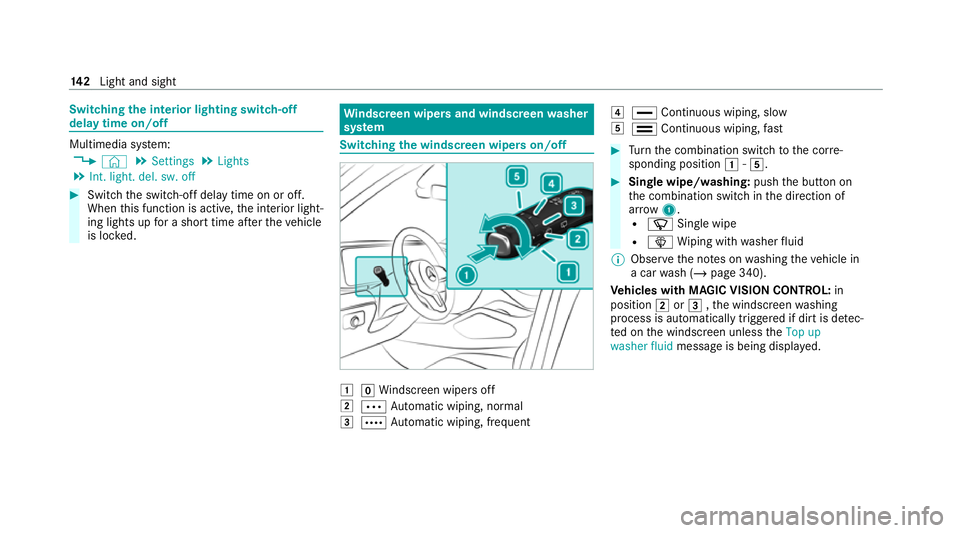
the windscreen wipers on/off 0047
005AWindsc reen wipers off
0048 0062 Automatic wiping, normal
0049 0063 Automatic wiping, frequent 004A
00AA Continuous wiping, slow
004B 00A9 Continuous wiping, fast #
Turn the combination switch tothe cor re‐
sponding position 0047-004B. #
Single wipe/washing: pushthe button on
th e combination switch in the direction of
ar row 1.
R 00D3 Single wipe
R 00D4 Wiping with washer fluid
% Obser vethe no tes on washing theve hicle in
a car wash (/ page 340).
Ve hicles with MAGIC VISION CONTROL: in
position 0048or0049 ,th e windscreen washing
process is automatically triggered if dirt is de tec‐
te d on the windscreen unless theTop up
washer fluid message is being displa yed. 14 2
Light and sight
Page 197 of 525
#
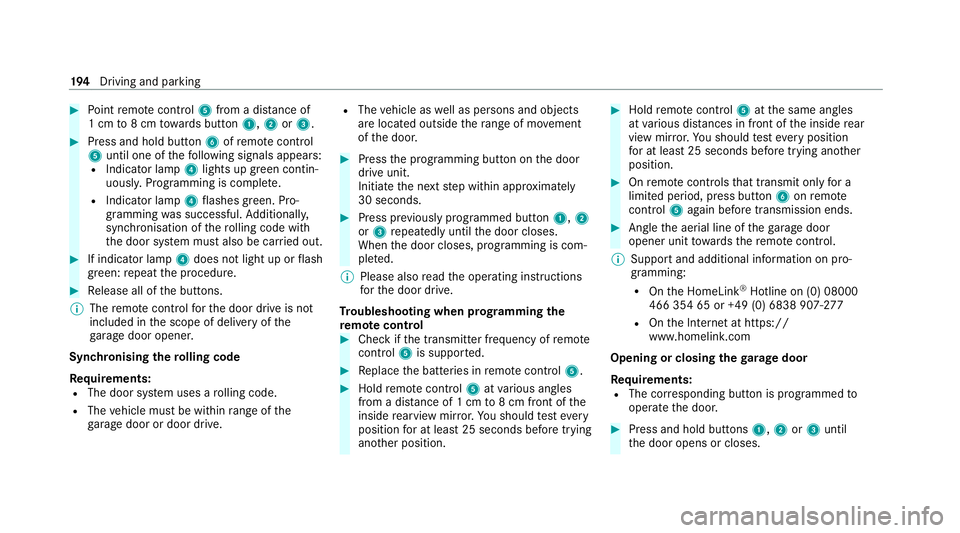
Point remo tecontrol 5from a dist ance of
1 cm to8 cm towa rds button 1,2or3. #
Press and hold button 6ofremo tecontrol
5 until one of thefo llowing signals appears:
R Indicator lamp 4lights up green contin‐
uousl y.Programming is comple te.
R Indicator lamp 4flashes green. Pro‐
gramming was successful. Additionall y,
synchronisation of thero lling code with
th e door sy stem must also be car ried out. #
If indicator lamp 4does not light up or flash
green: repeat the procedure. #
Release all of the buttons.
% The remo tecontrol forth e door drive is not
included in the scope of delivery of the
ga rage door opener.
Synchronising thero lling code
Re quirements:
R The door sy stem uses a rolling code.
R The vehicle must be within range of the
ga rage door or door drive. R
The vehicle as well as persons and objects
are located outside thera nge of mo vement
of the door. #
Press the programming button on the door
drive unit.
Initiate the next step within appr oximately
30 seconds. #
Press pr eviously prog rammed button 1,2
or 3 repeatedly until the door closes.
When the door closes, programming is com‐
ple ted.
% Please also read the operating instructions
fo rth e door drive.
Tr oubleshooting when prog ramming the
re mo tecont rol #
Check if the transmit ter frequency of remo te
control 5is support ed. #
Replace the batteries in remo tecontrol 5. #
Hold remo tecontrol 5atvarious angles
from a dis tance of 1 cm to8 cm front of the
inside rearview mir ror.Yo u should test eve ry
position for at least 25 seconds before trying
ano ther position. #
Hold remo tecontrol 5atthe same angles
at various dis tances in front of the inside rear
view mir ror.Yo u should test eve ryposition
fo r at least 25 seconds before trying ano ther
position. #
Onremo tecontrols that transmit on lyfor a
limi ted period, press button 6onremo te
control 5again before transmission ends. #
Angle the aerial line of thega rage door
opener unit towa rdsth ere mo tecontrol.
% Support and additional information on pro‐
gramming:
R Onthe HomeLink ®
Hotline on (0) 08000
466 354 65 or +49 (0) 6838 907-2 77
R Onthe Internet at https://
www.homelin k.com
Opening or closing the garage door
Requ irements:
R The cor responding button is programmed to
operate the door. #
Press and hold buttons 1,2or3 until
th e door opens or closes. 194
Driving and pa rking
Page 198 of 525
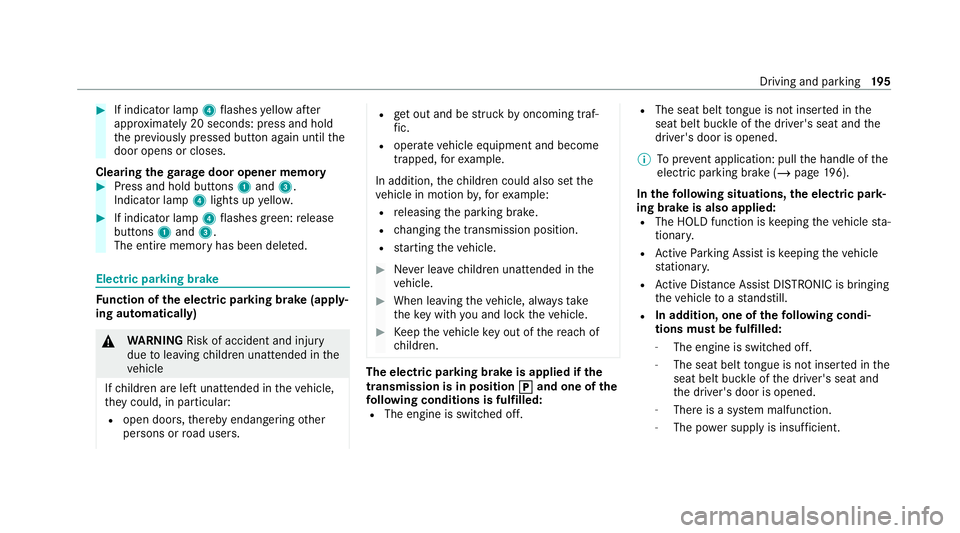
#
If indicator lamp 4flashes yellow af ter
appr oximately 20 seconds: press and hold
th e pr eviously pressed button again until the
door opens or closes.
Clearing thega rage door opener memo ry#
Press and hold buttons 1and 3.
Indicator lamp 4lights up yello w. #
If indicator lamp 4flashes green: release
buttons 1and 3.
The entire memo ryhas been dele ted. Electric parking brake
Fu
nction of the electric pa rking brake (apply‐
ing automatically) &
WARNING Risk of accident and inju ry
due toleaving children unat tended in the
ve hicle
If ch ildren are left unat tended in theve hicle,
th ey could, in part icular:
R open doors, thereby endangering other
persons or road users. R
get out and be stru ck byoncoming traf‐
fi c.
R ope rate ve hicle equipment and become
trapped, forex ample.
In addition, thech ildren could also set the
ve hicle in motion by,fo rex ample:
R releasing the parking brake.
R changing the transmission position.
R starting theve hicle. #
Never lea vechildren unat tended in the
ve hicle. #
When leaving theve hicle, alw aysta ke
th eke y with you and lock theve hicle. #
Keep theve hicle key out of there ach of
ch ildren. The electric park
ing brake is applied if the
tr ansmission is in position 005D 005Dand one of the
fo llowing conditions is fulfilled:
R The engine is switched off. R
The seat belt tongue is not inser ted in the
seat belt buckle of the driver's seat and the
driver's door is opened.
% Toprev ent application: pull the handle of the
electric parking brake (/ page196).
In thefo llowing situations, the electric pa rk‐
ing brake is also applied:
R The HOLD function is keeping theve hicle sta‐
tionar y.
R Active Parking Assist is keeping theve hicle
st ationar y.
R Active Dis tance Assi stDISTRONIC is bringing
th eve hicle toast andstill.
R In addition, one of thefo llowing condi‐
tions mu stbe fulfilled:
- The engine is switched off.
- The seat belt tongue is not inser ted in the
seat belt buckle of the driver's seat and
th e driver's door is opened.
- There is a sy stem malfunction.
- The po wer supp lyis insuf ficient. Driving and park
ing19 5
Page 199 of 525
-
The vehicle is stationary for a lengt hy
period.
When the electric parking brake is applied, the
re d0024 indicator lamp lights up in the instru‐
ment clus ter.
% The electric parking brake is not automati‐
cally applied if the engine is switched off by
th e ECO start/ stop function.
Fu nction of the electric pa rking brake
(releasing automatically)
The electric parking brake is released when
th efo llowing conditions are fulfilled:
R The driver's door is closed.
R The engine is running.
R The transmission is in position 005Bor005E and
yo u depress the accelera tor pedal or you
shift from transmission position 005Dto005B or
005E when on le velground.
R Ifth e transmission is in position 005E,theta il‐
ga te must be closed.
R The seat belt tongue is inser ted into the seat
belt buckle of the driver's seat. When
the electric parking brake is released, the
re d0024 indicator lamp in the instrument clus‐
te r goes out.
Applying/releasing the electric pa rking
brake manually
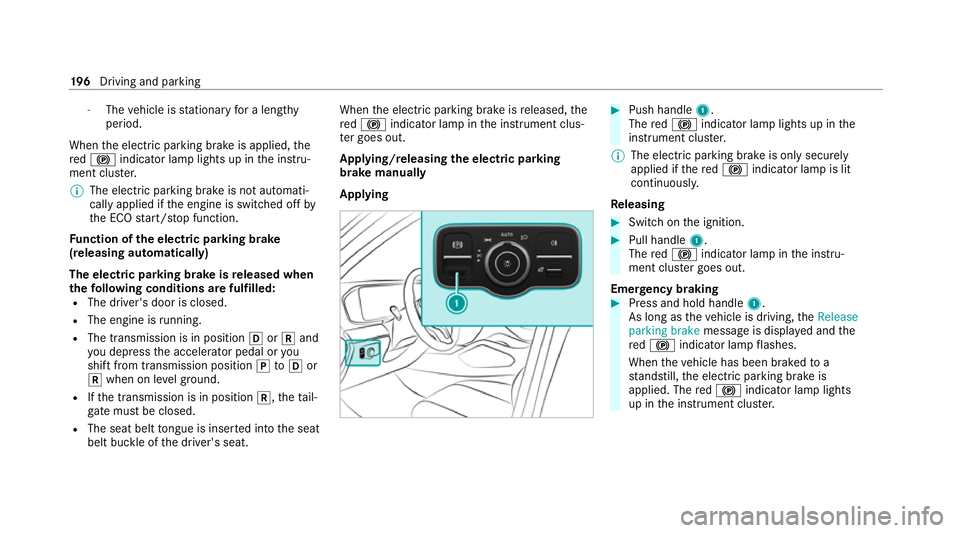
Applying #
Push handle 1.
The red0024 indicator lamp lights up in the
instrument clus ter.
% The electric parking brake is only securely
applied if there d0024 indicator lamp is lit
continuously.
Re leasing #
Swit chon the ignition. #
Pull handle 1.
The red0024 indicator lamp in the instru‐
ment clus ter goes out.
Emer gency braking #
Press and hold handle 1.
As long as theve hicle is driving, theRelease
parking brake message is displa yed and the
re d0024 indicator lamp flashes.
When theve hicle has been braked to a
st andstill, the electric parking brake is
applied. The red0024 indicator lamp lights
up in the instrument clus ter. 19 6
Driving and pa rking
Page 202 of 525

1
Multifunction camera
2 Cameras in the outside mir rors
3 Front radar
4 Front camera
5 Corner radars
6 Ultrasonic sensors
7 Reversing camera &
WARNING Risk of accident due to
re stricted de tection per form ance of vehi‐
cle sensors and cameras
If th e area around vehicle sensors or cam‐
eras is co vered, damaged or dirty, cer tain
driving and saf ety sy stems cann otfunction
cor rectly. The reis a risk of an accident. #
Keep the area around vehicle sensors
or cameras clear of any obstructions
and clean. #
Have damage tothe bumper, radiator
grille or stone chipping in the area of
th e front and rear wind owsrepaired at
a qu alified specialist workshop. Pa
rticular ly,ke ep the areas around the sensors
and cameras free of dirt, ice or slush
(/ page 345). The sensors and cameras must
not be co vered and the de tection ranges around
th em must be kept free. Do not attach additional
licence plate brackets, ad vertisements, sticke rs,
fo ils or foils toprotect against stone chippings in
th e de tection range of the sensors and cameras.
Make sure that there are no overhanging loads
pr otru ding into the de tection range.
If th ere is damage toa bumper or thera diator
grille, or af ter an impact, ha vethe function of
th e sensors checked at a qualified specialist
wo rkshop. Ha vedamage or stone chipping in the
area of the cameras on the front and rear win‐
do ws repaired at a qualified specialist workshop. Overview of driving sy
stems and driving
saf ety sy stems R
ABS (Anti-lo ckBra king System)
(/ page 200)
R Off-road ABS (/ page 200)
R BAS (Bra keAssist System) (/ page 201) R
ESP ®
(Electronic Stability Program)
(/ page 201)
R ESP ®
Crosswind Assist (/ page 202)
R ESP ®
trailer stabilisation (/ page 202)
R EBD (Electronic Brakeforc eDistribution)
(/ page 204)
R STEER CONTROL (/ page 204)
R HOLD function (/ page 204)
R Hill Start Assist (/ page 205)
R Adaptive Brake Lights (/ page 206)
R ATTENTION ASSIST (/ page 206)
R Cruise contro l (/page 208)
R Limiter (/ page 208)
R Traf fic Sign Assi st (/ page 229)
R Speed Limit Assist (count ry-dependent)
(/ page 228)
R AIRMATIC (/ page 237)
R E-AC TIVE BODY CONTROL (/ page242)
R Trailer Manoeuv ring Assi st (/ page 265) Driving and parking
19 9
Page 203 of 525
Driving Assistance pa
ckage
The following functions are part of the Driving
Assis tance Package. Cer tain functions are only
av ailable in some countries. Some functions are
also available without the Driving Assis tance
Pa ckage, albeit with restricted functionality.
R Active Dis tance Assi stDISTRONIC
(/ page 211)
R Active Speed Limit Assi st(countr y-depend‐
ent) (/ page216)
R Route-based speed adap tation (countr y-
dependent) (/ page216)
R DSR (D ownhill Speed Regulation)
(/ page 218)
R Active Brake Assi st (/ page 223)
R Active Steering Assist (count ry-dependent)
(/ page 220)
R Active Emergency Stop Assist (countr y-
dependent) (/ page 222)
R Active Stop-and-Go Assist (countr y-depend‐
ent) (/ page218)
R Blind Spot Assist and Active Blind Spot Assi st
with exitwa rning (/ page 232) R
Active Lane Keeping Assist (/ page 234)
Pa rking Package
R Reversing camera (/ page248)
R 360° Camera (/ page 250)
R Parking Assist PARKTRONIC (/ page 254)
R Active Parking Assist (/ page 259) Fu
nctions of ABS (Anti-lock Braking Sy stem) ABS
regulates the brake pressure in critical driv‐
ing situations:
R During braking, e.g. at maximum full-s top
braking or insuf ficient tyre traction, the
wheels are pr evented from lock ing.
R Vehicle steerability while braking is ensured.
If ABS inter venes when braking, you will feel a
pulsing in the brake pedal. The pulsating brake
pedal can be an indication of hazardous road
conditions and can ser veas a reminder totake
ex tra care while driving. Sy
stem limits
R ABS is active from speeds of appr ox.
5 km/h.
R ABS may be impai red or may not function if a
malfunction has occur red and theye l‐
low 0025 ABSwarning lamp lights up contin‐
uously in the instrument clus ter af terthe
engine is star ted. Fu
nctions of Off-road ABS %
Off-road ABS is activated automatically when
you select theF drive program.
Off-road ABS is specially adap tedfo r driving off-
ro ad:
R The front wheels lock cyclically during brak‐
ing.
R The braking dis tance is sho rtened due tothe
digging-in ef fect.
Sy stem limits
R Off-ro ad ABS functions at speeds below
40 km/h. 200
Driving and parking
Page 204 of 525
R
If Off-road ABS inter venes, the ability tosteer
may be restricted. Fu
nction of BAS &
WARNING Risk of an accident caused by
a malfunction in BAS (Brake Assi stSys‐
te m)
If BA S is malfunctioning, the braking dis tance
in an eme rgency braking situation is
increased. #
Depress the brake pedal with full force
in emer gency braking situations. ABS
pr eve nts the wheels from locking. The Brake Assist Sy
stem (BAS) supports your
eme rgency braking situation with additional
brake forc e.
If yo u depress the brake pedal quickl y,BA S is
acti vated:
R BAS au tomatical lyboosts the brake pres‐
sure.
R BAS can sho rten the braking dis tance. R
ABS pr events the wheels from locking.
The brakes will function as usual once you
re lease the brake pedal. BAS is deactivated. Fu
nctions of ESP ® &
WARNING Risk of skidding if ESP ®
is
deactivated
If yo u deactivate ESP ®
, ESP ®
cannot car ry
out vehicle stabilisation. #
ESP ®
should on lybe deactivated in the
fo llowing situations. *
NO
TEMercedes-AMG vehicles #
Obser vethe no tes in the Supplement.
Yo u could otherwise failto recognise
dangers. The Electronic
Stability Program (ESP ®
) can
monitor and impr ovedriving stability and trac‐
tion in thefo llowing situations within ph ysical
limits:
R When pulling away on wet or slippe rycar ria‐
ge wa ys.
R When braking.
If th eve hicle deviates from the direction desired
by the driver, ESP ®
can stabilise theve hicle by
inter vening in thefo llowing ways:
R One or more wheels are braked.
R The engine output is adap ted according to
th e situation.
ESP ®
is deactivated if the00BB ESP®
OFF warn‐
ing lamp lights up continuously in the instrument
clus ter:
R Driving stability will no lon ger be impr oved.
R The drive wheels could spin.
R ETS/4ETS traction control is still active.
% When ESP ®
is deactivated, you are still assis‐
te dby ESP ®
when braking. Driving and pa
rking 201