2021 MERCEDES-BENZ GLC SUV lane assist
[x] Cancel search: lane assistPage 239 of 481
#
Ifth eve hicle has been par ked perpendicular
to the direction of tra vel: in area 2, select
direction of tra vel3 Left orRight .
% The vehicle path shown on the media display
may dif fer from the actual vehicle path. #
Confirm direction of exit3 todrive out of
th e parking space.
% The turn signal indicator is switched on auto‐
matically when theex iting procedure begins.
Yo u are responsible for selecting the turn signal
indicator in accordance with the traf fic condi‐
tions. If necessar y,select the turn signal indica‐
to r according ly. &
WARNING Risk of accident due tovehi‐
cle swinging out while parking or pulling
out of a parking space
While parking or exiting a parking space, the
ve hicle swings out and can drive onto areas
of the oncoming lane.
This could cause youto collide wi thobjects
or other road users. #
Pay attention toobjects and other road
users. #
Where necessar y,stop theve hicle or
cancel the parking procedure with
Ac tive Parking Assist. #
If,forex ample, thePlease engage forward
gear message appears in the media display:
select the cor responding transmission posi‐
tion.
The vehicle mo ves out of the parking space.
The turn signal indicator is switched off auto‐
maticall y.
Af terth e parking space has been exited, a warn‐
ing tone and theØ Parking Assist finished,
take control of vehicle message promptyouto
ta ke control of theve hicle.
The vehicle is not automatically braked and can
ro llaw ay.Yo u ha vetoaccelerate, brake, steer
and change gear yourself again. Manoeuv
ring assistant Fu
nction of Drive Away Assist
Drive AwayAssi stcan reduce the se verity of an
impact when pulling away. If an obs tacle is
de tected in the direction of tr avel, theve hicle's
speed is brief lyreduced toappr ox. 2 km/h. If a
critical situation is de tected, theÉ symbol
appears in the media displa y.
% You can cancel an inter vention byDrive
Aw ayAssi stat any time bydeactivating
Pa rking Assist PARKTRONIC (/ page 231). &
WARNING Risk of accident caused by
limited de tection per form ance of Drive
Aw ayAssi st
Drive AwayAssi stcannot al ways clearly iden‐
tify objects and traf fic situations. #
Alw ays pay careful attention tothe traf‐
fi c situation; do not rely on Drive Away
Assi stalone. #
Be prepared tobrake or swer veas nec‐
essar y,prov ided the tra ffic situation 236
Driving and parking
Page 246 of 481
If
th e ball neck is not securely loc ked in place,
th eCheck trailer hitch lock message will appear
on the multifunction displa y.Coupling up/uncoupling a trailer
&
WARNING Risk of injury fromtheve hicle
le ve l being changed
Ve hicles with le vel control sy stem: the
ve hicle le vel may be changed unin tentional ly,
e.g. by ot her persons. You may become trap‐
ped if you couple up or uncouple a trailer
while theve hicle le vel is changing. In addi‐
tion, other people could become trapped if
th eir limbs are between theve hicle body and
th e tyres or underneath theve hicle.
When coupling up or uncoupling a trailer,
make sure that: #
The doors or tailgate are not opened or
closed. #
You do not initiate the le vel control sys‐
te m and do not operate theDY NA MIC
SELECT switch. #
Do not lock or unlock theve hicle. Re
quirements:
R The ball neck is extended and engaged in a
secu rely loc ked position.
Tr ailers with a 7-pin plug can be connec tedto
th eve hicle with thefo llowing adap ters:
R Adapter plug
R Adapter cable
The trailer will be cor rectly de tected bytheve hi‐
cle only if thefo llowing conditions are me t:
R The trailer is connected cor rectl y.
R The trailer lighting sy stem is in working
order.
The functions of thefo llowing sy stems will be
af fected bya cor rectly connected trailer:
R ESP ®
trailer stabilisation
R Trailer Manoeuvering Assist
R Active Lane Keeping Assist
R Parking Assist PARKTRONIC
R Active Parking Assist R
Blind Spot Assist or Active Blind Spot Assi st
R Drive AwayAssi st
R Cross Traf fic Alert
R Reversing camera
R 360° camera
R AIR BODY CONTROL
Coupling up a trailer
* NO
TEDama getothest ar ter battery due
to full dischar ge Charging
the trailer battery using the po wer
supply of the trailer can damage thest ar ter
batter y. #
Do not use theve hicle's po wer supply
to charge the trailer batter y. #
Remo vethe co ver cap from the ball head and
st ore it in a safe place. #
Position the trailer on a le vel sur face behind
th eve hicle and couple it up totheve hicle. Driving and parking
243
Page 254 of 481

The on-board computer is operated using
the
left-hand Touch Control and the left-hand back/
home button.
When the on-board computer is being operated,
dif fere nt acoustic signals will sound as operating
fe edbac k,e.g. when the end of a list is reached
or when you are sc rolling thro ugh a list.
The following menus are available:
R Service
R Assistance
R Trip
R Navigation
R Radio
R Media
R Telephone
R HUD
R Vehicles with an instrument display in
th e widescreen cockpit: Design
% You can find information about the possible
settings and selections on the menus in the
Digital Owner's Manual. #
Tocall up the menu bar: pressthe left-hand
back button until the menu bar is displa yed.
% Press theò button tocall up the menu
bar of the on-board computer. #
Toscroll on the menu bar: swipe left or
ri ght on the left-hand Touch Control. #
Tocall up a menu, submenu or possible
settings on the menu, or confirm a selec‐
tion or setting: pressthe left-hand Touch
Control. #
Toscroll through displa ysor lists on the
menu, or select display content, a func‐
tion, an entry or a displa y:swipe upwards
or down wards on the left-hand Touch Con‐
trol. #
Toswitch between displa ys:swipe
upwards or down wards on the left-hand
To uch Control. #
Toexit a submenu: pressthe left-hand back
button. Overview of displa
yson the multifunction
display
Displa yson the multifunction display:
ë Active Parking Assist activated
(/ page 234)
é Parking Assist PARKTRONIC deacti vated
( / page 231)
¯ Cruise control (/
page193)
È Limi
ter (/ page194)
ç Active Dis tance Assi stDISTRONIC
(/ page 196)
æ Ac
tive Brake Assi st (/ page 210)
è Active Steering Assist (/ page 203)
à Ac
tive Lane Keeping Assist (/ page215)
è ECO
start/ stop function (/ page160)
ë HOLD fu
nction (/ page 190)
_ Ad
aptive Highbeam Assist (/ page132)
Ad aptive Highbeam Assist Plus
(/ page 133)
ð Maximum pe rmissible speed exceeded
(for cer tain countries only) Instrument display and on-board computer
251
Page 406 of 481
Display messages
Possible causes/consequences and M MSolutions
Active Blind Spot Assist
not available when towing
a trailer See Owner's Man-
ual *W
hen you es tablish the electrical connection tothe trailer, Active Blind Spot Assi stwill be una vailable. #
Press the left-hand Touch Control and ackn owledge the display message.
Active Lane Keeping Assist
currently unavailable See
Owner's Manual *A
ctive Lane Keeping Assist is temp orarily una vailable.
The ambient conditions are outside the sy stem limits (/ page215).
As soon as the ambient conditions are within the sy stem limits, the sy stem will become available again.
Ve hicles with Active Steering Assis t:the camera view may be limited bythe windscreen. #
Drive on.
Ve hicles with Active Steering Assis t:ifth e display message does not disappear: #
Stop theve hicle in accordance with the tra ffic conditions. #
Clean the windscreen.
Active Lane Keeping Assist
inoperative *A
ctive Lane Keeping Assist is malfunctioning. #
Consult a qualified specialist workshop.
Active Lane Keeping Assist
Camera view restricted
See Owner's Manual *
Ve hicles without Active Steering Assis t:the camera view is restricted.
Po ssible causes:
R Dirt on the windscreen in the camera's field of vision
R Heavy rain, snow or fog Displ
aymessa ges and warning/indicator lamps 403
Page 443 of 481
1,
2, 3 ...
4MATIC Function................................................. 171
12 V battery
see Battery (vehicle)
12 V so cket
see Soc ket (12 V)
48 V on-board electrical sy stem
see EQ Boo sttech nology
230 V so cket
see Soc ket (230 V)
360° Camera Care...................................................... 309
Fu nction................................................ 224
Opening the camera co ver (r eve rsing
camera)................................................. 228
Selecting a view................................... .227
Switching au tomatic operation
on/off (r eversing camera).................... .228 A
A/C function Activating/deactivating (control
panel).................................................... 14 3
Ac tivating/deactivating (MBUX mul‐
timedia sy stem).....................................1 43
ABS (Anti-lo ckBraking Sy stem) .............. .186
Ac celeration
see Kickdown
Ac cident and Breakdown Manage‐
ment
Mercedes me connect........................... 277
Ac oustic locking verification signal
Ac tivating/deactivating........................... 74
Ac tive Blind Spot Assi st
Brake application................................... 214
Fu nction................................................. 213
Sy stem limitations................................. 213
Tr ailer operation.................................... .214
Ac tive bonn et(pedestrian pr otection)
Operation............................................. .298
Ac tive Brake Assi st
Fu nction/no tes..................................... 206 Setting...................................................
210
Ac tive Di stance Assist DISTRO NIC
Ac tive Emergency Stop Assis t............... 205
Calling up a speed................................. 19 9
Fu nction................................................ 19 6
Increasing/decreasing speed................ 19 9
Ro ute-based speed adap tatio n.............. 201
Selecting............................................... 19 9
St oring a speed.....................................1 99
Switching off/deactivating.................... 19 9
Switching on/activating........................ 19 9
Sy stem limitations................................. 19 6
Ac tive Eme rgency Stop Assist ................ .205
Ac tive headlamps...................................... 13 0
Ac tive Lane Keeping Assist
Ac tivating/deactivating......................... 217
Ac tivating/deactivating thewa rning...... 217
Fu nction................................................. 215
Sy stem limits.........................................2 15
Tr ailer operation.................................... .215
Ac tive Parking Assist
Exiting a parking space......................... 235
Fu nction................................................ 232
Pa rking................................................. .234 440
Index
Page 452 of 481
6
Restra int sys. malfunction Con‐
sult workshop........................................ 371
# See Owner's Manual..................... 413
Ù Steering malfunction Incre ased
ph ysical ef fort See Owner's Manual...... 383
Ù Steering malfunction Stop
immediately See Owner's Manual ......... 383
# Stop vehicle Lea veengine run‐
ning ........................................................ 414
# Stop vehicle See Owner's Man‐
ual..........................................................4 13
Á Stop vehicle Vehicle too low......... 404
ç suspended...................................3 98
: Switch off lights ........................... 377
: Switch on headlamps................... 377
Ø Top up AdBlue Emergency op.
in XXX miles See Owner's Manual......... 420
+ Top up coolant See Owner ’s
Manual.................................................. 386
¥ Top up washer fluid ...................... 385 ï
Trailer coupling in motion .............381
! Turn on the ignition torelease
th e parking brake..................................3 95
d Vehicle is operational Switch
off ignition before exiting....................... 381
Á Vehicle rising Please wait............ .406
Á Vehicle rising................................4 05
h Warning tyre defect..................... .417
h Wheel sensor(s) missing ...............416
Ø XX,X l Top up AdBlue Switch on
ignition, wait 60 sec. or eng. start
not poss................................................ .421
Ac tive Blind Spot Assi stcur rently
una vailable See Owner's Manual ...........402
Ac tive Blind Spot Assi stinope rative ...... 402
Ac tive Blind Spot Assi stnot available
when towing a trailer See Owner's
Manual .................................................. 403
Ac tive bonnet malfunction See Own‐
er's Manual........................................... 384 Ac
tive Brake Assi stFunctions cur‐
re ntly limited See Owner's Manual ........41 0
Ac tive Brake Assi stFunctions limited
See Owner's Manual.............................. 411
Ac tive Dis tance Assi stavailable again ...3 99
Ac tive Dis tance Assi stcur rently
una vailable See Owner's Manual ...........398
Ac tive Dis tance Assi stinope rative ........ 398
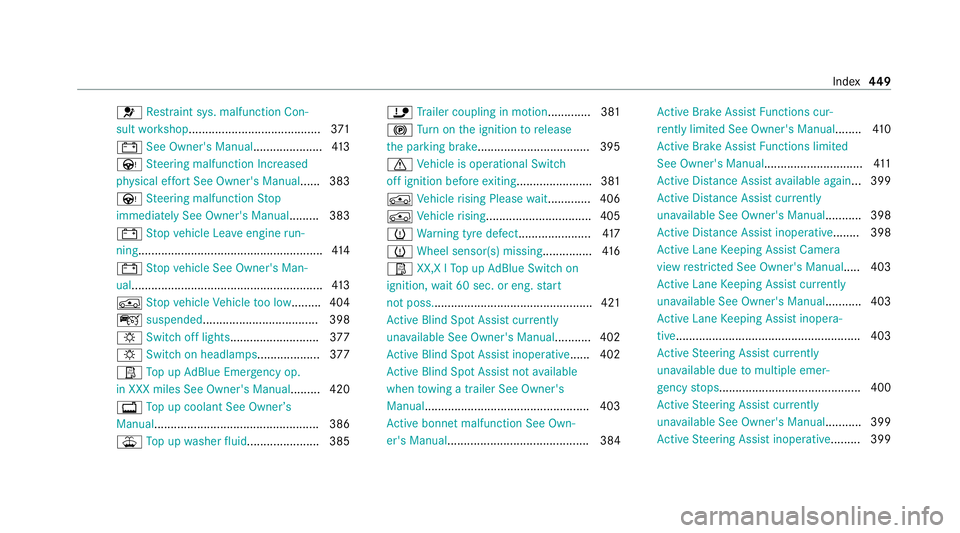
Ac tive Lane Keeping Assist Camera
view restricted See Owner's Manual..... 403
Ac tive Lane Keeping Assist cur rently
una vailable See Owner's Manual ...........403
Ac tive Lane Keeping Assist inopera‐
tive........................................................ 403
Ac tive Steering Assist cur rently
una vailable due tomultiple emer‐
ge ncy stops...........................................4 00
Ac tive Steering Assist cur rently
una vailable See Owner's Manual ...........399
Ac tive Steering Assist inoperative ......... 399 Index
449
Page 455 of 481
ST
EER CONTROL................................... 189
Driving sy stem
DY NA MIC BODY CONTROL.................... 217
Driving sy stem
see 360° Camera
see Active Blind Spot Assi st
see Active Dis tance Assi stDISTRONIC
see Active Emergency Stop Assist
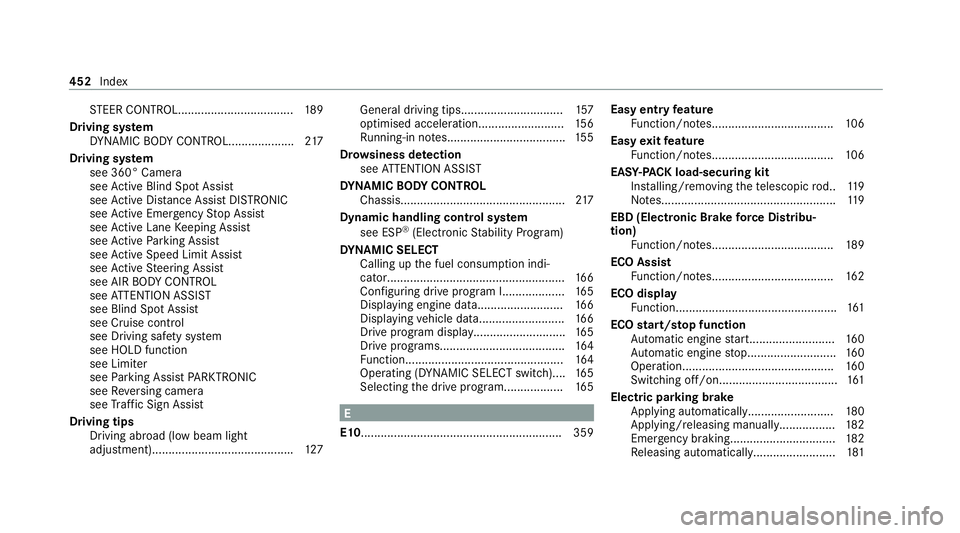
see Active Lane Keeping Assist
see Active Parking Assist
see Active Speed Limit Assi st
see Active Steering Assist
see AIR BODY CONTROL
see ATTENTION ASSIST
see Blind Spot Assist
see Cruise control
see Driving saf ety sy stem
see HOLD function
see Limiter
see Parking Assist PARKTRONIC
see Reversing camera
see Traf fic Sign Assi st
Driving tips Driving abroad (low beam light
adjustment).......................................... .127 Gene
ral driving tips.............................. .157
optimised acceleration.......................... 15 6
Ru nning-in no tes.................................... 15 5
Dr ow siness de tection
see ATTENTION ASSIST
DY NA MIC BODY CONT ROL
Chassis.................................................. 217
Dynamic handling cont rol sy stem
see ESP ®
(Elect ronic Stability Prog ram)
DY NA MIC SELECT
Calling up the fuel consum ption indi‐
cator..................................................... .166
Configuri ng drive program I................... 16 5
Displ aying engine dat a.......................... 16 6
Displ aying vehicle dat a.......................... 16 6
Drive program display............................ 16 5
Drive programs...................................... 16 4
Fu nction................................................ 16 4
Operating (DYNAMIC SELECT switch)....1 65
Selecting the drive prog ram.................. 16 5 E
E10 ............................................................ .359 Easy entry
feature
Fu nction/no tes..................................... 106
Easy exitfeature
Fu nction/no tes..................................... 106
EAS Y-PA CK load-securing kit
Ins talling/ removing thete lescopic rod.. 11 9
No tes..................................................... 11 9
EBD (Electronic Brake forc e Distribu‐
tion)
Function/no tes..................................... 189
ECO Assist Function/no tes..................................... 16 2
ECO display Function................................................. 161
ECO start/s top function
Au tomatic engine start.......................... 16 0
Au tomatic engine stop...........................1 60
Operation.............................................. 16 0
Switching off/on.................................... 161
Electric pa rking brake
Applying automaticall y.......................... 180
App lying/ releasing manuall y................. 182
Emergency braking................................ 182
Re leasing automaticall y......................... 181452
Index
Page 460 of 481
L
Lamp see In terior lighting
Lamp (instrument display) see Warning/indicator lamp
Lane de tection (au tomatic)
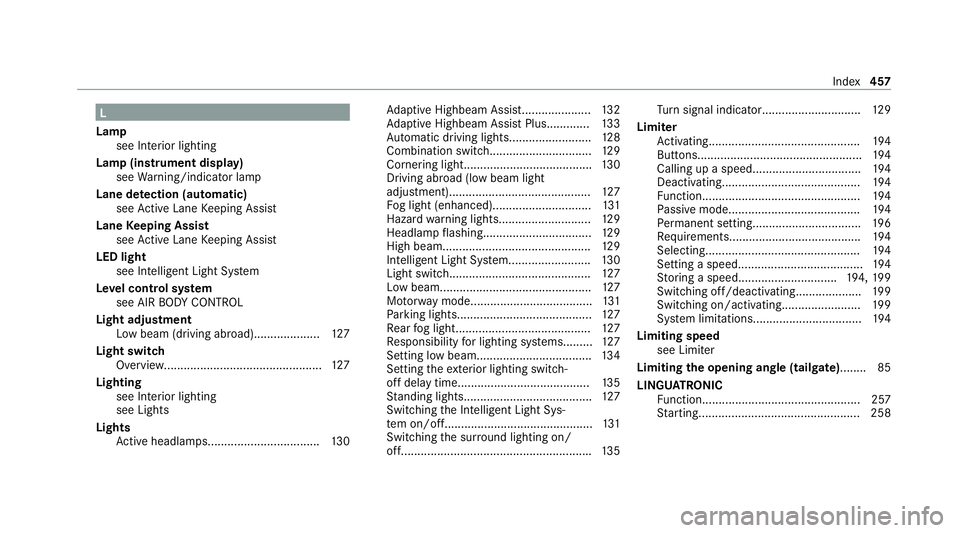
see Active Lane Keeping Assist
Lane Keeping Assist
see Active Lane Keeping Assist
LED light see Intelligent Light Sy stem
Le vel control sy stem
see AIR BODY CONTROL
Light adjustment Low beam (driving abroad).................... 127
Light switch Overview............................................... .127
Lighting see In terior lighting
see Lights
Lights Active headla mps.................................. 13 0Ad
aptive Highbeam Assist..................... 13 2
Ad aptive Highbeam Assist Plus............ .133
Au tomatic driving lights........................ .128
Combination switch.............................. .129
Cornering light....................................... 13 0
Driving ab road (low beam light
adjustment).......................................... .127
Fo g light (enhanced)..............................1 31
Haza rdwa rning light s............................ 12 9
Headla mpflashin g................................. 12 9
High beam............................................. 12 9
Intellige nt Light Sy stem......................... 13 0
Light switc h........................................... 127
Low beam..............................................1 27
Mo torw ay mode..................................... 131
Pa rking lights........................................ .127
Re ar fog light......................................... 127
Re sponsibility for lighting sy stems......... 127
Setting low beam................................... 13 4
Setting theex terior lighting switch-
off delay time........................................1 35
St anding lights....................................... 127
Switching the Intelligent Light Sys‐
te m on/of f............................................. 131
Switching the sur round lighting on/
off......................................................... .135 Tu
rn signal indicator.............................. 12 9
Limiter Activating.............................................. 194
Buttons.................................................. 194
Calling up a spee d................................. 194
Deactivating.......................................... 194
Fu nction................................................ 194
Pa ssive mode........................................ 194
Pe rm anent setting................................ .196
Re quirements........................................ 194
Selecting............................................... 194
Setting a speed...................................... 194
St oring a speed.............................. 194, 19 9
Switching off/deacti vating.................... 19 9
Switching on/activating........................ 19 9
Sy stem limitations................................. 194
Limiting speed see Limiter
Limiting the opening angle (tailgate) ........ 85
LINGU ATRO NIC
Fu nction................................................ 257
St arting................................................. 258 Index
457