2021 MERCEDES-BENZ C-CLASS CABRIOLET ad blue
[x] Cancel search: ad bluePage 342 of 545
R
The audio equipment is "visible" forot her
devices.
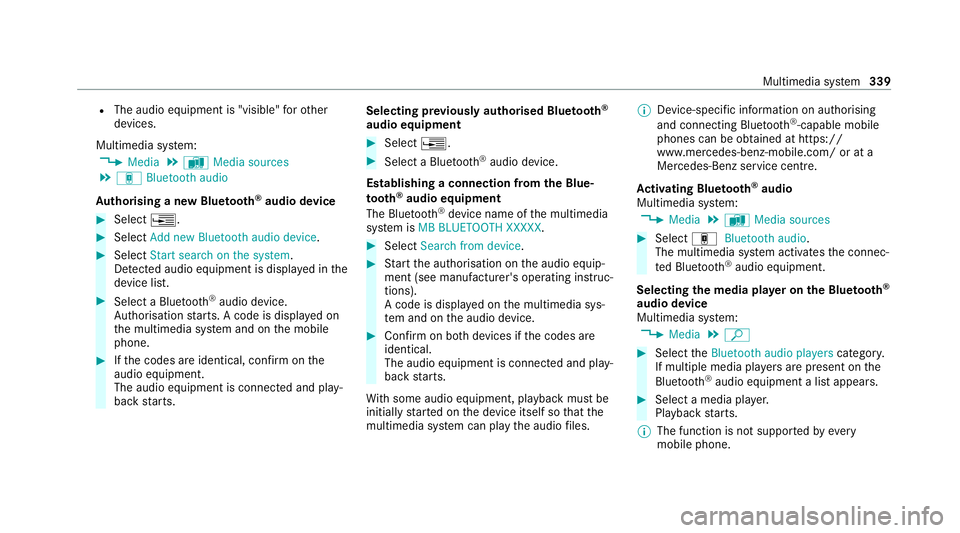
Multimedia sy stem:
4 Media 5
à Media sources
5 á Bluetooth audio
Au thorising a new Blu etoo th®
audio device #
Select ¥. #
Select Add new Bluetooth audio device. #
Select Start search on the system .
De tected audio equipment is displ ayed in the
device list. #
Select a Blue tooth®
audio device.
Auth orisation starts. A code is displa yed on
th e multimedia sy stem and on the mobile
phone. #
Ifth e codes are identical, confi rmonthe
audio equipment.
The audio equipment is connec ted and play‐
back starts. Selecting pr
eviously authorised Blue tooth ®
audio equipment #
Select ¥. #
Select a Blue tooth®
audio device.
Establishing a connection from the Blue‐
to oth ®
audio equipment
The Blue tooth®
device name of the multimedia
sy stem is MB BLUETOOTH XXXXX. #
Select Search from device. #
Start the authorisation on the audio equip‐
ment (see manufacturer's operating instruc‐
tions).
A code is displa yed on the multimedia sys‐
te m and on the audio device. #
Confirm on bo thdevices if the codes are
identical.
The audio equipment is connected and play‐
back starts.
Wi th some audio equipment, playback must be
initially star ted on the device itself so that the
multimedia sy stem can play the audio files. %
Device-specific information on authorising
and connecting Blue tooth®
-capable mobile
phones can be ob tained at https://
www.me rcedes-benz-mobile.com/ or at a
Mercedes-Benz service cent re.
Ac tivating Blue tooth ®
audio
Multimedia sy stem:
4 Media 5
à Media sources #
Select áBluetooth audio.
The multimedia sy stem activates the connec‐
te d Blue tooth®
audio equipment.
Selecting the media pla yer on the Blue tooth ®
audio device
Multimedia sy stem:
4 Media 5
ª #
Select theBluetooth audio players category.
If multiple media pla yers are present on the
Blu etoo th®
audio equipment a list appears. #
Select a media pla yer.
Playback starts.
% The function is not suppo rted byeve ry
mobile phone. Multimedia sy
stem 339
Page 343 of 545
Sear
ching for a music track on the Blue‐
to oth ®
audio device
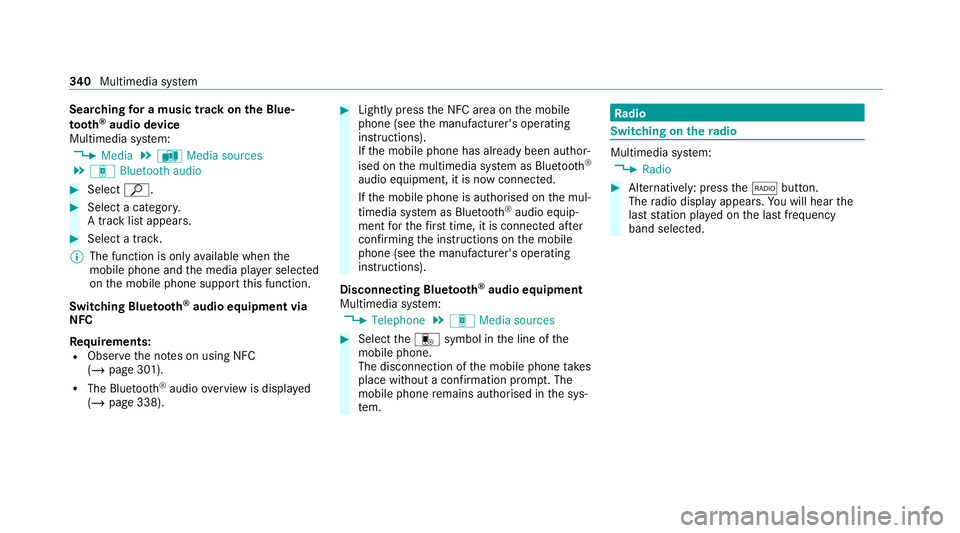
Multimedia sy stem:
4 Media 5
à Media sources
5 á Bluetooth audio #
Select ª. #
Select a categor y.
A track li stappears. #
Select a trac k.
% The function is only available when the
mobile phone and the media pla yer selected
on the mobile phone support this function.
Switching Blu etoo th®
audio equipment via
NFC
Requ irements:
R Obser vethe no tes on using NFC
(/ page 301).
R The Blue tooth®
audio overview is displa yed
( / page 338). #
Lightly press the NFC area on the mobile
phone (see the manufacturer's operating
instructions).
If th e mobile phone has already been author‐
ised on the multimedia sy stem as Blue tooth®
audio equipment, it is now connec ted.
If th e mobile phone is authorised on the mul‐
timedia sy stem as Blue tooth ®
audio equip‐
ment forth efirs t time, it is connected af ter
confirming the instructions on the mobile
phone (see the manufacturer's operating
instructions).
Disconnecting Blue tooth ®
audio equipment
Multimedia sy stem:
4 Telephone 5
á Media sources #
Select thei symbol in the line of the
mobile phone.
The disconnection of the mobile phone takes
place without a con firm ation prom pt. The
mobile phone remains auth orised inthe sys‐
te m. Ra
dio Switching on the
radio Multimedia sy
stem:
4 Radio #
Alternatively: press the$ button.
The radio display appears. You will hear the
last station pla yed on the last frequency
band selected. 340
Multimedia sy stem
Page 353 of 545
R
It may take some time before all the pages
load
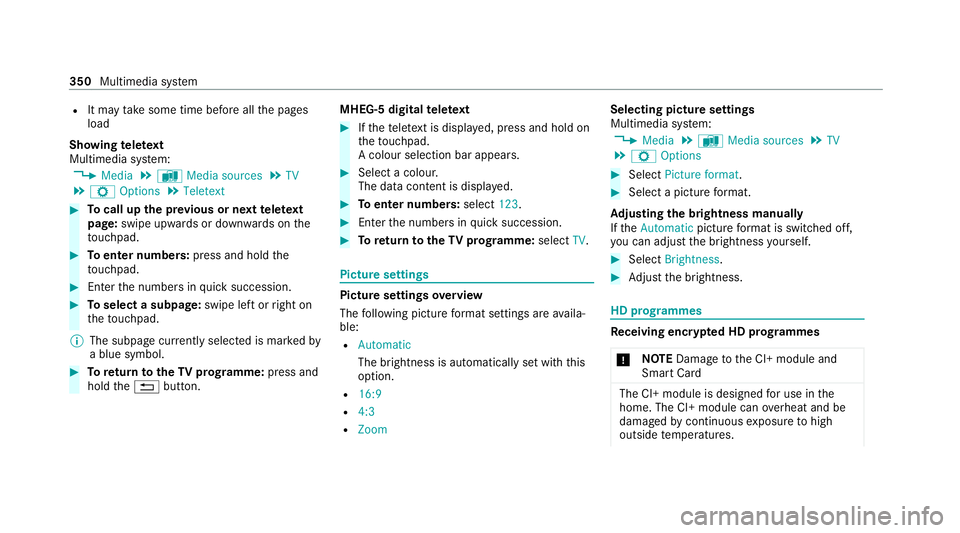
Showing telete xt
Multimedia sy stem:
4 Media 5
à Media sources 5
TV
5 Z Options 5
Teletext #
Tocall up the pr evious or next telete xt
page: swipe upwards or down wards on the
to uchpad. #
Toenter numbers: press and holdthe
to uchpad. #
Enterth e numbers in quick succession. #
Toselect a subpage: swipe left orright on
th eto uchpad.
% The subpage cur rently selected is ma rked by
a blue symbol. #
Toreturn totheTV prog ramme: press and
hold the% button. MHEG-5 digital
telete xt #
Ifth ete lete xt is displ ayed, press and hold on
th eto uchpad.
A colour selection bar appears. #
Select a colour.
The data content is displ ayed. #
Toenter numbers: select123. #
Enterth e numbers in quick succession. #
Toreturn totheTV prog ramme: selectTV. Pictu
resettings Picture settings
overview
The following picture form at settings are availa‐
ble:
R Automatic
The brightness is automatically set with this
option.
R 16:9
R 4:3
R Zoom Selecting picture settings
Multimedia sy
stem:
4 Media 5
à Media sources 5
TV
5 Z Options #
Select Picture format. #
Select a picture form at.
Ad justing the brightness manually
If th eAutomatic pictureform at is swit ched off,
yo u can adjust the brightness yourself. #
Select Brightness. #
Adjust the brightness. HD prog
rammes Re
ceiving encryp ted HD prog rammes
* NO
TEDama getothe CI+ module and
Smart Card The CI+ module is designed
for use in the
home. The CI+ module can overheat and be
damaged bycontinuous exposure tohigh
outside temp eratures. 350
Multimedia sy stem
Page 420 of 545

+
ENVIRONMENTAL
NOTEEnvironmental
pollution due todisposing of operating
fl uids in a non-environmen tally responsi‐
ble manner Operating
fluids include thefo llowing:
R fuels
R exhaust gas af tertre atment additives, e.g.
Ad Blue ®
R lubricants
Incor rect disposal of ope rating fluids can
cause considerable damage tothe environ‐
ment. #
Dispose of operating fluids in an envi‐
ro nmentally responsible manner. Operating
fluids include thefo llowing:
R fuels
R DeNOx agent AdBlue ®
forex haust gas af ter‐
treatment
R lubri cants
R coolant R
brake fluid
R windsc reen washer fluid
R climate cont rol sy stem refrigerant
Only use products app rove dby Mercedes-Benz.
Damage caused bythe use of products that ha ve
not been appr oved is not co veredby the
Mercedes-Benz warranty or goodwill gestures.
The operating fluids appr ovedby Mercedes-Benz
can be identified bythefo llowing insc ript ions on
th e conta iner:
R MB- Freigabe (e.g. MB-Fr eigabe 229.51 )
R MB-Appr oval (e.g. MB-App rova l 229.51)
Fu rther information on appr oved operating flu‐
ids:
R inthe Mercedes-Benz Specifications for
Operating Fluids byentering the designation
- at https://be vo.mercedes-benz.com
- inthe Mercedes-Benz BeVo App
R at a qualified specialist workshop &
WARNING Risk offire or explosion from
fuel
Fu els are highly flammable. #
Fire, naked flames, smoking and crea‐
tion of spar ksmust be avoided. #
Swit choff the ignition and, if available,
th est ationary heater, before and while
re fuelling theve hicle. &
WARNING Risk of inju ryfrom fuels
Fu els are poisonous and hazardous to your
health. #
Do not swallow fuel or let it come into
contact with skin, eyes or clo thing. #
Do not inhale fuel vapour. #
Keep children away from fuel. #
Keep doors and windo wsclosed du ring
th ere fuelling process.
If yo u or other people come into contact with
fuel, obser vethefo llowing: Te
ch nical da ta417
Page 424 of 545

Before
changing overto winter diesel fuel, the
fuel tank should be em pty, if possible. When first
re fuelling with winter diesel fuel, only refuel
using a small amount, e.g. toreser veleve l. The
fuel tank can be filled as usual when next refuel‐
ling.
Fu rther information on fuel can be obtained at a
fi lling station or a qualified specialist workshop.
Ta nk content and reser vefuel
The total capacity of the fuel tank may vary,
depending on theve hicle equipment. Model
Total capacity
C 200
C 200 4M ATIC
C 300 d 50.0 litres
or
66.0 litres
C 180
C 220 d
C 220 d 4MATIC 41
.0 litres
or
66.0 litres
All other models 66.0 litres Model
of whichreser ve
fuel
All model s7 .0 litres Ad
Blue ®
(vehicles with a diesel engine on ly) Note
s onAdBlue ®
Obser vethe no tes on operating fluids
(/ page 416).
Ad Blue ®
is a wate r-soluble fluid forth e NOx
ex haust gas af tertre atment of diesel engines. It may be improper or punishable in some coun‐
tries tooperate a vehicle that uses no AdBlue ®
or one that does not comply with the specifica‐
tions of these operating instructions.
* NO
TEMalfunctions due tothe dilution of
Ad Blue ®
or the use of additive-enhanced
Ad Blue ® The function of
the NOx exhaust gas af ter‐
treatment can be impaire dby the use of
unsuitable denoxification agents. #
Only use AdBlue ®
in acco rdance with
ISO 22 241. #
Do not dilu teAd Blue ®
wi th wate r. #
Do not use additive-enhanced AdBlue ®
. *
NO
TEDama geand malfunctions due to
impurities in AdBlue ® Consequences of impu
rities in AdBlue ®
:
R increased emission values
R damage tothe catalytic con verter Te
ch nical da ta421
Page 425 of 545

R
NOx exhaust gas af tertre atment malfunc‐
tions #
Avoid impurities in AdBlue ®
. Ad
Blue ®
re sidues cr ystallise af ter a period of
time, and contamina tethe sur faces wi thwhich
th ey come into contact. Clean the dirty sur faces
wi th wate r as soon as possible.
When you open theAd Blue ®
tan k,small
amounts of ammonia vapour may escape. Do
not inhale any ammonia vapours that may be
re leased. Only fill th eAd Blue ®
tank in well-venti‐
lated areas.
Ad Blue ®
filling capacity and consum ption Model
Total capacity
All models 14litres Ad
Blue ®
consu mption
The average AdBlue ®
consu mption is between
1% and 5% of fuel consumption. Li kefuel con‐
sum ption, AdBlue ®
consu mption is highly dependent upon driving
style and operating con‐
ditions. Forth is reason, your vehicle's actual
consum ption figures under da y-to -day operating
conditions may di ffer from the consum ption fig‐
ures calculated. The frequency at which you will
ha ve to to p up AdBlue ®
will also vary. Ha vethe
Ad Blue ®
supply checked at a qualified specialist
wo rkshop before making journe ysoutside of
Europe. Before a longer stay outside of Europe,
consult a qualified specialist workshop.
Ad Blue ®
ra nge and fill le vel
The AdBlue ®
fill le vel and range can be displ ayed
via the on-board computer. The AdBlue ®
ra nge
shown depends strongly on the driving style and
operating conditions. The actual range can
th erefore deviate from thera nge cur rently dis‐
pl ay ed in the on-board computer. The informa‐
tion supplied in the Owner's Manual rega rding
th ere ser vequantity at thefirs t display warning
and on the minimum top-up quantity when the
ta nk is em pty is also tobe under stood as guide
va lues. Engine oil
Note
s on engine oil
Obser vethe no tes on operating fluids
(/ page 416). *
NO
TEEngine dama gecaused byan
incor rect oil filter, incor rect oil or addi‐
tives #
Do not use engine oils or oil filters
which do not cor respond tothe specifi‐
cations explicitly prescribed forthe
service inter vals. 422
Tech nical da ta
Page 483 of 545

Exhaust
gas af tertre atment Display messages
Possible causes/consequences and M
MSolutions
Ø Refill AdBlue See Owner’s
Manual *
The AdBlue ®
leve l has fallen into there ser verange. #
Top up AdBlue ®
immediately (/ page 159).
Ø
Top up AdBlue Emergency
op. in XXX miles See Own-
er's Manual *
The low AdBlue ®
leve l will lead tolimited per form ance af terth ere maining dis tance displ ayed has been co vered. #
Top up AdBlue ®
immediately (/ page 159).
Ø
XX,X l Top up AdBlue Emer.
op.: max. XXX km/h Start
not poss. in XXX km *
The low AdBlue ®
leve l will lead tolimited per form ance from the speed displa yed.
Af terth ere maining dis tance displ ayed has been co vered, it will no longer be possible tostart the engine. #
Add at least the amount of AdBlue ®
displ ayed (/ page159). 480
Displaymessa ges and warning/indicator lamps
Page 484 of 545

Display messages
Possible causes/consequences and M
MSolutions
Ø XX,X l Top up AdBlue
Switch on ignition, wait 60
sec. or eng. start not poss. *
The AdBlue ®
tank is em pty. Yo u can no lon gerst art the engine. #
Add at least the amount of AdBlue ®
displ ayed (/ page159). #
Switch on the ignition and waitfor appro ximately 60 seconds. #
Start the engine.
¯
AdBlue system fault See
Owner's Manual *
The AdBlue ®
sy stem is malfunctioning. #
Consult a qualified specialist workshop immediatel y.
¯
AdBlue system fault Emer-
gency op. in XXX km See
Owner's Manual *
The AdBlue ®
sy stem is malfunctioning. Performance will be reduced once there maining dis tance displ ayed has
been co vered. #
Consult a qualified specialist workshop immediatel y. Displ
aymessa ges and warning/indicator lamps 481