Page 82 of 635

821-4. Theft deterrent system
LX570_OM_OM60T33U_(U)
Alarm
The alarm uses light and sound to give an alert when an intrusion is detected.
The alarm is triggered in the following situations when the alarm is set:
●A locked door is unlocked or opened in any way other than using the entry
function or wireless remote control. (The doors will lock again automatically.)
●The hood is opened.
●The battery is reconnected.
Close the doors and hood, and lock all
the doors using the entry function or
wireless remote control. The system will
be set automatically after 30 seconds.
The indicator light changes from being
on to flashing when the system is set.
Do one of the following to de activate or stop the alarms:
●Unlock the doors using the entry function or wireless remote control.
●Turn the engine switch to ACCESSOR Y or IGNITION ON mode, or start
the engine. (The alarm will be deactivat ed or stopped after a few seconds.)
The alarm
Setting the alarm system
Deactivating or stopping the alarm
Page 83 of 635
831-4. Theft deterrent system
LX570_OM_OM60T33U_(U)
1
For safety and security
■System maintenance
The vehicle has a maintenance-free type alarm system.
■Items to check before locking the vehicle
To prevent unexpected triggering of the alarm and vehicle theft, make sure of the follow-
ing.
●Nobody is in the vehicle.
●The windows and moon roof are closed before the alarm is set.
●No valuables or other personal items are left in the vehicle.
■Triggering of the alarm
The alarm may be triggered in the following situations:
(Stopping the alarm deactivates the alarm system.)
●The doors are unlocked using the mechanical
key.
●A person inside the vehicle opens a door or
hood, or unlocks the vehicle using an inside
lock button.
●The battery is recharged or replaced when the
vehicle is locked. ( P. 553)
Page 84 of 635
841-4. Theft deterrent system
LX570_OM_OM60T33U_(U)
■Alarm-operated door lock
In the following cases, depending on the situation, the door may automatically lock to
prevent improper entry into the vehicle:
●When a person remaining in the vehicle un locks the door and the alarm is activated.
●While the alarm is activated, a person remaining in the vehicle unlocks the door.
●When recharging or replacing the battery.
NOTICE
■To ensure the system operates correctly
Do not modify or remove the system. If mo dified or removed, the proper operation of
the system cannot be guaranteed.
Page 87 of 635

LX570_OM_OM60T33U_(U)
872. Instrument cluster
2
Instrument cluster
Warning lights inform the driver of malfunctions in any of the vehicle’s systems.
Warning lights
*1
(U.S.A.)
Brake system warning light
( P. 524)*1Automatic headlight
leveling system warning
light ( P. 525)
*1
(Canada)
Brake system warning light
( P. 524)*2Low speed four-wheel
drive indicator light
( P. 526)
*1Charging system warning
light ( P. 524)*2Center differential lock
indicator light ( P. 526)
*1
(U.S.A.)
Malfunction indicator lamp
( P. 524) Open door warning light
(
P. 526)
*1
(Canada)
Malfunction indicator lamp
( P. 524) Low fuel level warning light
(
P. 526)
*1SRS warning light
( P. 524) Driver’s seat belt reminder
light (
P. 526)
*1
(U.S.A.)
ABS warning light
( P. 524)*3Front passenger’s seat belt
reminder light ( P. 526)
*1
(Canada)
ABS warning light
( P. 524)*1Master warning light
( P. 526)
*1, 4
(if equipped)
PCS warning light
( P. 525)*1Tire pressure warning light
( P. 526)
*1Slip indicator light
( P. 525)*2
(U.S.A.)
Parking brake indicator
( P. 526)
Page 89 of 635

LX570_OM_OM60T33U_(U)
892. Instrument cluster
2
Instrument cluster
The indicators inform the driver of the operating state of the vehicle’s various sys-
tems.
Indicators
Turn signal indicator
( P. 224)
(if equipped)
LDA indicator ( P. 268)
(U.S.A.)
Headlight indicator
( P. 228)*1, 2
Slip indicator ( P. 386)
(Canada)
Tail light indicator
( P. 228) *1VSC OFF indicator
( P. 386)
Headlight high beam
indicator ( P. 229) Multi-terrain Select
indicator (
P. 319)
Automatic High Beam
indicator ( P. 231)
*1Crawl Control indicator
( P. 314)
Fog light indicator
( P. 236) Automatic transmission
second start indicator
(
P. 217)
*1Eco Driving Indicator
Light ( P. 91) Low speed four-wheel
drive indicator light
(
P. 310)
Cruise control indicator
( P. 288, 276) Center differential lock
indicator (
P. 311)
Cruise control “SET”
indicator ( P. 288, 276)
*1Easy access mode
indicator ( P. 302)
(if equipped)
Dynamic radar cruise
control indicator
( P. 276) Intuitive parking assist
indicator (
P. 294)
Page 93 of 635
LX570_OM_OM60T33U_(U)
932. Instrument cluster
2
Instrument cluster
Odometer and trip meter display
Odometer:
Displays the total distance the vehicle has been driven
Trip meter:
Displays the distance the vehicle has been driven since the meter was last reset. Trip
meters A and B can be used to record an d display different distances independently.
Shift position and shift range display
Displays the selected shift position or selected shift range (P. 217)
4-Wheel AHC display
Display the status of 4-Wheel AHC (Active Height Control Suspension). ( P. 302)
Outside temperature
Displays the outside temperature within the range of -40F (-40 C) to 122 F
(50 C). Low outside temperature indicator comes on when the ambient temperature
is 37 F (3C) or lower.
Clock
Time displayed is linked to the anal og clock on the instrument panel. (P. 440)
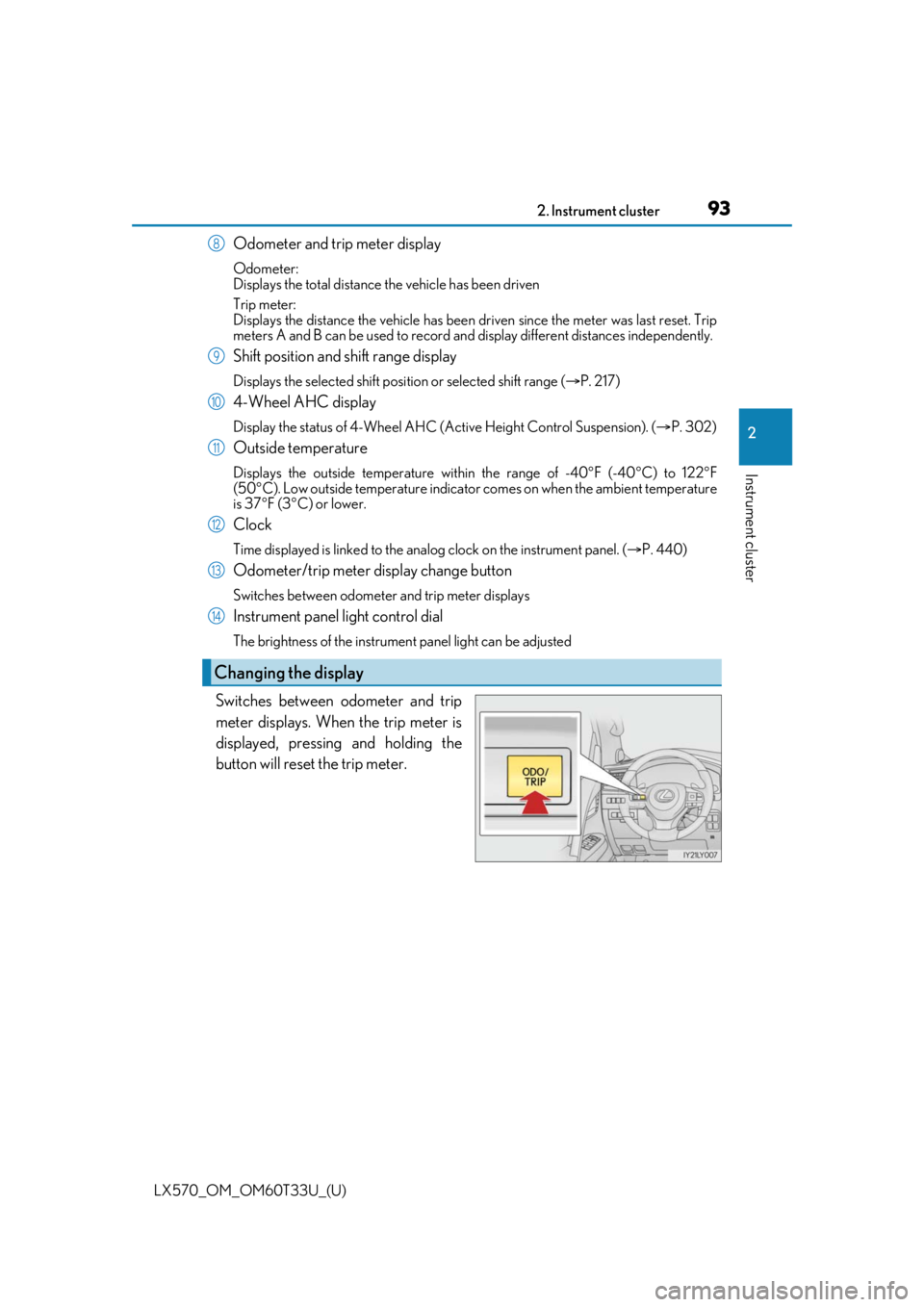
Odometer/trip meter display change button
Switches between odometer and trip meter displays
Instrument panel light control dial
The brightness of the instrument panel light can be adjusted
Switches between odometer and trip
meter displays. When the trip meter is
displayed, pressing and holding the
button will reset the trip meter.
Changing the display
8
9
10
11
12
13
14
Page 102 of 635
102
LX570_OM_OM60T33U_(U)2. Instrument cluster
●Meter settings
Select to set the following items.
• Language Select to change the language on the display.
•Units Select to change the unit for measure.
• Eco Driving Indicator Light Select to activate/deactivate the Eco Driving Indicator Light. (
P. 91)
• switch settings You can register 1 screen as the to p screen. To register, press and hold
while the desired screen is displayed.
• Drive information 1 and 2 Select to select up to 2 items that will be displayed on a drive informa-
tion screen, up to 2 drive in formation screens can be set.
• Clock Select to set the display mode of the clock.
•Pop-up display Select to set the pop-up displays, which may appear in some situations,
on/off. ( P. 103)
• Accent color Select to change the accent colors on the screen, such as the cursor
color.
• Initialization Registered or changed meter settin gs will be deleted or returned to
their default setting.
*:If equipped
Page 115 of 635
115
LX570_OM_OM60T33U_(U)
3
Operation of
each component
3-1. Key information
Keys .................................................... 116
3-2. Opening, closing and locking the doors
Side doors ........................................ 121
Back door....................................... 128
Smart access system with push-button start ...................... 138
3-3. Adjusting the seats Front seats...................................... 146
Rear seats....................................... 148
Driving position memory ..........157
Head restraints .............................. 161
3-4. Adjusting the steering wheel and mirrors
Steering wheel ............................. 164
Inside rear view mirror ............. 166
Outside rear view mirrors....... 168
3-5. Opening, closing the windows and moon roof
Power windows ............................. 171
Moon roof .......................................174